
Disclosure: Our experts test apps for security before recommending them. If you buy through our links, we may earn a commission. See how it works.
Unlinked is a popular third-party app store. It lets you install official and unofficial apps across categories such as movies, live TV, sports, anime, VPNs, and more.
However, unlinked codes don’t last forever; they expire or get taken down over time. That’s why we update this list every week (last updated on 22 June, 2026).
Check out the best unlinked codes for this week:
- FIRESTICK – 83 Apps
- EVERYTHING – 71 Apps
- EMDYOUTUBE – 54 Apps
- 2D8622CF (PIN: 22042026) – 83 Apps
- 12341234 – 900+ Apps
However, since Unlinked is an unofficial app store with several unverified apps, it is strictly recommended to use a VPN to ensure your online security. Surfshark is our #1 choice.
Our Recommended VPN - Surfshark

WARNING! Amazon Monitors Your Fire TV Stick!
Yes, It’s True! Without Proper Encryption, your IP Address is Exposed, and Whatever you Stream on FireStick is 'Being Tracked'.
This can lead to:
- Blocking of the FREE Third-Party Apps
- Exposure of your Personal data to hackers, ISPs, and even the authorities
But There’s a Solution - ‘Surfshark VPN’
Save 87% + Get 3 Extra Months FREE with Surfshark VPN [Limited Time Offer]
This Includes:
✅ VPN for just $0.06/day!
✅ Strongest Encryption (i.e.256-Encryption)
✅ 3,200 servers in 100+ server locations
✅ Kill Switch Feature for FireStick users
✅ Data Breach Alerts.
✅ Unlimited Device Connections.
✅ 30-day money-back guarantee.

16 Best Unlinked Codes [Tried & Tested | June, 2026]
Every unlinked code unlocks a different library with several apps in multiple categories.
We update this list weekly, so you only get active, useful Unlinked codes and don’t waste your time on broken links.
1. FIRETVGURU
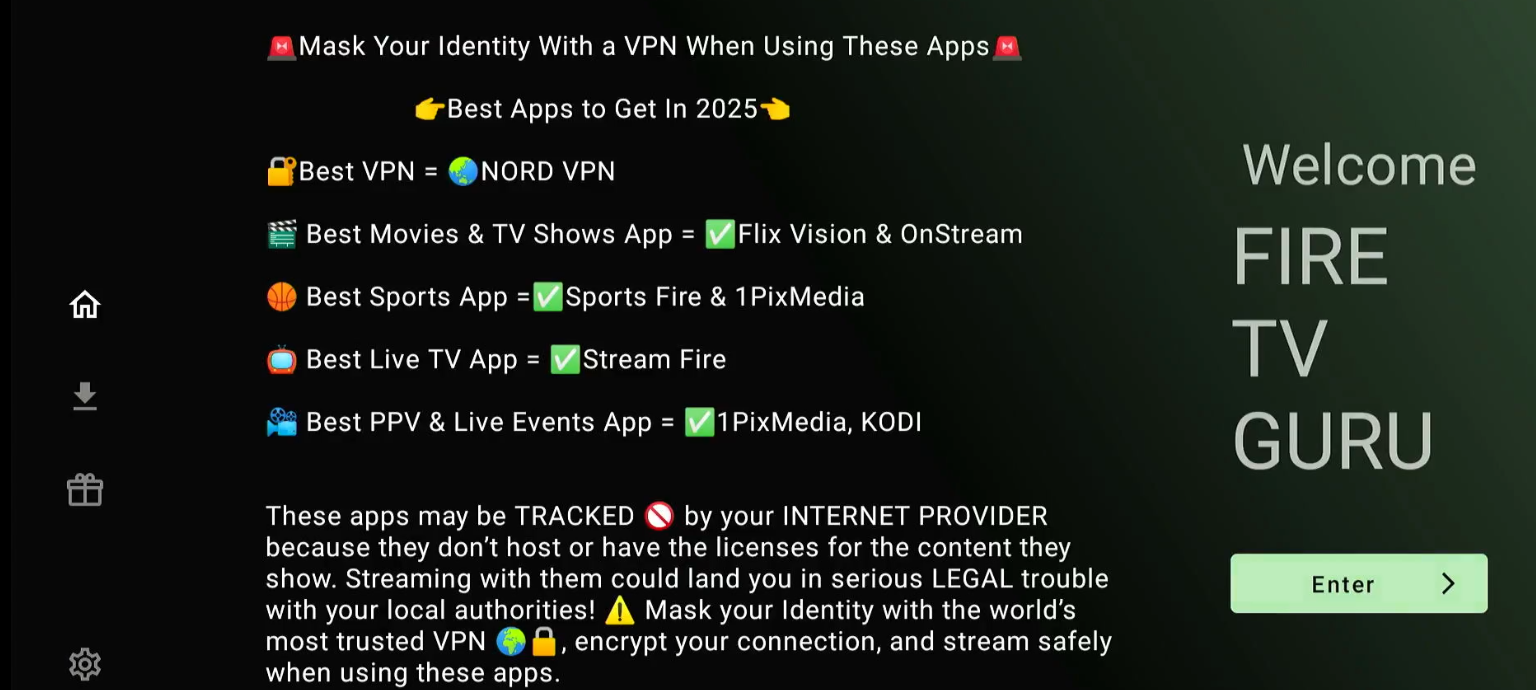
FIRETVGURU is a new unlinked code with 100s of free sports apps, media players, and movie apps.
- Library Name: FIRETVGURU
- Notable Categories: Movies, Live TV, & Video Players
- Number of Apps: 100+
- PIN: No PIN required
- Popular Apps: FilmPlus, BeeTV, 1Pix Media, & Drama Player
2. EMDYOUTUBE
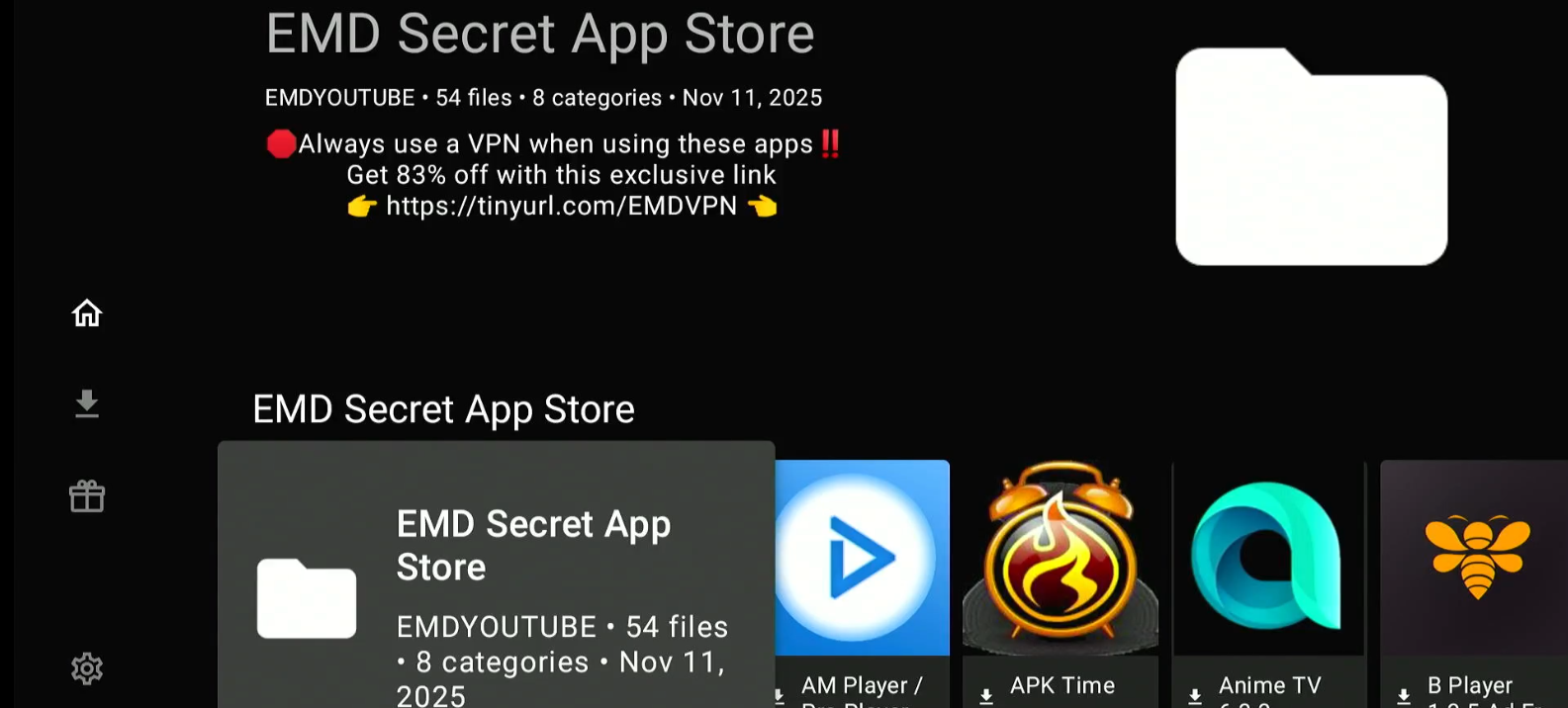
EMDYOUTUBE has a relatively small library of apps (54 apps to be exact, as of December 2025). However, I was impressed with the variety of apps.
- Library Name: EMD Secret App Store
- Notable Categories: Official Apps, Sports, & Utilities
- Number of Apps: 54
- PIN: No PIN required
- Popular Apps: AMPlayer, TFlix, IPVanish & Streamflix.
3. EB2E4A4C
This Unlinked code first got popular in 2022 and still works fine. It is widely used for its clean layout, no-PIN access, and a great mix of streaming and utility apps.
- Library Name: Seenys APK Store
- Notable Categories: Live TV, Tools, Browsers, VPNs, & Music
- Number of Apps: Approximately 80
- PIN: No PIN required
- Popular Apps: Cinema HD, Bee TV, Ola TV, Mouse Toggle, & FilmPlus
4. DOGBERTS

DOGBERTS was set up in 2021. Currently, the library has 13 categories and features 149 files.
- Library Name: Dogberts Unlinked Library
- Notable Categories: Browsers, VPNs, Device Management, & IPTV
- Number of Apps: 149
- PIN: No PIN required
- Popular Apps: IPTV Smarters, MX Player, OTT Navigator, & TiviMate
5. ZINONETIC
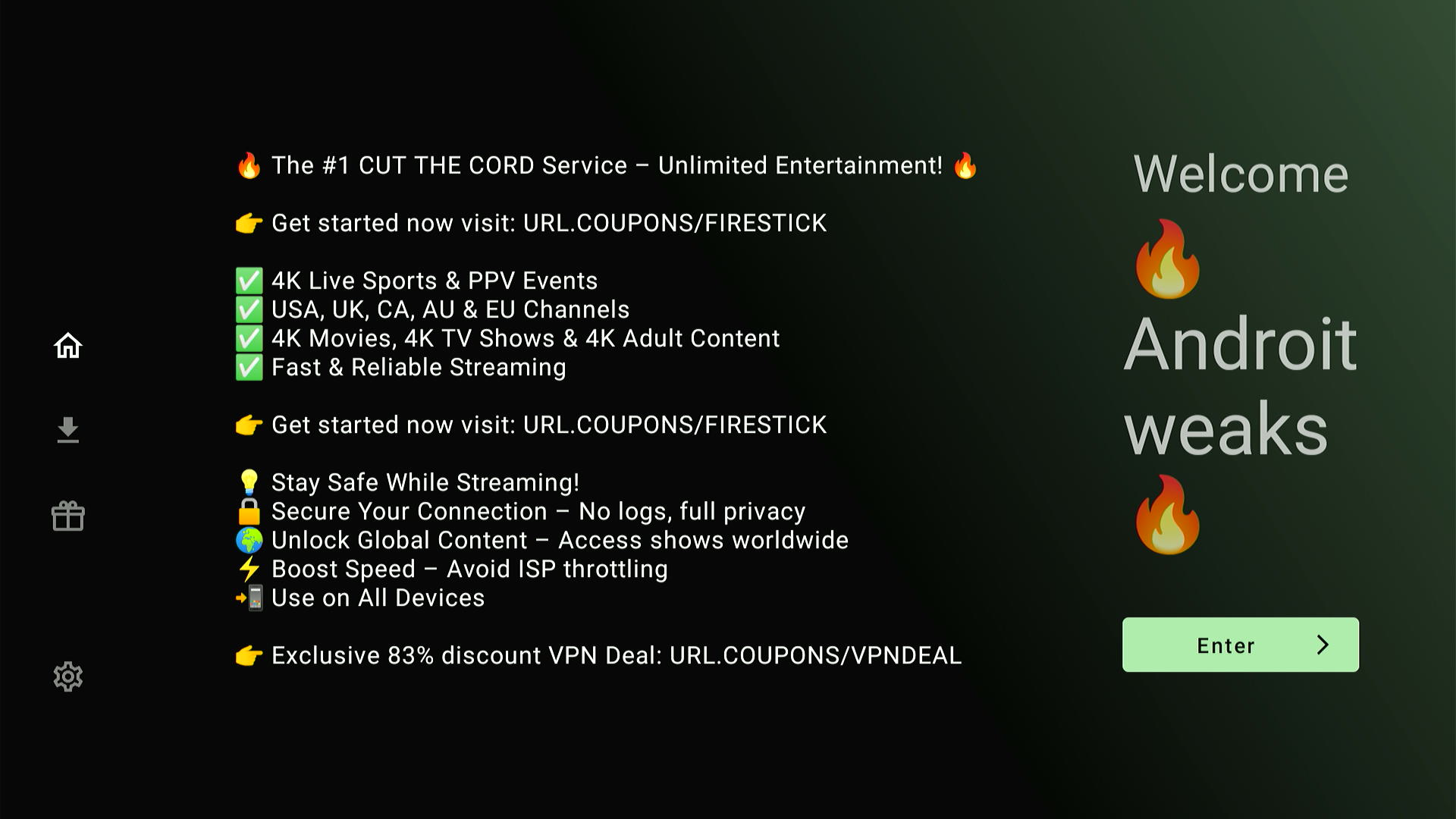
This is also a very well-maintained library. ZINONETIC is a relatively new unlinked code, which has been around only since March 2025.
- Library Name: Android Tweaks
- Notable Categories: Adults, Movies, Media Players, & Sports
- Number of Apps: 76
- PIN: No PIN required
- Popular Apps: Flix Vision, Nord VPN, Cinema HQ, & Cyberflix
6. 7919e0d4
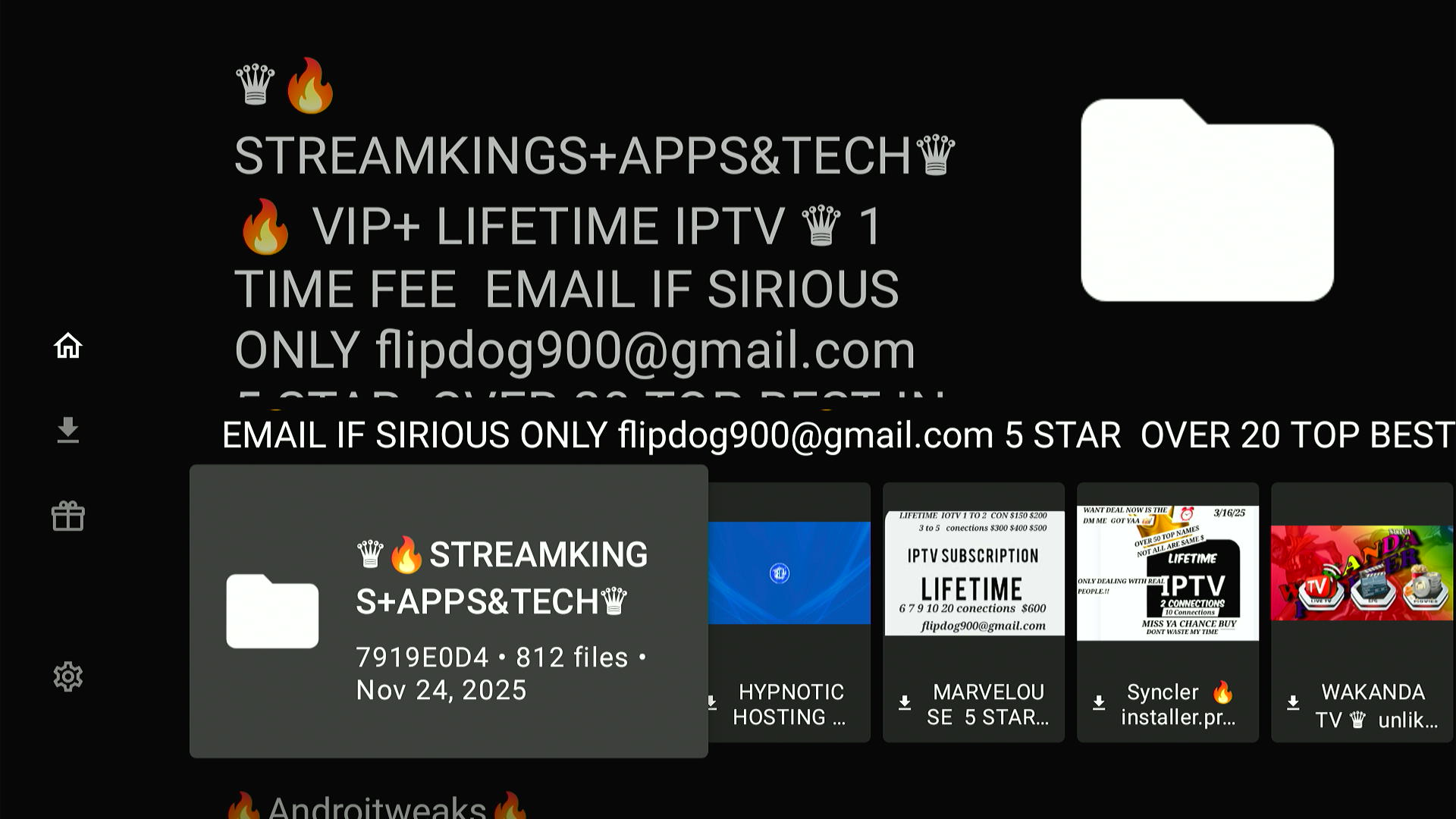
StreamKings offers a curated lineup of reliable IPTV apps and useful technical tools. The library is regularly refreshed to keep everything running smoothly.
- Library Name: StreamKings
- Notable Categories: Movies, Live TV, Utilities, & IPTV Players
- Number of Apps: 812
- PIN: No PIN required
- Popular Apps: Syncler, Blink Streamz, 9xtream IPTV Player, & Applinked
7. 2D8622CF
This is one of the most updated Unlinked libraries I have come across. No wonder it is PIN-protected.
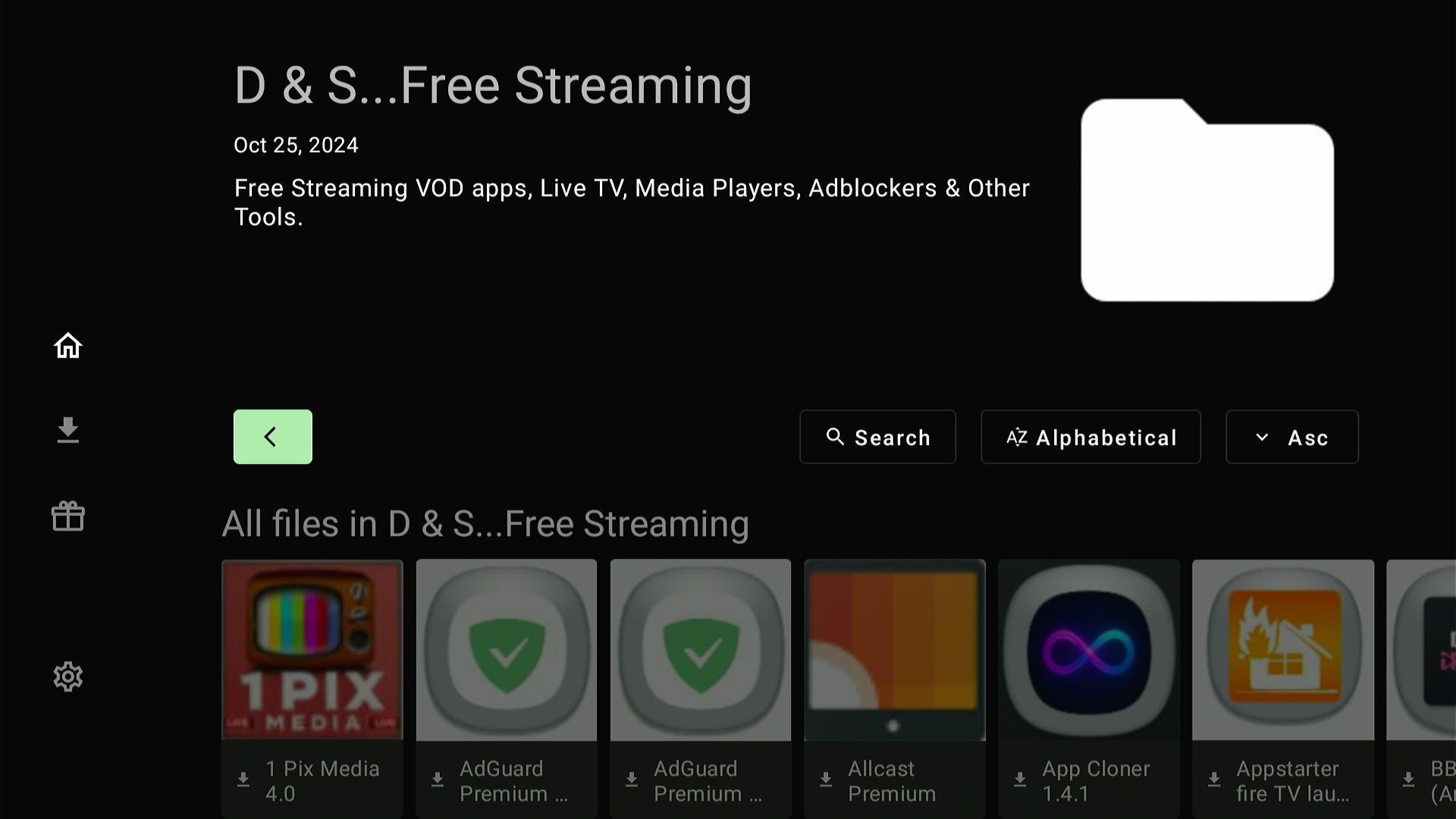
- Library Name: D & S Free Streaming
- Notable Categories: Movies, Utilities & Live TV
- Number of Apps: 80+
- PIN: 22042026
- Popular Apps: Bear Player, CinePlus, Cinema HQ & Downloader
8. 67664537
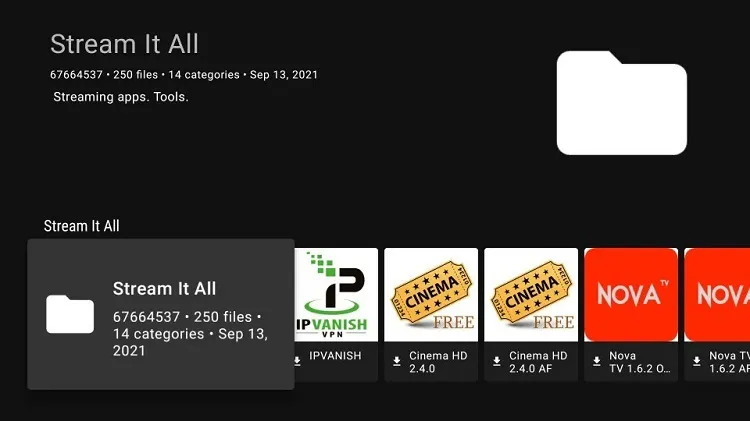
In this library, you will find updated versions of all the featured apps. It is Ideal for users who want all-in-one access to streaming, tools, and even official FireStick utilities.
- Library Name: Stream It All
- Notable Categories: Live TV, Anime, Sports, Tools, IPTV Players, Music, Comics, & Adult
- Number of Apps: 200+
- PIN: No PIN required
- Popular Apps: Media Lounge, MX Player, Stremio, Cinema HD, Aptoide TV, & Dofu Sports.
9. 12341234
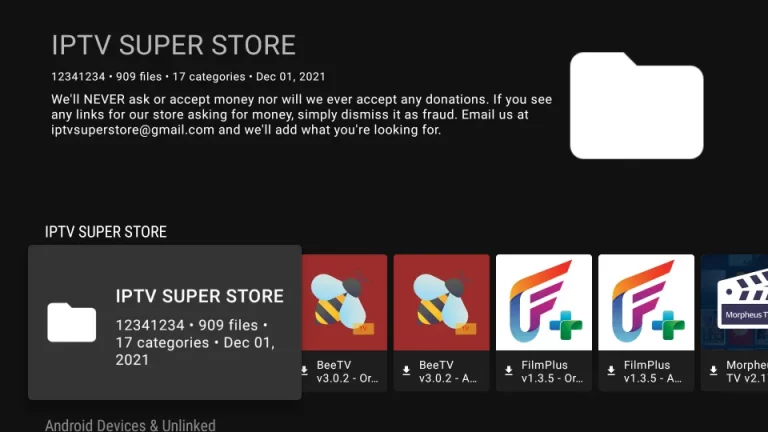
Known as one of the largest and most versatile Unlinked libraries, this code offers 900+ apps across almost every streaming category.
- Library Name: IPTV Super Store
- Notable Categories: Live TV, Sports, Utilities, Anime, Music, & Kodi Forks.
- Number of Apps: 900+
- PIN: No PIN required
- Popular Apps: Lepto Sports, Ocean Streamz, Spotify, Stremio, Syncler, & Kodi.
10. FIRESTICK
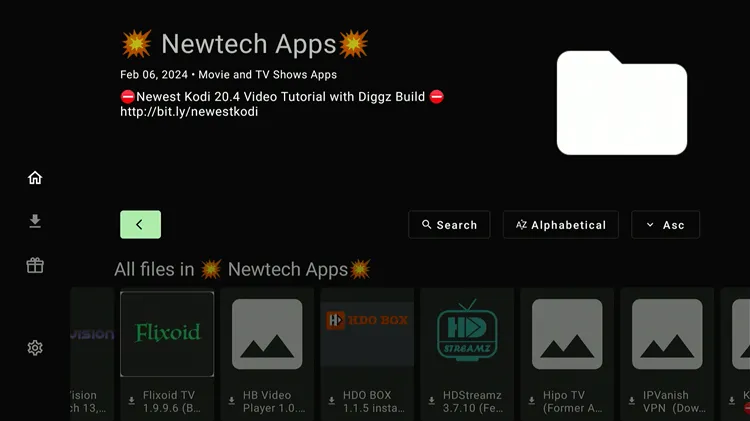
This code provides access to the Newtech Apps library, offering a curated selection of 53 applications tailored for FireStick users.
- Library Name: Newtech Apps
- Popular Categories: Movies, TV Shows, Media Players, VPNs, & Browsers
- Number of Apps: 53
- PIN: No PIN required
- Popular Apps: Xumo Play, Pluto TV, Popcornflix, BeeTV, Live Net TV, SStream, & StreamFire.
11. 96960000
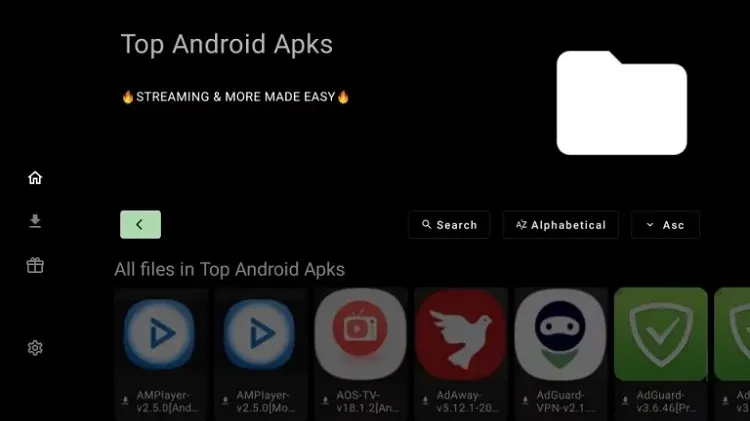
If you’re looking for a small but solid library that mixes useful tools with popular streaming apps, this code is worth checking out. It includes top media players, remote tools, and ad-free APKs.
- Library Name: Top Store
- Notable Categories: Utilities, Movies, & Live TV
- Number of Apps: 43
- PIN: 911911
- Popular Apps: AdGuard, AMPlayer, Beast Player, HD Streamz, FlixVision, & CyberFlix
12. 90D311FE
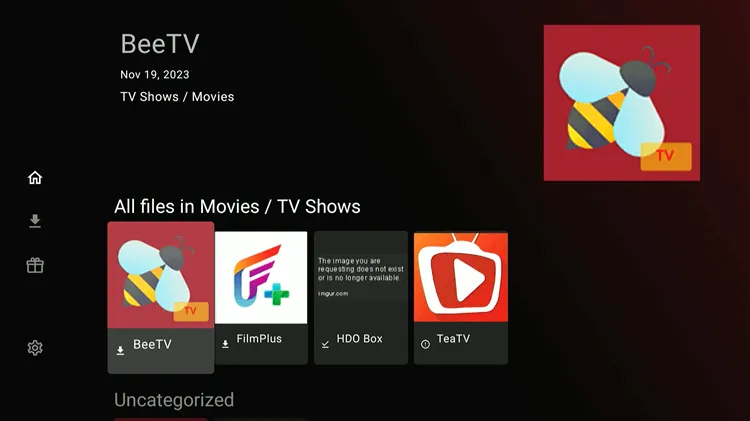
13. 7CD6A4F1
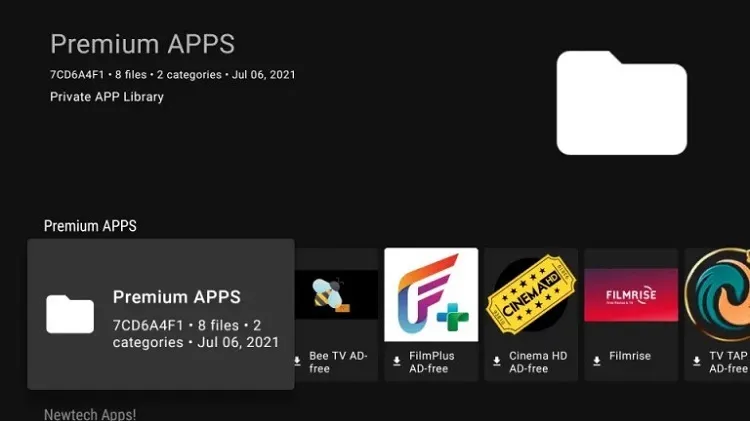
If you prefer streaming without ads, this code is for you. This library offers a small, handpicked collection of apps, in ad-free or modded versions, for a smoother experience.
- Library Name: Premium Apps
- Notable Categories: Movies, TV Shows, & Live TV
- Number of Apps: 10+
- PIN: 911911
- Popular Apps: Tubi, TVTap Pro, FilmRise, & HD Streamz
14. SUPERAPPS
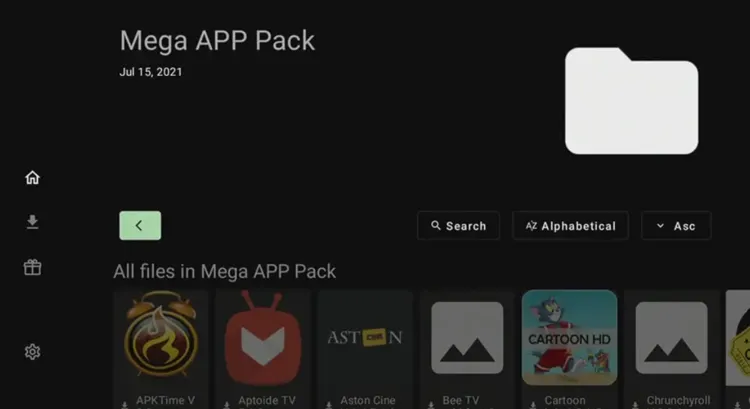
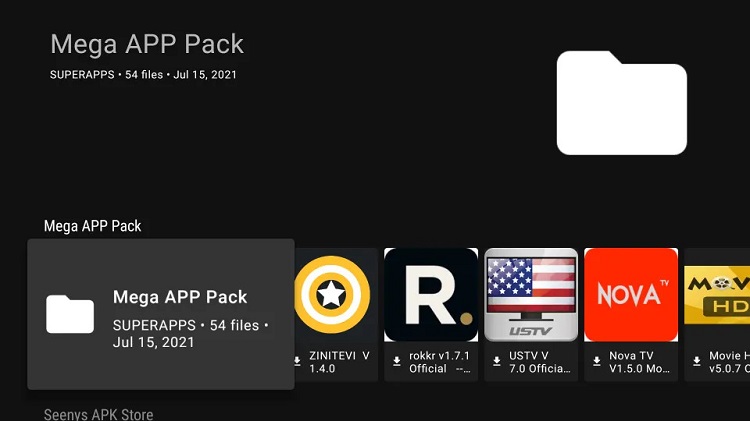
The Unlinked code SUPERAPPS provides access to the Mega APP PACK library, which includes a diverse selection of almost 54 applications tailored for FireStick users.
- Library Name: Mega APP PACK
- Notable Categories: Movies, TV Shows, Live TV, Sports, Cartoons, & Utilities
- Number of Apps: 54
- PIN: 911911
- Popular Apps: APKTime, Movie HD, UK Turks, AstoneCine, & Cartoon HD.
15. 33627466
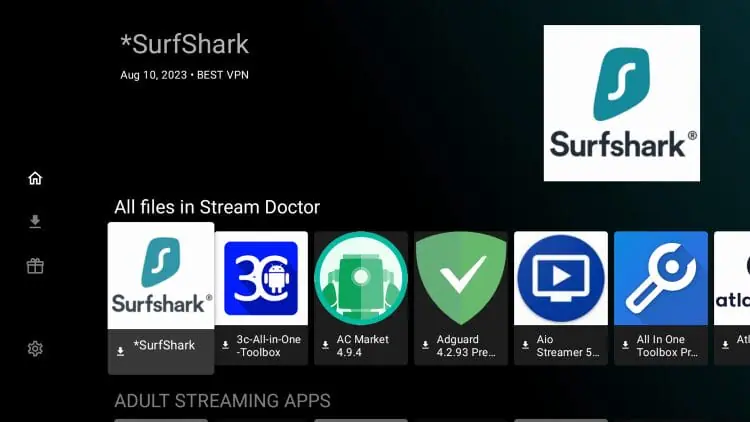
This code unlocks a well-rounded collection of streaming and FireStick maintenance apps. It features apps for free movies, adult content, and different tools to keep your device running smoothly.
- Library Name: Stream Doctor
- Notable Categories: Adult Streaming Apps, FireStick Utility & Maintenance Apps, & VPNs
- Number of Apps: 75+
- PIN: No PIN required
- Popular Apps: Stremio, Cuco TV, Viva TV, & Sofa TV
16. EVERYTHING
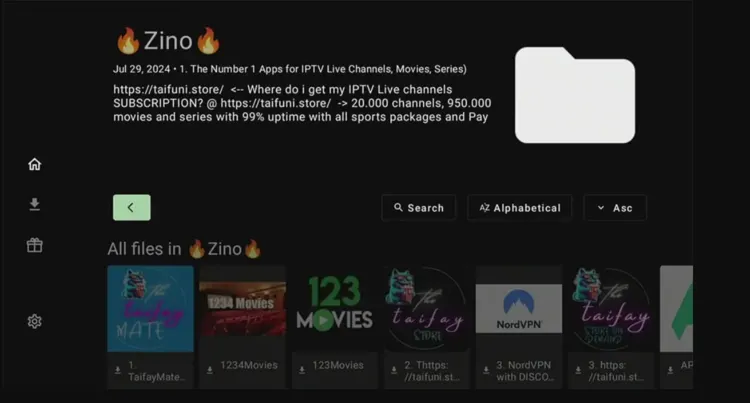
True to its name, this code gives you access to a bit of everything. The library packs 70+ apps covering movies, sports, utilities, & VPNs.
- Library Name: Zino
- Notable Categories: Live Sports, Utilities, Media Players, VPNs, & Browsers
- Number of Apps: 71
- PIN: No PIN required
- Popular Apps: FilmPlus, 123Movies, NordVPN, VirusTotal, & IPTV Smarters Pro
How to Use Unlinked Codes on FireStick
Once you have installed Unlinked on Firestick, you can use one or more Unlinked codes to install the desired apps.
Since Unlinked codes are particularly known for providing unofficial/unverified apps, don’t forget to install and use SurfShark VPN on FireStick to ensure online security.
P.S. The Unlinked codes aren’t case sensitive. Depending on your choice, you can type them in capital or small letters.
Follow the steps below:
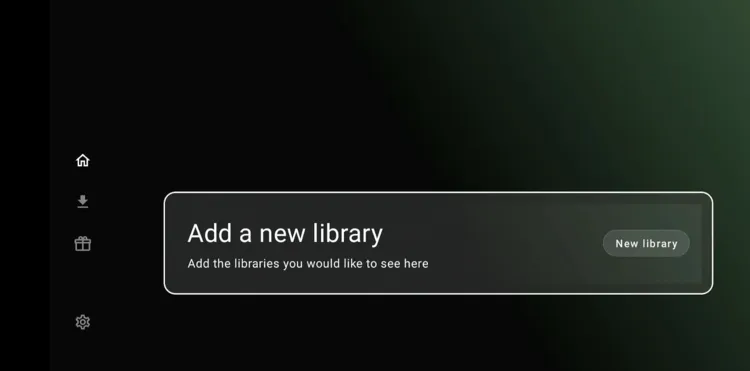
Step 1: After installing Unlinked, open it and click “Add a new library.”
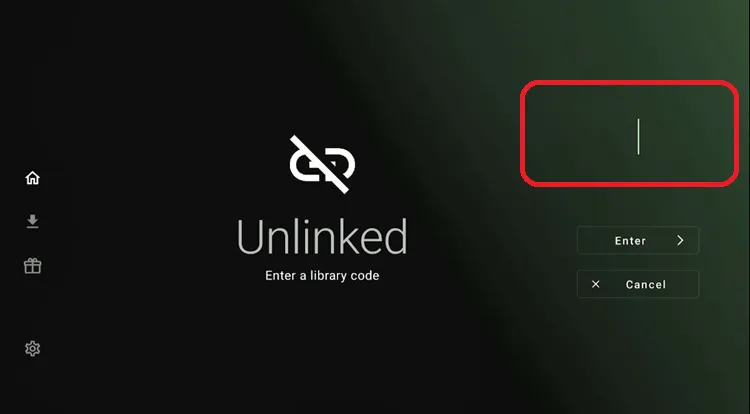
Step 2: Enter your Unlinked code (e.g., 7cd6a4f1) and click “Enter.”
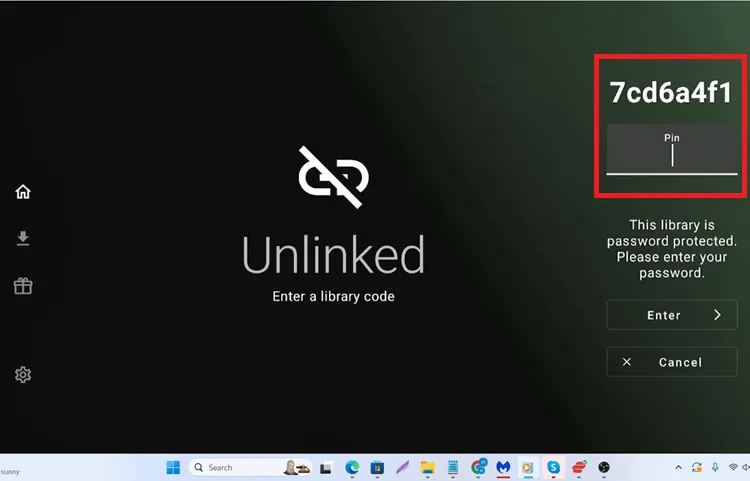
Step 3: Most of the Unlinked codes don’t require a PIN. However, if it’s PIN-protected, you will have to provide the PIN. (The PIN for the above-mentioned code is 911911).
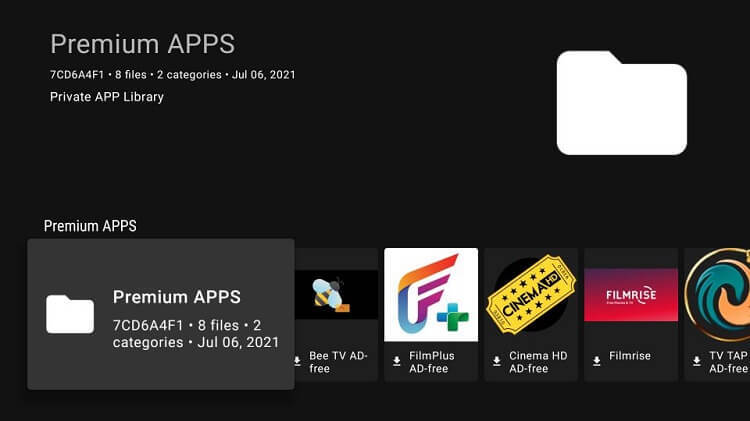
Step 4: The code will fetch apps; click on the app you want to install.
Step 5: The downloading will start.
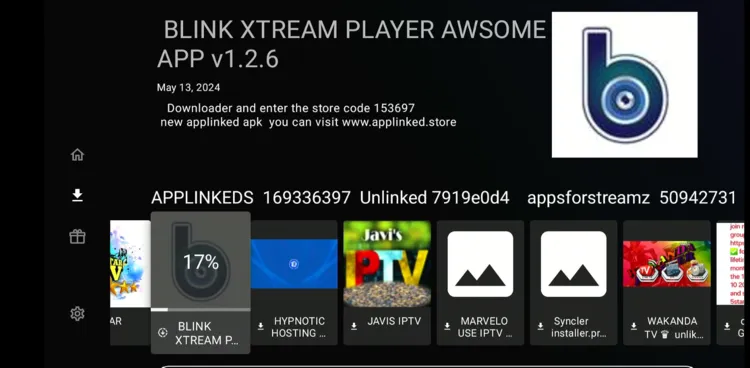
Step 6: Once it ends, click “Install.”

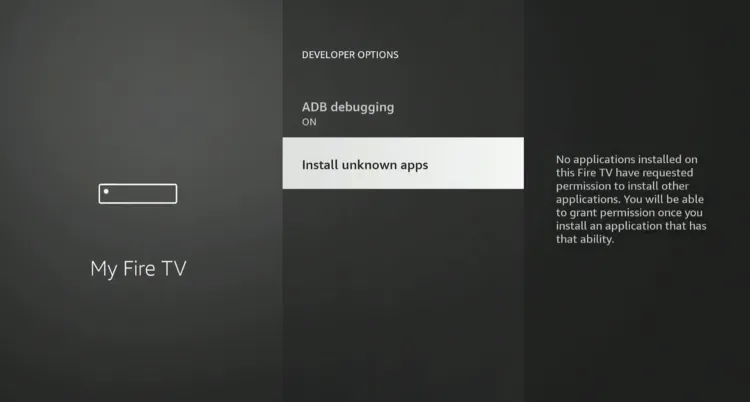
Step 7: Tap “Install Unknown Apps.”
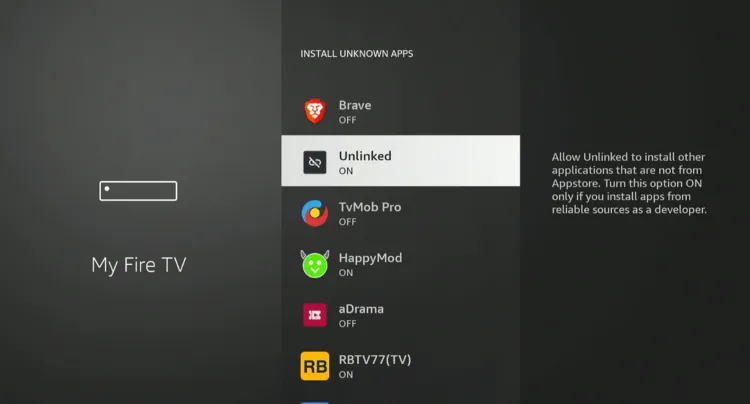
Step 8: Select “Unlinked” and turn “ON” unknown sources. Now go back to Unlinked, download the app, and it will be installed.
Troubleshooting Issues When Using Unlinked on FireStick
Encountering issues with Unlinked on FireStick? Here are some common problems and solutions to help you get back on track.
✅ Clear App Cache
✅ Close Background Apps
✅ Restart FireStick
✅ Change VPN Server
P.S. If you are still facing issues, check out our detailed articles to stop buffering on FireStick and fix playback errors.
Popular Unlinked Alternatives
If you want to try app stores that are on par with Unlinked, consider the following options:
- LinkDrop on FireStick
- FireSend on FireStick
- Linkbase on FireStick
- Applinked on FireStick
- FileSynced on FireStick
FAQs – Best Unlinked Codes
Can I use multiple Unlinked codes at once?
Yes, you can add multiple Unlinked codes and access their libraries simultaneously.
Is Unlinked available on the Amazon App Store?
No, Unlinked isn’t available on Amazon Appstore; you will have to sideload it using the Downloader app.
Why is the Unlinked app not working on my FireStick?
Try clearing the cache, reinstalling the app, closing background apps, or checking your internet connection to fix this issue.
Are Unlinked codes case-sensitive?
No, Unlinked codes are not case-sensitive; you can type them in lowercase or uppercase.
Conclusion
Unlinked is the most convenient and excellent tool to access all the latest, working, and popular apps in one place.
Whether you are looking for apps in categories like movies, live TV, sports, anime, or more, Unlinked has you covered.
Before using Unlinked codes, make sure to use a VPN to hide your identity and maintain privacy. We recommend using Surfshark VPN.




hi it is any fix for mobtv the file not woork….
Hey Alfonso, the code might have expired. Enter downloader code 730116 and select TVMob from “Live TV Apps” category.
Hello, I have downloaded Unlinked, but when I went to install Unknown apps to turn on Unlinked, all the apps have disappeared from the list. Any ideas on how to show them again?
You should be able to see the list if you have turned on developer options on FireStick. Restart the firestick and try again
None of the library codes are working for me, is there possibly a setting I need to change somewhere?
Hey Dani, could you share what kind of error are you facing? Just checked, the library codes are working fine here. While there’s no as such technical setting you need to turn on to use Unlinked codes, would suggest you go through the Unlinked installation guide and make sure to follow all the steps including jailbreaking your FireStick.
None of the Bongo stream (12341234) apps will download or install. I have reinstalled bongo stream 2x but it still doesn’t work.
Hey, you can install Bongo directly from amazon appstore after changing your amazon account region to Bangladesh. You can also get XAPK file of bongo from using downloader code 730116 (after installing it, you will have to extract its apk file via Xplore file manager).You can follow RTE Player guide where we have demonstrated how to extract APK files via Xplore File Manager.