
Disclosure: Our experts test apps for security before recommending them. If you buy through our links, we may earn a commission. See how it works.
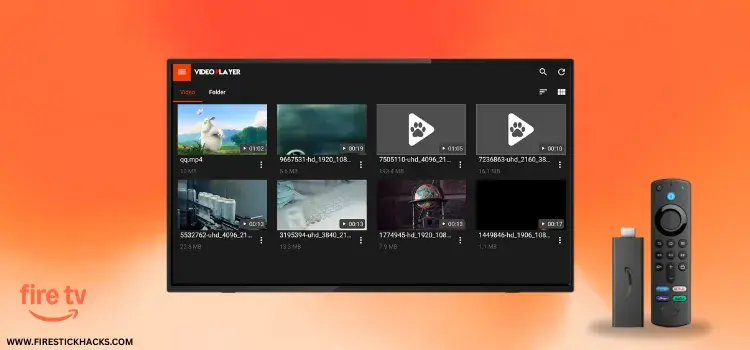
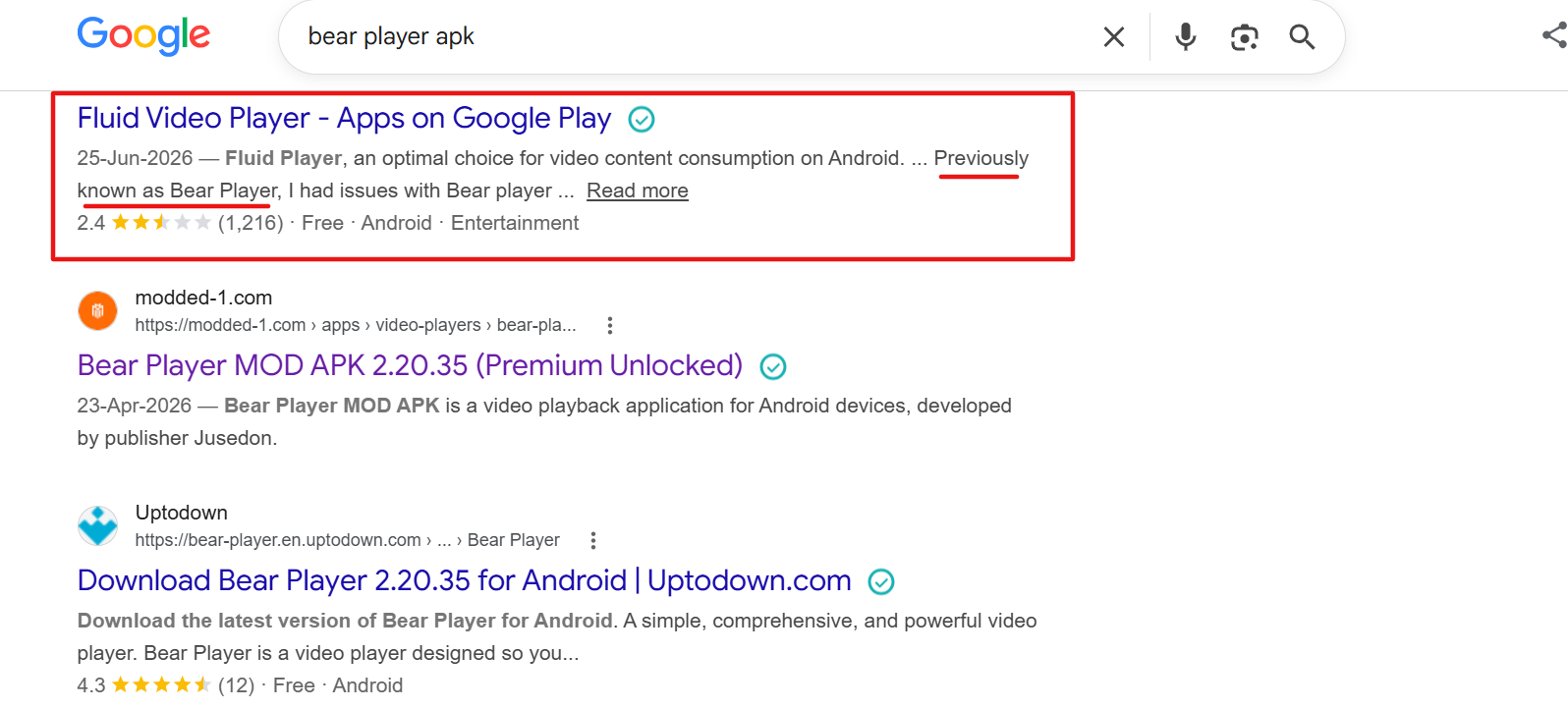
Bear Player has been rebranded as Fluid Video Player. To confirm this development, I Googled “Bear Player APK,” and it showed Fluid Video Player on Google Play Store 👇:
It is one of the best media players on FireStick that works with top movie apps like FilmPlus and BeeTV (Now CinePlus).
The latest Fluid Player APK v2.20.36 supports multiple video formats, including MP4, MKV, MOV, and WMV. To enhance accessibility, you can also customize subtitles.
P.S. If you have already installed Bear Player on FireStick, you will need to uninstall it to use Fluid Player.
When using Fluid Player with third-party apps, be sure to use a VPN to hide your identity and enjoy secure streaming. Surfshark is our #1 choice.
Our Recommended VPN - Surfshark
WARNING! Amazon Monitors Your Fire TV Stick!
Yes, It’s True! Without Proper Encryption, your IP Address is Exposed, and Whatever you Stream on FireStick is 'Being Tracked'.
This can lead to:
- Blocking of the FREE Third-Party Apps
- Exposure of your Personal data to hackers, ISPs, and even the authorities
But There’s a Solution - ‘Surfshark VPN’
Save 87% + Get 3 Extra Months FREE with Surfshark VPN [Limited Time Offer]
This Includes:
✅ VPN for just $0.06/day!
✅ Strongest Encryption (i.e.256-Encryption)
✅ 3,200 servers in 100+ server locations
✅ Kill Switch Feature for FireStick users
✅ Data Breach Alerts.
✅ Unlimited Device Connections.
✅ 30-day money-back guarantee.

Table of Contents
ToggleHow to Install Fluid Player on FireStick Using Downloader App
Currently, you can install Fluid Player’s latest APK (v2.20.36) by using the Downloader app.
But before getting started with the sideloading or jailbreaking process, be sure to install and use SurfShark VPN on FireStick to add an extra layer of security.
Here are the steps to follow:
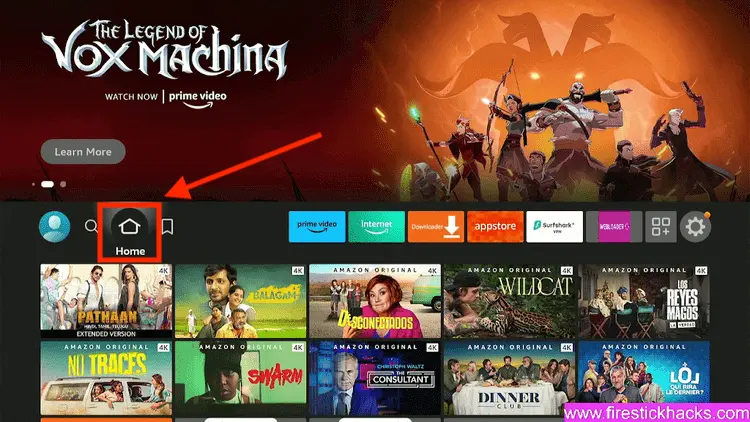
Step 1: Turn ON your FireStick device and Go to FireStick Home
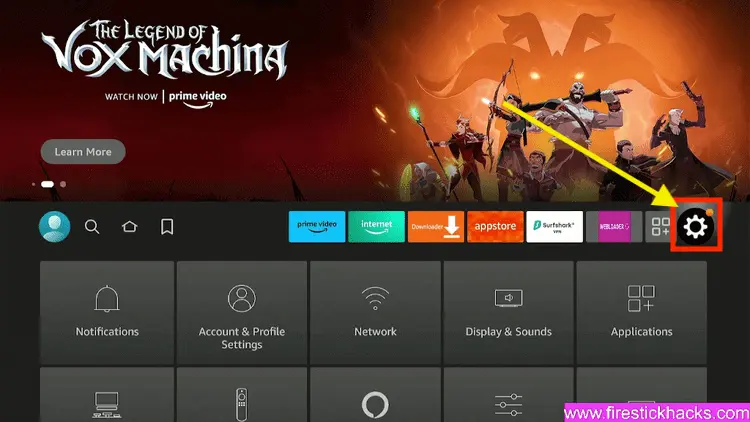
Step 2: Click on the Settings icon
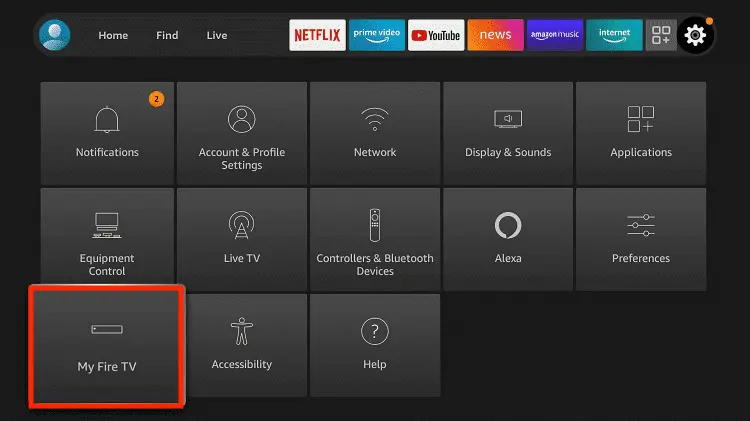
Step 3: Select the My Fire TV option
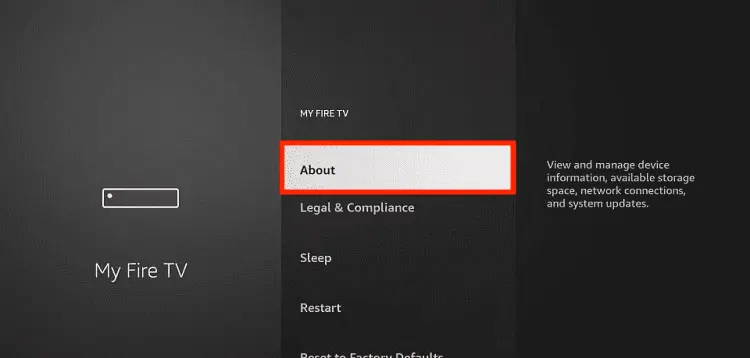
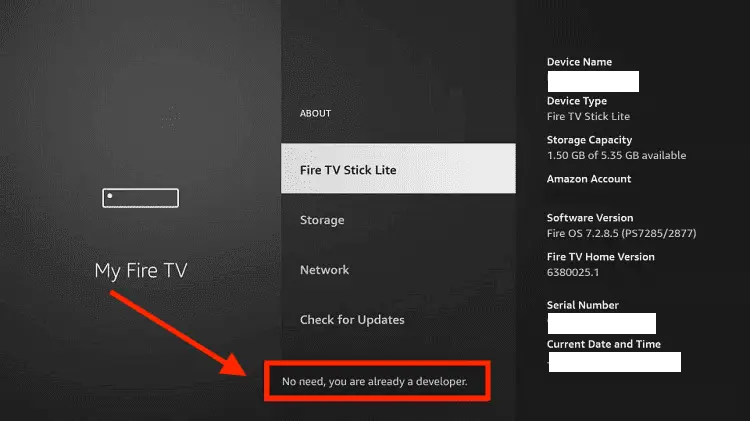
Step 4: To enable the Developer Option, click About.
Note: If you have already enabled the Developer Option, then proceed to Step 10
Step 5: Click on the Fire TV Stick option quickly at least 7 times
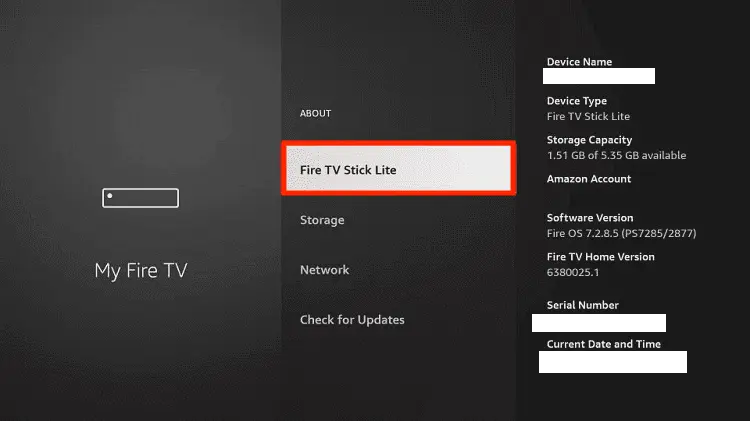
Step 6: Now you will see this message at the bottom saying "No need, you are already a developer". So stop clicking then
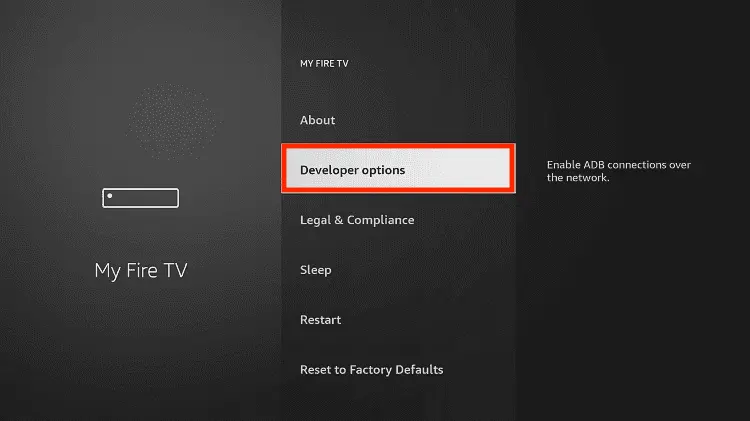
Step 7: Now the Developer Option will appear in the menu so click on it
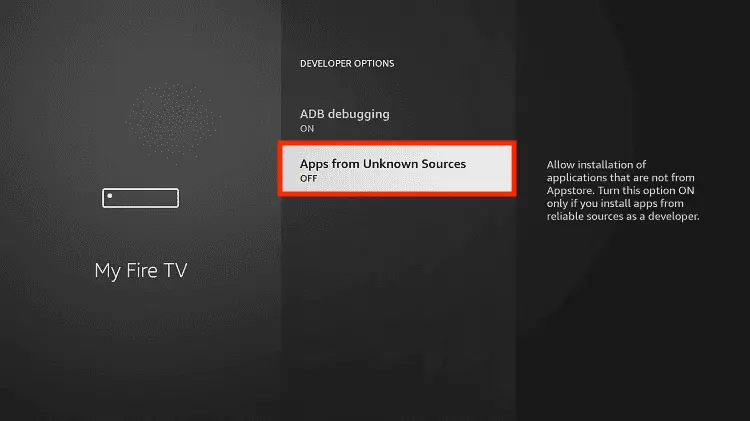
Step 8: Choose Apps from Unknown Sources to turn it ON
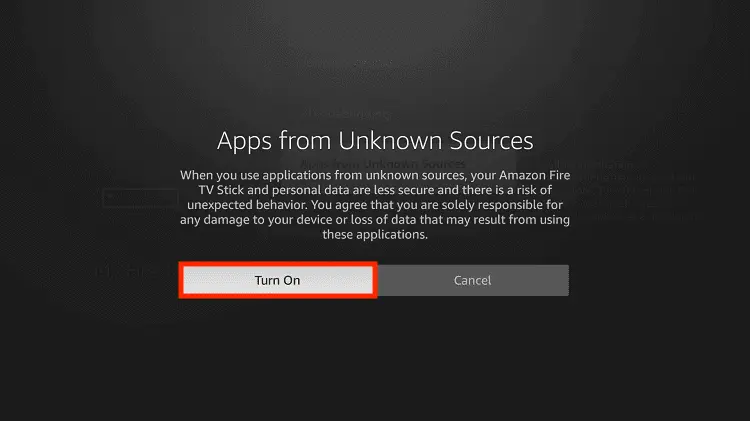
Step 9: Simply click Turn On
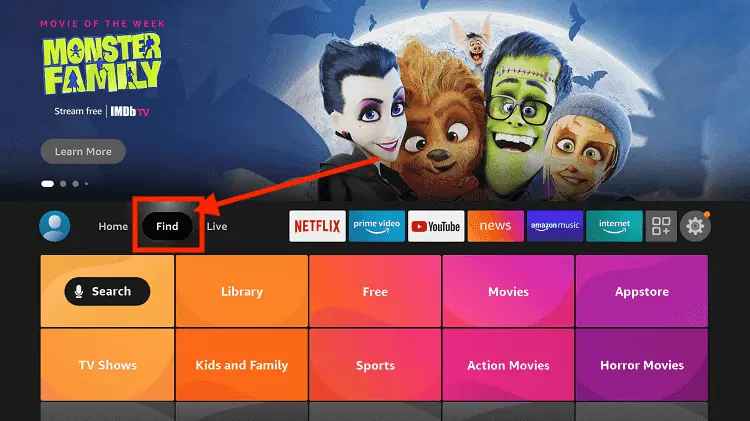
Step 10: Now return to the FireStick Home menu by pressing the "Home" icon on the remote and click on Find
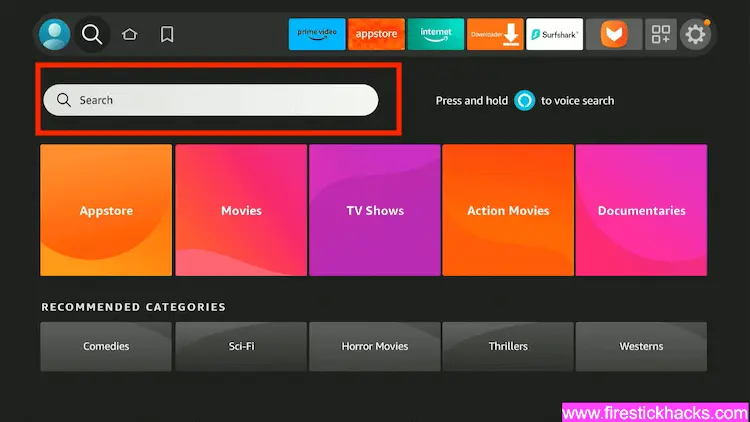
Step 11: Now select the Search icon
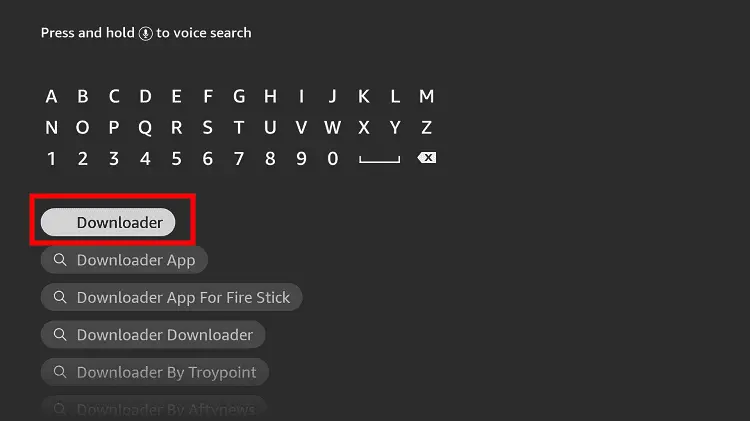
Step 12: Type Downloader and press search
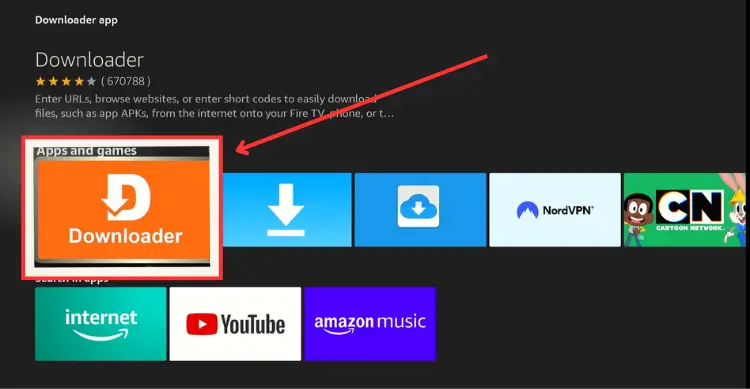
Step 13: Select the Downloader App icon from the list available in the Amazon Store
Step 14: Tap Get/Download
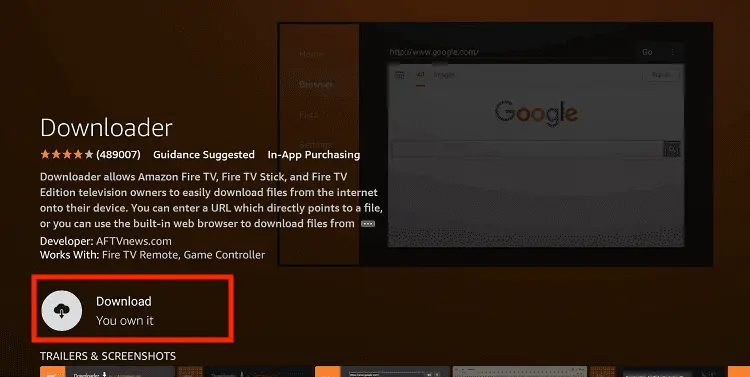
Step 15: Wait for a while until the installation process is completed
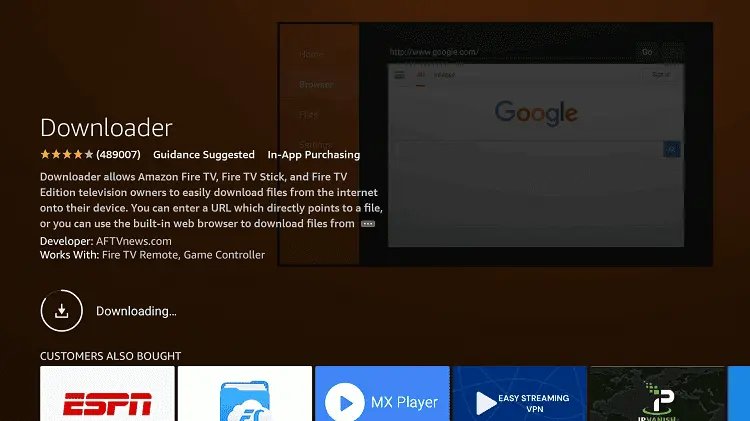
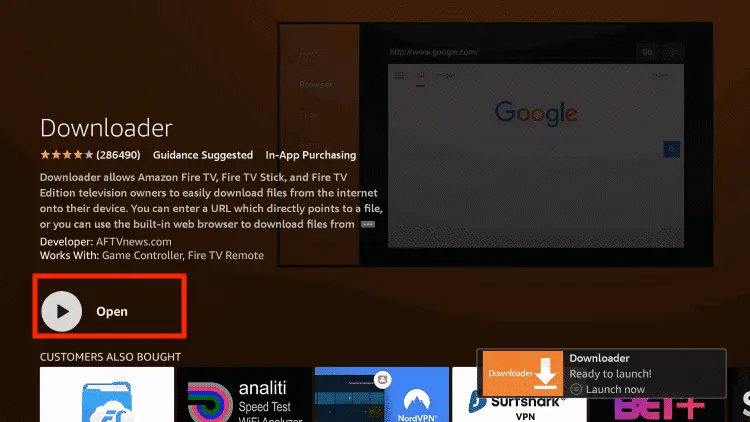
Step 16: Now click Open
Step 17: You will see a popup about Downloader app latest update. Click "OK".

Step 18: Click OK again

Step 19: This is the Downloader App interface, Click the Search Bar on top

Step 20: Now enter the Fluid Video Player Downloader Code 730116 in the search box OR enter this URL bit.ly/fsh-downloads and click Go.
Note: The referenced link is the official URL of this app/website. FIRESTICKHACKS does not own, operate, or re-sell any app, streaming site, or service and has no affiliation with its developers.

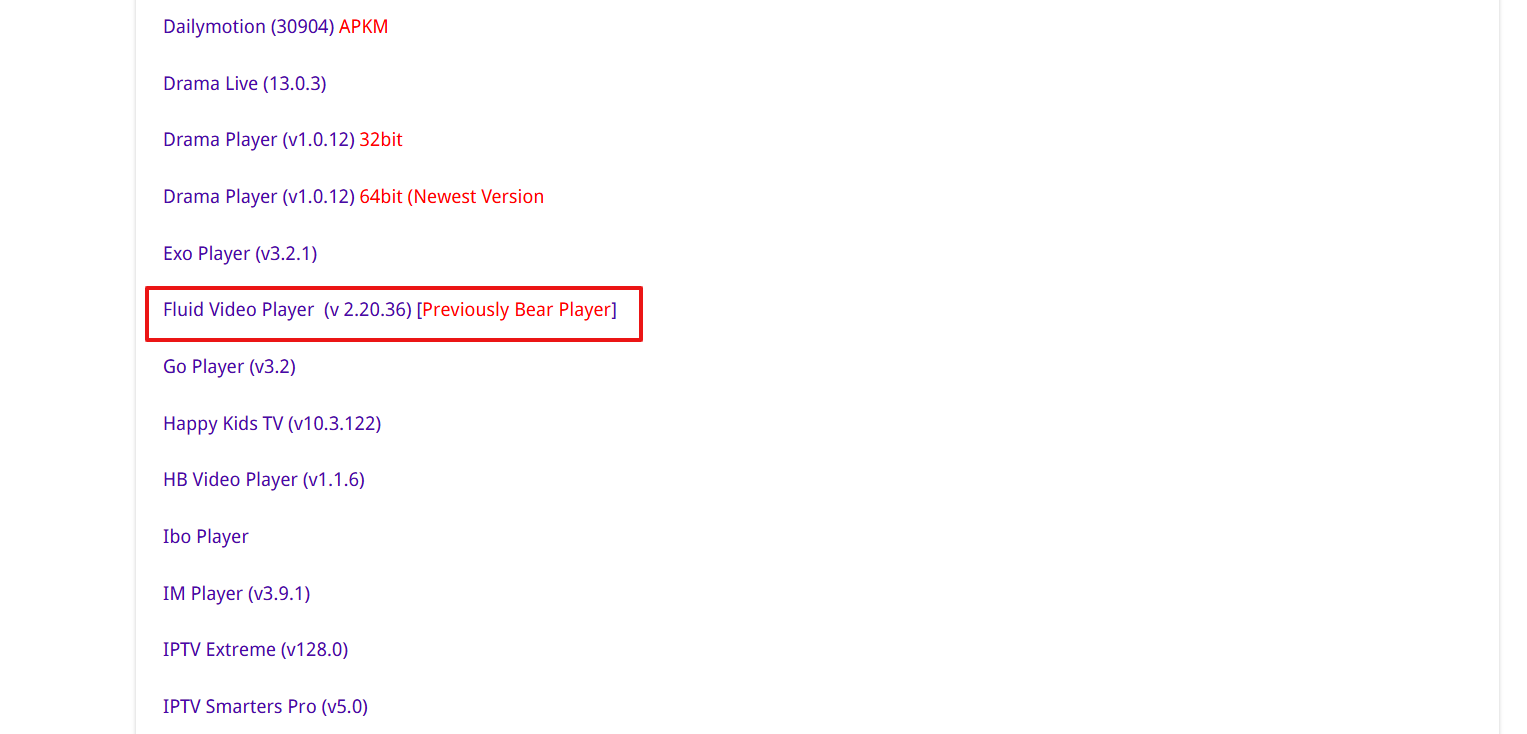
Step 21: Scroll down and click “Fluid Video Player” from the “IPTV & Media Player” category.
Step 22: The download will start. Wait for it to finish.
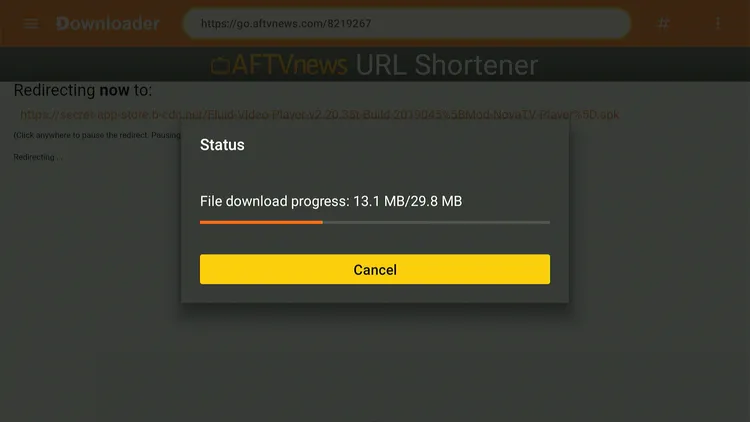
Step 23: Once the download ends, click “Install.”
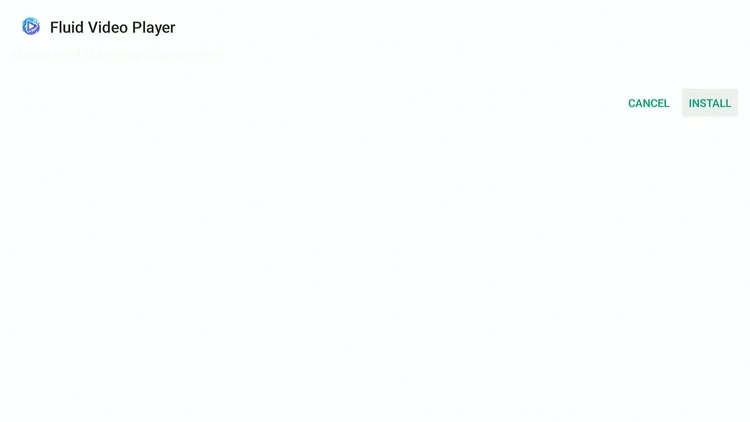
Step 24: Tap the “Done” icon.

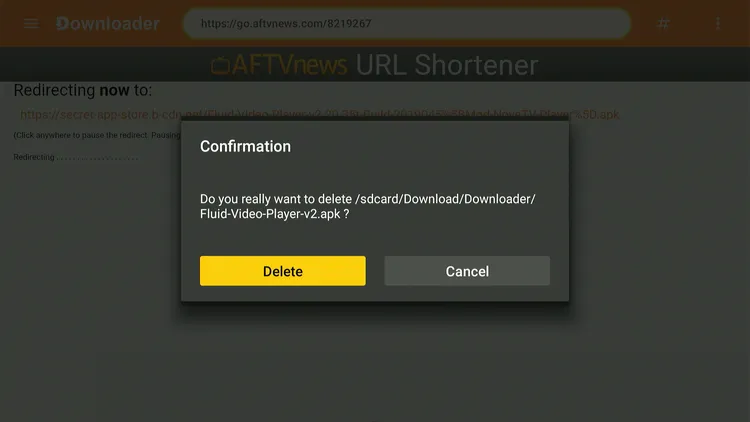
Step 25: Click “Delete” to remove the Fluid Player APK file from FireStick.
Note: Deleting APK files will free up space on FireStick.

Step 26: Tap “Delete” again to complete the process.
How to Use Fluid Player on FireStick
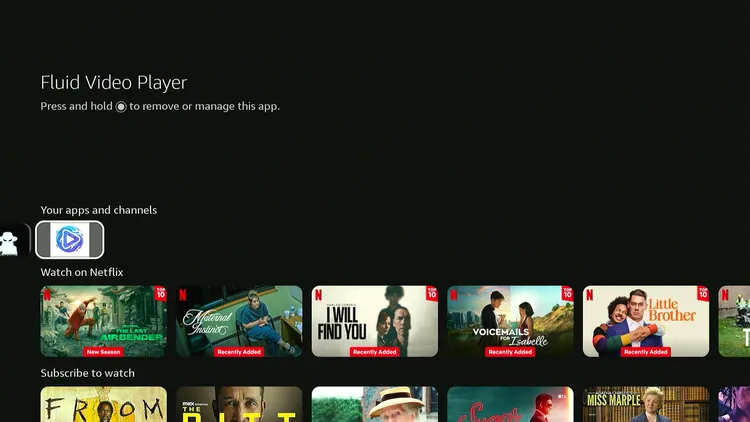
Once the Fluid Video Player app is installed, you can start using it right away.
Follow the steps below:
Step 1: Select the “Fluid Video Player” app from the list.
Step 2: Tap “Allow.”
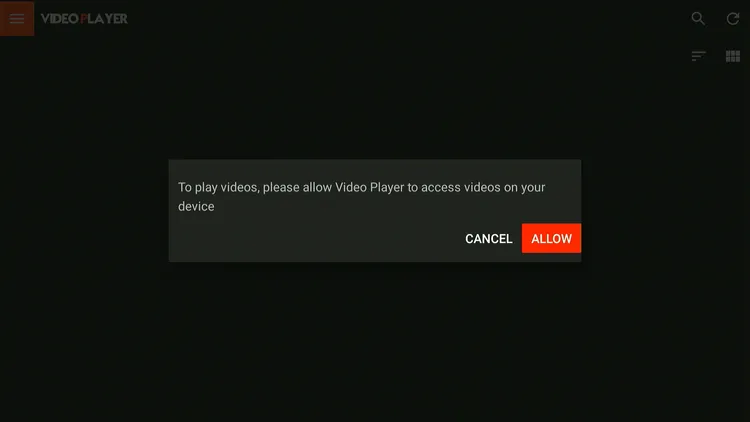
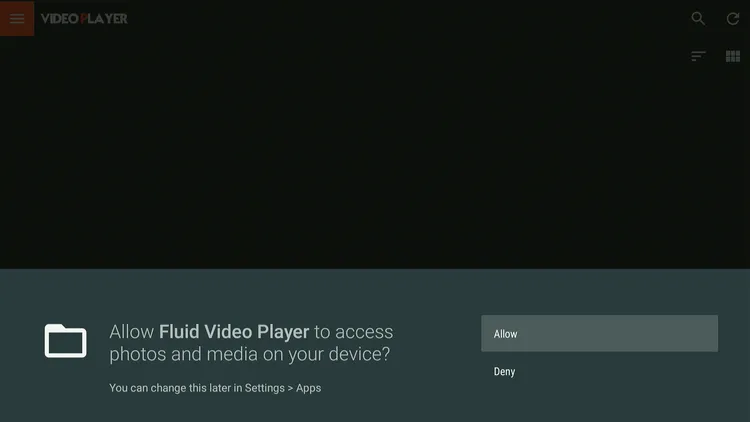
Step 3: Click “Allow” once again.
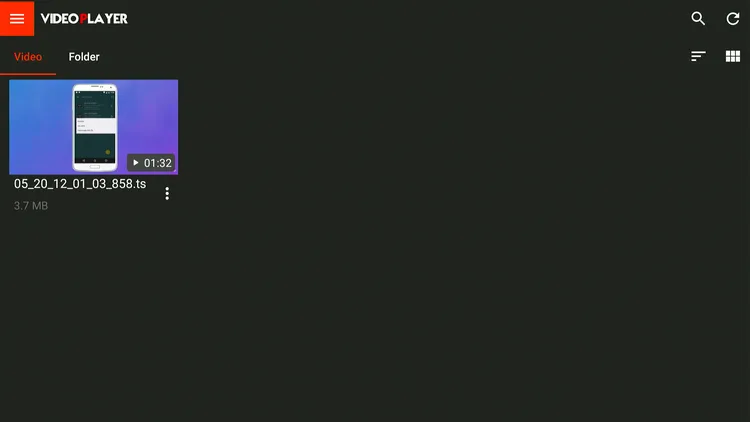
Step 4: If you have videos downloaded on your FireStick, they will show up here.
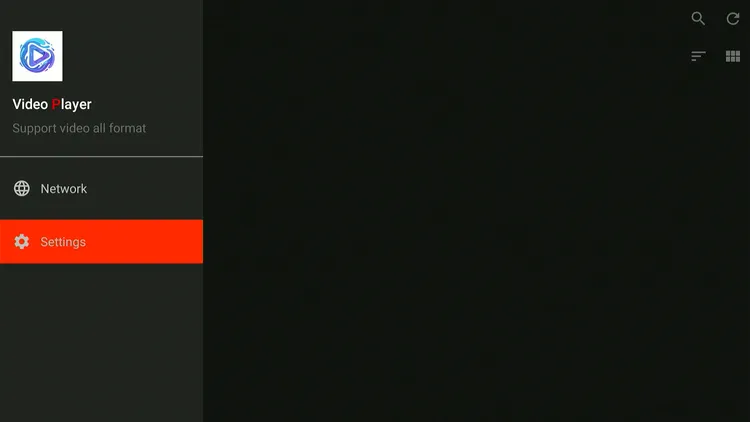
Step 5: To explore more customization options, click “Settings.”
Step 6: Choose “Subtitles.”
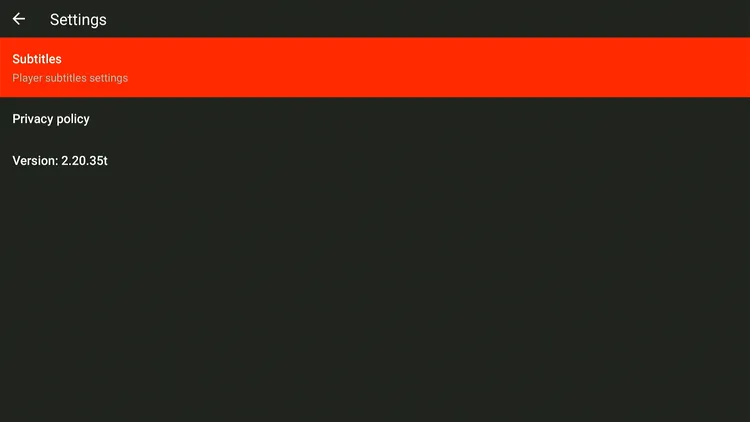
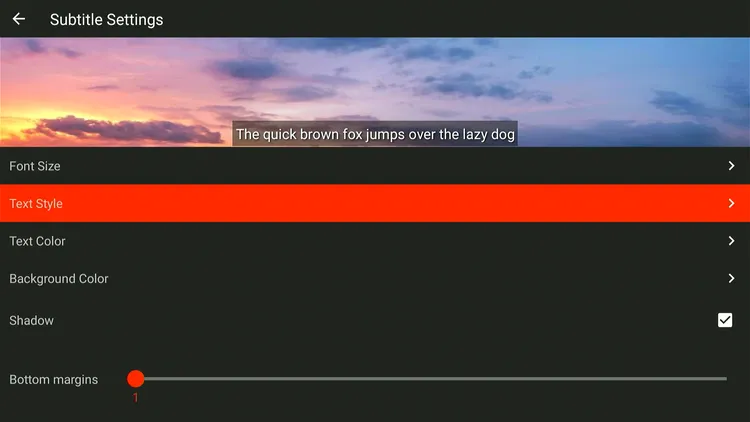
Step 7: You can now adjust “Text Size,” “Text Style,” “Background Color,” etc.
Is Fluid Video Player APK Safe/Legal to Use on FireStick?
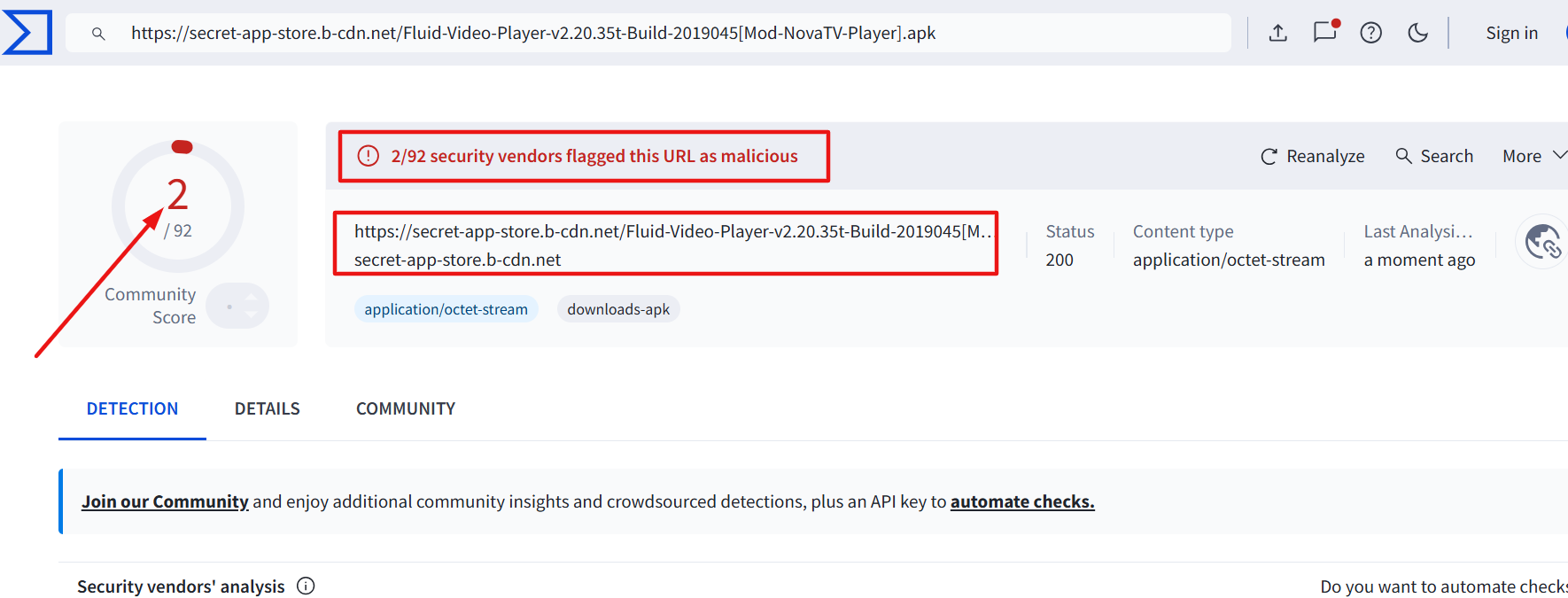
When I scanned the latest Fluid Video Player APK (v2.20.36) on Virustotal, some vendors flagged it for malware or viruses (see image above).
However, since we delete Fluid Player APK after installation, it should not cause issues. For added security, you should consider using Surfshark VPN.
All You Need to Know About Fluid Video Player APK
Here’s a sneak peek at the Fluid Player app:
| App Type | Media Player |
| Price | Free |
| File Size | 31.2 MB |
| Version | 2.20.36 |
| Is It Safe to Use? | Yes, but use a VPN with third-party apps |
| Developers | Fluid Video Player/Bear Player |
Top Fluid Player Features
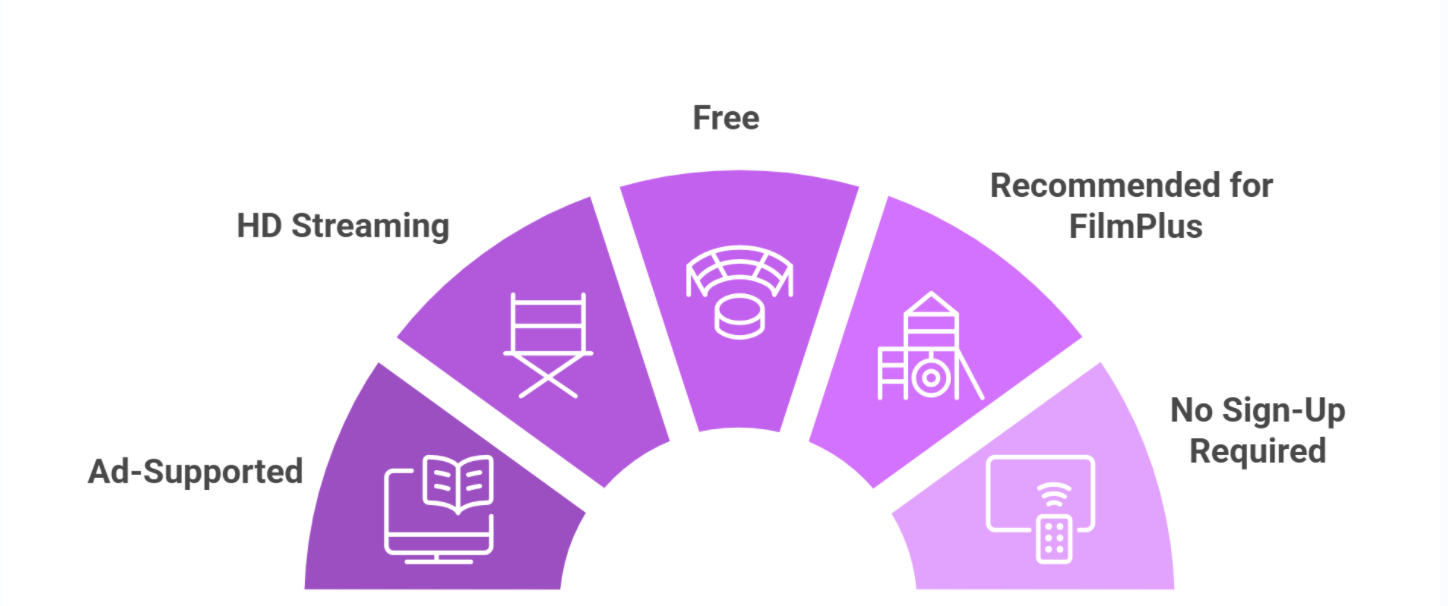
Check out some of the best Fluid Video Player features:
Fluid Player Not Working on FireStick? Try These Fixes
If you’re having issues using Fluid Video Player (Bear Player) on FireStick, try these quick fixes to smooth things out:
- Clear app cache
- Restart FireStick
- Close background apps
- Connect FireStick via Ethernet
- Set video resolution to 1080p/4K
Fluid Video Player Alternatives
If you are looking for more options like Fluid Player, consider trying out the following players:
- Drama Player on FireStick
- AMPlayer on FireStick
- TPlayer on FireStick
- MX Player on FireStick
- VLC Player on FireStick
FAQs – Fluid Video Player
What is Fluid Video Player?
Fluid Video Player is a free media player for FireStick that supports HD/4K playback and multiple video formats.
Is Bear Player now called Fluid Video Player?
Yes, Bear Player has been rebranded as Fluid Video Player.
Can I install Fluid Video Player from the Amazon Appstore?
No, you’ll need to sideload the app using the Downloader app on FireStick.
Is Fluid Video Player free to use?
Yes, Fluid Video Player is completely free to download and use.
Does Fluid Video Player support subtitles?
Yes, it supports subtitles and lets you customize the font size, style, and colors.
What is the latest Fluid Player APK?
The latest Fluid Player APK is v2.20.36.
Final Thoughts
Bear Player has now changed to Fluid Video Player. It is still one of the best video players on FireStick.
It supports almost all types of file formats, plays high-quality content smoothly, and even lets you load subtitles with ease.
Plus, FilmPlus recommends using it for a better experience. For security purposes, don’t forget to use a VPN like Surfshark when jailbreaking your FireStick for Fluid Player!




says problem with parsing the package , I uninstalled filmplus and bear then then re downloaded them filmplus went on straight away but always get this message. what’s the problem please
Hello, some old FireStick models show the “parsing the package error” because they are not compatible with the latest APK versions. Try installing the older version of Bear player v2.20.26 using the downloader code 7830707