
Disclosure: Our experts test apps for security before recommending them. If you buy through our links, we may earn a commission. See how it works.
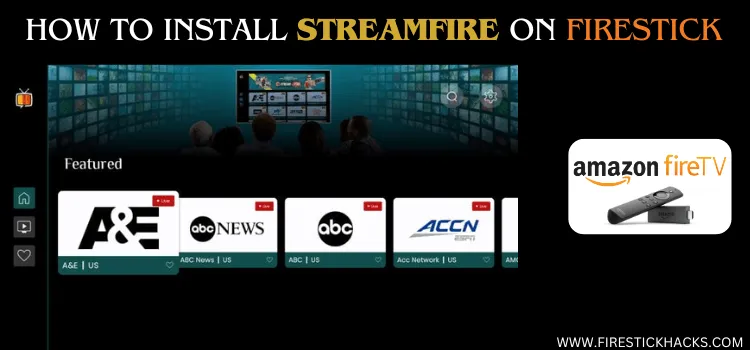
Important: StreamFire is currently down; it doesn’t work via NoroFire or a standalone APK. Use StreamFire alternatives until we have an update on this.
StreamFire has been one of the best live TV apps on FireStick. It was launched by the developers of the popular SportsFire app (no wonder both apps have similar interfaces).
Recently, Amazon blocked StreamFire. While we were using the App Cloner method to unblock it, developers have introduced the Norofire app for the same purpose, and it works great.
Norofire is basically an installer for StreamFire & SportsFire. Just install NoroFire to get the latest/working APKs for StreamFire & SportsFire. Read the guide below to use NoroFire.
P.S. If cloning and Norofire methods don’t work for you, use Downloader code 730116 and then select it from the “Sports Apps” category, or consider using StreamFire alternatives.
Please note that StreamFire fetches content from unknown/unverified streaming links, so do not forget to use a VPN to ensure secure streaming. Surfshark is our #1 choice.
Our Recommended VPN - Surfshark

WARNING! Amazon Monitors Your Fire TV Stick!
Yes, It’s True! Without Proper Encryption, your IP Address is Exposed, and Whatever you Stream on FireStick is 'Being Tracked'.
This can lead to:
- Blocking of the FREE Third-Party Apps
- Exposure of your Personal data to hackers, ISPs, and even the authorities
But There’s a Solution - ‘Surfshark VPN’
Save 87% + Get 3 Extra Months FREE with Surfshark VPN [Limited Time Offer]
This Includes:
✅ VPN for just $0.06/day!
✅ Strongest Encryption (i.e.256-Encryption)
✅ 3,200 servers in 100+ server locations
✅ Kill Switch Feature for FireStick users
✅ Data Breach Alerts.
✅ Unlimited Device Connections.
✅ 30-day money-back guarantee.

How to Install Streamfire on FireStick Using Norofire
To install Streamfire, we will have to first install Norofire on FireStick. However, since Norofire is not listed on Amazon Appstore, you will have to sideload it using the Downloader app.
Just a heads-up, downloading apps from third-party sources can be risky. For added security, it is advisable to install and use SurfShark VPN on FireStick.
Follow the steps below:
Step 1: Turn ON your FireStick device and Go to FireStick Home

Step 2: Click on the Settings icon
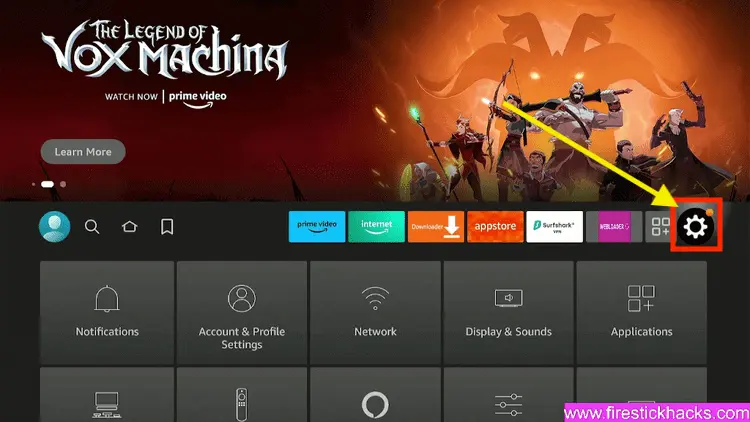
Step 3: Select the My Fire TV option

Step 4: To enable the Developer Option, click About.
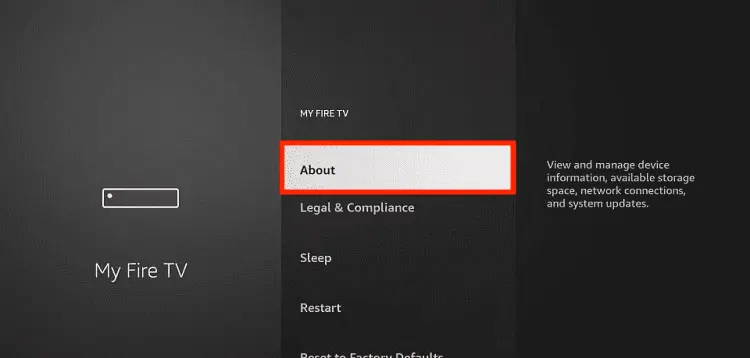
Note: If you have already enabled the Developer Option, then proceed to Step 10
Step 5: Click on the Fire TV Stick option quickly at least 7 times

Step 6: Now you will see this message at the bottom saying "No need, you are already a developer". So stop clicking then

Step 7: Now the Developer Option will appear in the menu so click on it
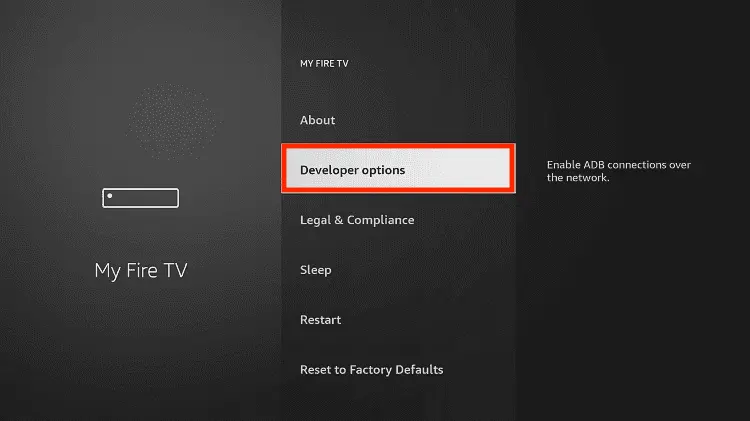
Step 8: Choose Apps from Unknown Sources to turn it ON

Step 9: Simply click Turn On

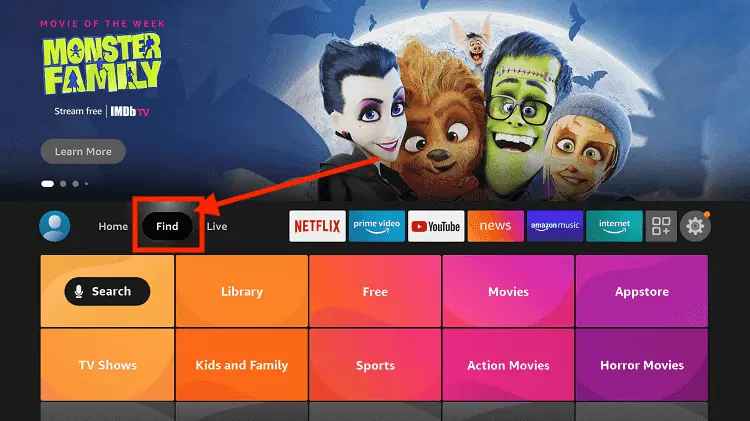
Step 10: Now return to the FireStick Home menu by pressing the "Home" icon on the remote and click on Find
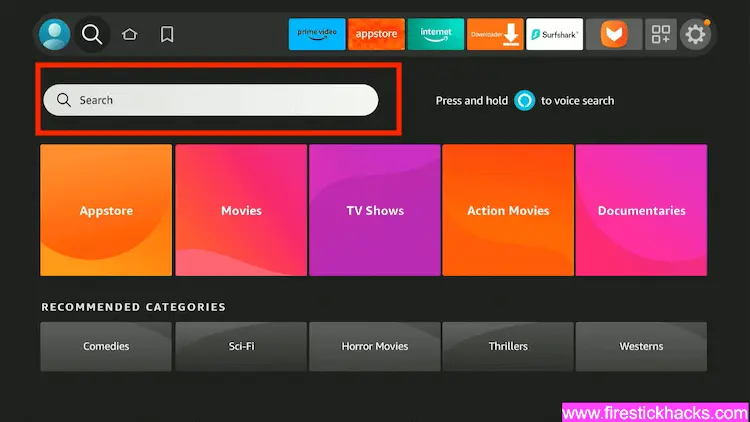
Step 11: Now select the Search icon
Step 12: Type Downloader and press search
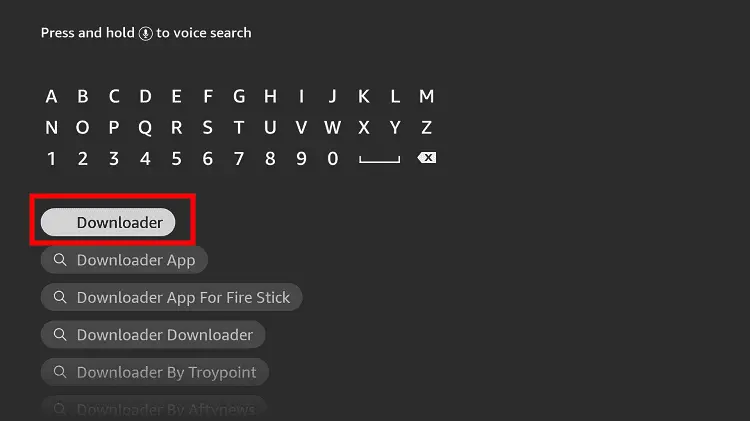
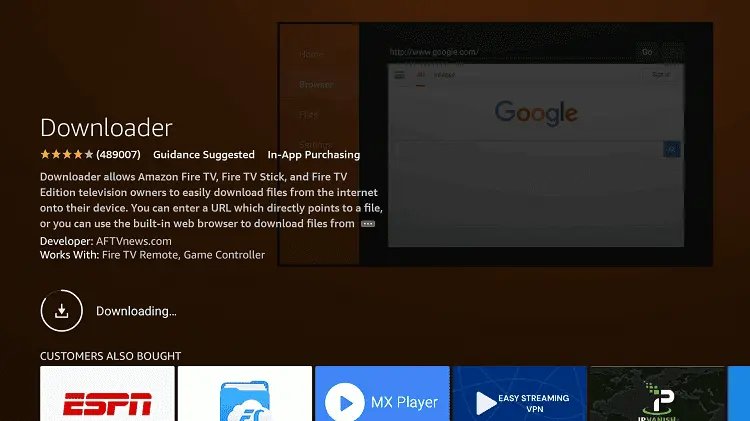
Step 13: Select the Downloader App icon from the list available in the Amazon Store

Step 14: Tap Get/Download
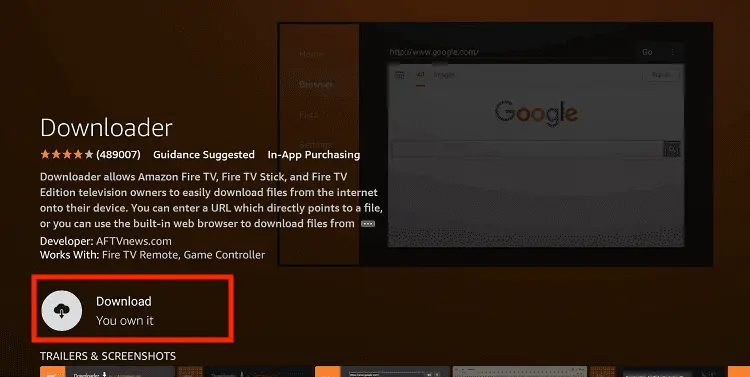
Step 15: Wait for a while until the installation process is completed
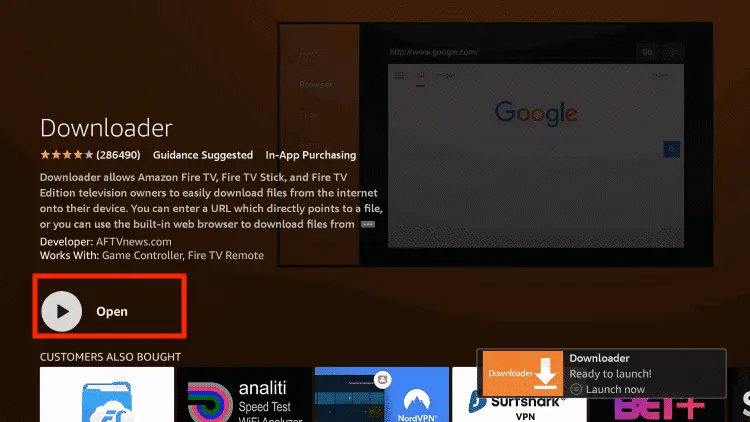
Step 16: Now click Open
Step 17: You will see a popup about Downloader app latest update. Click "OK".

Step 18: Click OK again

Step 19: This is the Downloader App interface, Click the Search Bar on top

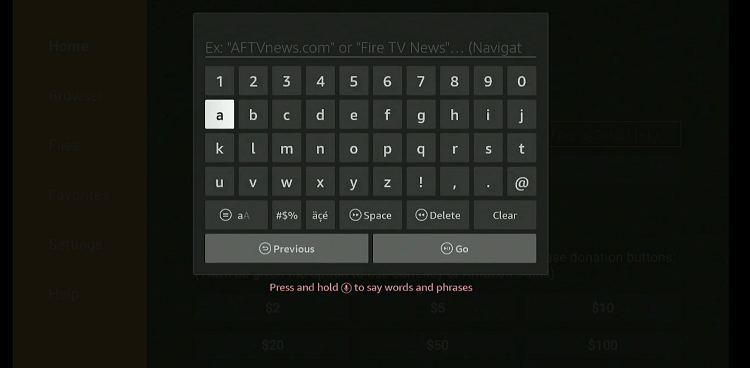
Step 20: Now enter the Norofire Downloader Code 730116 in the search box OR enter this URL bit.ly/fsh-downloads and click Go
Note: The referenced link is the official URL of this app/website. FIRESTICKHACKS does not own, operate, or re-sell any app, streaming site, or service and has no affiliation with its developers.
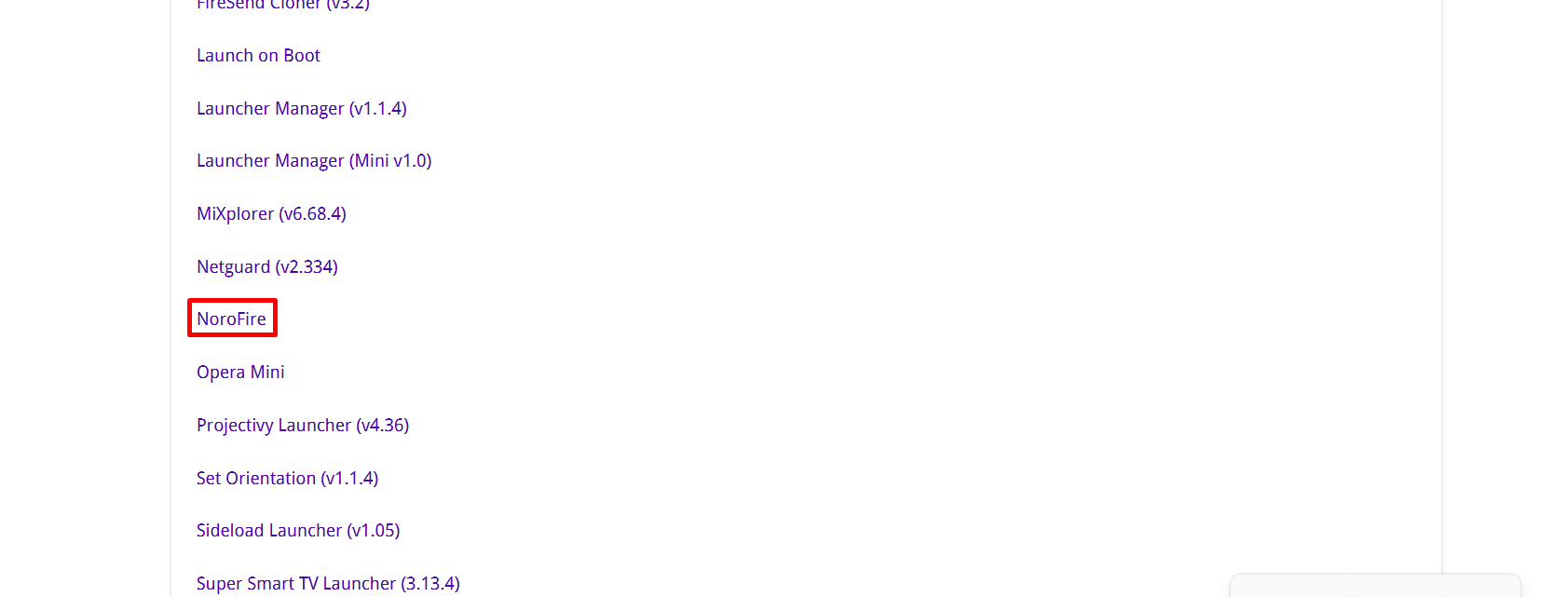
Step 21: Scroll down and click “Norofire” from the “Utility Apps” category.
Note: If the app doesn’t start downloading, then clear the Downloader App cache using this article.
Step 22: The downloading will start. Wait for it to finish.
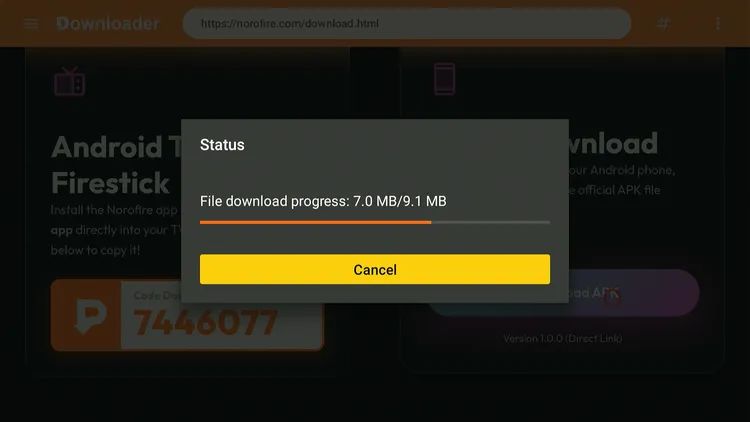
Step 23: Once the downloading ends, click “Install”.
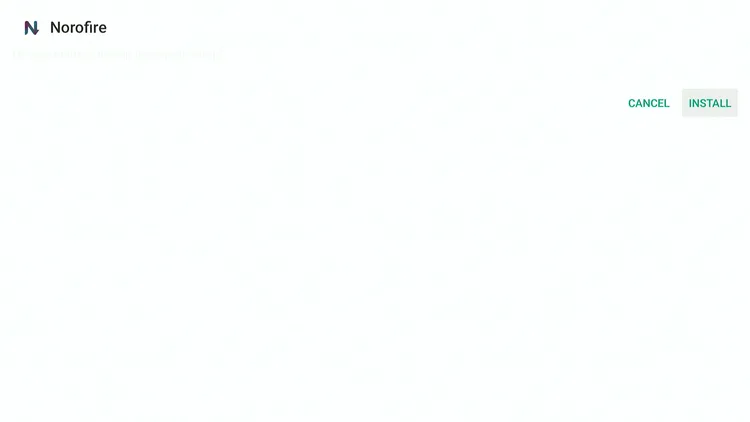
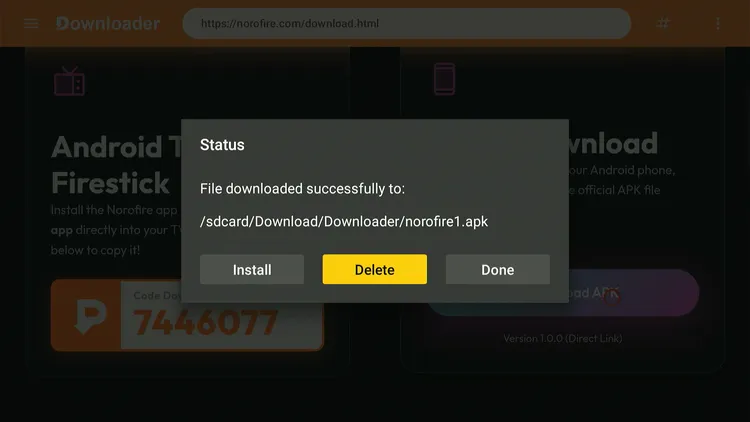
Step 24: Tap the “Done” icon.

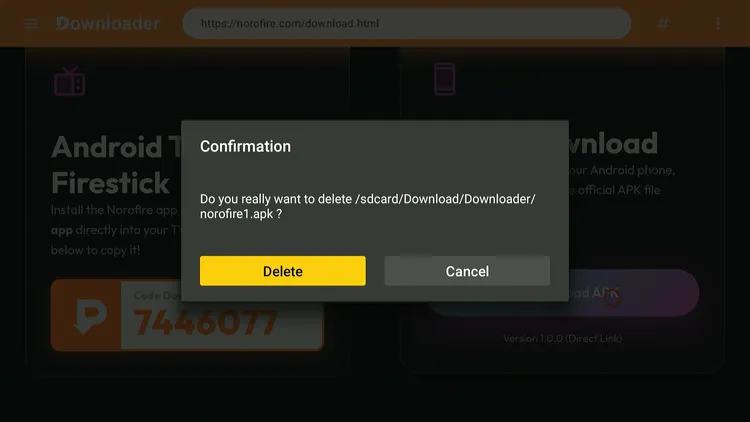
Step 25: Click “Delete” to remove the Norofire APK file from FireStick.
Note: Deleting APK files will free up space on FireStick.
Step 26: Tap “Delete” again to complete the process.
Step 27: Now launch “Norofire” on FireStick.
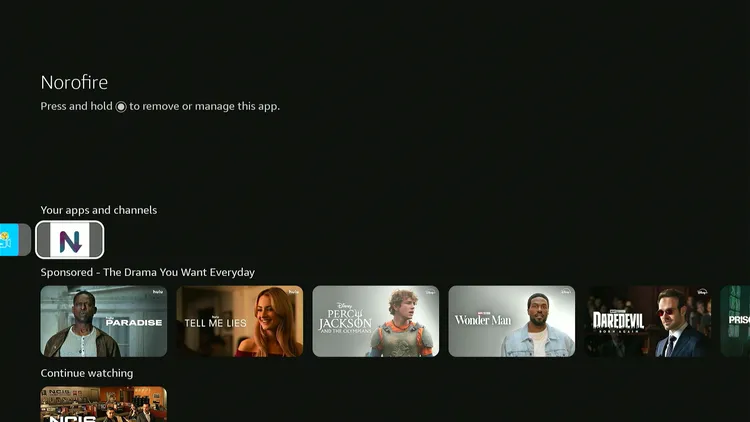
Step 28: Tap “Permissions”.
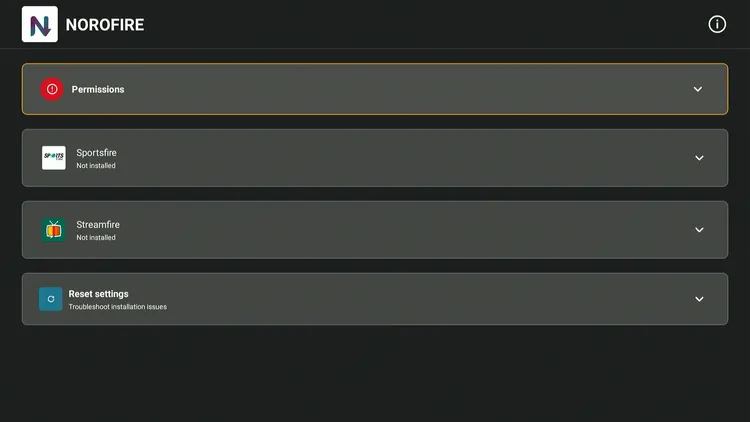
Step 29: Click “Grant Permissions”.
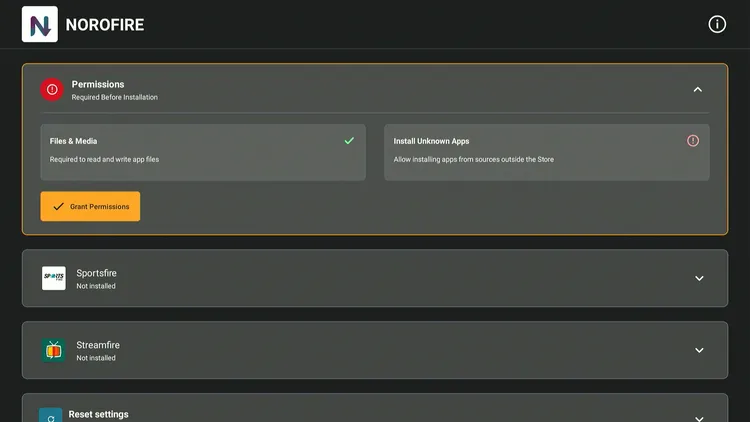
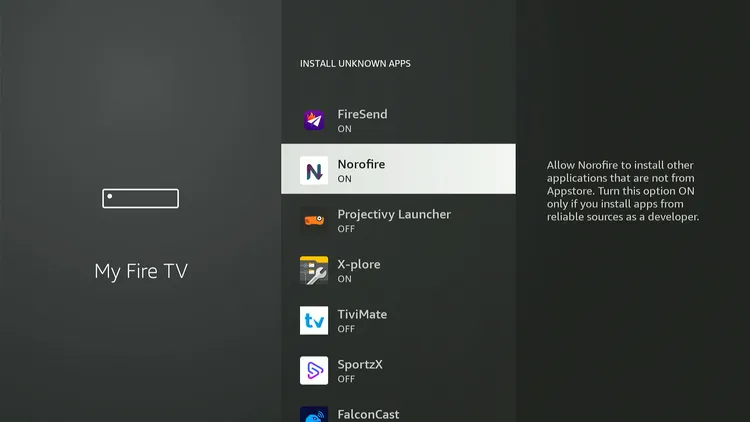
Step 30: Tap “Install Unknown Apps”.
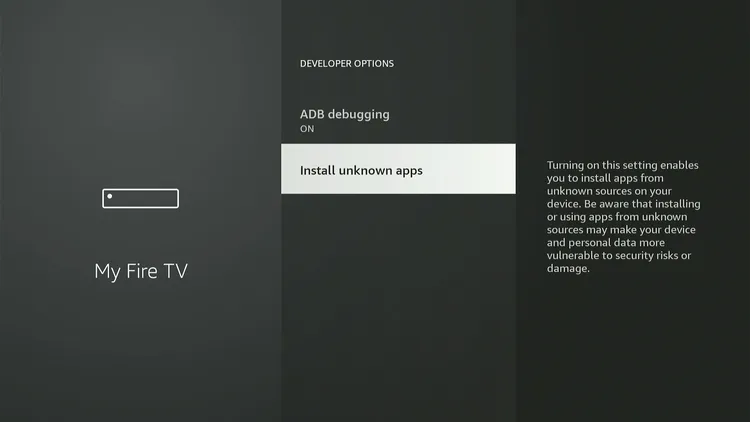
Step 31: Turn “ON” sources under Norofire. Now go back to the Norofire app by clicking the back button on the remote.
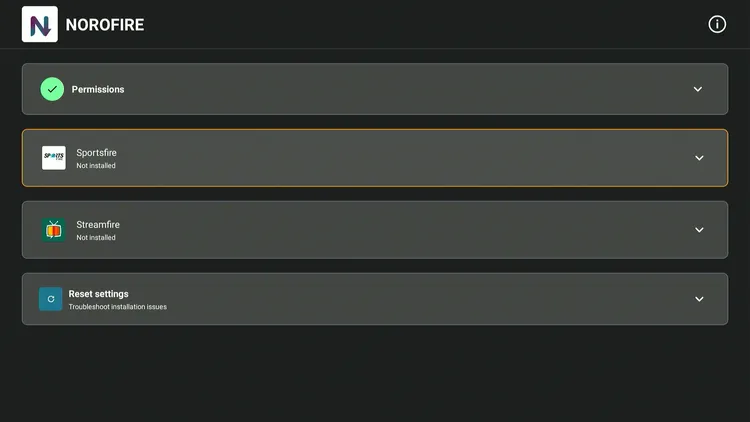
Step 32: Select “Streamfire”.
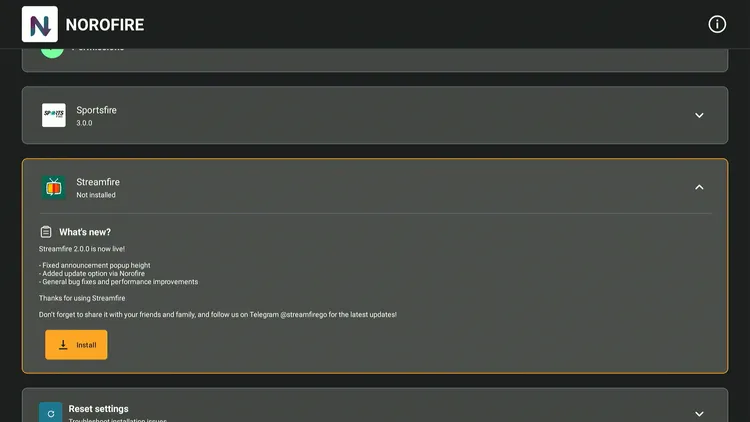
Step 33: Tap “Install”.
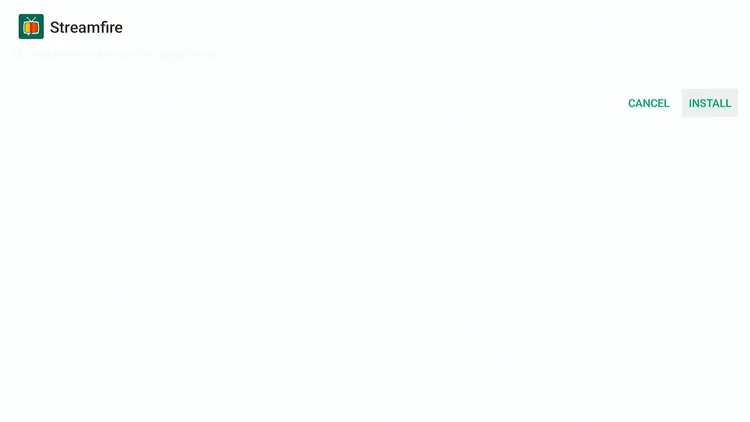
Step 34: Tap “Install”.
Step 35: Wait for the downloading process to complete.
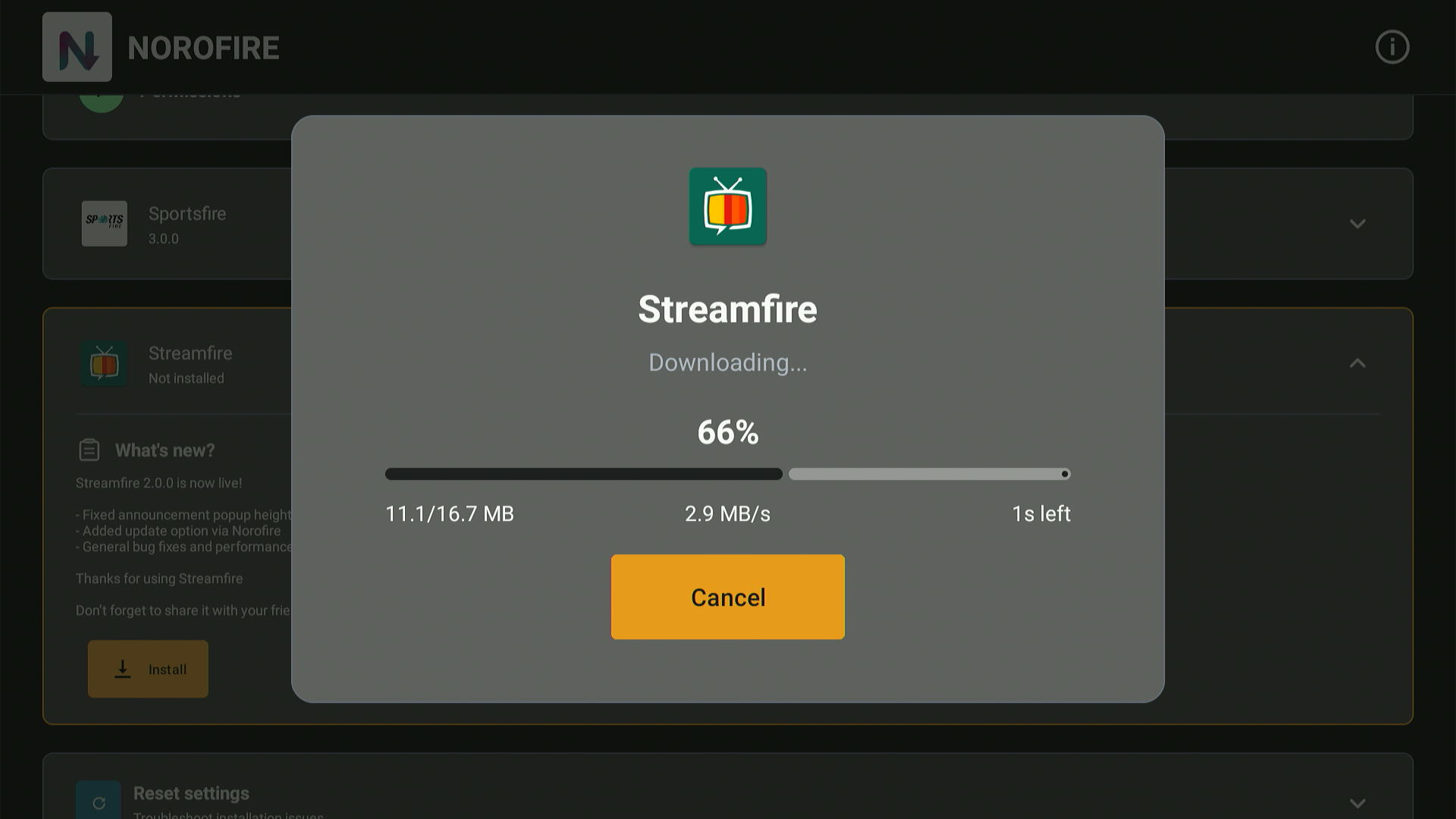
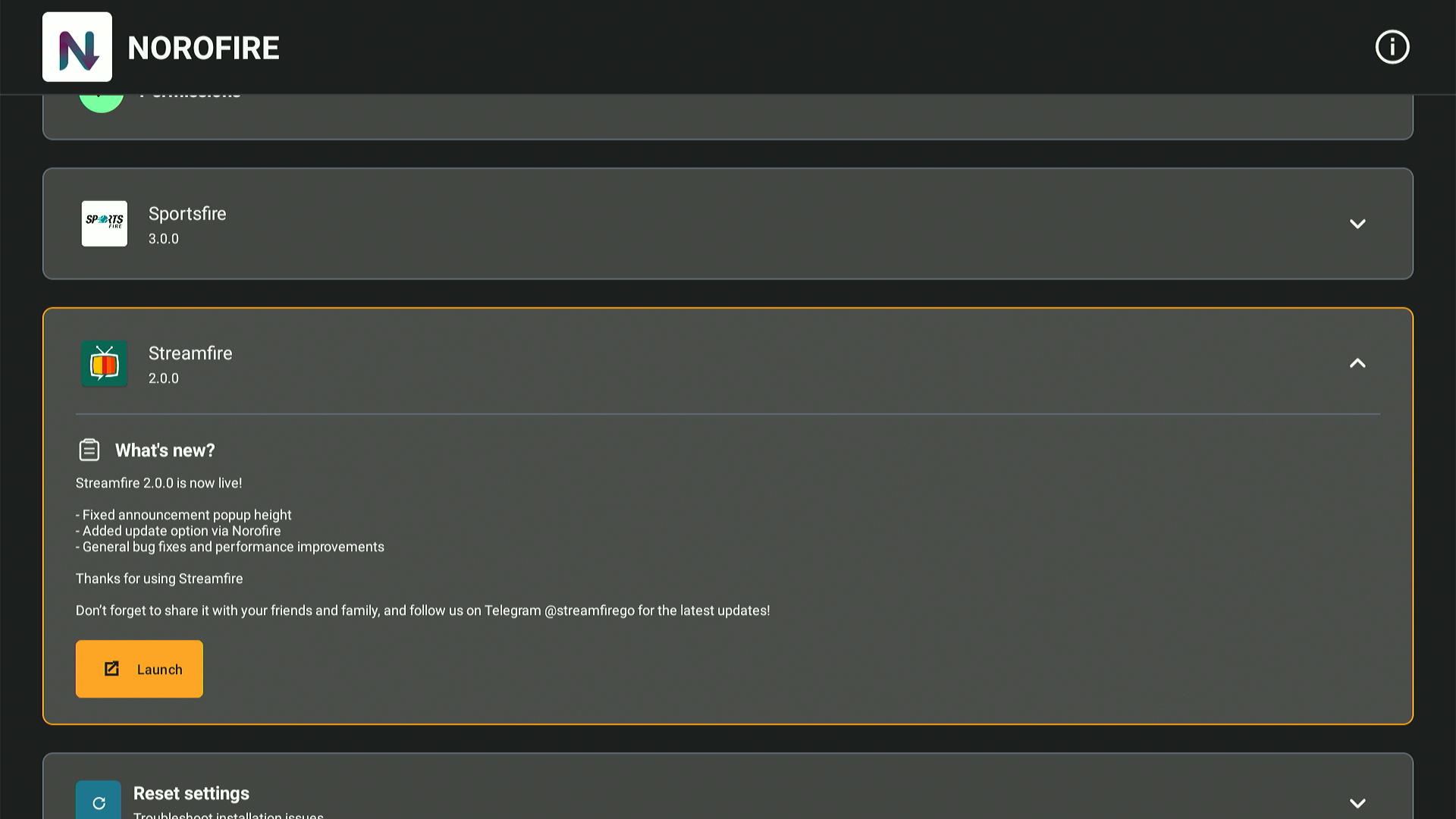
Step 36: Now you can launch Streamfire from Norofire.
How to Use StreamFire on FireStick
Now that you have installed the Streamfire app on your FireStick, it is time to explore what it has in store for you!
Please note that Streamfire may be fetching links from suspicious sources, so make sure to install and use SurfShark VPN on FireStick for secure streaming.
Follow the steps below to use Streamfire on FireStick:
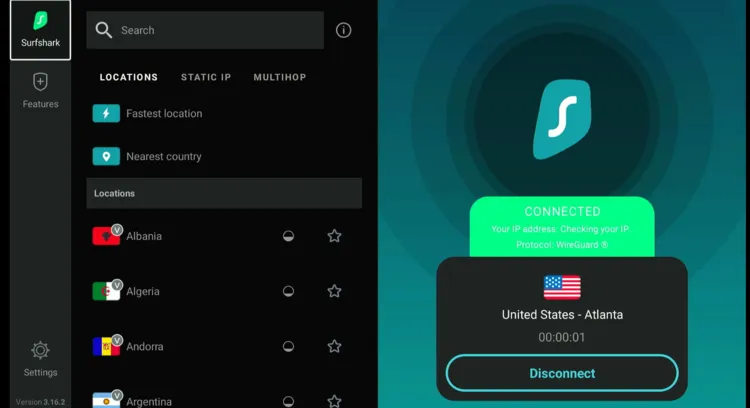
Step 1: Open Surfshark and connect it to the US server.
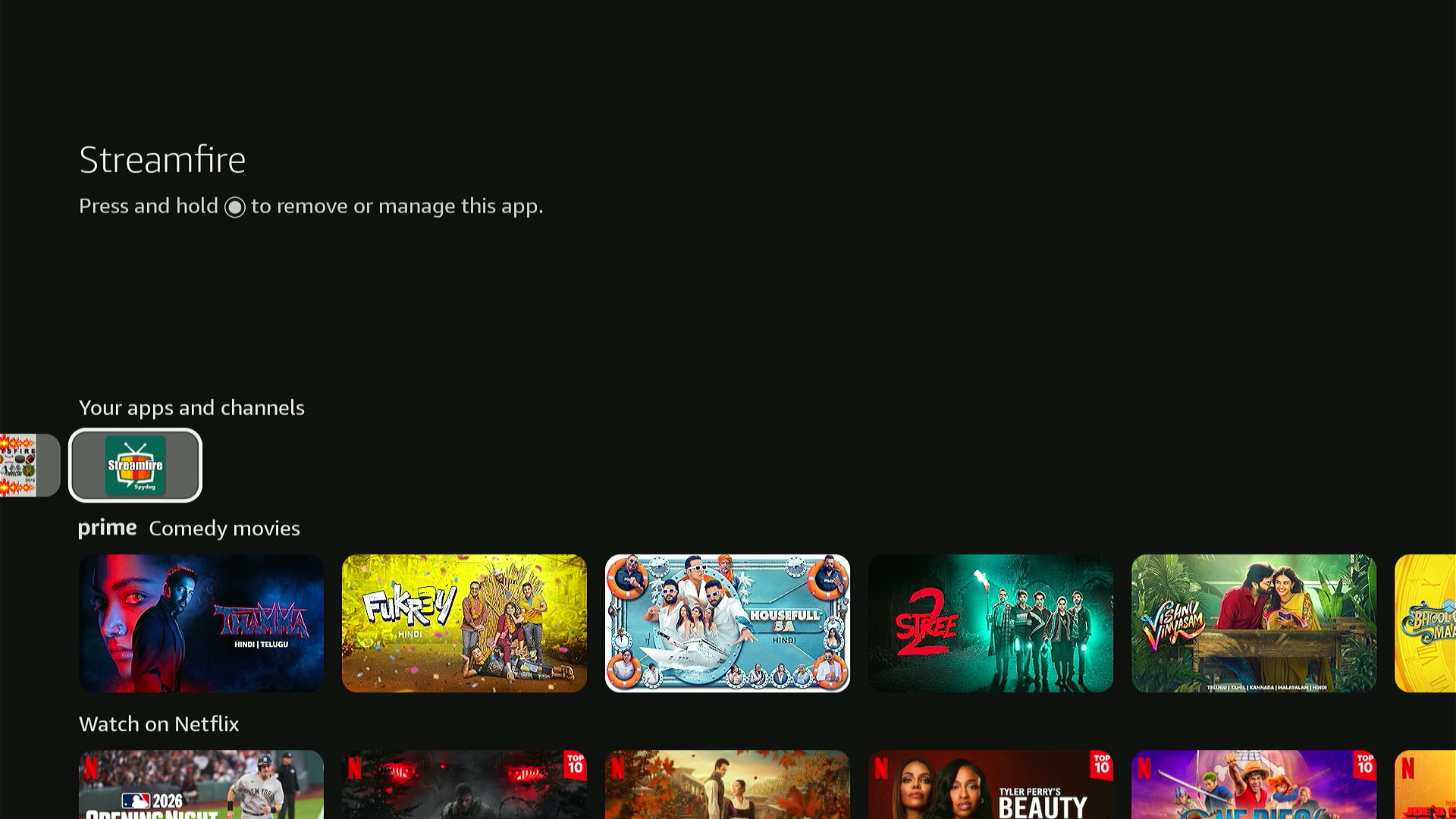
Step 2: Select “StreamFire”.
Step 3: The app will launch successfully. You can now easily use it.
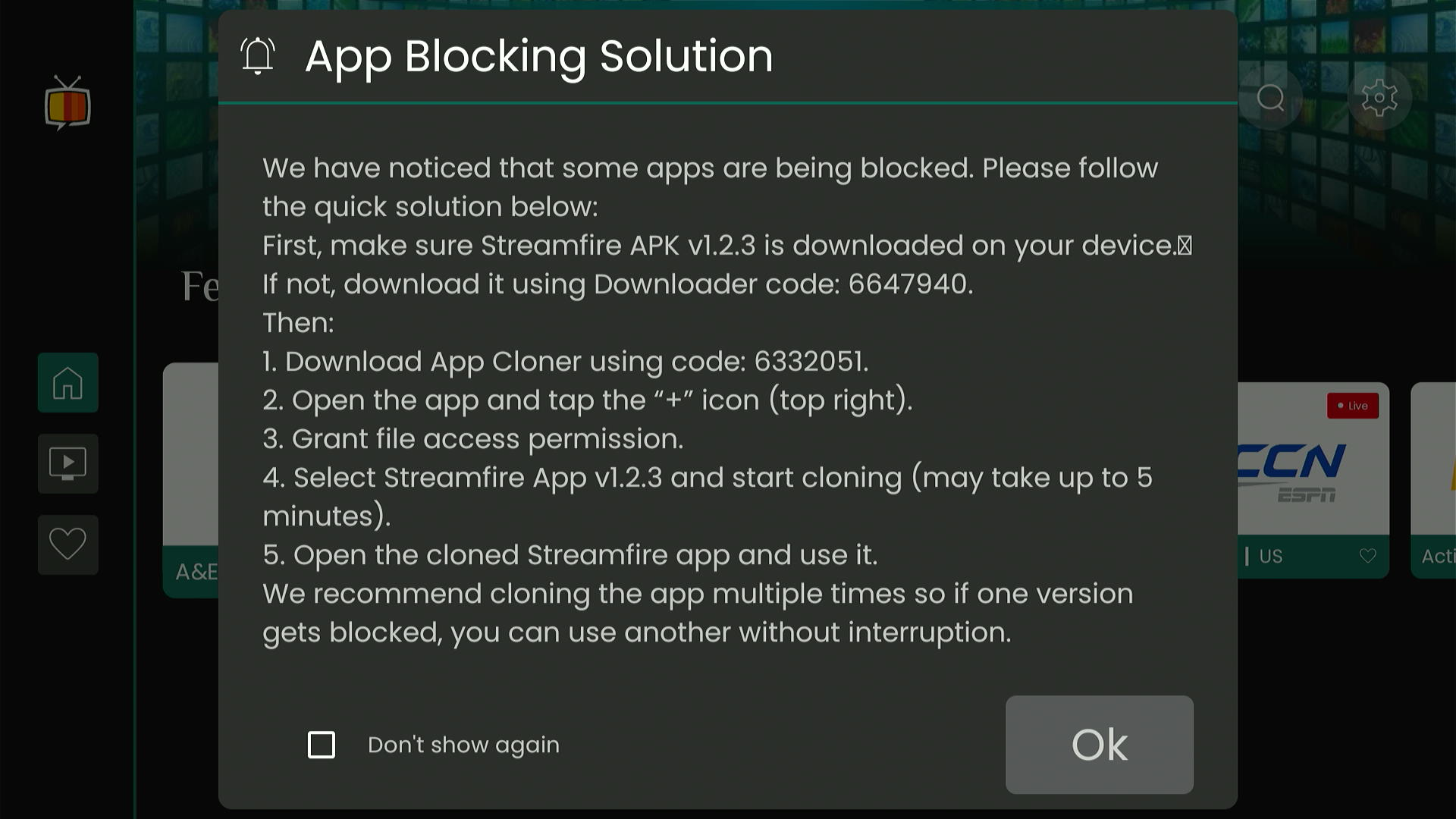
Step 4: Choose your favorite channel.
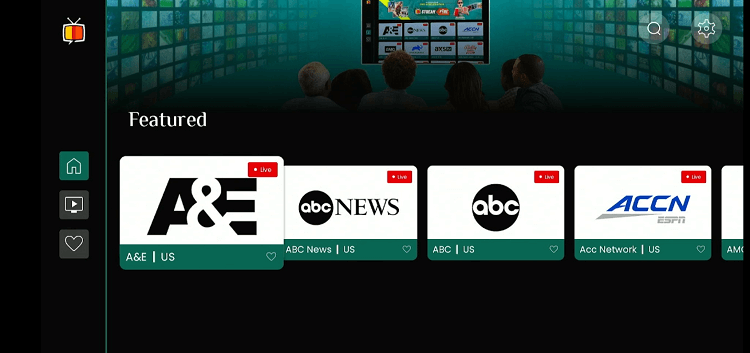
Step 5: Enjoy streaming!

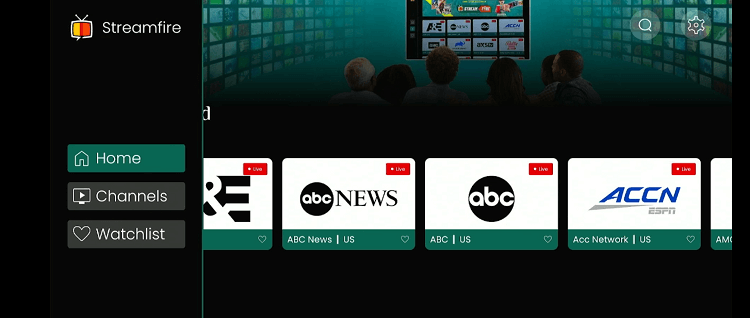
Step 6: To filter channels from a specific country, click on the menu button in the top left corner of StreamFire’s home screen and click “Channels”.
Step 7: Choose the desired country from the list.
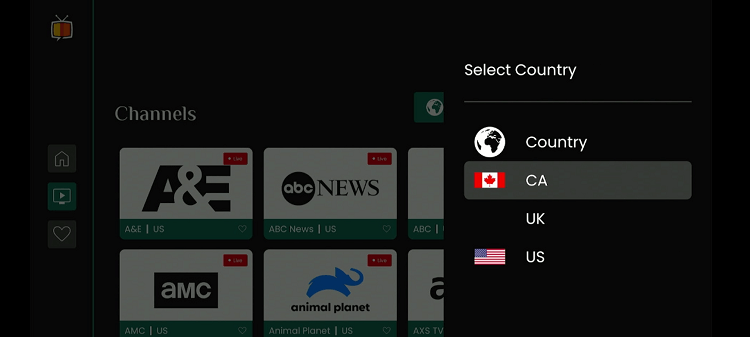
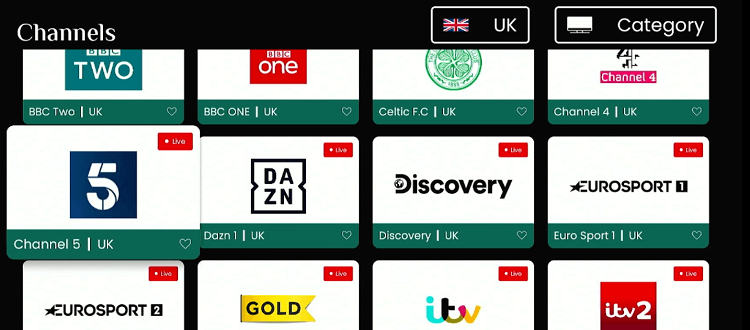
Step 8: Now, all the channels from that specific country will show up on the screen.
Is Streamfire APK Safe/Legal to Use on FireStick?
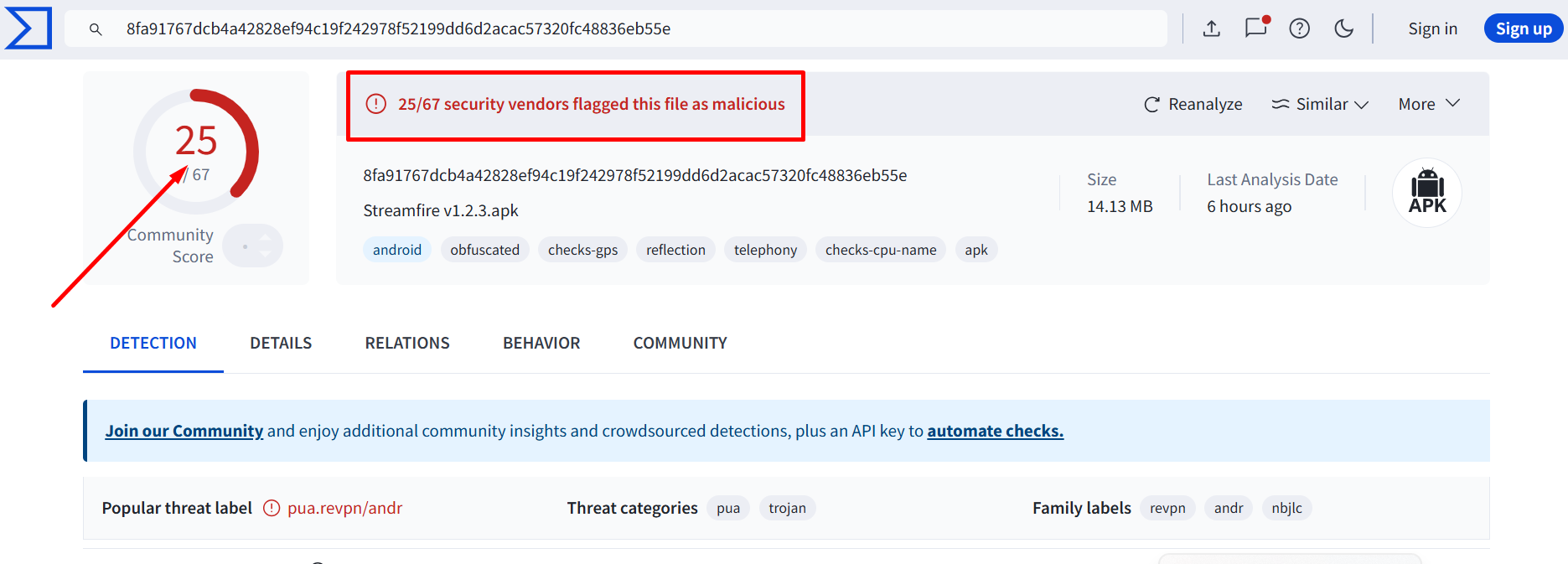
Despite our VirusTotal testing showing security issues (as seen in the screenshot), StreamFire APK is safe to use.
This is because once you have installed the app, you will likely delete the APK, so there is no lasting threat to your online security.
However, if you are still concerned about online threats, you can always install and use SurfShark VPN on your FireStick to add an additional layer of security.
Get a Quick Rundown on the StreamFire APK
Check out the key details of StreamFire APK in the table below:
| Content-Type | Live TV Channels |
| Price | Free |
| Is it safe to use on FireStick? | Yes, but with a VPN |
| Version | 1.2.3 |
| Size | 9.9 MB |
| Developers | StreamFire |
Top StreamFire Features
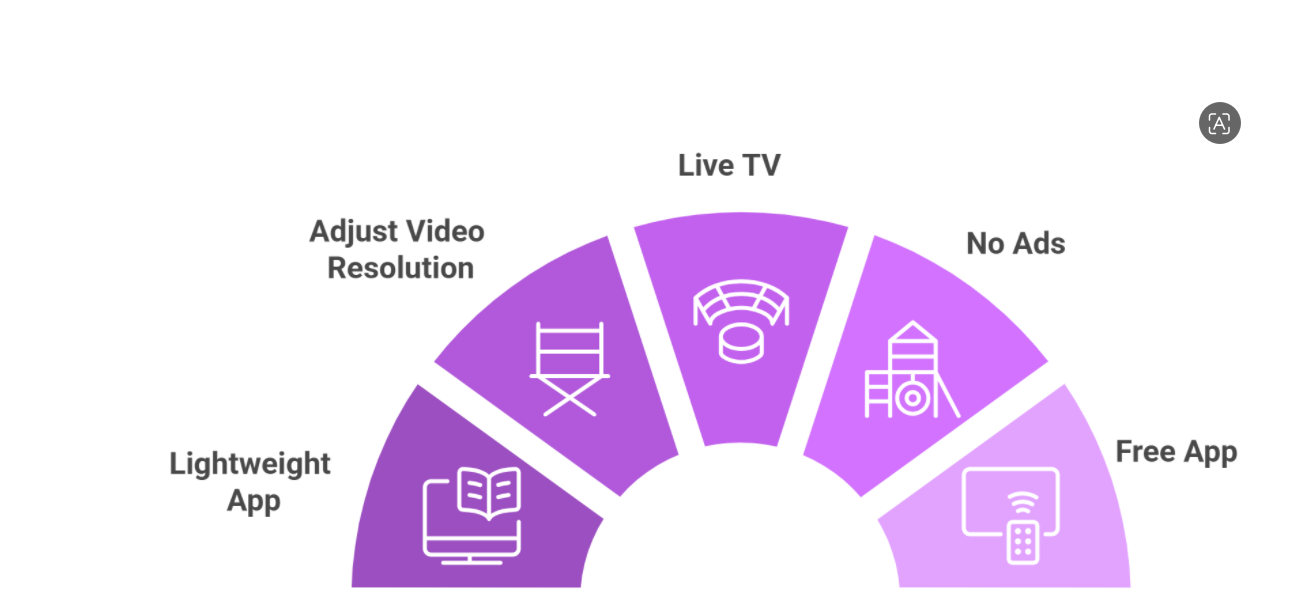
Check out some of the tell-tale features of StreamFire:
✅ Free
✅ Live TV channels from the UK, US, and Canada
✅ Easy-to-use interface
✅ HD streaming
✅ Ad-free experience
✅ Minimal buffering
✅ Watchlist
Trouble Streaming StreamFire on FireStick? Try These Fixes
If you’re dealing with buffering, app crashes, or other streaming glitches on StreamFire, try these quick fixes to smooth things out:
- Clear app cache
- Close background apps
- Restart FireStick
- Connect FireStick via Ethernet
- Set video resolution to 1080p/4K
P.S. If you are still facing issues, check out our detailed articles to stop buffering on FireStick and fix playback errors.
StreamFire Alternatives
Since Amazon is trying hard to block StreamFire, it would be smart to use some of its following alternatives:
- TVMob on FireStick
- TV Garden on FireStick
- 1Pix Media on FireStick
- Netfly on FireStick
- TFlix on FireStick
FAQs – StreamFire
Is StreamFire from on FireStick?
Yes, StreamFire is available for free on FireStick; you can sideload it using the Downloader app.
Does StreamFire require registration?
No, StreamFire does not require registration to stream content.
Does StreamFire show ads?
No, StreamFire does not feature any ads.
What can I watch on StreamFire?
StreamFire features live TV channels in categories like entertainment, news, and sports from top countries.
Conclusion
StreamFire has been getting a lot of attention. One reason behind this is that it is launched by the developers of the popular SportsFire app.
The app is centered around live TV channels in different categories such as news, sports, entertainment, and kids. Currently, it features channels from three countries – the US, UK, and Canada.
In the future, we might see the inclusion of more countries. Before streaming this app, please make it a point to use Surfshark. It will protect you from all the online threats.





Why can I not connect to celtic tv on this app
Hi. I have tried several times to download StreamFire both using the bit.ly connection and by using Unlisted.list. Downloading the app is not a problem. However, in every case, the Appcloner runs about 17-19% and then dies out. The StreamFire app is listed under “Manage all applications” but does not show up either in its original form or in its cloned form on the APPS page.
Is there a workaround?
Thanks for addressing these issues!
Hello Tony. So, while FireStick blocks the latest StreamFire APK (v1.2.3), i successfully unblocked it with the help of App Cloner. and it works fine on my FireStick 4k Max 2nd Gen.
I have updated the StreamFire article with all these to unblock the app. Please give it a try and let me know if it works for you. Thanks!
did everything as per the article, and app cloner wont show 1.2.3 as an option to clone,
That’s weird. Because i just tested the app cloner method and it worked perfectly fine to clone Streamfire. Im using the app while typing this comment for you. I would suggest you give it a one more try and if it does not work, consider using StreamFire alternatives
If StreamFire doesnt work, you can try StreamFire Alternatives for now
This doesn;t work at all fro Streamfire. Steamfire won;t even show up in the list of apps the App Cloner can clone. Waste of time.
Hi Mike, now you can install latest & working Streamfire APK using Norofire (installer for streamfire & sportsfire). We have added this method in the blog with the steps. Pls follow the guide. Thanks