
Disclosure: Our experts test apps for security before recommending them. If you buy through our links, we may earn a commission. See how it works.
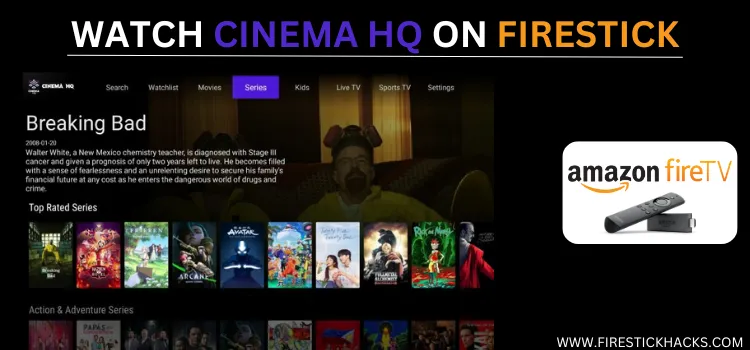
Cinema HQ is an all-in-one streaming solution, offering free access to movies, anime, and live TV. It also features adult content.
The app’s VOD section was always top-notch. However, in the latest Cinema HQ APK 7.1, the live TV channels have become surprisingly good. The app is ad-free.
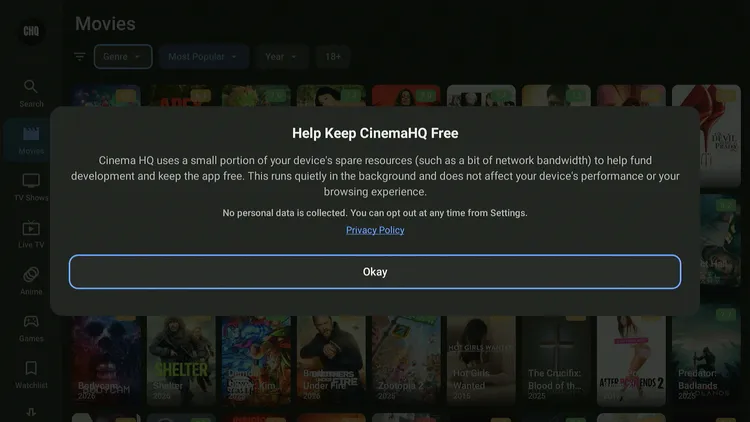
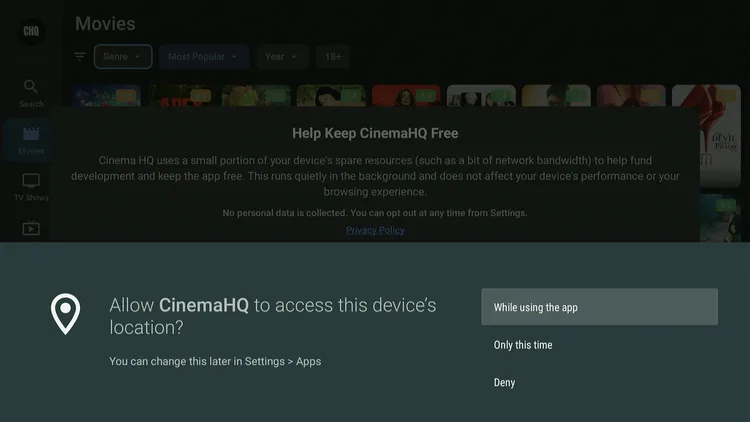
Beyond the streaming experience, Cinema HQ impressed me with its transparency. Upon launch, the latest APK v7.1 mentions, “Cinema HQ uses a small portion of your spare resources.” 👇
However, since Cinema HQ fetches links from unknown sources, don’t forget to use a VPN to prioritize your security. Surfshark is our #1 choice.
Our Recommended VPN - Surfshark

WARNING! Amazon Monitors Your Fire TV Stick!
Yes, It’s True! Without Proper Encryption, your IP Address is Exposed, and Whatever you Stream on FireStick is 'Being Tracked'.
This can lead to:
- Blocking of the FREE Third-Party Apps
- Exposure of your Personal data to hackers, ISPs, and even the authorities
But There’s a Solution - ‘Surfshark VPN’
Save 87% + Get 3 Extra Months FREE with Surfshark VPN [Limited Time Offer]
This Includes:
✅ VPN for just $0.06/day!
✅ Strongest Encryption (i.e.256-Encryption)
✅ 3,200 servers in 100+ server locations
✅ Kill Switch Feature for FireStick users
✅ Data Breach Alerts.
✅ Unlimited Device Connections.
✅ 30-day money-back guarantee.

How to Install Cinema HQ on FireStick Using Downloader App
The Cinema HQ app isn’t available on the Amazon App Store. Therefore, you will have to sideload the latest Cinema HQ APK v7.1 using the Downloader app.
Before starting the sideloading or jailbreaking process, be sure to install and use Surfshark VPN on your FireStick for safe and secure streaming.
Follow these steps:
Step 1: Turn ON your FireStick device and Go to FireStick Home

Step 2: Click on the Settings icon
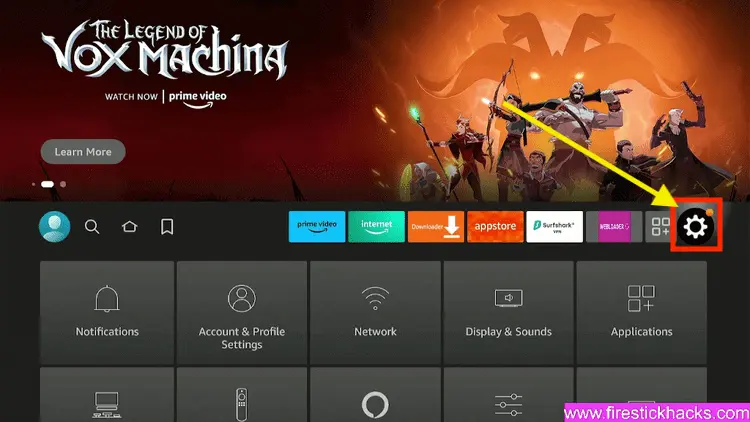
Step 3: Select the My Fire TV option

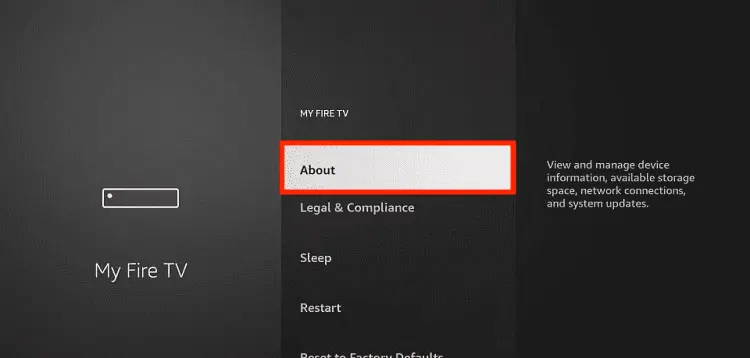
Step 4: To enable the Developer Option, click About.
Note: If you have already enabled the Developer Option, then proceed to Step 10
Step 5: Click on the Fire TV Stick option quickly at least 7 times

Step 6: Now you will see this message at the bottom saying "No need, you are already a developer". So stop clicking then

Step 7: Now the Developer Option will appear in the menu so click on it
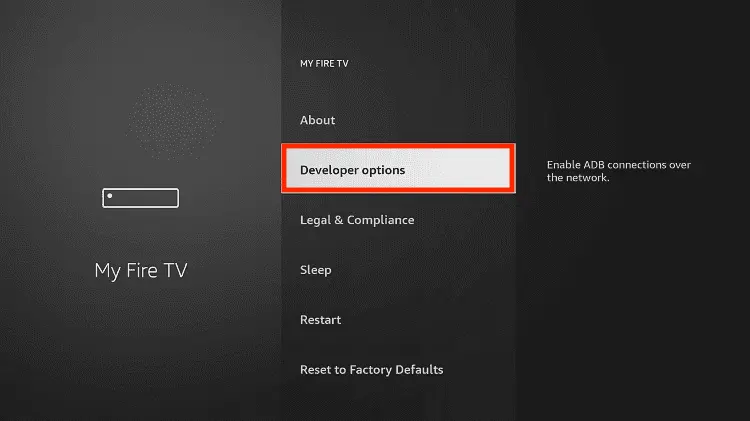
Step 8: Choose Apps from Unknown Sources to turn it ON

Step 9: Simply click Turn On

Step 10: Now return to the FireStick Home menu by pressing the "Home" icon on the remote and click on Find
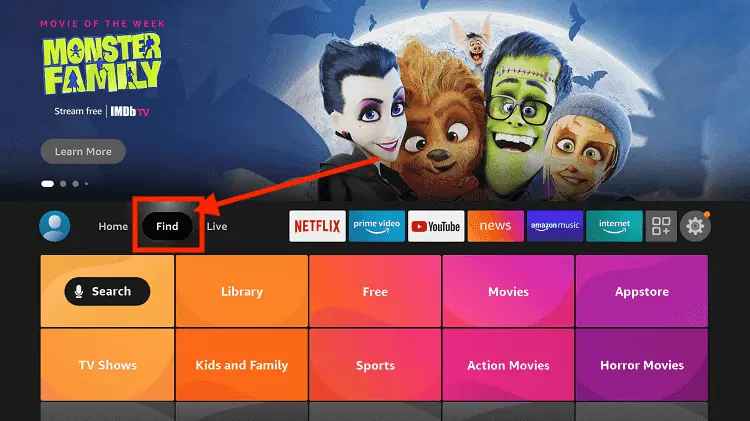
Step 11: Now select the Search icon
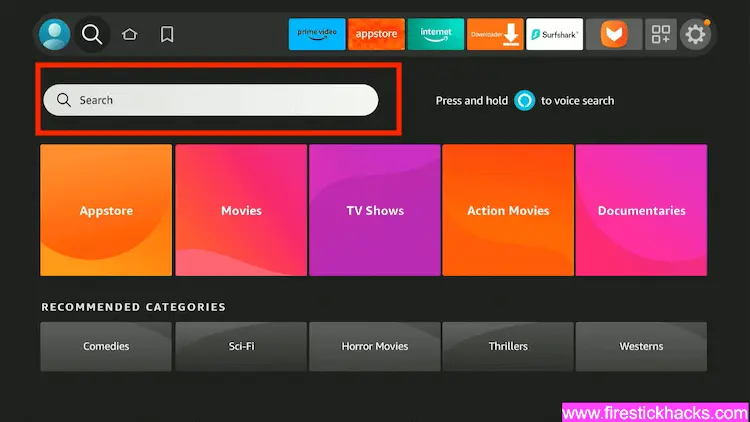
Step 12: Type Downloader and press search
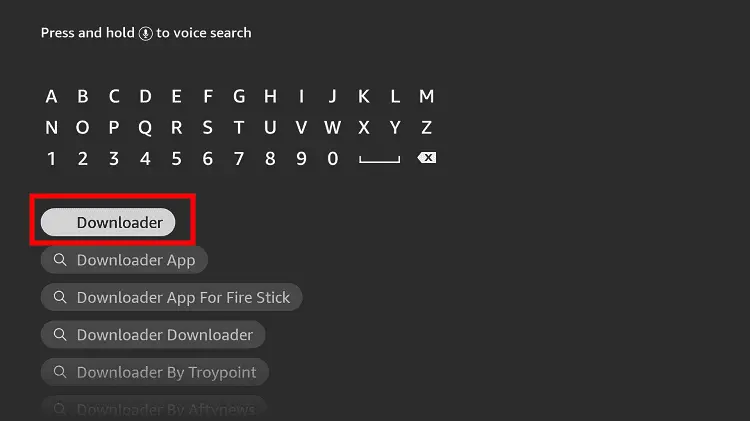
Step 13: Select the Downloader App icon from the list available in the Amazon Store

Step 14: Tap Get/Download
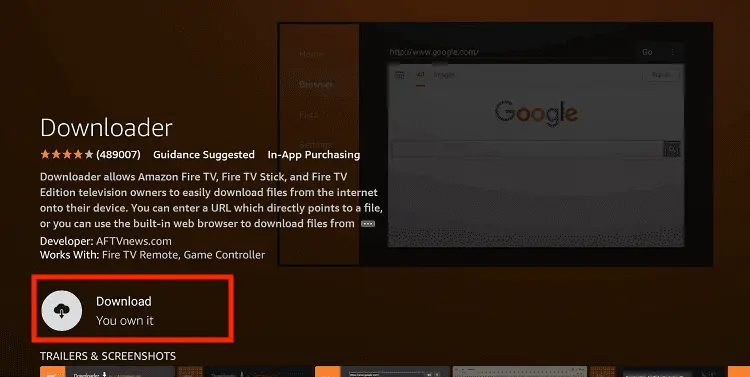
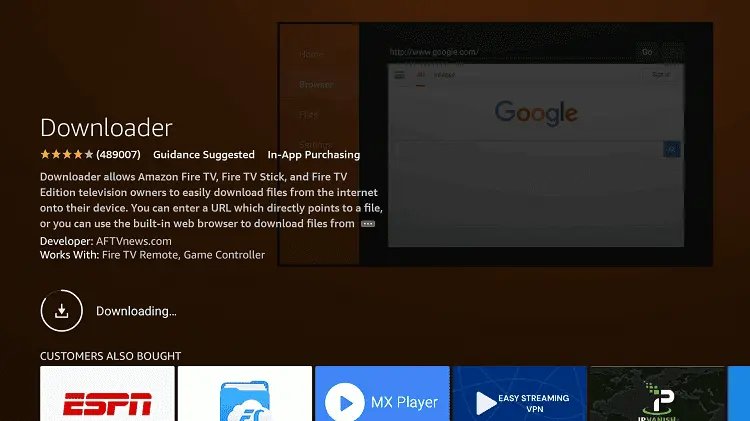
Step 15: Wait for a while until the installation process is completed
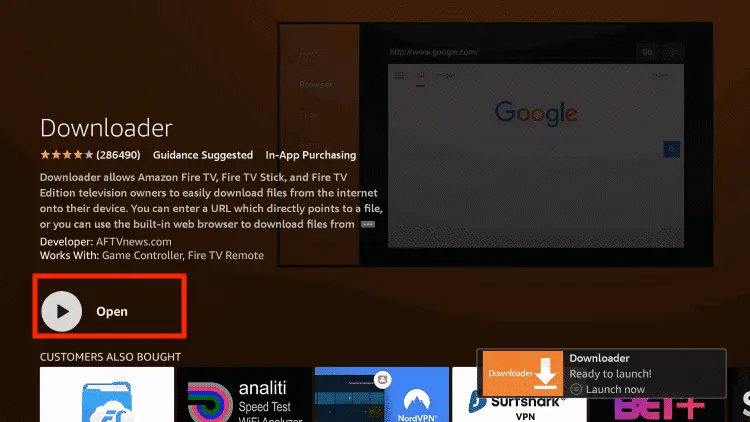
Step 16: Now click Open
Step 17: You will see a popup about Downloader app latest update. Click "OK".

Step 18: Click OK again

Step 19: This is the Downloader App interface, Click the Search Bar on top

Step 20: Now enter the Cinema HQ Downloader Code 730116 in the search box OR enter this URL bit.ly/fsh-downloads and click Go
Note: The referenced link is the official URL of this app/website. FIRESTICKHACKS does not own, operate, or re-sell any app, streaming site, or service and has no affiliation with its developers.
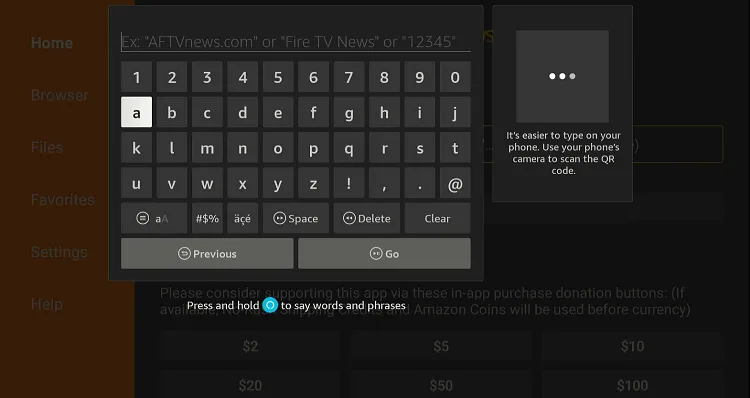
Step 21: Click “Cinema HQ” from the “Movies & TV Shows” category.
Note: If the app doesn’t start downloading, then clear the Downloader app cache using this article.

Step 22: The downloading will start. Wait for it to finish.
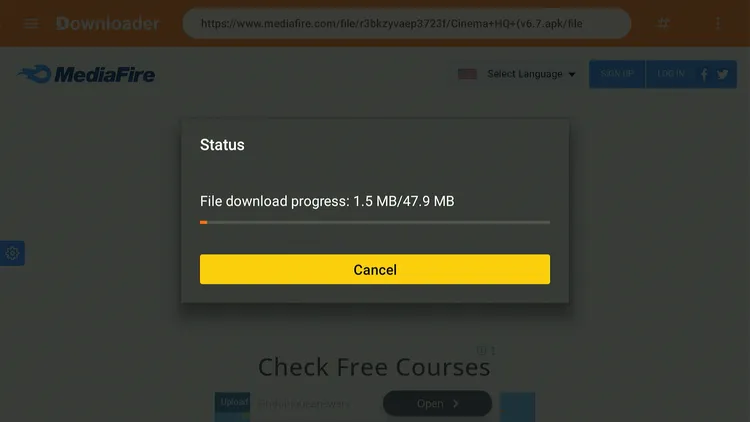
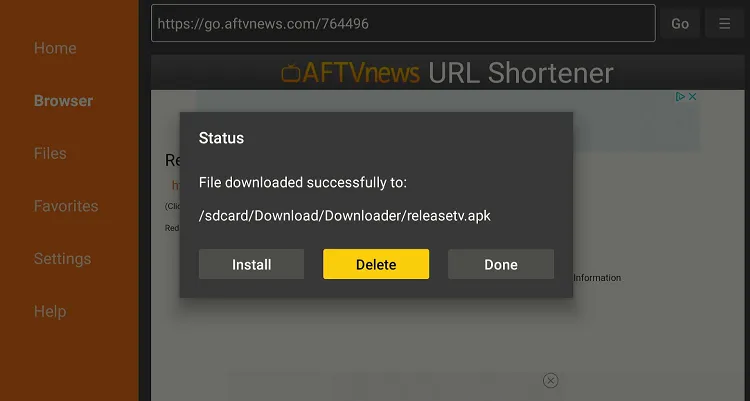
Step 23: Once the download ends, click “Install.”

Step 24: Select “Done.”

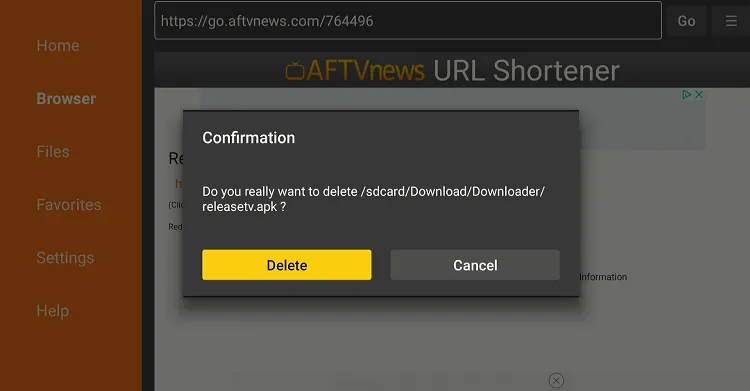
Step 25: Click “Delete.”
Note: Deleting the Cinema HQ APK is necessary to free up space on your FireStick device.
Step 26: Select “Delete” again to confirm your action.
How to Use Cinema HQ on FireStick
After you are done installing the Cinema HQ app, you can start using it right away. Have a look at the “Changelog” below to see the fixes and new additions in Cinema HQ v7.1 👇
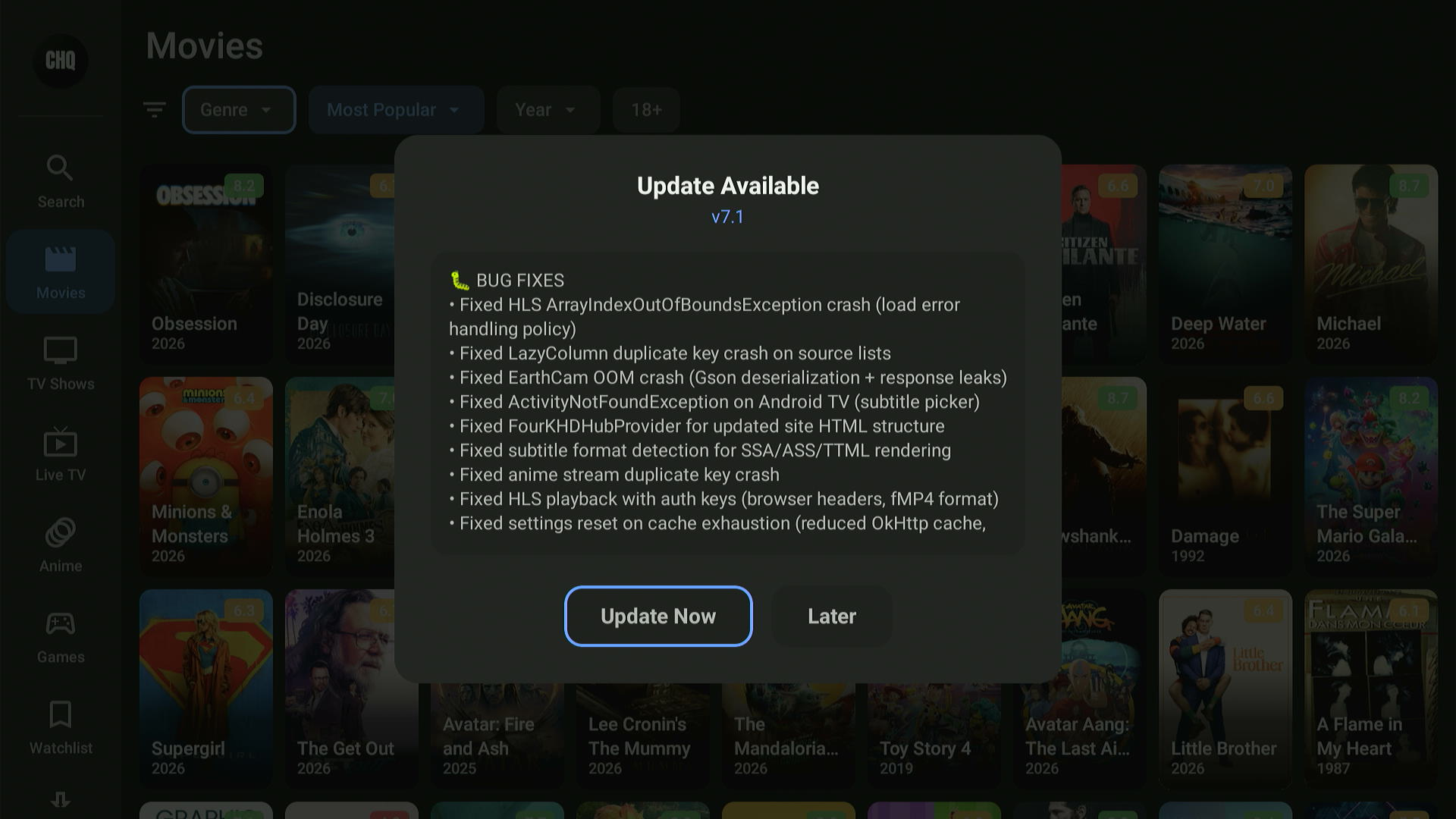
Before using Cinema HQ, make sure to install and use SurfShark VPN on FireStick to hide your streaming activities.
Follow the steps below:
Step 1: Open Surfshark and connect to the Hong Kong server.

Step 2: Select the “Apps Library” icon from the top right corner (Next to the “Settings” icon).
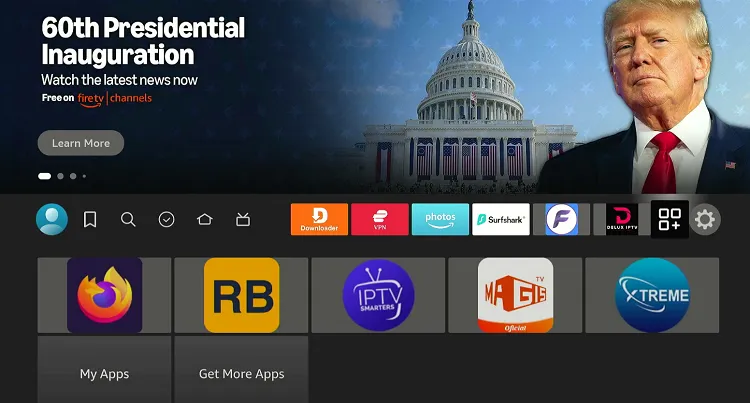
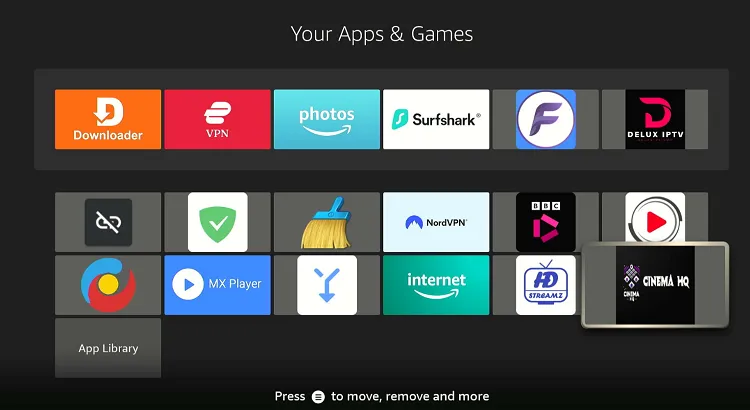
Step 3: Choose the “Cinema HQ” app.
Step 4: Choose “While Using the App.”
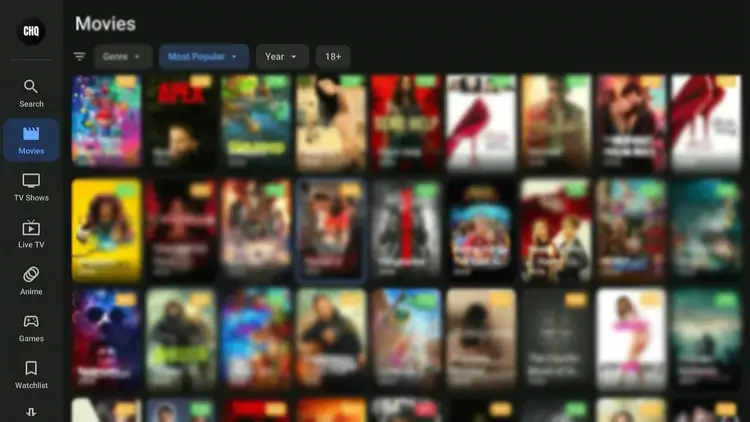
Step 5: Now choose a live TV channel or movie/show title.
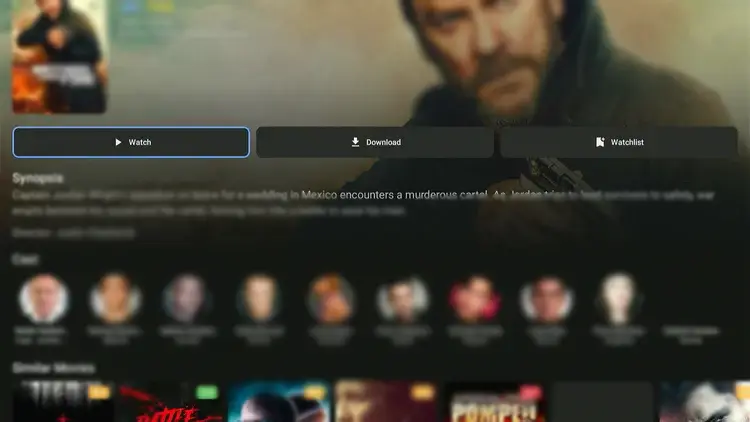
Step 6: Tap “Watch.”
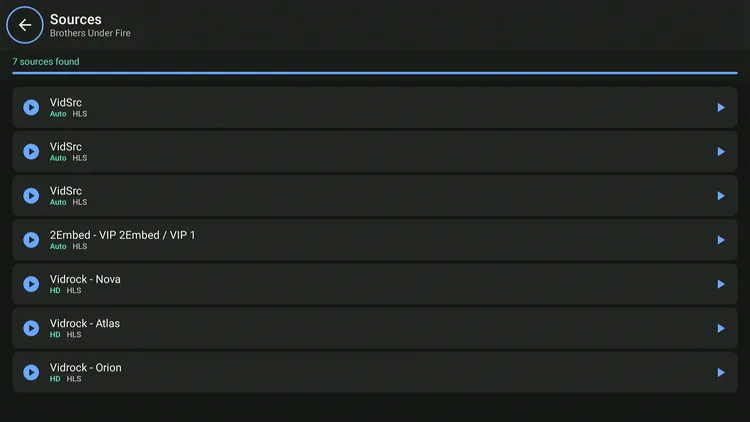
Step 7: Choose a streaming link.
Note: Not all links may play.
Step 8: Enjoy streaming!

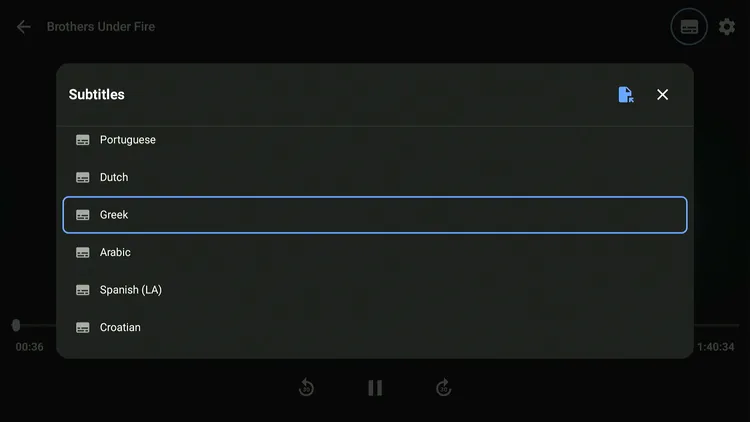
Step 19: To activate “subtitles,” click the icon next to the settings gear in the top right corner.
Step 10: Choose the subtitle language.
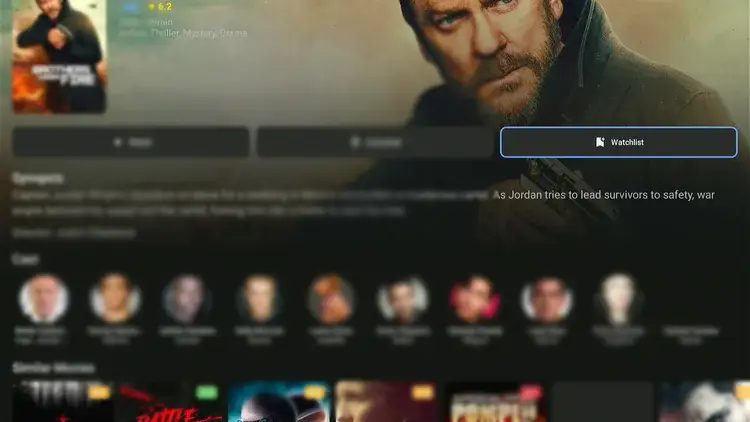
Step 11: You can add movies/shows to your watchlist by clicking “Watchlist.”
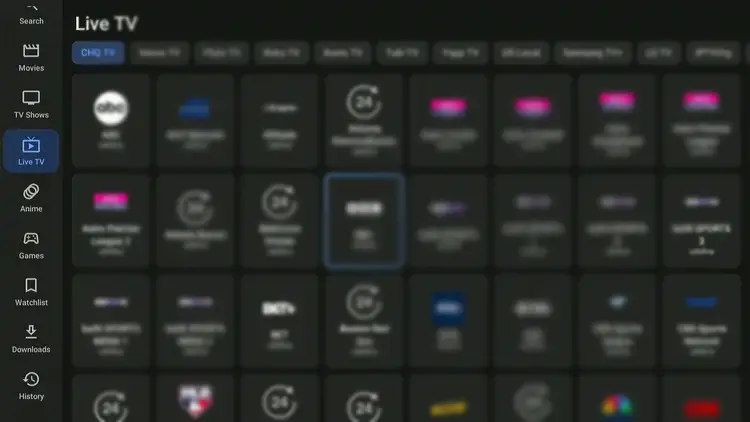
Step 12: The “Live TV” section divides channels into different categories like Pluto TV, Xumo, Tubi, etc.
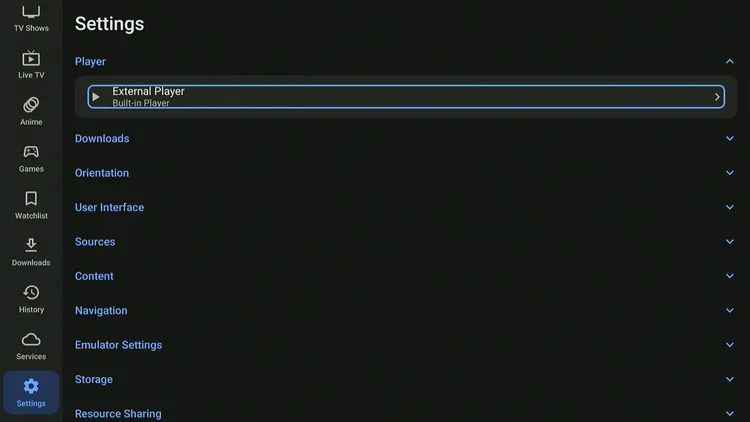
Step 13: While Cinema HQ has a built-in player, you can add an “external player” from settings.
Step 14: The app recommends players like MX Player, VLC, HB Video Player & Bear Player
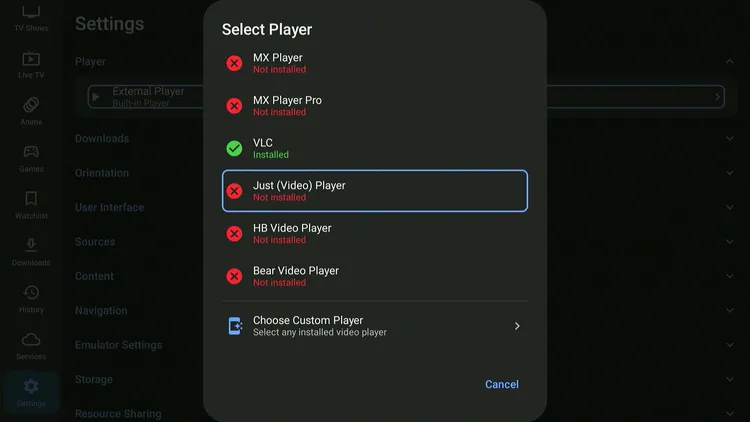
Step 15: However, you can choose more external players by clicking “Choose Custom Player.”
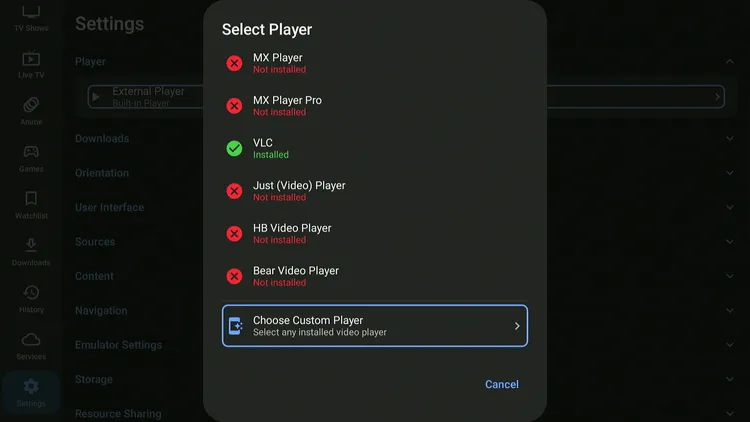
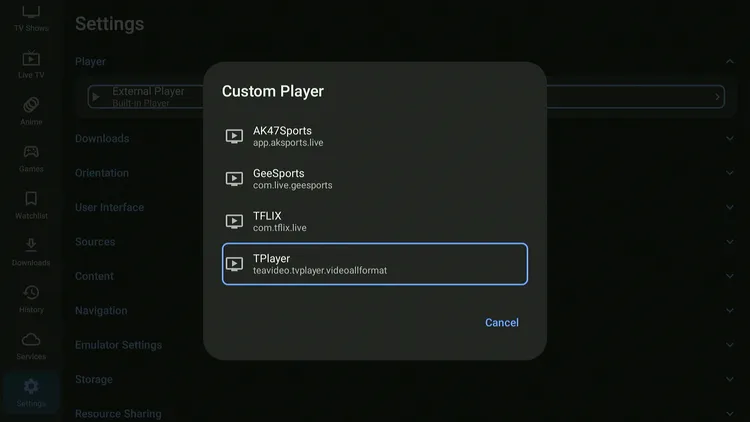
Step 16: Now, all the installed players (along with apps that support streaming links) on your device will show up.
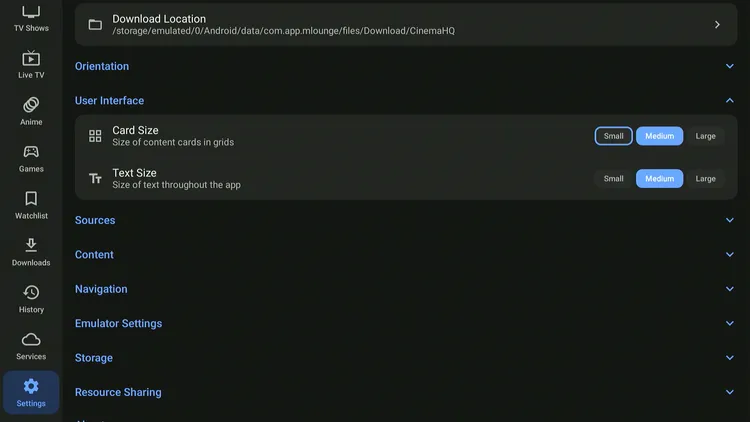
Step 17: You may customize the app interface as well by adjusting “Card Size,” “Text Size,” and Orientation.
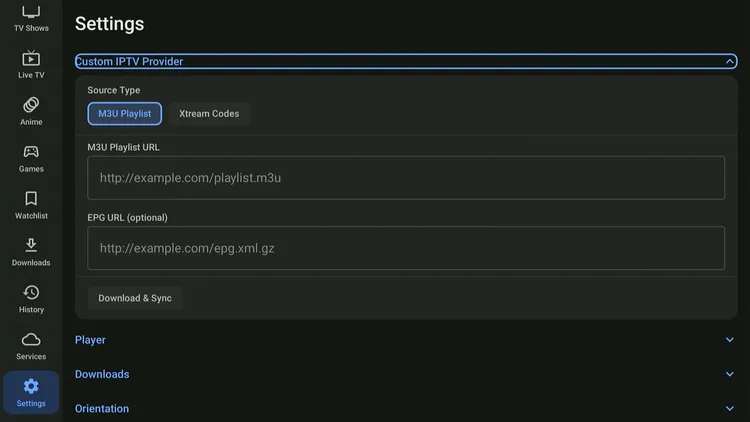
Step 18: You can also use the built-in “IPTV player” within Cinema HQ v7.1. It is on par with the best FireStick IPTV players.
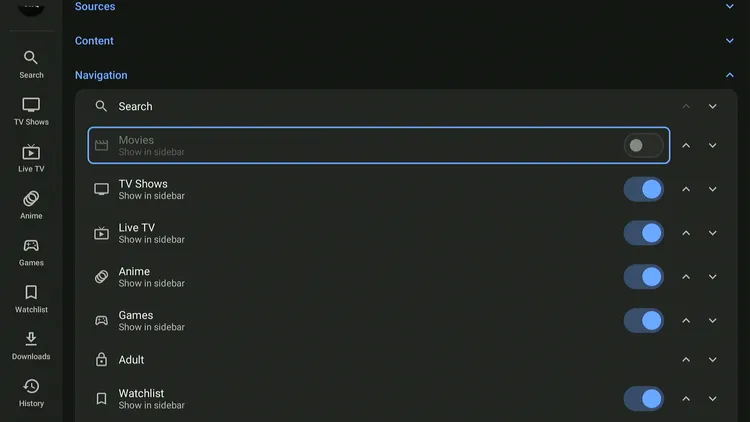
Step 19: You can adjust the menu bar by removing or adding the categories under “Navigation.”
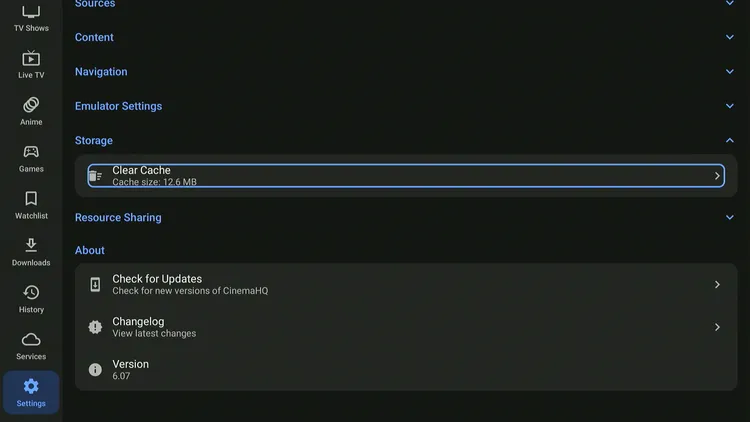
Step 20: Cinema HQ lets you “Clear Cache” within the app from settings.
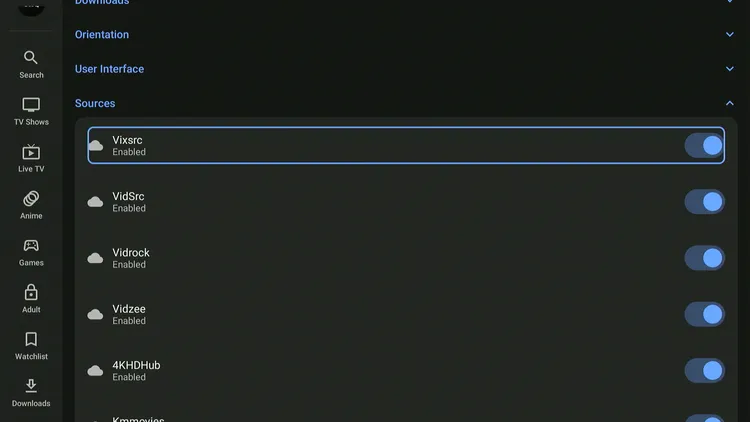
Step 21: Make sure you enable all “Sources” to get maximum streaming links.
Is Cinema HQ APK Safe/Legal to Use on FireStick?
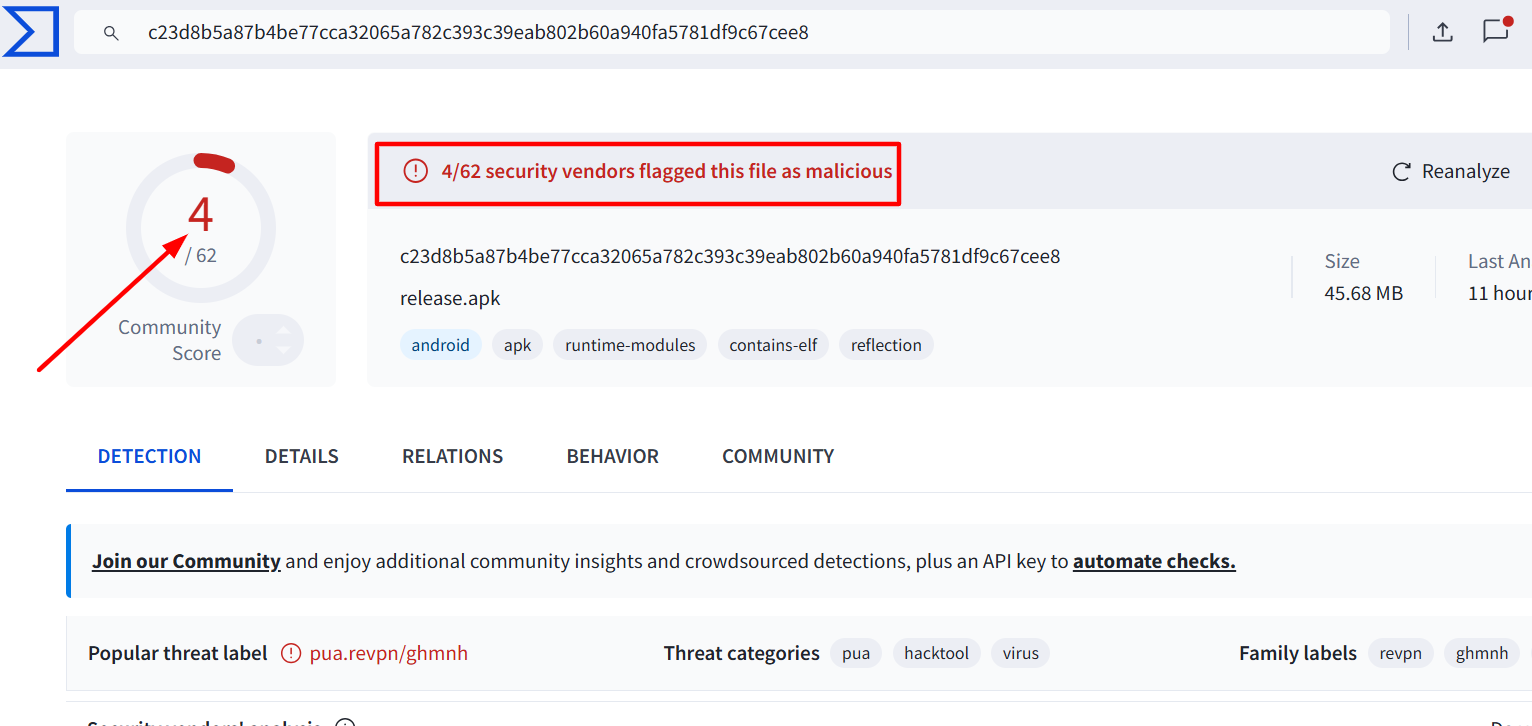
We scanned the Cinema HQ latest APK 7.1 file on VirusTotal, and some vendors flagged it as malicious. However, since we delete the APK file after installing the app, there won’t be any issues.
However, we can’t verify the streaming sources of the app, so we recommend you use Surfshark to enjoy secure streaming!
All About Cinema HQ APK
Read the following chart for an insightful overview of Cinema HQ APK:
| Content-Type | Movies/Shows, Live TV, Anime |
| Price | Free |
| File Size | 47.9 MB |
| Is It Safe to Use? | Yes, but with a VPN |
| Latest APK | 7.1 |
| Built-In Player | Yes |
| External Player | Yes (MX Player, VLC, HB Video Player & Bear Player) |
Cinema HQ Features
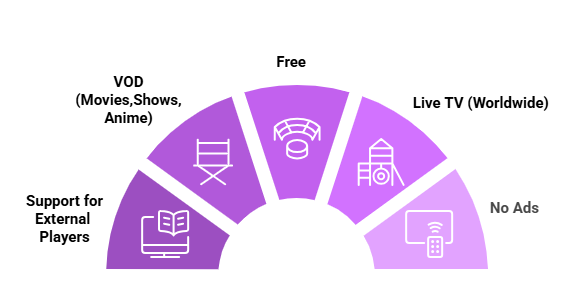
Have a look at some of the best Cinema HQ features:
✅ Free
✅ VOD (Movies and Shows)
✅ Live TV
✅ Anime
✅ Ad-Free
✅ Built-In Player
✅ Support for External Players
✅ No Login Required
✅ Subtitles
✅ Real-Debrid
✅ Adult Content
Cinema HQ Not Working? Try These Fixes
If you’re dealing with buffering, app crashes, or other streaming glitches on Cinema HQ, try these quick fixes to smooth things out:
- Restart Your Internet Router
- Clear app cache
- Close background apps
- Restart FireStick
- Connect FireStick via Ethernet
- Set video resolution to 1080p/4K
P.S. If you are still facing issues, check out our detailed articles to stop buffering on FireStick and fix playback errors.
Cinema HQ Alternatives
If you like Cinema HQ, you would want to try out some of its following alternatives:
- Ocean Streamz on FireStick
- FilmPlus on FireStick
- Flix Vision on FireStick
- Stremio on FireStick
- 1Pix Media on FireStick
Cinema HQ – FAQs
What is the latest version of Cinema HQ APK?
The latest available APK version is v7.1.
Is Cinema HQ free to use on FireStick?
Yes, Cinema HQ is completely free to use for streaming movies, TV shows, and live TV.
Does Cinema HQ show ads?
No, the app provides an ad-free streaming experience.
Does Cinema HQ support subtitles?
Yes, you can enable subtitles in many languages like English, Greek French, etc.
Can I use external players with Cinema HQ?
Yes, Cinema HQ supports players like MX Player, VLC, HB Video Player & Bear Player.
Can I watch anime on Cinema HQ?
Yes, Cinema HQ includes a dedicated anime section.
Does Cinema HQ include adult content?
Yes, the app also features adult content categories.
Final Words
Cinema HQ is a versatile, all-in-one streaming app that provides free access to movies, TV shows, and live TV. The app doesn’t show ads and also has a built-in media player.
What also makes Cinema HQ stand out is its transparency. The latest Cineme HQ APK v7.1 informs users about its use of spare resources, which is rarely seen in third-party streaming apps.
Before streaming, you must use Surfshark VPN on FireStick to avoid legal issues related to licensing agreements.






It says “Status”, trying to connect.
Hi Leon, I have just updated cinema hq apk in our downloads page. Please try installing cinema hq latest apk v6.8 using downloader code 730116. I just tested the app and its working fine.