Disclosure: Our experts test apps for security before recommending them. If you buy through our links, we may earn a commission. See how it works.
AppLinked is an amazing tool that lets you access entire free libraries of apps from categories like movies, sports, live TV, etc., by using different codes.
Just like Unlinked, it saves you from hunting down individual files; you just enter a “store code” and instantly see a curated list of apps.
That said, AppLinked codes don’t last forever; they expire or get taken down over time. That’s why we update this list every week (last updated on 1 July, 2026).
Check out the best AppLinked codes for this week. 👇
- 88099 (30+ Apps)
- 81574 (25 Apps)
- 43463712 (24 Apps)
- 7089 (15+ Apps)
However, since Unlinked is an unofficial app store with several unverified apps, it is strictly recommended to use a VPN to ensure your online security. Surfshark is our #1 choice.
Our Recommended VPN - Surfshark

WARNING! Amazon Monitors Your Fire TV Stick!
Yes, It’s True! Without Proper Encryption, your IP Address is Exposed, and Whatever you Stream on FireStick is 'Being Tracked'.
This can lead to:
- Blocking of the FREE Third-Party Apps
- Exposure of your Personal data to hackers, ISPs, and even the authorities
But There’s a Solution - ‘Surfshark VPN’
Save 87% + Get 3 Extra Months FREE with Surfshark VPN [Limited Time Offer]
This Includes:
✅ VPN for just $0.06/day!
✅ Strongest Encryption (i.e.256-Encryption)
✅ 3,200 servers in 100+ server locations
✅ Kill Switch Feature for FireStick users
✅ Data Breach Alerts.
✅ Unlimited Device Connections.
✅ 30-day money-back guarantee.

8 Best AppLinked Codes [Tried & Tested | July, 2026]
Every AppLinked code unlocks a different library that features several apps from multiple categories, like news, entertainment, sports, media players, IPTV players, etc.
We update this list weekly so that you only get AppLinked codes that are active and useful, and you don’t waste your time on broken links.
1. 88099
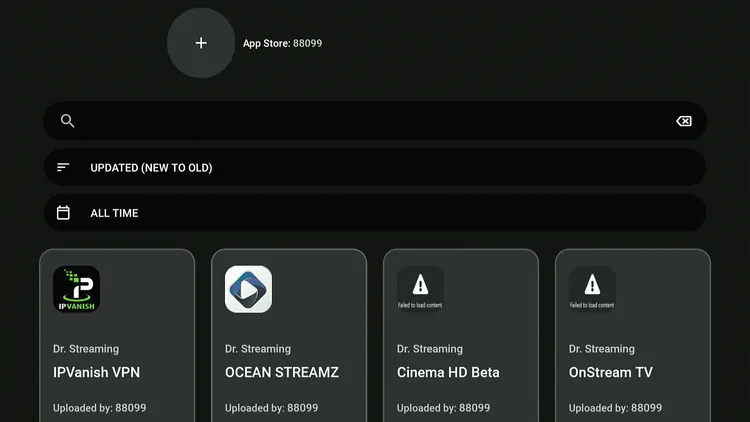
It is a well-curated and reliable store featuring some of the widely used streaming apps.
- Total Apps: 30+
- Focus: Movies + Live TV
- Top Picks: FilmPlus, BeeTV, Ocean Streamz, OnStream
2. 8970
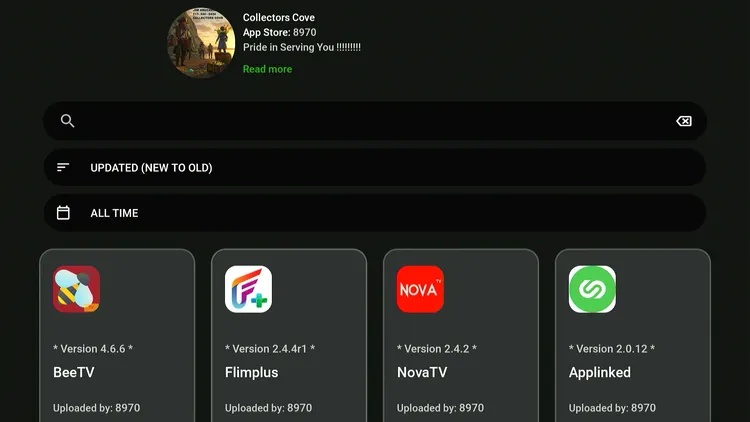
This library is named Collectors Cove. It is a treasure trove for those looking for the best movie apps and best media players for FireStick.
- Total Apps: 12
- Focus: Media players + movie apps
- Top Picks: Bear Player, VLC Player, Nova TV
3. 43463712
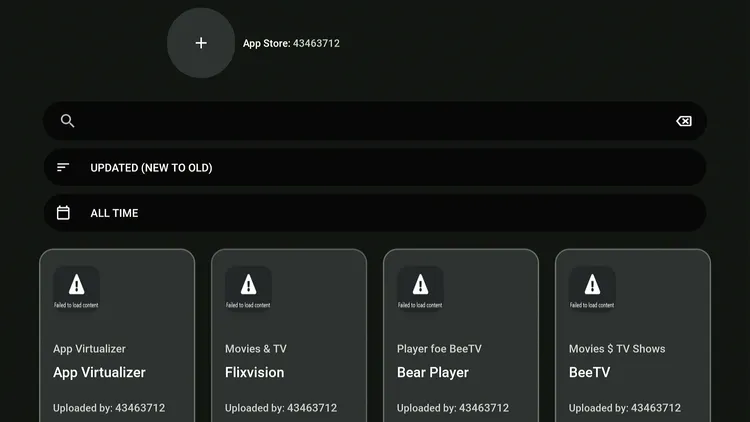
This code is built around performance tools and IPTV utilities rather than standard streaming apps.
- Total Apps: 20+
- Focus: Utility apps + IPTV players
- Top Picks: App Cloner, IPTV Smarters Pro, Projectivy Launcher, NetGuard
4. 980606
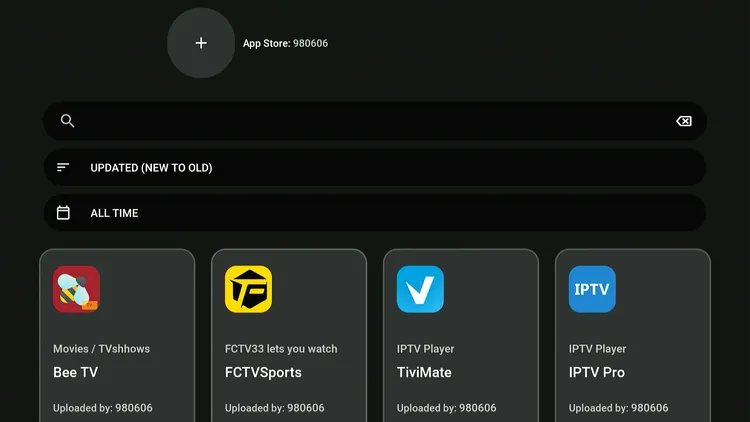
A complete all-in-one store that brings together movie apps, sports apps, IPTV players, and media players in one place.
- Total Apps: 30+
- Focus: Movies + Sports + IPTV + Media players
- Top Picks: FCTV33, OTT Navigator, HDO Box, BBC iPlayer
5. 812051690
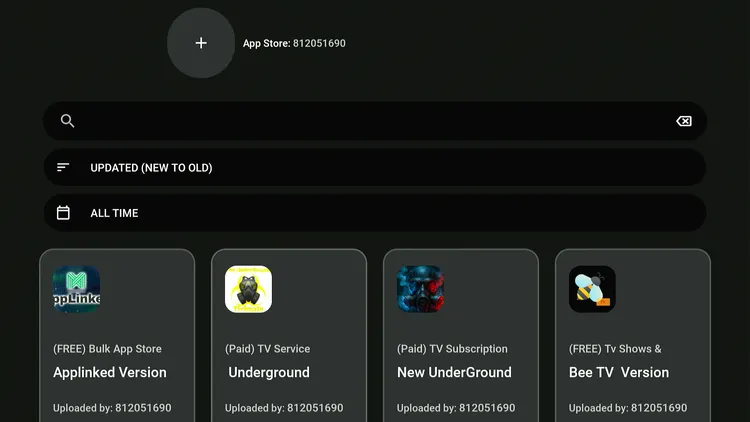
This library puts together entertainment apps with powerful FireStick tools for sideloading, navigation, and media playback.
- Total Apps: 20+
- Focus: Streaming apps + Utility tools
- Top Picks: Tubi TV, TiviMate, AM Player, Downloader (v1.5.1), Apps2Fire, Mouse Toggle, ES File Explorer
6. 81574
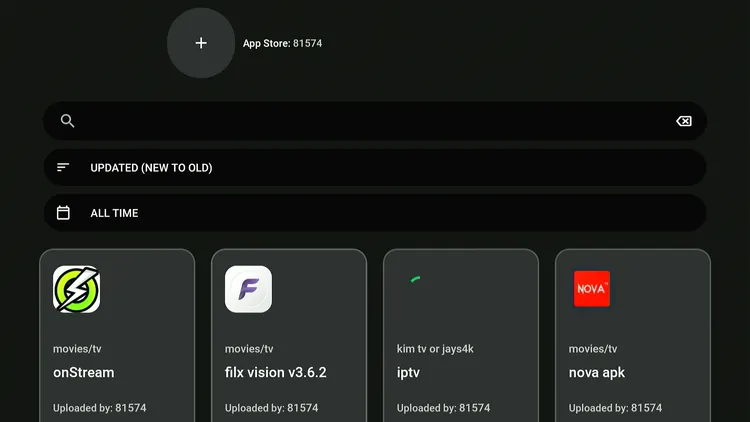
This code is built for users who want entertainment apps and powerful tools for managing and streaming content.
- Total Apps: 15+
- Focus: Streaming apps + IPTV + Utilities
- Top Picks: Fast Task Killer, Cinema HQ, Movie HD, Unlinked, Flixoid, Kodi (v21.2, v20.5)
7. 7089
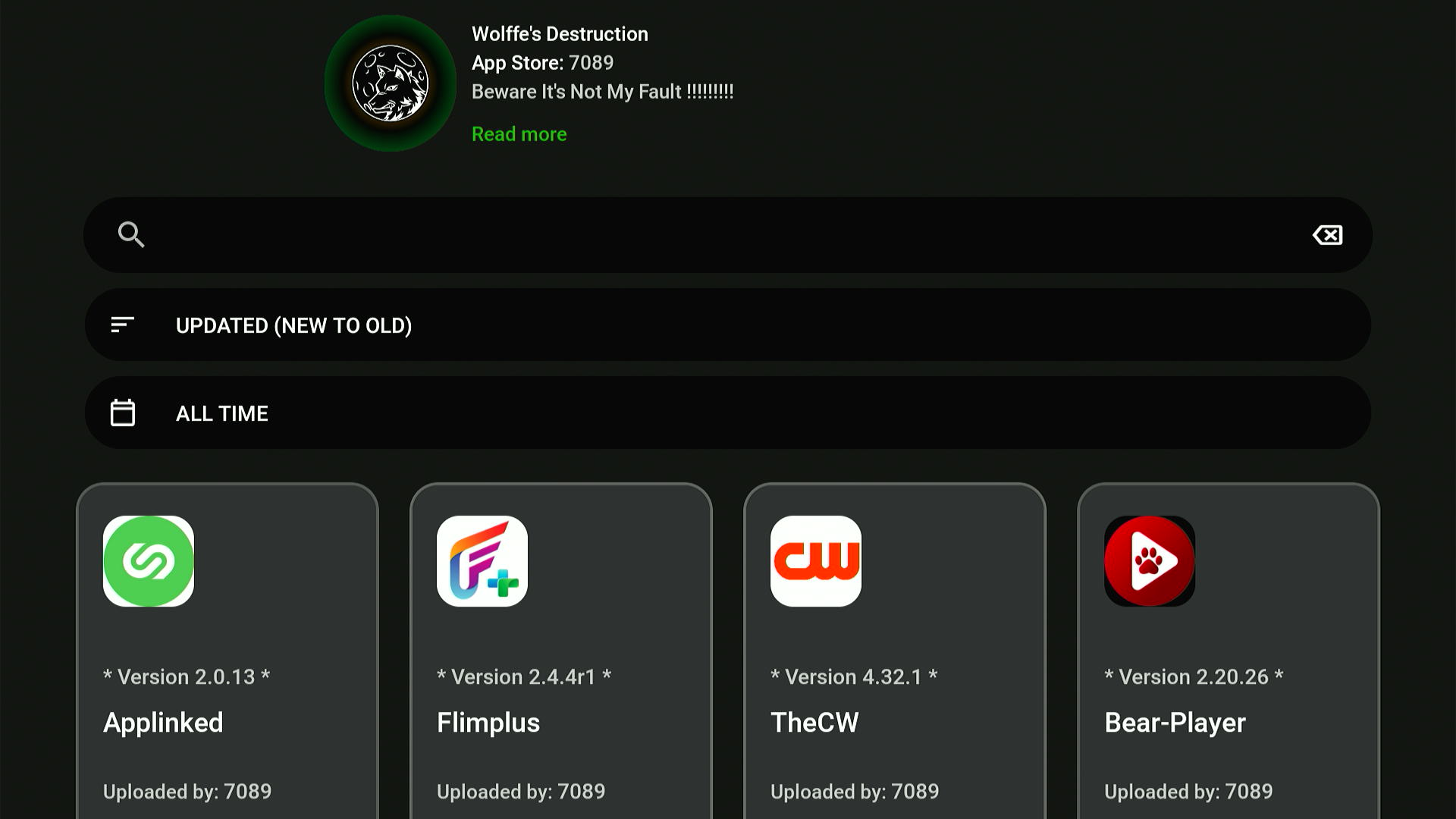
This is the Wolffe’s Destruction library. It includes a balanced collection of entertainment apps, IPTV tools, and media players for FireStick users.
- Total Apps: 10+
- Focus: Streaming + IPTV + + File Management
- Top Picks: Bear Player, IPTV Extreme, VLC Player, CyberGhost VPN
8. 3555
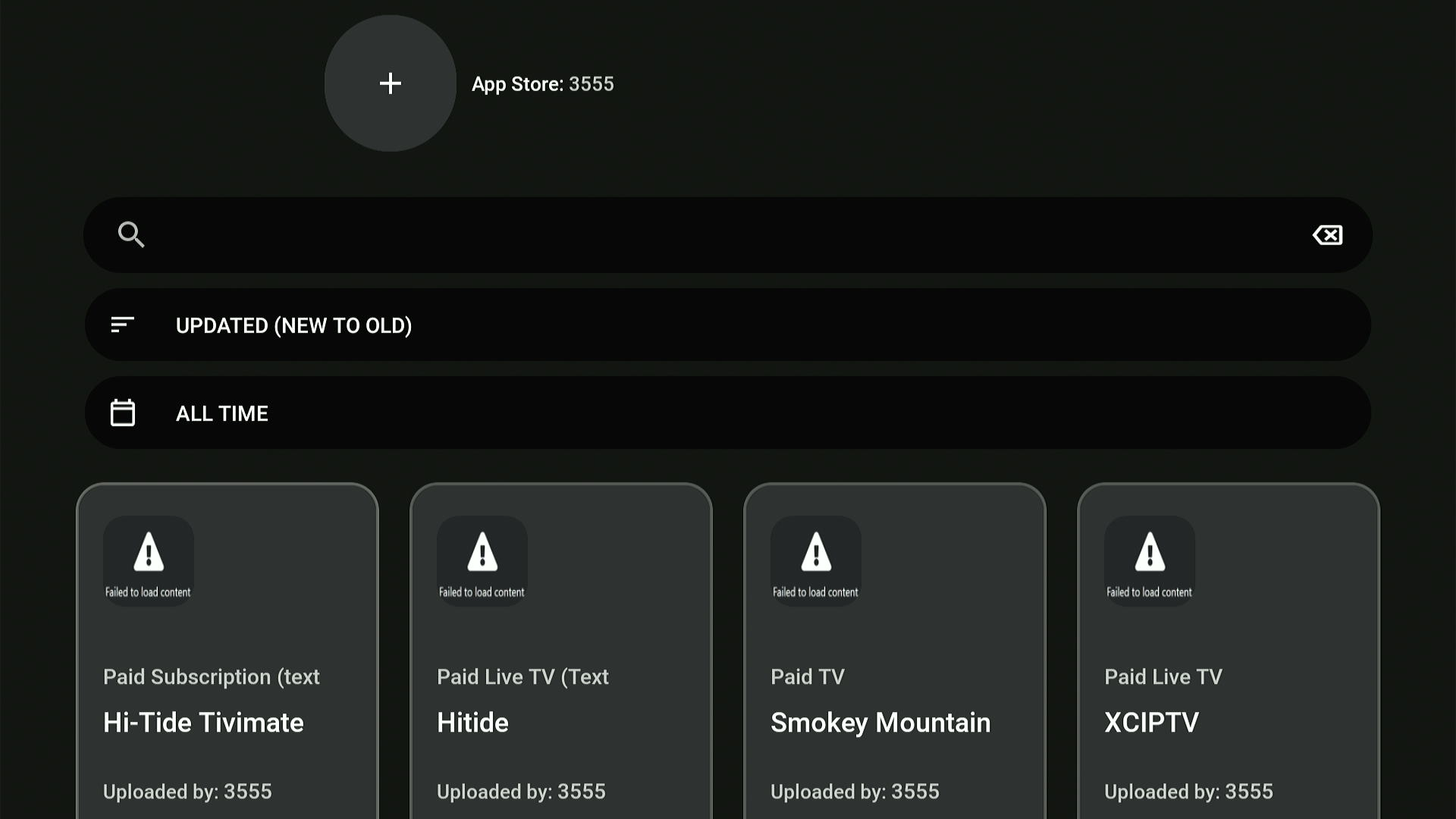
Code 3555 offers a simple mix of entertainment apps and playback tools for smooth streaming on FireStick devices.
- Total Apps: 15+
- Focus: Official and Unofficial Movie Apps + Media Players
- Top Picks: BeeTV, XCIPTV, Plex, MX Player, Tubi
How to Use AppLinked Codes on FireStick
First, you need to install AppLinked on Firestick. After that, you can use one or more AppLinked codes to install the desired apps.
Since AppLinked codes are particularly known for providing unofficial/unverified apps, don’t forget to install and use Surfshark VPN on FireStick to ensure online security.
Follow the steps below:
Step 1: Launch AppLinked and click “Add a Store.”
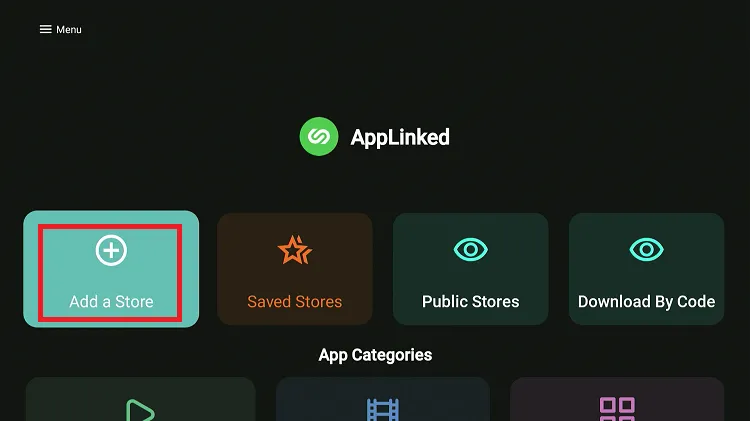
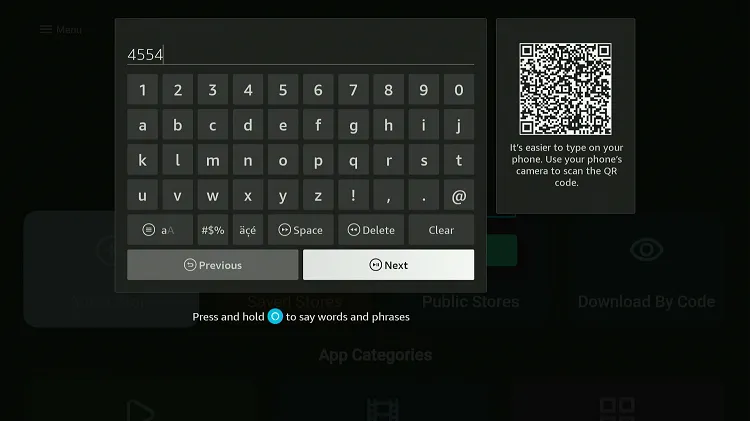
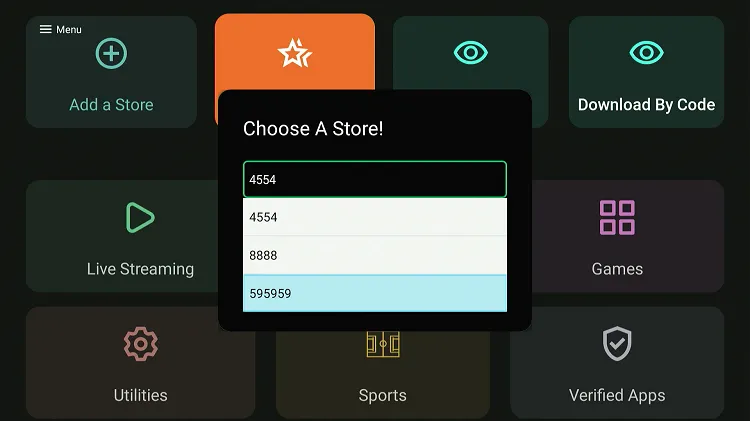
Step 2: Enter an AppLinked code and click “Next.”
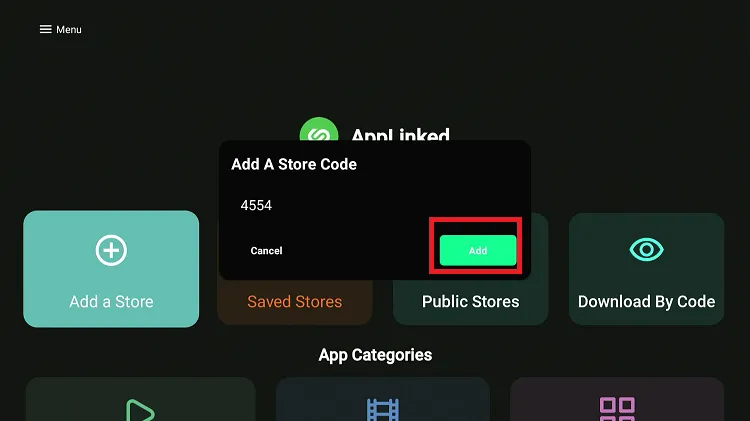
Step 3: Tap “Add.”
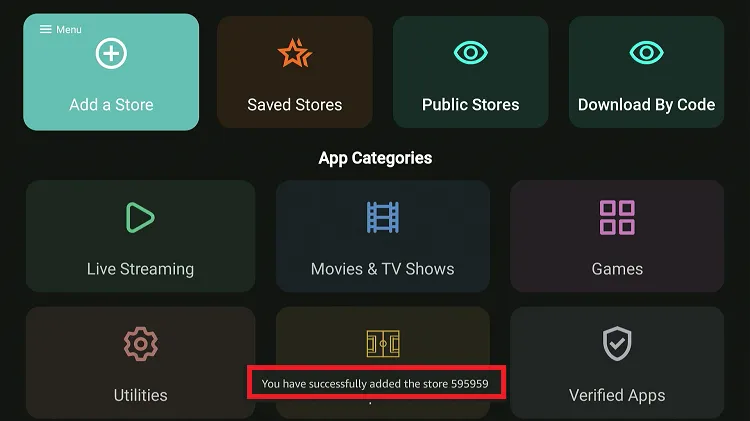
Step 4: As you can see, “the store has been successfully added.”
Step 5: To access the store, click “Saved Store.”
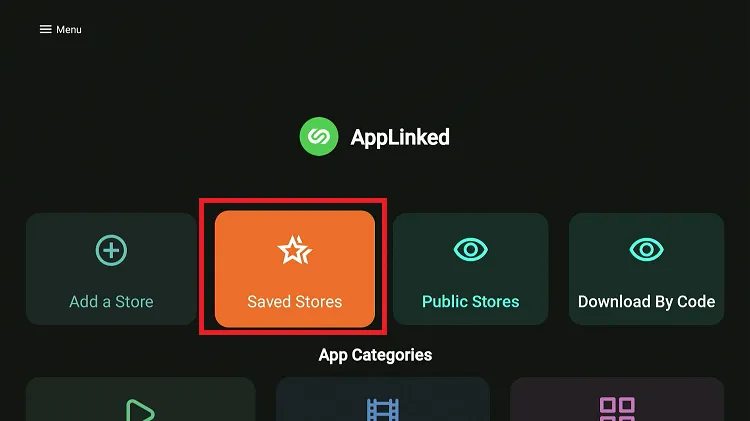
Step 6: You will see all the stores you have added. Choose the one you want to open.
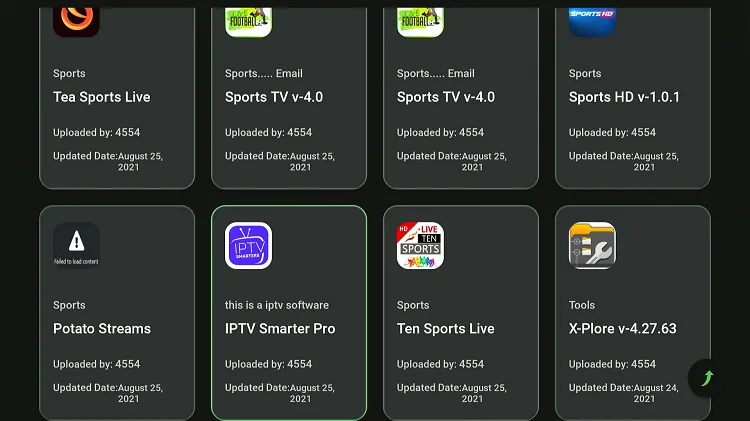
Step 7: The app library of code will show up on the screen. Click on the app you want to install.
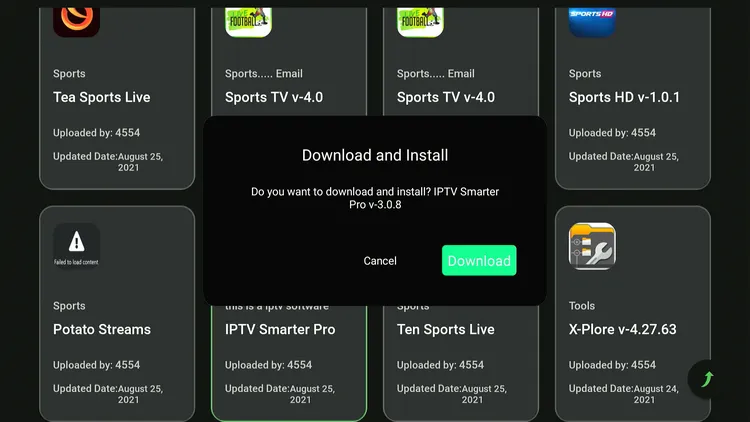
Step 8: Press “Download.”
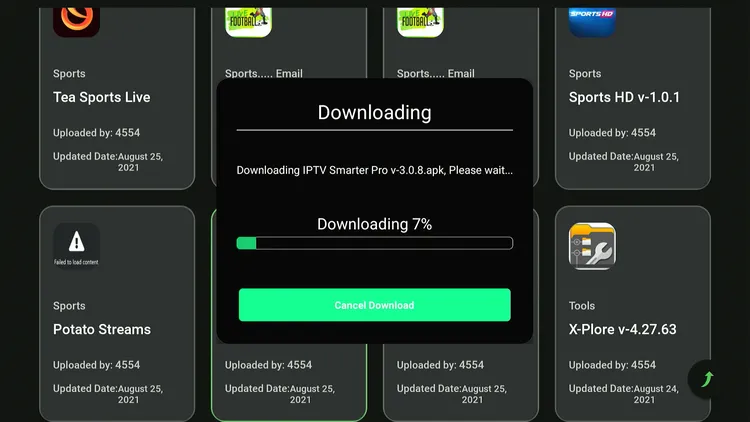
Step 9: The downloader will start. Wait for it to end.
Step 10: Tap “Install.”
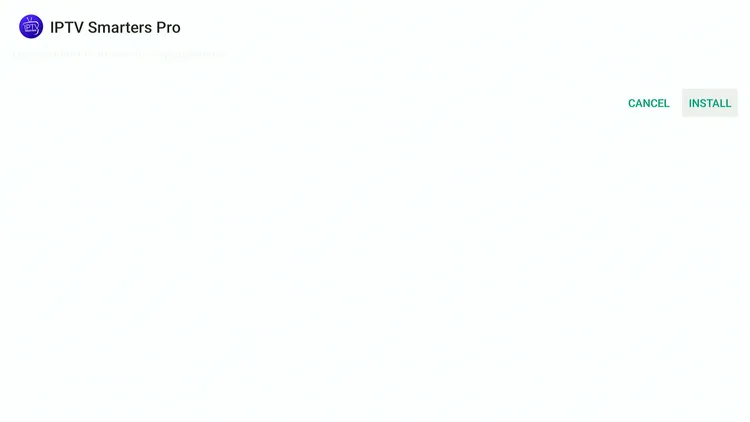
Step 11: The app has been successfully installed. Click “Done” or “Open.”

AppLinked Codes Not Working? Try These Fixes
Facing issues with AppLinked codes? Here are solutions to help you get back on track. 👇
✅ Clear App Cache
✅ Close Background Apps
✅ Restart FireStick
✅ Restart Internet Router
✅ Change VPN Server
P.S. If you are still facing issues, check out our detailed articles to stop buffering on FireStick and fix playback errors.
Best AppLinked Alternatives
If AppLinked stops working or you want to try more apps like this, check out the following options:
- UnLinked on FireStick
- FireSend on FireStick
- APK Time on FireStick
- Aptoide TV on FireStick
- Uptodown on FireStick
FAQs – AppLinked
Are AppLinked codes free to use?
Yes, AppLinked codes are completely free and give access to curated app libraries.
Why do AppLinked codes stop working?
Codes may stop working because they expire, get removed by the creator, or the store is taken down.
What kind of apps are available in AppLinked codes?
AppLinked codes include apps for movies, live TV, IPTV players, media tools, and utility apps.
How often are AppLinked codes updated?
Most active lists are updated weekly to replace expired or broken codes.
Final Thoughts
AppLinked is such an underrated tool. It gives you access to the latest and most popular APKs with ultimate convenience and ease.
We’ve personally tested these best AppLinked codes for FireStick. Make sure to use a VPN like Surfshark to have a protected connection and make the most of installed apps.