Disclosure: Our experts test apps for security before recommending them. If you buy through our links, we may earn a commission. See how it works.
Amazon has started a crackdown against the popular third-party apps. In the first stage, users see this warning 👇
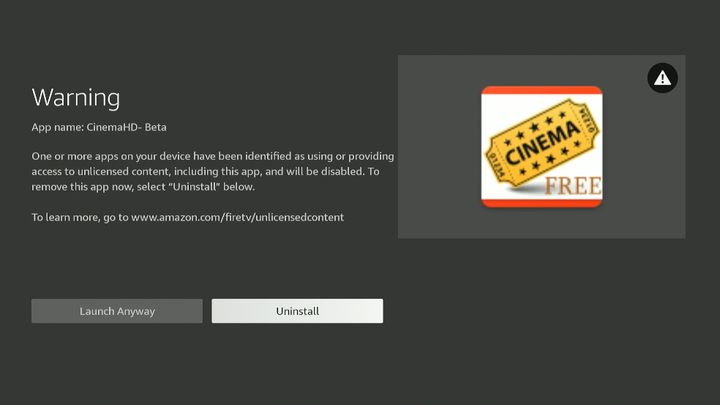
When you click “Launch Anyway“, the app works fine, but it shows the same pop-up every few minutes.
Until a few days ago, we could remove this warning and unblock FireStick apps using App Cloner. While Amazon has removed App Cloner from the Amazon Appstore, I have found its working APK.
In this article, I’m sharing 2 workarounds that successfully unblock FireStick as of 21 January 2026.
2 Ways to Unblock Apps on FireStick
The following 2 tried-and-tested methods will let you unblock FireStick apps:
How to Unblock FireStick Apps Using App Cloner APK
When you search for App Cloner on the Amazon Appstore, you will not find it there anymore 👇
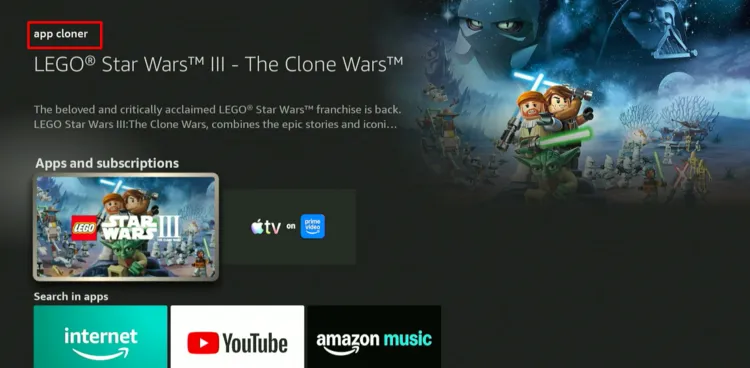
Fortunately, the developer has released App Cloner APK with new features. Since we are installing it from a third-party source, be sure to install and use SurfShark on FireStick before proceeding further.
Follow the steps below:
Step 1: Turn ON your FireStick device and Go to FireStick Home
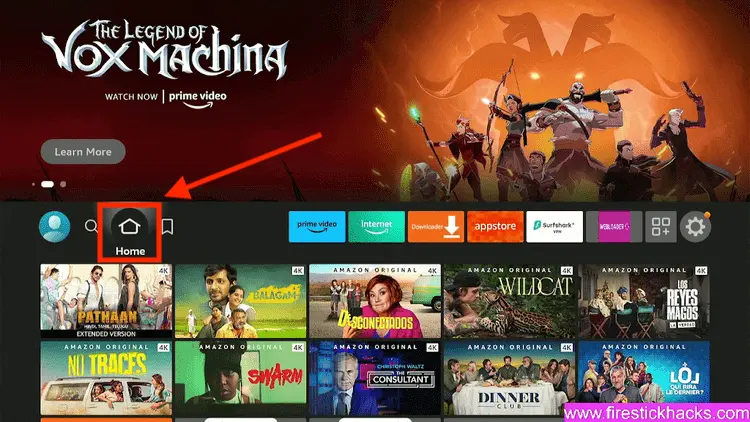
Step 2: Click on the Settings icon
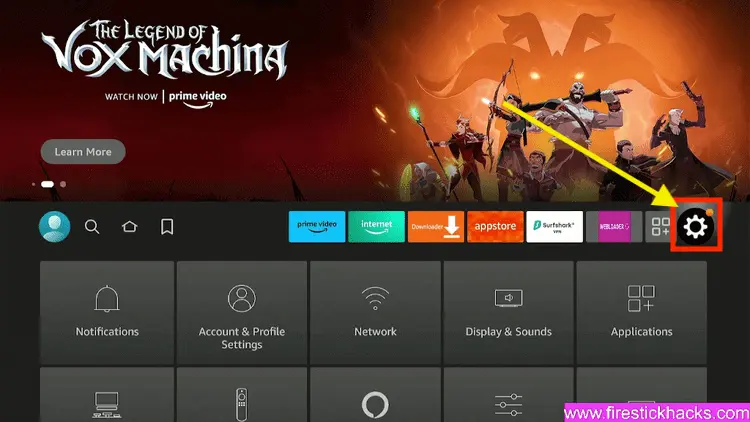
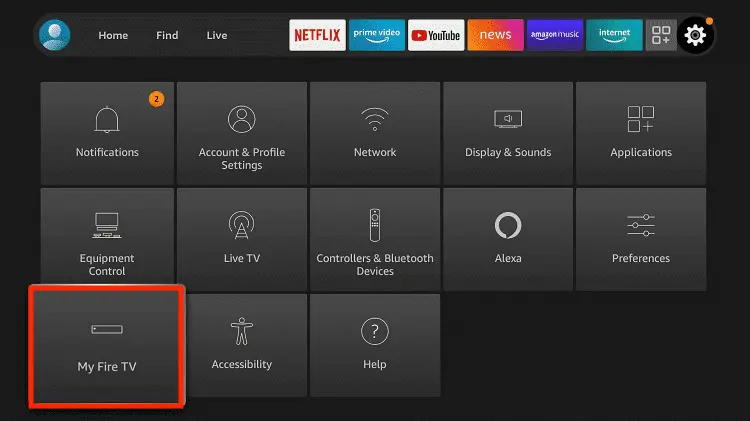
Step 3: Select the My Fire TV option
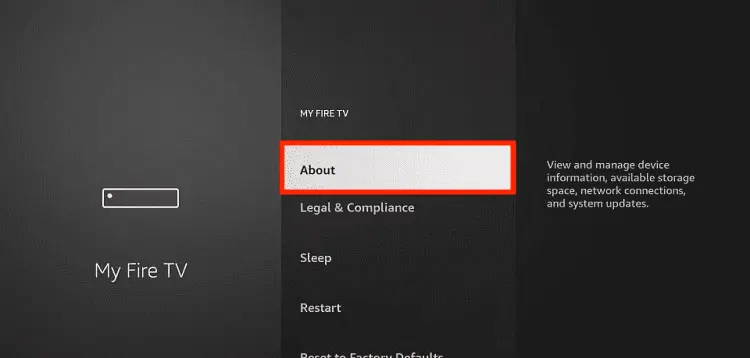
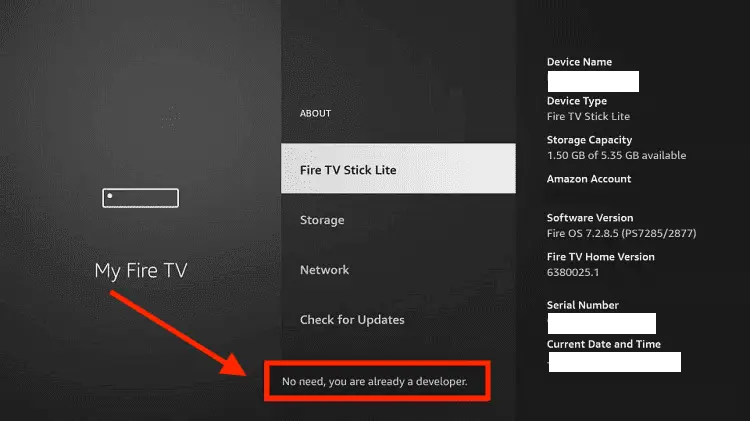
Step 4: To enable the Developer Option, click About.
Note: If you have already enabled the Developer Option, then proceed to Step 10
Step 5: Click on the Fire TV Stick option quickly at least 7 times
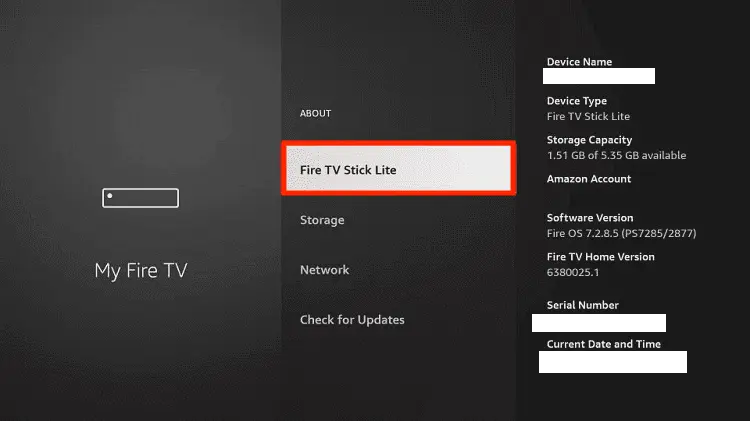
Step 6: Now you will see this message at the bottom saying "No need, you are already a developer". So stop clicking then
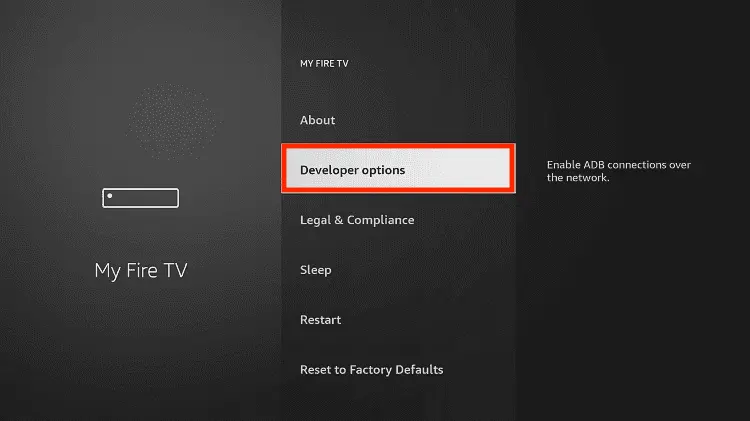
Step 7: Now the Developer Option will appear in the menu so click on it
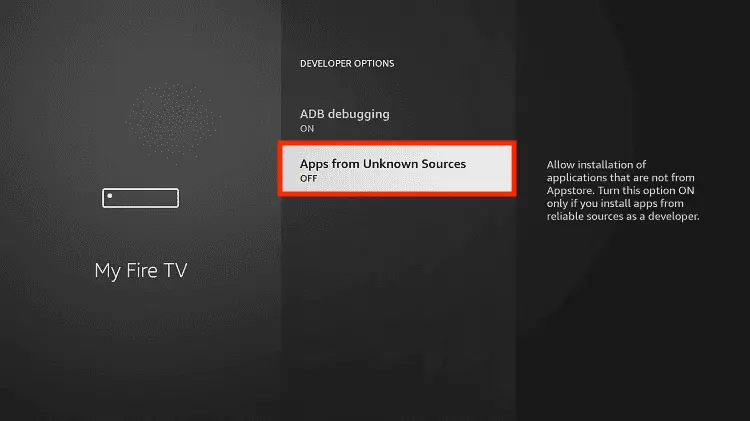
Step 8: Choose Apps from Unknown Sources to turn it ON
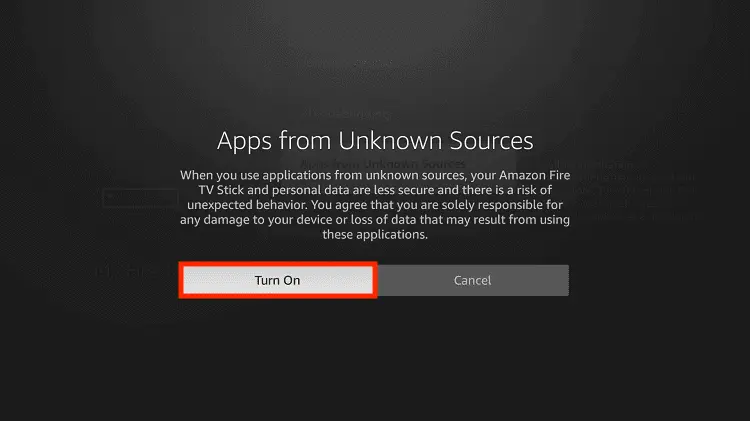
Step 9: Simply click Turn On
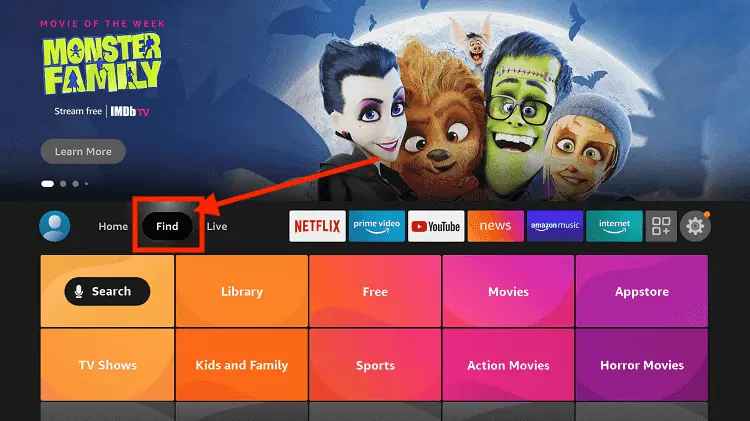
Step 10: Now return to the FireStick Home menu by pressing the "Home" icon on the remote and click on Find
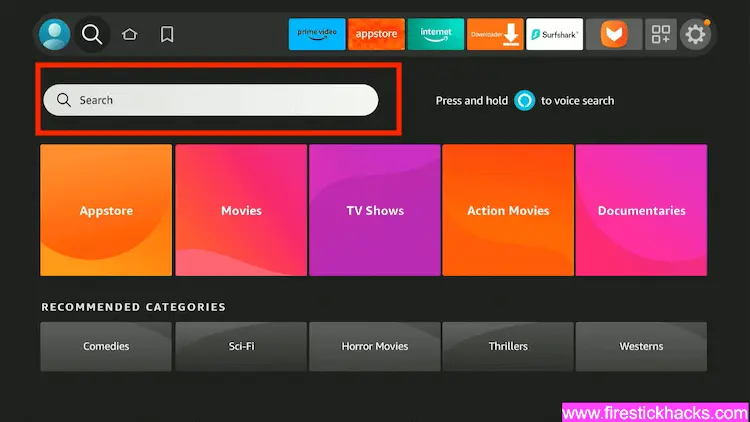
Step 11: Now select the Search icon
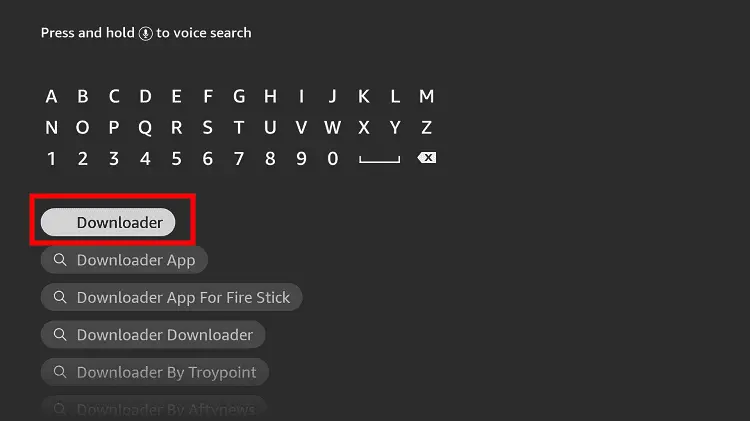
Step 12: Type Downloader and press search
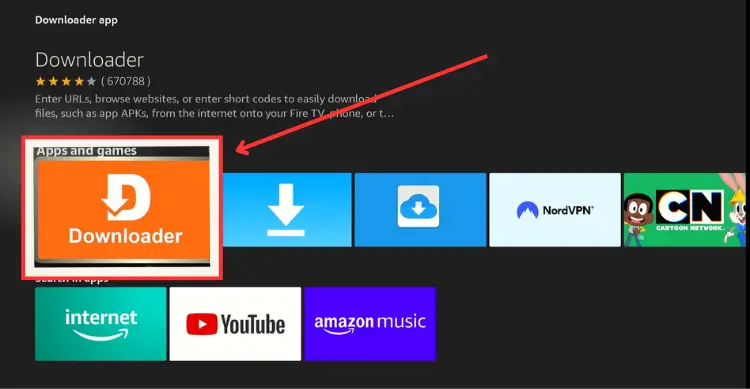
Step 13: Select the Downloader App icon from the list available in the Amazon Store
Step 14: Tap Get/Download
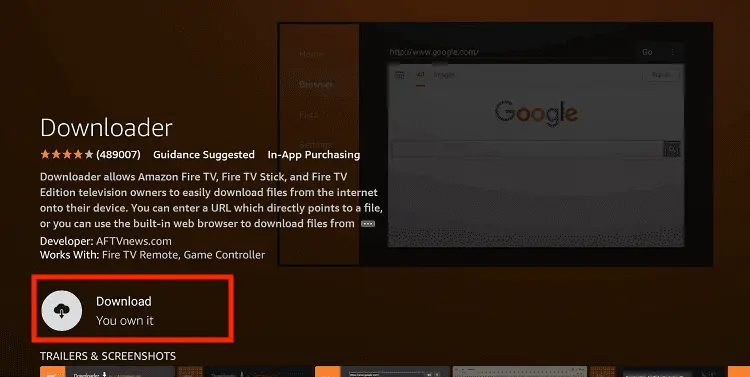
Step 15: Wait for a while until the installation process is completed
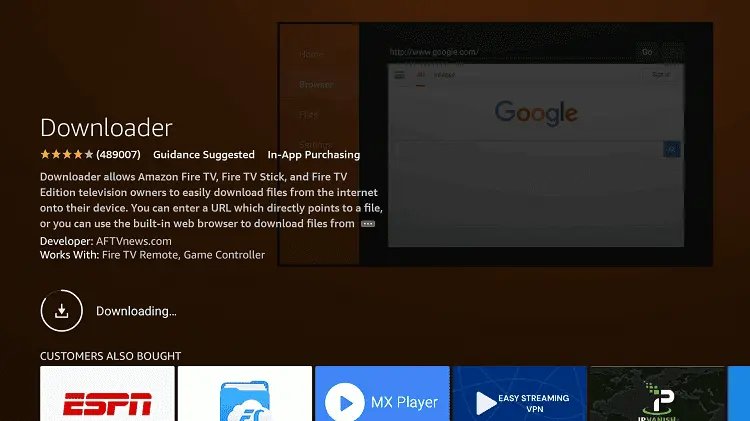
Step 16: Now click Open
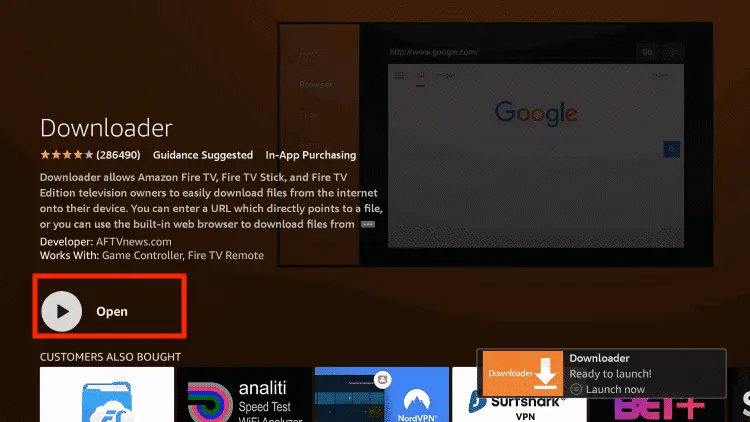
Step 17: You will see a popup about Downloader app latest update. Click "OK".

Step 18: Click OK again

Step 19: This is the Downloader App interface, Click the Search Bar on top

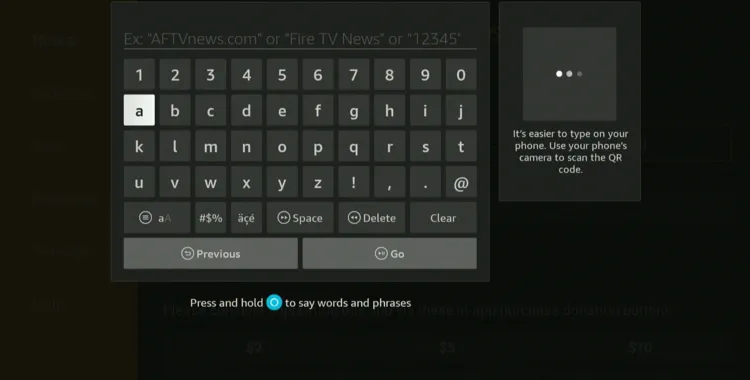
Step 20: Now enter the App Cloner Downloader Code 730116 in the search box OR enter this URL bit.ly/fsh-downloads and click Go.
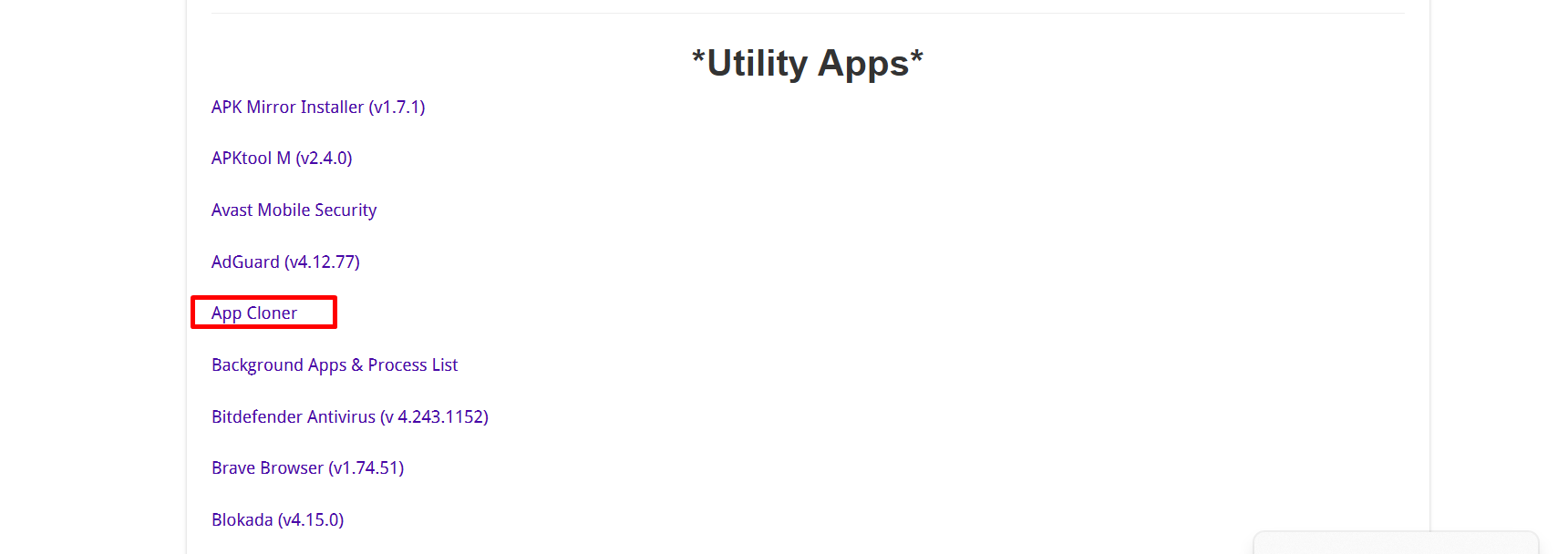
Step 21: Scroll down and tap “App Cloner” from the “Utility Apps” category.
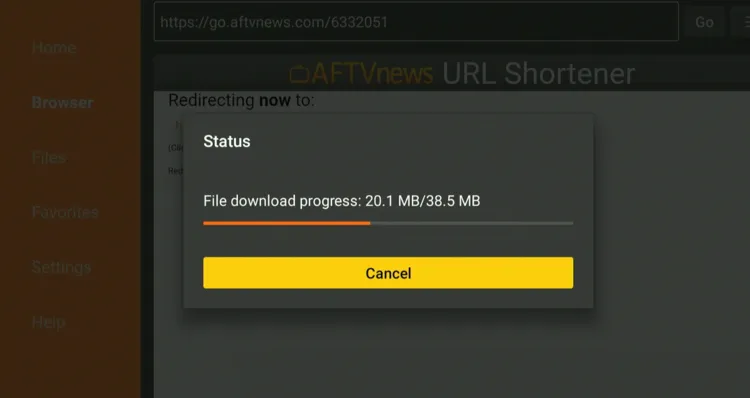
Step 22: The installation will start. Please wait until it is done.
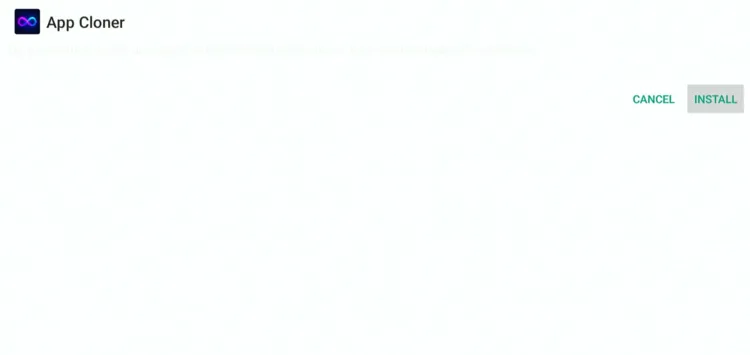
Step 23: Click “Install”.
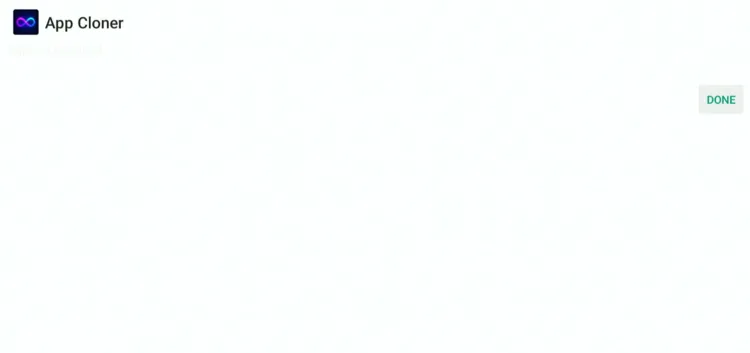
Step 24: Once the installation completes, click “Done”.
Step 25: Select “Delete”.
Note: Deleting the App Cloner APK will free up space on the FireStick.
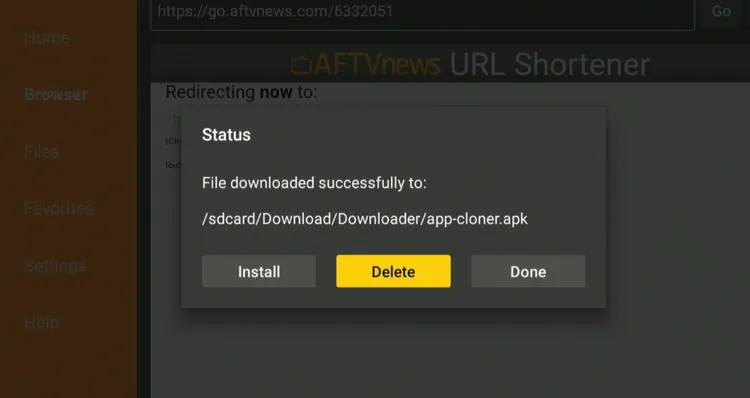
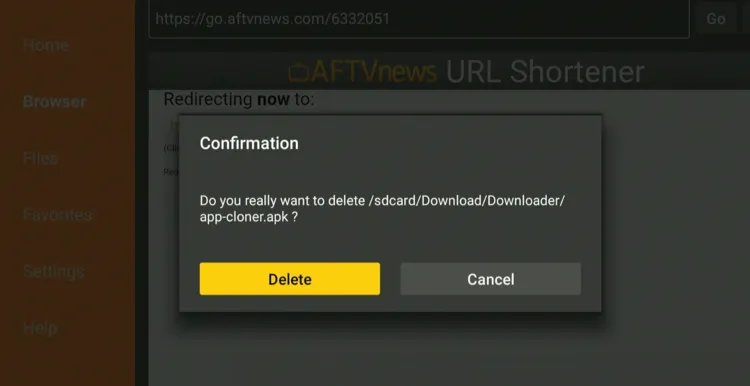
Step 26: Select “Delete” again for confirmation.
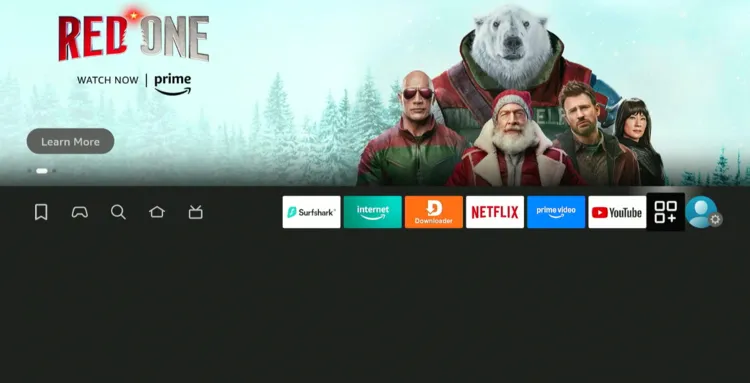
Step 27: Navigate to “Apps Library” next to the “Settings” icon.
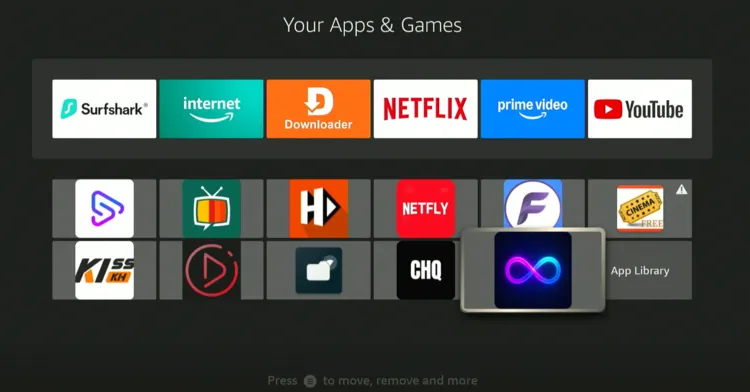
Step 28: Select “App Cloner”.
Step 29: Tap “Proceed”.
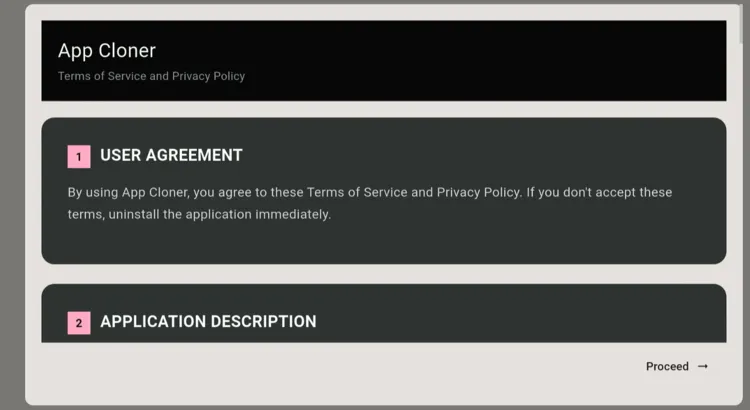
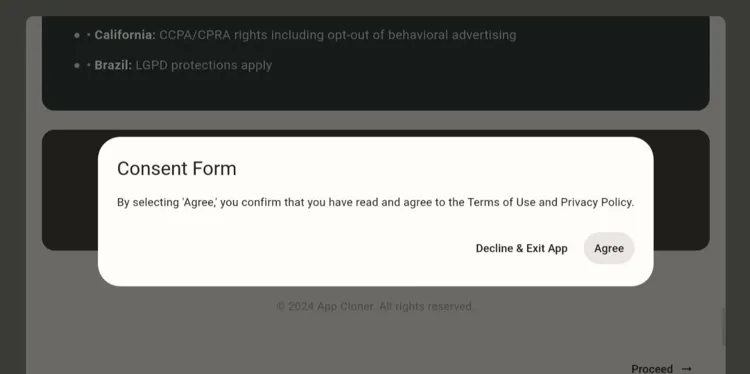
Step 30: Click “Agree”.
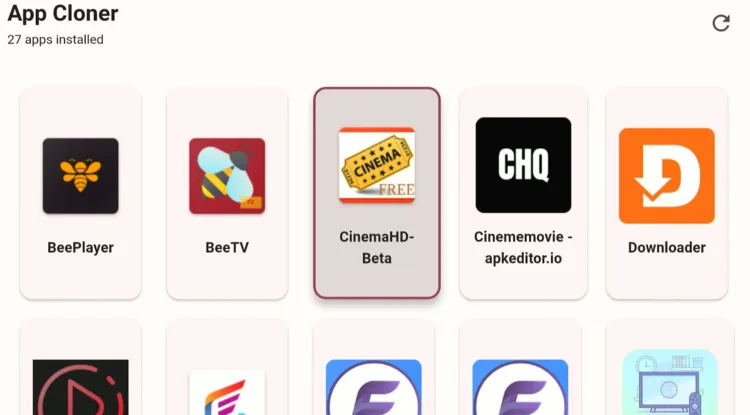
Step 31: Choose the app you want to create a clone for. I’m opting for Cinema HD.
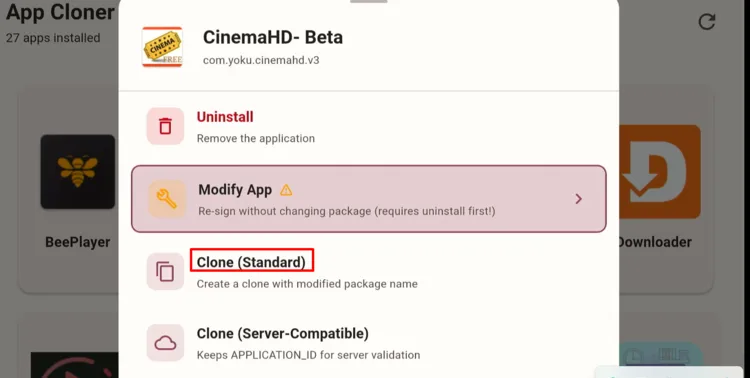
Step 32: Choose “Clone (Standard)”.
Note: If “Clone (Standard)” doesn’t fix the issue, try “Modify App” or “Clone (Server-Competible)”.
Step 33: The cloning will start; wait for it to finish.
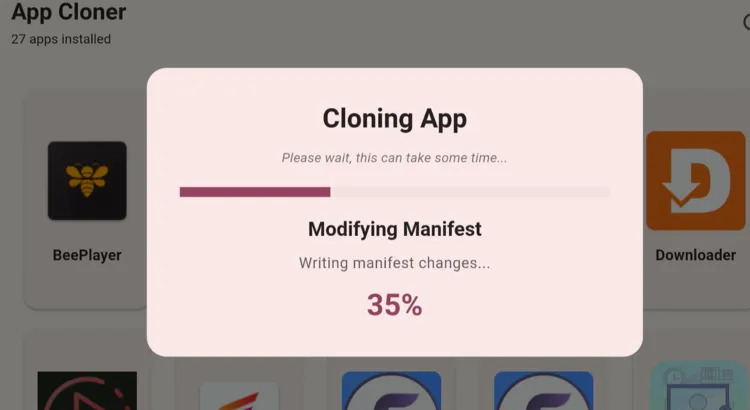
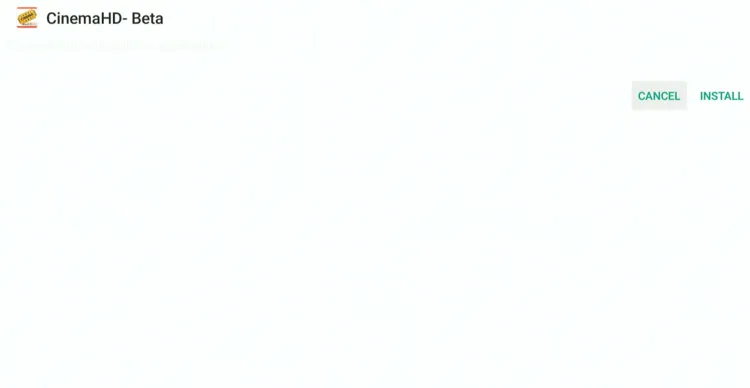
Step 34: Tap “Install”.
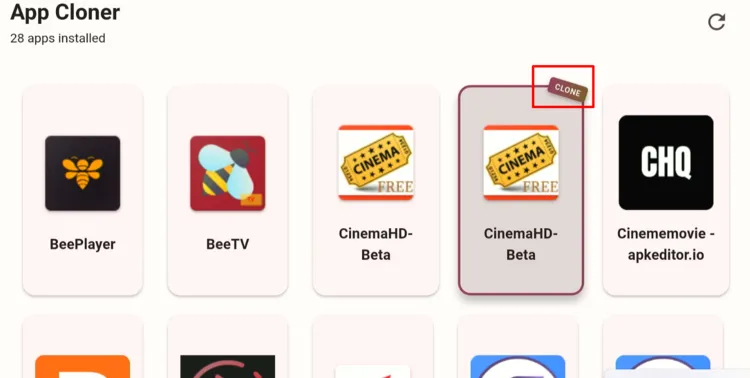
Step 35: Click “Done”.

Step 36: As you can see, the clone version has been successfully created.
How to Unblock FireStick Apps Using APK Modifying Websites
The App Cloner APK is working fine for now. However, the odds are that Amazon could block it. Therefore, you should be familiar with the following alternative method as well.
This process is very simple. First, install the APK you want to unblock on your mobile/PC/laptop, and then follow the same steps listed below:
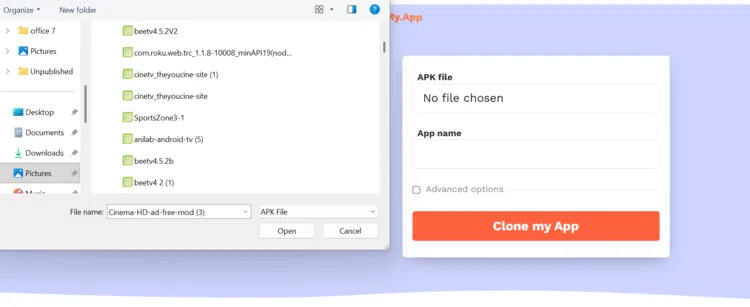
Step 1: Open a browser on your mobile/PC/laptop and type clonemy.app and click “No File Chosen”.
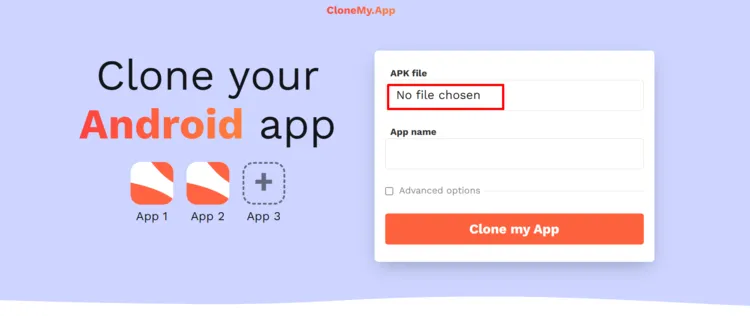
Step 2: Now choose an APK file from your device.
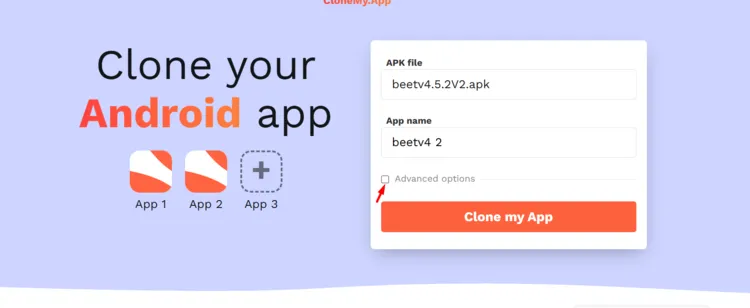
Step 3: After uploading the file, check (✅) the “Advanced Options”.
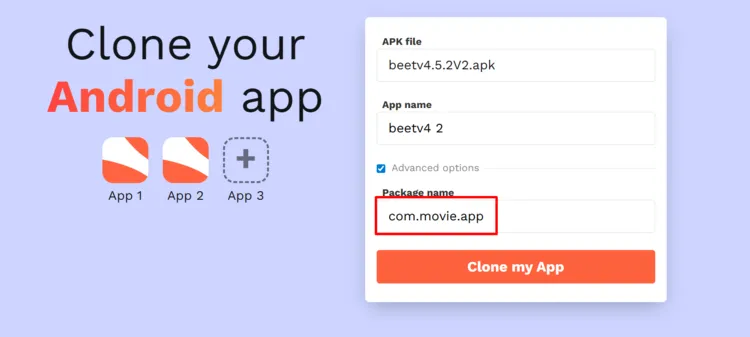
Step 4: Enter the desired package name and click “Clone my App”.
P.S. Make sure you write the package in the same format (like com.apk.movie, com.show.cinema, etc)
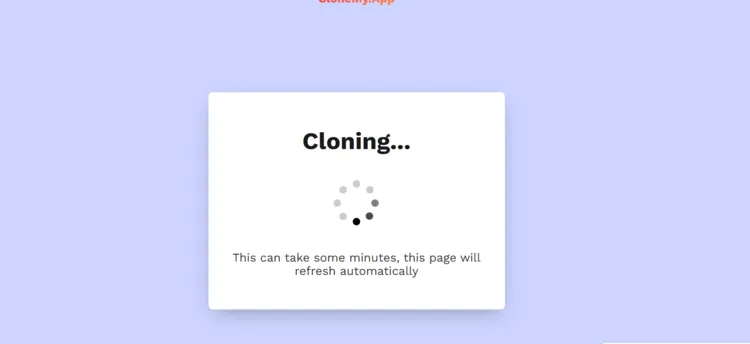
Step 5: The clone is in the process. It could take some time, so don’t close the window.
Step 6: The modified APK is ready. Click the “Download” button.
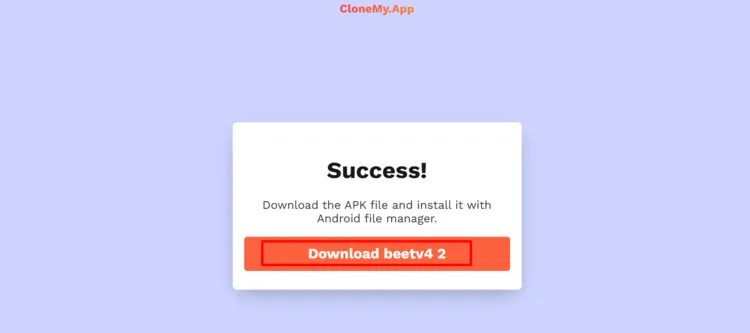
Step 8: The APK has been downloaded to your device.
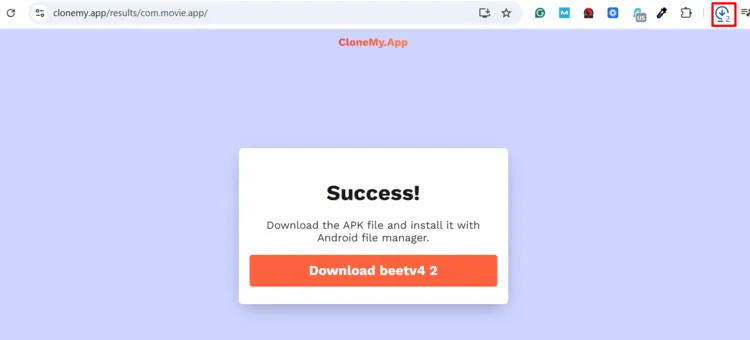
Once you have downloaded the modified APK, you can easily send it to FireStick from an Android device or an iPhone using the LocalSend app. You can also send an APK to FireStick from PC/Laptop.
How App Cloning Works on FireStick
Amazon blocks/flags third-party apps using:
- Package name (e.g., com.cinema.HD)
- App signature
- Known app identifiers stored in Amazon’s blacklist
When you clone an app, tools like App Cloner:
- Change the package name
- Re-sign the APK with a new signature
- Remove the identifiers Amazon uses to recognize the app
As a result, Fire OS treats the cloned app as a brand-new, unknown application, not a blocked one, which is why the warning disappears, and it starts working.
App Cloner Not Working? Try These Fixes
If App Cloner does not work on FireStick, try the following fixes:
- Clear app cache
- Delete App Cloner and reinstall it using Downloader Code 730116
- Restart FireStick
FAQs – Unblock Apps on FireStick
Is App Cloner working removed from Amazon Appstore?
Yes, the App Cloner is now removed from Amazon. However, you can install App Cloner APK using Downloader Code 730116.
Why is Amazon blocking third-party apps on FireStick?
Collaborating with Alliance for Creativity and Entertainment (ACE), Amazon is blocking third-party apps to combat digital piracy.
Why do I see the “Launch Anyway/Uninstall” warning?
These apps contain pirated content, and Amazon is possibly going to block them in the future.
Does this method work for all blocked apps?
Yes. It works for most apps, including Flix Vision, BeeTV, Nova TV, and similar APKs.
Final Thoughts
Amazon’s recent crackdown on third-party apps has definitely created some frustration for FireStick users.
While not all third-party apps are inaccessible for now, Amazon is surely going to block more apps in the coming months, if not weeks.
Fortunately, with this workaround, you can unblock any blacklisted APK and continue using it without pop-ups getting in the way.
As always, use a reliable VPN like Surfshark when accessing third-party apps to keep your activity private.





People like you deserve medals!!! Thank you so much!!
Glad you found the article helpful 🙂
Streamfire has been shit down
Hey, there are plenty of other apps you can try. For live tv, go for TVMob, Netfly, Xuper TV, Rapid Streamz, & TV Garden and for sports, try apps like SportzX, PlayFy TV, TFlix, & Sportzfy
hello, unable to clone streamfire. it does not show up in the app clone
Hello Anna, StreamFire app is currently blocked on some devices/Fire OS versions. Until there’s a stable APK for this, consider using alternative apps like Netfly, BitTV, and TVMob
I use a Onn device and app cloner and many other apps are being blocked. Code730116 has most apps been updated
Glad our Downloader code helped you. Thank You for the positive feedback 🙂
As of lately 1Pix Media is not working in Rochester,NY. iafter opening app when clicking on any source a code of 403 comes up and won’t open?How do I fix that.It works in other states and other towns in N.Y. why not in Rochester?
Hello Danny, so I think it could be your ISP (Internet Service Provider) in the Rochester may have updated their web filters to block the specific IP addresses or sources that 1Pix Media uses to pull its content. Using a VPN should fix this problem.
Thankx Bud
Glad you found it useful 🙂
Hi,
I have cloned streamfire several times in several different ways (skip native libraries, manifest method…) but the cloned version always crashes just after opening it. Anybody have any suggestions? Thanks.
Frank
you don’t need to unblock streamfire anymore. you can install it directly via streamfire downloader code using 730116. Also, you can use NoroFire app to install latest versions of streamfire and sportsfire.
Here’s how you can use Norofire
Hi
Hey Petunia! how may i help you?