Disclosure: Our experts test apps for security before recommending them. If you buy through our links, we may earn a commission. See how it works.


- Watch Tour De France on FireStick Using Downloader App
- Watch Tour De France on FireStick Using the Amazon Silk Browser
How to Watch Tour de France on FireStick Using Downloader App
ITVX (Formerly ITV Hub) is a free UK-based official streaming service with live TV channels including ITV1, ITV2, ITV3, and ITV4. It streams several live sports events, including the Tour De France 2025 season.
However, since it’s restricted to the UK, anyone outside this region will have to install SurfShark VPN on FireStick and connect it to the UK server.
Follow the steps below:
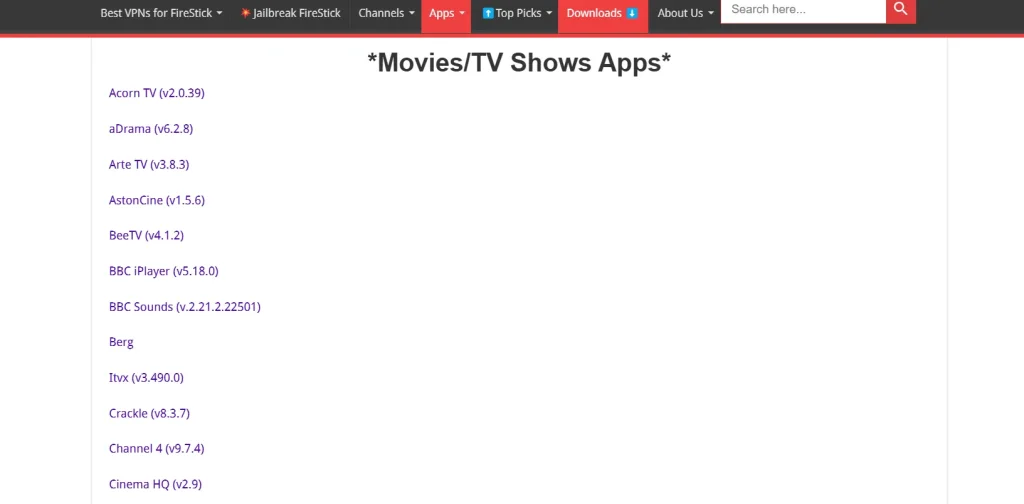
Step 20: Enter ITVX Downloader Code 730116 in the search box OR enter this URL bit.ly/fsh-downloads and click Go.
Note: The referenced link is the official URL of this app/website. FIRESTICKHACKS does not own, operate, or re-sell any app, streaming site, or service and has no affiliation with its developers.
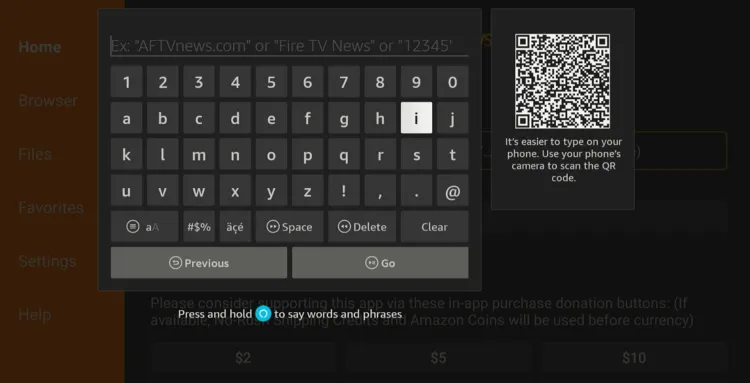
Step 21: Scroll down and click “ITVX” from the “Movies/TV Shows Apps” category.
Note: If the app does not start downloading, then clear the Downloader App cache using this article.
Step 22: The downloading process will start. Wait for it to finish.
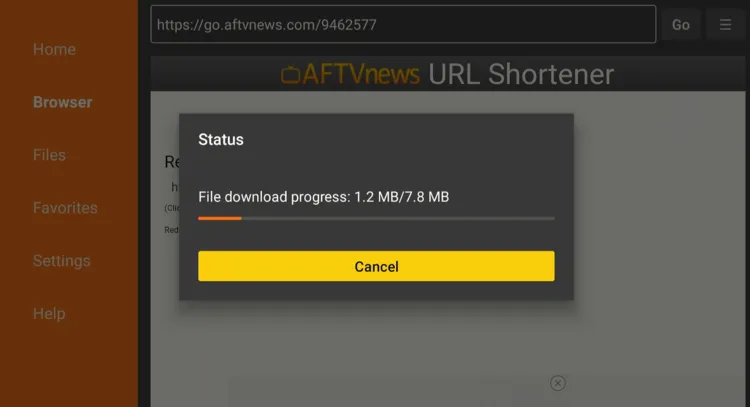
Step 23: Click “Install”.

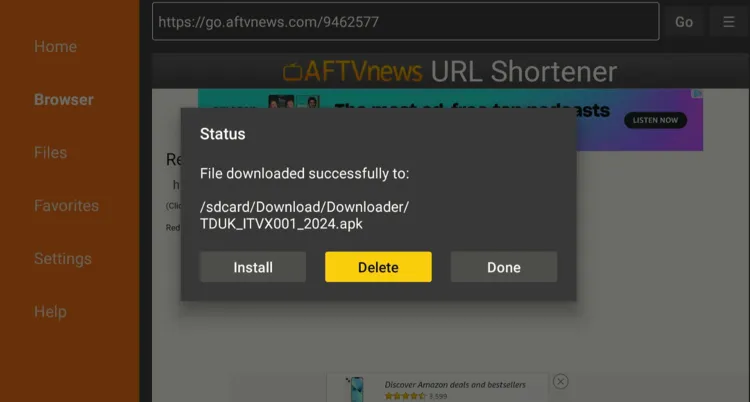
Step 24: Once the app is installed, press “Done”.

Step 25: Click “Delete” to remove the ITVX APK file from FireStick.
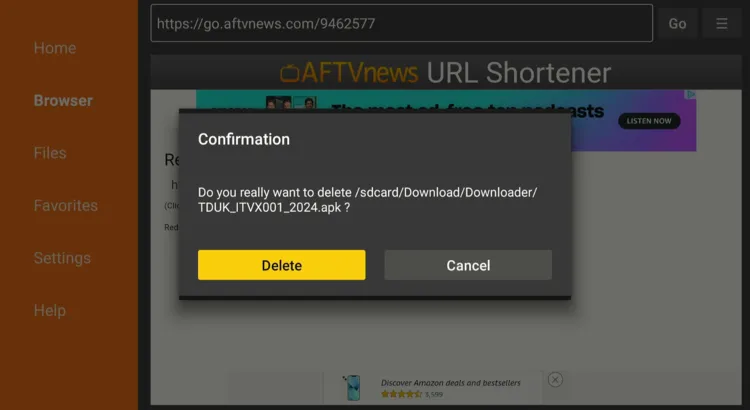
Note: Deleting APK files will free up space on FireStick.
Step 26: Tap “Delete” again for confirmation.
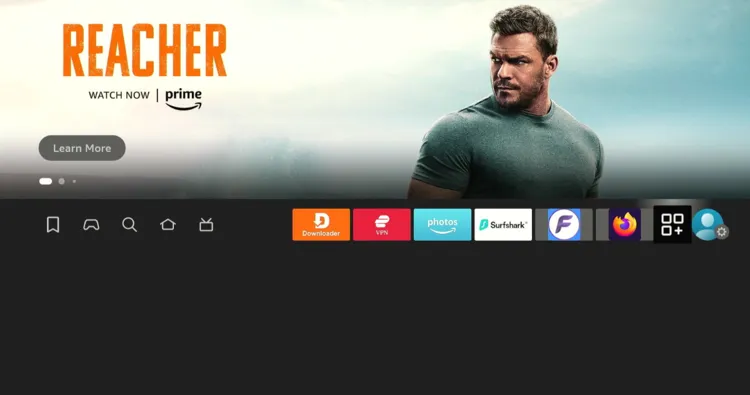
Step 27: Now open the Surfshark app on your FireStick and connect it to the UK server.

Step 28: Click the “Apps Library” icon next to “Settings”.
Step 29: Navigate to “ITVX”.
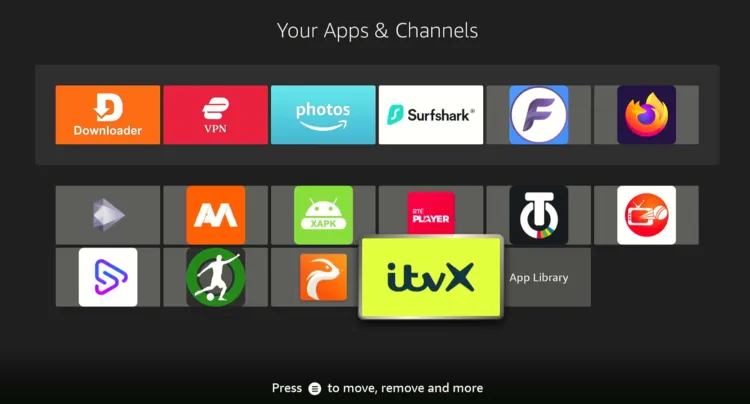
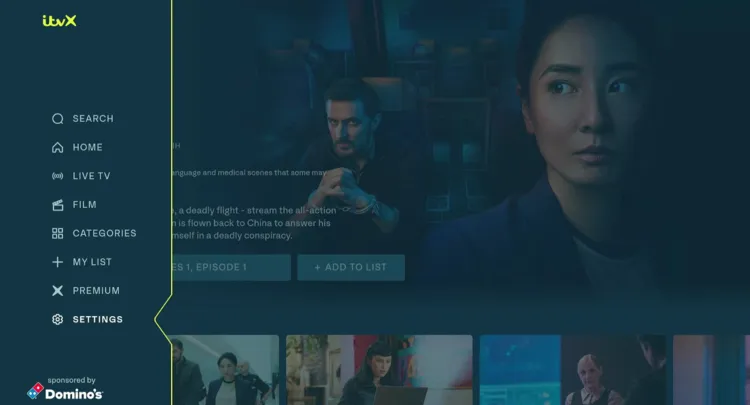
Step 30: Once the app launches, select “Settings” from the left side menu bar.
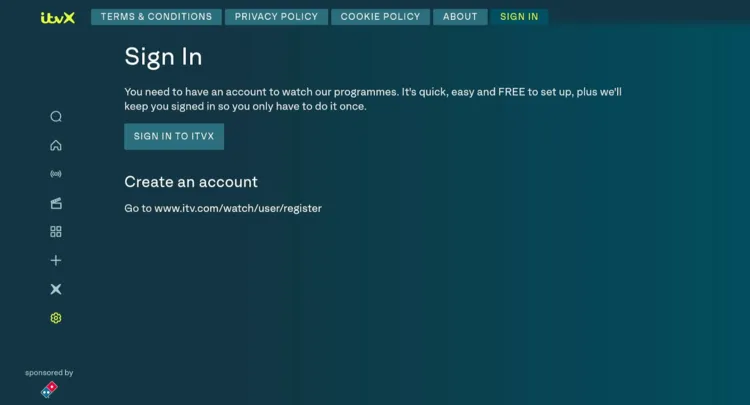
Step 31: Choose “Sign In” from the top bar and then tap “Sign In to ITVX”.
P.S. If you don’t have an account on ITVX, register by visiting their official website.
Step 32: You will see a code; note it down.
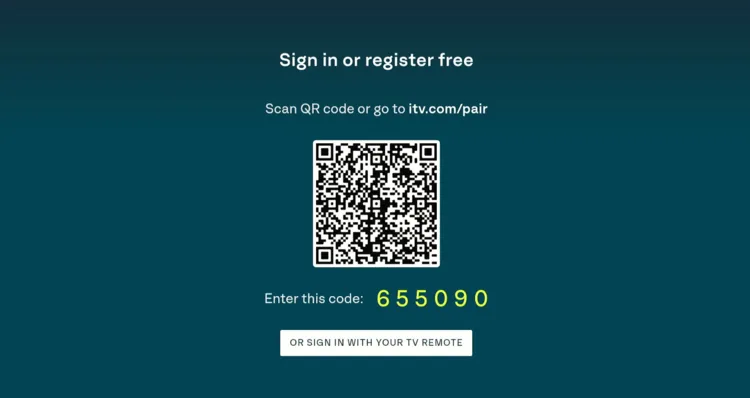
Step 33: Type ITV.com/pair in your mobile/PC/laptop browser and enter the code noted down in the previous step.
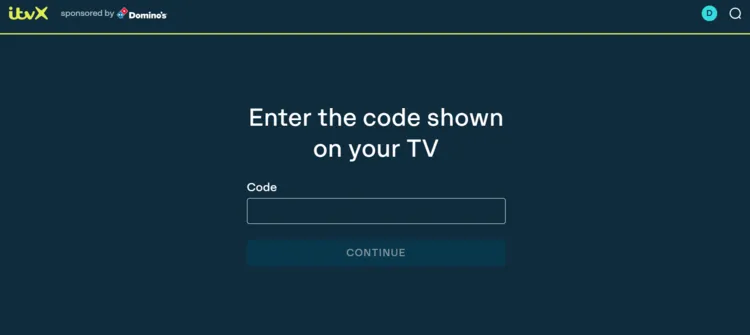
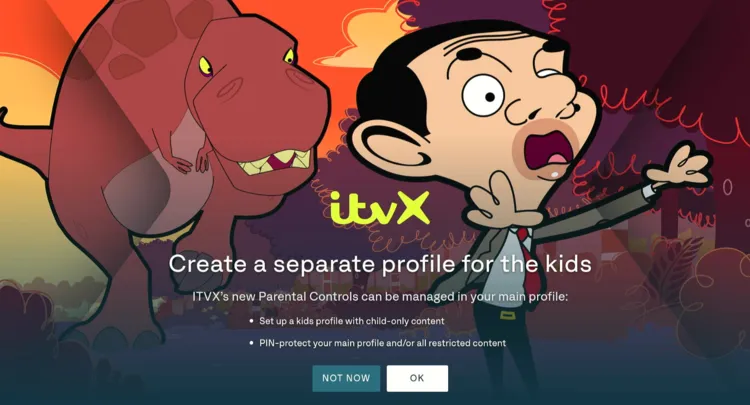
Step 34: Now, come back to the ITVX app on your FireStick and tap “OK”.
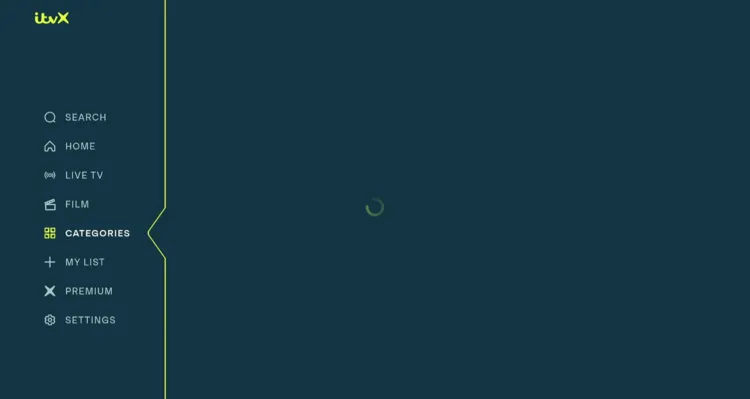
Step 35: Select “Categories”.
Step 36: Choose “Sports” and click on the “Tour De France” tab.
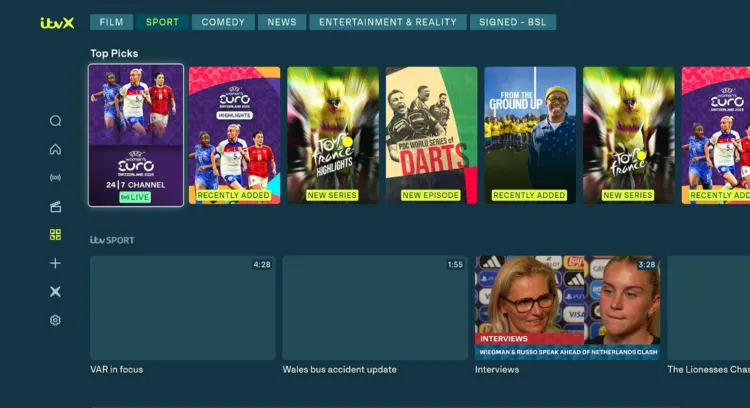
Step 37: Enjoy streaming!

How to Watch Tour De France on FireStick Using Amazon Silk Browser
SBS is a free, official public television network in Australia. The platform offers a collection of on-demand videos and live sports events like the FIFA World Cup, Rugby League, and Tour De France.
That said, if you are accessing SBS from outside Australia, you will have to install SurfShark VPN on FireStick and connect it to the Australian server.
Follow the steps below:
Step 1: Open the Surfshark app on your FireStick and connect it to the Australia server.

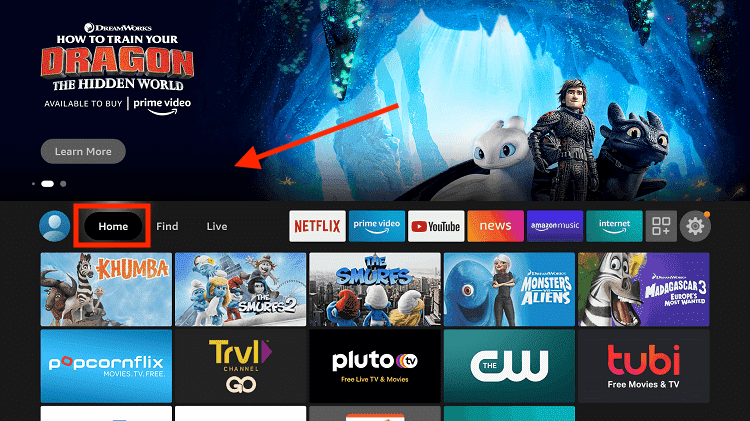
Step 2: Go to FireStick Home
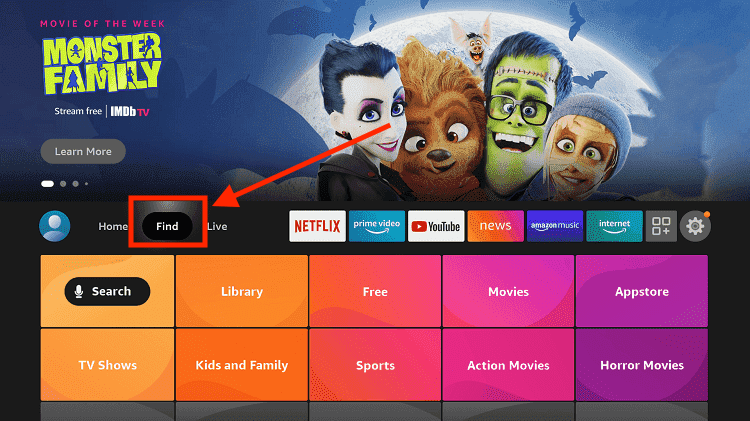
Step 3: Click on the Find tab
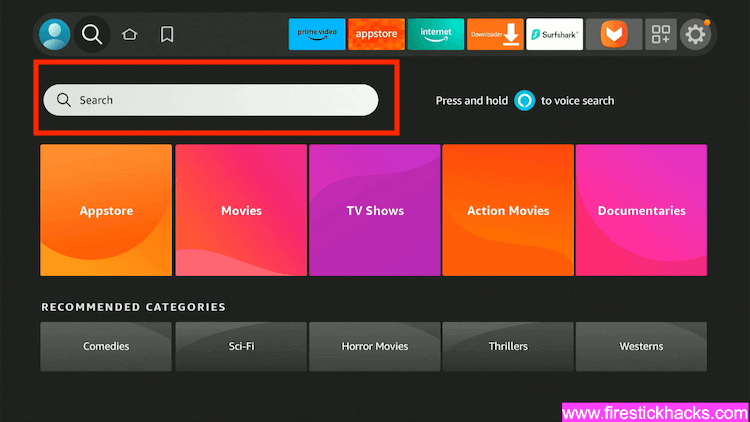
Step 4: Now select the Search option
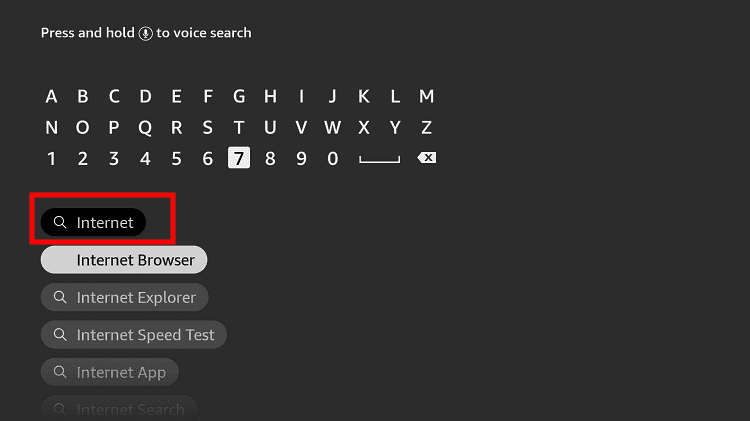
Step 5: Type Internet in the search bar and select from the list
Step 6: Choose the Internet App (Silk Browser) from the given options
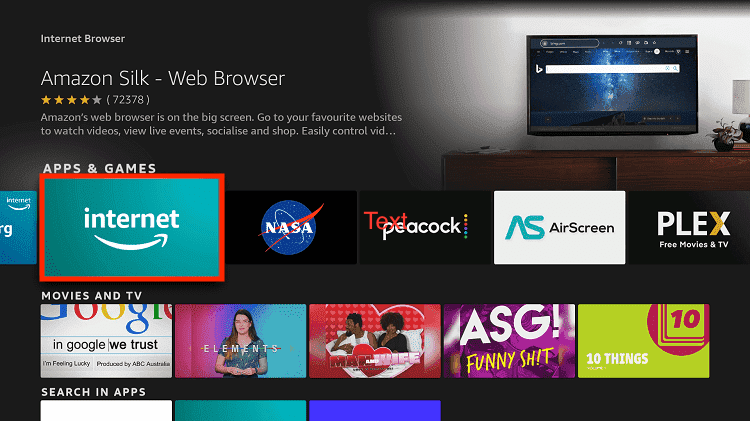
Step 7: Tap the Get/Download button
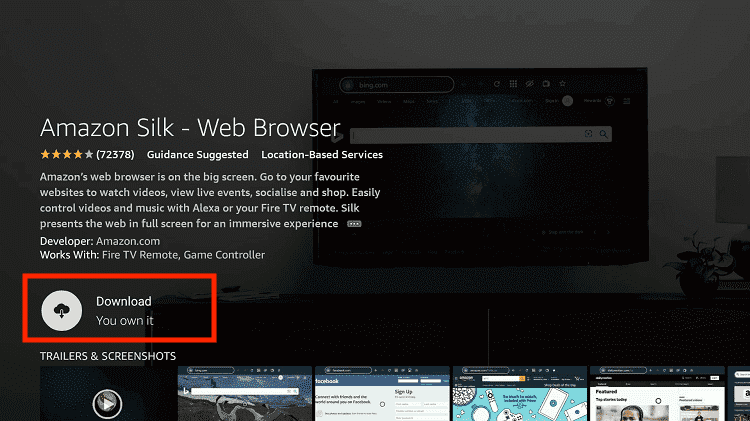
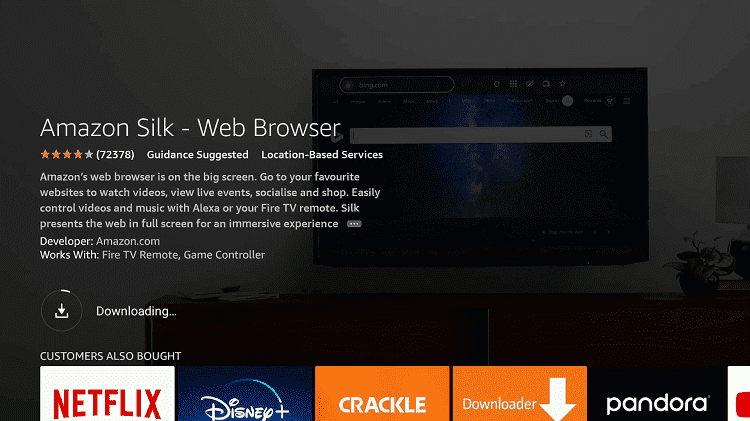
Step 8: Wait until the installation of the browser completes
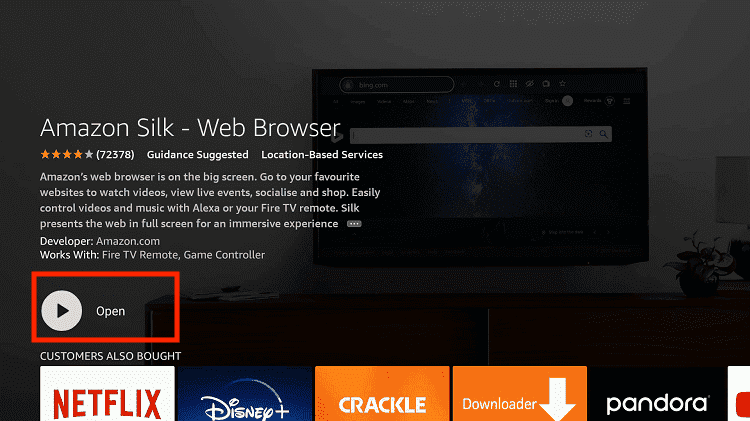
Step 9: Click Open, once the browser is installed.
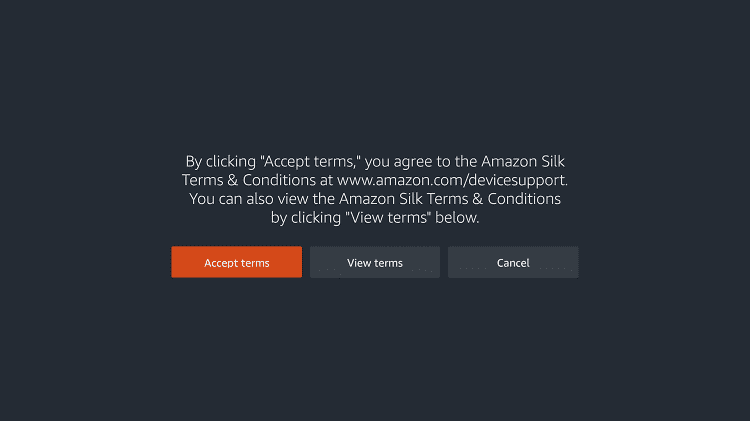
Step 10: Click on Accept Terms to access the browser
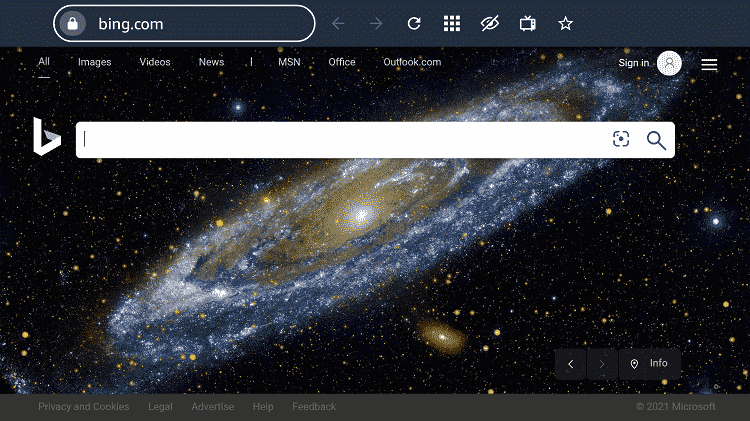
Step 11: When the browser launches, the Bing.com tab will open at first.
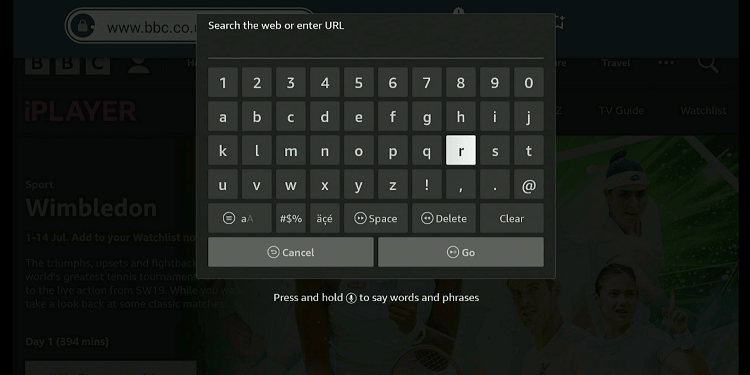
Step 12: Type the URL www.sbs.com.au and click GO.
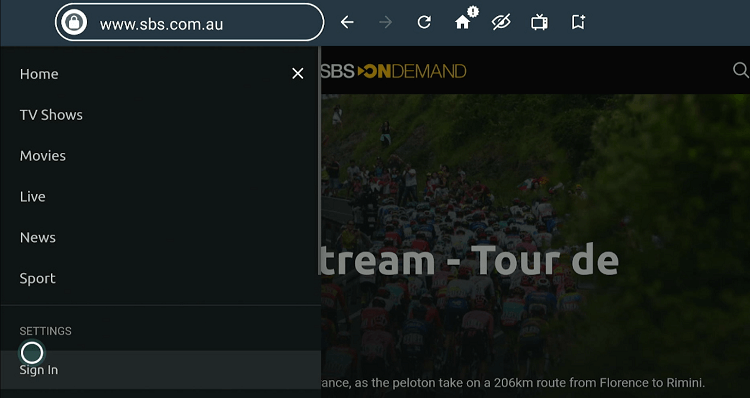
Step 13: Click the “Menu” icon in the top left corner.
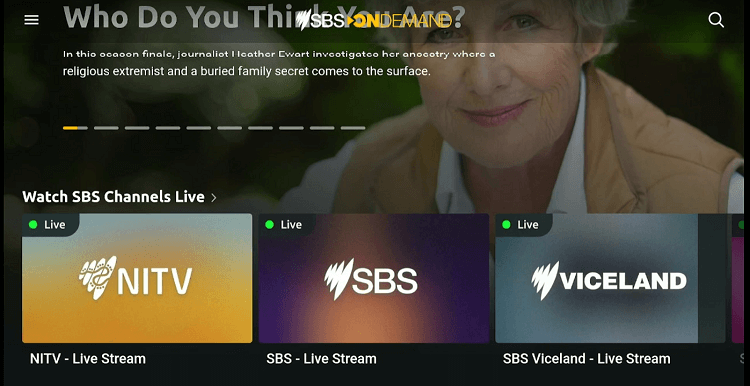
Step 14: Navigate to “Sign In”.
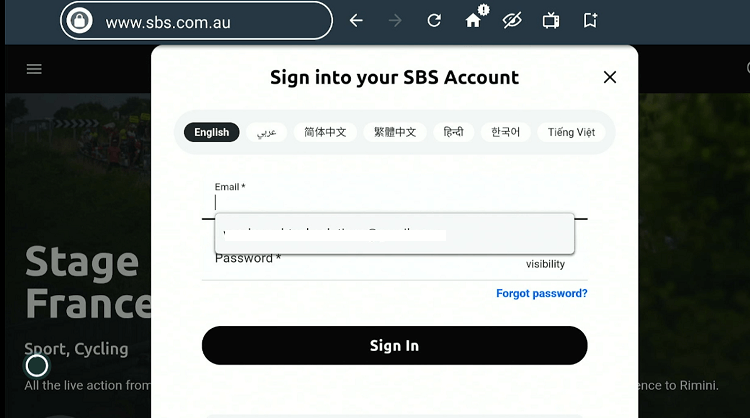
Step 15: Enter your credentials and click “Sign In”.
P.S. If you have not signed up for SBS, do so by visiting their official website.
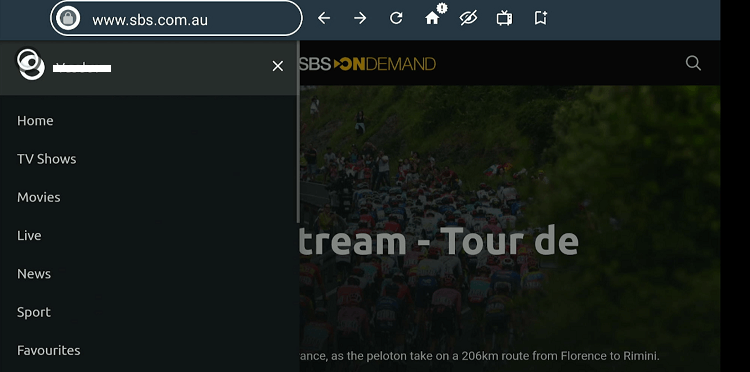
Step 16: Select “Sports” from the side menu bar.
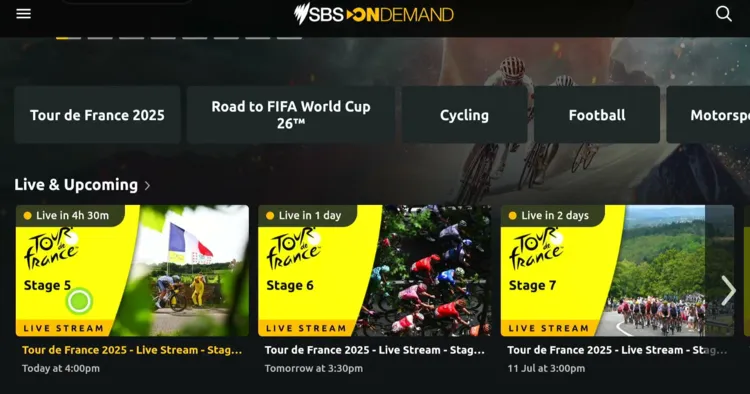
Step 17: Click on the Tour De France livestream events and enjoy the race for free!
Other Official Apps/Channels That Stream Tour De France 2025 on FireStick
Apart from ITVX and SBS, the following are a few more official services that stream the Tour De France 2025 on FireStick.
P.S. All the streaming platforms listed are geo-restricted to specific countries, so be sure to install and use SurfShark VPN on FireStick to bypass geo-blocking.
- RaiPlay (Italy, Free)
- RTVE Play (Spain, Free)
- RTBF (Belgium, Free)
- Peacock TV (USA, Paid)
- FuboTV (USA/Canada/Spain, Paid)
- Sling TV (USA, Paid)
- Hulu (USA, Paid)
- DirecTV (USA, Paid)
Tour de France 2025 – Full Schedule (ET)
Here’s the complete Tour de France 2025 stage schedule with dates, routes, and start/finish times in U.S. Eastern Time (ET):
| Stage | Date | Route | Distance | Start (ET) | Expected Finish (ET) |
|---|---|---|---|---|---|
| Stage 1 | Saturday, July 5 | Lille → Lille | 184.9 km | 7:10 AM | ~11:36 AM |
| Stage 2 | Sunday, July 6 | Lauwin‑Planque → Boulogne-sur-Mer | 209.1 km | 6:15 AM | ~11:20 AM |
| Stage 3 | Monday, July 7 | Valenciennes → Dunkirk | 178.3 km | 7:10 AM | ~11:18 AM |
| Stage 4 | Tuesday, July 8 | Amiens → Rouen | 174.2 km | 7:15 AM | ~11:22 AM |
| Stage 5 | Wednesday, July 9 | Caen (ITT) | 33 km | 7:10 AM | ~11:42 AM |
| Stage 6 | Thursday, July 10 | Bayeux → Vire Normandie | 201.5 km | 6:35 AM | ~11:14 AM |
| Stage 7 | Friday, July 11 | Saint‑Malo → Mûr-de‑Bretagne | 197 km | 6:10 AM | ~10:39 AM |
| Stage 8 | Saturday, July 12 | Saint‑Méen-le-Grand → Laval | 171.4 km | 7:10 AM | ~11:04 AM |
| Stage 9 | Sunday, July 13 | Chinon → Châteauroux | 174.1 km | 7:10 AM | ~11:07 AM |
| Rest Day | Monday, July 14 | — | — | — | — |
| Stage 10 | Tuesday, July 15 | Ennezat → Mont-Dore | 165.3 km | 7:10 AM | ~11:25 AM |
| Stage 11 | Wednesday, July 16 | Toulouse circuit | 156.8 km | 7:15 AM | ~11:05 AM |
| Stage 12 | Thursday, July 17 | Auch → Hautacam | 180.6 km | 7:10 AM | ~11:32 AM |
| Stage 13 | Friday, July 18 | Loudenvielle → Peyragudes (ITT) | 10.9 km | 7:10 AM | ~11:31 AM |
| Stage 14 | Saturday, July 19 | Pau → Luchon‑Superbagnères | 182.6 km | 6:00 AM | ~11:07 AM |
| Stage 15 | Sunday, July 20 | Muret → Carcassonne | 169.3 km | 7:20 AM | ~11:08 AM |
| Rest Day | Monday, July 21 | — | — | — | — |
| Stage 16 | Tuesday, July 22 | Montpellier → Mont Ventoux | 171.5 km | 6:10 AM | ~10:44 AM |
| Stage 17 | Wednesday, July 23 | Bollène → Valence | 160.4 km | 7:35 AM | ~11:10 AM |
| Stage 18 | Thursday, July 24 | Vif → Courchevel (Col de la Loze) | 171.5 km | 6:10 AM | ~11:12 AM |
| Stage 19 | Friday, July 25 | Albertville → La Plagne | 129.9 km | 7:30 AM | ~11:18 AM |
| Stage 20 | Saturday, July 26 | Nantua → Pontarlier | 184.2 km | 6:05 AM | ~10:12 AM |
| Stage 21 | Sunday, July 27 | Mantes‑la‑Ville → Paris (Champs-Élysées) | 132.3 km | 10:10 AM | ~1:26 PM |
Trouble Watching Tour De France on FireStick? Try These Fixes
If you’re facing issues buffering, app crashes, etc, while streaming the Tour De France on FireStick, here are a few quick fixes to get things running smoothly again:
✅Clear app cache
✅Close background apps
✅Connect FireStick via Ethernet
✅Adjust video resolution
✅Restart FireStick
Along with the Tour De France, FireStick also lets you watch the following popular events:
FAQs – Tour De France 2025
Can I watch the Tour De France 2025 on FireStick for free?
Yes, services like RaiPlay, ITVX, and SBS let you watch the Tour De France on FireStick for free.
Which premium services stream Tour De France on FireStick?
FuboTV, Sling TV, and Hulu are some of the top premium streaming services that broadcast Tour De France on FireStick.
When did the Tour de France 2025 start?
Tour De France started on Saturday, July 5, 2025 and will end on Sunday, July 27, 2025.
How many stages are in the 2025 Tour de France?
There are 21 stages across 23 days.
How long is the 2025 Tour de France route?
The total distance for the Tour De France 2025 is approximately 3,320 km.