Disclosure: Our experts test apps for security before recommending them. If you buy through our links, we may earn a commission. See how it works.



Video: How to Watch Korean Dramas on FireStick (With Rakuten Viki)
Here’s a video tutorial on how to watch Korean Dramas on FireStick for free with the help of the Rakuten Viki app:
3 Ways to Watch Korean Dramas on FireStick [FREE]
The following are three tried-and-tested methods that will let you watch Korean Dramas on FireStick for FREE from anywhere in the world:
- Watch Korean Dramas on FireStick Using Downloader App
- Watch Korean Dramas on FireStick Using Amazon Appstore
- Watch Korean Dramas on FireStick Using Amazon Silk Browser
How to Watch Korean Dramas on FireStick Using Downloader App
Recently, NetMirror has come up with the latest APK (v3.0). It gives you access to the premium K-Dramas from top platforms like Netflix, Disney+ Hotstar, and Prime Video for free.
The latest NetMirror has a small glitch where the search keypad doesn’t disappear when you use it to search for a movie (no matter how many times you press the back button on the remote).
Search for a movie or show, and once it loads, press “Home” on FireStick remote. Now reopen NetMirror to resume it instantly without the keypad
Since we can’t verify its streaming sources, don’t forget to install and use SurfShark VPN on FireStick to hide your IP address.
Follow the steps below:
Step 1: Turn ON your FireStick device and Go to FireStick Home

Step 2: Click on the Settings icon
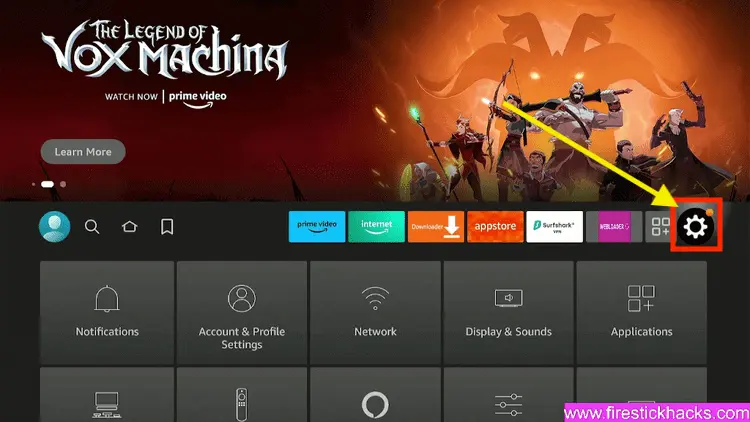
Step 3: Select the My Fire TV option

Step 4: To enable the Developer Option, click About.
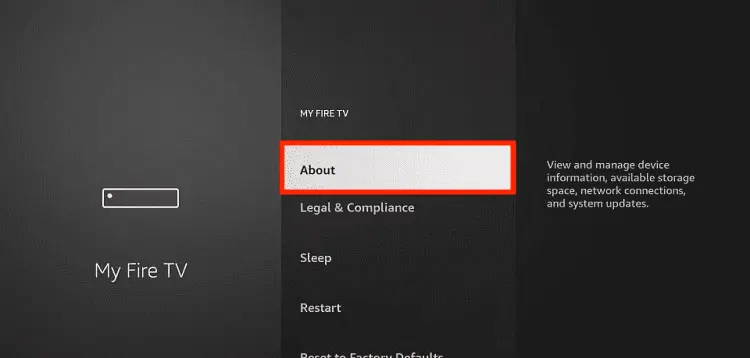
Note: If you have already enabled the Developer Option, then proceed to Step 10
Step 5: Click on the Fire TV Stick option quickly at least 7 times

Step 6: Now you will see this message at the bottom saying "No need, you are already a developer". So stop clicking then

Step 7: Now the Developer Option will appear in the menu so click on it
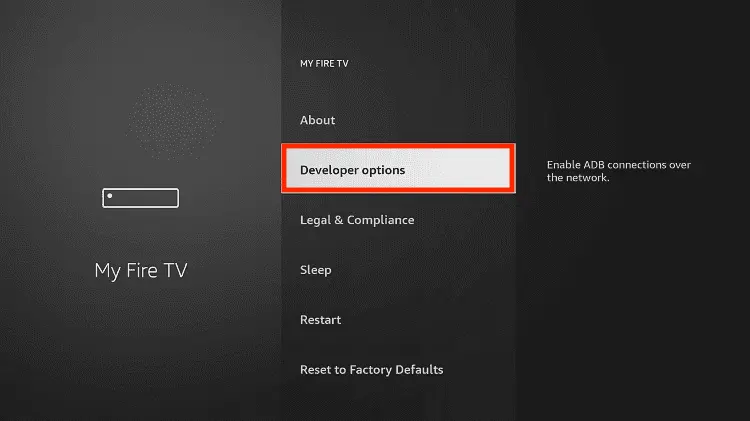
Step 8: Choose Apps from Unknown Sources to turn it ON

Step 9: Simply click Turn On

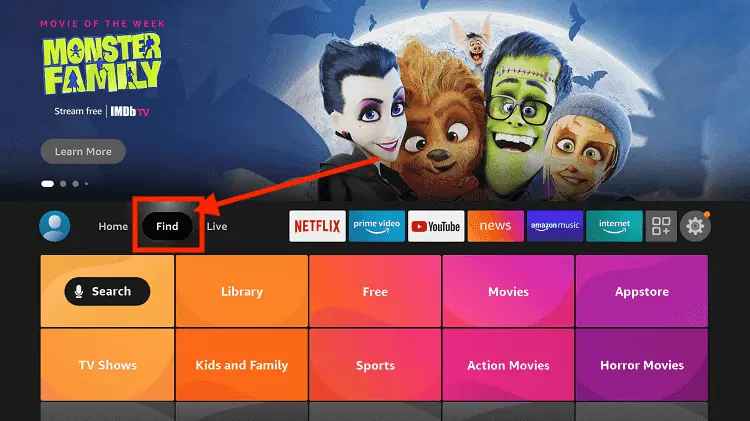
Step 10: Now return to the FireStick Home menu by pressing the "Home" icon on the remote and click on Find
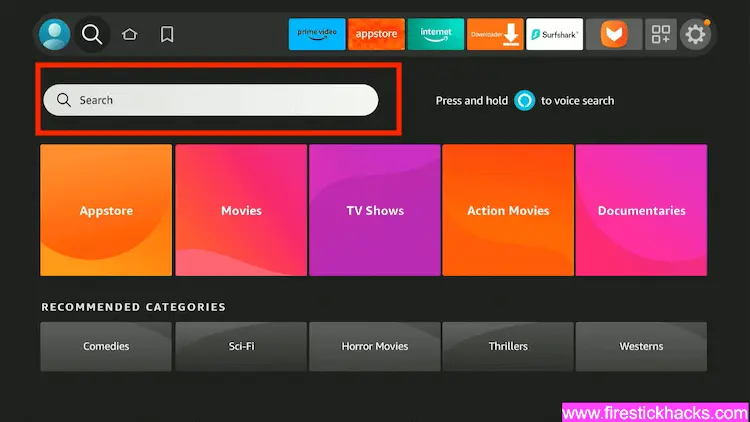
Step 11: Now select the Search icon
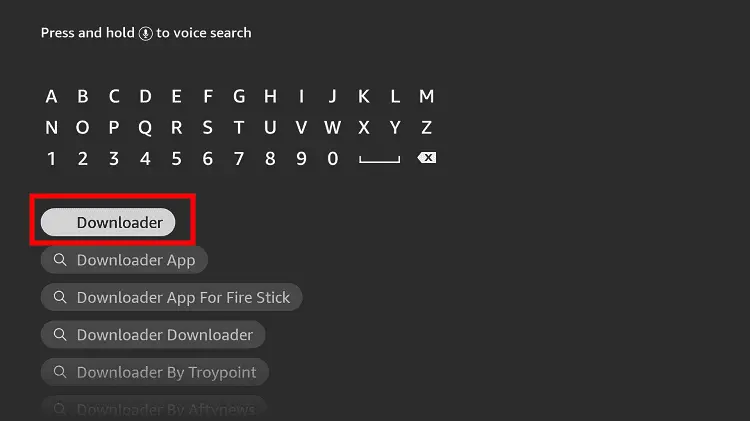
Step 12: Type Downloader and press search
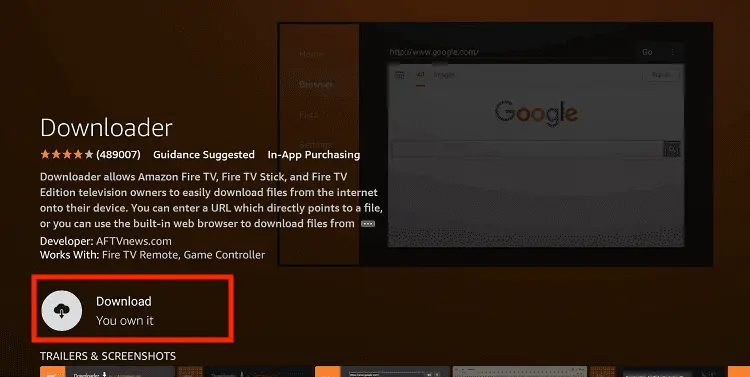
Step 13: Select the Downloader App icon from the list available in the Amazon Store

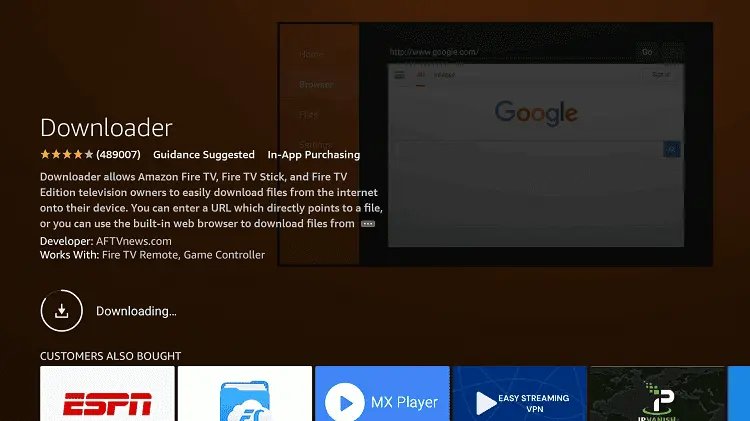
Step 14: Tap Get/Download
Step 15: Wait for a while until the installation process is completed
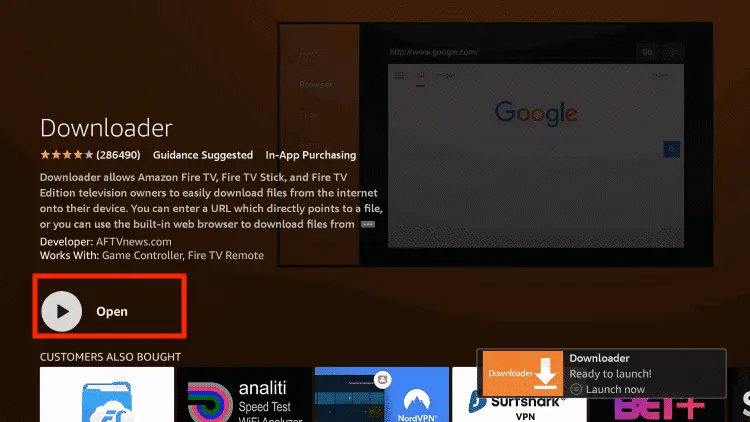
Step 16: Now click Open
Step 17: You will see a popup about Downloader app latest update. Click "OK".

Step 18: Click OK again

Step 19: This is the Downloader App interface, Click the Search Bar on top

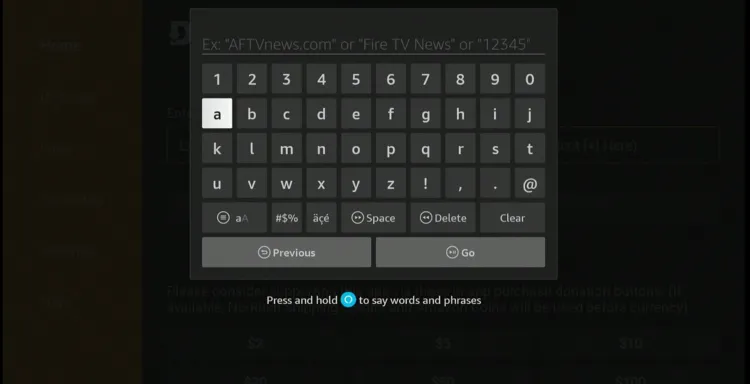
Step 20: Now enter the NetMirror Downloader Code 730116 in the search box OR enter this URL bit.ly/fsh-downloads and click Go.
Note: The referenced link is the official URL of this app/website. FIRESTICKHACKS does not own, operate, or re-sell any app, streaming site, or service and has no affiliation with its developers.
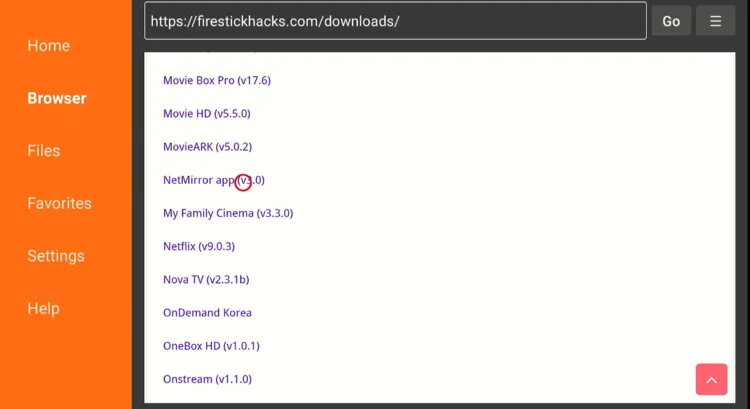
Step 21: Scroll down and click “NetMirror” from the “Movies & TV Shows Apps” category.
Note: If the app does not start downloading, then clear the Downloader App cache using this article.
Step 22: The downloading will start; wait for it to finish.
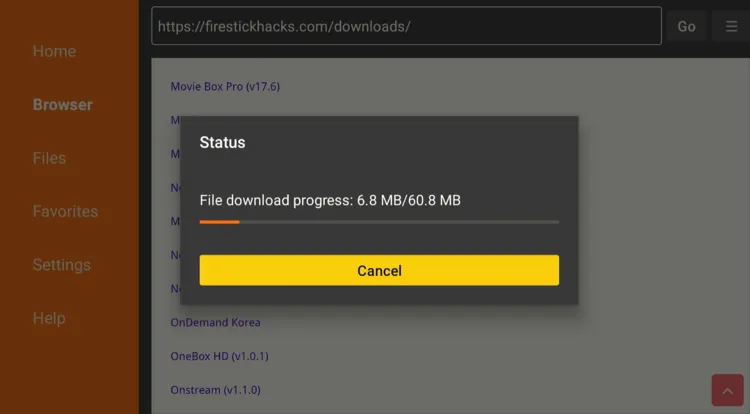
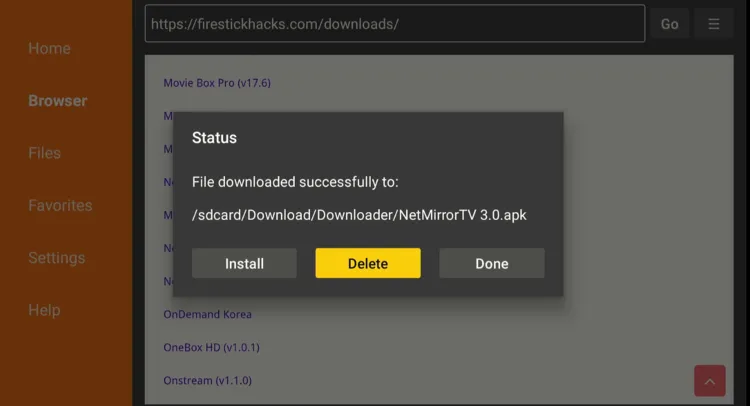
Step 23: Once the installation ends, click “Install”.

Step 24: Now choose “Done”.

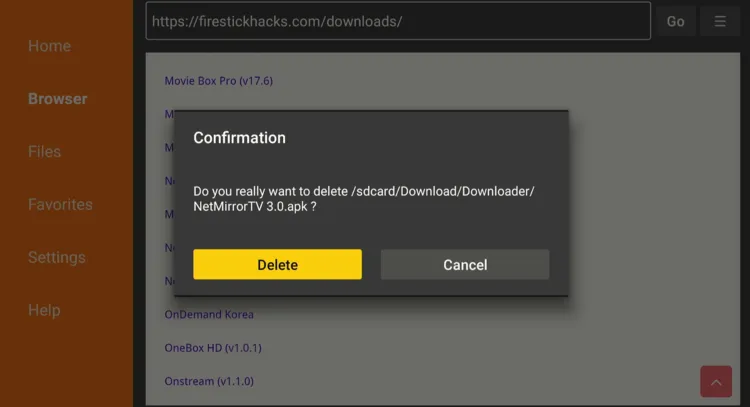
Step 25: Click “Delete” to remove the NetMirror APK file from FireStick.
Note: Deleting APK files will free up space on FireStick.
Step 26: Tap “Delete” to complete the process.
Step 27: Open Surfshark and connect it to the Hong Kong server.

Step 28: Select the “Apps Library” icon from the top right corner (Next to Settings).
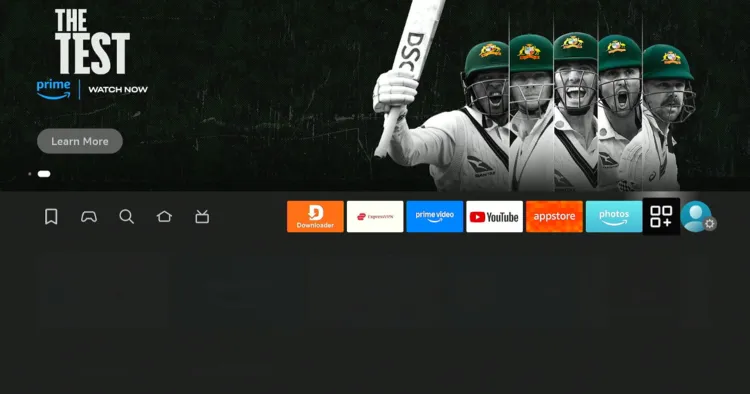
Step 29: Choose the “NetMirror” app.
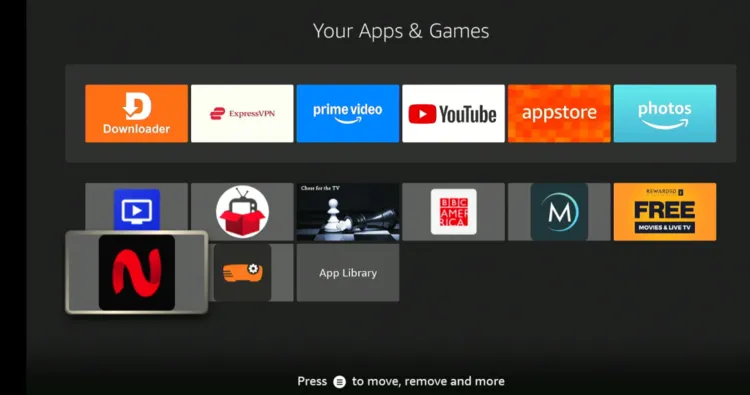
Step 30: Now you will have to enter the OTP listed below (111111).
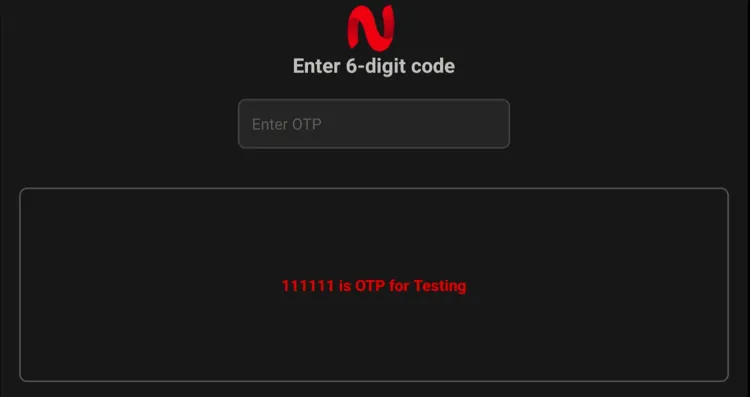
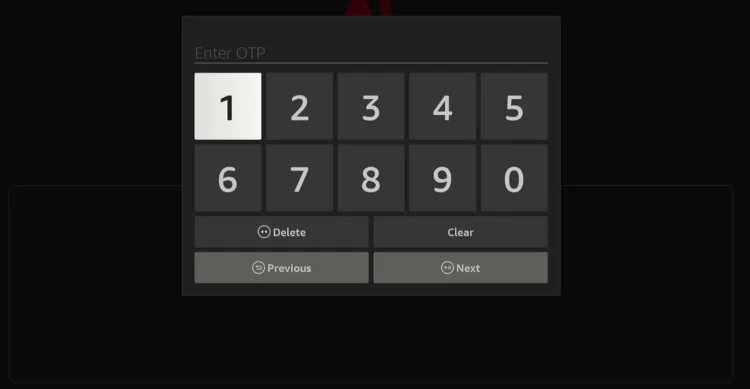
Step 31: Type the OTP and click “Next”.
Step 32: Now you will see the “Verification Successful” message.
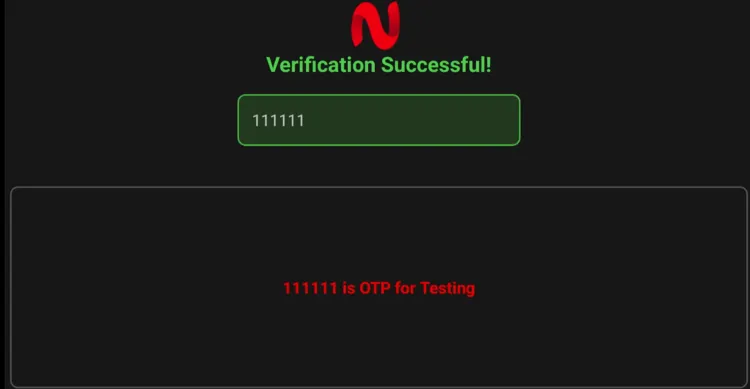
Step 33: That’s the NetMirror’s interface; you will see the K-Dramas section on the homescreen. Choose a show.

Step 34: Enjoy streaming!

How to Watch Korean Dramas on FireStick Using Amazon Appstore
If you want to watch Korean dramas using FREE (or Freemium) official services, you have plenty of options like Rakuten Viki, Tubi TV, and Asian Crush
You can watch all these apps on FireStick from the Amazon Appstore. However, if you don’t live in the US, you will have to change your Amazon account address and enter a US address to install apps from the Appstore.
Please note that despite changing the address, you will still need to install SurfShark VPN on FireStick and connect it to the US server.
P.S. Once you have changed the address, restart the Fire TV Stick. If you still see these apps “unavailable” on the Amazon Appstore, wait for a few minutes and then try again.
Follow the steps below:
Step 1: Open Surfshark on FireStick and connect it to the US server.

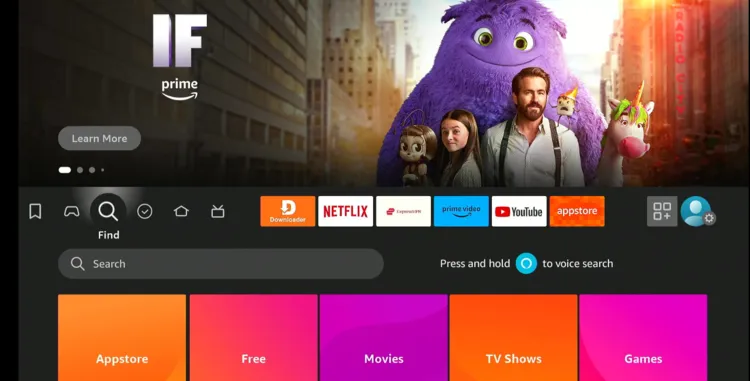
Step 2: Click the “Find” icon on the FireStick home screen and choose “Search”.
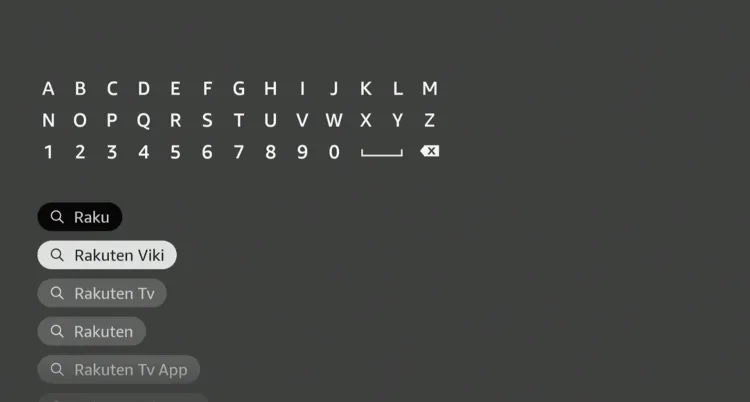
Step 3: Type “Rakuten Viki” and select it from the results.
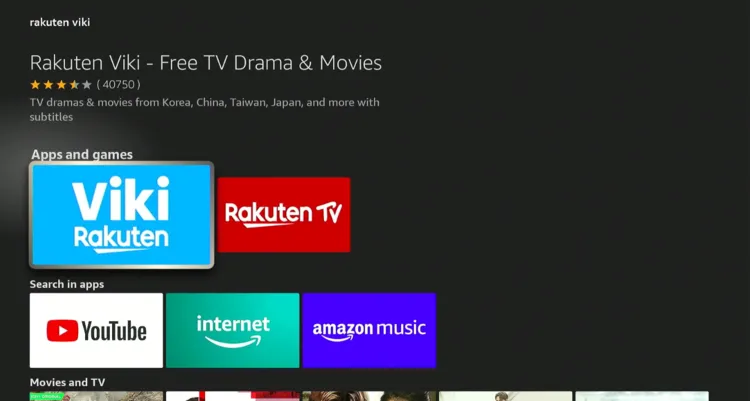
Step 4: Choose the “Rakuten Viki” app.
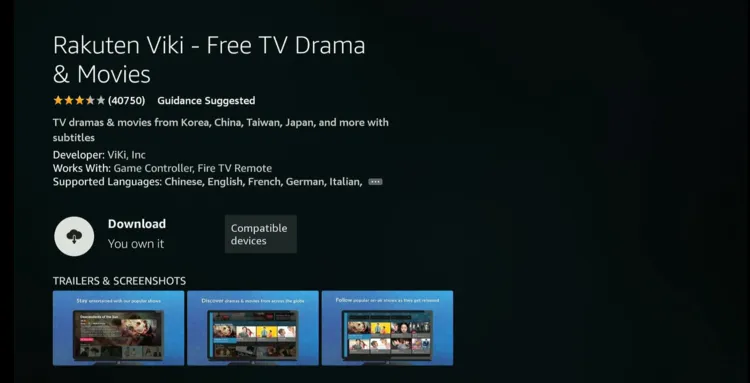
Step 5: Tap “Get/Download”.
Step 6: The downloading will start; wait for it to finish.
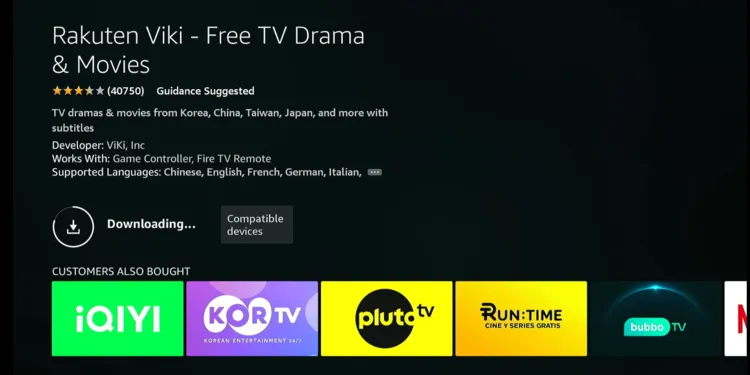
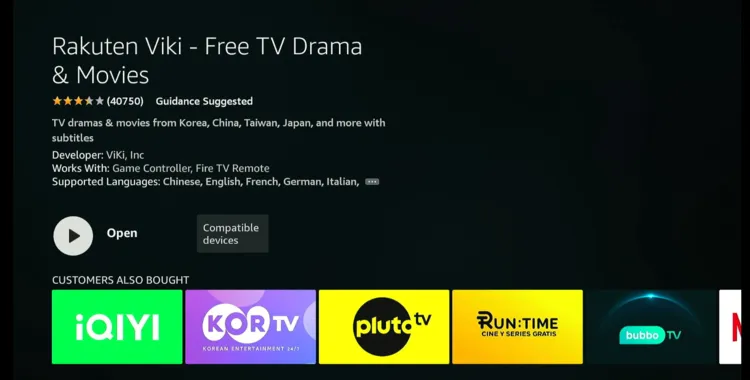
Step 7: Click “Open”.
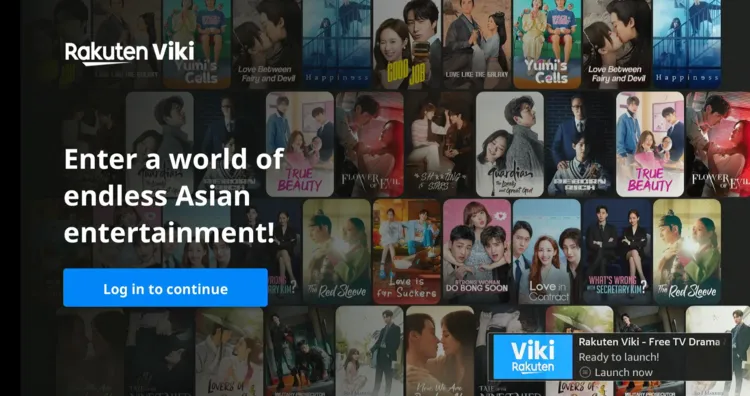
Step 8: Click “Log in to continue”.
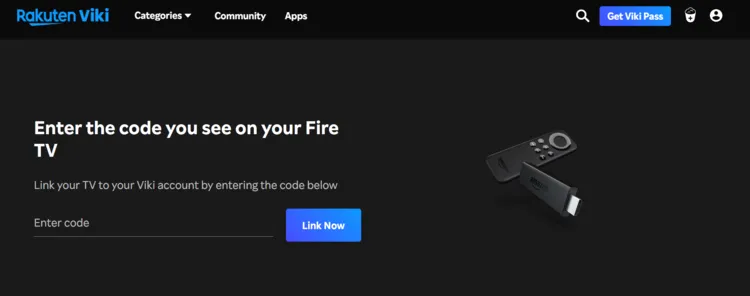
Step 9: Note down the code that pops up on the screen.
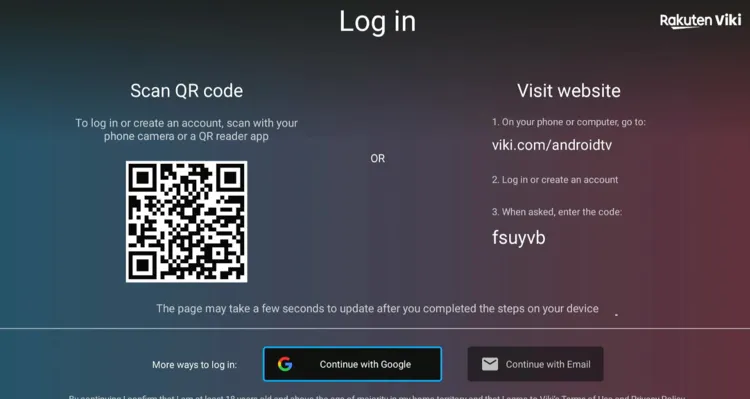
Step 10: Open your PC or mobile browser and type www.Viki.com/androidtv and enter the code in the following box.
P.S. Using Rakuten Viki requires you to Sign Up for the app.
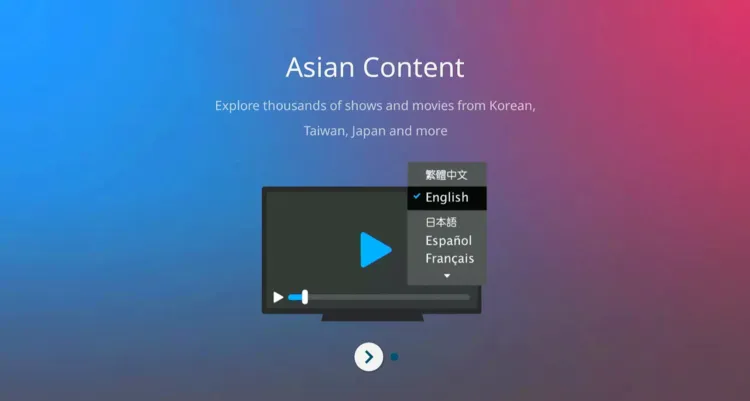
Step 11: Choose a language.
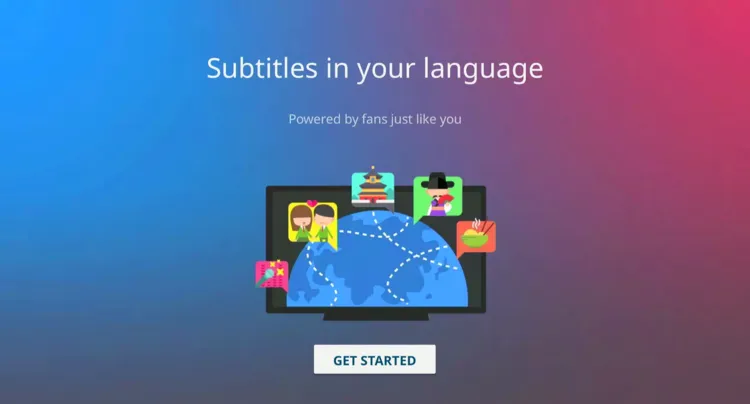
Step 12: Tap “Get Started”.
Step 13: To ensure age-appropriate streaming, the app will ask you to set up a PIN code.
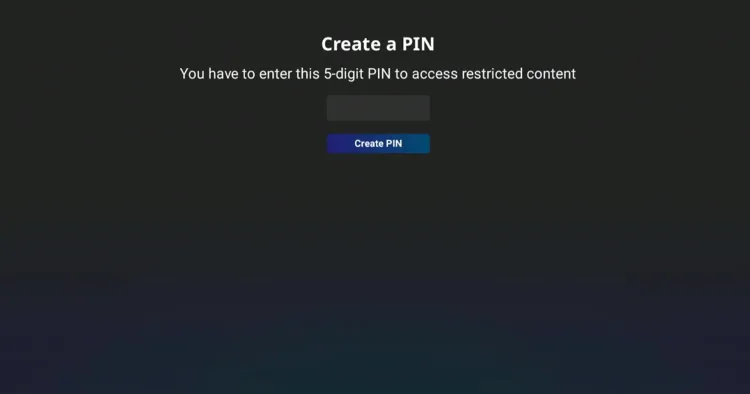
Step 15: After creating the PIN, select a Korean drama.

Step 16: Enjoy streaming!

How to Watch Korean Dramas on FireStick Using Amazon Silk Browser
If you don’t want to install or download any app on your FireStick, you can watch Korean dramas on FireStick using Amazon Silk Browser for FREE.
Again, we aren’t sure about the streaming sources of the website(s) used in this method, so make it a point to install and use SurfShark VPN on FireStick.
Follow the steps below:
Step 1: Open Surfshark and connect it to the Hong Kong server.
Step 2: Go to FireStick Home
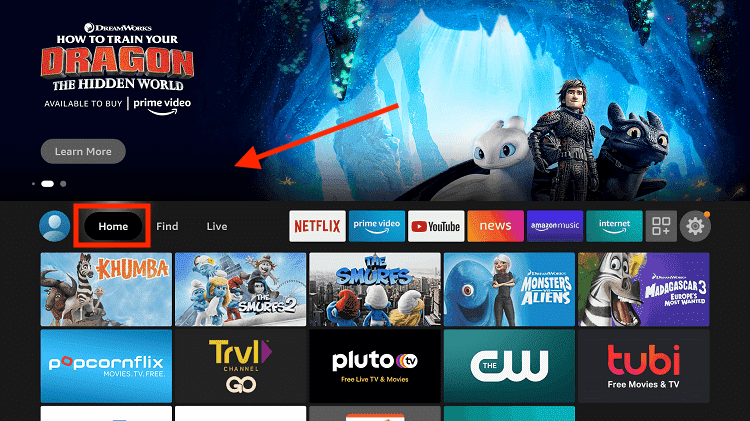
Step 3: Click on the Find tab
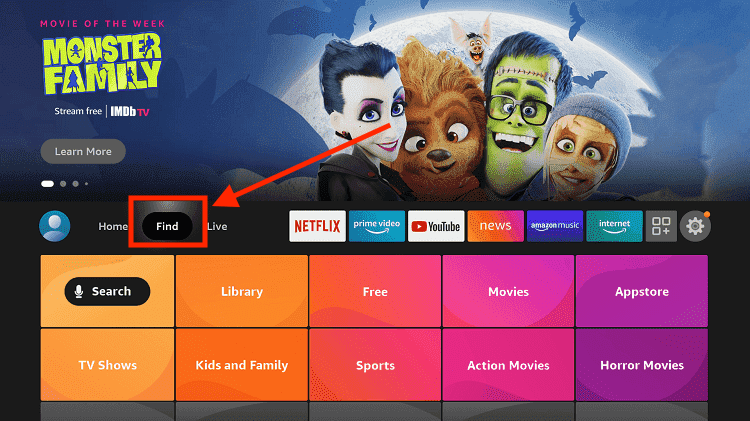
Step 4: Now select the Search option
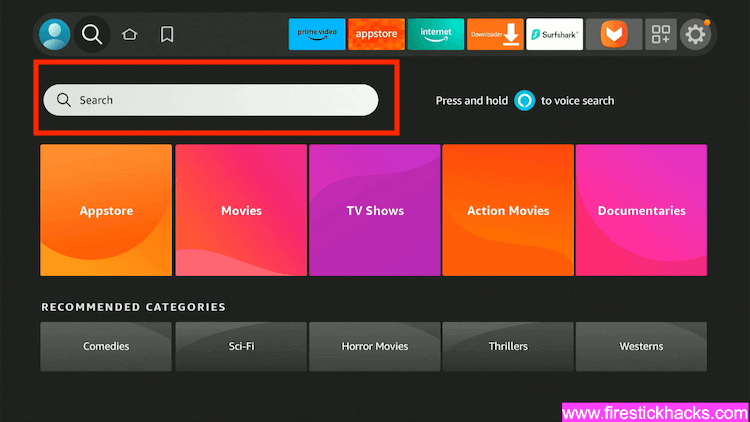
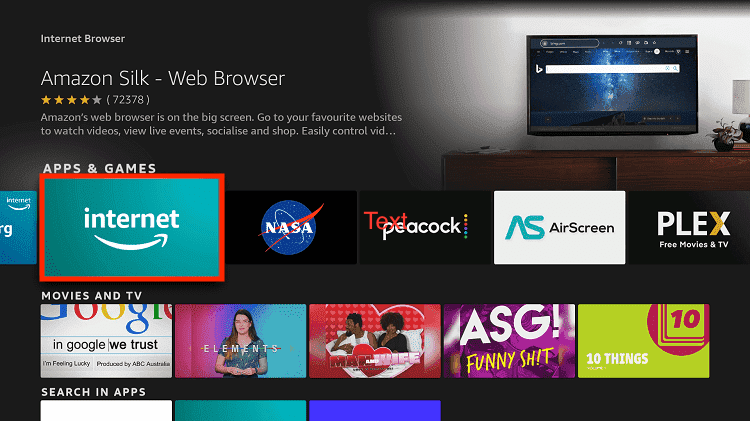
Step 5: Type Internet in the search bar and select from the list
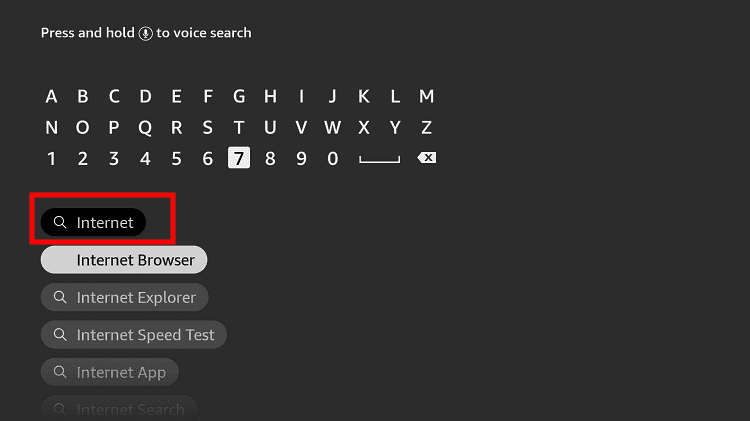
Step 6: Choose the Internet App (Silk Browser) from the given options
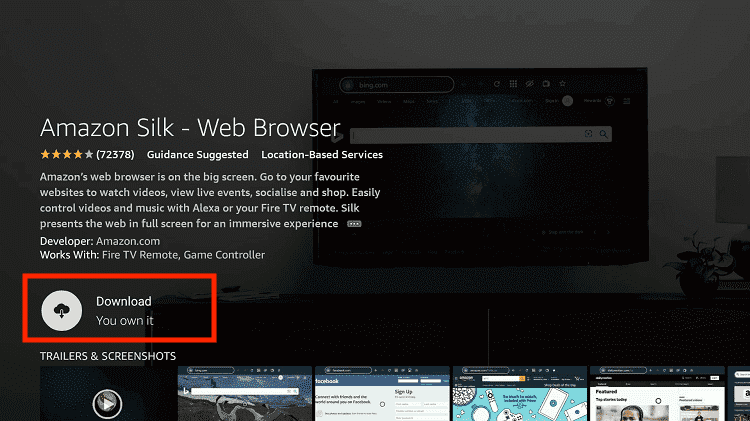
Step 7: Tap the Get/Download button
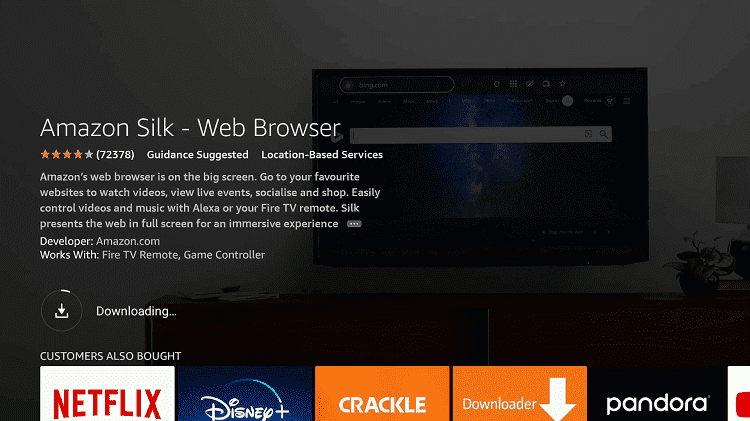
Step 8: Wait until the installation of the browser completes
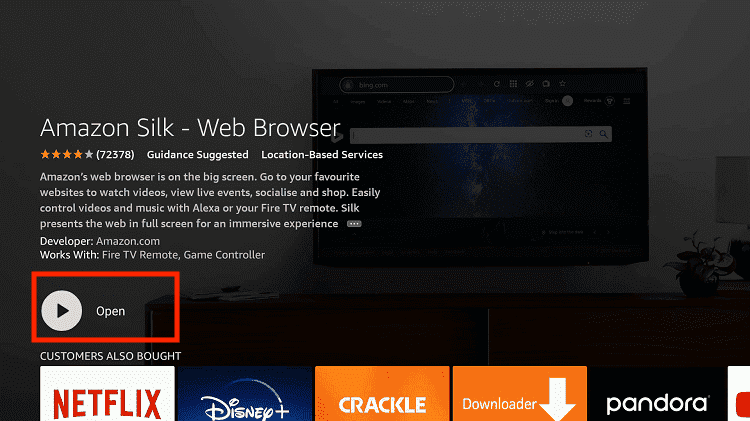
Step 9: Click Open, once the browser is installed.
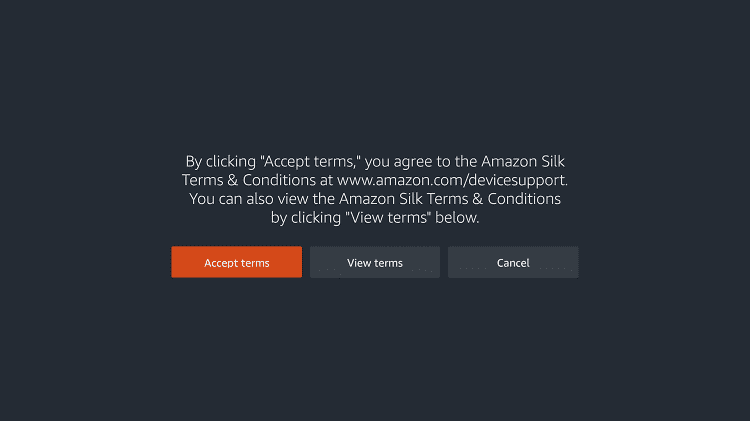
Step 10: Click on Accept Terms to access the browser
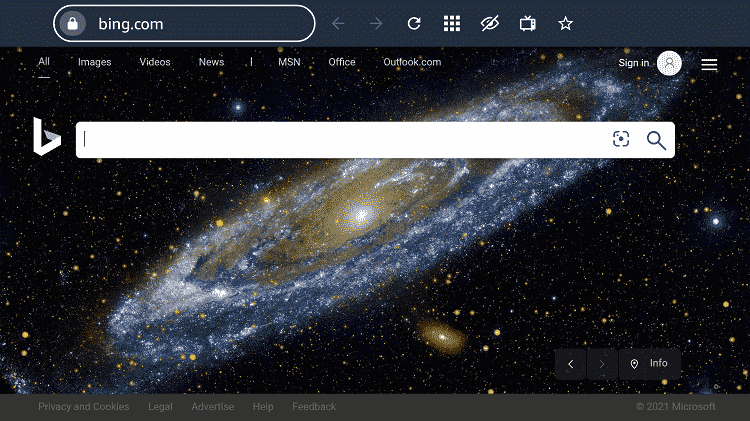
Step 11: When the browser launches, the Bing.com tab will open at first.
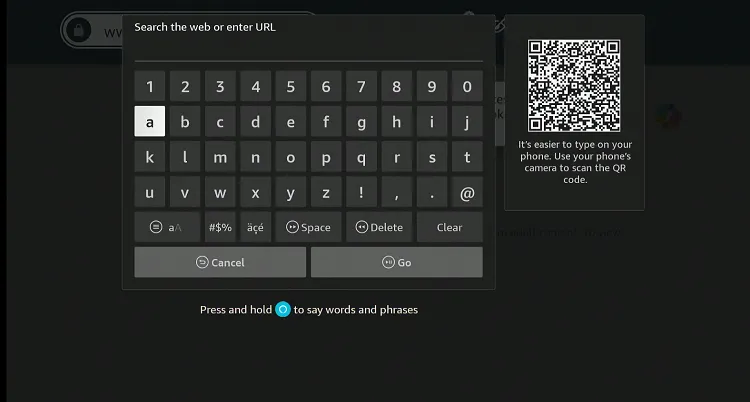
Step 12: Type Kisskh.id OR www.Cataz.to OR www.cineby.app in the search box and click “GO”.
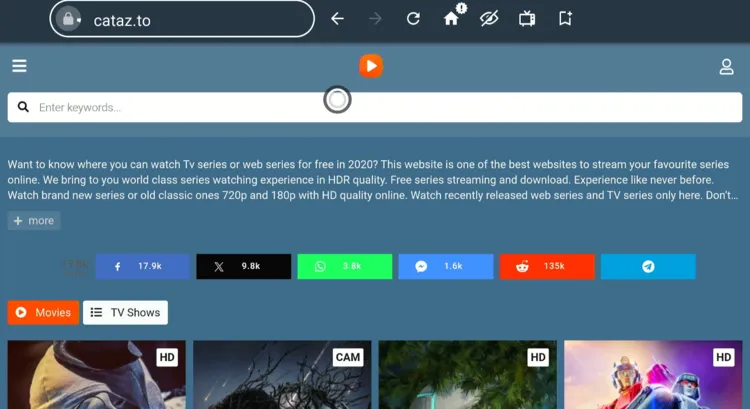
Step 13: Once the website loads, tap the “Hamburger Menu” button from the top left bar.
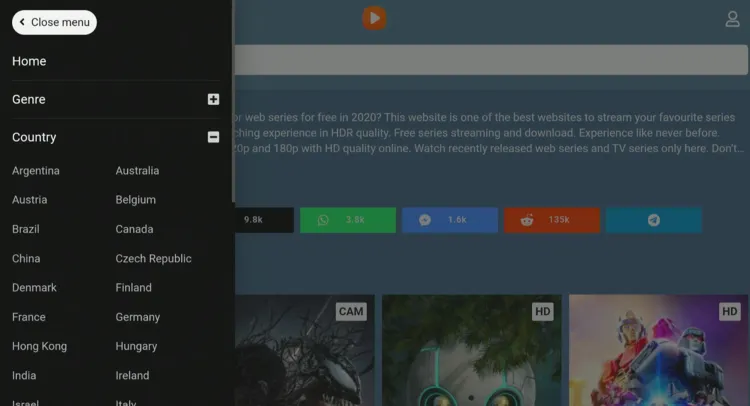
Step 14: Tap “Country”.
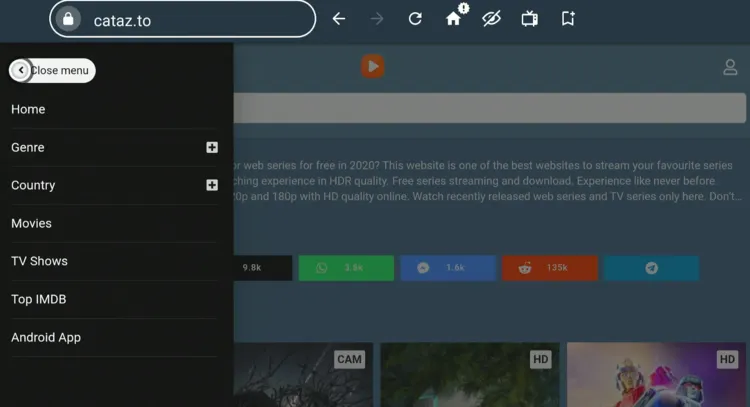
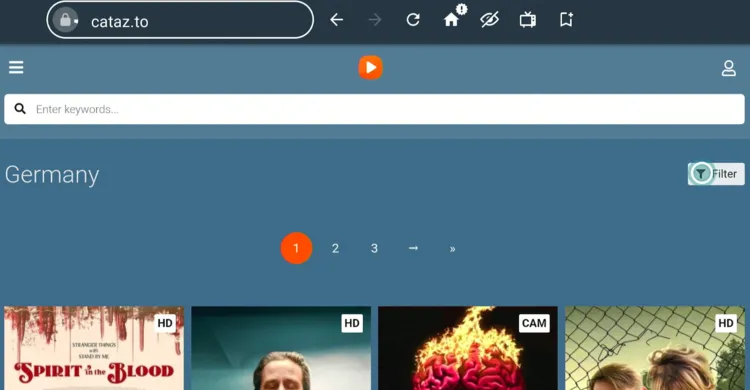
Step 15: Since Korea isn’t visible and you can’t scroll down further, choose any country.
Step 16: Tap “Filter”
Step 17: Select “Shows” and “South Korea“. Once done, tap “Filter” from the bottom.
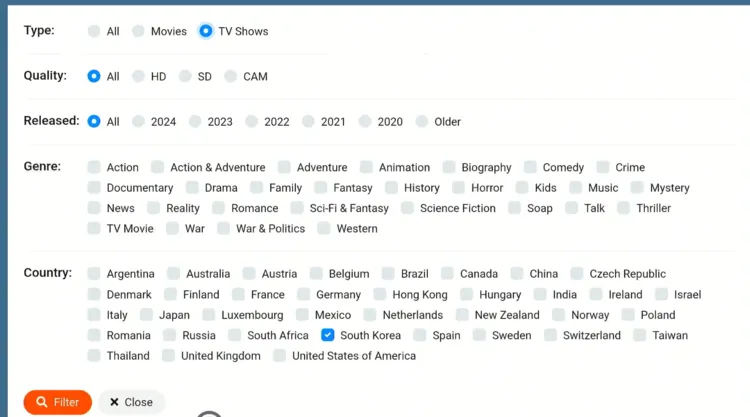
Step 18: Now Korean dramas will show up!
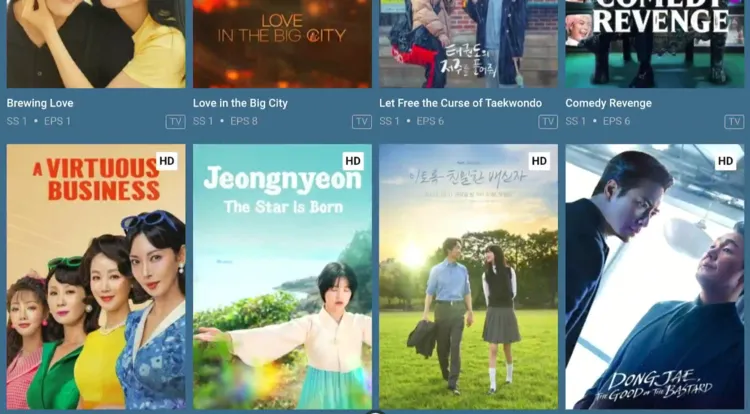
Step 19: Choose an episode.
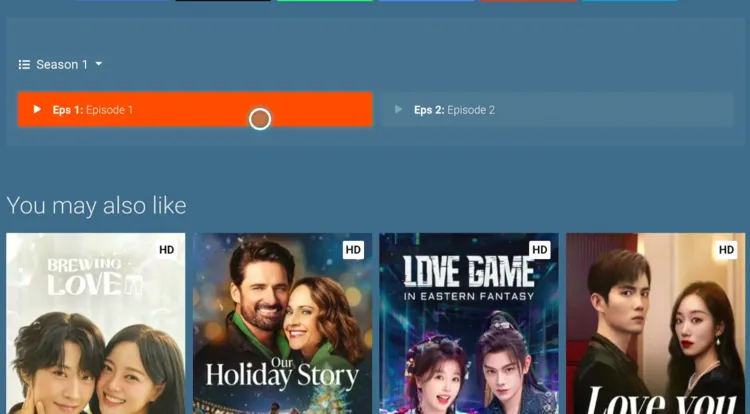
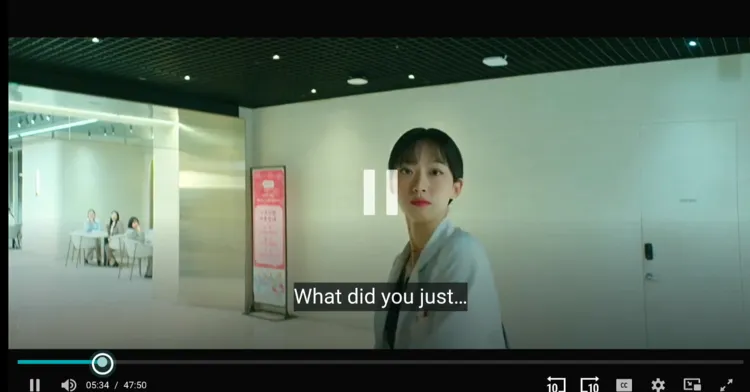
Step 20: Enjoy streaming!
Premium/Paid Apps to Watch Korean Dramas on FireStick
Apart from the free or freemium apps listed above, you can also opt for the following premium apps to watch Korean dramas on FireStick:
Best Korean Dramas to Watch on FireStick in 2025
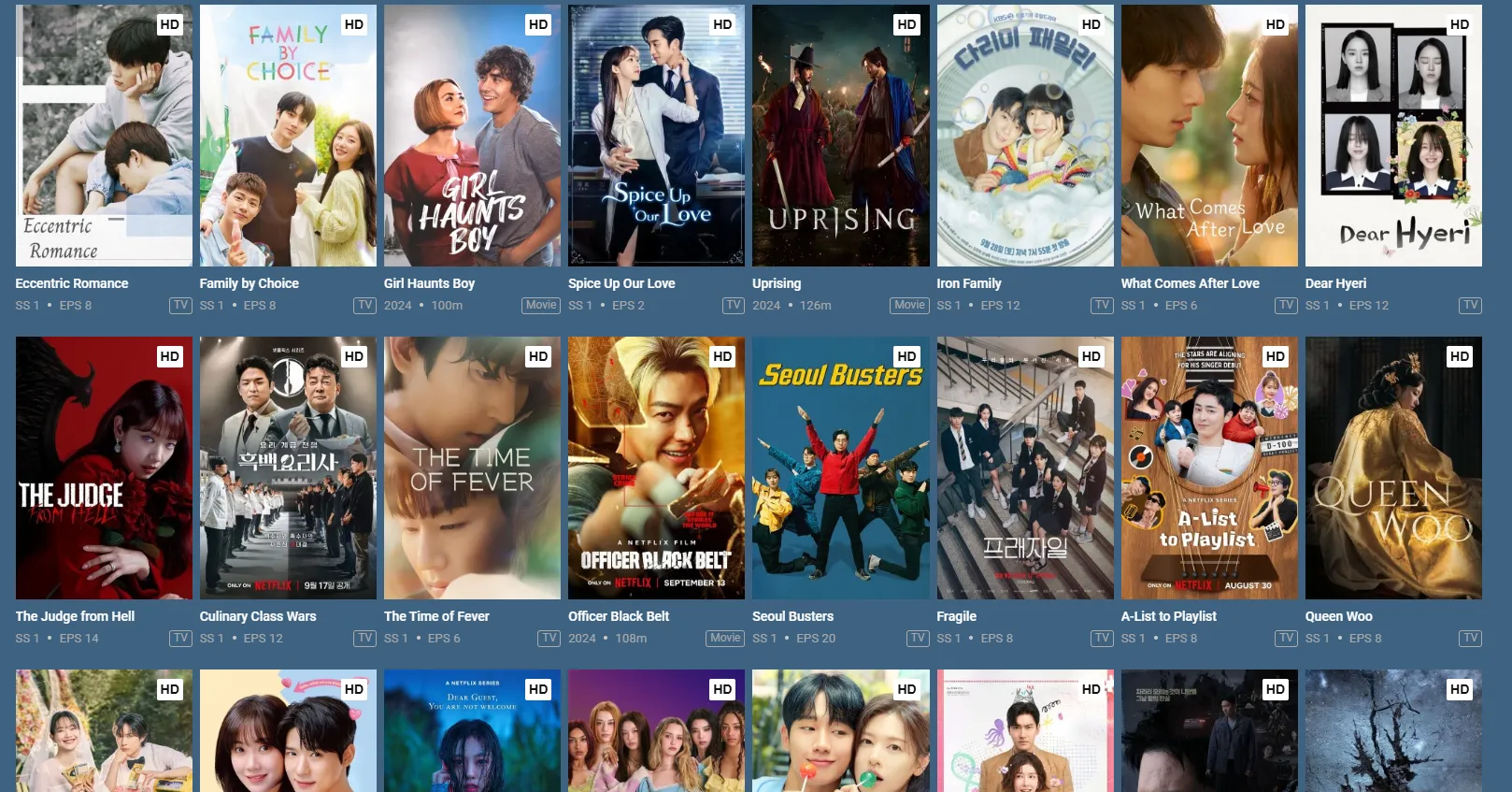
Here’s a list of some of the popular Korean shows you should consider watching:
- When Life Gives You Tangerines
- The Potato Lab
- Weak Hero Class 2
- Resident Playbook
- Tastefully Yours
- Squid Game 3
- Melo Movie
- Aema
- Genie, Make a Wish
- Can This Love Be Translated?
- Newtopia
- The Tale of Lady Ok
- The Trauma Code: Heroes on Call
- For Eagle Brothers
Trouble Streaming Korean Dramas on FireStick? Try These Fixes
If you’re dealing with buffering, app crashes, or other streaming glitches while streaming K-Dramas, try these quick fixes to smooth things out:
- Clear app cache
- Close background app
- Restart FireStick
- Connect FireStick via Ethernet
- Set video resolution to 1080p/4K
P.S. If you are still facing issues, check out our detailed articles to stop buffering on FireStick and fix streaming errors.
Other Country-Specific Dramas to Watch
If you are into country-specific shows, consider checking out following articles:
FAQs – Korean Dramas
Can I watch Korean dramas for free on FireStick?
Yes, third-party apps NetMirror & Flix Vision and official apps like Rakuten Viki & AsianCrush let you watch Korean dramas on FireStick for FREE.
Which premium apps offer Korean dramas on FireStick?
Popular premium apps like Netflix, Hulu, and Kocowa offer premier Korean dramas on FireStick.
Can I find K-dramas on Pluto TV or Tubi?
Yes! Pluto TV and Tubi have a significant selection of K-dramas, completely free with ads.
Can I watch K-dramas in other languages?
Some apps offer dubbed versions or subtitles in various languages for K-dramas.
Wrapping Up
Let’s be honest – once you start watching K-dramas, there’s no going back. Fortunately, you can now watch all your favorite Korean dramas on FireStick for free.
Whether you opt for unofficial apps like NetMirror, Cinema HD, and aDrama or official apps like AsianCrush & Rakuten Viki, the options are endless.