Disclosure: Our experts test apps for security before recommending them. If you buy through our links, we may earn a commission. See how it works.

Jeopardy is one of America’s longest-running, most beloved quiz shows. It is now in its 42nd season (from September 8, 2025, to July 24, 2026).
The current season airs new episodes from Monday to Friday. However, the broadcast time for Jeopardy varies by local station. For example, in New York, Jeopardy airs at 7:00 p.m. ET on WABC-TV.
In this article, I will show you how you can stream Jeopardy live for free on FireStick from anywhere in the world using Yes TV.
Please note that since Yes TV is geo-restricted to Canada, outsiders will have to use a VPN and connect to the Canadian server to bypass geo-restrictions. Surfshark is our #1 choice.
🛡️ VPN RECOMMENDATION
Our Recommended VPN - Surfshark
Your ISP sees every stream. Unverified apps expose your IP. Fix both in under 2 minutes.
🔒 30-day money-back guarantee • $0.06/day

2 Ways to Watch Jeopardy on FireStick
The following 2 tried-and-tested methods will let you watch Jeopardy on FireStick for free from anywhere in the world:
- Watch Jeopardy Live on FireStick Using Yes TV App
- Watch Jeopardy Live on FireStick Using Silk Browser
How to Watch Jeopardy Live on FireStick Using Yes TV App
Currently, there’s no working Yes TV APK or XAPK/APK file for FireStick. Fortunately, you can install the app from the Amazon Appstore, but it will require you to change your Amazon account to a Canadian address.
Once you have changed the address, restart the Fire TV Stick. If you still see the “unavailable“ icon on Yes TV, “Purchasing Failure” error, or don’t see the app at all on Appstore, follow the steps below:
P.S. Please make sure to install SurfShark VPN on FireStick and connect it to the Canadian server to stream Yes TV outside Canada.
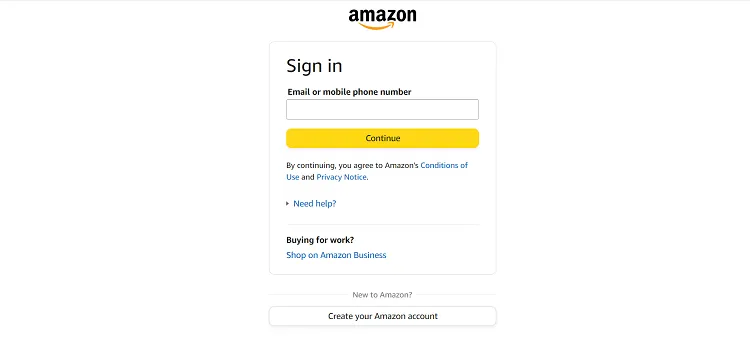
Step 1: Open your laptop/PC/mobile and enter “www.Amazon.com“ in the search engine. Click “Accounts & Lists” and navigate to “Sign In“.

Step 2: Enter your email address and password to sign in.
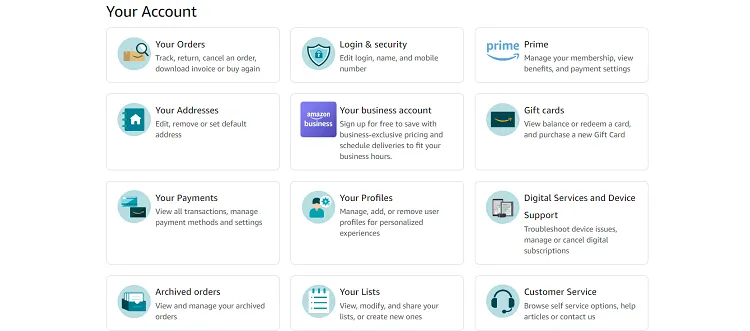
Step 3: Tap “Accounts & Lists” and then select “Account”.

Step 4: Tap the “Your Addresses” icon.
Step 5: Click “Add Addresses”.

Step 6: Enter your address and click “Add Address”.
P.S. You can take the address and phone number from the Internet.

Step 7: Now, click “Accounts & Lists” and navigate to “Devices”.

Step 8: Click “Preferences”.

Step 9: Choose “Country/Region Settings”.
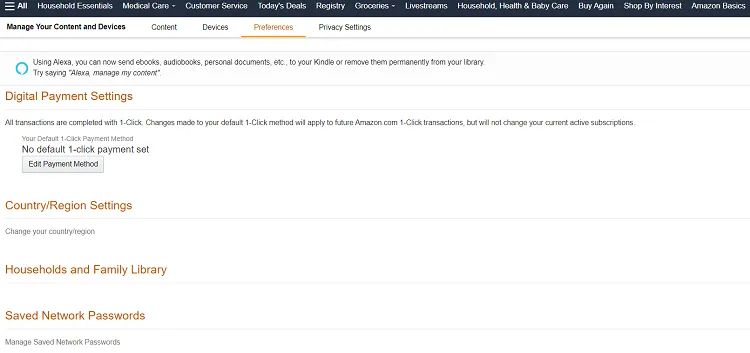
Step 10: Select “No Existing Address Searched”.

Step 11: Now you will see the address you have just entered; select it.

Step 12: Tap “Update”.

Step 13: Now you will see the “Success” pop-up. This means your address has been updated.

Step 14: Now, when I searched Yes TV on the Amazon Appstore on my FireStick, the app didn’t show up.

Step 15: As an alternative, type go to www.Amazon.com and type “Yes TV” in the search bar.

Step 16: Select “Yes TV”.

Step 17: Click “Deliver”.

Step 18: In a few minutes, the app will be installed on your FireStick on its own.

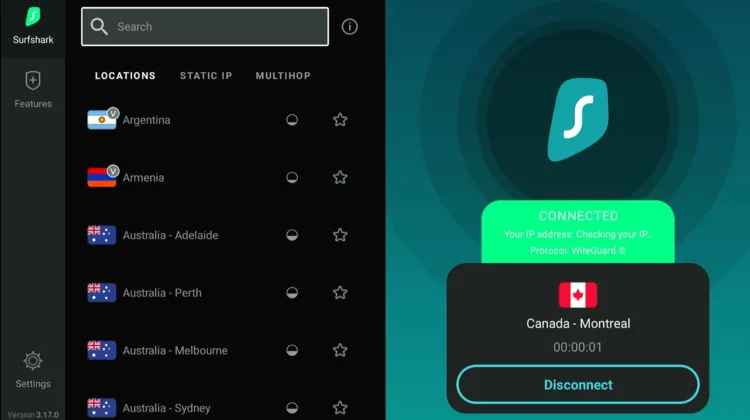
Step 19: Open the Surfshark app and connect it to the Canadian server.
Step 20: Now go to “Apps Library”.

Step 21: Select “Yes TV”.

Step 22: Note down the URL and the activation code you see on your screen.

Step 23: Go to a browser on your laptop/mobile and enter the URL you noted earlier. After that, enter the activation code in the box and click “Next”.

Step 24: As you can see, I have successfully logged into the Yes TV.
P.S. Yes TV requires signing up for the platform, so make sure you create a free account on watch.yestv.com/login

Step 25: Choose the “Live” tab from the top.

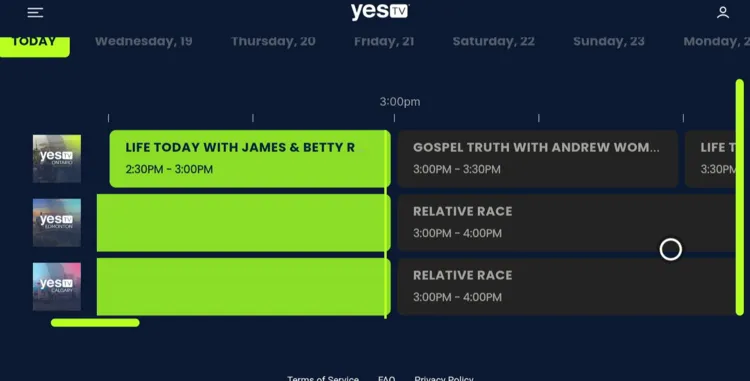
Step 26: You can check the live schedule for Jeopardy and enjoy streaming it for free.

How to Watch Jeopardy Live on FireStick Using Silk Browser
If you don’t want to install Yes TV, you have the option to watch Jeopardy on FireStick using the Amazon Silk Browser.
However, don’t forget to install SurfShark VPN on FireStick and connect it to the Canadian server.
Follow the steps below:
Step 1: Open Surfshark and connect it to the Canadian server.
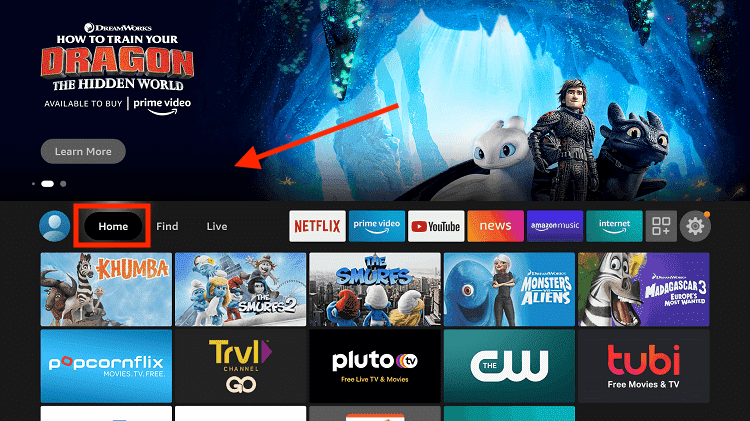
Step 2: Go to FireStick Home
Step 3: Click on the Find tab
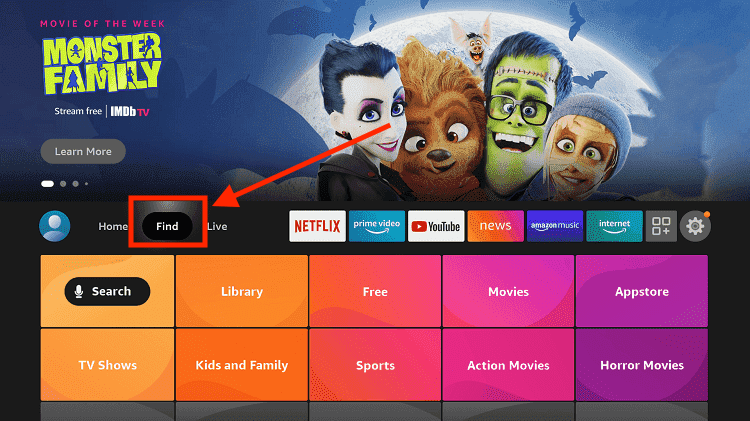
Step 4: Now select the Search option
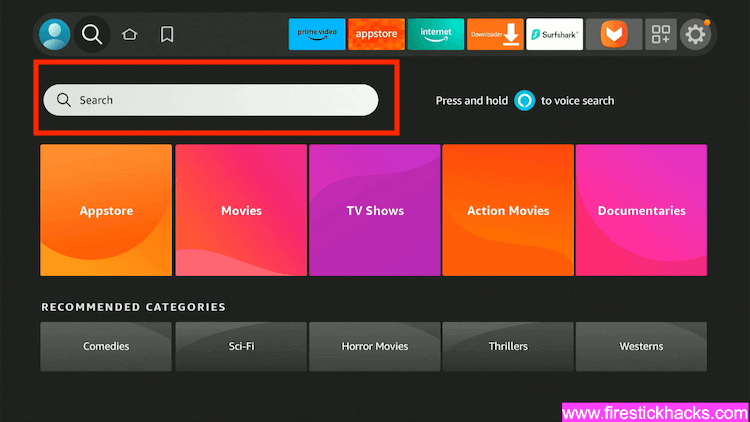
Step 5: Type Internet in the search bar and select from the list
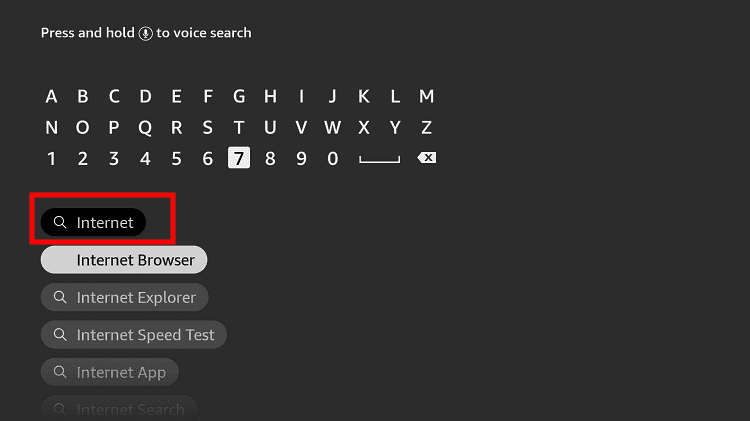
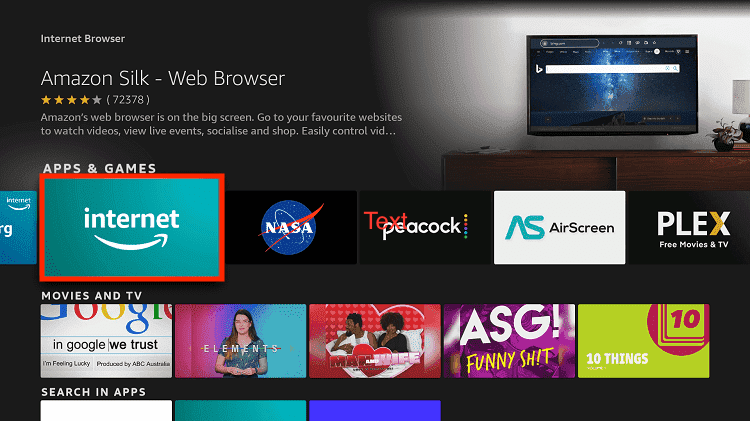
Step 6: Choose the Internet App (Silk Browser) from the given options
Step 7: Tap the Get/Download button
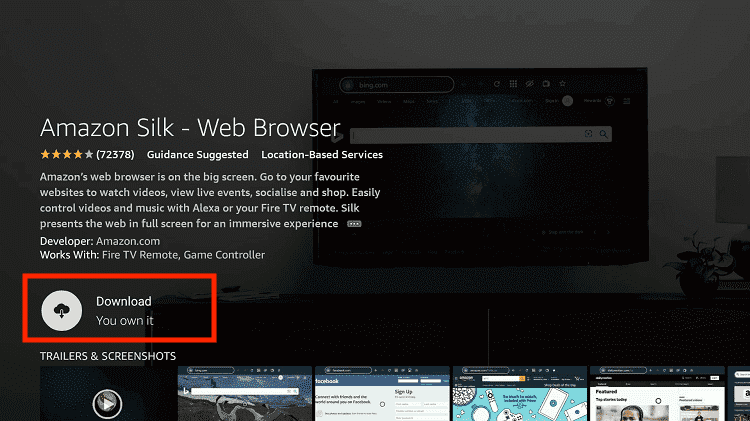
Step 8: Wait until the installation of the browser completes
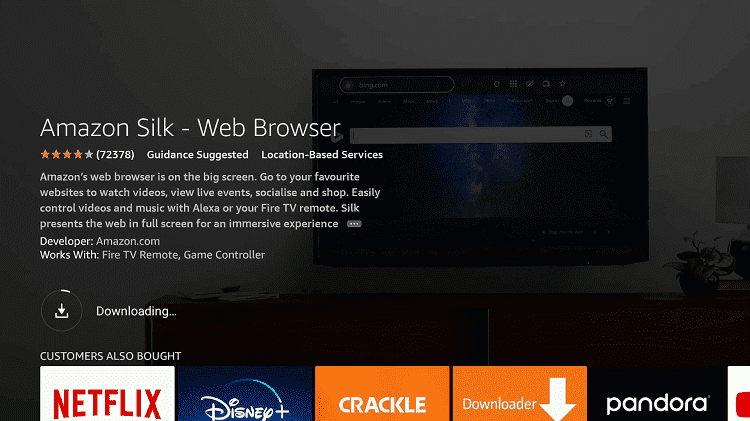
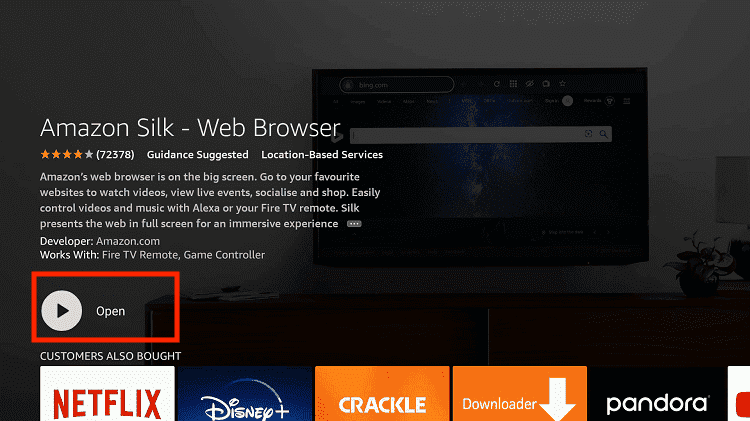
Step 9: Click Open, once the browser is installed.
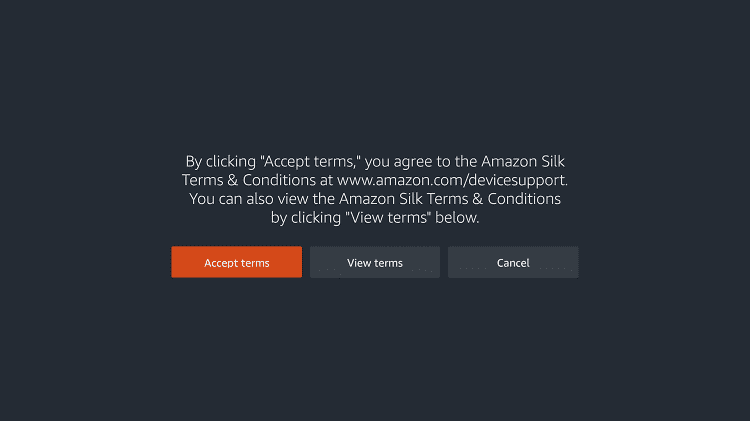
Step 10: Click on Accept Terms to access the browser
Step 11: When the browser launches, the Bing.com tab will open at first.
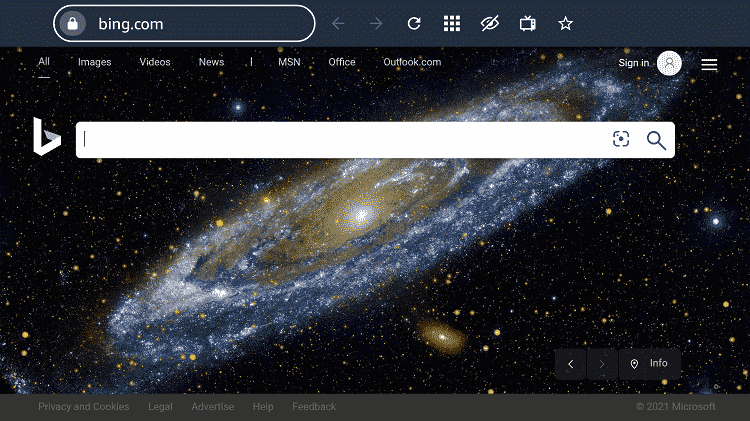
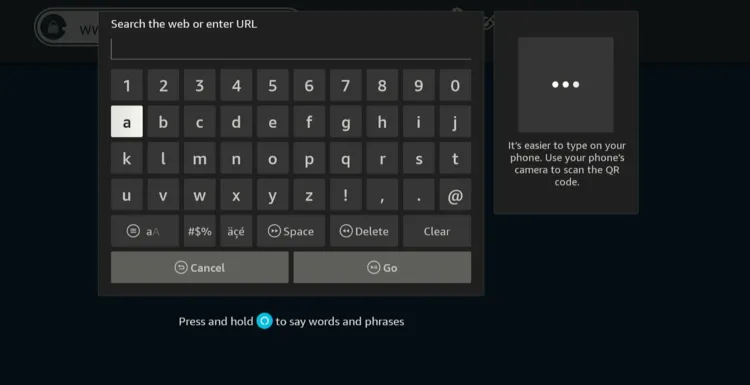
Step 12: Type watch.yestv.com in the search box and click “GO”.
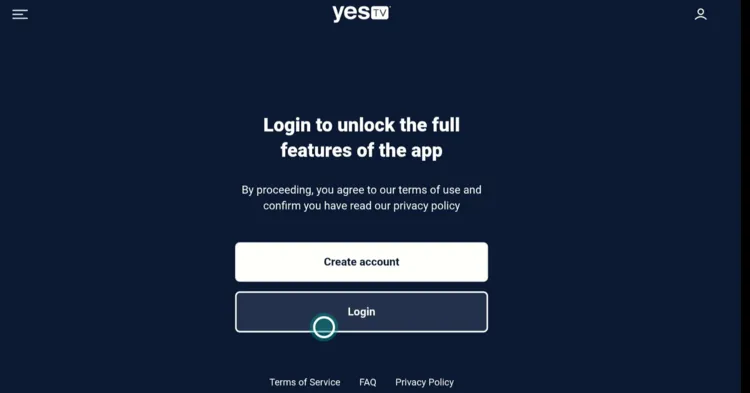
Step 13: Tap “Login”.
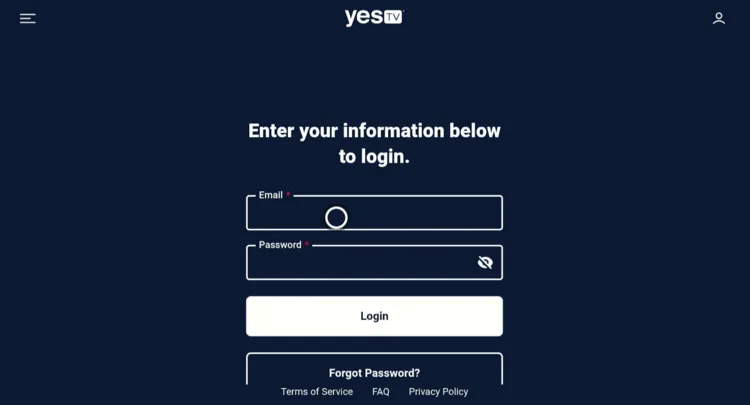
Step 14: Enter your credentials.
Step 15: Click the “Live” section.
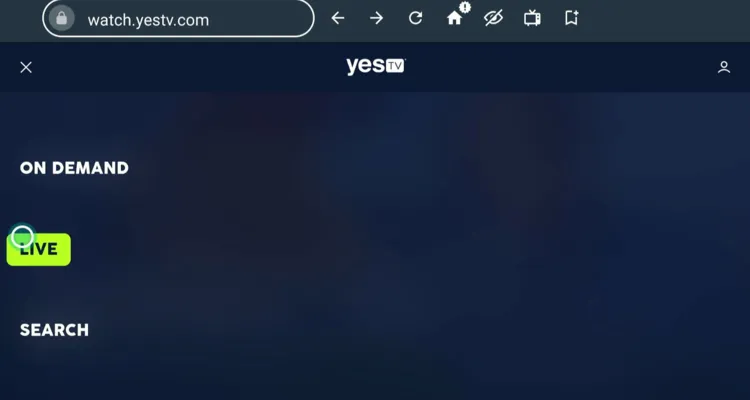
Step 16: Keep an eye on Jeopardy’s schedule and enjoy streaming.
Premium Channels/Services to Watch Jeopardy Live
If you want to stream Jeopardy on premium channels/services, Season 42’s new episodes will be available to stream the day after broadcast on the following platforms:
How to Watch Old Seasons of Jeopardy [Free]
If you’re craving more than just the daily broadcast and want to binge the classic seasons of Jeopardy!, several third-party apps let you do it for free.
But because these apps fetch content from outside the official ecosystem, you must install and use SurfShark VPN on FireStick before streaming anything.
Other Shows to Watch on FireStick
If you want to watch more shows on FireStick, consider the following titles:
- The Great British Bake Off on FireStick
- DateLine on FireStick
- House of the Dragon on FireStick
- American Idol on FireStick
- Law & Crime on FireStick
FAQs – Jeopardy
What channel streams Jeopardy live on FireStick?
You can stream Jeopardy live on FireStick through Yes TV for free.
On what days does Jeopardy air new episodes?
New episodes air Monday to Friday throughout the season.
Where can I stream Jeopardy’s old seasons for free?
Old Jeopardy seasons can be streamed through third-party apps like Cinema HD, SStream, and Flix Vision.
Who is the current Jeopardy host?
Season 42 of Jeopardy is hosted by Ken Jennings.
How long will Jeopardy Season 42 run?
Jeopardy season 42 runs from September 8, 2025, to July 24, 2026.