Disclosure: Our experts test apps for security before recommending them. If you buy through our links, we may earn a commission. See how it works.

The Canadian Grand Prix 2026 is set to take place on Sunday, May 24, 2026, at Circuit Gilles Villeneuve in Montreal, Canada. The race is scheduled to start at 4:00 PM ET.
Held on the iconic Île Notre-Dame street circuit, the track is known for its fast straights, heavy braking zones, and tight chicanes. The 2025 Canadian GP was won by George Russell (Mercedes).
With FireStick, you can watch Canadian Grand Prix 2026 for FREE via official services like RTBF (Belgium) & & Servus TV (Austria) or third-party apps like AK47 Sports, SportzX & RBTV77.
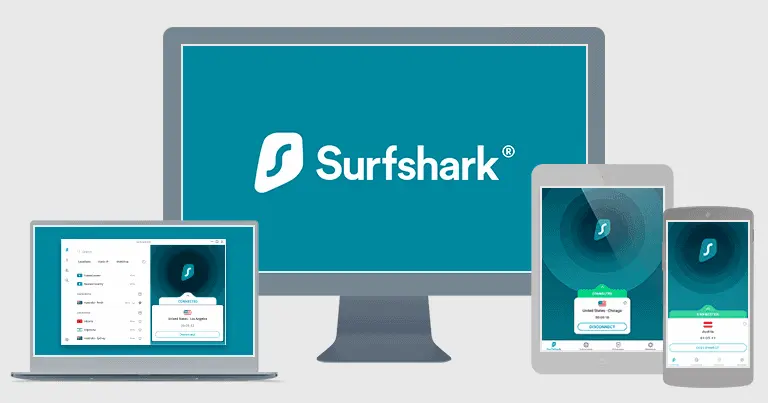
Please note that most official apps are geo-restricted, and unofficial ones might fetch links via unknown sources, so using a quality VPN is a must. Surfshark is our #1 choice.
Our Recommended VPN - Surfshark
WARNING! Amazon Monitors Your Fire TV Stick!
Yes, It’s True! Without Proper Encryption, your IP Address is Exposed, and Whatever you Stream on FireStick is 'Being Tracked'.
This can lead to:
- Blocking of the FREE Third-Party Apps
- Exposure of your Personal data to hackers, ISPs, and even the authorities
But There’s a Solution - ‘Surfshark VPN’
Save 87% + Get 3 Extra Months FREE with Surfshark VPN [Limited Time Offer]
This Includes:
✅ VPN for just $0.06/day!
✅ Strongest Encryption (i.e.256-Encryption)
✅ 3,200 servers in 100+ server locations
✅ Kill Switch Feature for FireStick users
✅ Data Breach Alerts.
✅ Unlimited Device Connections.
✅ 30-day money-back guarantee.

2 Ways to Watch Canadian GP on FireStick [FREE]
Use the following 2 tried-and-tested methods to stream the Canadian GP on FireStick worldwide.
- Watch Canadian GP on Firestick Using Downloader App
- Watch Canadian GP on Firestick Using Amazon Silk Browser
How to Watch Canadian GP on Firestick Using Downloader App
Servus TV will cover Canadian Grand Prix 2026 for free. Apart from live coverage, you will also watch behind-the-scenes stories, technical breakdowns, and interviews.
However, please note that this platform is restricted to Austria, so outsiders will have to use SurfShark VPN on FireStick and connect it to the Austrian server.
Follow the steps below:
Step 1: Turn ON your FireStick device and Go to FireStick Home
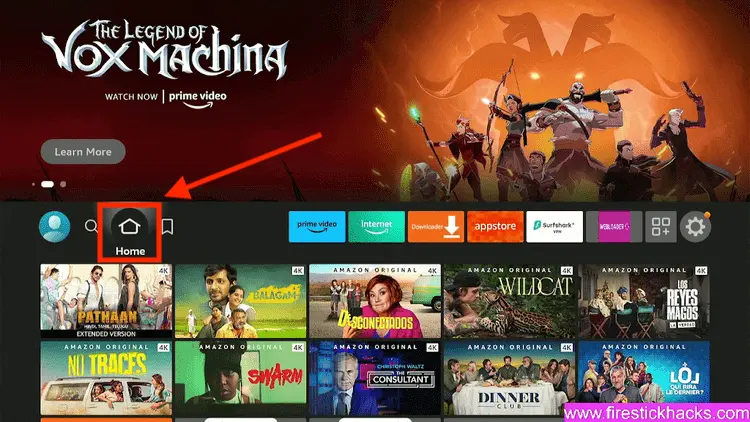
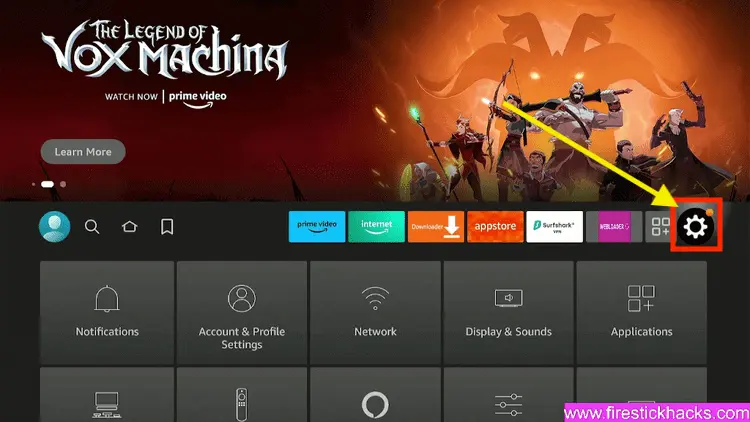
Step 2: Click on the Settings icon
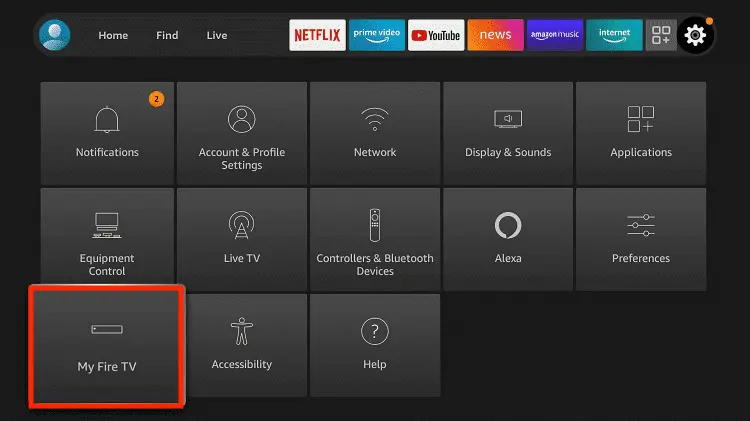
Step 3: Select the My Fire TV option
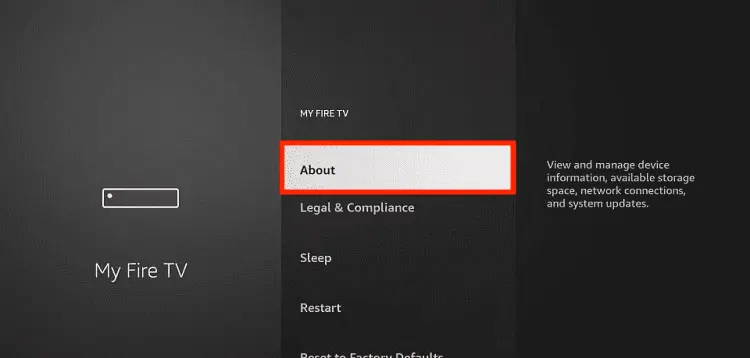
Step 4: To enable the Developer Option, click About.
Note: If you have already enabled the Developer Option, then proceed to Step 10
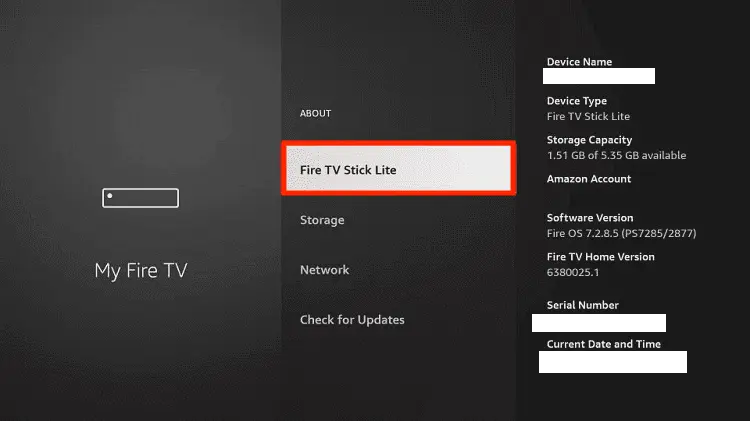
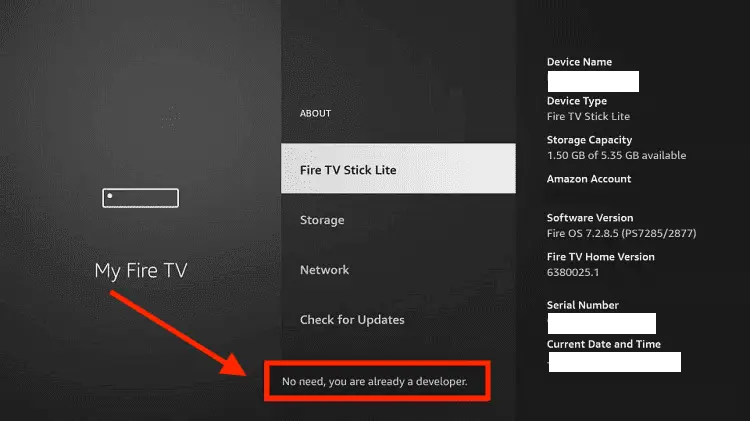
Step 5: Click on the Fire TV Stick option quickly at least 7 times
Step 6: Now you will see this message at the bottom saying "No need, you are already a developer". So stop clicking then
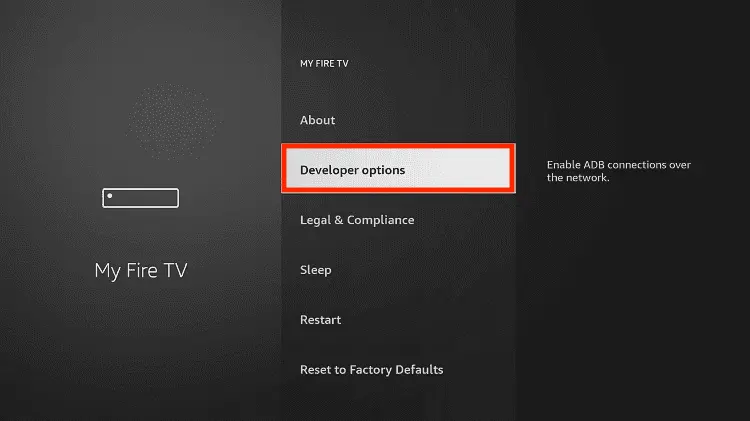
Step 7: Now the Developer Option will appear in the menu so click on it
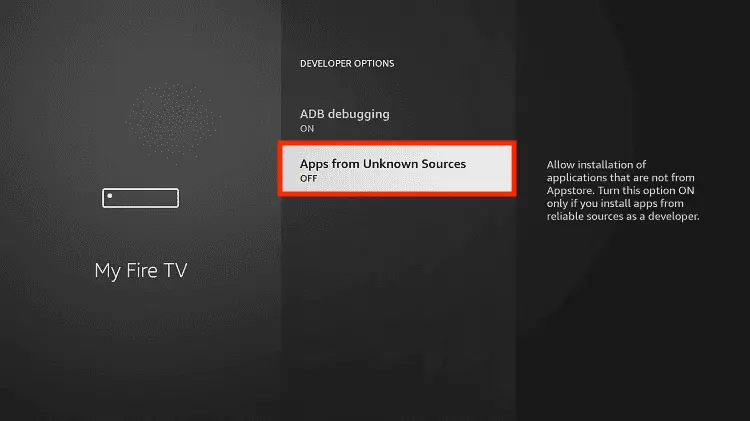
Step 8: Choose Apps from Unknown Sources to turn it ON
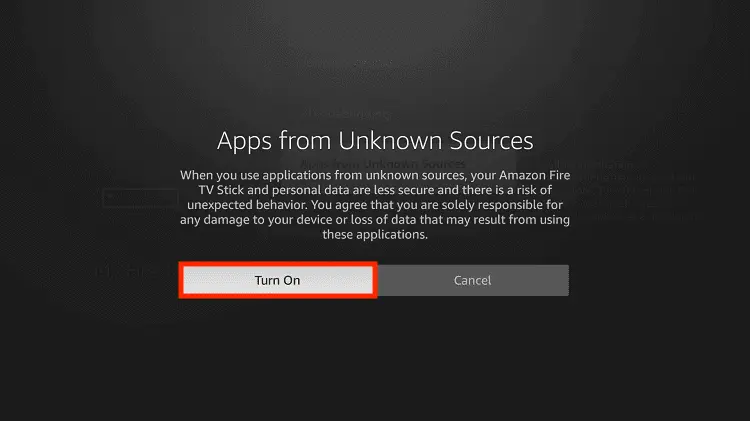
Step 9: Simply click Turn On
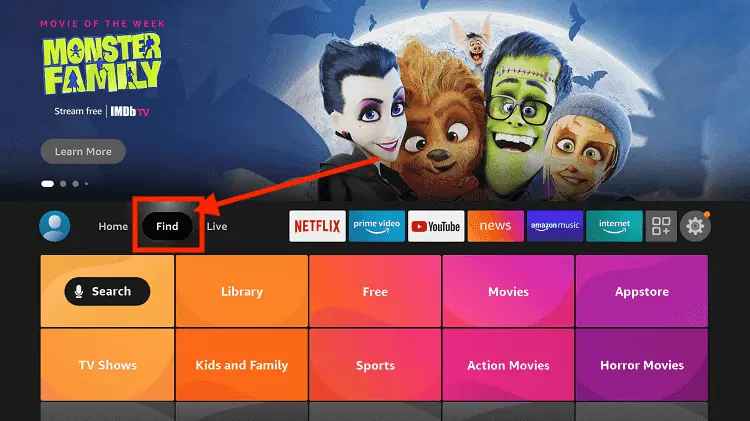
Step 10: Now return to the FireStick Home menu by pressing the "Home" icon on the remote and click on Find
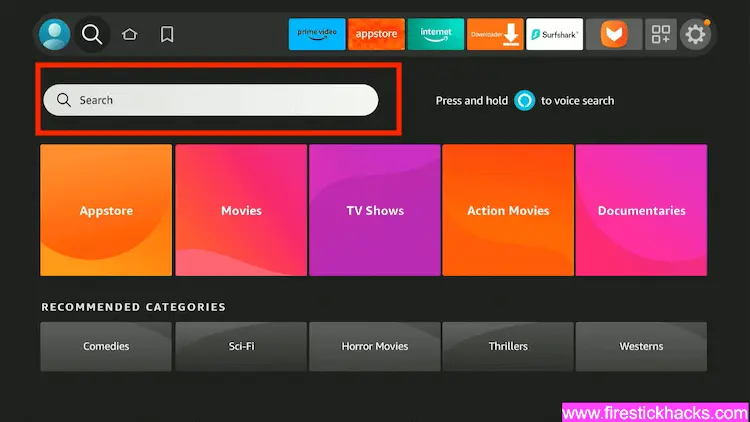
Step 11: Now select the Search icon
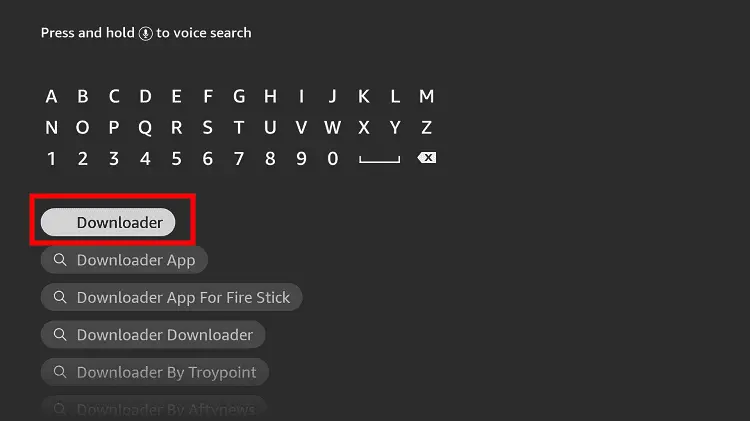
Step 12: Type Downloader and press search
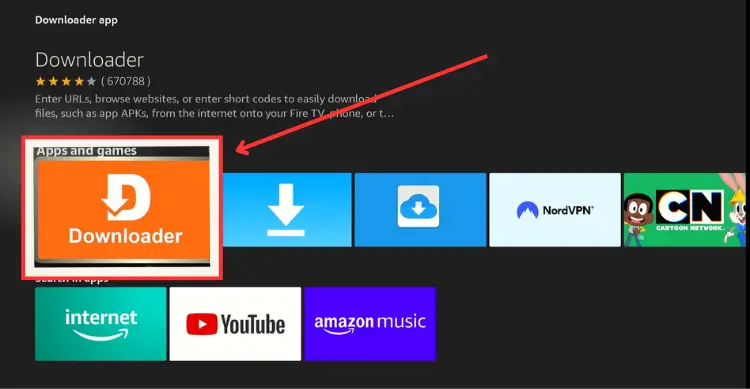
Step 13: Select the Downloader App icon from the list available in the Amazon Store
Step 14: Tap Get/Download
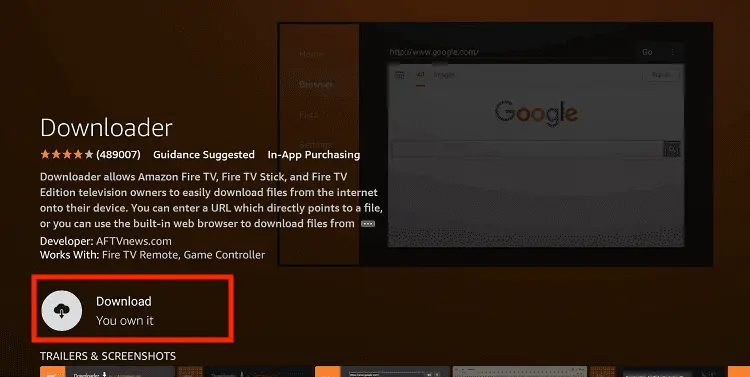
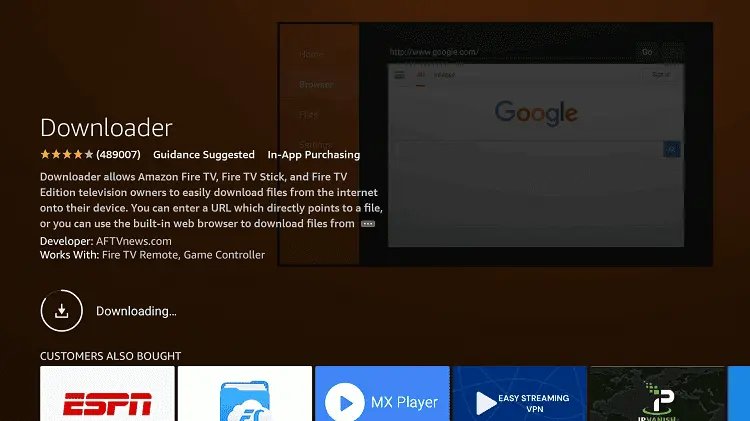
Step 15: Wait for a while until the installation process is completed
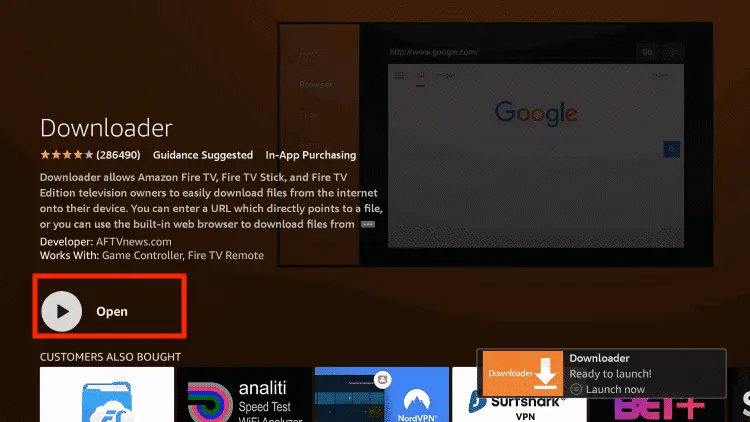
Step 16: Now click Open
Step 17: You will see a popup about Downloader app latest update. Click "OK".

Step 18: Click OK again

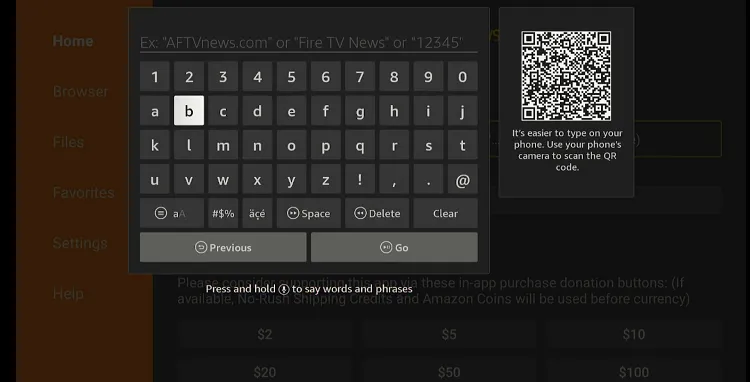
Step 19: This is the Downloader App interface, Click the Search Bar on top

Step 20: Enter Servus TV downloader code 730116 in the search box OR enter this URL bit.ly/fsh-downloads and click Go.
Note: The referenced link is the official URL of this app/website. FIRESTICKHACKS does not own, operate, or re-sell any app, streaming site, or service and has no affiliation with its developers.
Step 21: Scroll down and click “Servus TV” from the “Sports Apps” category.
Note: If the app does not start downloading, then clear the Downloader App cache using this article.

Step 22: The downloading will start. Wait for it to finish.
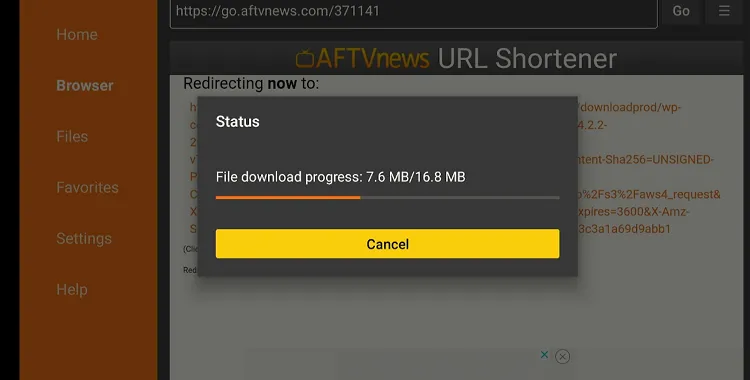
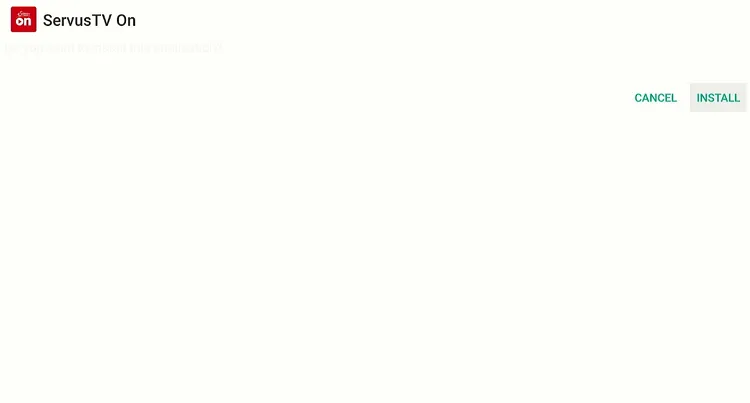
Step 23: Once the downloading ends, click “Install.”
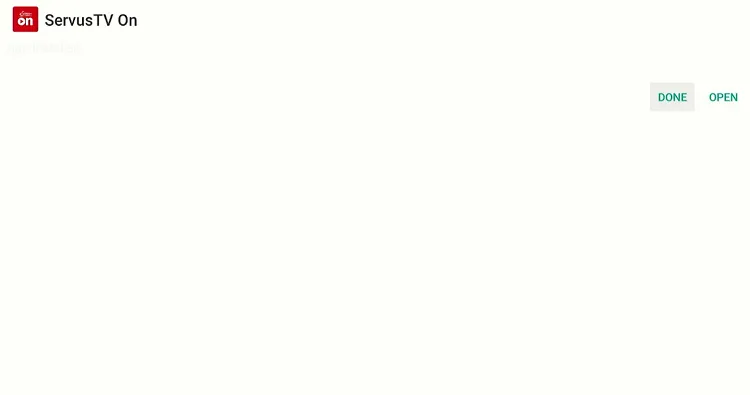
Step 24: Tap the “Done” icon.
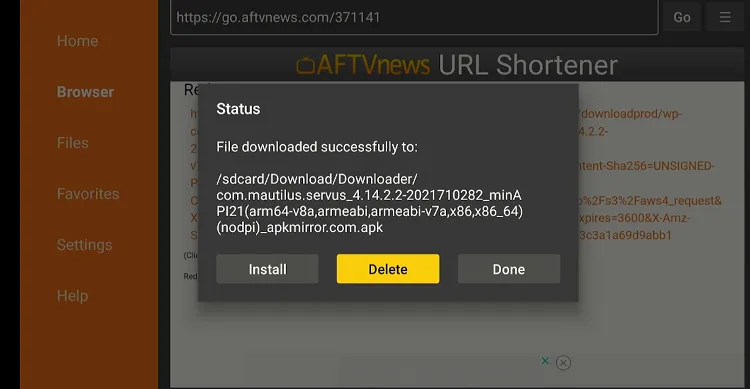
Step 25: Click “Delete” to remove the Servus TV APK file from FireStick.
Note: Deleting APK files will free up space on FireStick.
Step 26: Tap “Delete” again to complete the process.

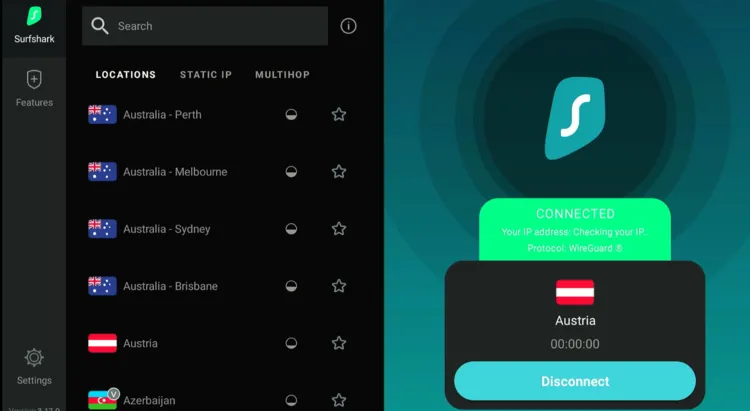
Step 27: Open Surfshark and connect it to the Austria server.
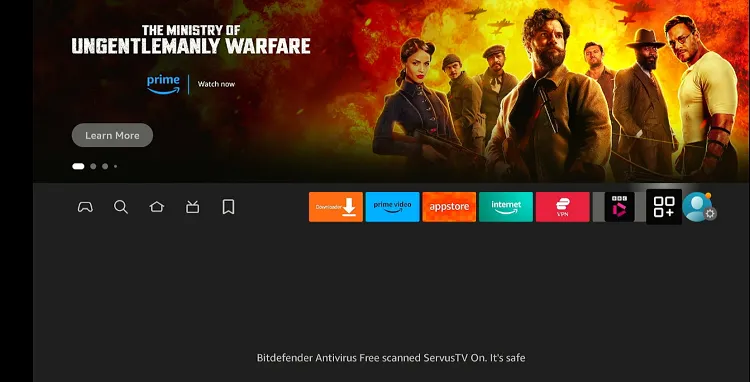
Step 28: Go to the FireStick home and select the “Apps Library” from the top right corner.
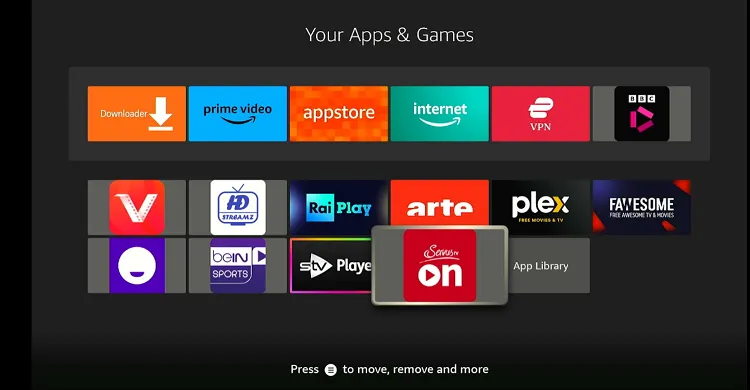
Step 29: Choose “Servus TV” from the list.
Step 30: Click the icon in red (left side).
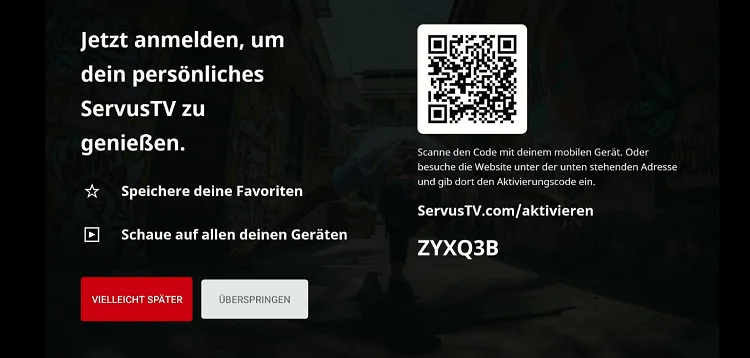
Step 31: Again, tap the red icon on the left.

Step 32: Scroll down to the “LIVESTREAMS” section and choose Canadian Grand Prix.
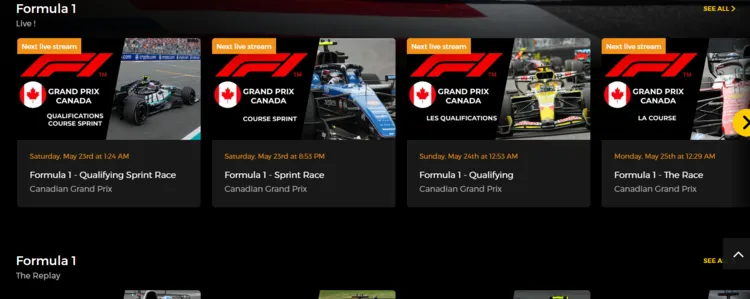
Step 33: The race will stream once it goes live.
How to Watch Canadian GP on Firestick Using Amazon Silk Browser
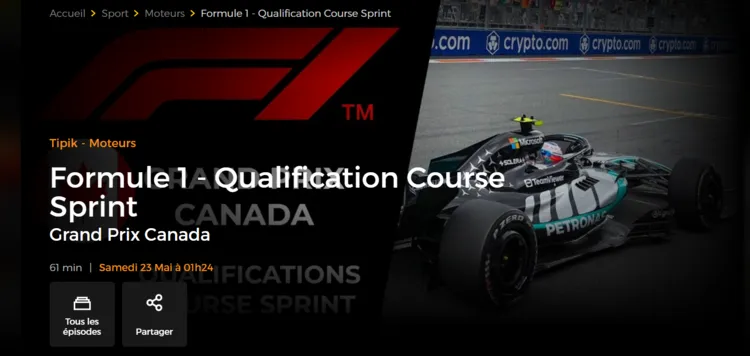
You can also watch the Canadian Grand Prix 2026 for FREE via the RTBF official website on Amazon Silk Browser.
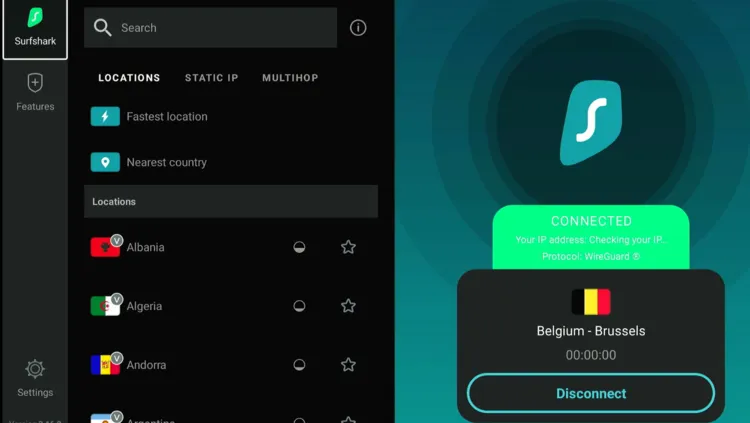
However, please note that this platform is restricted to Belgium, so outsiders will have to use SurfShark VPN on FireStick and connect it to the Belgium server.
Follow the steps below:
Step 1: Open Surfshark and connect it to the Belgium server.
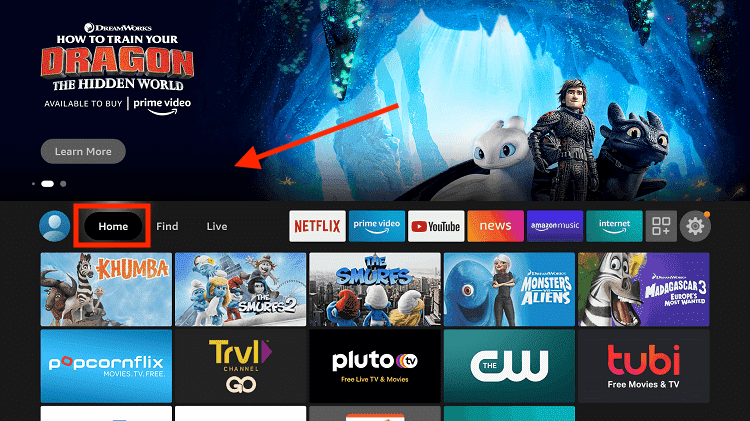
Step 2: Go to FireStick Home
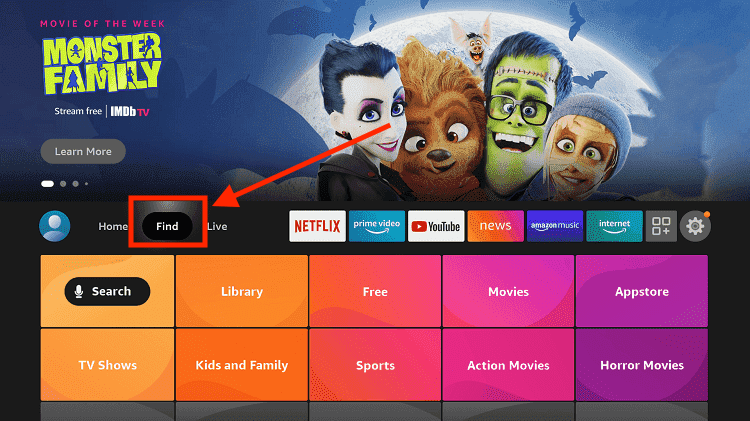
Step 3: Click on the Find tab
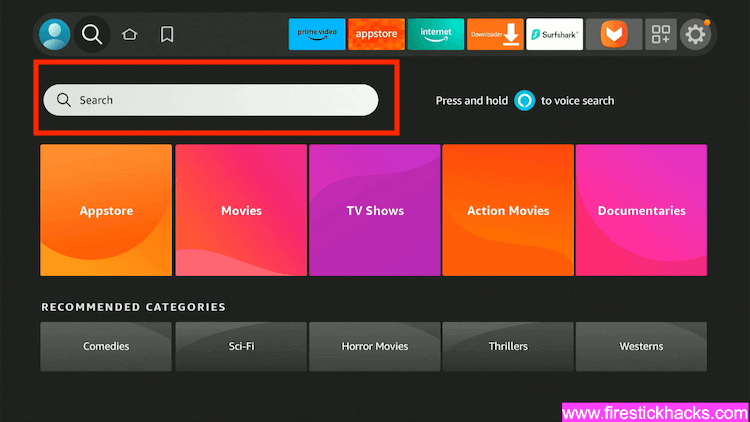
Step 4: Now select the Search option
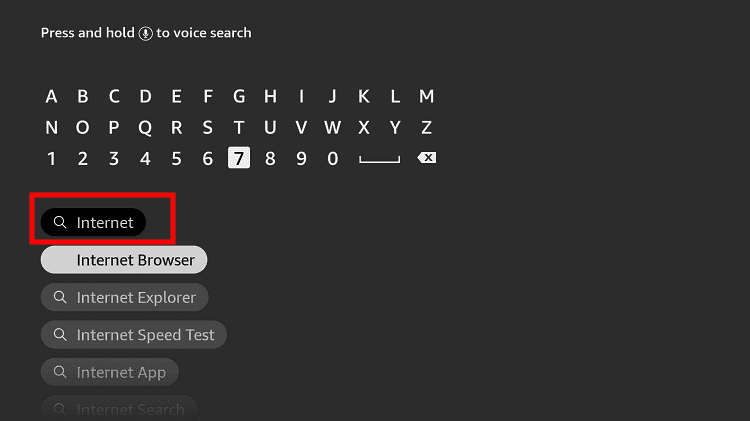
Step 5: Type Internet in the search bar and select from the list
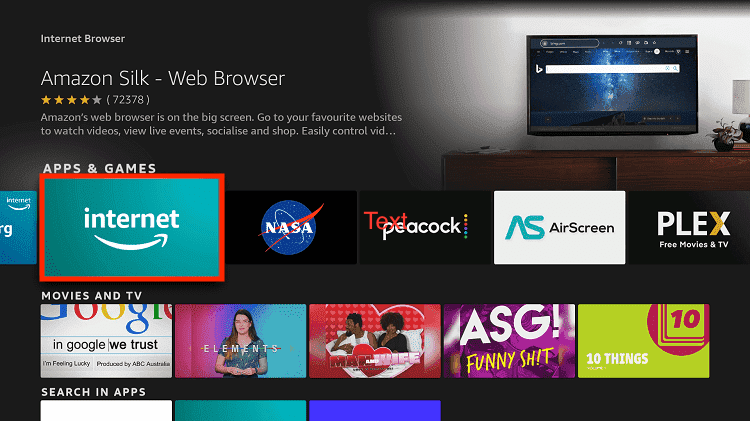
Step 6: Choose the Internet App (Silk Browser) from the given options
Step 7: Tap the Get/Download button
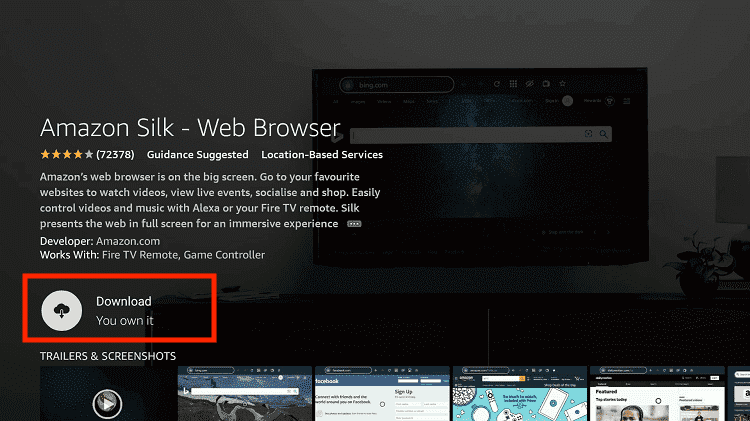
Step 8: Wait until the installation of the browser completes
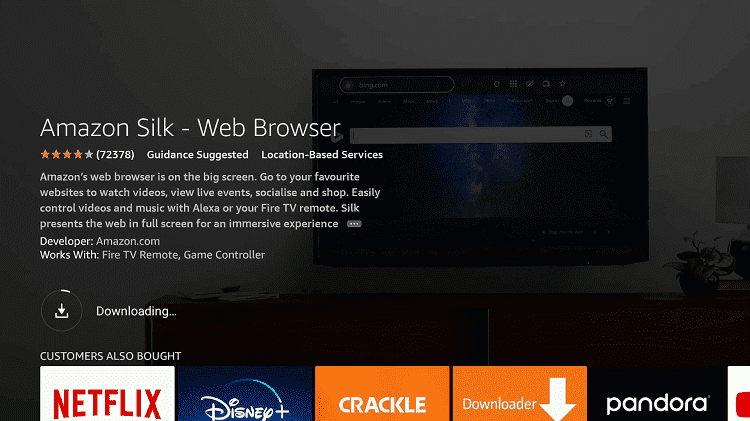
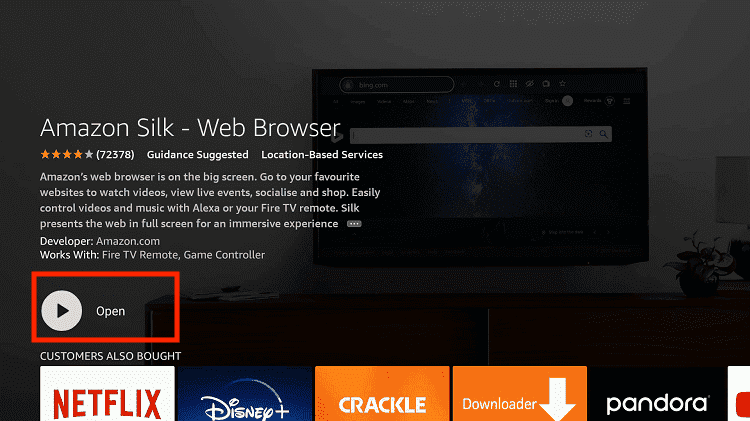
Step 9: Click Open, once the browser is installed.
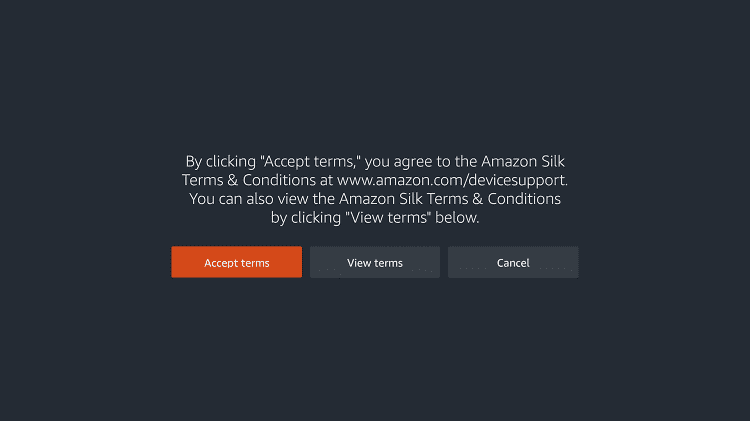
Step 10: Click on Accept Terms to access the browser
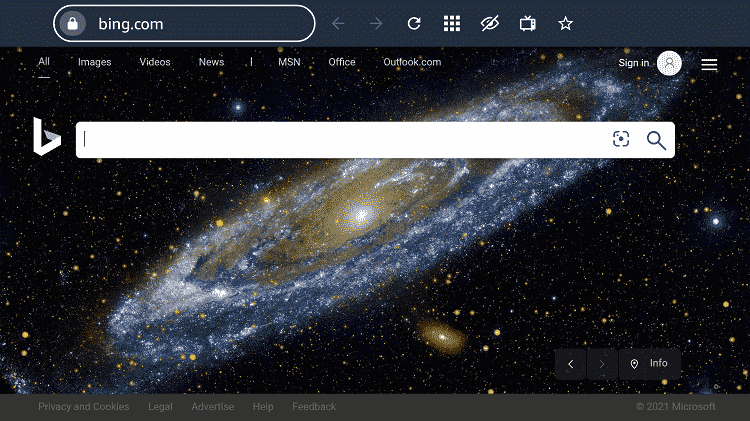
Step 11: When the browser launches, the Bing.com tab will open at first.
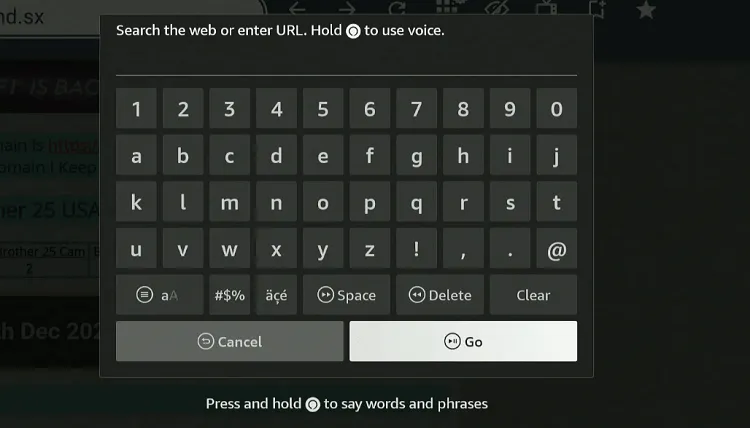
Step 12: Enter www.auvio.rtbf.be in the search box and click GO.
Note: The referenced link is the official URL of this app/website. FIRESTICKHACKS does not own, operate, or re-sell any app, streaming site, or service and has no affiliation with its developers.
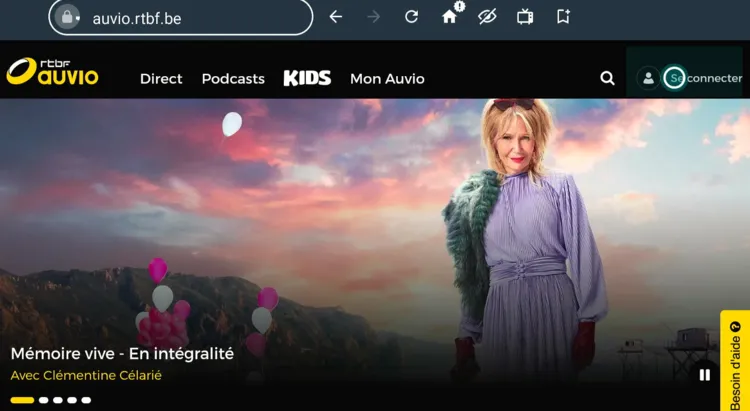
Step 13: Click the profile icon in the top right corner.
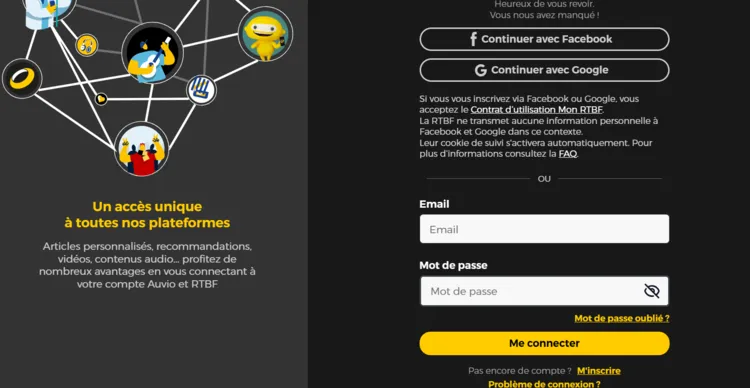
Step 14: Enter your credentials.
P.S. If you don’t have an account on Auvio RTBF, be sure to register first for free on the official website.
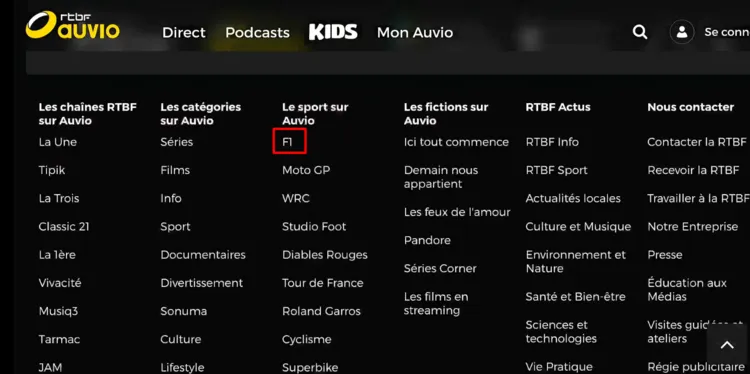
Step 15: Scroll all the way down to the website. Tap “F1”.
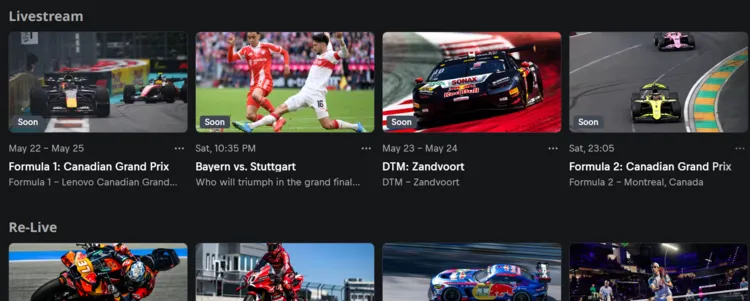
Step 16: Choose the live Canadian Grand Prix.
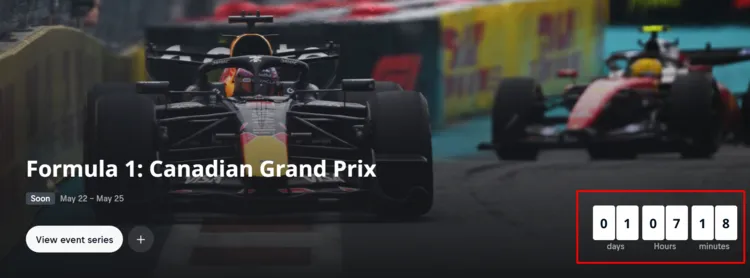
Step 17: You will see the live race once it starts!
Paid Services/Channels To Watch Canadian GP on FireStick
If you are looking for extra features like DVR or multi-screen, premium official streaming services could be the best fit for your requirements.
However, most of the streaming platforms listed are geo-restricted to specific countries, so be sure to install and use SurfShark VPN on FireStick to bypass geo-blocking.
- F1 TV (Multiple Countries)
- Sling TV (US)
- YouTube TV (US)
- Hulu (US)
- beIN Sports (MENA)
- Sky (Germany, UK, Italy)
Canadian GP Schedule [2026]
| Session | Time (ET) |
|---|---|
| Practice 1 | Friday, May 22 – 9:30 AM – 10:30 AM |
| Sprint Qualifying | Friday, May 22 – 1:30 PM – 2:14 PM |
| Sprint Race | Saturday, May 23 – 9:00 AM – 10:00 AM |
| Qualifying | Saturday, May 23 – 4:00 PM – 5:00 PM |
| Race (Grand Prix) | Sunday, May 24 – 4:00 PM – 6:00 PM |
How to Watch Canadian GP Highlights
You can watch MLB highlights via the F1 Official YouTube Channel. The biggest issue with YouTube is the ads. You can avoid YouTube ads with TizenTube and SmartTube.
All About Circuit Gilles Villeneuve
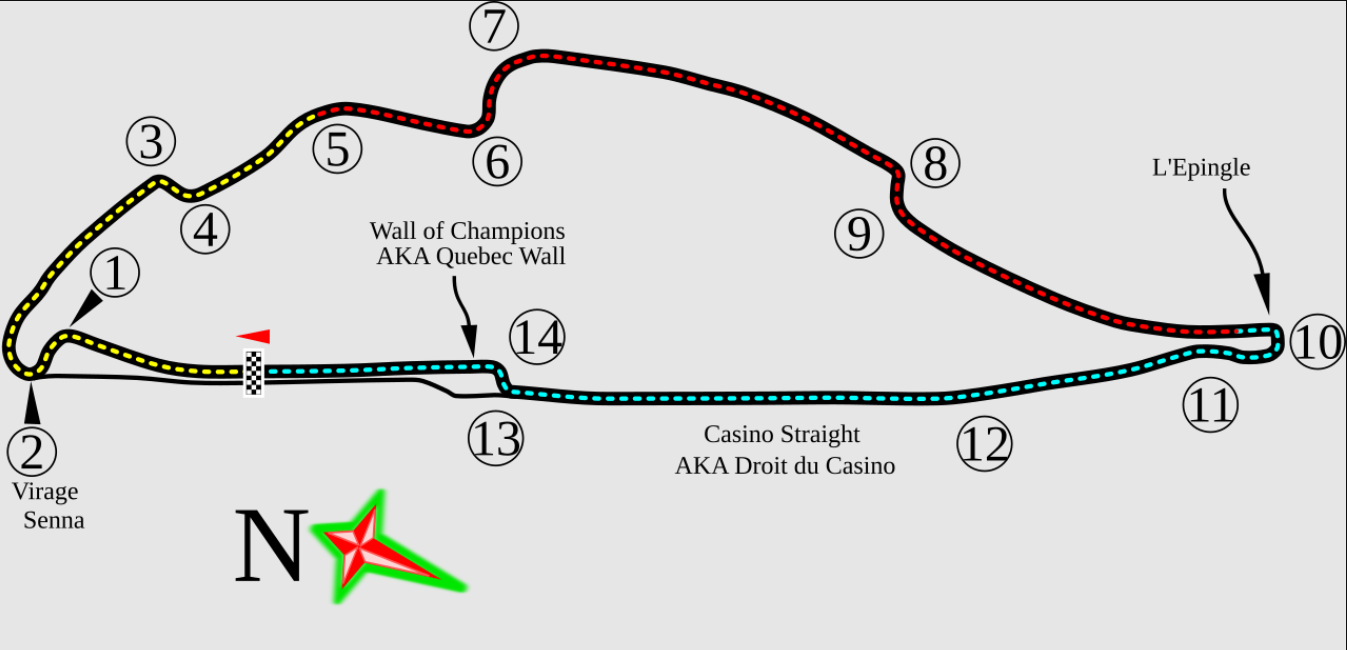
- Location: Montreal, Canada
- Venue: Île Notre-Dame
- Laps: 70
- Length: 4.361 km
- Track Type: Semi-street circuit
- Corners: Tight chicanes
- Straights: Long & fast
- Overtakes: High chance
- Risk: Crash-prone sections
- Famous Spot: Wall of Champions
Trouble Streaming Canadian GP on FireStick? Try These Fixes
If you’re facing issues like buffering, app crashes, etc., while streaming the F1 races, here are a few quick fixes to get things running smoothly again:
✅Clear app cache
✅Close background apps
✅Connect FireStick via Ethernet
✅Adjust video resolution
✅Restart FireStick
P.S. If you are still facing playback problems, check out our detailed articles to stop buffering on FireStick and fix streaming errors.
Other Formula 1 Grand Prix Races to Watch on FireStick
Here’s the list of Formula 1 Grand Prix races you can watch on FireStick in 2026:
- Austrian Grand Prix on FireStick
- Abu Dhabi Grand Prix on FireStick
- Belgian Grand Prix on FireStick
- Hungarian Grand Prix on FireStick
- Dutch Grand Prix on FireStick
FAQs – Canadian GP
When is the Canadian Grand Prix 2026?
The Canadian Grand Prix 2026 will take place on Sunday, May 24, 2026.
What time does the Canadian GP start in ET?
The race is scheduled to start at 4:00 PM ET.
Where is the Canadian Grand Prix held?
It is held at the Circuit Gilles Villeneuve in Montreal, Canada.
How many laps are in the Canadian Grand Prix?
The race is run over 70 laps of the Circuit Gilles Villeneuve.
What happened in the last Canadian Grand Prix?
The 2025 Canadian GP was won by George Russell for Mercedes.
Final Thoughts
The Canadian Grand Prix continues to be a favorite among Formula 1 fans. For those looking to catch all the action live for free, the FireStick offers many options.
Be it official free services like Servus TV (Austria) and RTBF (Belgium) or third-party apps like AK47 Sports, SportzX, and CricFy TV, you can watch F1 the way it suits you.
However, do not forget to use Surfshark as it helps you bypass any geo-restrictions and prioritizes your online security.