
Disclosure: Our experts test apps for security before recommending them. If you buy through our links, we may earn a commission. See how it works.
MotoGP has been thrilling fans since the world championship began in 1949, with the modern “MotoGP” era starting in 2002.
The 2025 MotoGP season is underway. This past weekend, Marc Márquez claimed victory at the San Marino Grand Prix, moving closer to his seventh world championship. (Next Up is the Japanese Grand Prix).
Ducati (Italian motorcycle manufacturer) has dominated in recent years, winning both the Riders’ and Constructors’ titles for three straight seasons.
With FireStick, you can watch the MotoGP 2025 for FREE via official services like Servus TV (Austria) & RTBF (Belgium) or third-party apps like RBTV33, TVMob & SportsFire.
Please note that official services are geo-restricted and unofficial apps fetch links via unknown/unverified sources, so using a quality VPN is a must. Surfshark is our #1 choice.
Our Recommended VPN - Surfshark

WARNING! Amazon Monitors Your Fire TV Stick!
Yes, It’s True! Without Proper Encryption, your IP Address is Exposed, and Whatever you Stream on FireStick is 'Being Tracked'.
This can lead to:
- Blocking of the FREE Third-Party Apps
- Exposure of your Personal data to hackers, ISPs, and even the authorities
But There’s a Solution - ‘Surfshark VPN’
Save 87% + Get 3 Extra Months FREE with Surfshark VPN [Limited Time Offer]
This Includes:
✅ VPN for just $0.06/day!
✅ Strongest Encryption (i.e.256-Encryption)
✅ 3,200 servers in 100+ server locations
✅ Kill Switch Feature for FireStick users
✅ Data Breach Alerts.
✅ Unlimited Device Connections.
✅ 30-day money-back guarantee.

2 Ways to Watch MotoGP on FireStick
Regardless of your location, you can use the following 2 tried-and-tested methods to stream the MotoGP 2025 on FireStick for free
How to Watch MotoGP on FireStick Using Downloader App
Servus TV will streams the MotoGP 2025 on FireStick for free. Apart from live coverage, you will also watch behind-the-scenes stories, technical breakdowns, and interviews.
However, please note that this platform is restricted to Austria, so outsiders will have to use SurfShark VPN on FireStick and connect it to the Austrian server.
P.S. After each race, recorded videos disappear a few hours after the race. To avoid that, start the race before the podium ends and rewind. If you miss it, you must wait 5–6 hours.
Follow the steps below:
Step 1: Turn ON your FireStick device and Go to FireStick Home

Step 2: Click on the Settings icon
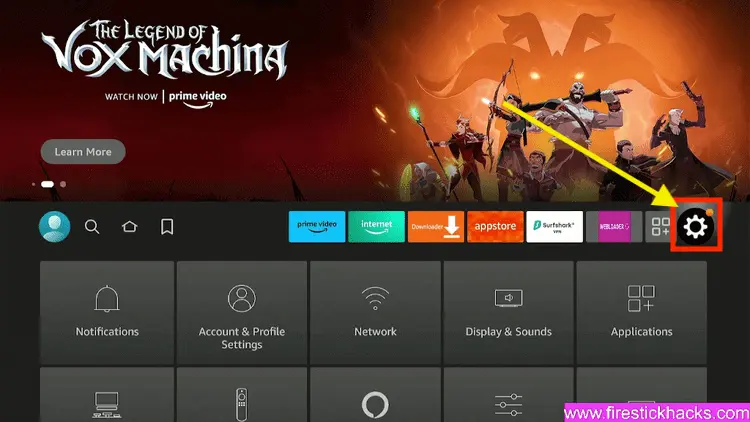
Step 3: Select the My Fire TV option

Step 4: To enable the Developer Option, click About.
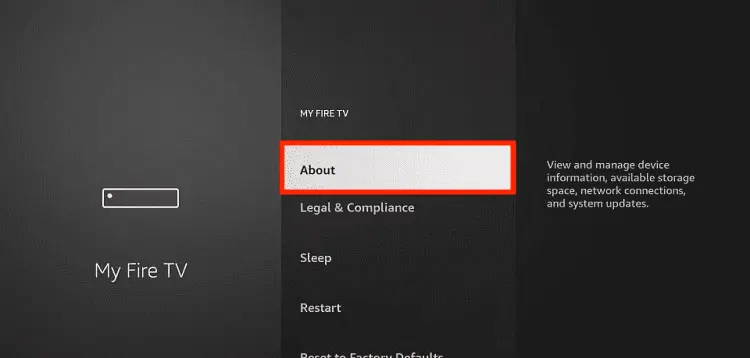
Note: If you have already enabled the Developer Option, then proceed to Step 10
Step 5: Click on the Fire TV Stick option quickly at least 7 times

Step 6: Now you will see this message at the bottom saying "No need, you are already a developer". So stop clicking then

Step 7: Now the Developer Option will appear in the menu so click on it
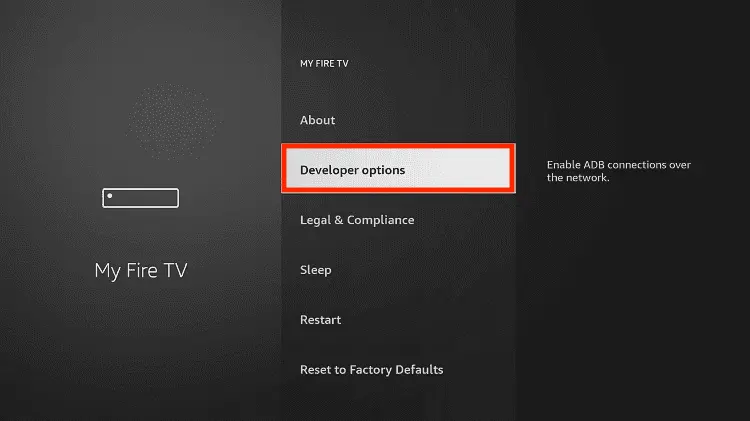
Step 8: Choose Apps from Unknown Sources to turn it ON

Step 9: Simply click Turn On

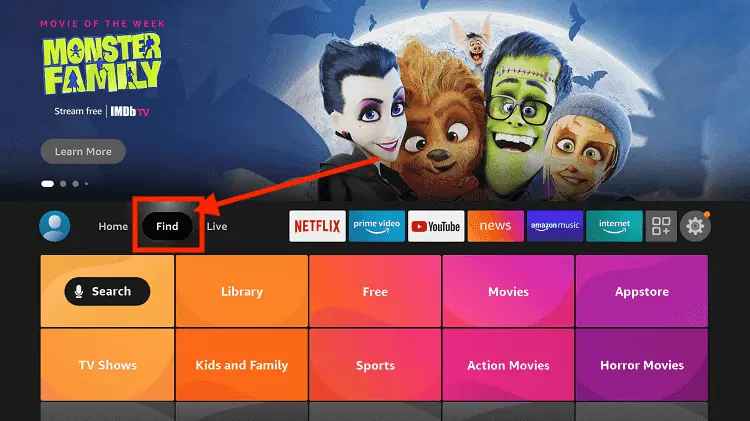
Step 10: Now return to the FireStick Home menu by pressing the "Home" icon on the remote and click on Find
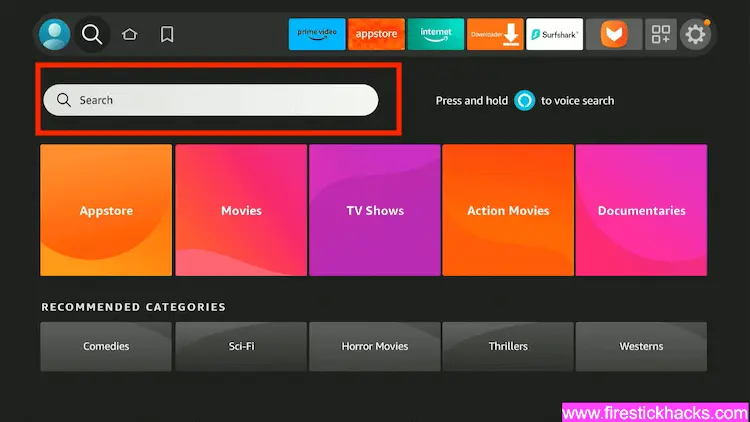
Step 11: Now select the Search icon
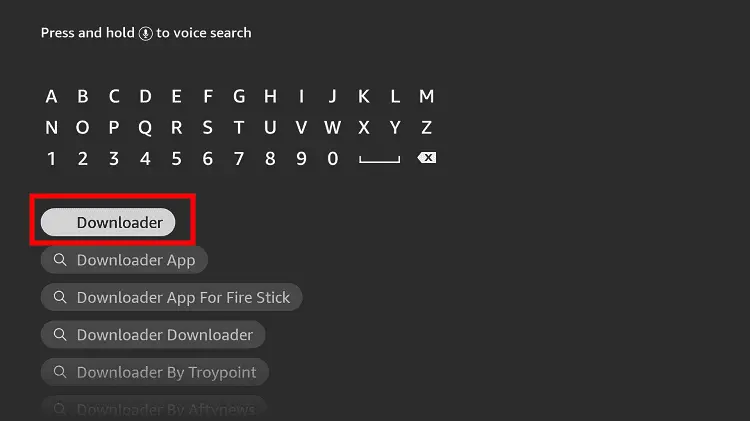
Step 12: Type Downloader and press search
Step 13: Select the Downloader App icon from the list available in the Amazon Store

Step 14: Tap Get/Download
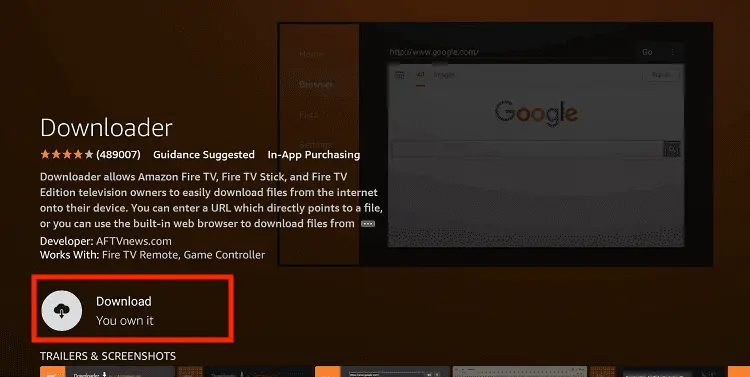
Step 15: Wait for a while until the installation process is completed
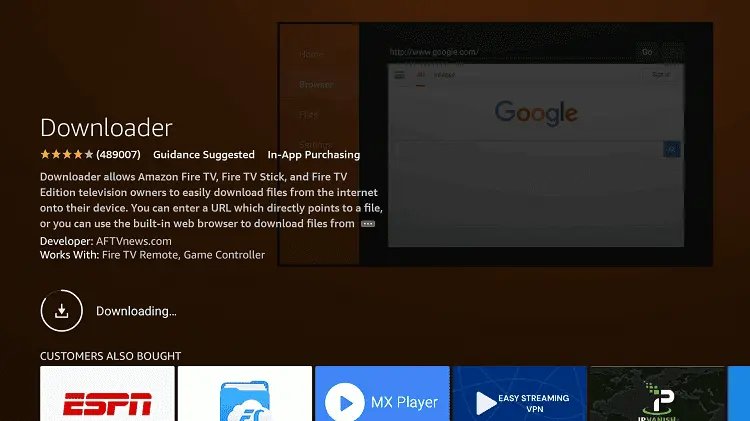
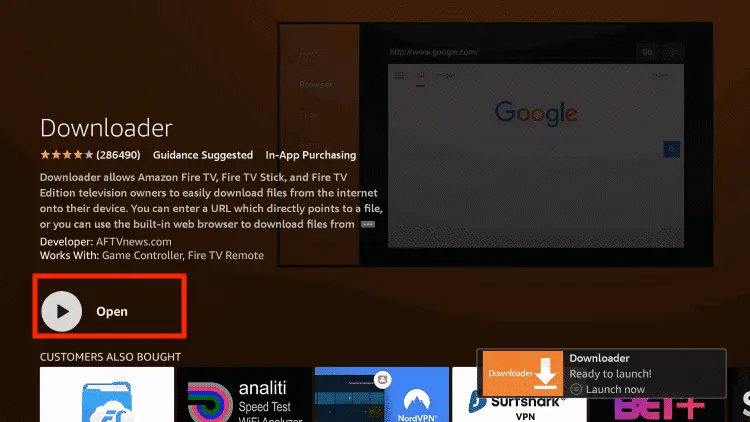
Step 16: Now click Open
Step 17: You will see a popup about Downloader app latest update. Click "OK".

Step 18: Click OK again

Step 19: This is the Downloader App interface, Click the Search Bar on top

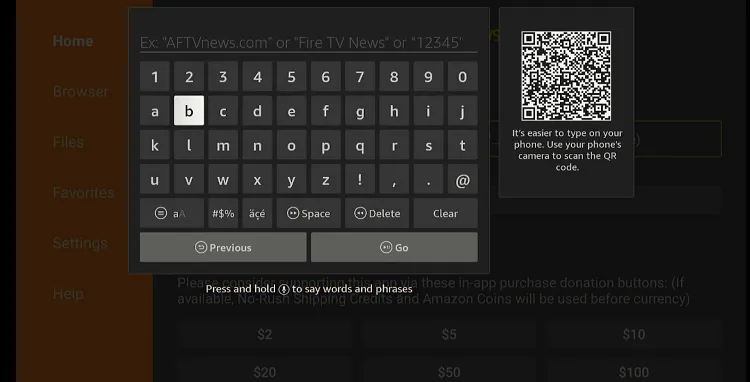
Step 20: Enter Servus TV downloader code 730116 in the search box OR enter this URL bit.ly/fsh-downloads and click Go.
Note: The referenced link is the official URL of this app/website. FIRESTICKHACKS does not own, operate, or re-sell any app, streaming site, or service and has no affiliation with its developers.
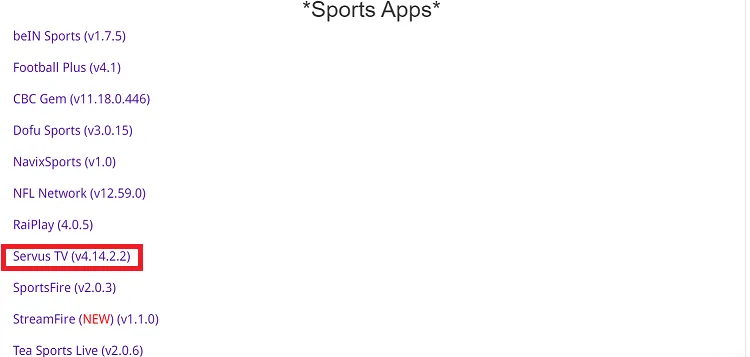
Step 21: Scroll down and click “Servus TV” from the “Sports Apps” category.
Note: If the app does not start downloading, then clear the Downloader App cache using this article.
Step 22: The downloading will start. Wait for it to finish.
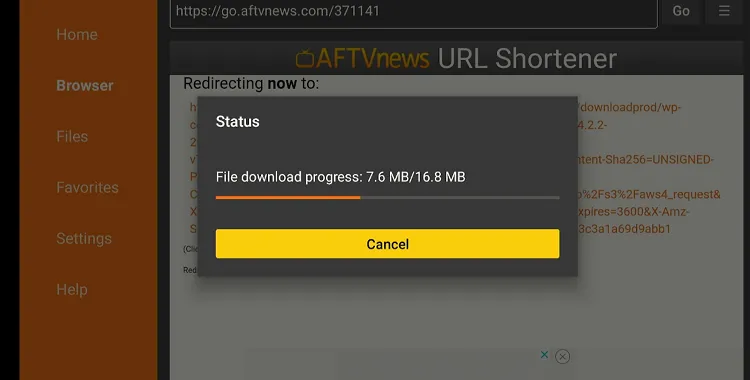
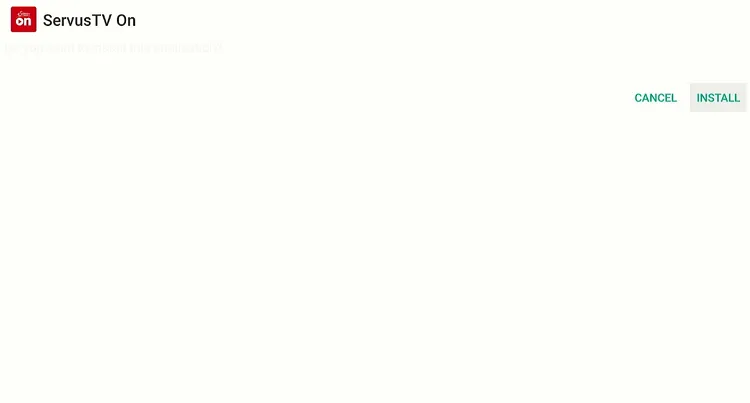
Step 23: Click “Install”.
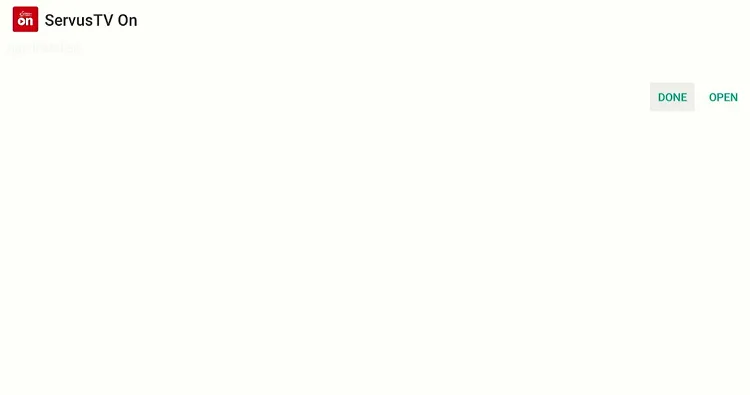
Step 24: Click “Done”.
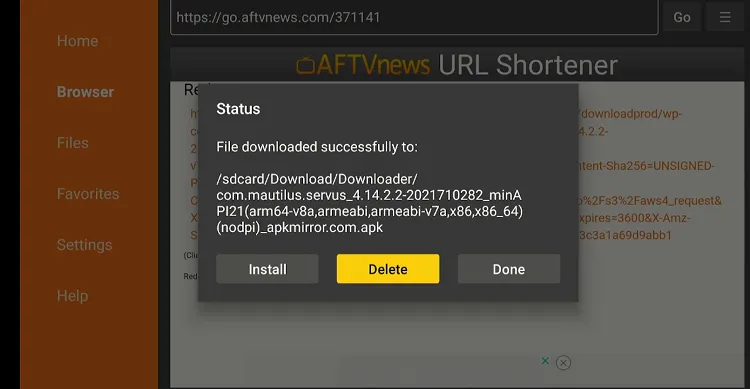
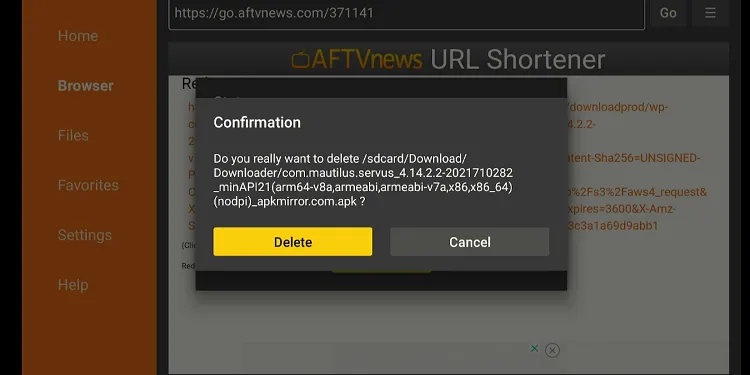
Step 25: Click “Delete” to remove the Servus TV APK file from FireStick.
Note: Deleting APK files will free up space on FireStick.
Step 26: Tap “Delete” again to complete the process.
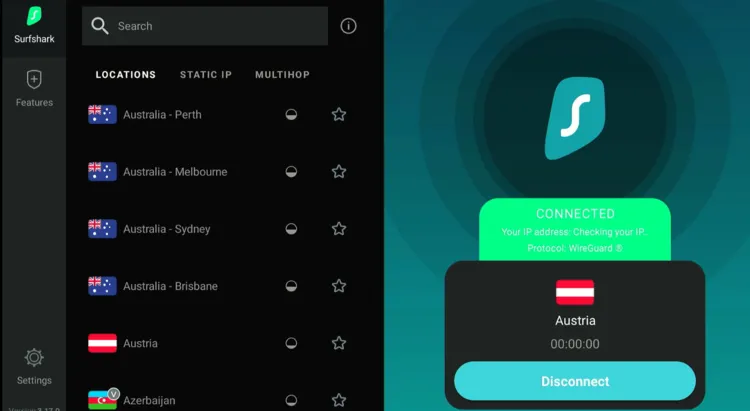
Step 27: Open Surfshark and connect it to the Austria server.
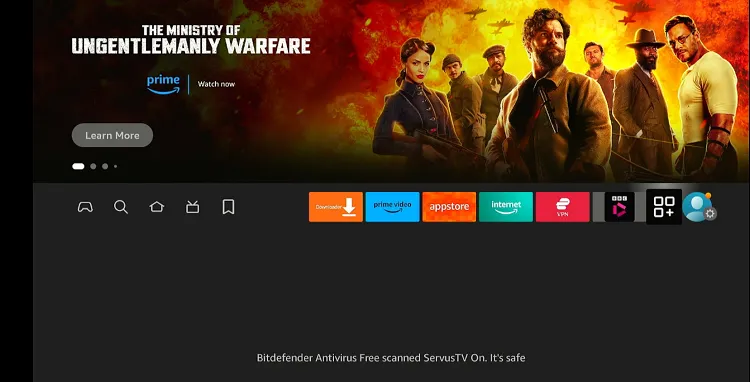
Step 28: Go to the FireStick home and select the “Apps Library” from the top right corner.
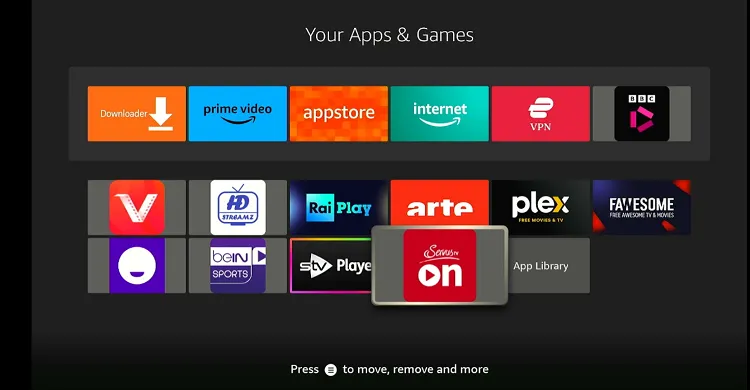
Step 29: Choose “Servus TV” from the list.
Step 30: Click the icon in red.
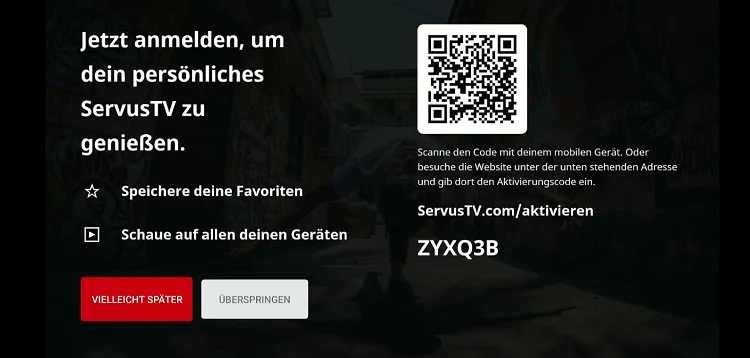
Step 31: Again, tap the red icon on the left.
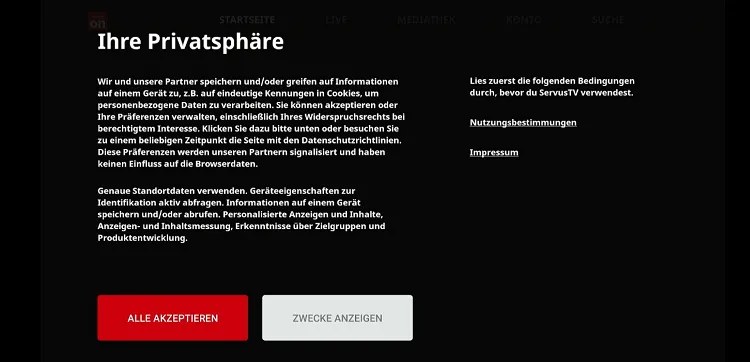
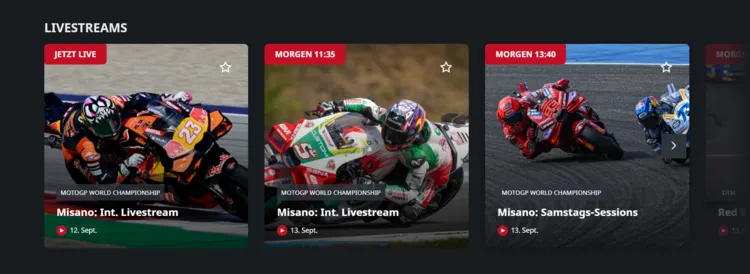
Step 32: Go to the “Livestreams” section. Choose the MotoGP race from the list and enjoy streaming!
How to Watch MotoGP on FireStick Using a Browser
You can also watch MotoGP live for FREE via the RTBF official website on Amazon Silk Browser.
However, please note that this platform is restricted to Belgium, so outsiders will have to use SurfShark VPN on FireStick and connect it to the Belgium server.
Follow the steps below:
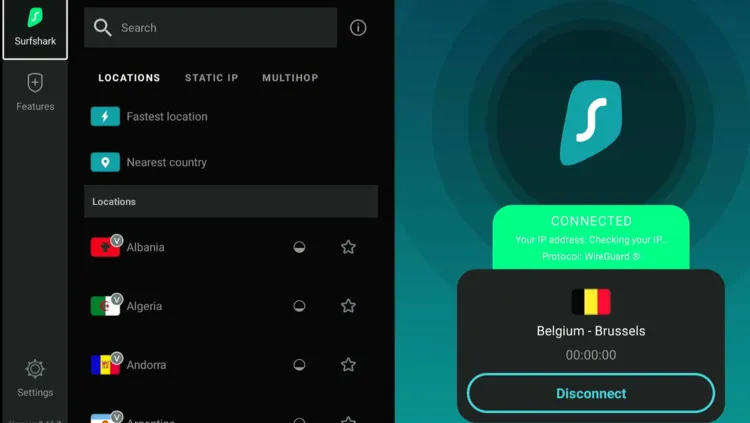
Step 1: Open Surfshark and connect it to the Belgium server.
Step 2: Go to FireStick Home
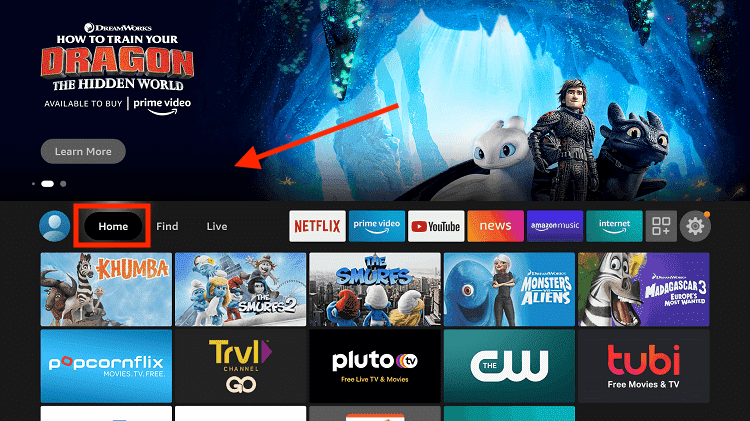
Step 3: Click on the Find tab
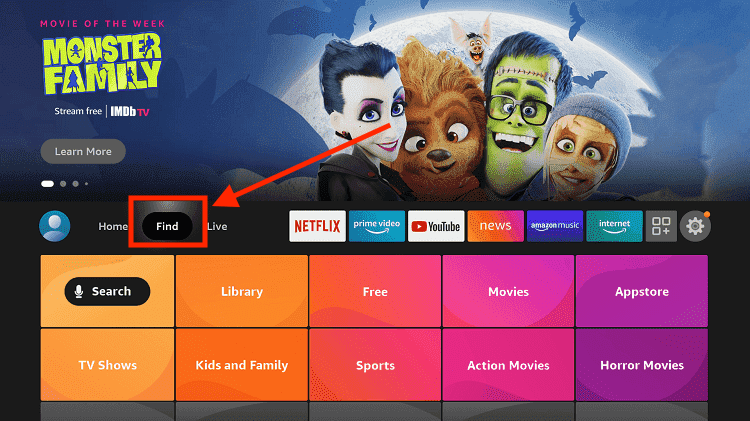
Step 4: Now select the Search option
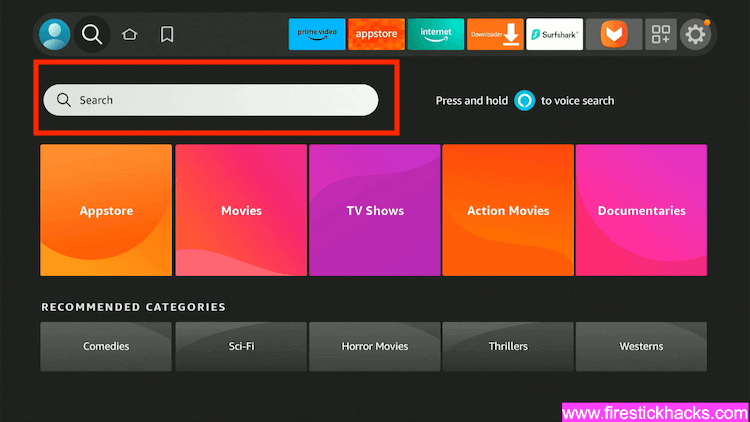
Step 5: Type Internet in the search bar and select from the list
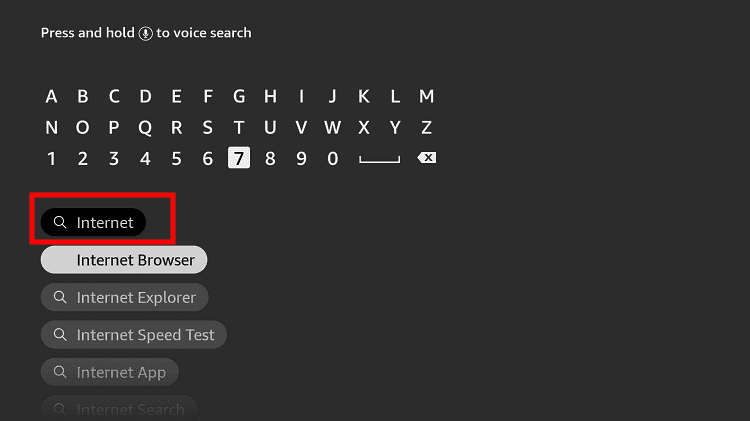
Step 6: Choose the Internet App (Silk Browser) from the given options
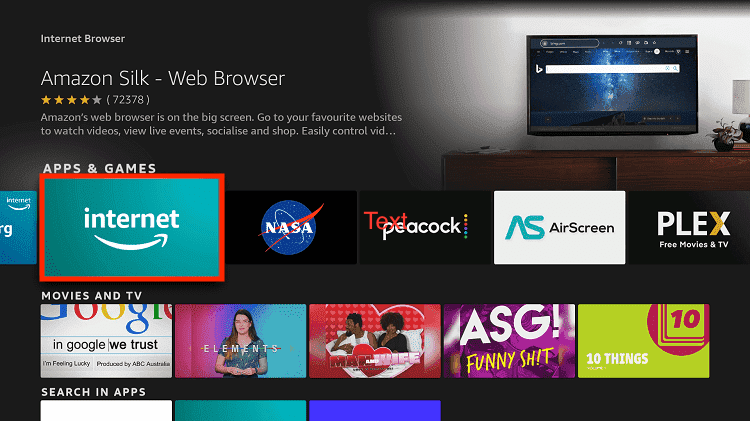
Step 7: Tap the Get/Download button
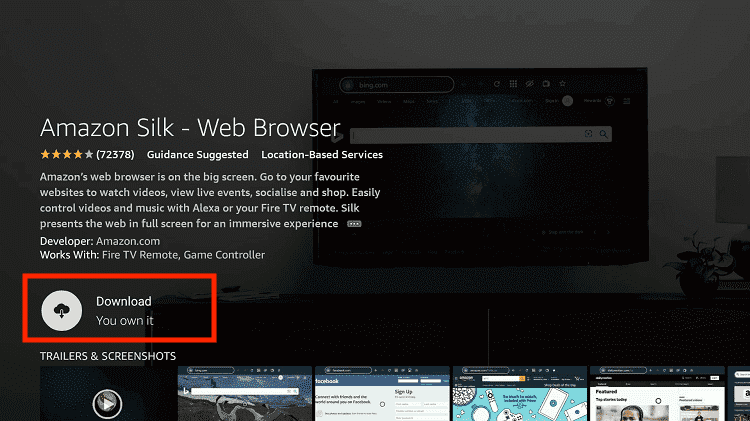
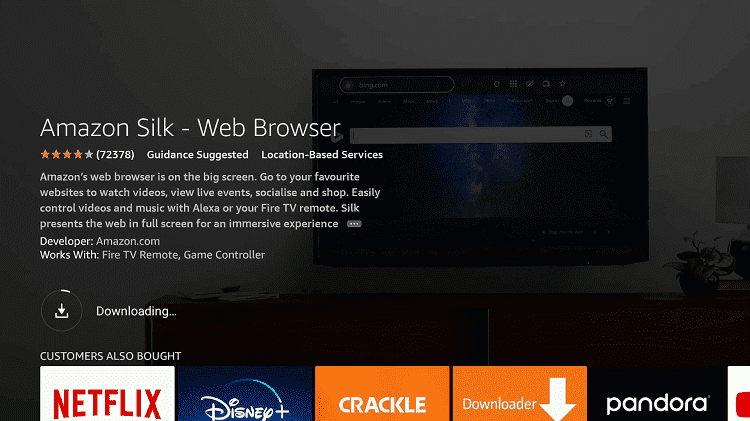
Step 8: Wait until the installation of the browser completes
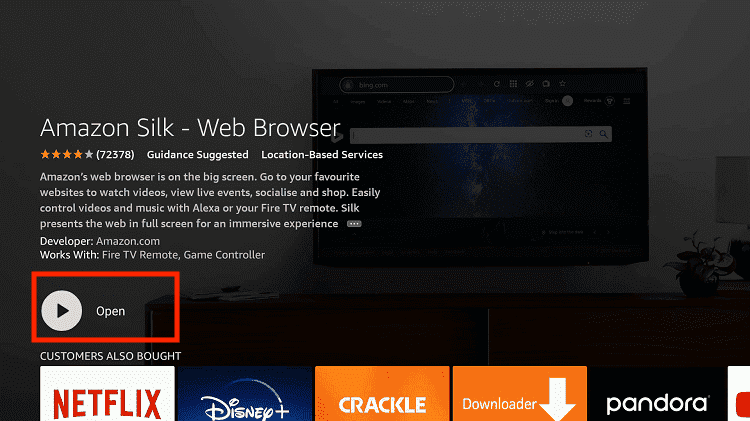
Step 9: Click Open, once the browser is installed.
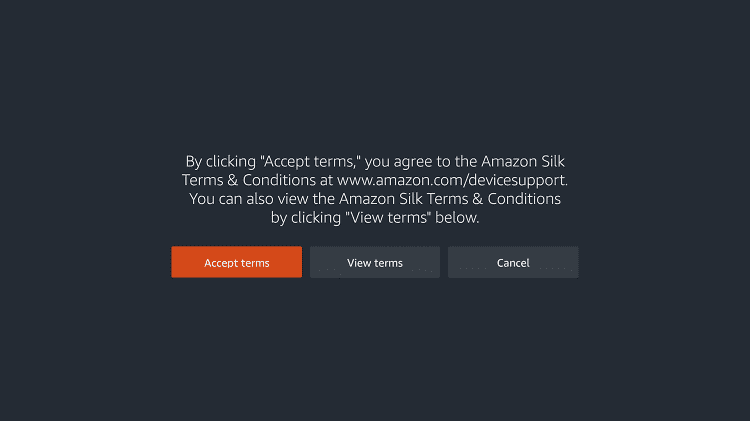
Step 10: Click on Accept Terms to access the browser
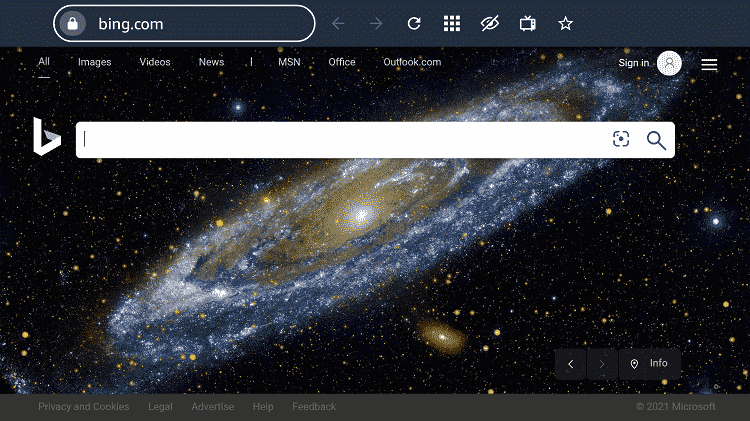
Step 11: When the browser launches, the Bing.com tab will open at first.
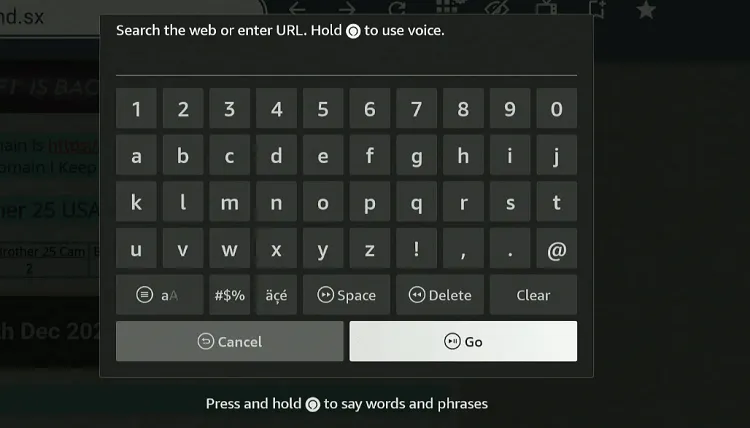
Step 12: Enter www.auvio.rtbf.be in the search box and click GO.
Note: The referenced link is the official URL of this app/website. FIRESTICKHACKS does not own, operate, or re-sell any app, streaming site, or service and has no affiliation with its developers.
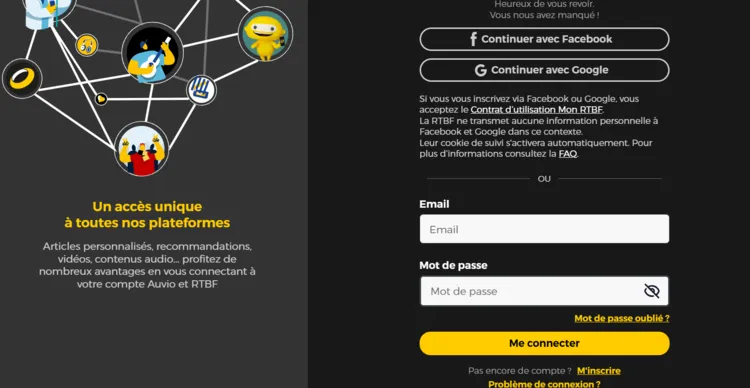
Step 13: Click the profile icon in the top right corner.
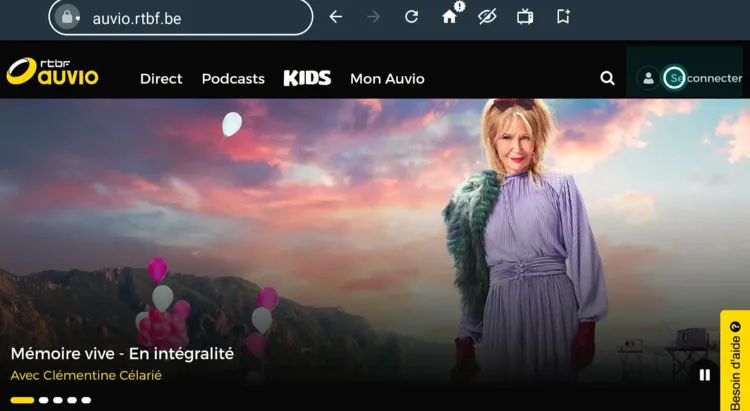
Step 14: Enter your credentials.
P.S. If you don’t have an account on Auvio RTBF, be sure to register first for free.
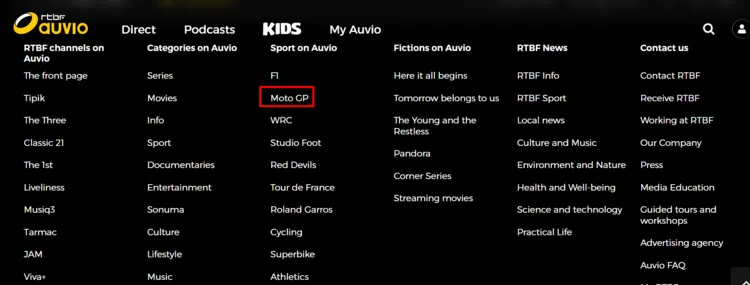
Step 15: Scroll all the way down to the website. Tap “Moto GP”.
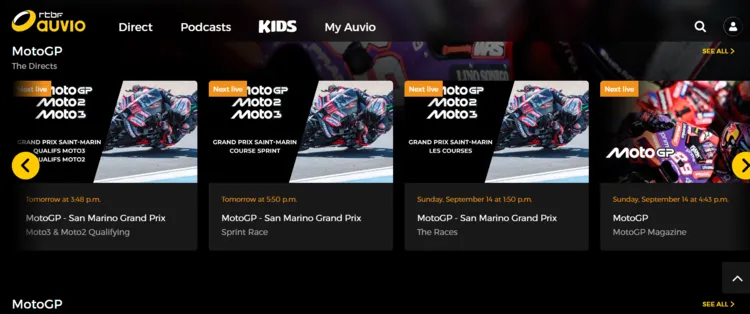
Step 16: Choose the live Moto GP; you will see the live race once it starts!
Paid Services/Channels To Watch MotoGP on FireStick
For those looking for DVR functionality and multi-screen options, premium streaming apps are the ideal solution to watch the MotoGP on FireStick.
However, most of the streaming platforms listed are geo-restricted to specific countries, so be sure to install and use SurfShark VPN on FireStick to bypass geo-blocking.
- FuboTV (US)
- SuperSport (Africa)
- Canal+ (France)
- Viaplay (Finland)
- YouTube TV (US)
- Sky (Italy, Germany)
MotoGP 2025 Calendar
The 2025 MotoGP season spans 22 races across 18 countries. It starts on March 2 in Thailand and ends on November 16 in Valencia. Here’s the complete schedule with dates and times in ET:
| Round | Grand Prix | Date (Sunday) | Race Start Time (ET) |
|---|---|---|---|
| 1 | Thailand | March 2, 2025 | 12:00 PM ET |
| 2 | Argentina | March 16, 2025 | 3:00 PM ET |
| 3 | Americas (USA, Austin) | March 30, 2025 | 2:00 PM ET |
| 4 | Qatar | April 13, 2025 | 8:00 PM ET |
| 5 | Spain (Jerez) | April 27, 2025 | 2:00 PM ET |
| 6 | France (Le Mans) | May 11, 2025 | 2:00 PM ET |
| 7 | United Kingdom (Silverstone) | May 25, 2025 | 1:00 PM ET |
| 8 | Aragon | June 8, 2025 | 2:00 PM ET |
| 9 | Italy (Mugello) | June 22, 2025 | 2:00 PM ET |
| 10 | Netherlands (Assen) | June 29, 2025 | 2:00 PM ET |
| 11 | Germany (Sachsenring) | July 13, 2025 | 2:00 PM ET |
| 12 | Czechia (Brno) | July 20, 2025 | 2:00 PM ET |
| 13 | Austria | August 17, 2025 | 2:00 PM ET |
| 14 | Hungary (Balaton Park) | August 24, 2025 | 2:00 PM ET |
| 15 | Catalonia (Barcelona) | September 7, 2025 | 2:00 PM ET |
| 16 | San Marino (Misano) | September 14, 2025 | 2:00 PM ET |
| 17 | Japan (Motegi) | September 28, 2025 | 2:00 PM ET |
| 18 | Indonesia (Mandalika) | October 5, 2025 | 2:00 PM ET |
| 19 | Australia (Phillip Island) | October 19, 2025 | 2:00 PM ET |
| 20 | Malaysia (Sepang) | October 26, 2025 | 3:00 PM ET |
| 21 | Portugal (Portimão) | November 9, 2025 | 2:00 PM ET |
| 22 | Valencia (Spain) | November 16, 2025 | 2:00 PM ET |
Top MotoGP 2025 Riders to Watch
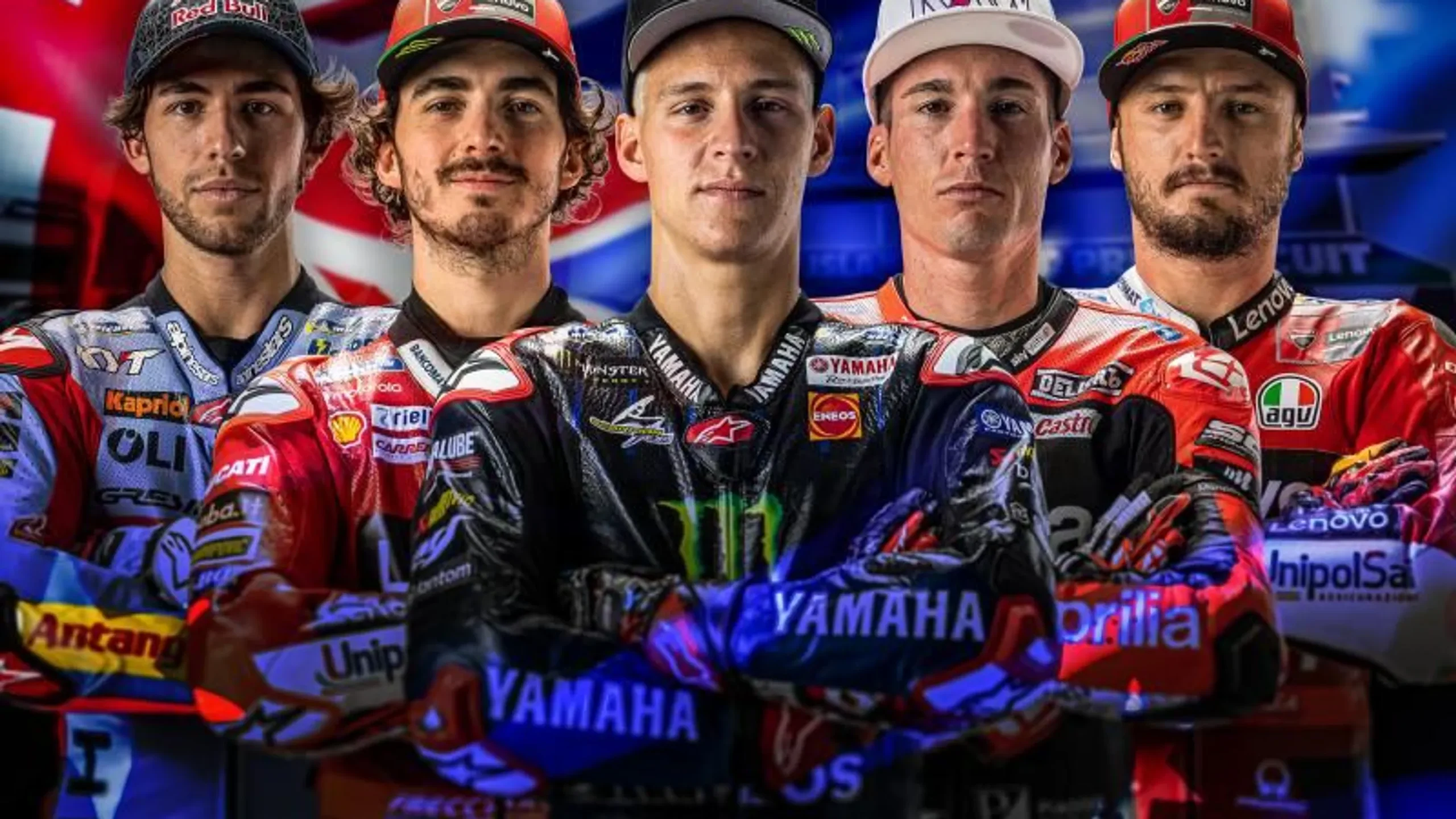
The 2025 season is stacked with world-class talent. The following riders are shaping the championship fight and keeping fans glued to the action:
| Rider | Team / Manufacturer | Achievements & Highlights | Why Watch in 2025? |
|---|---|---|---|
| Marc Márquez | Gresini Ducati | 6-time MotoGP World Champion | Back in top form after injuries; just won San Marino GP. |
| Francesco Bagnaia | Ducati Lenovo Team | 2-time World Champion (2022, 2023) | Consistent title contender, Ducati’s leading man. |
| Jorge Martín | Pramac Ducati | Runner-up in 2023 & 2024 | Aggressive style, one of Bagnaia’s biggest rivals. |
| Fabio Quartararo | Yamaha | 2021 World Champion | Looking to bring Yamaha back into serious contention. |
| Pedro Acosta | KTM | Moto2 World Champion (2022) | Young prodigy in his debut seasons, already impressing. |
| Enea Bastianini | Ducati Lenovo Team | Multiple race wins | Strong teammate to Bagnaia, capable of big surprises. |
Trouble Watching MotoGP on FireStick? Try These Fixes
If you’re dealing with buffering, app crashes, or other streaming glitches while watching the MotoGP on FireStick, try these quick fixes to smooth things out.
✅Clear app cache
✅Close background apps
✅Connect FireStick via Ethernet
✅Adjust video resolution
✅Restart FireStick
Read More: 7 Ways to Fix Playback Errors on FireStick
Other Live Sports to Watch on FireStick
Apart from MotoGP, you can watch many other sports on FireStick for free:
- NFL on FireStick
- English Premier League on FireStick
- Champions League on FireStick
- Saudi Pro League on FireStick
- MLB on FireStick
FAQs – MotoGP
Can I watch MotoGP 2025 on FireStick for free?
Yes, via official apps like Servus TV (Austria) & RTBF (Belgium) or third-party apps like RBTV33, TVMob & SportsFire.
When does the MotoGP 2025 season start and end?
The MogoGP 2025 season started on March 2 in Thailand. It will end on November 16 in Valencia.
What’s the next MotoGP race after San Marino 2025?
The Japanese Grand Prix on September 28, 2025.
How many MotoGP races are there in 2025?
There are 22 races scheduled worldwide in the MotoGP season 2025.
Conclusion
With 22 races, MotoGP 2025 is shaping up to be one of the most exciting seasons we’ve seen.
Big names like Francesco Bagnaia, Marc Márquez, and Jorge Martín are battling it out on tracks that push both rider and machine to the limit.
You can watch MotoGP 2025 for free via official services like Servus TV & RTBF, or third-party apps like Rapid Streamz, TVMob, or RBTV33.
However, do not forget to use Surfshark as it helps you bypass any geo-restrictions and prioritizes your online security.


