Disclosure: Our experts test apps for security before recommending them. If you buy through our links, we may earn a commission. See how it works.
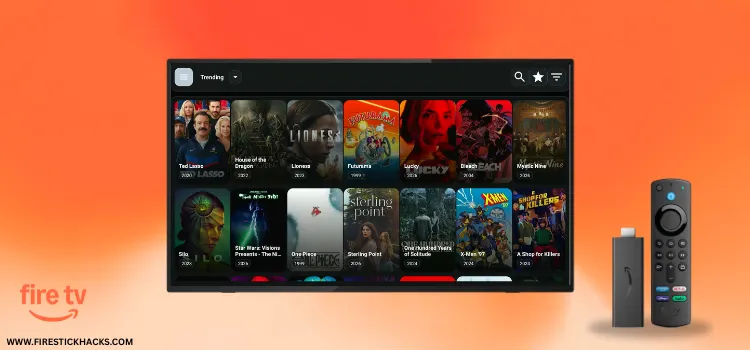
Flixoid is one of the best free movie apps that has remained active despite the frequent shutdowns affecting many other FireStick apps.
The latest Flixoid APK v3.0.7 lets you watch movies, shows, documentaries, and other VOD content smoothly without ads. The app also features subtitles in multiple languages.
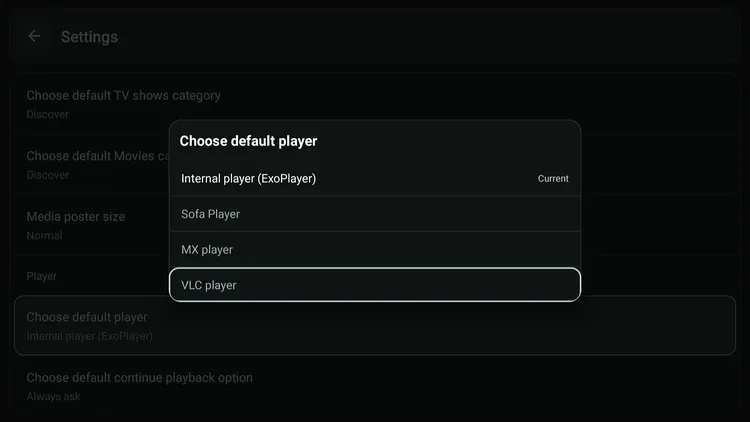
While the app has a built-in ExoPlayer, it also supports external video players like MX Player, VLC Player, and Sofa Player 👇:
However, since the app fetches links from unverified/unknown sources, you should protect your online presence by using a VPN. Surfshark is our #1 choice.
Our Recommended VPN - Surfshark
WARNING! Amazon Monitors Your Fire TV Stick!
Yes, It’s True! Without Proper Encryption, your IP Address is Exposed, and Whatever you Stream on FireStick is 'Being Tracked'.
This can lead to:
- Blocking of the FREE Third-Party Apps
- Exposure of your Personal data to hackers, ISPs, and even the authorities
But There’s a Solution - ‘Surfshark VPN’
Save 87% + Get 3 Extra Months FREE with Surfshark VPN [Limited Time Offer]
This Includes:
✅ VPN for just $0.06/day!
✅ Strongest Encryption (i.e.256-Encryption)
✅ 3,200 servers in 100+ server locations
✅ Kill Switch Feature for FireStick users
✅ Data Breach Alerts.
✅ Unlimited Device Connections.
✅ 30-day money-back guarantee.

How to Install Flixoid on FireStick Using Downloader App
Flixoid is an unofficial app, which means it’s not available on the official Amazon Appstore. You will have to sideload it from a third-party source using the Downloader app.
Before starting the jailbreaking/sideloading process, don’t forget to install and use SurfShark VPN on FireStick to strengthen your online security.
Follow the steps below:
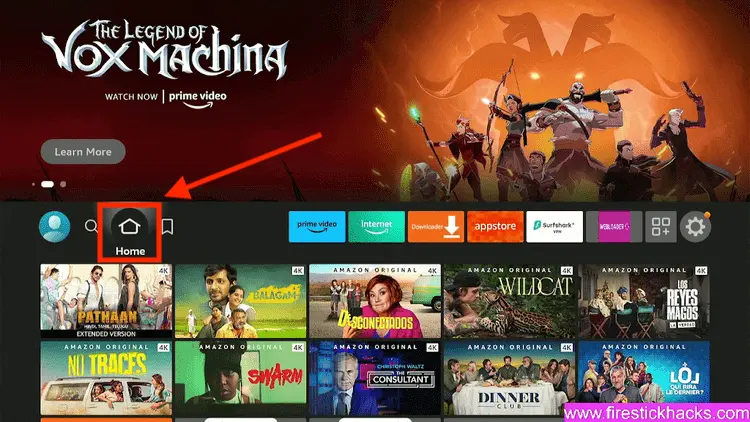
Step 1: Turn ON your FireStick device and Go to FireStick Home
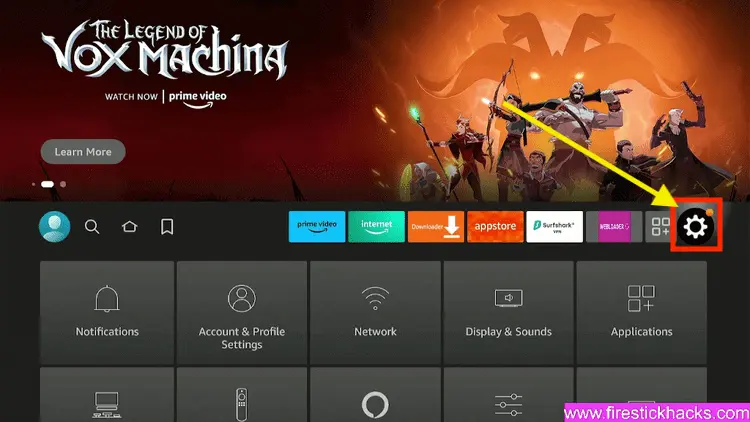
Step 2: Click on the Settings icon
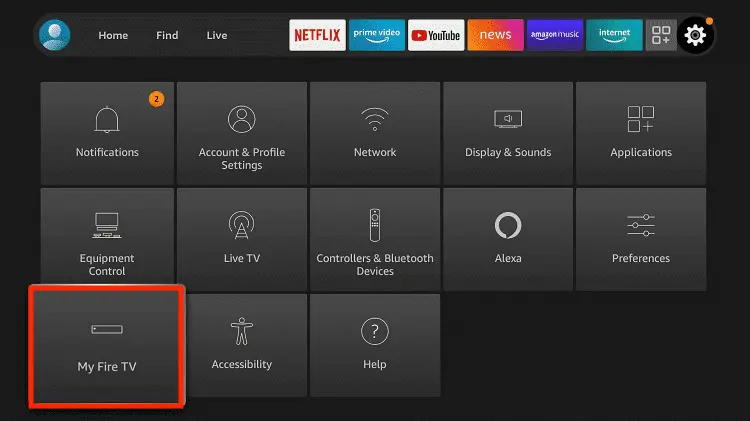
Step 3: Select the My Fire TV option
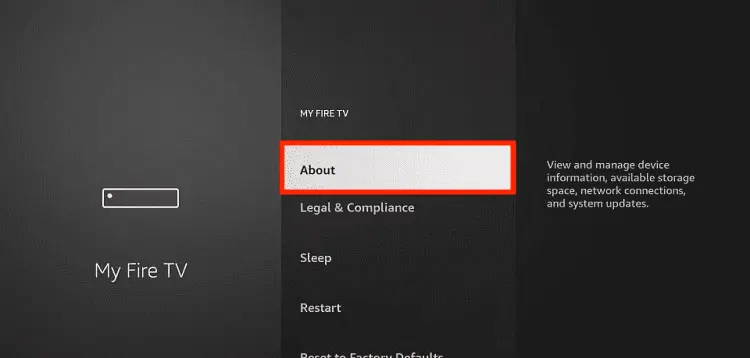
Step 4: To enable the Developer Option, click About.
Note: If you have already enabled the Developer Option, then proceed to Step 10
Step 5: Click on the Fire TV Stick option quickly at least 7 times
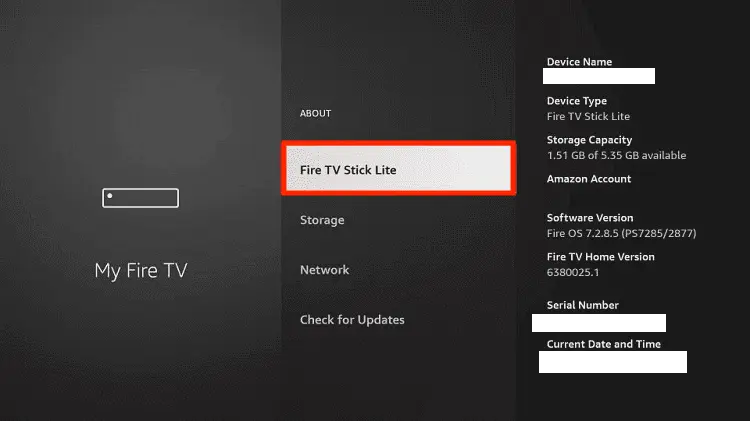
Step 6: Now you will see this message at the bottom saying "No need, you are already a developer". So stop clicking then
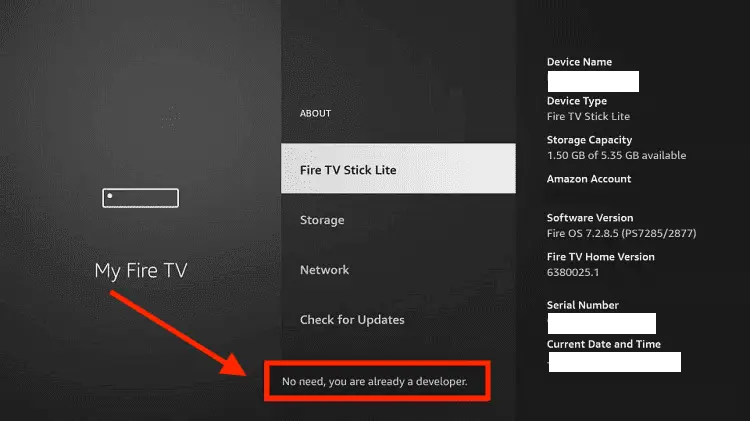
Step 7: Now the Developer Option will appear in the menu so click on it
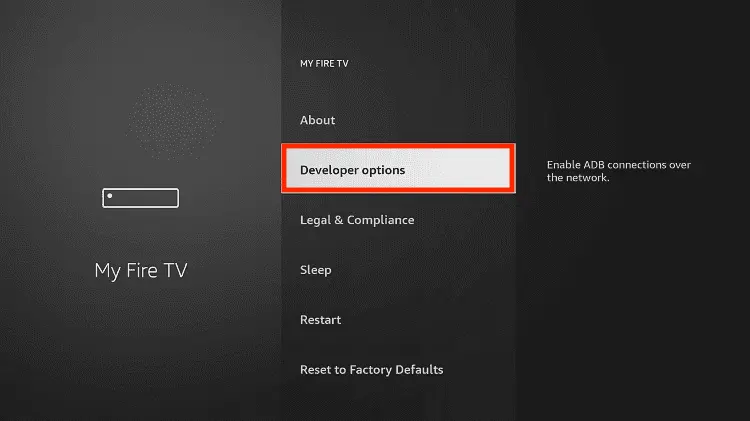
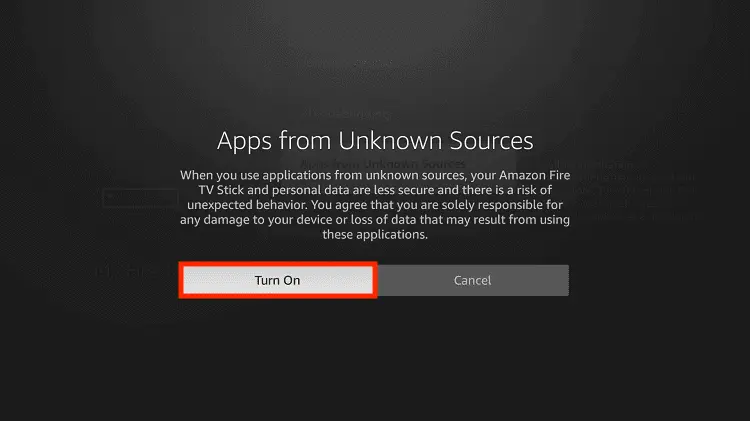
Step 8: Choose Apps from Unknown Sources to turn it ON
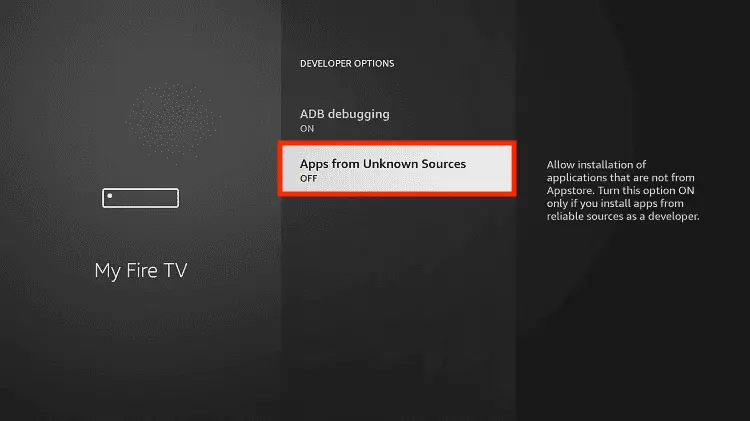
Step 9: Simply click Turn On
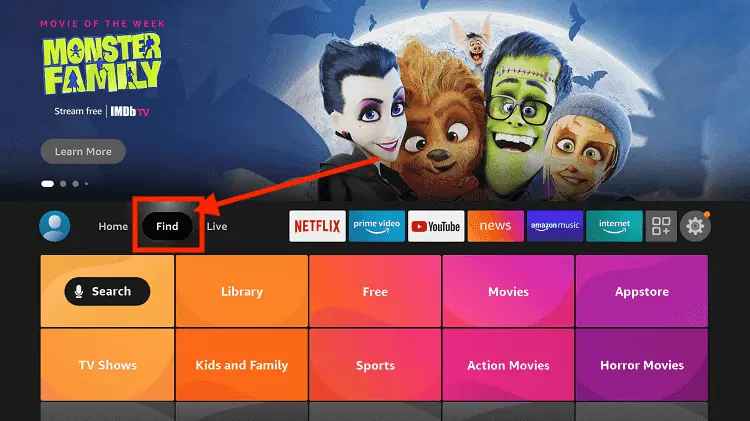
Step 10: Now return to the FireStick Home menu by pressing the "Home" icon on the remote and click on Find
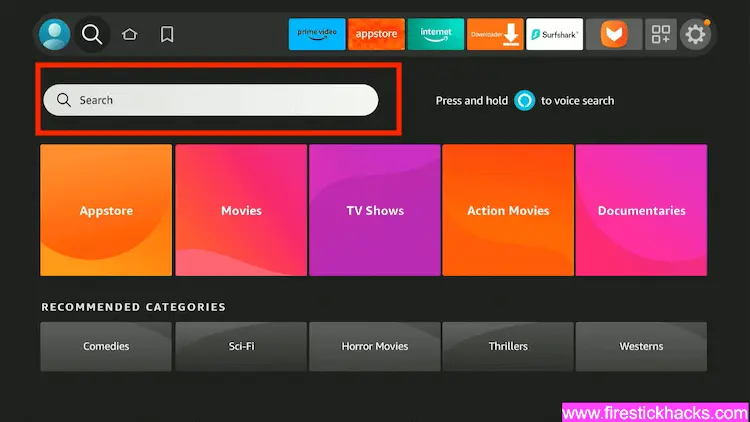
Step 11: Now select the Search icon
Step 12: Type Downloader and press search
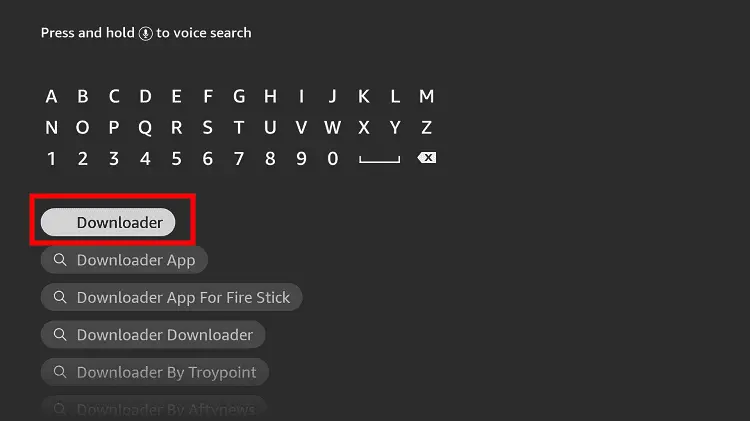
Step 13: Select the Downloader App icon from the list available in the Amazon Store
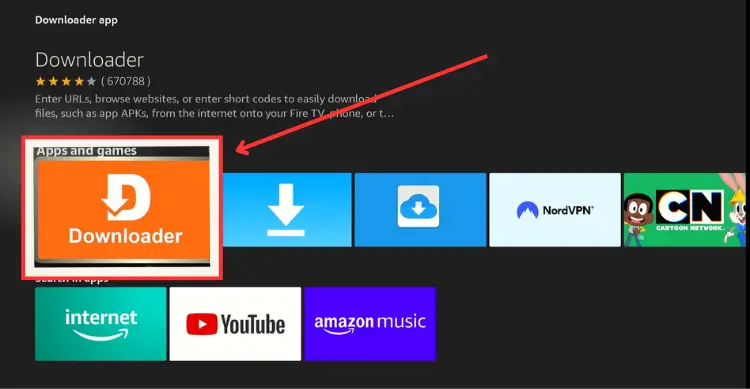
Step 14: Tap Get/Download
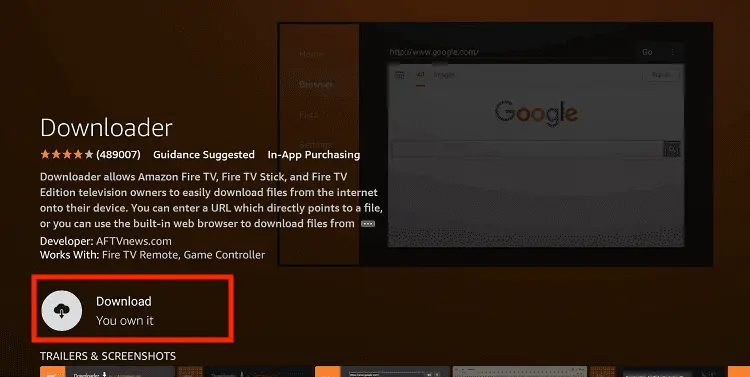
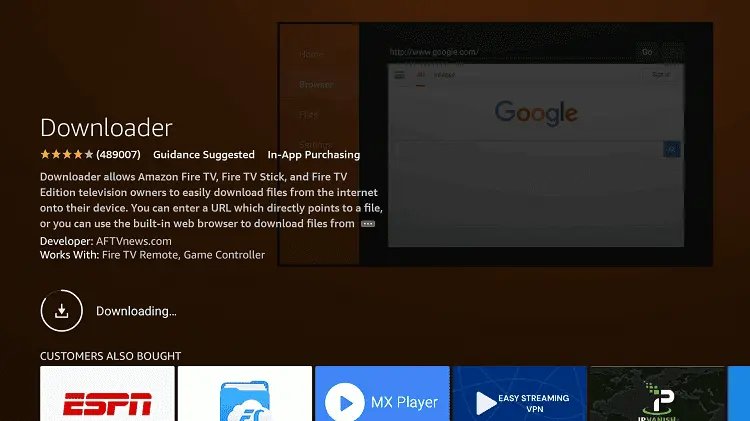
Step 15: Wait for a while until the installation process is completed
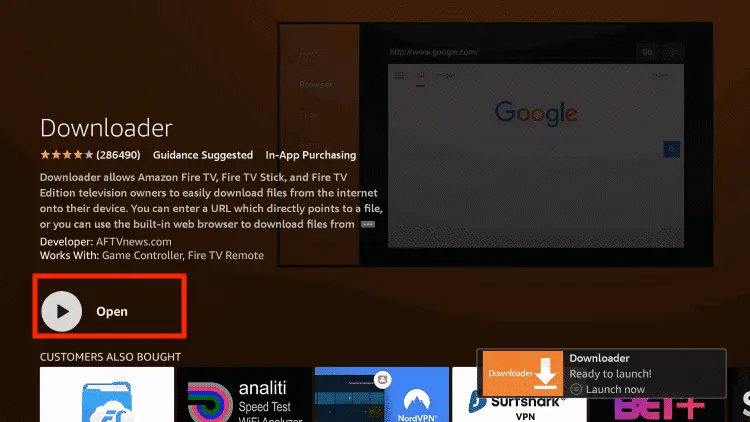
Step 16: Now click Open
Step 17: You will see a popup about Downloader app latest update. Click "OK".

Step 18: Click OK again

Step 19: This is the Downloader App interface, Click the Search Bar on top

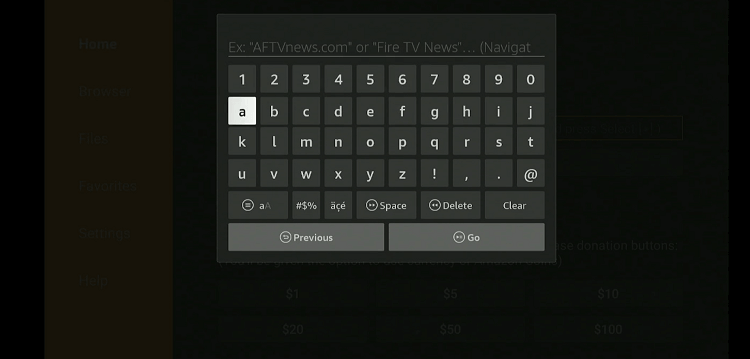
Step 20: Now enter the Flixoid Downloader Code 730116 in the search box OR enter this URL bit.ly/fsh-downloads and click Go
Note: The referenced link is the official URL of this app/website. FIRESTICKHACKS does not own, operate, or re-sell any app, streaming site, or service and has no affiliation with its developers.
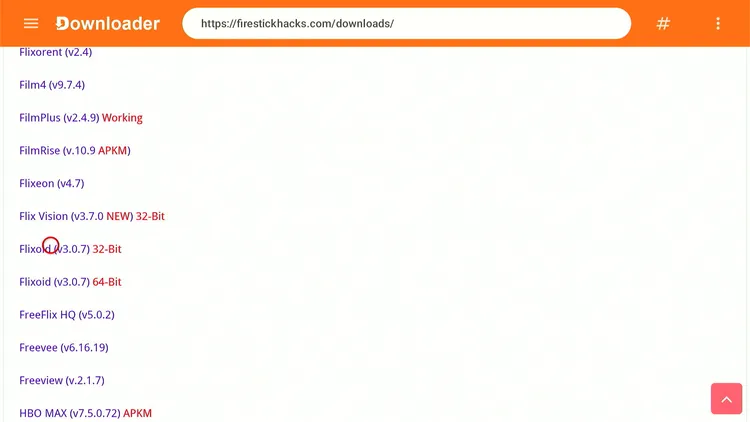
Step 21: Scroll down and click “Flixoid” from the “Movies/TV Shows Apps” category.
Note: If the app does not start downloading, then clear the Downloader app cache using this article.
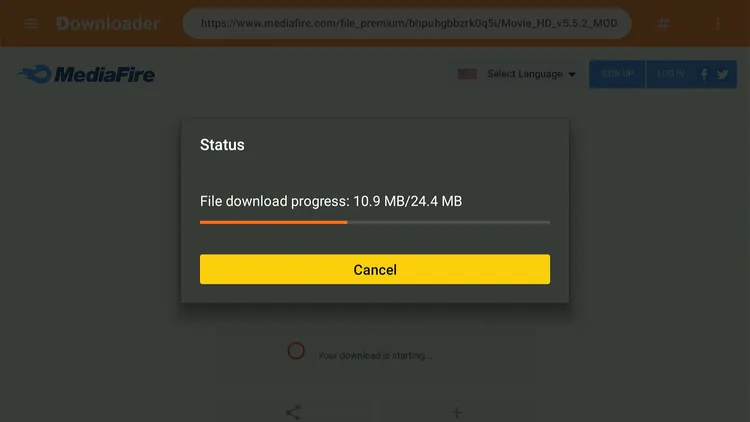
Step 22: The download will start automatically. Wait for it to finish.
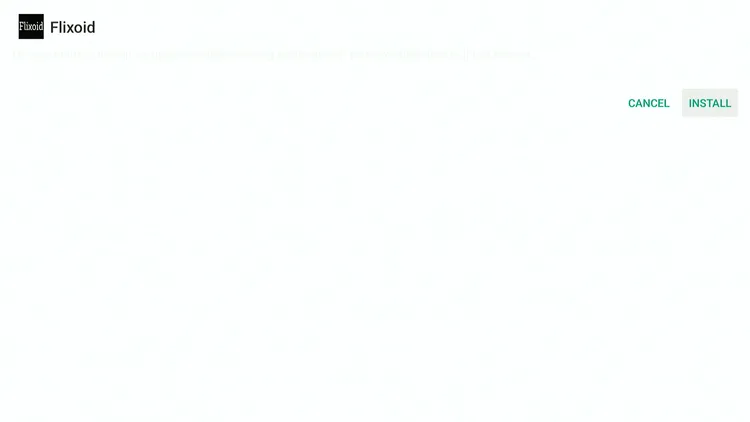
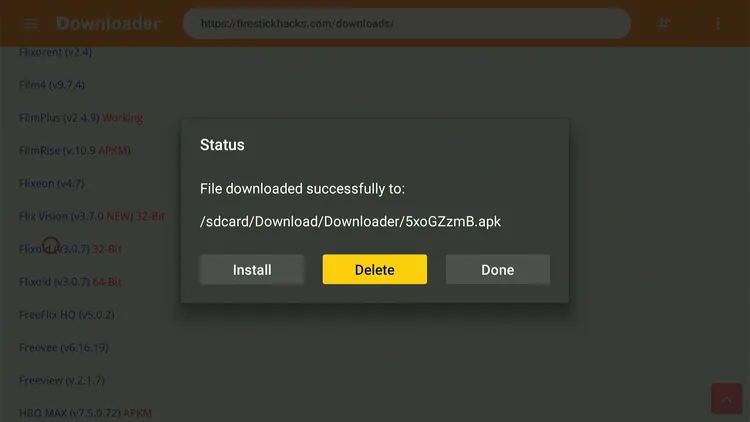
Step 23: Once the download ends, choose “Install.”
Step 24: Click “Done.”

Step 25: Select “Delete.”
Note: You have to delete Flixoid to free up storage on Firestick device.
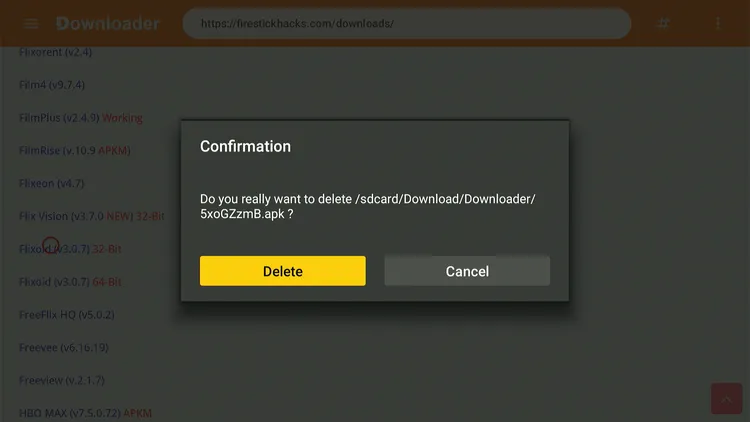
Step 26: Confirm by clicking “Delete” again.
How to Use Flixoid on FireStick
Once the installation process ends, it is time to explore all the available content and features on Flixoid. However, as mentioned earlier, Flixoid relies on unverified sources to fetch links.
So if you do not want to risk your online identity & security, you must install and use SurfShark VPN on FireStick.
Follow these steps:
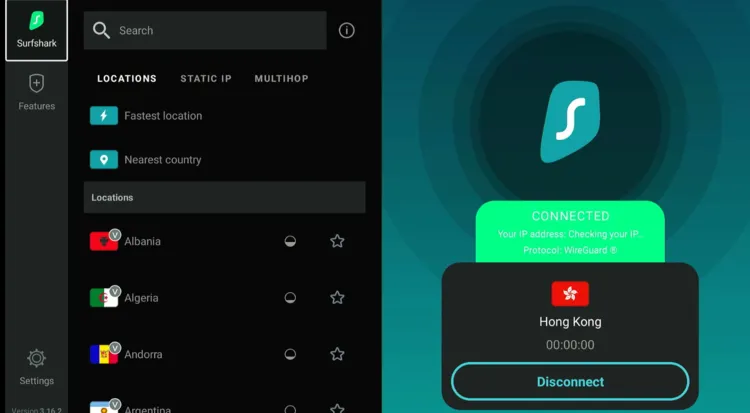
Step 1: Open the Surfshark app on your FireStick and connect it to the Hong Kong/Costa Rica server.
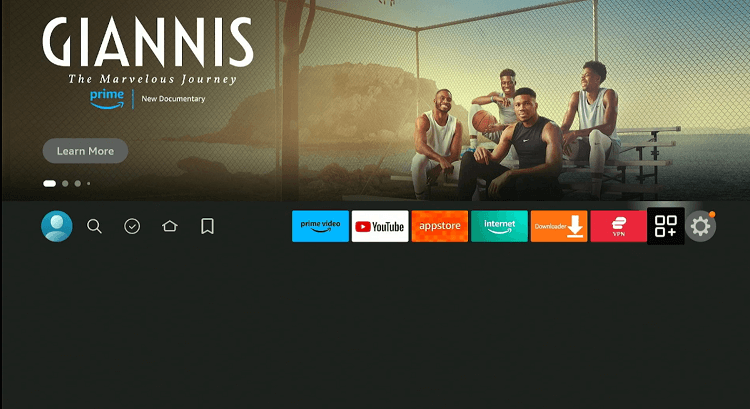
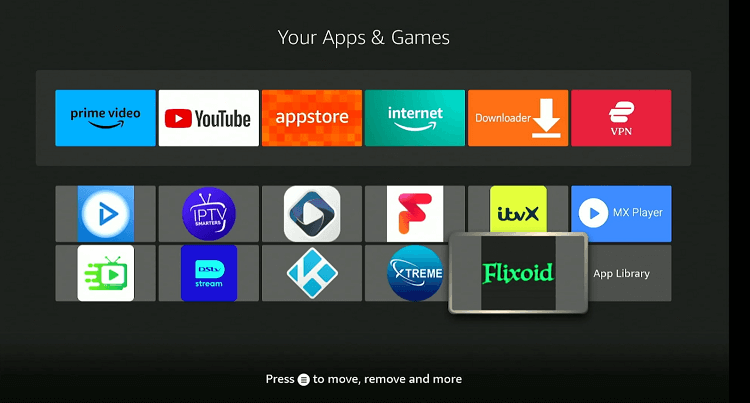
Step 2: Go to the FireStick home and select the “icon next to the settings” from the top-right corner.
Step 3: Choose “Flixoid” from the list.
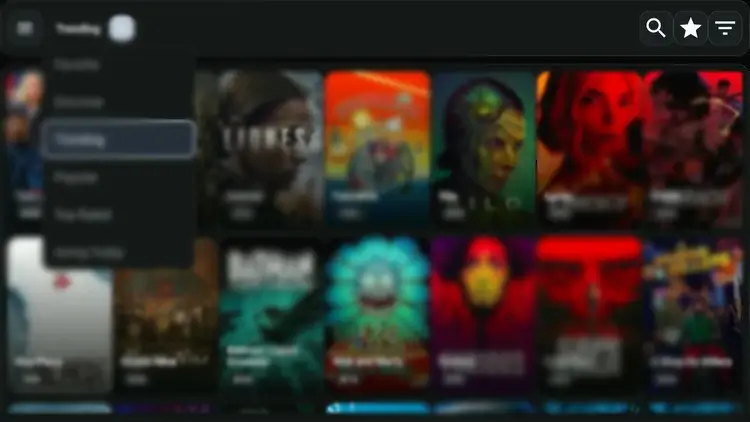
Step 3: Choose a movie/show.
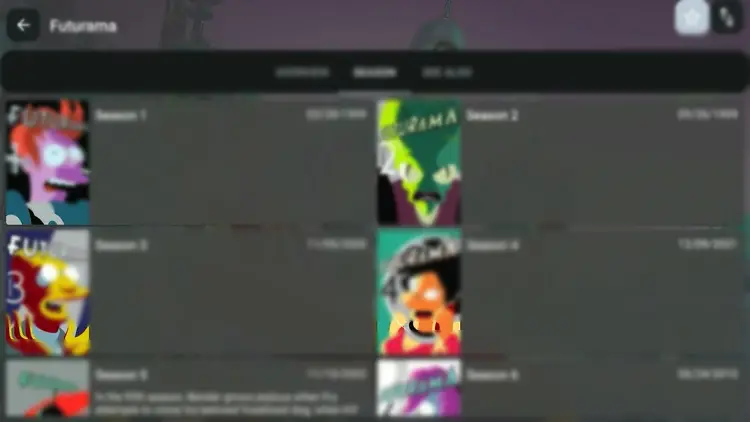
Step 4: Tap on the “Play” icon.
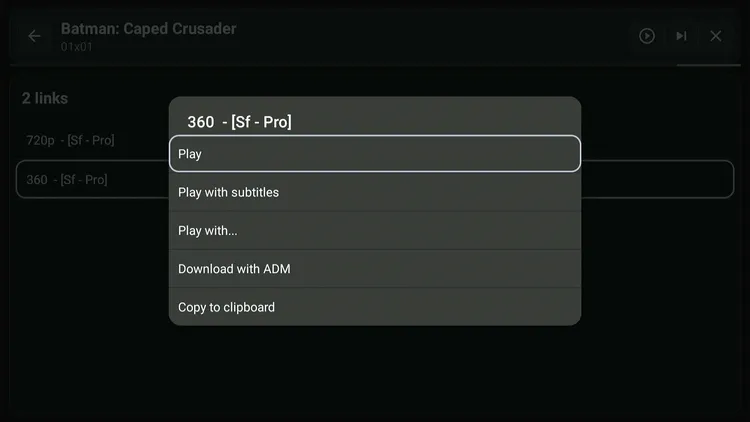
Step 5: You will now see streaming links; choose any one of them and tap “Play” or “Play with Subtitles.”
P.S. Not all streaming links may stream.
Step 6: Enjoy streaming!

Step 7: To customize the app and explore more features, click “Settings.”
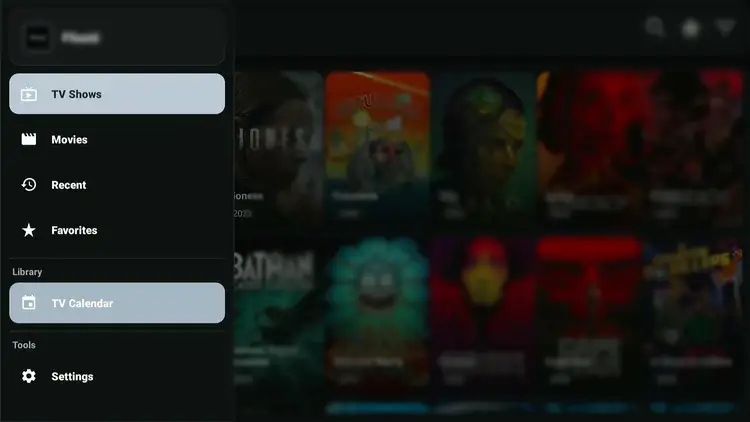
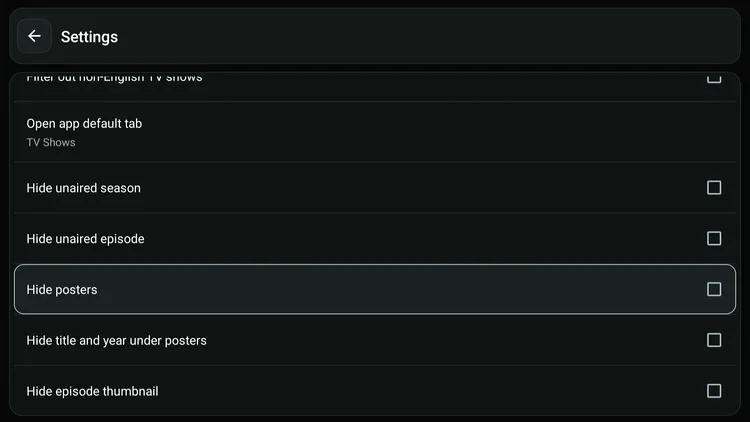
Step 8: You can “Hide Posters, Thumbnails, Titles, etc.”,
Step 9: Tap on “Choose Default Player” to use an external player on Flixoid.
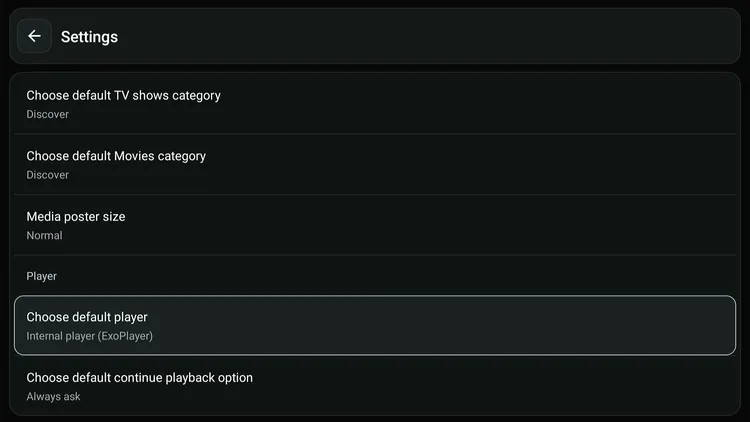
Step 10: Select the desired player.
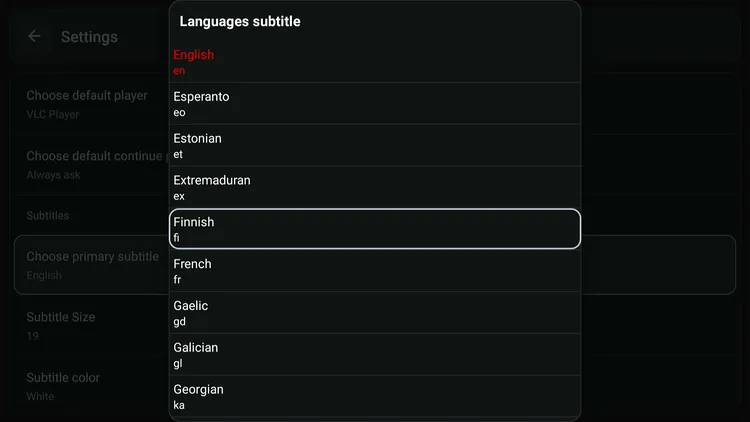
Step 11: Click “Choose Primary Subtitle” to select the desired subtitle language.
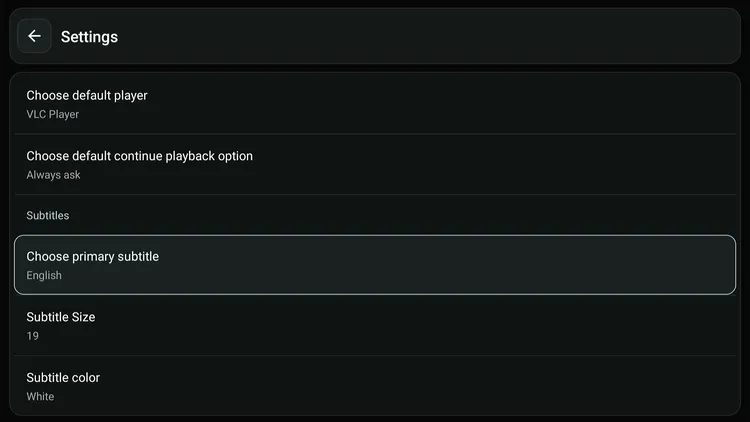
Step 12: Now select the subtitle language.
Is Flixoid APK Safe/Legal to Use on FireStick?
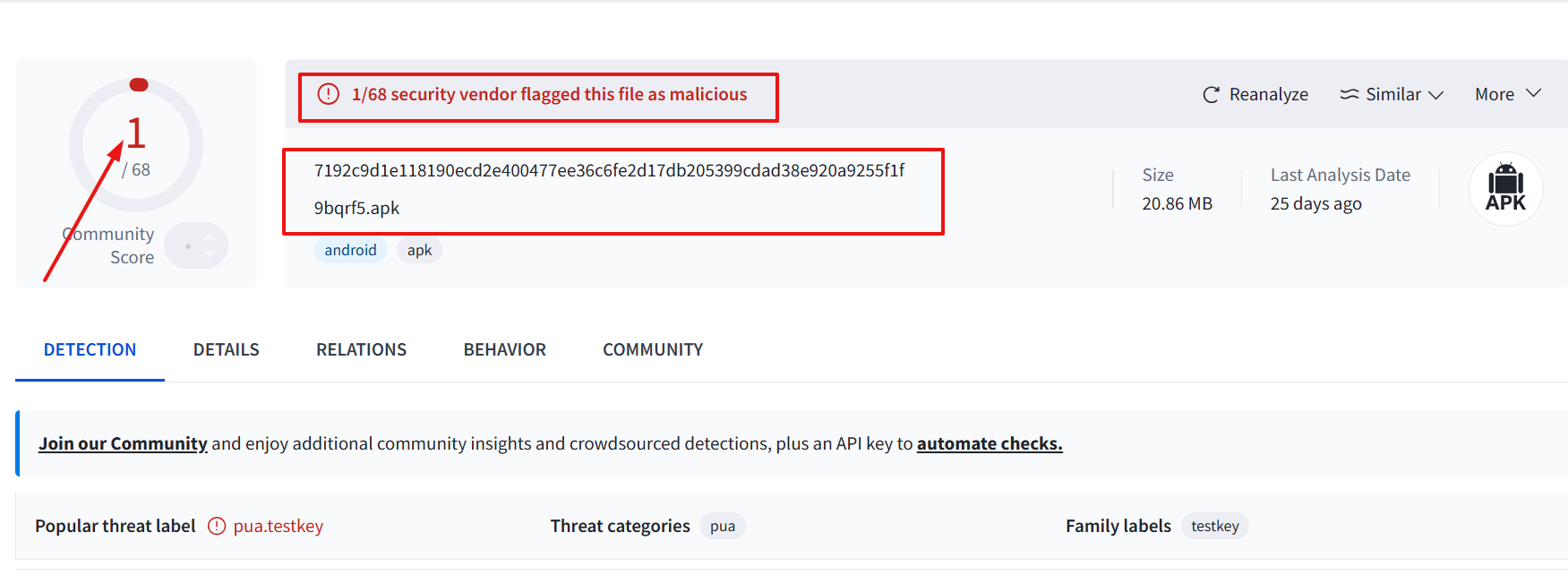
When I scanned the latest Flixoid APK (v3.0.7) on VirusTotal, one vendor flagged it as malicious. However, since we delete the APK file after installing the app, there won’t be any issues.
Yet, to be on the safe side, we recommend you use Surfshark VPN when installing or streaming anything on Flixoid for added security.
All About Flixoid APK
Some key insights into Flixoid APK:
| Content-Type | Movies/TV Shows |
| Price | Free |
| File Size | 14.5 MB |
| Is It Safe to Use? | Yes, but with a VPN |
| Latest APK | 3.0.7 |
| Developer | Flixoid |
| External Player | MX Player, VLC Player & Sofa Player. |
Top Flixoid Features
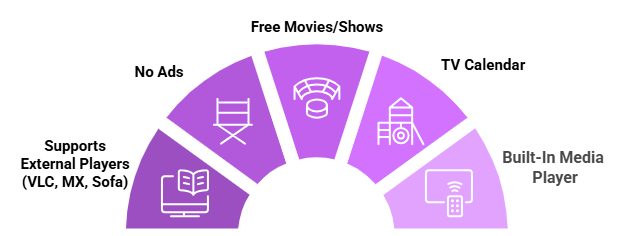
The following are some of the stand-out Flixoid features:
✅ A ton of free movies & shows.
✅ TV calendar
✅ Built-in video player (ExoPlayer).
✅ Option to add external players (MX Player, VLC Player & Sofa Player).
✅ Supports Trakt TV and Real-Debrid.
✅ Ad-free.
✅ Subtitles in various languages.
Flixoid App Not Working? Try These Fixes
If you’re dealing with buffering, app crashes, or other streaming glitches on Flixoid, try these quick fixes to smooth things out:
- Restart Your Internet Router
- Clear app cache
- Close background apps
- Restart FireStick
- Set video resolution to 1080p/4K
- Check for updated Flixoid APK using Downloader code 730116
P.S. If you are still facing issues, check out our detailed articles to stop buffering on FireStick and fix playback errors.
Best Flixoid Alternatives
Here is the list of some free streaming APKs that can be considered good alternatives to Flixoid:
- Flix Vision on FireStick
- Voltra TV on FireStick
- Streamflix on FireStick
- Cinema HQ on FireStick
- Netfly on FireStick
FAQs – Flixoid
Is the Flixoid app working on FireStick?
Yes, Flixoid’s latest APK, v3.0.7, is working fine on FireStick as of August 6, 2026
Does Flixoid require registration on FireStick?
No, you do not need to register on Flixoid to access free movies and TV shows.
Does Flixoid show ads on FireStick?
No, Flixoid provides a completely ad-free experience on FireStick.
Can I use Real-Debrid with Flixoid?
Yes, Flixoid allows you to integrate Real-Debrid on Flixoid.
Can I use external players with Fixoid?
Yes, you can use several external players such as VLC player, MX player, and Sofa player with Flixoid.
Conclusion
Flixoid is considered to be a replica of old Terrarium TV. It features a host of movies and shows, both contemporary and classic ones.
With features like external player support, subtitles, ad-free experience, and HD streaming, the app is on par with some of the best free movie apps.
Make sure you use a VPN while streaming anything on Flixoid. It will hide your IP address and help you stay anonymous. Among all the VPNs in the market, we like Surfshark the most due to its exciting features.