Disclosure: Our experts test apps for security before recommending them. If you buy through our links, we may earn a commission. See how it works.

RBLive77 is the new free sports app for FireStick. It has a similar interface and functionality to RBTV33/RBTV77 and FCTV33.
I tested this app for a week or so, and it has been doing pretty well so far. With RBLive77, you can watch live sports in HD quality (for most games).
The app covers popular sports events like AFL, NRL, NHL, and NFL, as well as mainstream events like WTA Rome, Basketbole Super Ligi, EuroLeague, etc.
Please note that since the app’s streaming sources are unverified, it’s strongly recommended to use a VPN to guard your online security. Surfshark is our #1 choice.
🛡️ VPN RECOMMENDATION
Our Recommended VPN - Surfshark
Your ISP sees every stream. Unverified apps expose your IP. Fix both in under 2 minutes.
🔒 30-day money-back guarantee • $0.06/day

How to Install RBLive77 on FireStick
The RBLive77 is an unofficial app, which means it’s not available on the official Amazon Appstore. You will have to sideload it from a third-party source using the Downloader app.
Before starting the jailbreaking/sideloading process, don’t forget to install and use SurfShark VPN on FireStick to strengthen your online security.
Follow the steps below:
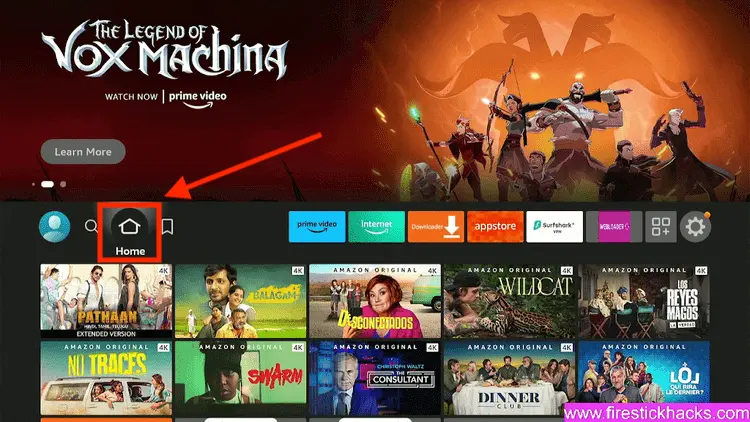
Step 1: Turn ON your FireStick device and Go to FireStick Home
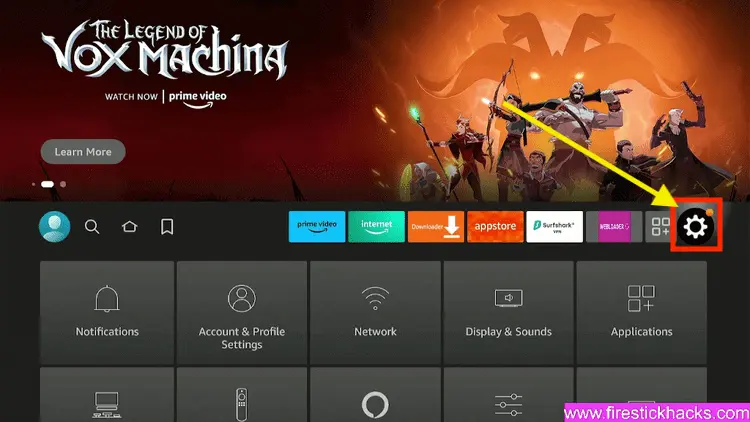
Step 2: Click on the Settings icon
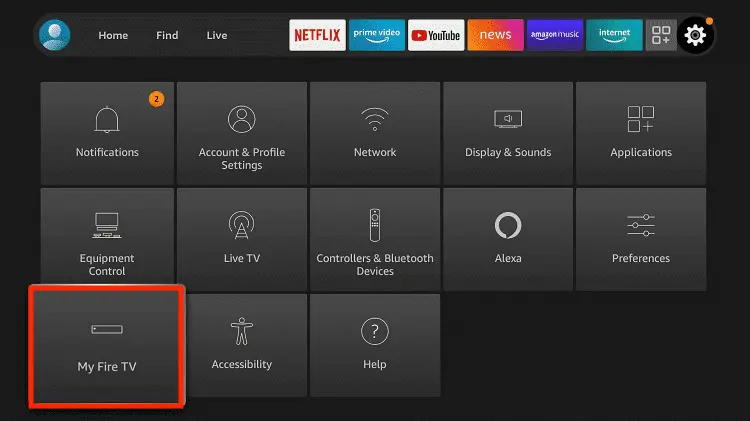
Step 3: Select the My Fire TV option
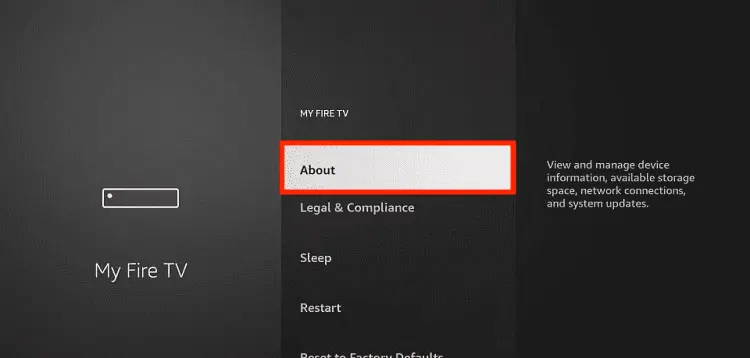
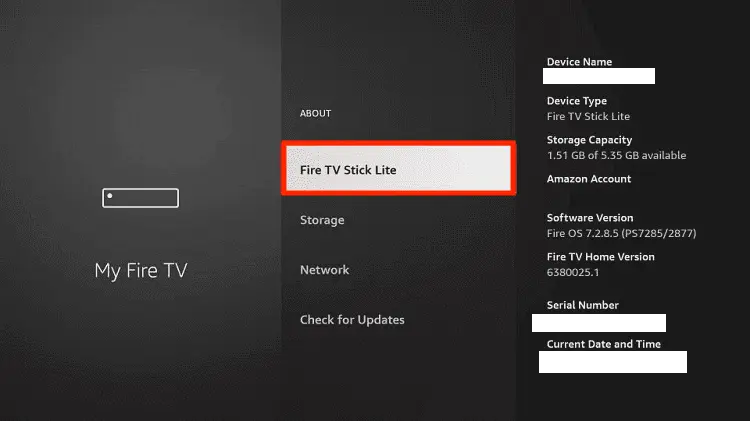
Step 4: To enable the Developer Option, click About.
Note: If you have already enabled the Developer Option, then proceed to Step 10
Step 5: Click on the Fire TV Stick option quickly at least 7 times
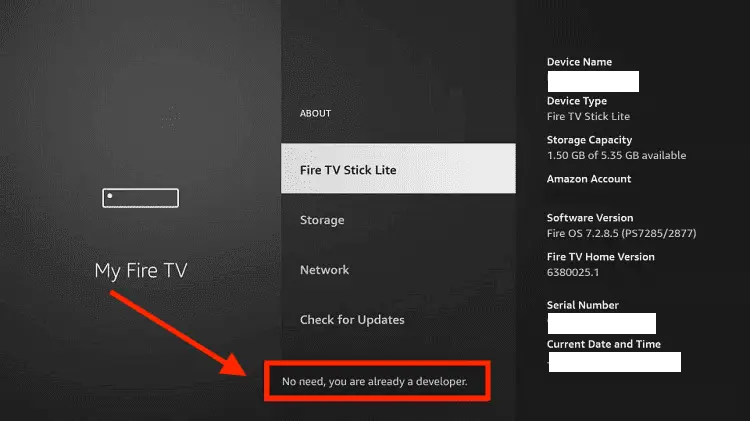
Step 6: Now you will see this message at the bottom saying "No need, you are already a developer". So stop clicking then
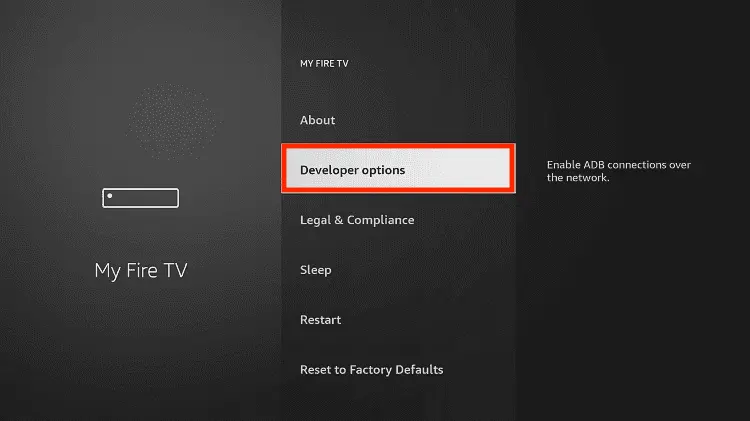
Step 7: Now the Developer Option will appear in the menu so click on it
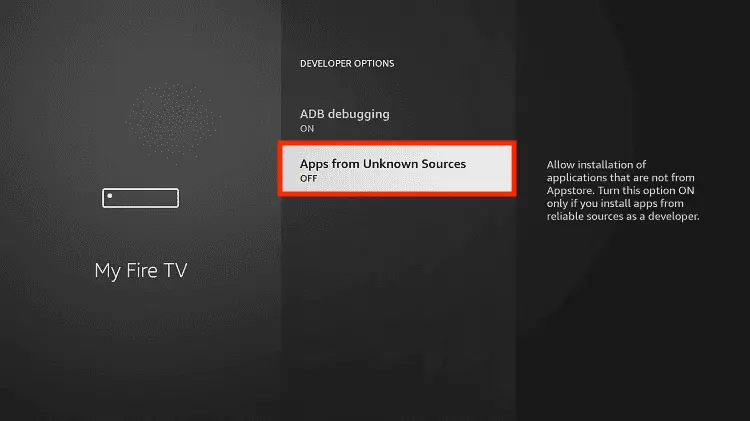
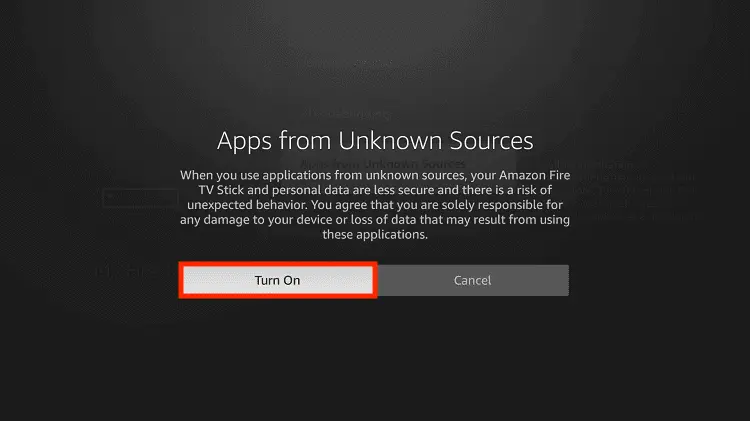
Step 8: Choose Apps from Unknown Sources to turn it ON
Step 9: Simply click Turn On
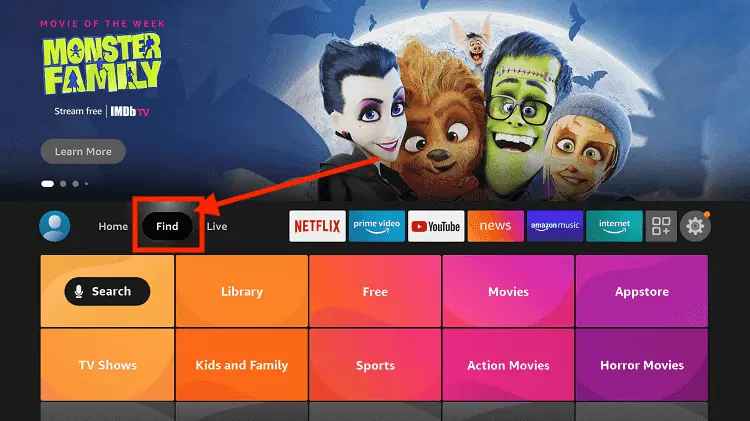
Step 10: Now return to the FireStick Home menu by pressing the "Home" icon on the remote and click on Find
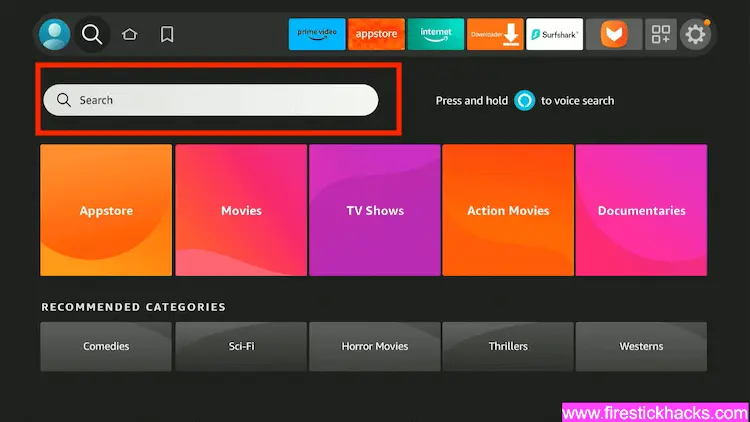
Step 11: Now select the Search icon
Step 12: Type Downloader and press search
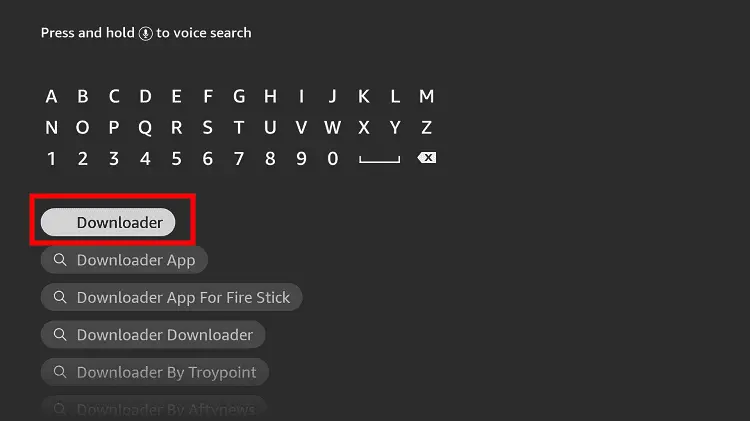
Step 13: Select the Downloader App icon from the list available in the Amazon Store
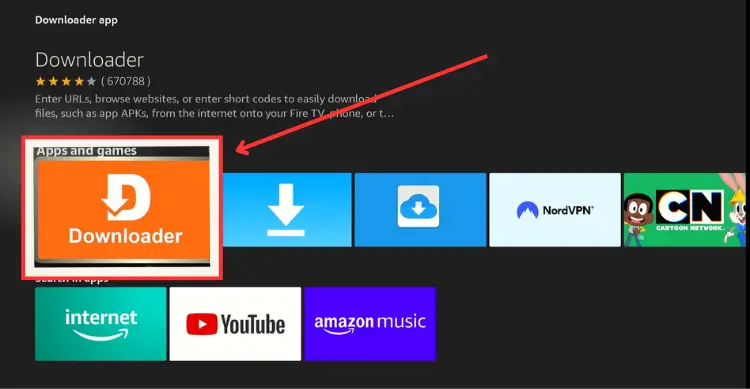
Step 14: Tap Get/Download
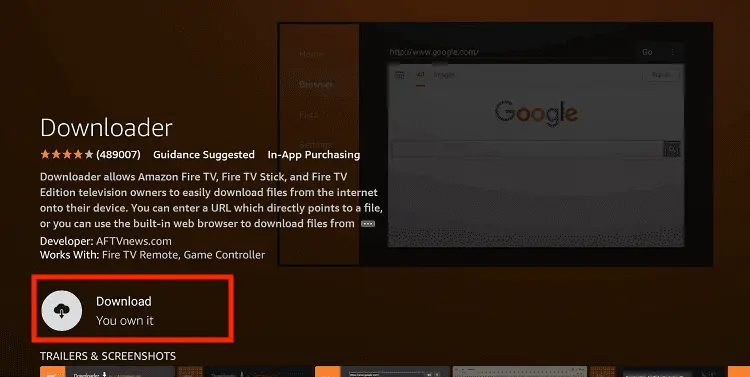
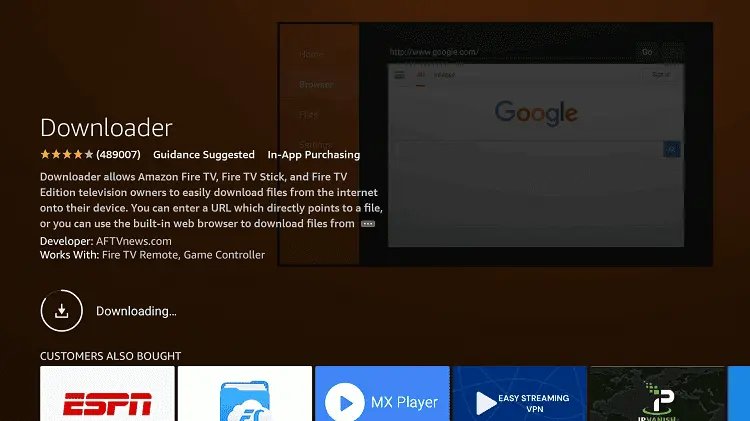
Step 15: Wait for a while until the installation process is completed
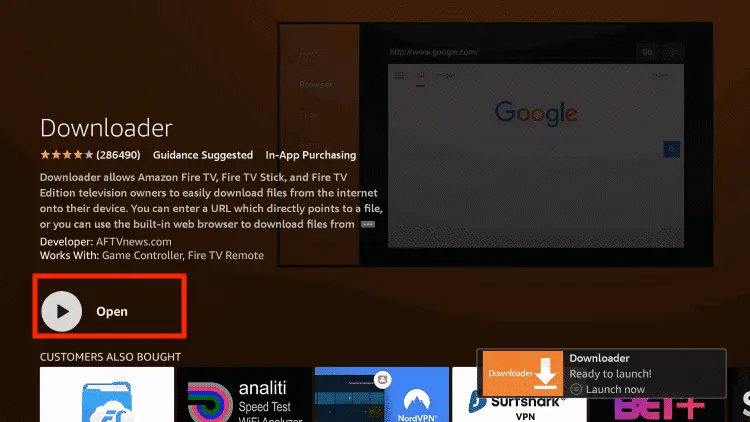
Step 16: Now click Open
Step 17: You will see a popup about Downloader app latest update. Click "OK".

Step 18: Click OK again

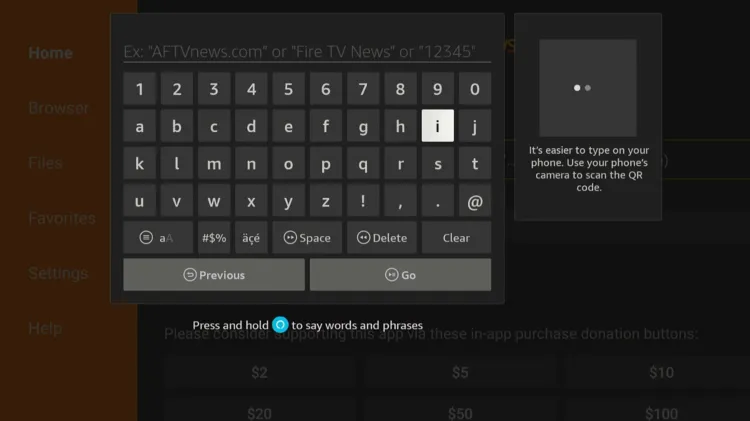
Step 19: This is the Downloader App interface, Click the Search Bar on top

Step 20: Enter RBLive77 Downloader Code 730116 in the search box OR enter this URL bit.ly/fsh-downloads and click Go.
Note: The referenced link is the official URL of this app/website. FIRESTICKHACKS does not own, operate, or re-sell any app, streaming site, or service and has no affiliation with its developers.
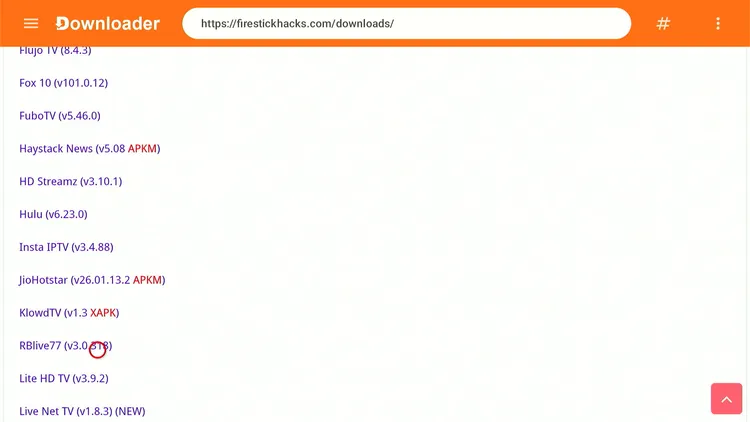
Step 21: Scroll down and click “RBLive77” from the “Sports Apps” category.
Note: If the app does not start downloading, then clear the Downloader App cache using this article.
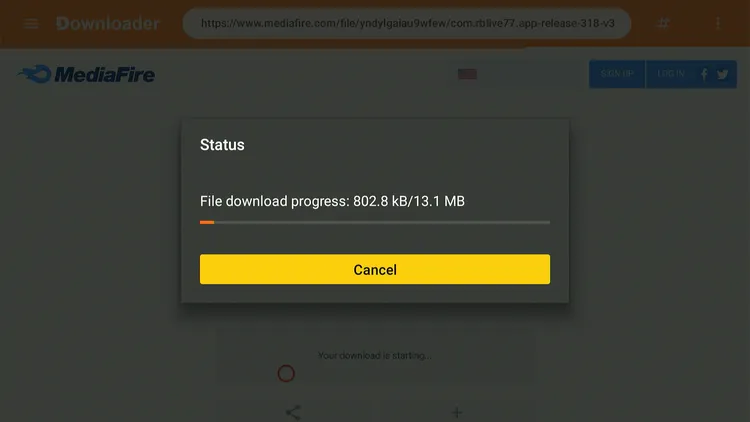
Step 22: The downloading will start. Wait for it to finish.
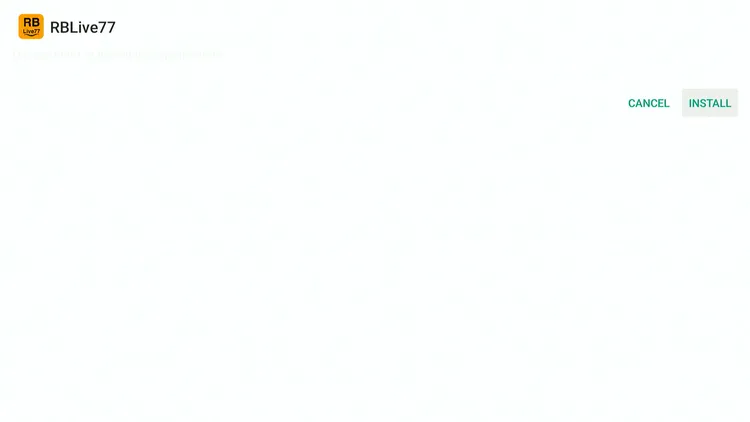
Step 23: Once the downloading ends, click “Install.”
Step 24: Tap the “Done” icon.

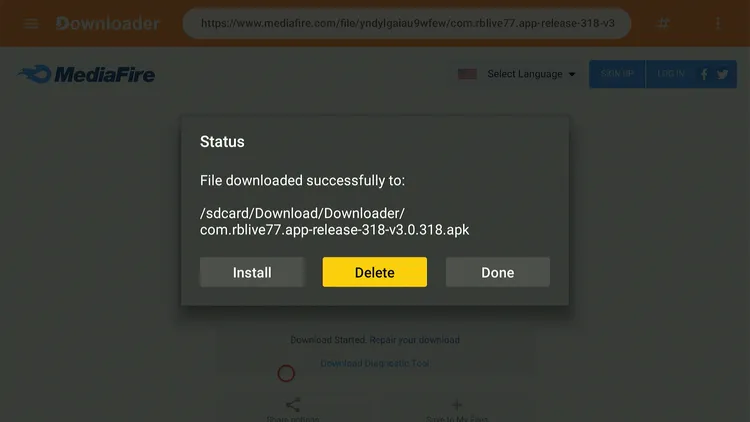
Step 25: Click “Delete” to remove the RBLive77 APK file from FireStick.
Note: Deleting APK files will free up space on FireStick.
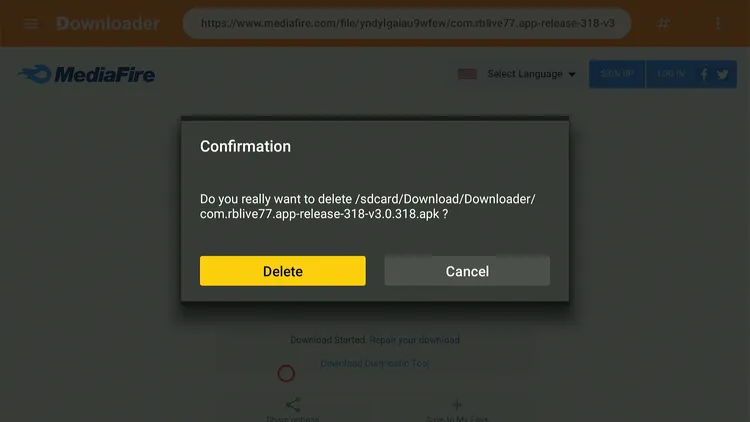
Step 26: Tap “Delete” again to complete the process.
How to Use RBLive77 on FireStick
Since RBLive77 is fully compatible with the FireStick remote and has a built-in media player. This means there’s no need to install any additional apps.
Don’t forget to install and use SurfShark VPN on FireStick to hide your IP address, as we have no way to verify RBLive77’s streaming sources.
Follow the steps below:
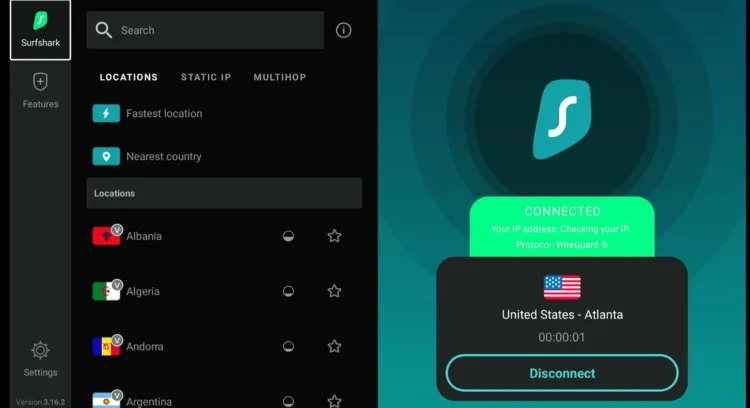
Step 1: Open Surfshark and connect it to the Hong Kong/US/Costa Rica server.
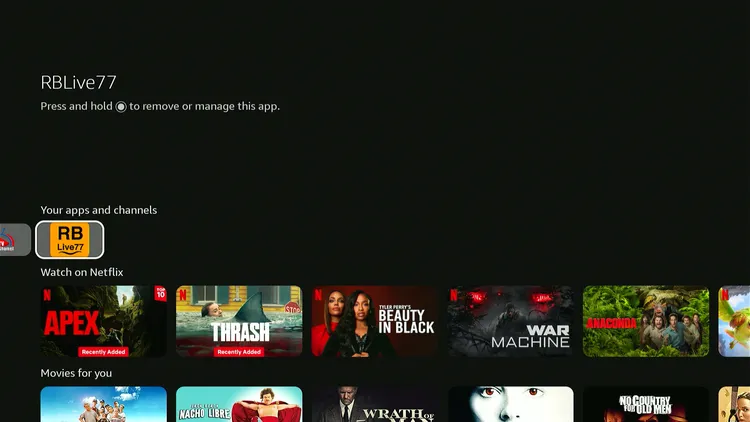
Step 2: Launch the RBLive77 app.
Step 3: You will see the interface, which looks pretty similar to RBTV33/RBTV77 and FCTV33. Choose the sport.

Step 4: Enjoy streaming!

Is RBLive77 APK Safe/Legal to Use on FireStick?
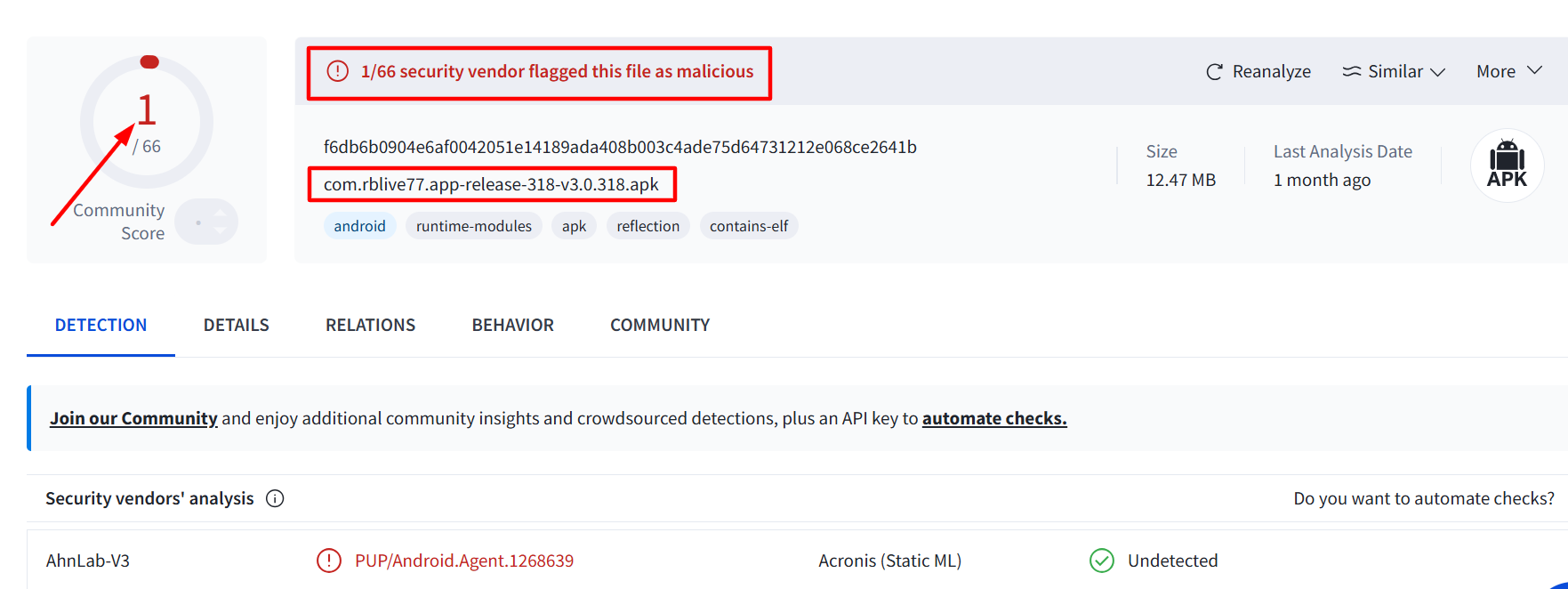
When I scanned the RBLive77 APK (v3.0.318) on VirusTotal, a vendor flagged it as malicious. However, since we delete the APK file after installing the app, there won’t be any issues.
Yet, to be on the safe side, we recommend you use Surfshark VPN when installing or streaming anything on RBLive77. It will add to your online security.
RBLive77 APK at a Glance
Check out the key information about the RBLive77 APK in the table below:
| Content-Type | Live Sports |
| Price | Free |
| File Size | 14.5 MB |
| Is It Safe to Use? | Yes, but with a VPN |
| Version | 3.0.318 |
| Developer | RBLive77 |
| External Player | No |
Top RBLive77 Features
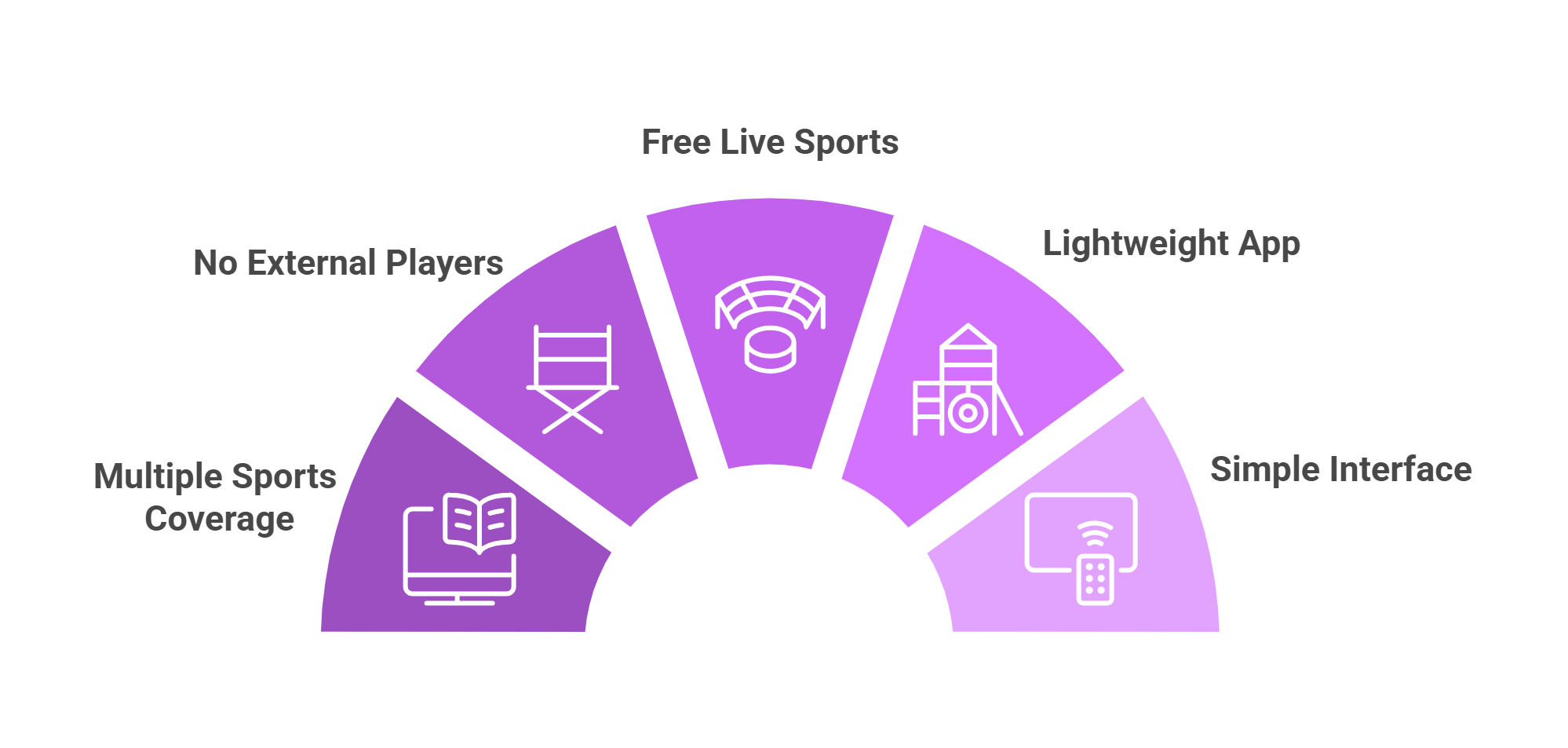
Check out the top RBLive77 features:
✅ Free
✅ Ad-free
✅ SD & HD streaming
✅ Covers several sports including PPV, cricket, tennis, & hockey
✅ Simple interface
✅ Little to no buffering
✅ No registration process
✅ Lightweight application
RBLive77 Not Working? Try These Fixes
If you’re dealing with buffering, app crashes, or other streaming glitches on RBLive77, try these quick fixes to smooth things out:
- Restart Your Internet Router
- Clear app cache
- Close background apps
- Restart FireStick
- Connect FireStick via Ethernet
- Set video resolution to 1080p/4K
P.S. If you are still facing issues, check out our detailed articles to stop buffering on FireStick and fix playback errors.
RBLive77 Alternatives on FireStick
If you are on the lookout for more apps like RBLive77, consider trying out the following alternatives:
- AK47 Sports on FireStick
- MaxLiv on FireStick
- CricFy TV on FireStick
- RBTV33/RBTV77on FireStick
- SportzX on FireStick
FAQs – RBLive77
Is RBLive77 free to use?
Yes, RBLive77 is completely free to use.
Does RBLive77 require registration?
No’ you can start streaming without creating an account.
What sports can I watch on RBLive77?
You can stream all the major sports, including cricket, tennis, football, PPV, & field hockey on RBLive77.
Does RBLive77 show ads on FireStick?
You might see occasional ads when opening a streaming link.
Is RBLive77 available on the Amazon App Store?
No, RBLive 77 isn’t listed on the Amazon Appstore; you must sideload it via a Downloader app.
Does RBLive77 support HD streaming?
Yes, most streams are available in both SD and HD quality.