
Disclosure: Our experts test apps for security before recommending them. If you buy through our links, we may earn a commission. See how it works.
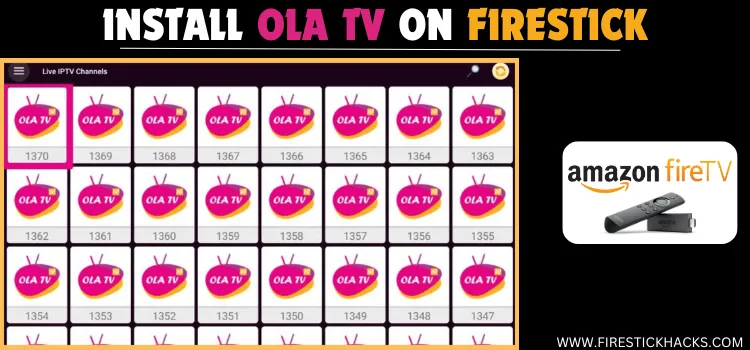
Ola TV is a free streaming app that gives users access to thousands of live TV channels and on-demand content from several countries.
Ola TV categorizes content across its 161 servers. During my testing on the latest Ola TV APK v40, servers 853, 1012, 914, 917, 920 & 932 worked best.
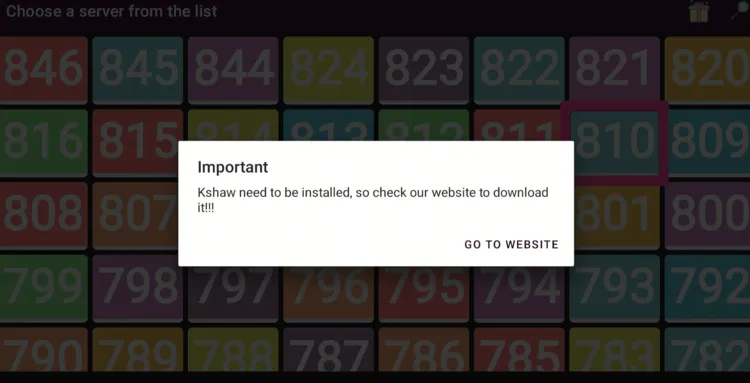
Please note that accessing Ola TV requires you to install Kshaw Player to stream content on FireStick. 👇
Since we can’t verify Ola TV’s streaming sources, don’t forget to use a VPN to hide your streaming activities. Surfshark is our #1 choice.
🛡️ VPN RECOMMENDATION
Our Recommended VPN - Surfshark
Your ISP sees every stream. Unverified apps expose your IP. Fix both in under 2 minutes.
🔒 30-day money-back guarantee • $0.06/day

How to Install Ola TV on FireStick Using Downloader App
Ola TV isn’t listed on the Amazon Appstore. Hence, you will have to sideload its latest APK (v40) from a third-party source using the Downloader app.
Before starting the jailbreaking process, be sure to install and use SurfShark VPN on FireStick to avoid any security issues.
Follow the steps below:
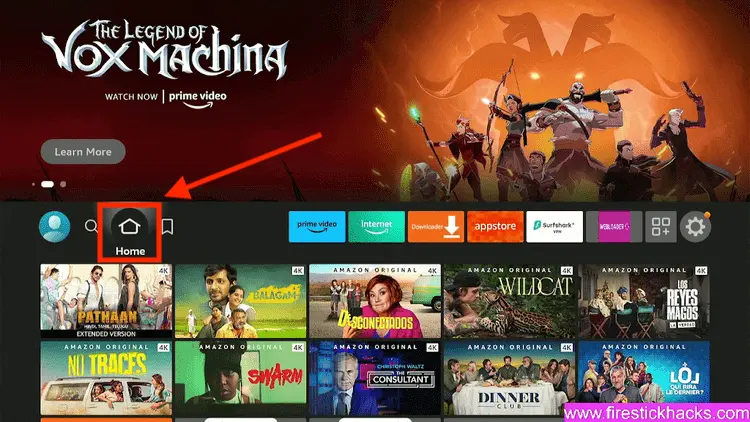
Step 1: Turn ON your FireStick device and Go to FireStick Home
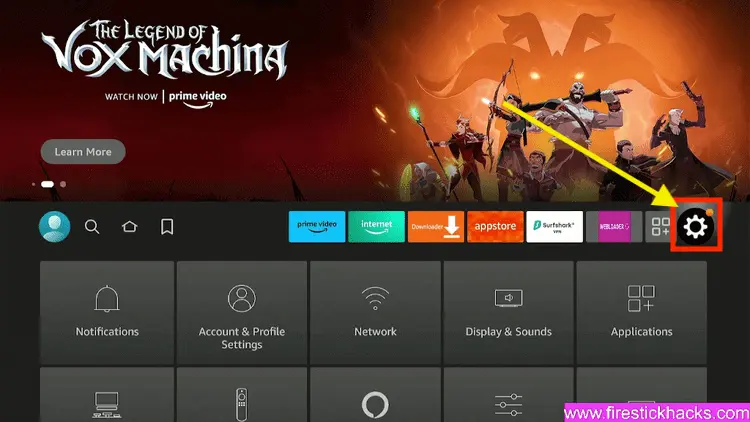
Step 2: Click on the Settings icon
Step 3: Select the My Fire TV option
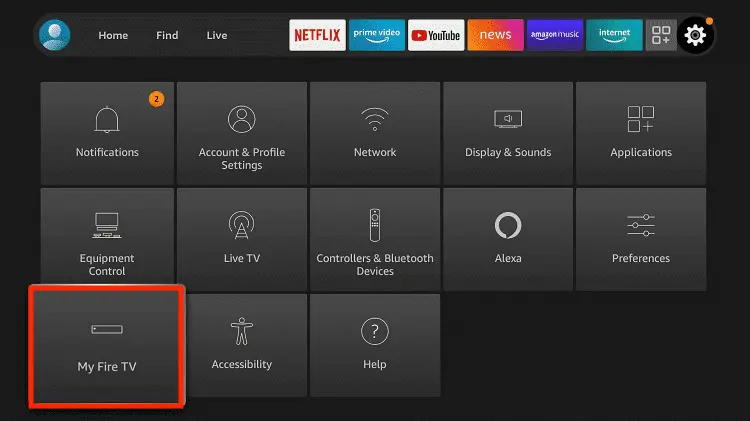
Step 4: To enable the Developer Option, click About.
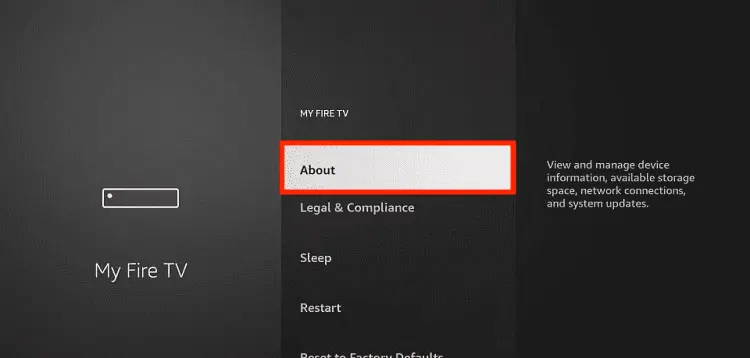
Note: If you have already enabled the Developer Option, then proceed to Step 10
Step 5: Click on the Fire TV Stick option quickly at least 7 times
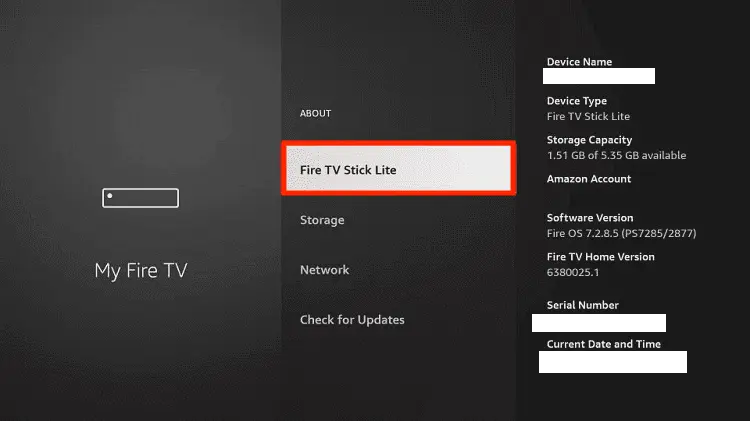
Step 6: Now you will see this message at the bottom saying "No need, you are already a developer". So stop clicking then
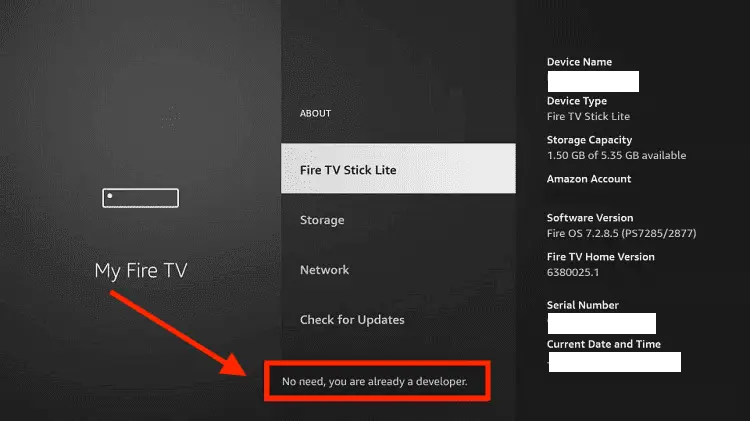
Step 7: Now the Developer Option will appear in the menu so click on it
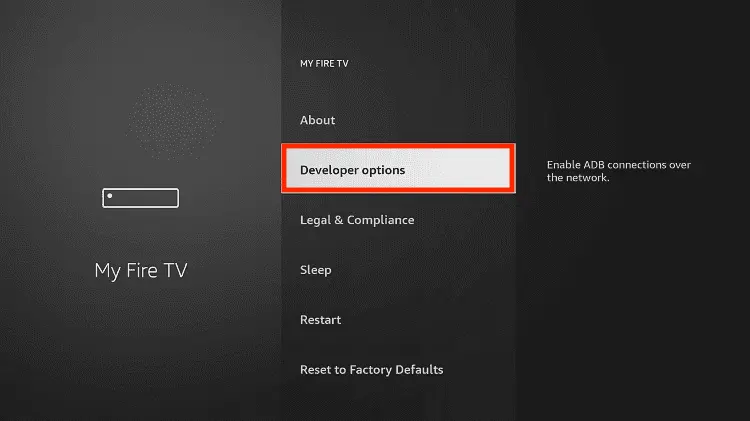
Step 8: Choose Apps from Unknown Sources to turn it ON
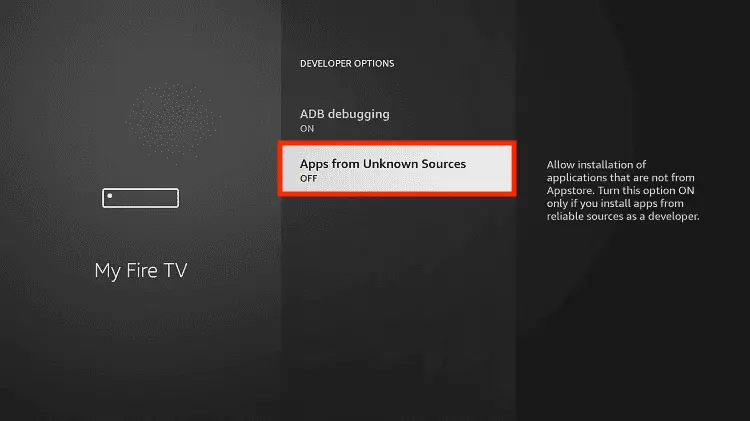
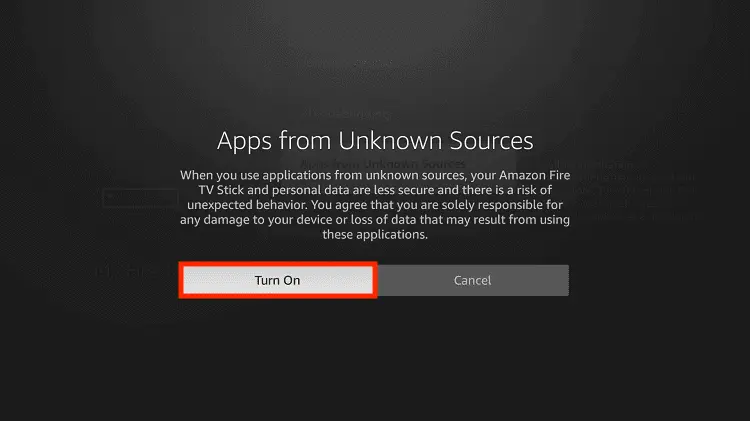
Step 9: Simply click Turn On
Step 10: Now return to the FireStick Home menu by pressing the "Home" icon on the remote and click on Find
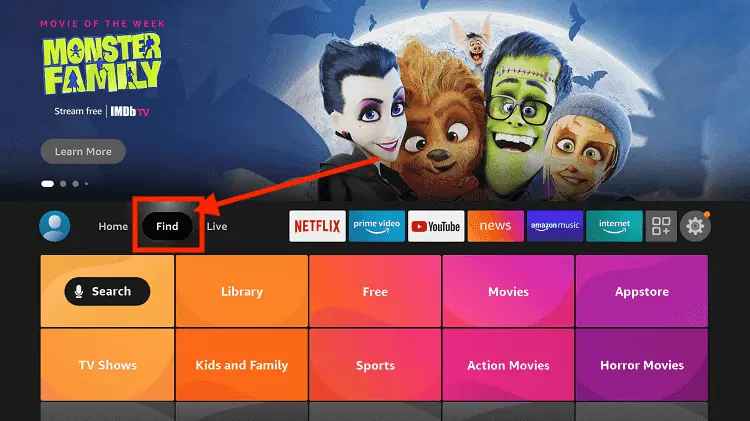
Step 11: Now select the Search icon
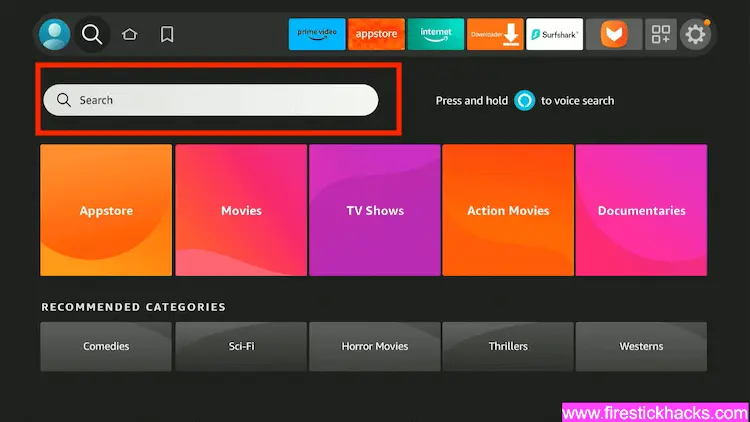
Step 12: Type Downloader and press search
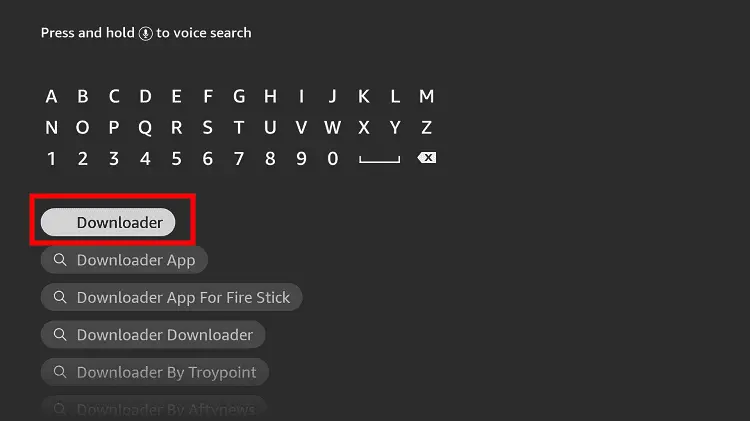
Step 13: Select the Downloader App icon from the list available in the Amazon Store
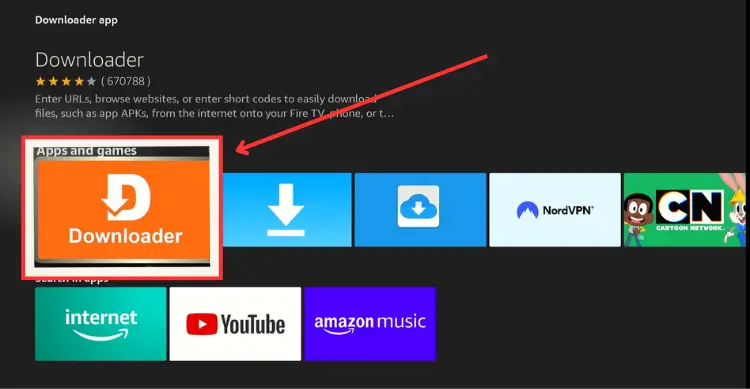
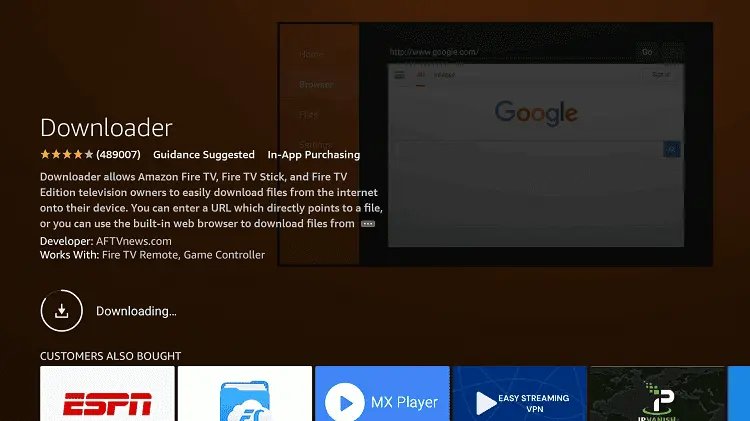
Step 14: Tap Get/Download
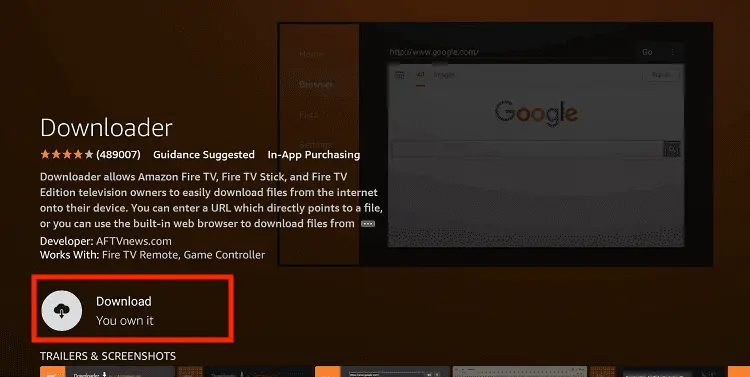
Step 15: Wait for a while until the installation process is completed
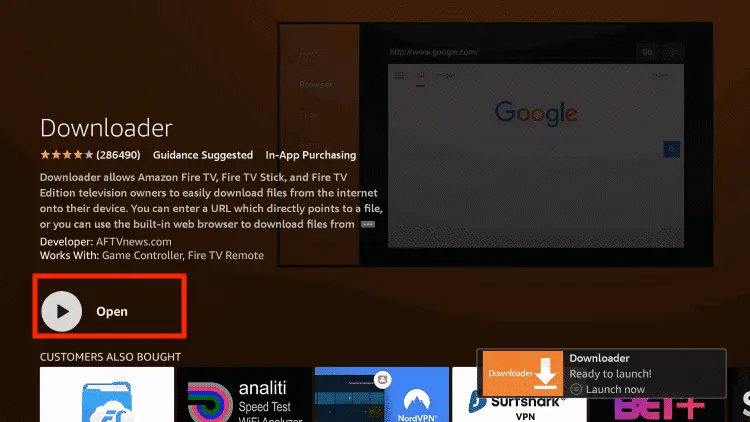
Step 16: Now click Open
Step 17: You will see a popup about Downloader app latest update. Click "OK".

Step 18: Click OK again

Step 19: This is the Downloader App interface, Click the Search Bar on top

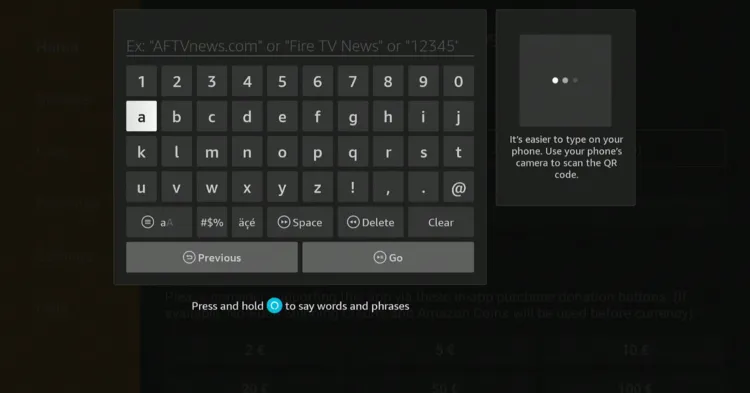
Step 20: Now enter the Ola TV Downloader Code 730116 in the search box OR enter this URL bit.ly/fsh-downloads and click Go.
Note: The referenced link is the official URL of this app/website. FIRESTICKHACKS does not own, operate, or re-sell any app, streaming site, or service and has no affiliation with its developers.
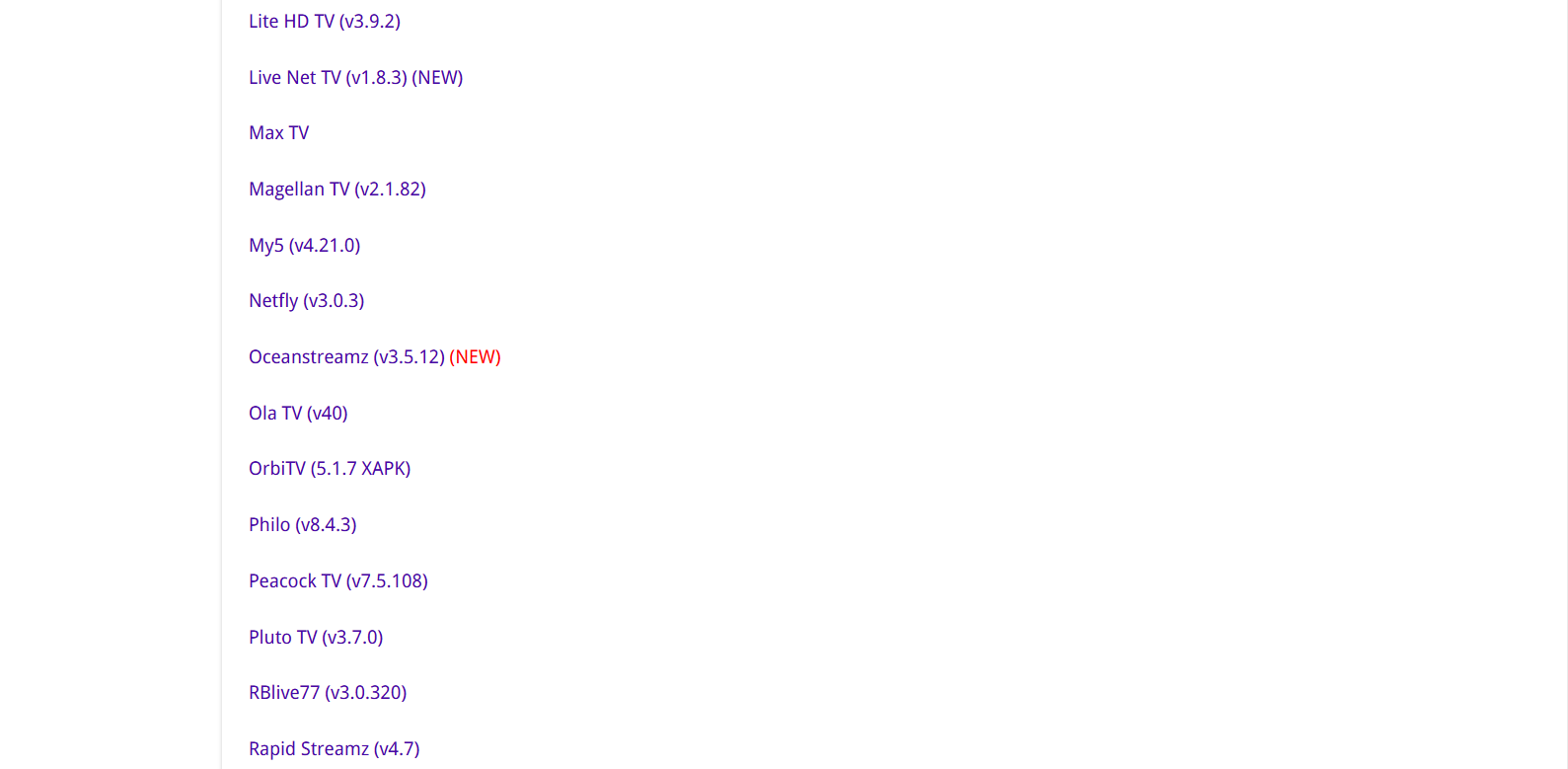
Step 21: Scroll down and click “Ola TV” from the “Live TV Apps” category.
Note: If the app does not start downloading, then clear the Downloader app cache using this article.
Step 22: The download will start. Wait for it to complete.
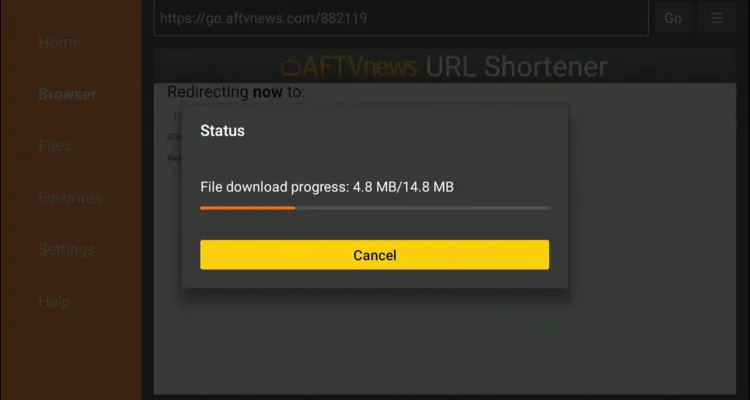
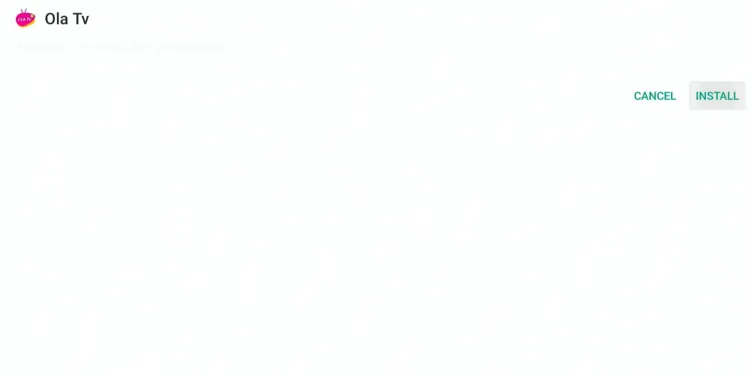
Step 23: Once the installation finishes, click “Install.”
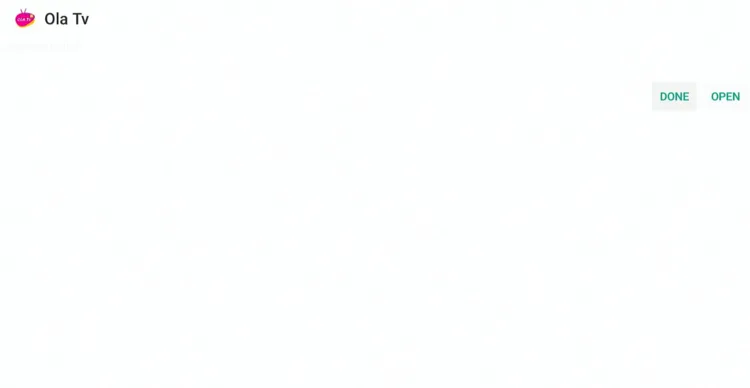
Step 24: Click “Done.”
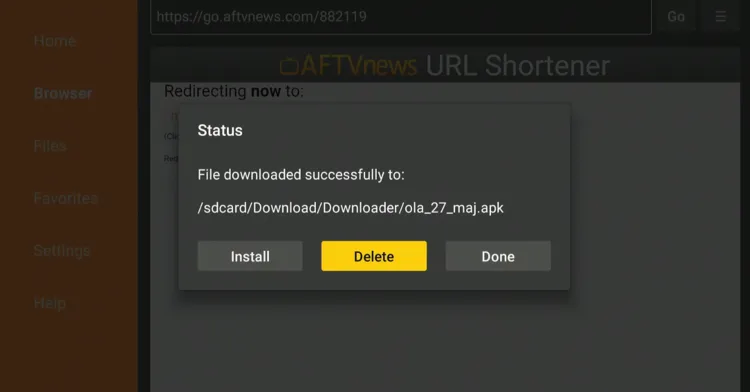
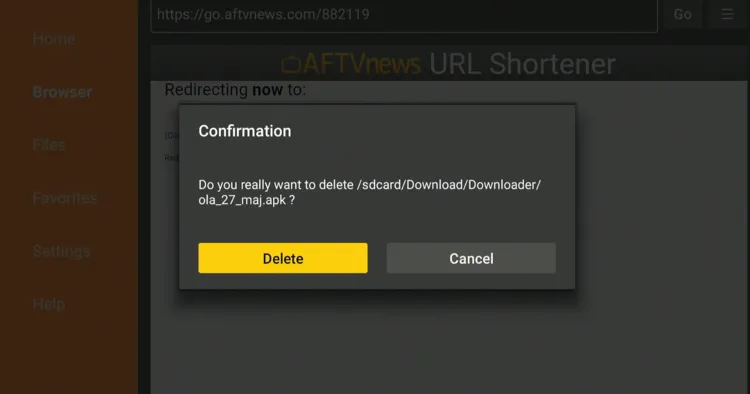
Step 25: Click “Delete” to remove the Ola TV APK file from FireStick.
Note: Deleting APK files will free up space on FireStick.
Step 26: Select “Delete” again for confirmation.
How to Use Ola TV on FireStick
Ola TV has no built-in video player; you must install Kshaw Player to stream the live TV channels and on-demand videos on the app.
Once you are done installing Kshaw, you are all set to stream Ola TV. I tried many servers on the app and found 853, 1012, 914, 917, 920, and 932 to be better than most of them.
Please note that there’s no way to verify the Ola TV streaming sources, so be sure to install and use SurfShark VPN on FieStick to ensure secure streaming.
Follow the steps below:
Step 1: Open Surfshark and connect to the Hong Kong/Costa Rica server.

Step 2: Go to the FireStick home screen and select the “icon next to the settings” in the top right corner.
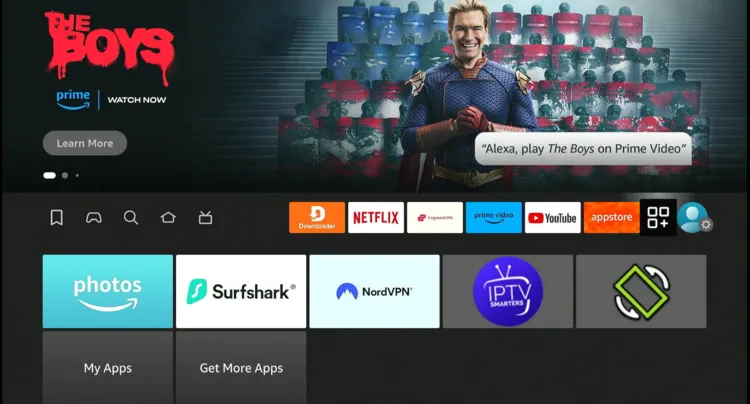
Step 3: Choose “Ola TV.”
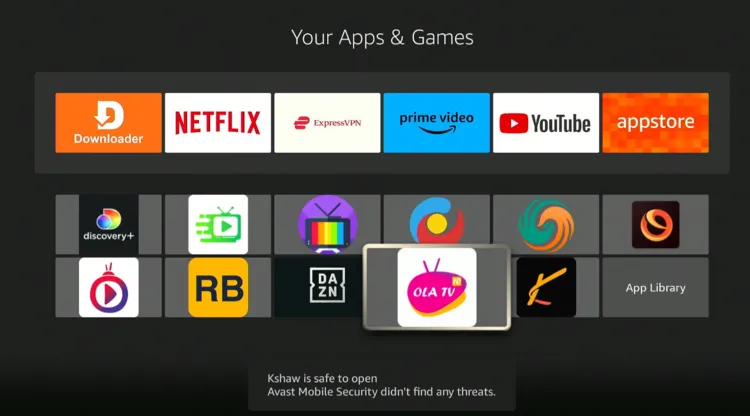
Step 4: Choose a server.
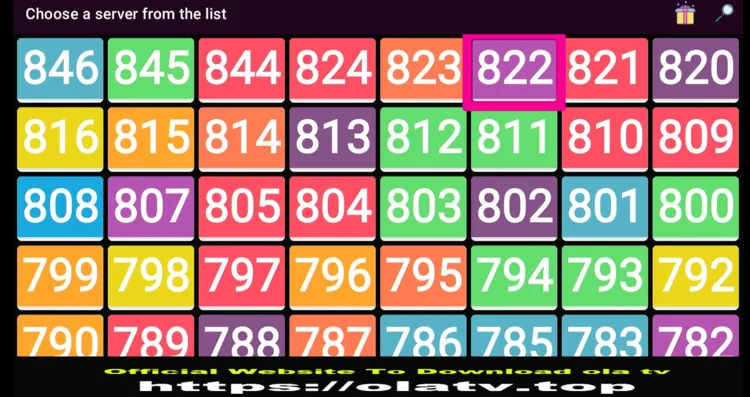
Step 5: Choose the live TV channels tab or movies tab.
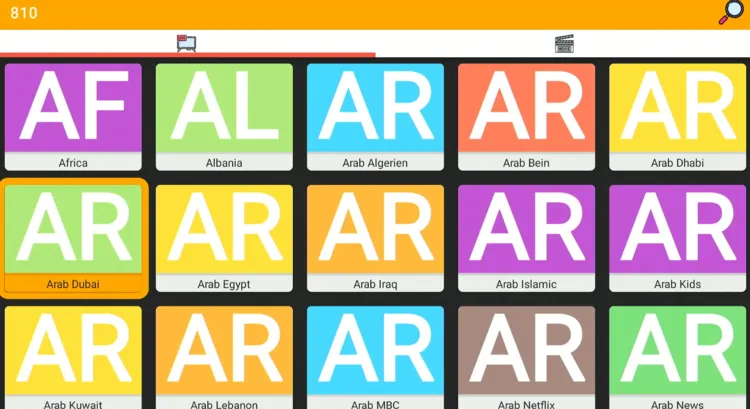
Step 6: Enjoy streaming!

Is OLA TV APK Safe/Legal to Use on FireStick?
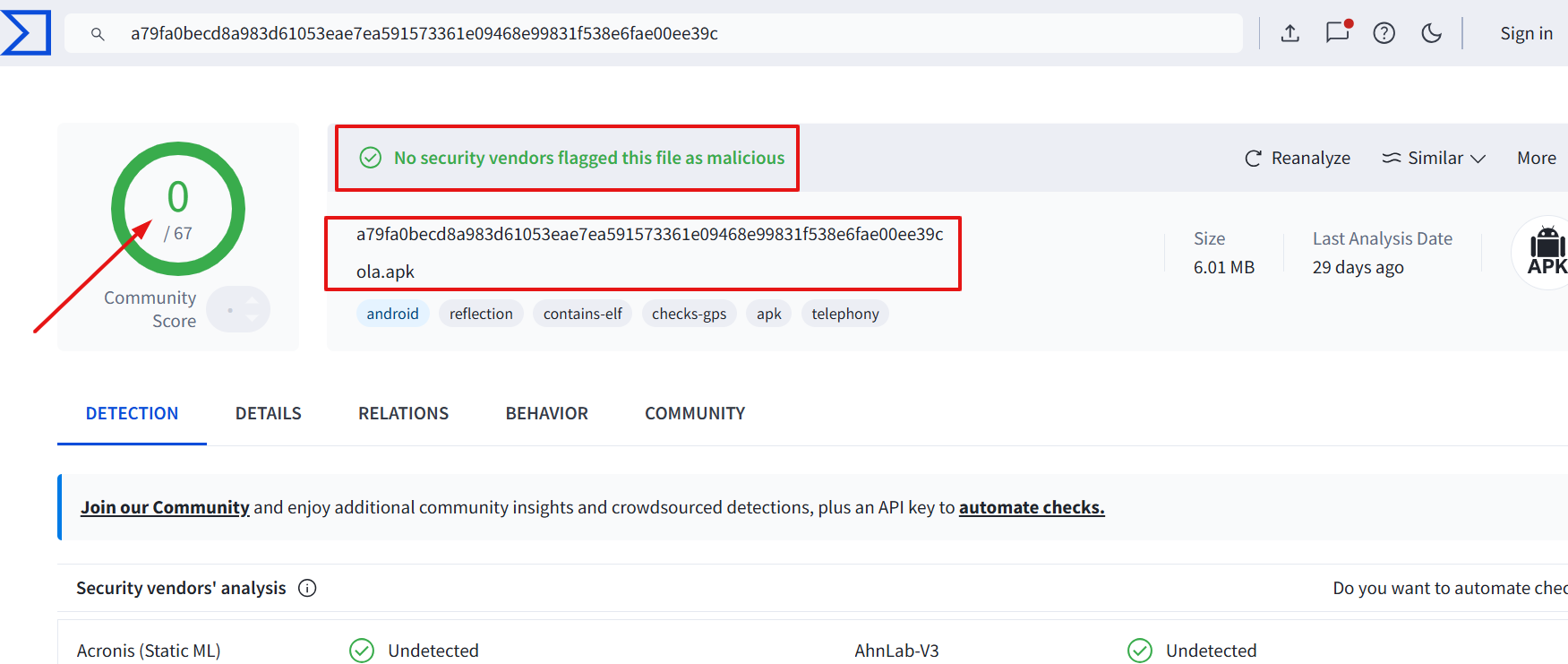
Ola TV (v40) is completely safe to use. We scanned its APK file using VirusTotal and found no malware or viruses.
However, we can’t verify the streaming sources of Ola TV, so we recommend you use Surfshark to enjoy secure streaming!
All You Need to Know About Ola TV
Here is a quick sneak peek into Ola TV’s latest APK:
| Content-Type | Live TV Channels & VOD |
|---|---|
| Price | Free |
| File Size | 14.8 MB |
| Version | 40 |
| Is It Safe to Use? | Yes, but you will have to use a VPN |
| Developers | Ola TV |
| Supported Player | Kshaw Player |
Ola TV Features
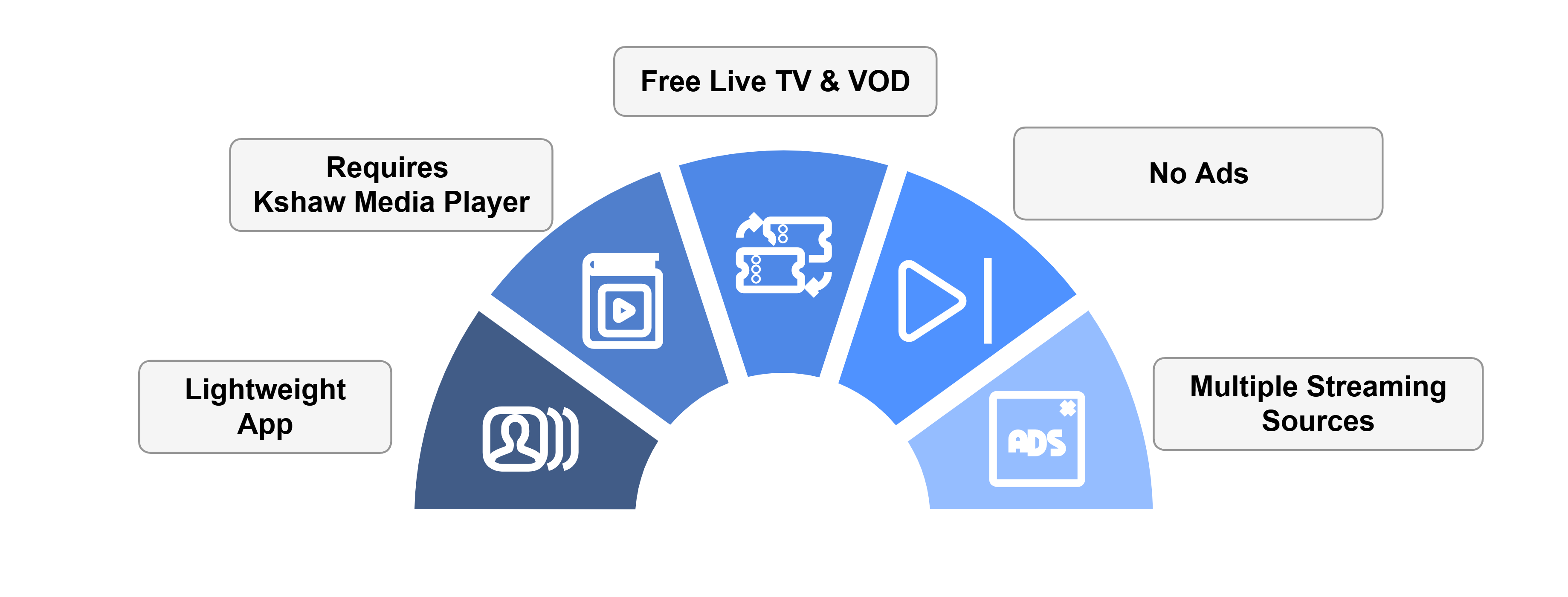
Check out some of the best Ola TV features:
🟩 Free app
🟩 Live TV channels & movies/shows
🟩 No sign-up required
🟩 Multiple servers
🟩 No ads
🟩 Lightweight app
🟩 Requires Kshaw Player
🟩 HD streaming
Ola TV Not Working? Try These Fixes
If you’re dealing with buffering, app crashes, or other streaming glitches on Ola TV, try these quick fixes to smooth things out:
- Restart Your Internet Router
- Clear app cache
- Close background apps
- Restart FireStick
- Connect FireStick via Ethernet
- Set video resolution to 1080p/4K
P.S. If you are still facing issues, check out our detailed articles to stop buffering on FireStick and fix playback errors.
Ola TV Alternatives
If you like Ola TV, you would want to try some of the following alternatives:
- BitTV on FireStick
- Netfly on FireStick
- Voltra TV on FireStick
- Cinema HQ on FireStick
- 1Pix Media on FireStick
FAQs – Ola TV
What is the latest Ola TV APK?
V40 is the latest Ola TV APK as of 19 August, 2026.
Is Ola TV app free on FireStick?
Yes, Ola TV is completely free to use on FireStick.
What can I watch on Ola TV?
Ola TV lets you watch live TV channels from countries like the UK, US, and India, and on-demand shows & movies.
Does Ola TV show ads on FireStick?
No, Ola TV provides an ad-free experience.
Can I install Ola TV from Amazon Appstore?
No, you can get Ola TV on FireStick by sideloading from a third-party source using the Downloader app.



Trying to download Ludio player to allow Ola tvapk to work on a 1st generation firestick, unfortunately it will not let me download it, do you have an suggestions on how to over come this issue.many thanks
Maybe you could download and install MX Player on your 1st gen?
No work for me.Pity.
You can try this Live TV app it works like a charm!
Ola 14 is a pile of junk. It is constantly stopping or will not play anything.
Version 9 and 10 worked much better.
hmm.. you can still try Live Net TV. It works like a charm. Give it a try.
Live tv has been abandoned I believe.
Today is 13/6/2022 and its working till now
OlaTV’s complete and total, 100% pure garbage.
Its a free app so due to heavy load sometime it crashes. You can always install the alternate of this app to prevent streaming issues.
No valid links on the ola site you recommend. Ola is very frustrating to use with mostly duplicates and issues saying the media apps it depends on need to be updated when they already are. It’s a terribly poorly created app. Worst of all it rarely has working streams.
Just checked its working. you have to scroll down to reach the working link. anyway this link is working “olatv.net/olatv.apk“
I downloaded OlaTV, successfully, but mu question has to do with the difference between 18.0 Original and 18.0 MOD and which one I should’ve downloaded. I downloaded 18.0 Original, but would Still like to verify and confirm. Thanks in advance.
Go with original. Sometime with the MOD apk the app will crash on firestick