
Disclosure: Our experts test apps for security before recommending them. If you buy through our links, we may earn a commission. See how it works.

Eternal TV is one of the best IPTV services with over 18,000 live TV channels from countries like the USA, Canada, and the UK. You also get over 60,000 movies and 84,000 TV shows.
They provide both Xtream Codes and m3u URLs. Eternal TV recommends using IPTV Smarters Pro for a smooth streaming experience. The pricing starts from $19.99/mo.
While Eternal TV doesn’t provide a free trial, I tried a workaround and got a free trial. I’m sharing the steps in this article on how you can do the same!
Please note that since most IPTV services are unverified, using a VPN is a must to ensure foolproof online security. Surfshark is our #1 choice.
Our Recommended VPN - Surfshark

WARNING! Amazon Monitors Your Fire TV Stick!
Yes, It’s True! Without Proper Encryption, your IP Address is Exposed, and Whatever you Stream on FireStick is 'Being Tracked'.
This can lead to:
- Blocking of the FREE Third-Party Apps
- Exposure of your Personal data to hackers, ISPs, and even the authorities
But There’s a Solution - ‘Surfshark VPN’
Save 87% + Get 3 Extra Months FREE with Surfshark VPN [Limited Time Offer]
This Includes:
✅ VPN for just $0.06/day!
✅ Strongest Encryption (i.e.256-Encryption)
✅ 3,200 servers in 100+ server locations
✅ Kill Switch Feature for FireStick users
✅ Data Breach Alerts.
✅ Unlimited Device Connections.
✅ 30-day money-back guarantee.

How to Watch Eternal TV on FireStick Using IPTV Smarters Pro
Unlike in the past, Eternal TV doesn’t have its own IPTV player anymore. The service recommends using IPTV Smarters Pro (free IPTV player) for the best viewing experience.
First, you will have to sideload IPTV Smarters Pro using the Downloader app and then insert the m3u URL or Xtream Codes in it to access Eternal TV on FireStick.
That said, Eternal TV might be pulling links from unknown/unverified sources, so don’t forget to install and use SurfShark VPN on FireStick for secure streaming.
Follow the steps below:
Step 1: Turn ON your FireStick device and Go to FireStick Home

Step 2: Click on the Settings icon
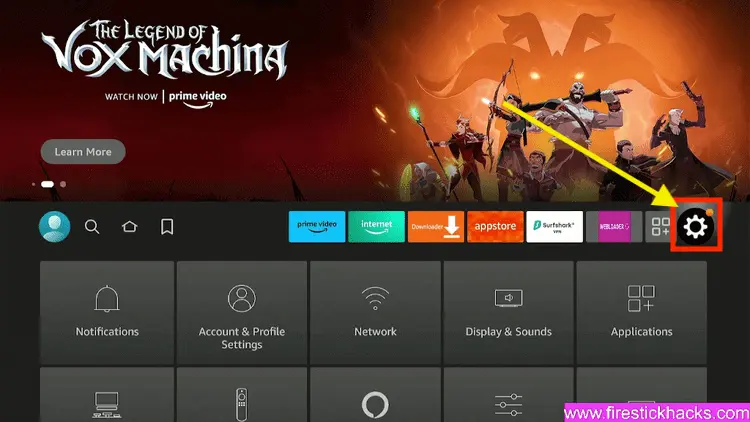
Step 3: Select the My Fire TV option

Step 4: To enable the Developer Option, click About.
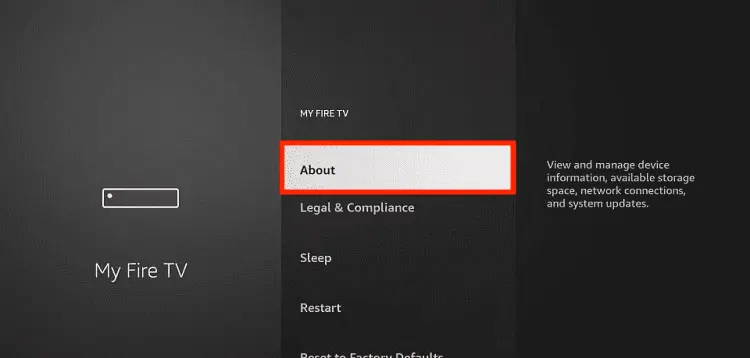
Note: If you have already enabled the Developer Option, then proceed to Step 10
Step 5: Click on the Fire TV Stick option quickly at least 7 times

Step 6: Now you will see this message at the bottom saying "No need, you are already a developer". So stop clicking then

Step 7: Now the Developer Option will appear in the menu so click on it
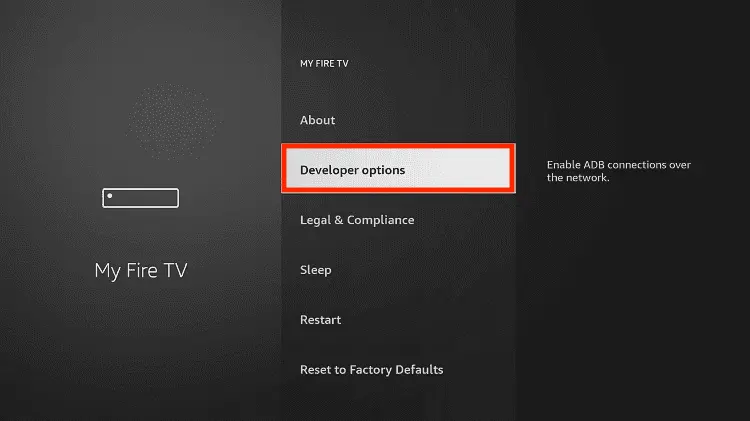
Step 8: Choose Apps from Unknown Sources to turn it ON

Step 9: Simply click Turn On

Step 10: Now return to the FireStick Home menu by pressing the "Home" icon on the remote and click on Find
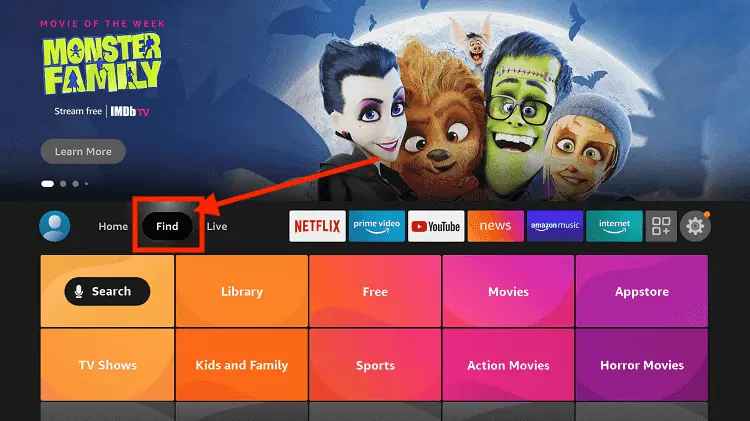
Step 11: Now select the Search icon
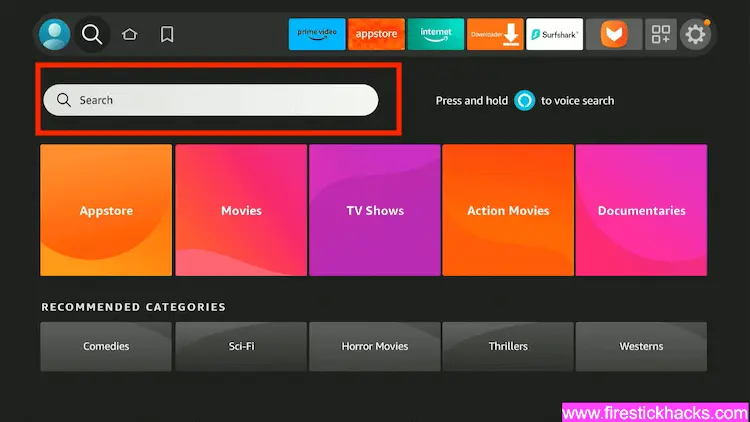
Step 12: Type Downloader and press search
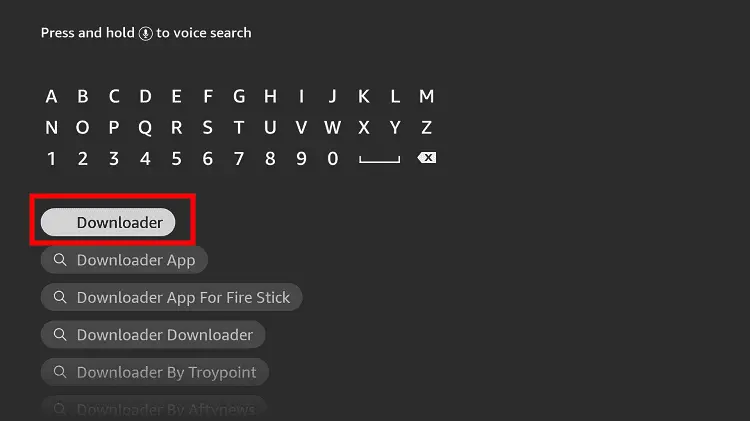
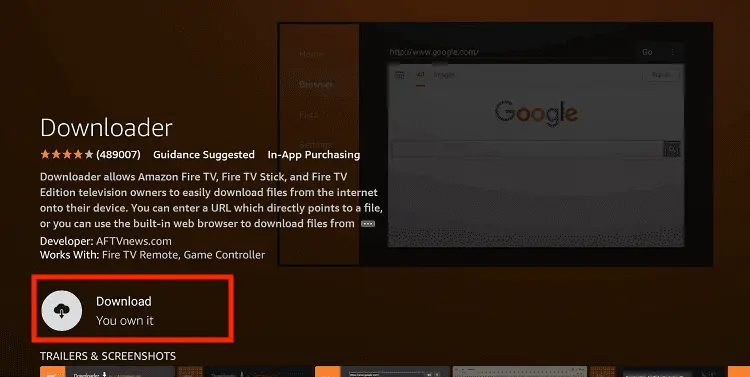
Step 13: Select the Downloader App icon from the list available in the Amazon Store

Step 14: Tap Get/Download
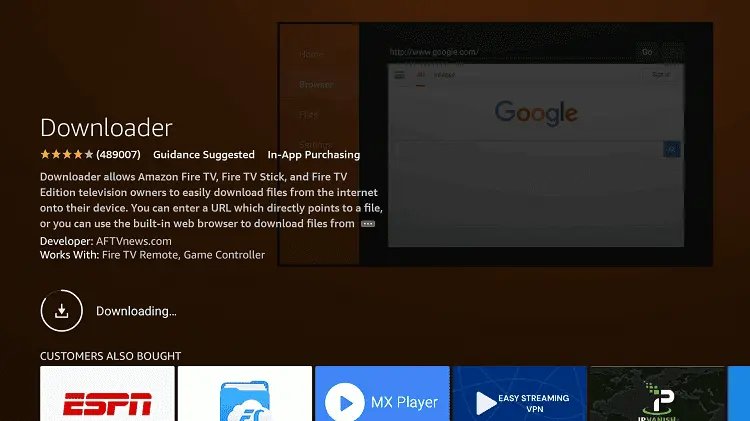
Step 15: Wait for a while until the installation process is completed
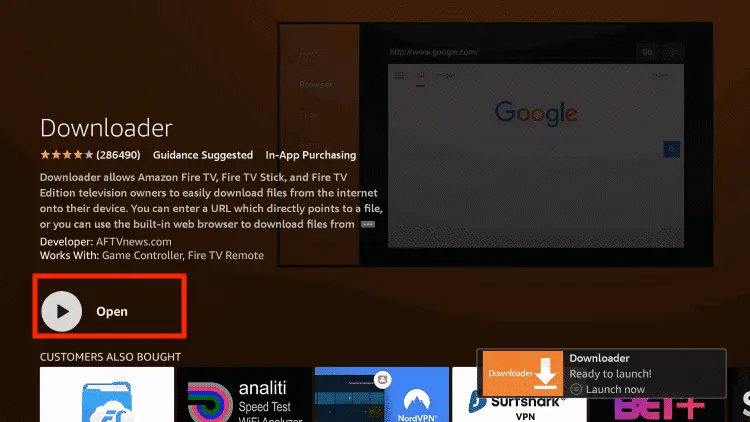
Step 16: Now click Open
Step 17: You will see a popup about Downloader app latest update. Click "OK".

Step 18: Click OK again

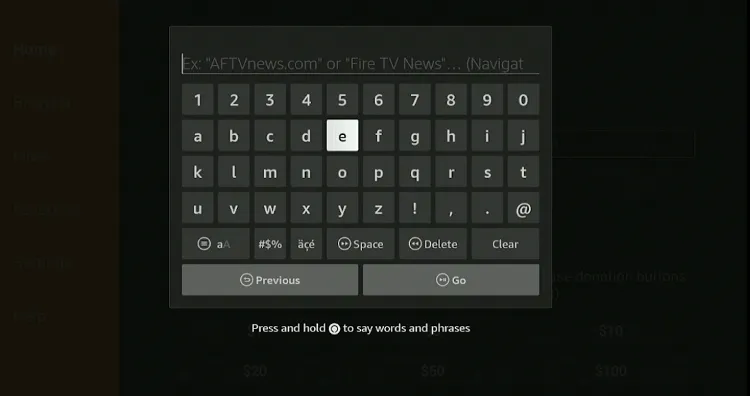
Step 19: This is the Downloader App interface, Click the Search Bar on top

Step 20: Now enter the IPTV Smarters Pro Downloader Code 730116 in the search box OR enter this URL bit.ly/fsh-downloads and click Go
Note: The referenced link is the official URL of this app/website. FIRESTICKHACKS does not own, operate, or re-sell any app, streaming site, or service and has no affiliation with its developers.
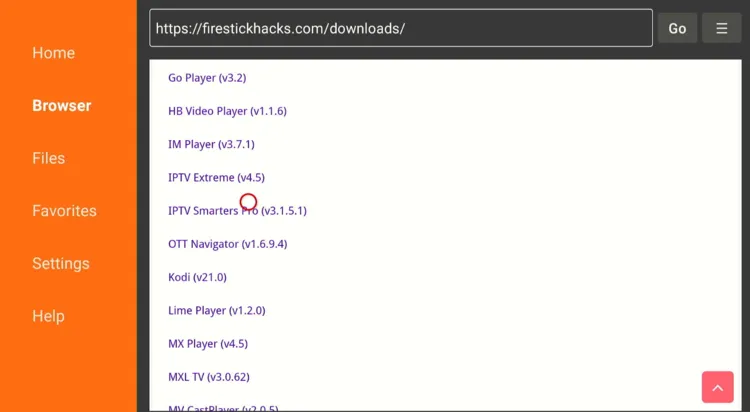
Step 21: Scroll down and click “IPTV Smarters Pro” from the “IPTV & Media Player” category.
Note: If the app doesn’t start downloading, then clear the Downloader App cache using this article.
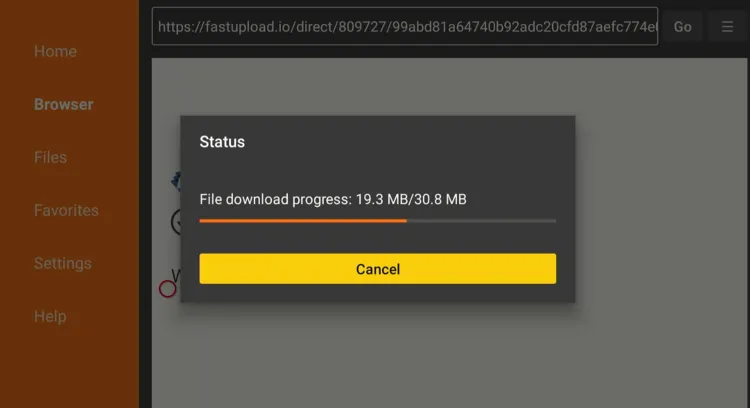
Step 22: The downloading will start; wait for it to finish.
Step 23: Once the downloading finishes, click “Install”.
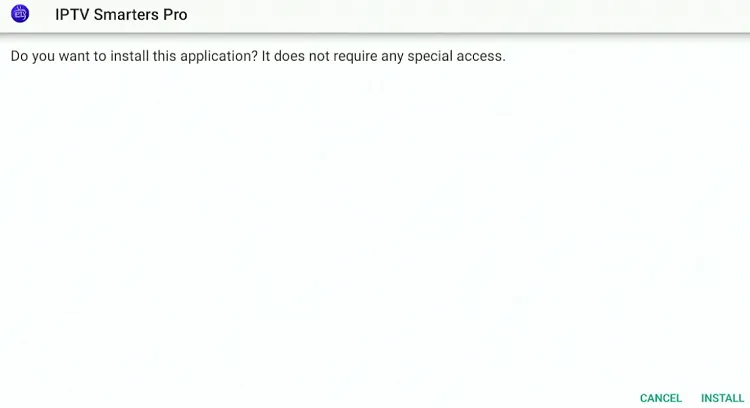
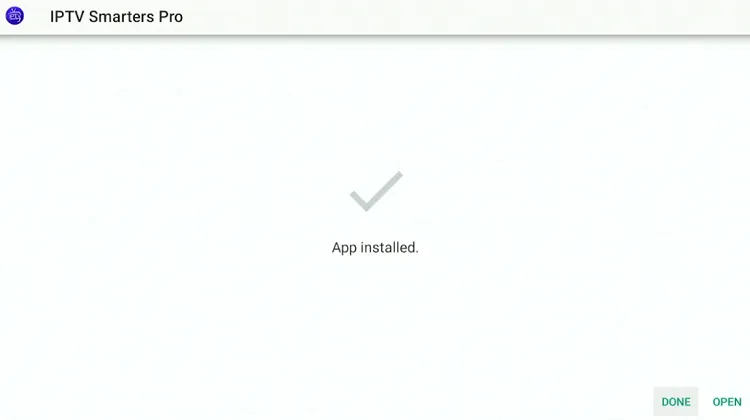
Step 24: Tap the “Done” icon.
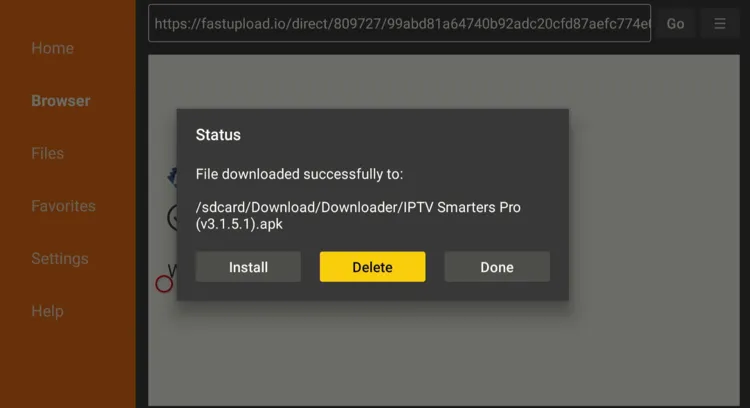
Step 25: Click “Delete” to remove the APK file from FireStick.
Note: Deleting APK files will free up space on FireStick.
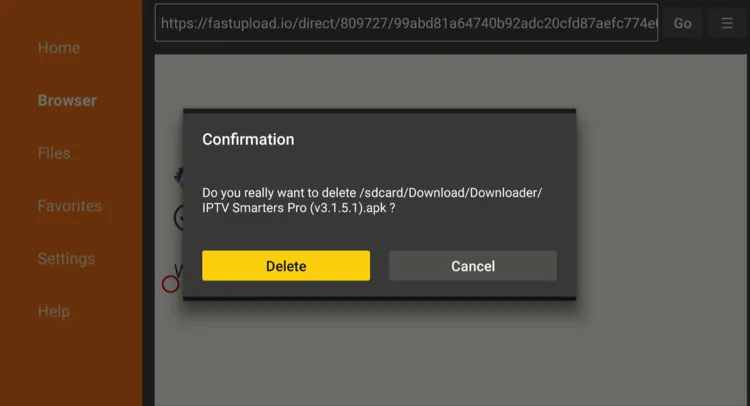
Step 26: Select “Delete” again for confirmation.
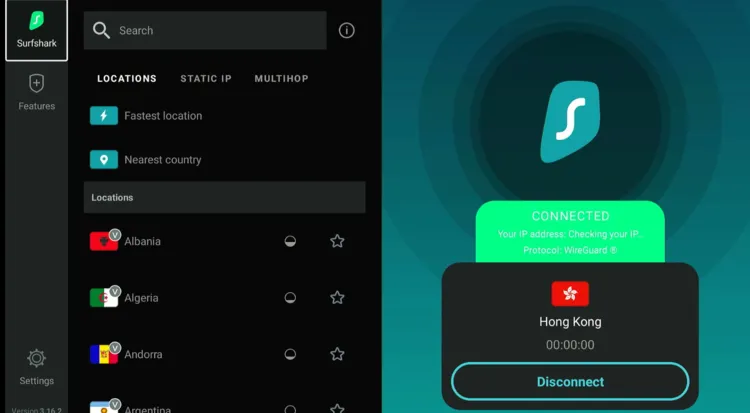
Step 27: Open Surfshark and connect it to the Hong Kong server.
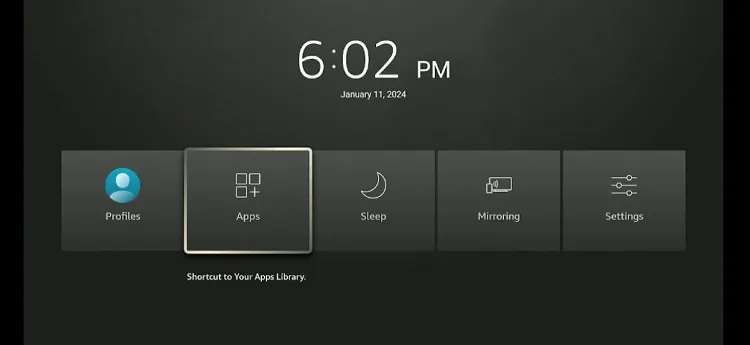
Step 28: Long-press the “Home” button on the FireStick remote and navigate to apps.
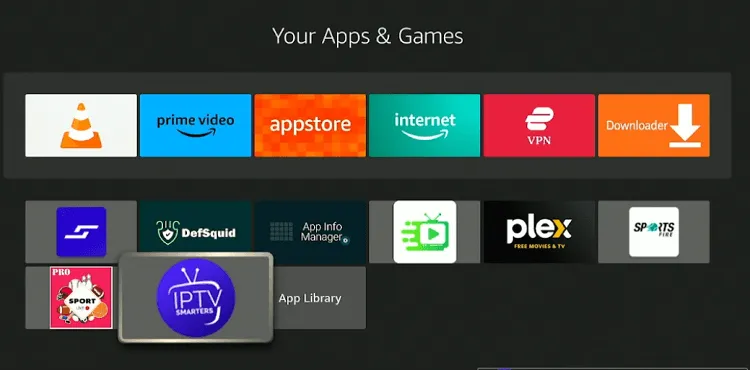
Step 29: Choose the “IPTV Smarters Pro” app from the list.
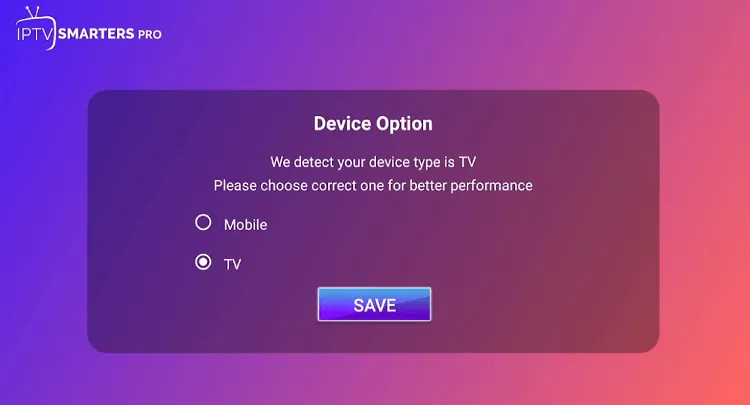
Step 30: Select “TV” and then tap “Save”.
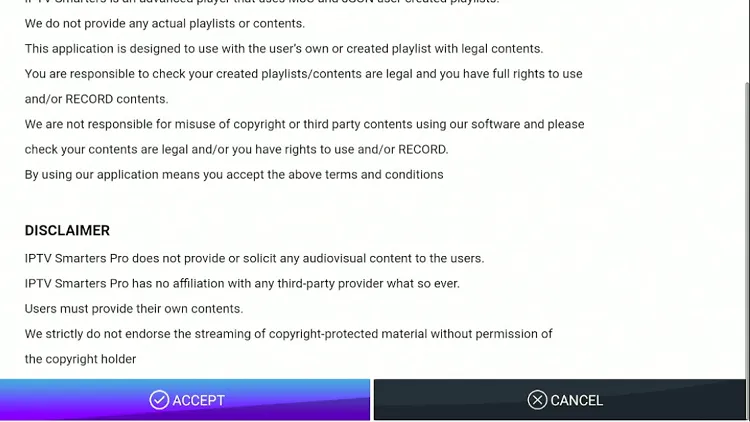
Step 31: Click “Accept”.
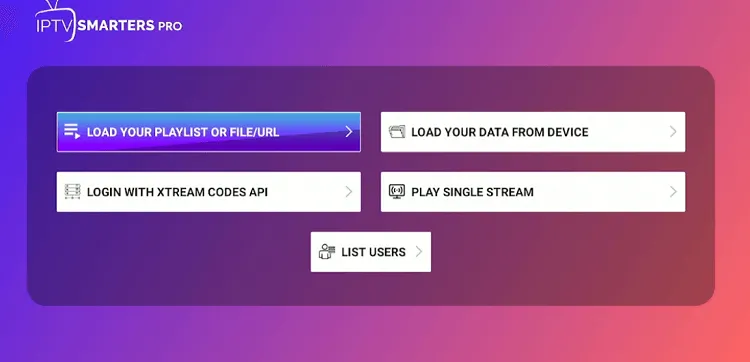
Step 32: If you want to use an m3u URL, click the “Load Your Playlist or File/URL” tab. If you want to use Xtream Codes, click “Login with Xtream Codes API”.
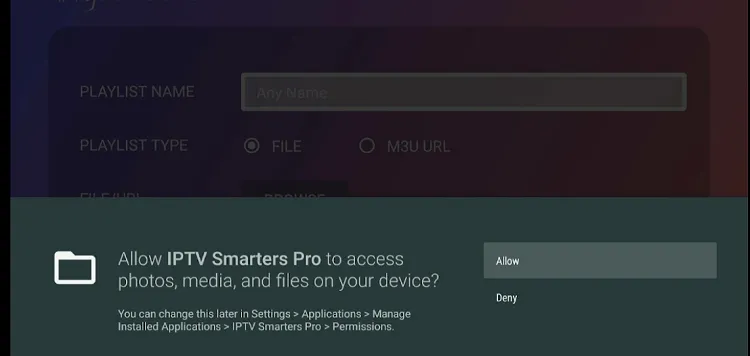
Step 33: Click “Allow”.
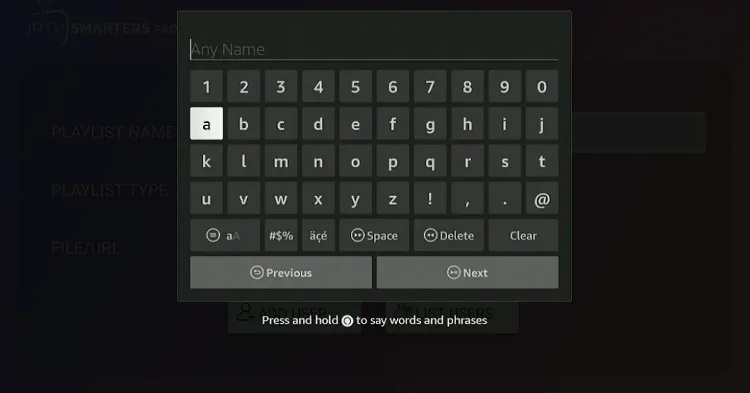
Step 34: Click “Any Name”.
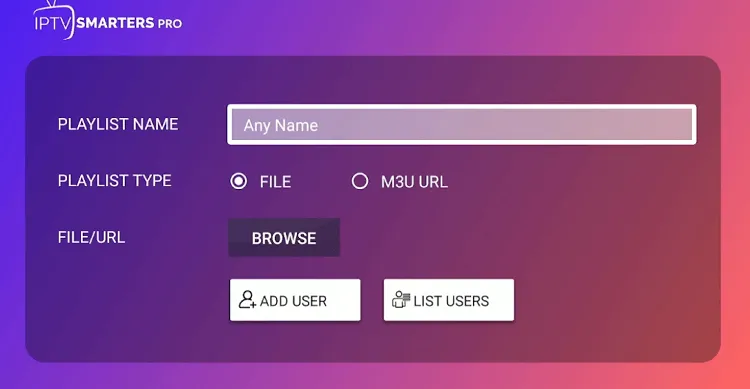
Step 35: Now, add any name of your liking.
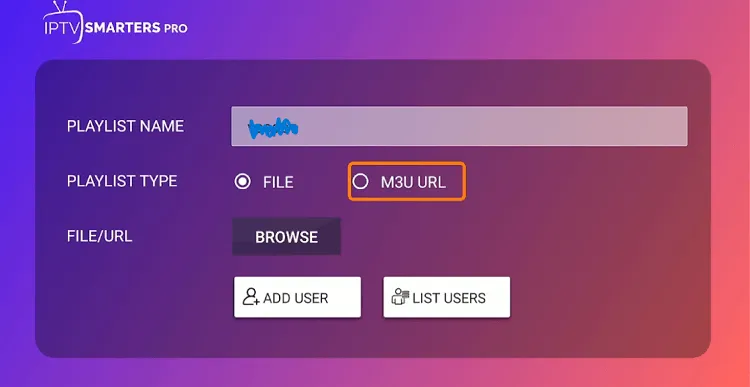
Step 36: Select “M3U URL”.
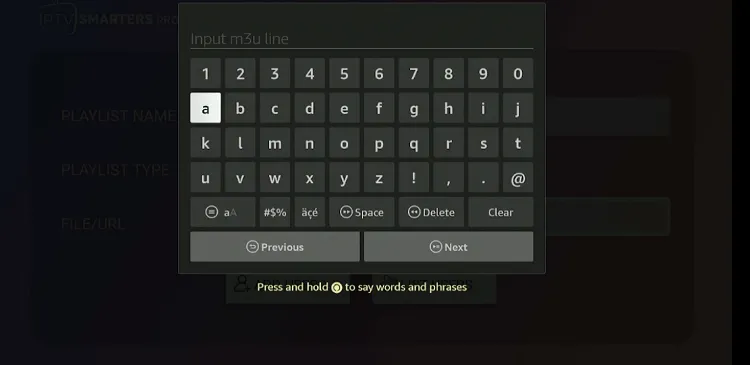
Step 37: Insert the m3u URL provided by Eternal TV via email and click “Add User”.
P.S. If you have a hard time typing the long URL through the FireStick remote, you can install Fire TV remote app.
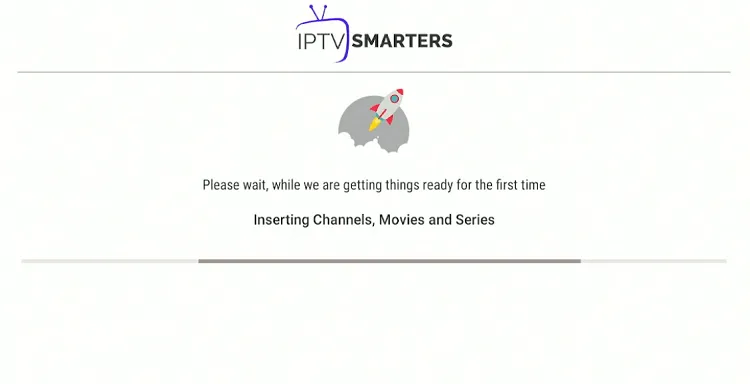
Step 38: Wait for the channels/VOD to load.
Step 39: Choose the “Live TV”, “Movies”, or “Series” tab.
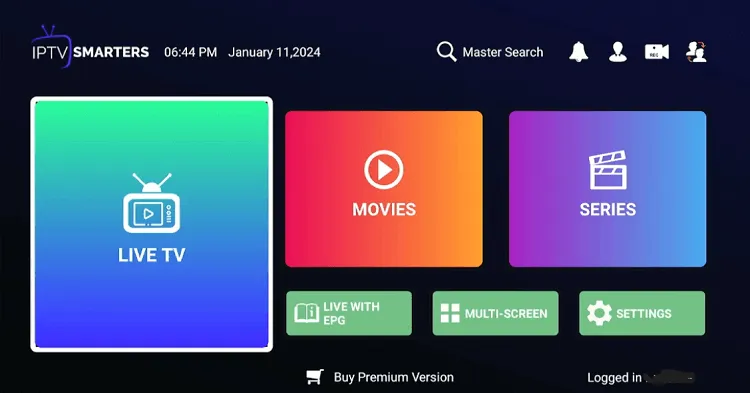
Step 40: Choose any live TV channel.
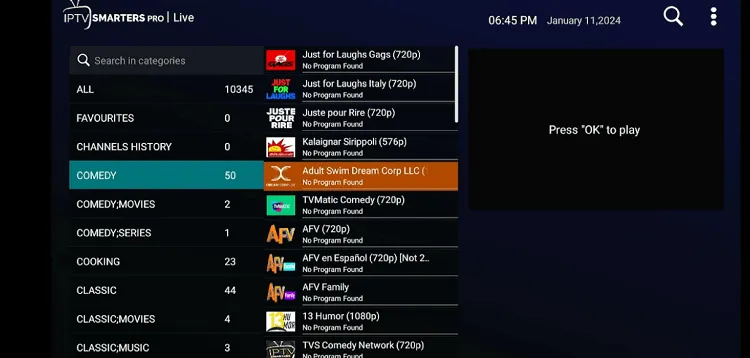
Step 41: Enjoy streaming!

How to Get a Free Eternal TV Trial
While Eternal TV doesn’t officially provide a free trial, I emailed them at “Contact@eternaltv.tv” as a Reseller who wants to test their service first.
To my surprise, they sent me “Xctream Codes API” and an “m3U URL” to try out their service 👇
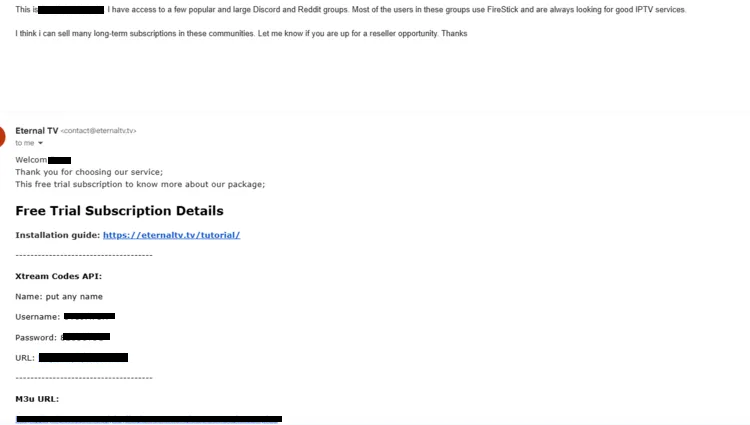
To increase your chances of receiving free credentials, come up with a good pitch. Don’t directly ask for a free trial. Instead, explain how you might potentially bring them customers.
Eternal TV Pricing
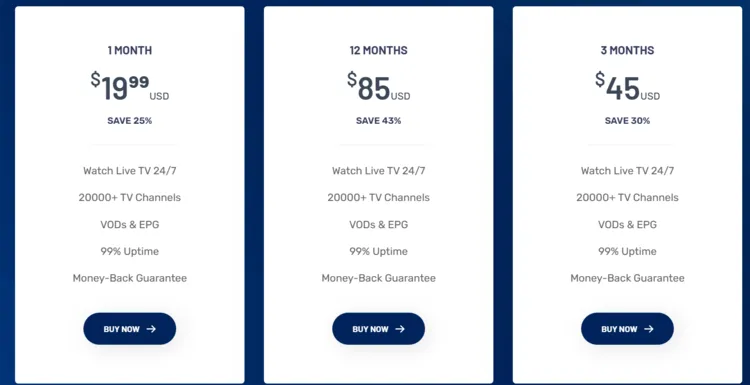
Eternal TV provides flexible plans for FireStick users. Have a look at their pricing:
- $19.99 – 1 Month
- $45 – 3 Months
- $85 – 12 Months
P.S. Users get exactly the same number of live TV channels and VOD content in all the plans!
Top Eternal TV Features
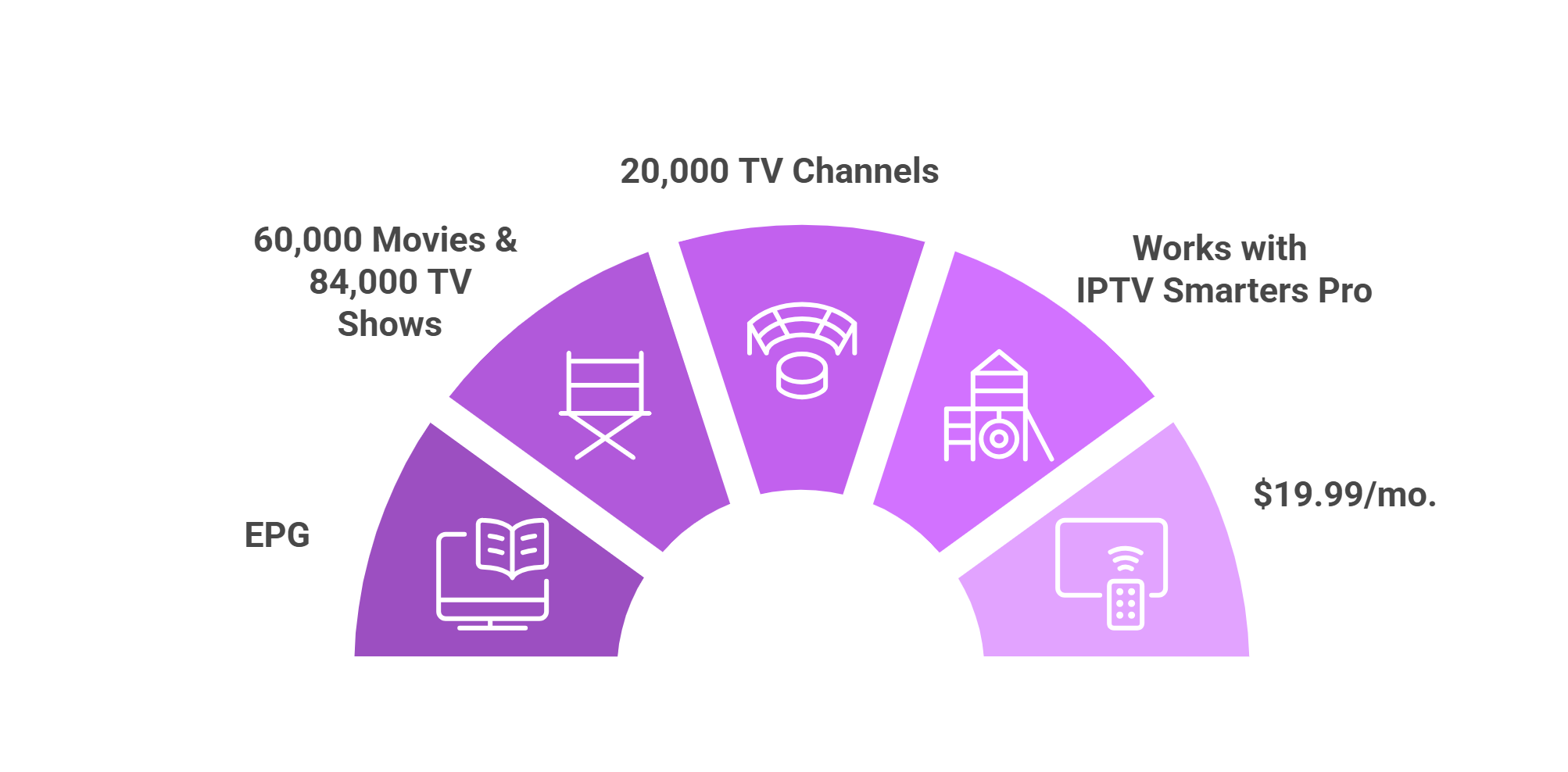
Check out some of the top Eternal TV features:
✅ 18K plus live TV channels (US, UK, Canada, etc.)
✅ Thousands of VOD (Movies & Shows)
✅ Accessible via IPTV Smarters Pro
✅ EPG
✅ Affordable plans
✅ Provides m3u URL & Xtream Codes API
✅ 99.99% uptime
Eternal TV Not Working? Try These Fixes
Sometimes, Eternal TV could buffer due to various reasons. Fortunately, you can improve your streaming experience with these quick fixes:
✅ Clear IPTV Smarters Pro cache using this article
✅ Try another IPTV Player (XCIPTV, TiviMate)
✅ Close Background Apps
✅ Restart FireStick device
✅ Change VPN Server
✅ Lower Video Quality
Read More: 7 Ways to Fix Playback Errors on FireStick
Eternal TV Alternatives
If you like Eternal TV, you would want to try some of its popular alternatives:
- iView HD IPTV on FireStick
- Apollo Group TV on FireStick
- Yeah IPTV on FireStick
- Dynasty IPTV on FireStick
- XCodes IPTV on FireStick
FAQs – Eternal TV
Does Eternal TV offer a free trial?
No, Eternal TV doesn’t officially offer a free trial, but you may get test credentials by emailing them with a good reseller pitch.
What can I watch on Eternal TV?
Eternal TV offers over 18,000 live channels along with 60,000+ movies and 84,000+ TV shows.
Which app works best with Eternal TV on FireStick?
IPTV Smarters Pro is the recommended app for a smooth Eternal TV streaming experience.
Does Eternal TV provide M3U URLs?
Yes, Eternal TV supports both Xtream Codes API and M3U URL logins.
Does Eternal TV provide an EPG (TV Guide)?
Yes, it includes a built-in EPG for live channels.





How do I get sign in infro
Hey Jonathan, doesn’t the app provide the login info?
hi how do i get a account
Everything is mention in the blog
I get a sign in screen but not a sign up screen, how do I sign up
Hey Diana, You can sign up on their website using a computer.
I already have a vpn , will I have to change it to surfshark, currently using IP Vanish, paid through until Agust
If its working then you don’t have to change.
Thank you so much 😊
You’re most welcome 🙂
How to get sign up
Through their website.
Okay
How do I get a sign in and password I want to subscribe
Through its website that we have mentioned in the blog.
I tried to down Eternal TV only to be prompted with the following: “Downloader. For your security, Your TV is not allowed to install unknown apps from this source. What?
Hey Chris, you need to first Enable the Apps from Unknown Sources. Go to Settings, then Fire TV, then Developer Options and from there Turn ON apps from unknown sources
Interested in subscribing…installed on my firestlck today…need a trial
Great! You can subscribe from their website mentioned in this guide.
I have Eternal Tv already . What exactly are the VOD channels? How do I get them?
VOD channels are the ones where you can watch free movies.
I get an invoice notice but can’t figure out how to pay it, so until it’s paid I still can’t watch any programs.
I have activated an PayPal account, I new to it and not sure how to use it.
Hello Pam, I would suggest that you read this blog where we have informed readers on how to watch IPTV service through an IPTV player.
I just got eternal tv for 1 month to check it out. For the life of me I can’t find the correct, latest url or apk to type into downloader on my nvidia shield box to install it. Please help.
We have updated the link to our blog, so please check the downloader code and the link section; it’s up to date. Alternatively, you can try using this downloader code ‘948115,’ but please keep in mind that it is only guaranteed to work after 9/5/2023. For the most current information, you will find updates in our blog section
After entering my name, username and password, it shows a message invalid server URL. How do I fix this to add a user?.
Hello Greg, the error you are facing is usually due to entering an invalid URL. Make sure you enter the correct URL. Also, Eternal TV recommends using IPTV Smarters Pro; so ensure you are using this IPTV player. You can download IPTV smarters pro using downloader code 730116 (scroll down to IPTV players category).
Still having the same problem as Greg, can you go into further detail? I have eternal tv downloaded, and when i put in the login info- it says invalid server URL. What does that mean? How can I fix? What is the right server URL?
Hi Hank, so Eternal TV doesn’t work on its old IPTV Player. You will have to install IPTV Smarters Pro and enter the credentials in it to stream Eternal TV. I have updated the Eternal TV guide. Pls follow that!
I just got Fober and am not about to log in HELP!!!
Hello, Eternal TV no longer works on its old player. Install IPTV Smarters Pro, enter your credentials, and you’re good to go! I have updated the Eternal TV guide, pls follow that to avoid any confusion
I just subscribed to Eternal TV for one month to test it, but I can’t find the correct, up-to-date URL or APK to enter into Downloader on my Nvidia Shield. Can someone help?