Disclosure: Our experts test apps for security before recommending them. If you buy through our links, we may earn a commission. See how it works.
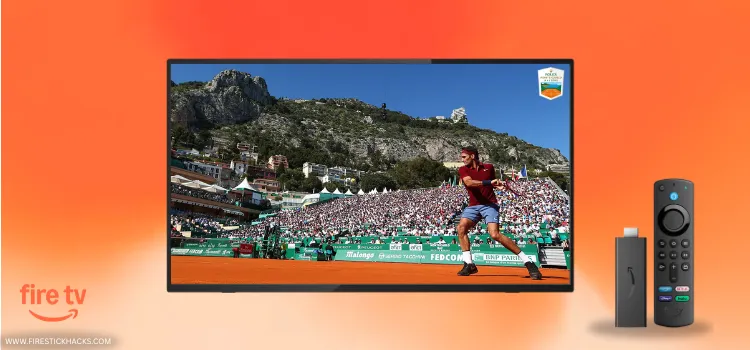
The 2026 Rolex Monte-Carlo Masters is returning for its 119th edition to the Monte-Carlo Country Club. The main action is set to run from April 5 through April 12.
All eyes this year are on Alcaraz (defending champion) after his dominant performance last year. However, you’ll also want to keep a close watch on Sinner and Zverev (knowing Djokovic has withdrawn).
The total prize pool for 2026 is nearly €6.8 million, with the singles winner taking home €974,370 & 1,000 ATP ranking points.
With FireStick, you can watch this event for FREE with SportsFire, SportzX & Sportzfy. Keep in mind that these are unofficial apps. So be sure to use a VPN for foolproof security. Surfshark is our #1 choice.
Our Recommended VPN - Surfshark

WARNING! Amazon Monitors Your Fire TV Stick!
Yes, It’s True! Without Proper Encryption, your IP Address is Exposed, and Whatever you Stream on FireStick is 'Being Tracked'.
This can lead to:
- Blocking of the FREE Third-Party Apps
- Exposure of your Personal data to hackers, ISPs, and even the authorities
But There’s a Solution - ‘Surfshark VPN’
Save 87% + Get 3 Extra Months FREE with Surfshark VPN [Limited Time Offer]
This Includes:
✅ VPN for just $0.06/day!
✅ Strongest Encryption (i.e.256-Encryption)
✅ 3,200 servers in 100+ server locations
✅ Kill Switch Feature for FireStick users
✅ Data Breach Alerts.
✅ Unlimited Device Connections.
✅ 30-day money-back guarantee.

2 Ways to Watch Monte Carlo Masters on FireStick
The following 2 methods will let you watch the Monte Carlo Masters live from all over the world for FREE:
- Watch Monte Carlo Masters on FireStick Using Downloader App
- Watch Monte Carlo Masters on FireStick Using a Browser
Watch Monte Carlo Masters on FireStick Using Downloader App
The Monte Carlo Masters 2026 will be live on Sky Sports Tennis & Tennis Channel. You can get these channels for free via SportsFire.
While SportsFire got disabled recently on FireStick, it is working fine now. Don’t forget to install and use SurfShark VPN on FireStick to hide your IP address as it is a third-part app.
Follow the steps below:
Step 1: Turn ON your FireStick device and Go to FireStick Home

Step 2: Click on the Settings icon
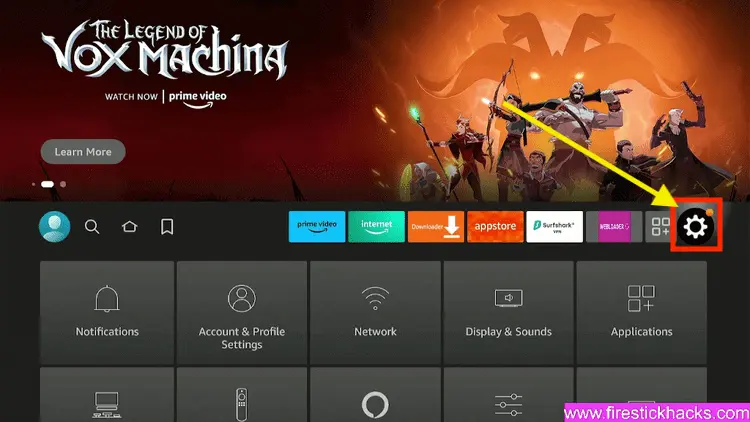
Step 3: Select the My Fire TV option

Step 4: To enable the Developer Option, click About.
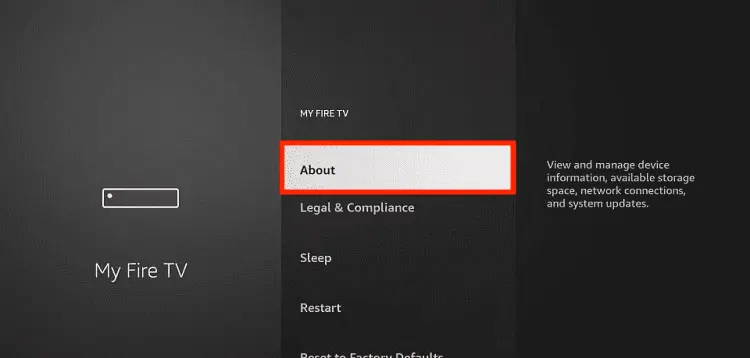
Note: If you have already enabled the Developer Option, then proceed to Step 10
Step 5: Click on the Fire TV Stick option quickly at least 7 times

Step 6: Now you will see this message at the bottom saying "No need, you are already a developer". So stop clicking then

Step 7: Now the Developer Option will appear in the menu so click on it
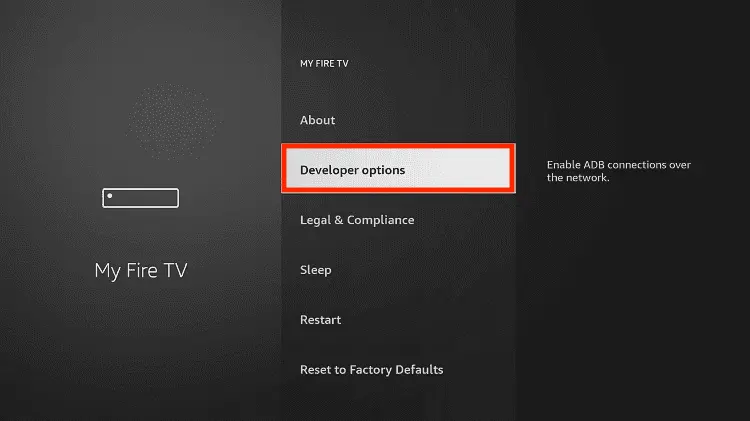
Step 8: Choose Apps from Unknown Sources to turn it ON

Step 9: Simply click Turn On

Step 10: Now return to the FireStick Home menu by pressing the "Home" icon on the remote and click on Find
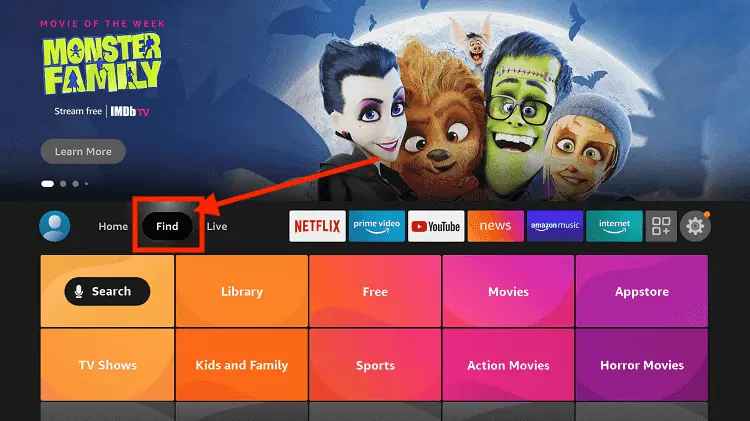
Step 11: Now select the Search icon
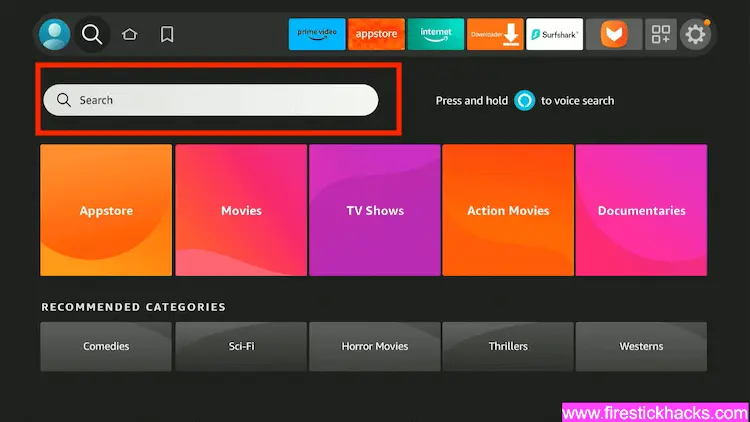
Step 12: Type Downloader and press search
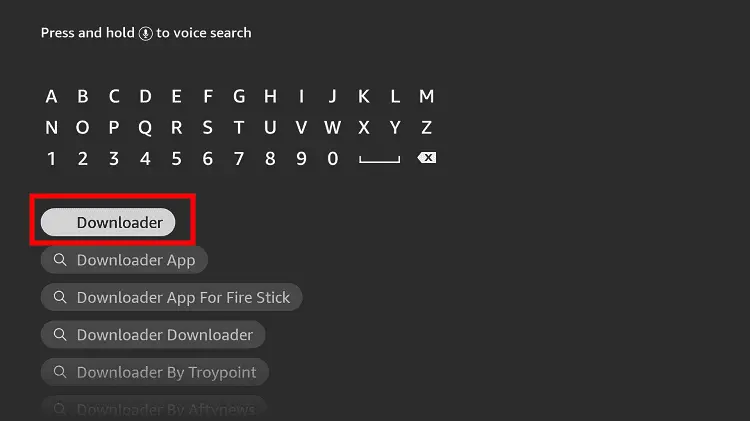
Step 13: Select the Downloader App icon from the list available in the Amazon Store

Step 14: Tap Get/Download
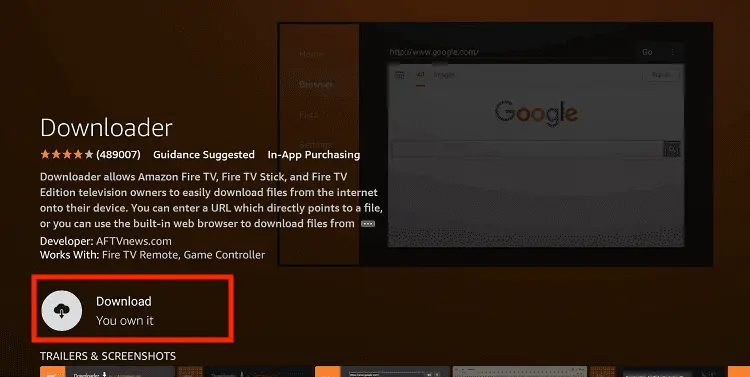
Step 15: Wait for a while until the installation process is completed
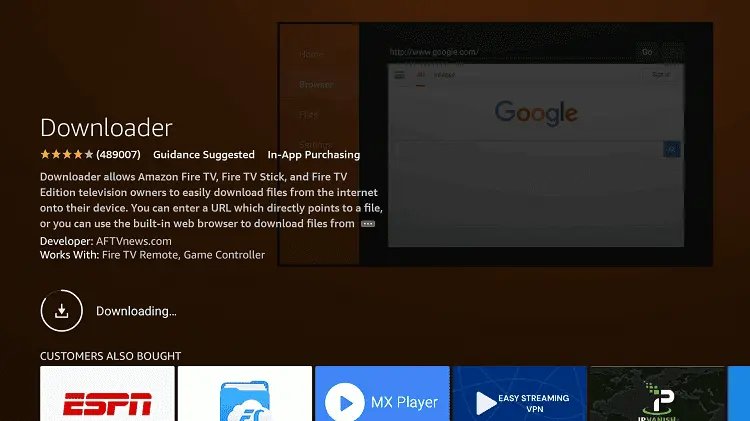
Step 16: Now click Open
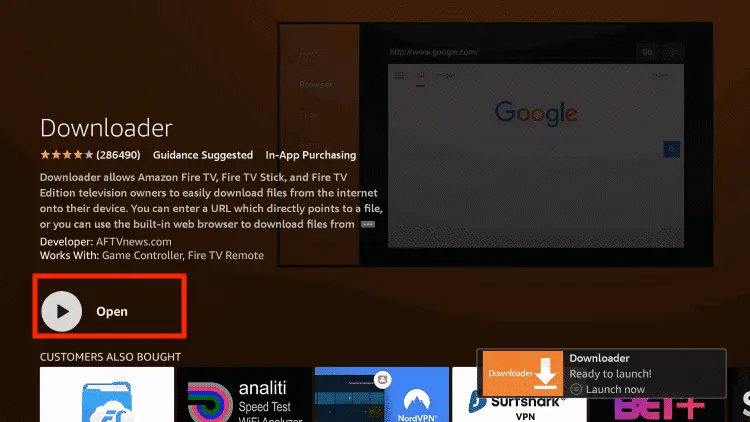
Step 17: You will see a popup about Downloader app latest update. Click "OK".

Step 18: Click OK again

Step 19: This is the Downloader App interface, Click the Search Bar on top

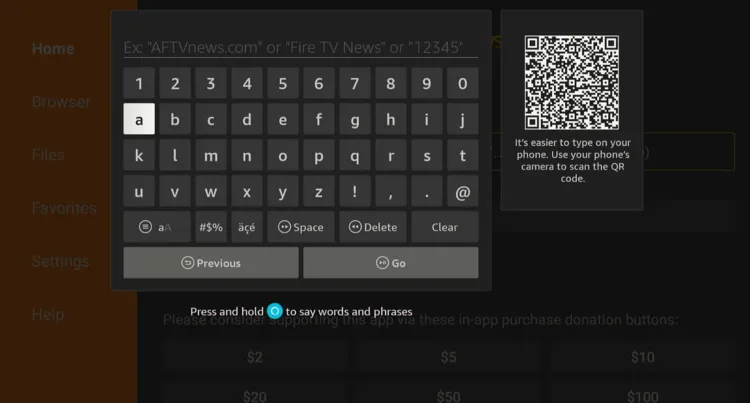
Step 20: Enter SportsFire Downloader Code 730116 in the search box OR enter this URL bit.ly/fsh-downloads and click Go.
Note: The referenced link is the official URL of this app/website. FIRESTICKHACKS does not own, operate, or re-sell any app, streaming site, or service and has no affiliation with its developers.
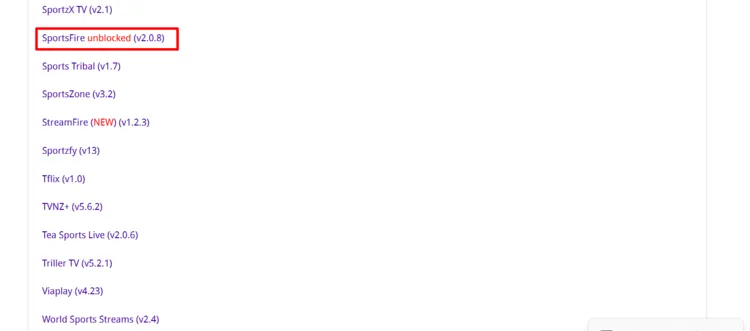
Step 21: Scroll down and select the “Sportsfire” app from the “Sports Apps” section.
Note: If the app doesn’t start downloading, then clear the Downloader App cache using this article.
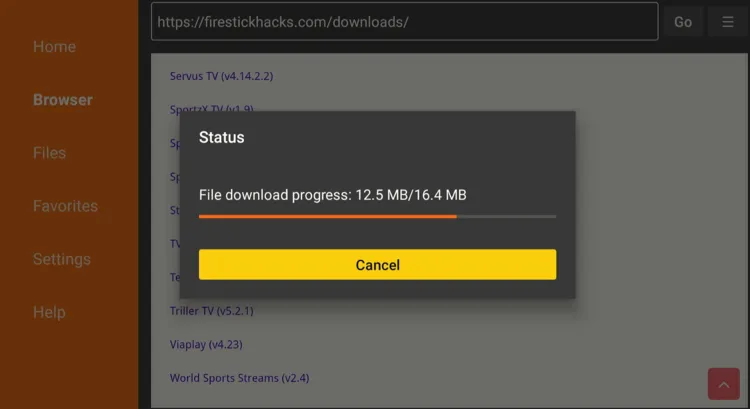
Step 22: The downloading will start. Wait for it to finish.
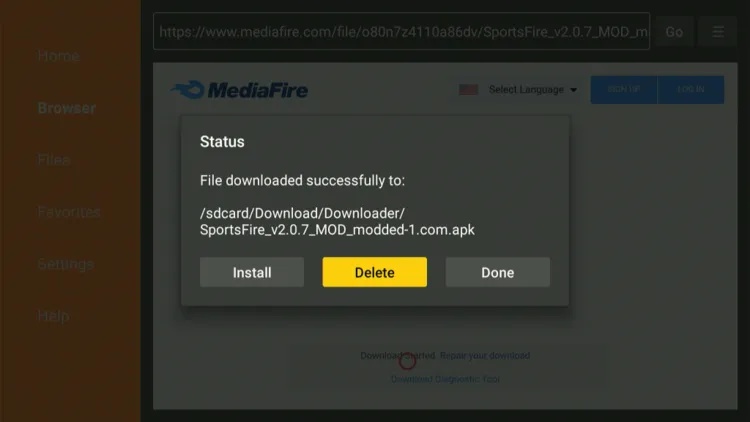
Step 23: Once the downloading ends, click “Install”.
P.S. The logo has been changed in the modded/unblocked SportsFire version.

Step 24: Tap the “Done” icon.

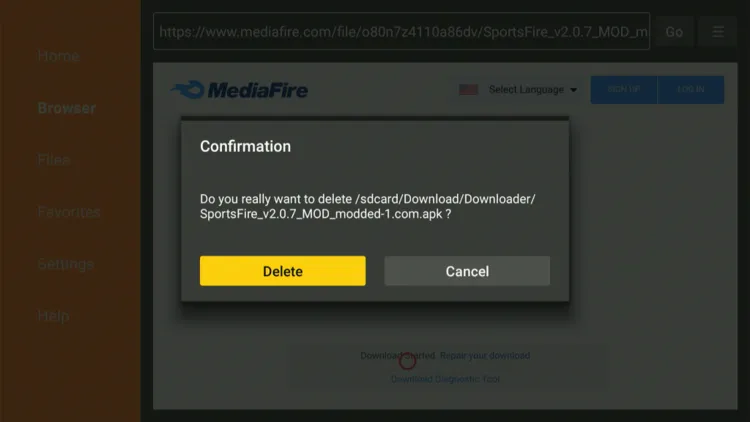
Step 25: Click “Delete” to remove the Sportsfire APK file from FireStick.
Note: Deleting APK files will free up space on FireStick.
Step 26: Tap “Delete” again to complete the process.
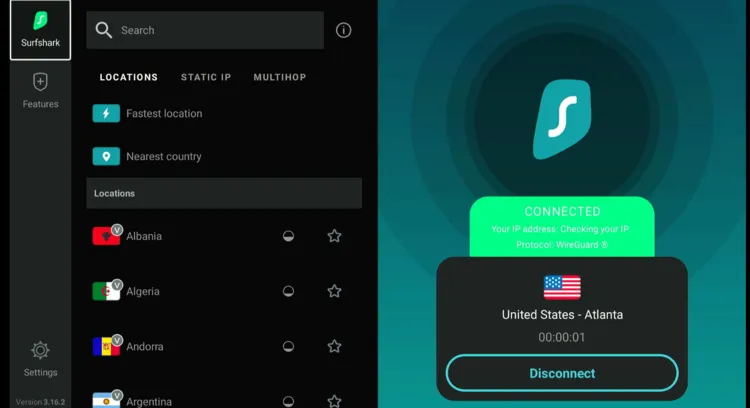
Step 27: Open Surfshark and connect it to the Hong Kong/US server.
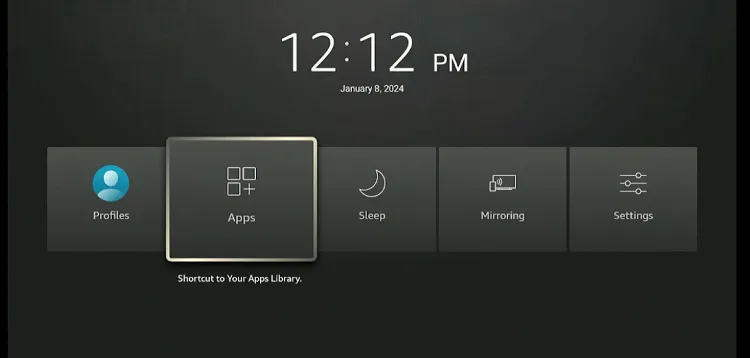
Step 28: Long-press the “Home” button on the FireStick remote and navigate to apps.
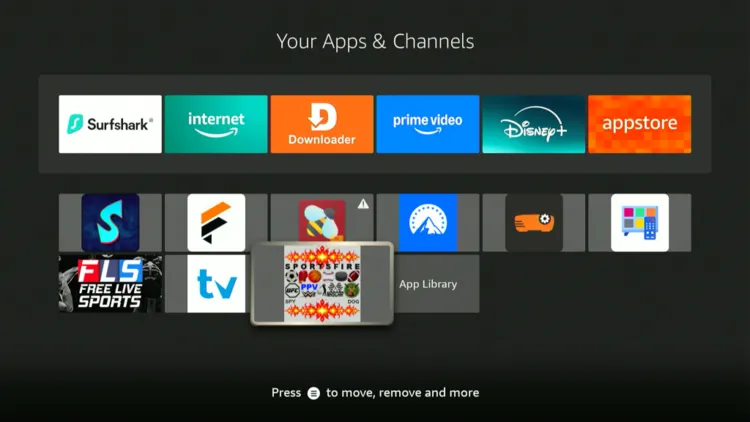
Step 29: Select “SportsFire” from the list.
Step 30: Once the app launches, click the “Search” icon in the top right corner.
Step 31: Type “Tennis” and click “Next“.
Step 32: You will see “Sky Sports Tennis” and “Tennis Channel”. Click on it.
Step 33: Enjoy streaming!
P.S. If SportsFire is blocked or provides a poor streaming experience, you can opt for SporzX, GHD Sport, or other SportsFire alternatives.

Watch Monte Carlo Masters on FireStick Using a Browser
You can also watch the Monte Carlo Masters on FireStick using free sports streaming websites on a browser. I use Amazon Silk Browser.
However, make sure to install and use SurfShark VPN on FireStick because free websites do not broadcast officially and require a VPN to hide your online activity.
P.S. Sometimes, streaming via unofficial websites means dealing with annoying pop-ups. In that case, you can install Brave Browser on FireStick to ensure an ad-free experience.
Follow the steps below:
Step 1: Open Surfshark VPN on FireStick and connect it to the Hong Kong/US server.
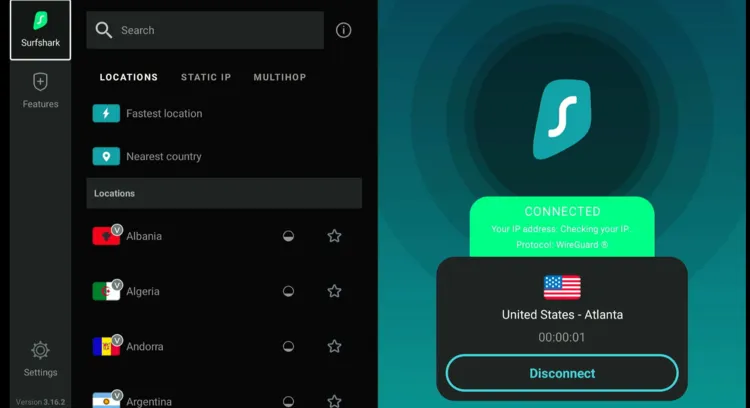
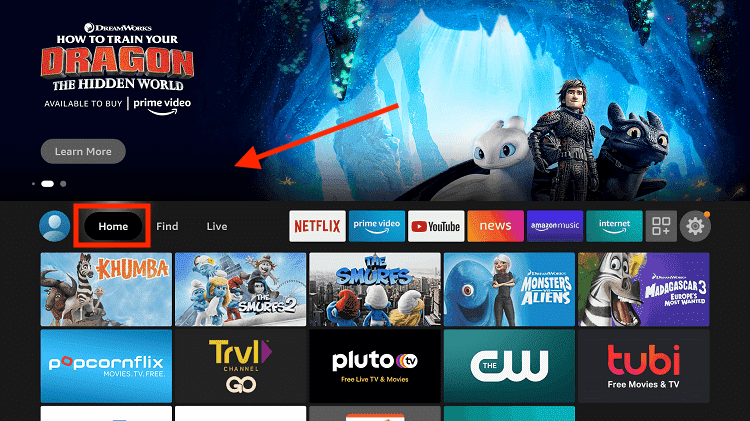
Step 2: Go to FireStick Home
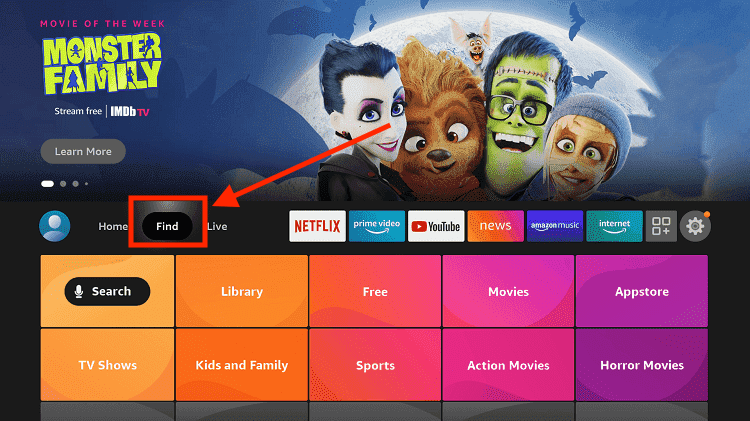
Step 3: Click on the Find tab
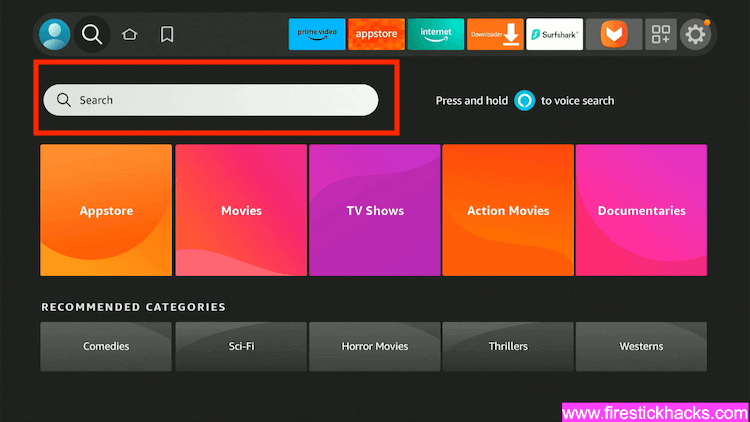
Step 4: Now select the Search option
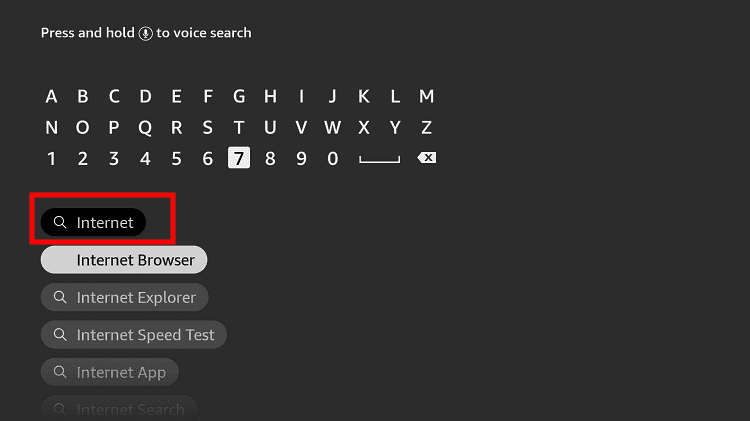
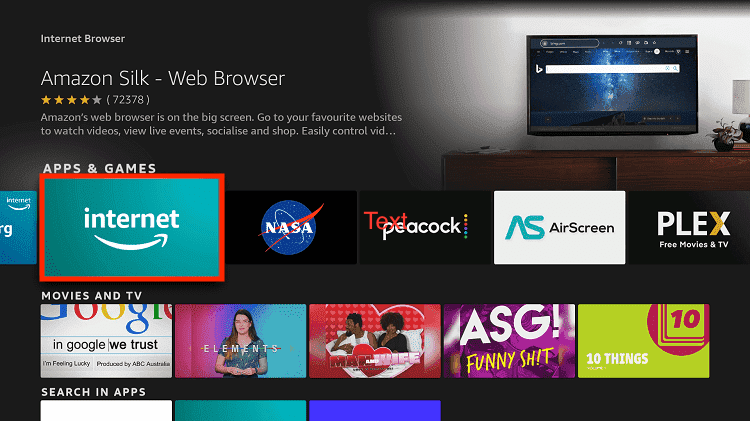
Step 5: Type Internet in the search bar and select from the list
Step 6: Choose the Internet App (Silk Browser) from the given options
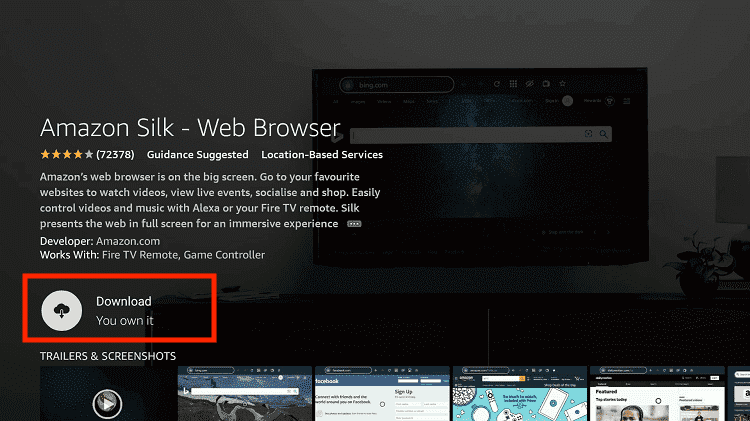
Step 7: Tap the Get/Download button
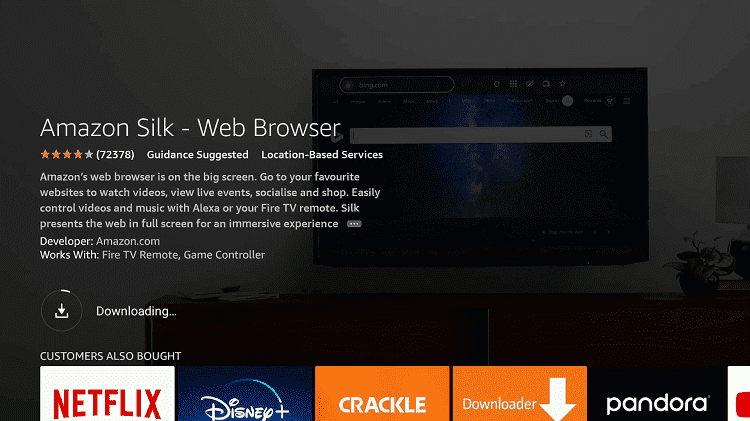
Step 8: Wait until the installation of the browser completes
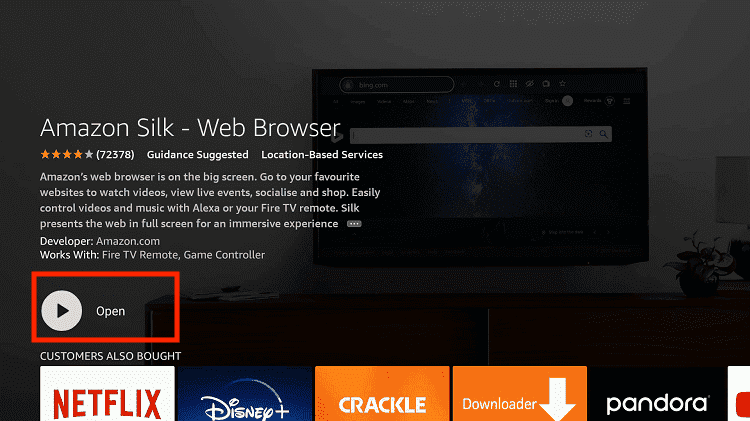
Step 9: Click Open, once the browser is installed.
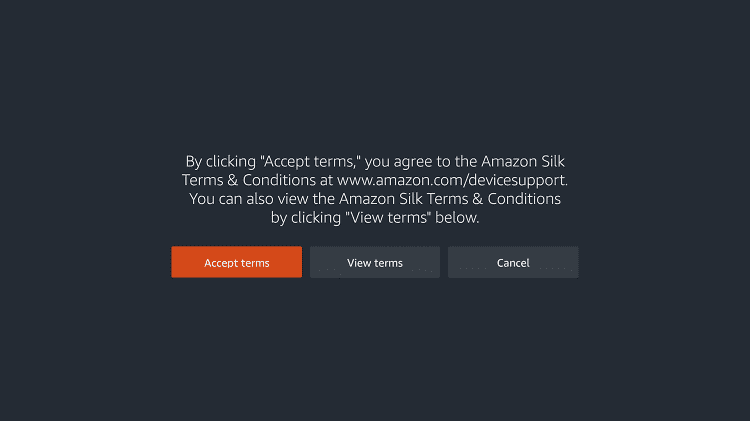
Step 10: Click on Accept Terms to access the browser
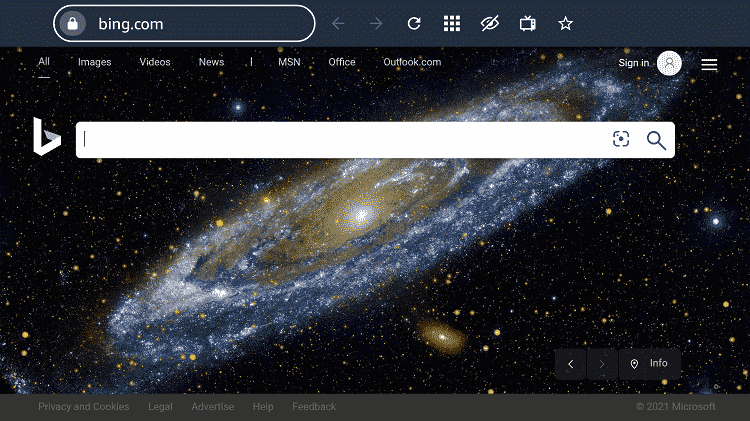
Step 11: When the browser launches, the Bing.com tab will open at first.
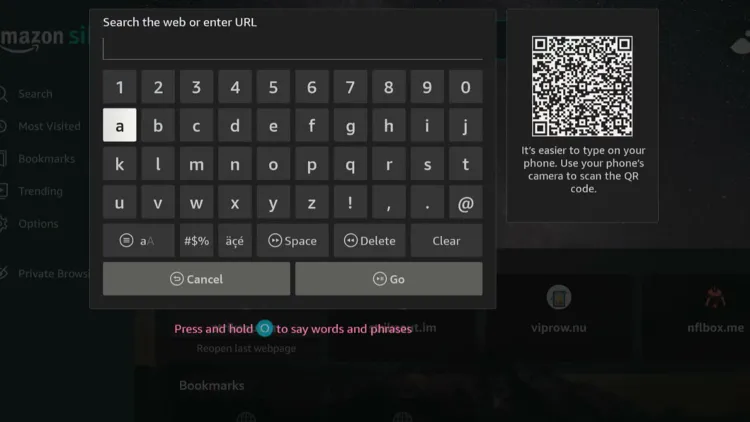
Step 12: Now go back and type sportsbay.dk OR Viprow.nu OR Livetv.sx in the search box and click “GO“.
Step 13: Select “Tennis”.
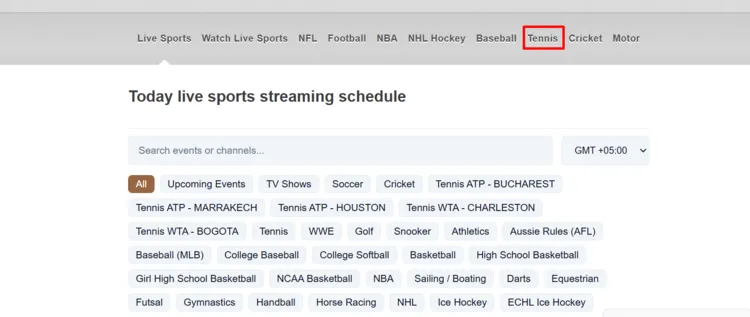
Step 14: You will see the Monte Carlo Masters in the list once the event dates come closer. Click on the match.
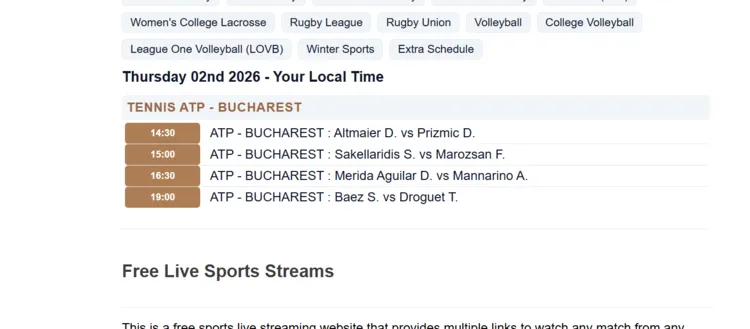
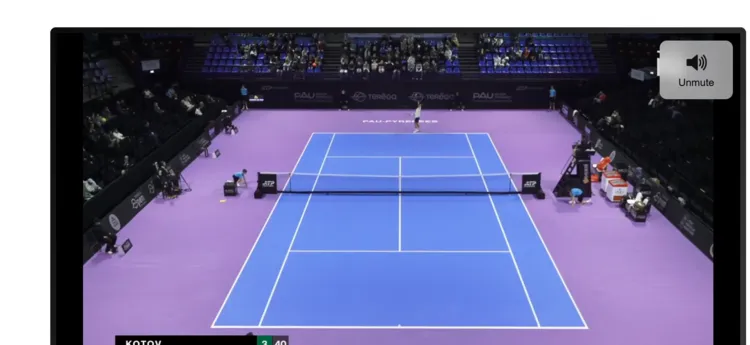
Step 15: Enjoy streaming!
Paid Official Streaming Services/Channels to Watch Monte Carlo Masters on FireStick
Here are some of the best premium official channels/services to watch the Monte Carlo Masters on FireStick:
- Tennis Channel (US)
- Tennis TV (US)
- FanCode (India)
- Sky Sports Tennis (UK)
- Hulu (US)
- YouTube TV (US)
How to Watch Monty Carlo Masters Highlights
Monte Carlo Masters YouTube Channel is a great free source for highlights, interviews, and recaps of the Monte Carlo Masters.
The biggest issue with YouTube is the ads. You can avoid YouTube ads with TizenTube and SmartTube.
Monty Carlo Masters 2026 Schedule (ET)
Here’s the complete Monty Carlo Masters 2026 schedule in Eastern Time (ET) so you can follow every round of the tournament from the opening matches to the championship finals:
| Date | Event Round (ET) |
| April 4 | Qualifying Round 1 – 5:00 AM |
| April 5 | Qualifying Final / Round 1 – 5:00 AM |
| April 6 | Round 1 – 5:00 AM |
| April 7 | Round 1 & Round 2 – 5:00 AM |
| April 8 | Round 2 & Round 3 – 5:00 AM |
| April 9 | Round 3 (Round of 16) – 5:00 AM |
| April 10 | Quarter-finals – 5:00 AM |
| April 11 | Semi-finals – 7:30 AM |
| April 12 | Singles Final – 8:00 AM |
Monte Carlo Masters 2026 Prize Money Breakdown
The total prize pool for the 2026 Rolex Monte-Carlo Masters is €6,791,465 (approximately $7,380,000).
- Winner: €975,000 + 1,000 ATP Points
- Runner-up: €530,000 + 650 ATP Points
- Semi-finalists: €290,000 + 400 ATP Points
- Quarter-finalists: €158,000 + 200 ATP Points
- Round of 16: €85,000 + 100 ATP Points
- Second Round: €46,000 + 50 ATP Points
- First Round: €25,500 + 10 ATP Points
Quick Fact: Monaco is a tax haven, so players keep a much higher percentage of their winnings compared to tournaments in Paris or London.
Trouble Streaming Tennis on FireStick? Try These Fixes
If you’re dealing with buffering, app crashes, or other streaming glitches on FireStick, try these quick fixes to smooth things out:
- Clear app cache
- Close background apps
- Connect FireStick via Ethernet
- Set video resolution to 1080p/4K
- Install Brave Browser for fewer ads
- Restart FireStick
P.S. If you are still facing issues, check out our detailed articles to stop buffering on FireStick and fix playback errors.
Other Live Sports Events on FireStick [FREE]
Here are other sports events that you can watch on FireStick:
- The Masters on FireStick
- UFC on FireStick
- Formula 1 on FireStick
- Champions League on FireStick
- MLB on FireStick
FAQs – Monte Carlo Masters
When is the 2026 Monte-Carlo Masters taking place?
The tournament runs from April 5 to April 12, 2026, at the Monte-Carlo Country Club.
Can I watch the Monte-Carlo on FireStick for free?
Yes, you can stream the matches for free on FireStick using apps like SportsFire and SportzX.
Can I watch Monte-Carlo Masters highlights?
Yes, official highlights and match recaps are posted daily on Monte-Carlo Masters Official YouTube Channel.
Who won the Monte-Carlo Masters singles title last year?
The 2025 defending champion is Carlos Alcaraz, who defeated Lorenzo Musetti in the final.
Final Thoughts
The 119th edition of the Rolex Monte Carlo Masters will be played from April 5 through April 12, 2026.
Carlos Alcaraz is leading the pack as the defending champion. However, world-class talents like Jannik Sinner and Alexander Zverev will be breathing down his neck.
With FireStick, you can watch the event live for FREE with SportzX, SportsFire & Sportzfy. Keep in mind that these are unofficial apps. So be sure to use a VPN like Surfshark is our #1 choice.