Disclosure: Our experts test apps for security before recommending them. If you buy through our links, we may earn a commission. See how it works.

Most people simply set up a FireStick and start streaming. Here’s an uncomfortable truth: your FireStick is far less “secure” than you might think.
Among other things, shady apps installed via the Downloader app or transferred through mobile, and weak privacy controls create opportunities for hackers and data miners to slip through the cracks.
That’s why tightening your FireStick’s security is very important. In this article, we’ll walk you through the tweaks and measures you must take to keep your device safe.
1. Change Privacy Settings
If you continue with the default FireStick settings, this means Amazon can track what you watch, how you use the device, and certain apps, including third-party ones like SportzX, Rapid Streamz & CricFy TV.
While some of these features are marketed as “personalization,” they are apparently unnecessary surveillance that exposes a lot of your data. Tweaking these settings can make your FireStick much more private.
Follow the steps below:
Step 1: Go to “Settings”.
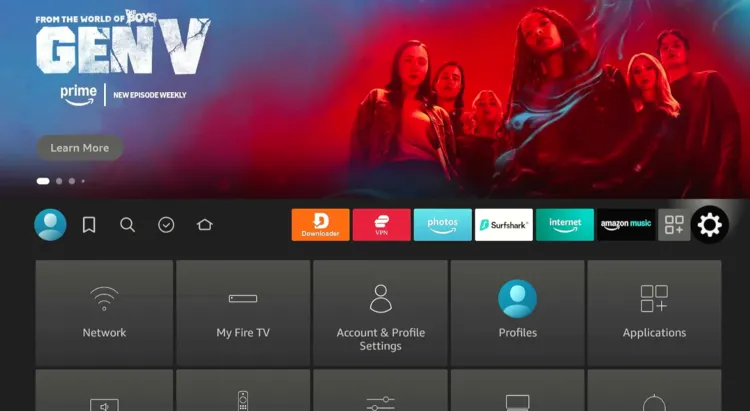
Step 2: Click “Preferences”.
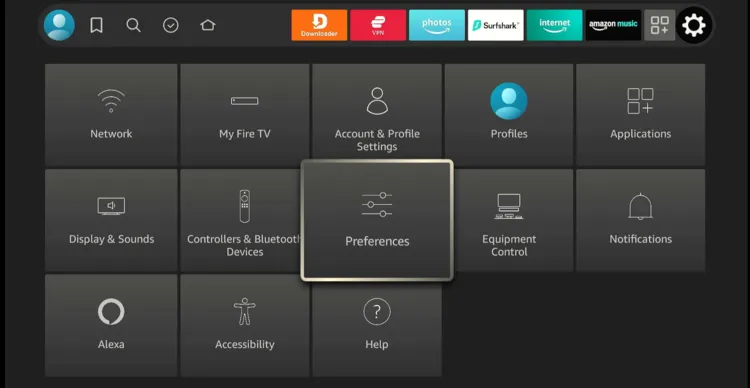
Step 3: Tap “Privacy Settings”.
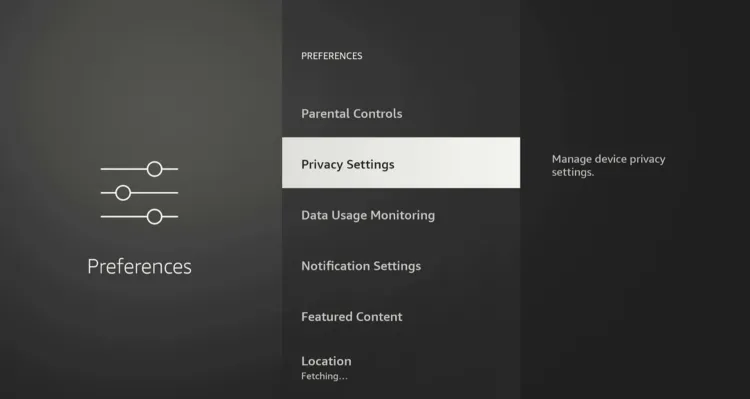
Step 4: Select “Manage Sharing from Apps”.
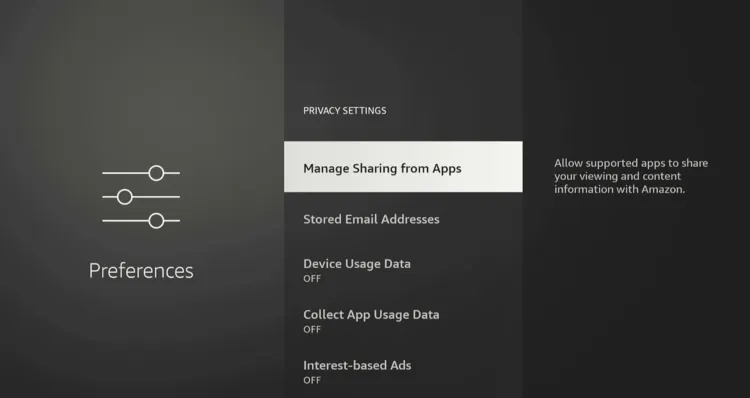
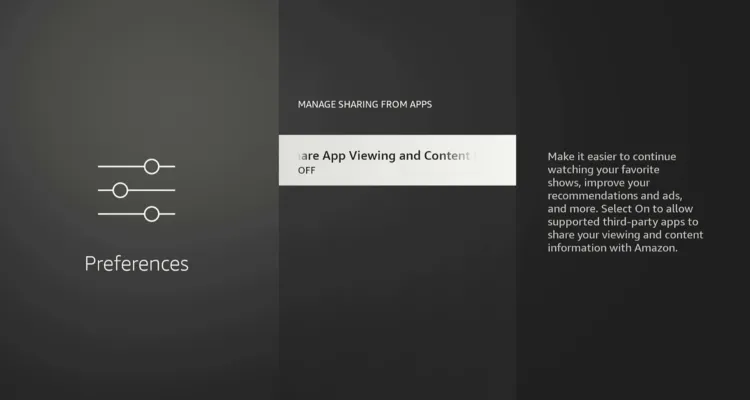
Step 5: Turn it “OFF”.
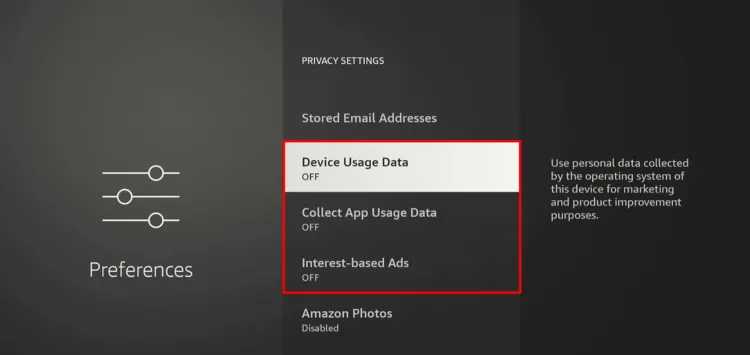
Step 6: Click “Back Button” and turn “OFF” Device Usage Data, Collect App Usage Data, & Interest-Based Ads.
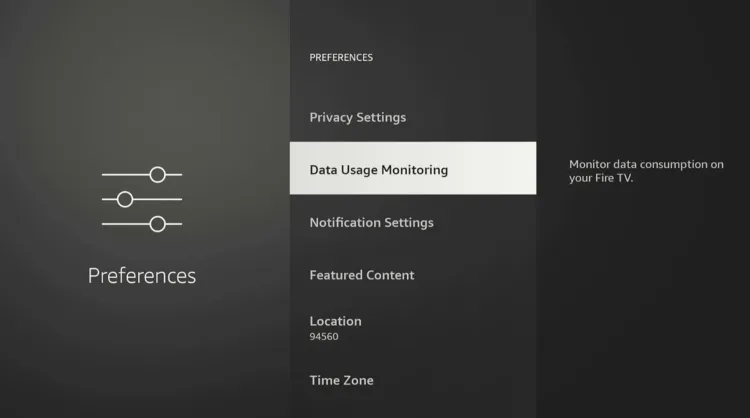
Step 7: Click “Back Button” again and select “Data Usage Monitoring”.
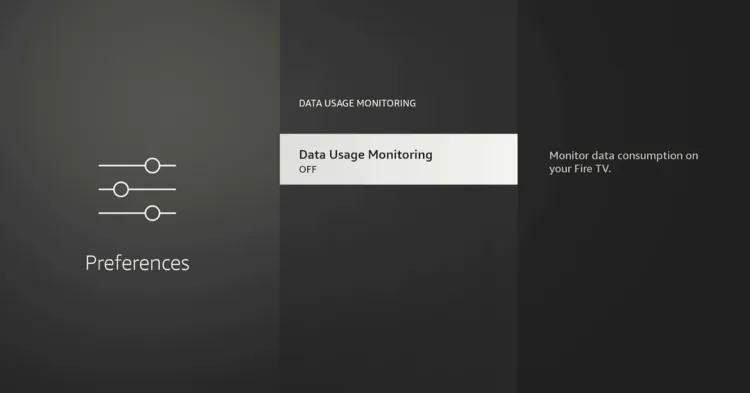
Step 8: Turn it “OFF”.
2. Follow Safe Download Practices
Since you can jailbreak a FireStick, it’s tempting to grab any APK you find online. Well, this is where most risks creep in.
For example, FlixVision’s older versions allowed TraffMonetizer to run in the background and use your internet connection for questionable uses. That’s exactly why Amazon recently some blacklisted third-party apps.
To keep your FireStick secure, it’s important to stick to the following safe download practices:
✅ Always download APKs from reputable websites (like https://firestickhacks.com/downloads) or well-known APK stores (like Aurora, UptoDown, etc).
✅ Search Reddit threads to find out if users are reporting issues (like hidden SDKs, malware, or suspicious behavior) about a specific app.
✅ Avoid “modded” versions. Mods may offer free premium features, but often inject trackers or malicious code.
✅ When an APK isn’t listed on trusted platforms, you might turn to less reliable sources. Just make sure to run the APK file through VirusTotal.
✅ Update APKs frequently. Outdated APKs can expose your FireStick to risks. Always use the most recent version.
3. Use a VPN
4. Enable Parental Controls
Apart from age-appropriate content restriction, Parental Controls enhance device security by stopping others from making unauthorized purchases, launching apps, accessing Amazon Photos, etc.
Follow the steps below:
Step 1: Click “Settings”.
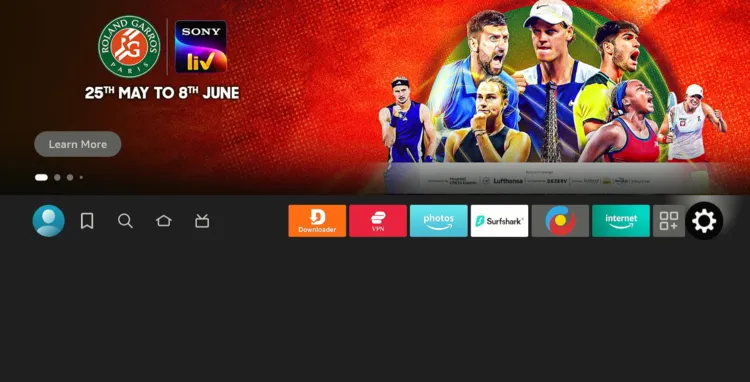
Step 2: Choose “Account & Profile Settings”.
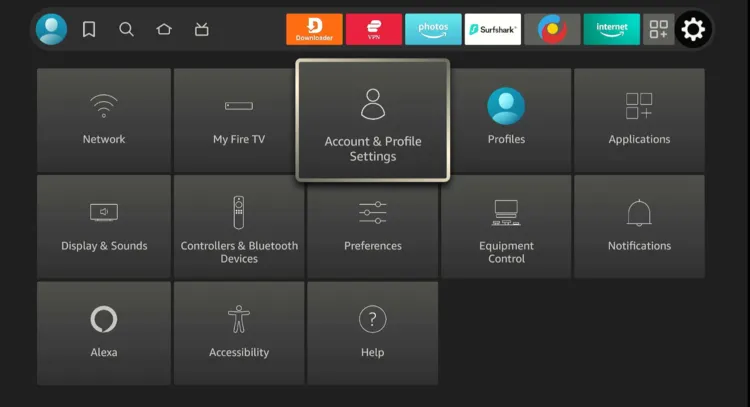
Step 3: Tap “Parental Controls”.
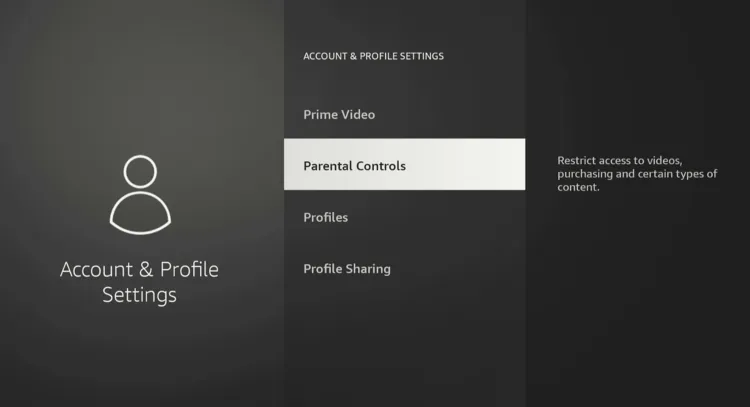
Step 4: Again, click “Parental Controls.“
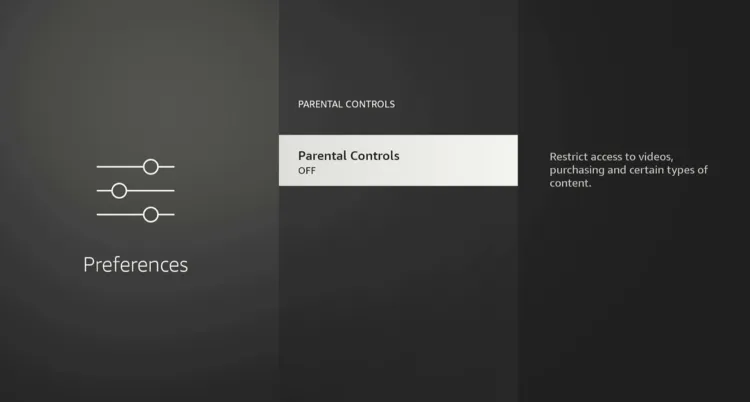
Step 5: Enter the 4-digit PIN.
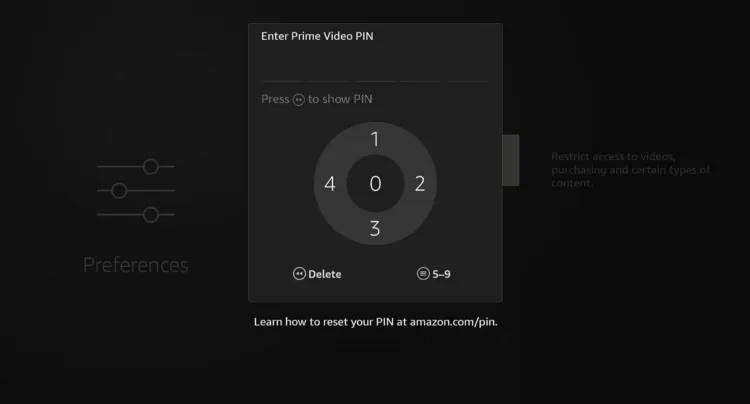
Step 6: As you can see, the Parental Controls have been turned “ON“.
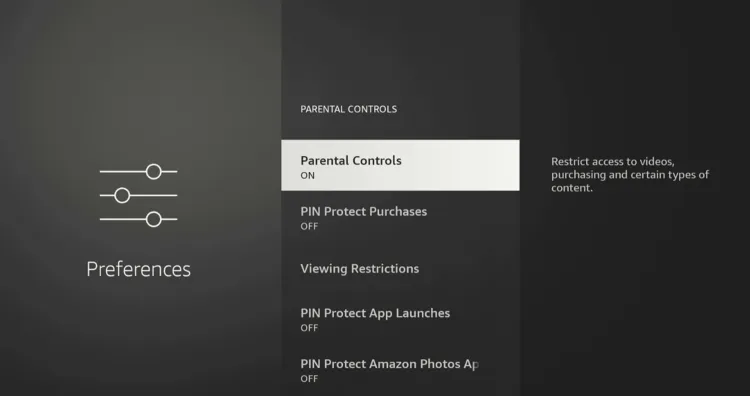
Step 7: For complete security, you can “PIN Protect” Purchases, App Launches, & Amazon Photos.
P.S. You can also change your PIN anytime you want.
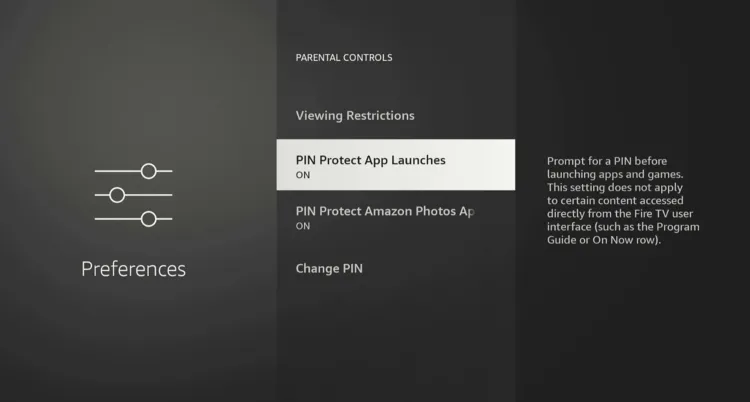
P.S. If you forget the Parental Controls PIN, you can reset it following this guide.
5. Turn On Appstore Updates
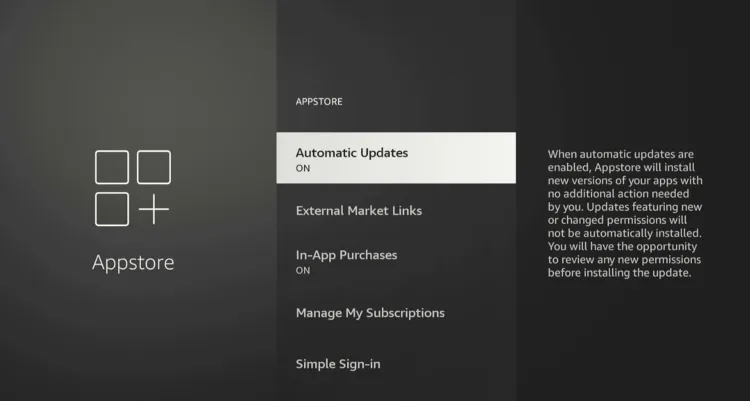
Outdated apps can be a security risk. Turning on automatic updates makes sure your Amazon Appstore apps always run on the latest version. However, Sideloaded apps must be updated manually.
Follow the steps below:
Step 1: Tap “Settings”.
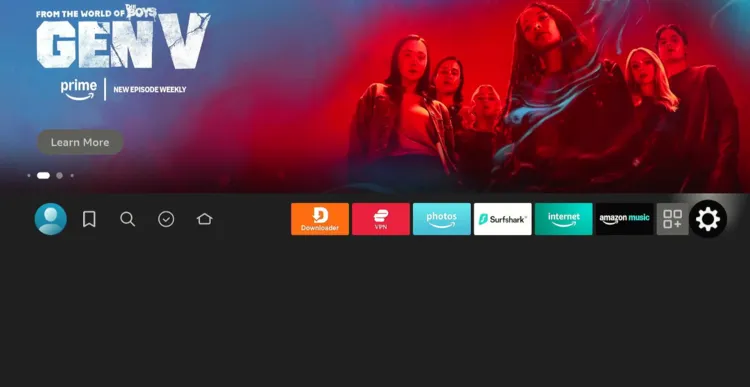
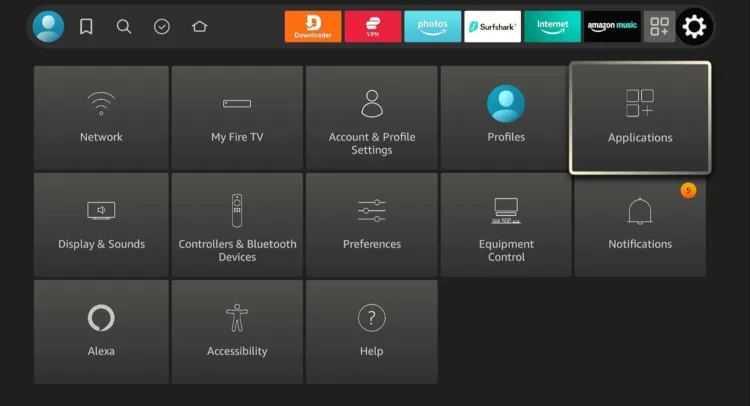
Step 2: Click “Applications”.
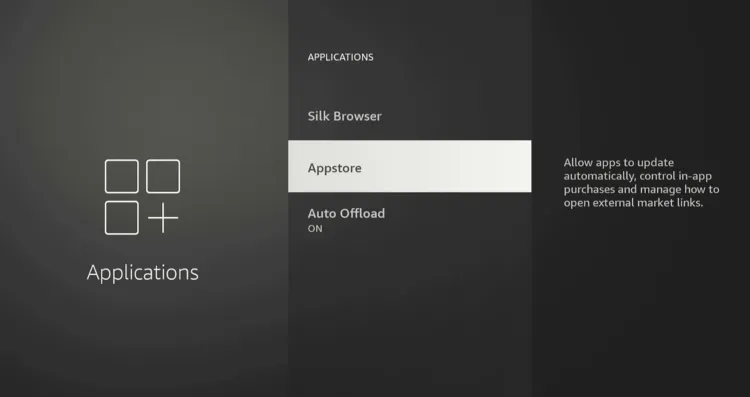
Step 3: Navigate to “Appstore”.
Step 4: Turn “ON” Automatic Updates.
6. Derigister Before Selling/Gifting FireStick
Before selling or giving away your FireStick, you must deregister it. It stops the new user from seeing your watch history, payment info, and linked services.
Follow the steps below:
Step 1: Click “Settings”.
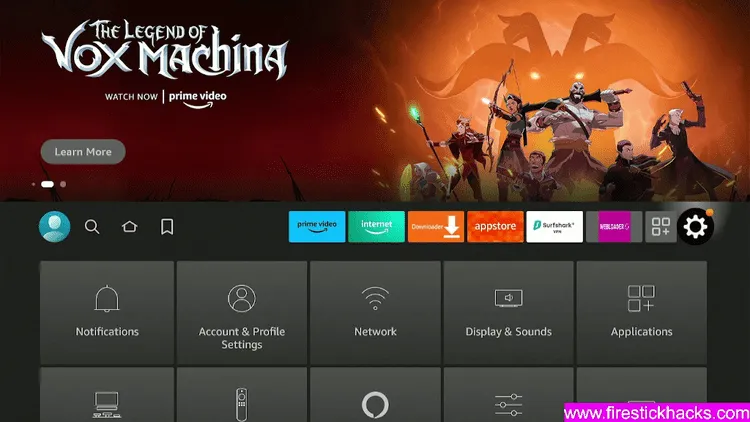
Step 2: Choose “Account & Profile Settings”.
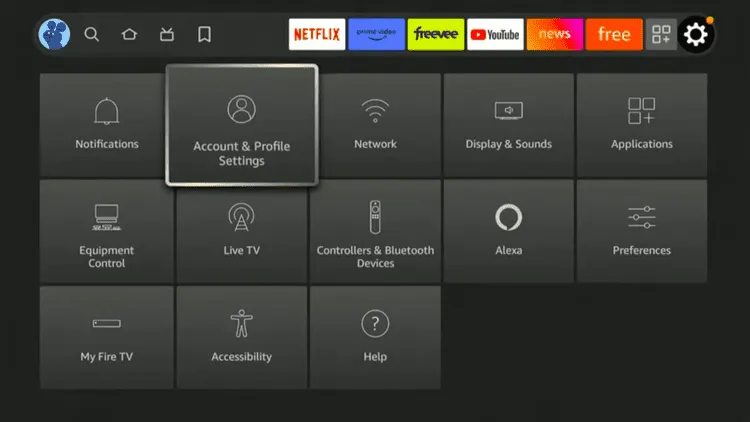
Step 3: Click on the “Amazon Account” icon.
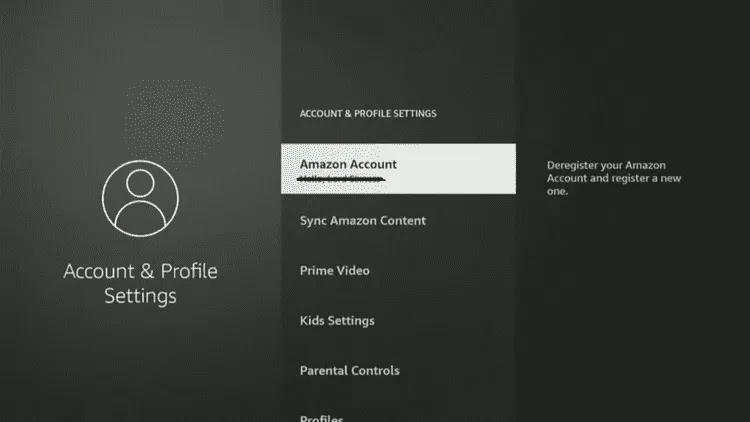
Step 4: Tap “Deregister”.
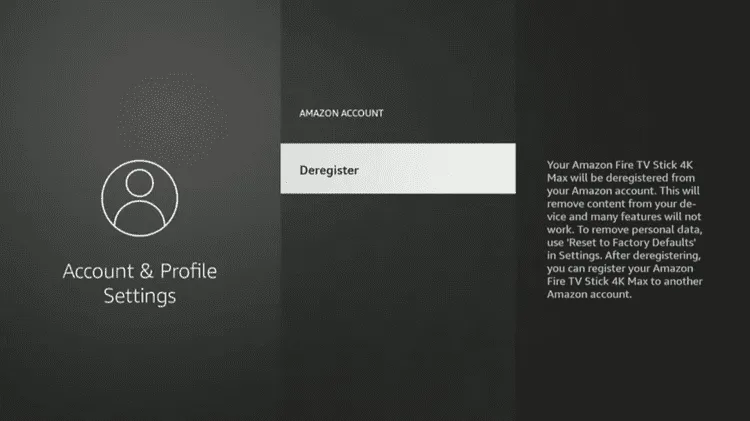
Step 5: Click “Deregister” again to complete the process.
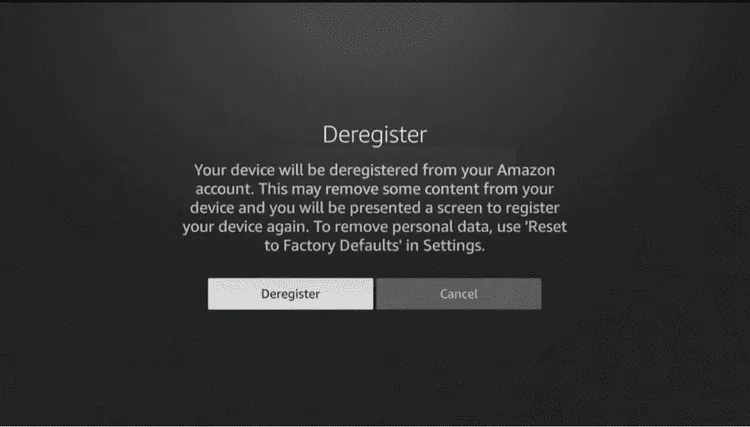
Step 6: Wait for the process to complete.
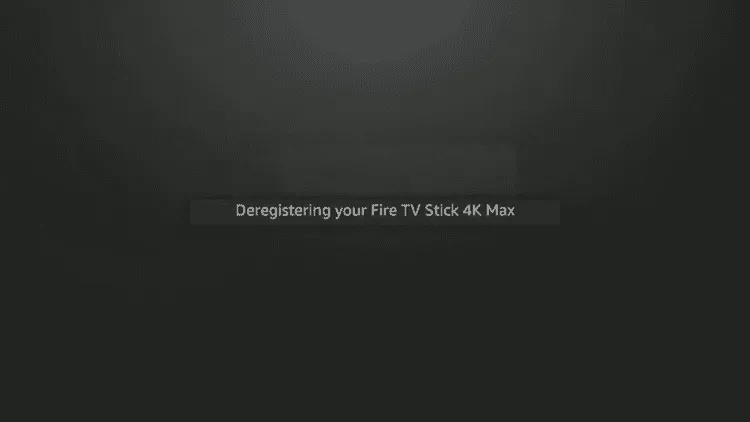
Ideally, you should deregister your FireStick before passing it on. But if you forget, you can still remove your account remotely. Check out my guide on how to deregister FireStick remotely for the exact steps.
7. Don’t Buy a Jailbroken FireStick
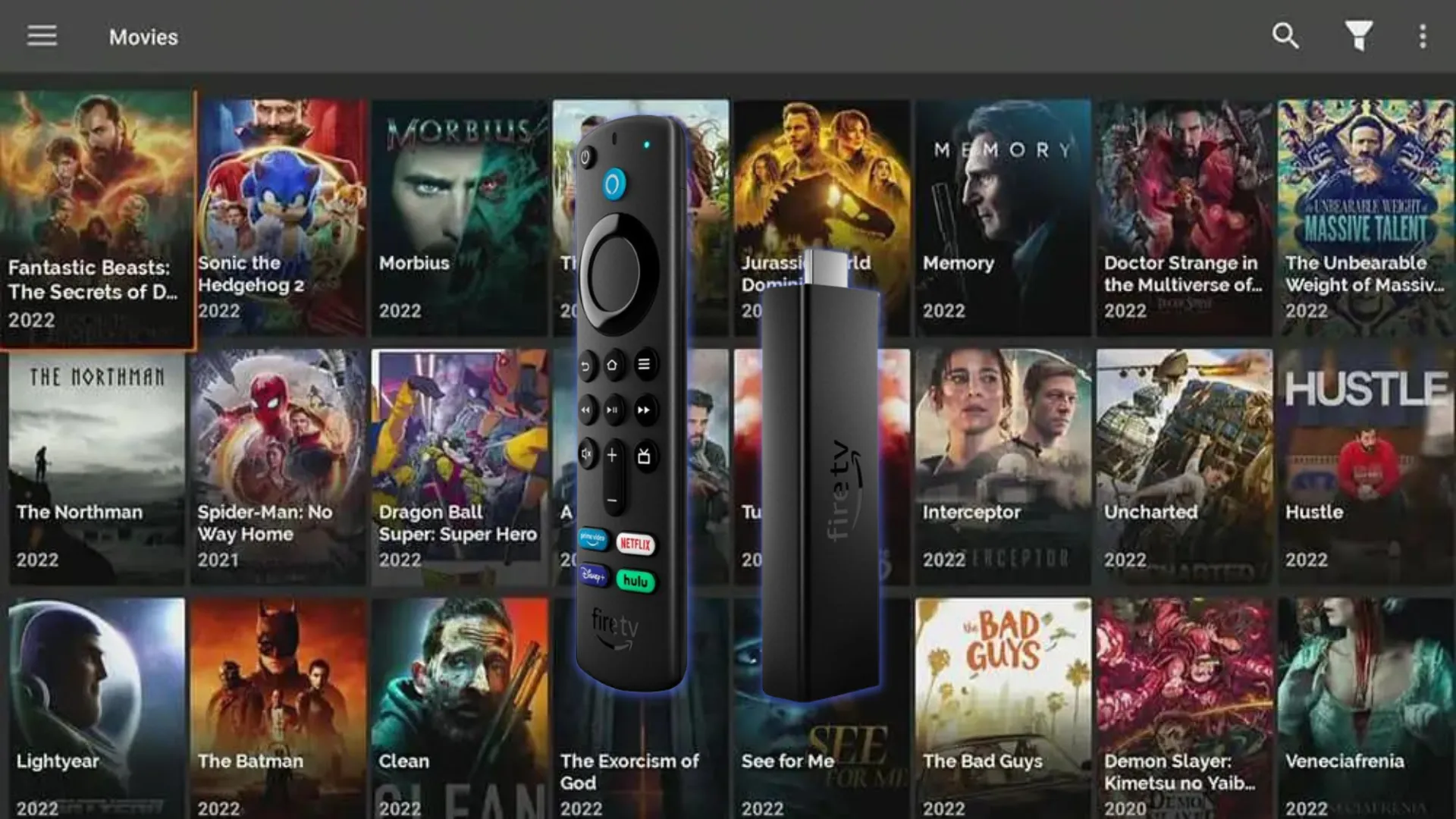
A Jailbroken FireStick is preloaded with third-party apps by the seller to watch free movies, sports, & live TV. Sellers advertise them as “fully loaded” FireSticks.
While buying a jailbroken FireStick is legal, it comes with security risks such as follows:
✅ No Way to Verify Apps: With third-party apps preinstalled, you cannot be sure if the APKs are clean or injected with a malicious virus.
Performance & Resource Abuse: Preloaded apps may run in the background, using your online resources or slowing down your device without you realizing.
✅ Credential Theft Risk: Jailbroken FireSticks may be linked to the seller’s Amazon account. So logging into streaming services or payment apps may expose your login info to the seller.
✅ No Control Over Updates: Sellers may block automatic updates to avoid breaking preloaded apps, meaning security patches never reach the device.
👉 Instead of buying a jailbroken/preloaded FireStick, we highly recommend you jailbreak a FireStick on your own to avoid any security issues.
Signs Your FireStick Security Might Be Compromised
Since cybercriminals are coming up with advanced hacking methods, your FireStick could be vulnerable even with all precautions.
Spotting the warning signs early can save you from threats like data theft, account breaches, etc. Therefore, keep an eye out for the following red flags:
- Amazon Account Alerts: You receive emails about “new logins” or password reset attempts you didn’t request.
- Random Restarts: The device reboots on its own while streaming.
- Unknown Casting Requests: New devices try to mirror or cast onto your FireStick without approval.
- Unauthorized Purchases: Unfamiliar movies, subscriptions, or in-app items show up in your account history.
- Continuous Activity: Your router shows data traffic even when your FireStick is not in use.
- VPN Malfunctioning: Your VPN turns off automatically.
- Device Name Changed: Your FireStick’s device name in your Amazon account suddenly changes.
FAQs – FireStick Security Guide
How can I safely download apps on FireStick?
Only use reputable sources, check Reddit or VirusTotal, and avoid modded APKs.
Do I need a VPN for FireStick?
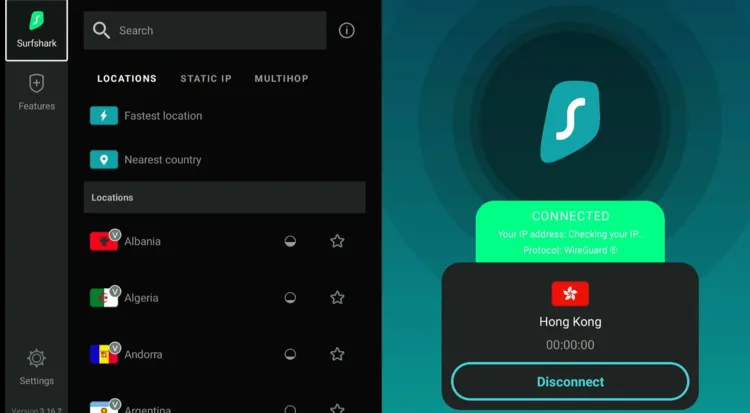
Yes, a VPN hides your activity when streaming via third-party apps, secures public Wi-Fi, and helps bypass geo-restrictions.
How do I choose the right VPN for FireStick?
Look for a no-logs policy, fast servers, FireStick-friendly apps, a kill switch, and good server coverage.
How do I keep apps updated on FireStick?
Turn on automatic updates from FireStick settings; sideloaded apps must be updated manually.
Is it safe to buy a preloaded jailbroken FireStick?
No, preloaded jailbroken FireSticks carry hidden risks like unverified APK, data theft, and other security risks.