Disclosure: Our experts test apps for security before recommending them. If you buy through our links, we may earn a commission. See how it works.
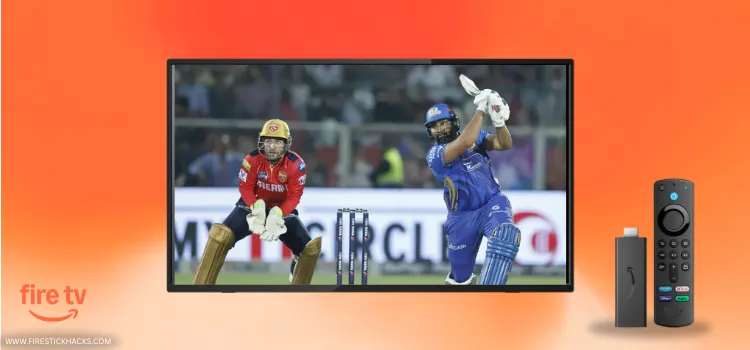


2 Ways to Watch IPL on FireStick
The following 2 methods will let you watch all 2026 IPL matches live from all over the world for FREE:
How to Watch IPL on FireStick Using Downloader App
TFlix is a free sports app that covers major sports events, including IPL. The app is completely ad-free.
However, since TFlix might be fetching links via unknown/unverified sources, make sure to install and use SurfShark VPN on FireStick to ensure secure streaming.
Follow the steps below:
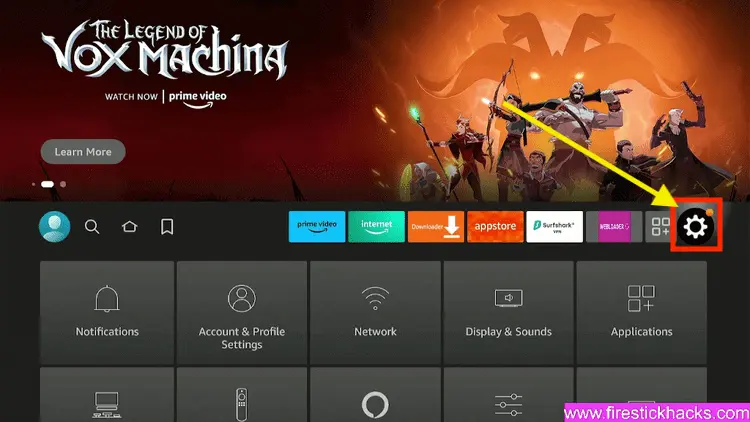
Step 1: Turn ON your FireStick device and Go to FireStick Home

Step 2: Click on the Settings icon
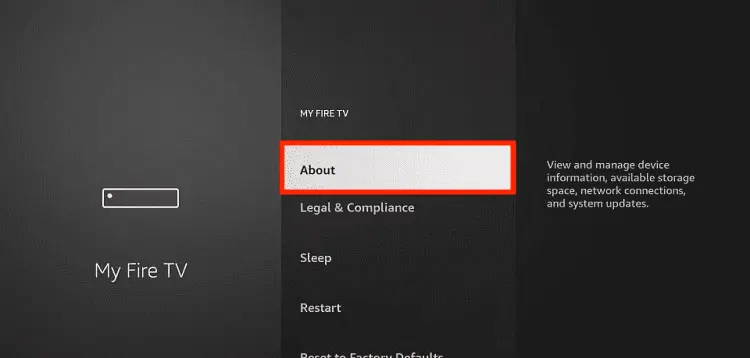
Step 3: Select the My Fire TV option

Step 4: To enable the Developer Option, click About.
Note: If you have already enabled the Developer Option, then proceed to Step 10
Step 5: Click on the Fire TV Stick option quickly at least 7 times

Step 6: Now you will see this message at the bottom saying "No need, you are already a developer". So stop clicking then

Step 7: Now the Developer Option will appear in the menu so click on it
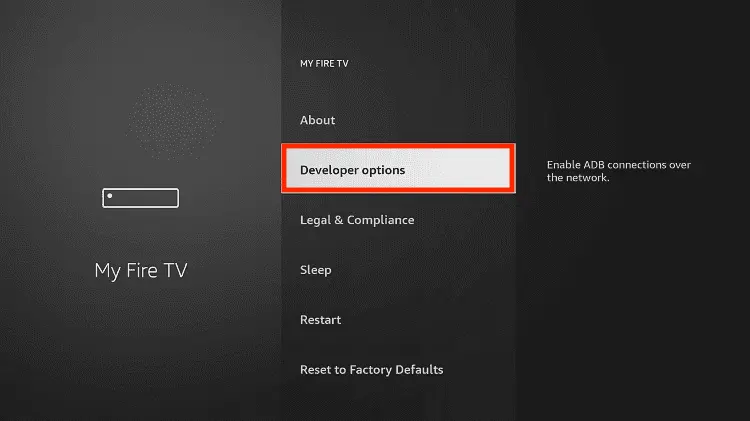
Step 8: Choose Apps from Unknown Sources to turn it ON

Step 9: Simply click Turn On

Step 10: Now return to the FireStick Home menu by pressing the "Home" icon on the remote and click on Find
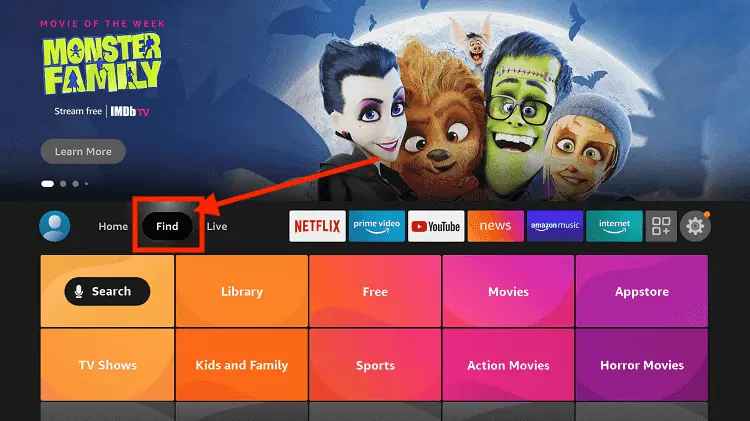
Step 11: Now select the Search icon
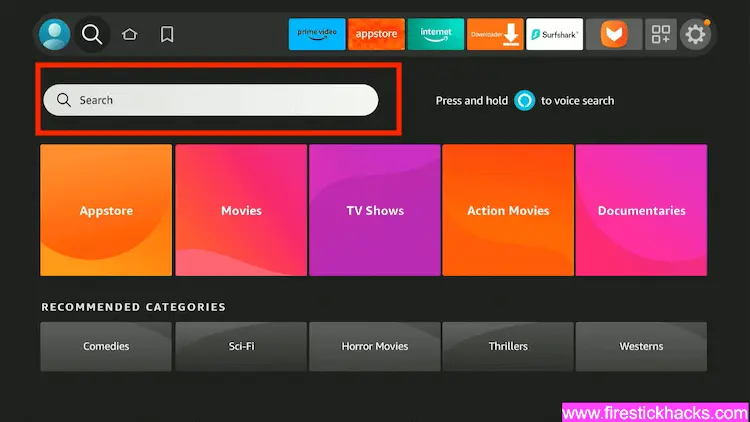
Step 12: Type Downloader and press search
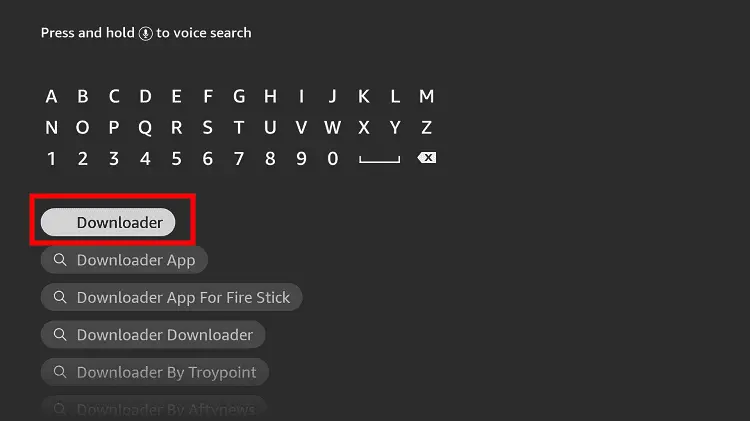
Step 13: Select the Downloader App icon from the list available in the Amazon Store

Step 14: Tap Get/Download
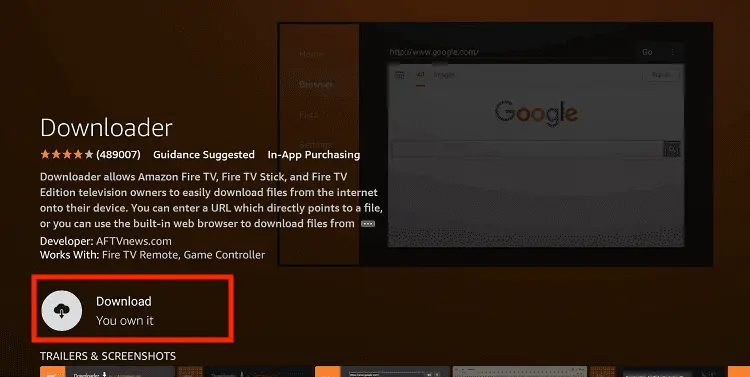
Step 15: Wait for a while until the installation process is completed
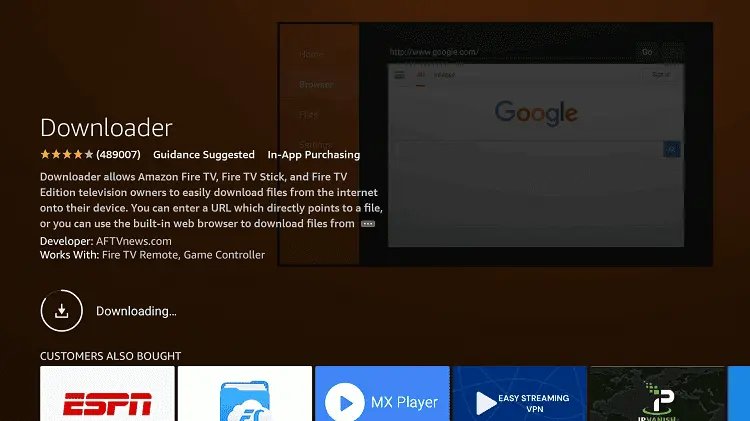
Step 16: Now click Open
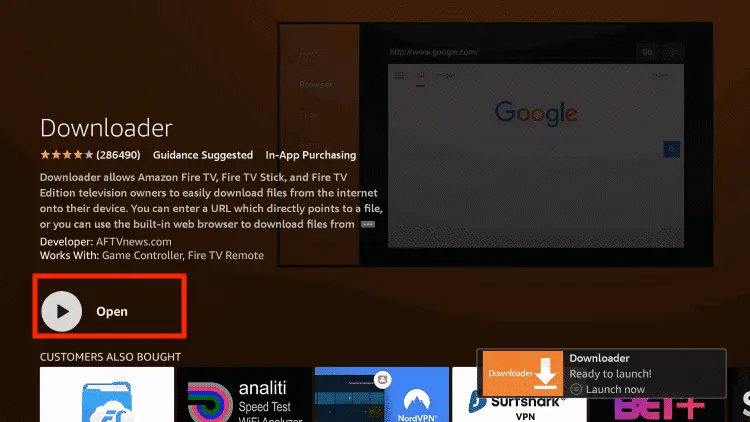
Step 17: You will see a popup about Downloader app latest update. Click "OK".

Step 18: Click OK again

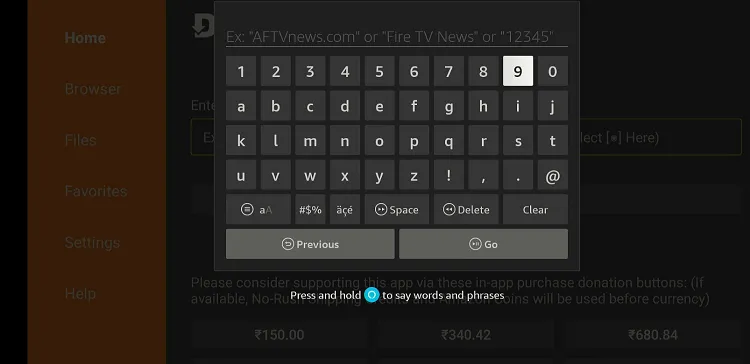
Step 19: This is the Downloader App interface, Click the Search Bar on top

Step 20: Now enter the TFlix Downloader Code 730116 in the search box OR enter this URL bit.ly/fsh-downloads and click Go.
Note: The referenced link is the official URL of this app/website. FIRESTICKHACKS does not own, operate, or re-sell any app, streaming site, or service and has no affiliation with its developers.
Step 21: Click “TFlix” from the “Sports Apps” category.
Note: If the app doesn’t start downloading, then clear the Downloader App cache using this article.
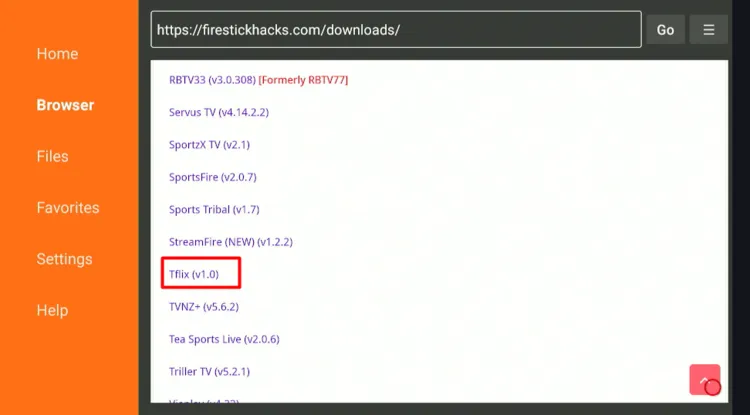
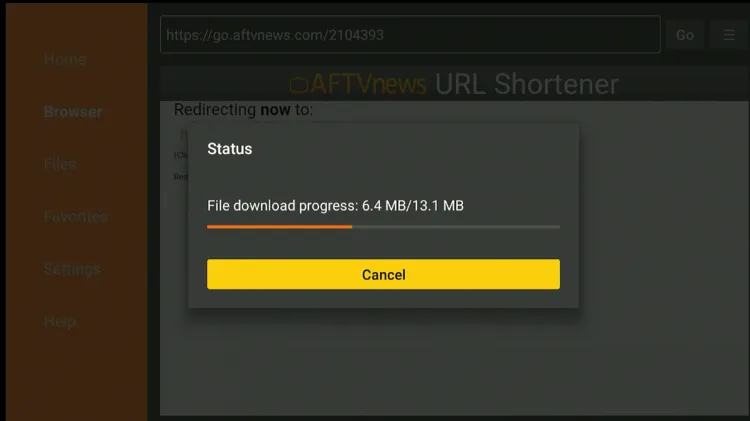
Step 22: The downloading will start. Wait for it to finish.
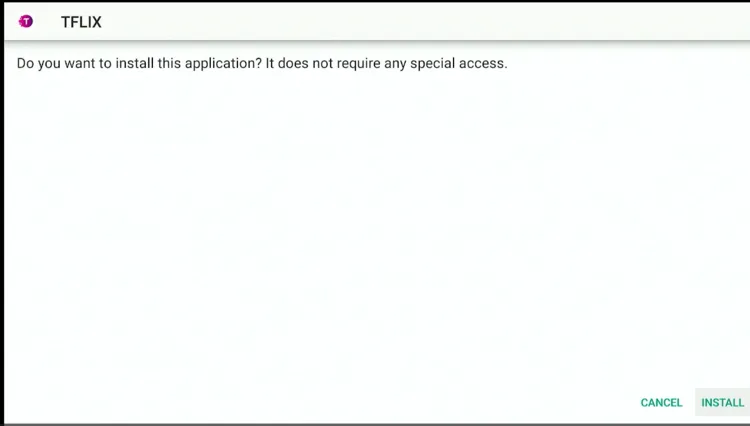
Step 23: Once the download ends, click “Install”.
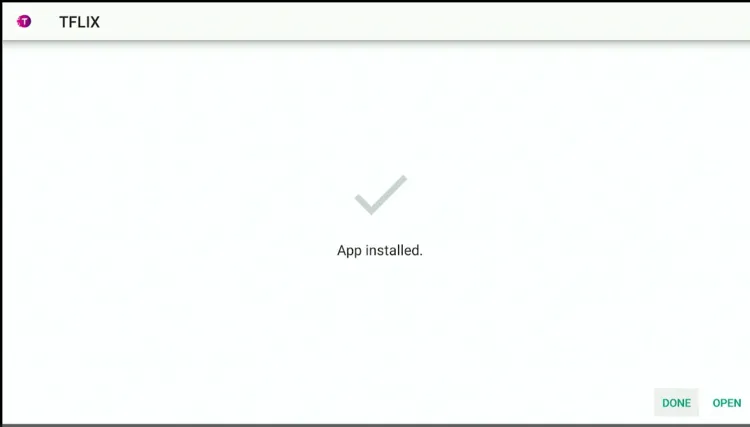
Step 24: Select “Done”.
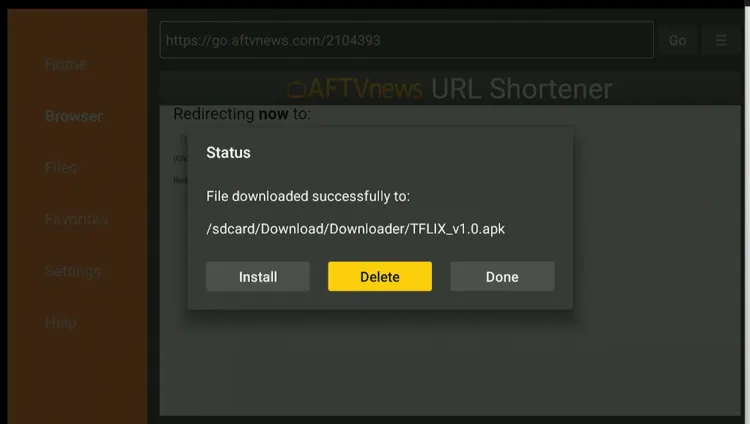
Step 25: Click “Delete”.
Note: Deleting the TFlix APK is necessary to free up space in your Fire TV Stick.
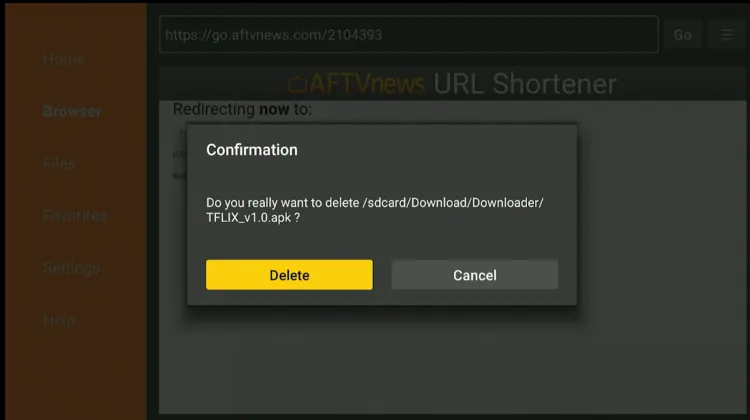
Step 26: Select “Delete” again to confirm your action.
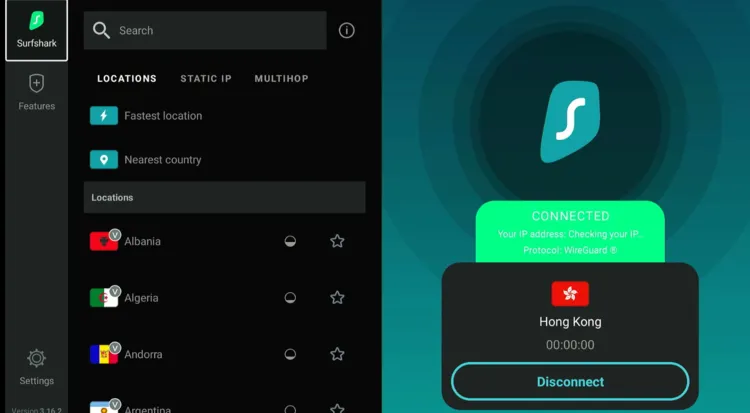
Step 27: Open the Surfshark app on your FireStick and connect it to the Hong Kong/Costa Rica server.
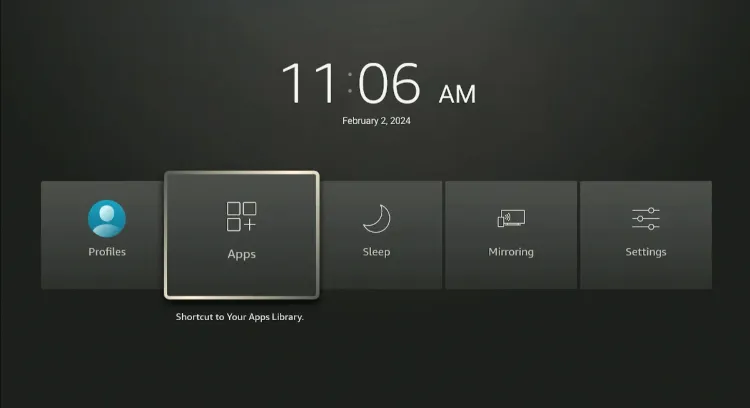
Step 28: Long-press the “Home” button on the FireStick remote and navigate to apps.
Step 29: Choose “TFlix” from the list.
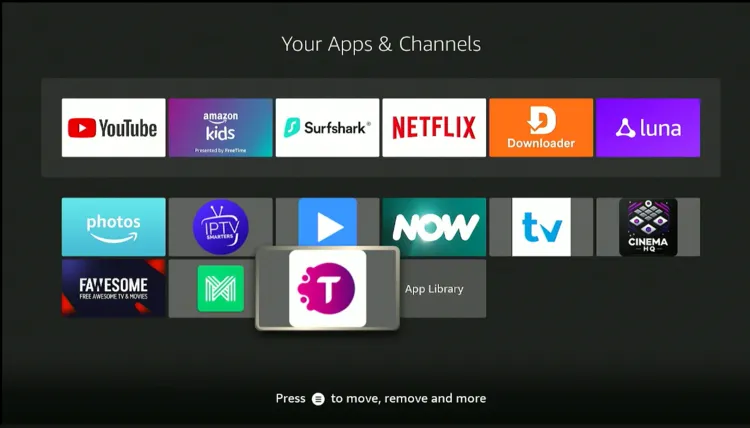
Step 30: On the TFlix homescreen, you will see the “IPL” matches category. Play the desired match.
Step 31: Enjoy streaming IPL for free in HD quality!

How to Watch IPL on FireStick Using Amazon Silk Browser
You can also watch the 2026 IPL season live on FireStick using the Amazon Silk Browser via free sports streaming websites.
However, make sure to install and use SurfShark VPN on FireStick because free websites do not broadcast officially and require a VPN to hide your online activity.
P.S. Sometimes, streaming via unofficial websites means dealing with annoying pop-ups. In that case, you can install Brave Browser on FireStick to ensure an ad-free experience.
Follow the steps below:
Step 1: Download the Surfshark app and connect to the Hong Kong/Costa Rica server.
Step 2: Go to FireStick Home
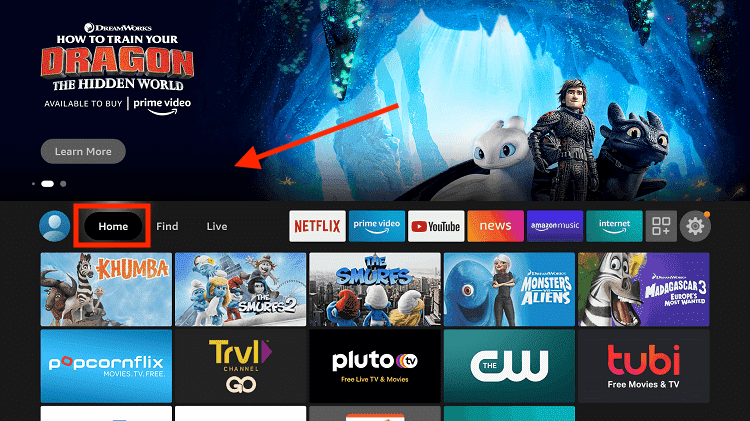
Step 3: Click on the Find tab
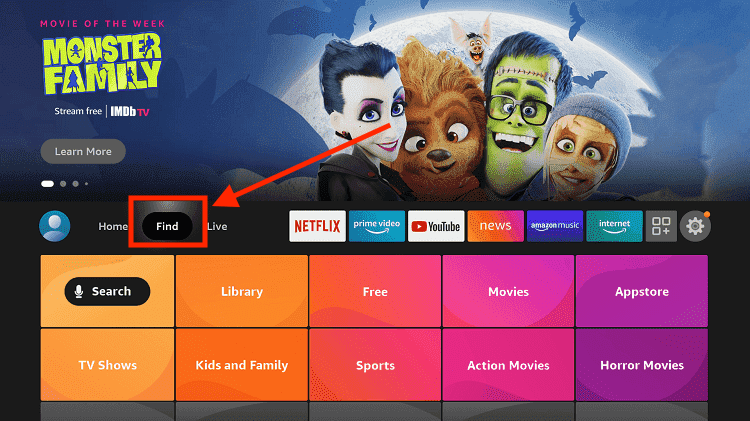
Step 4: Now select the Search option
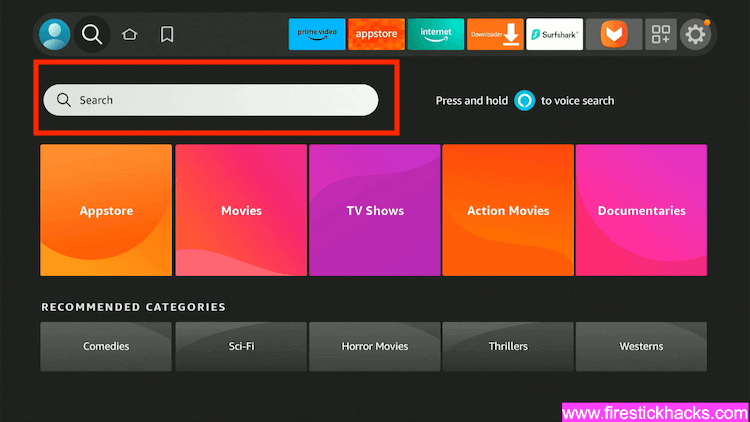
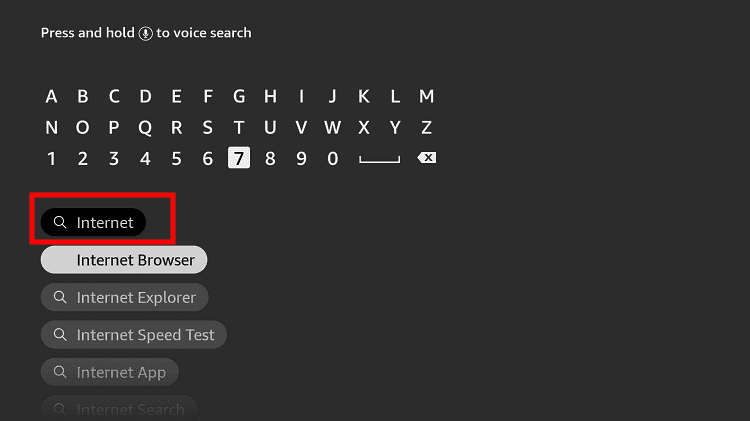
Step 5: Type Internet in the search bar and select from the list
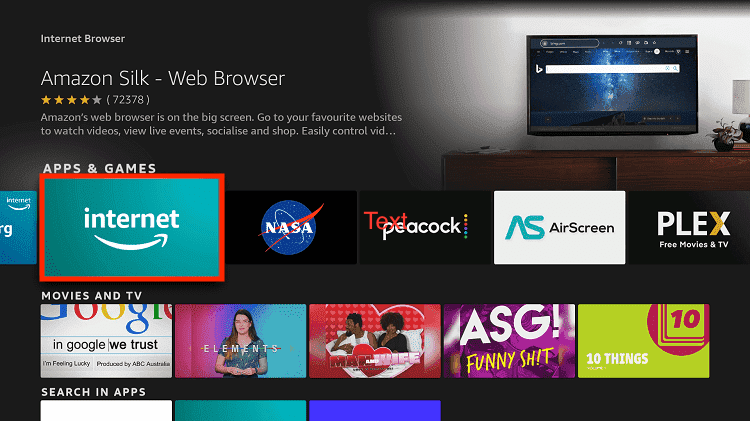
Step 6: Choose the Internet App (Silk Browser) from the given options
Step 7: Tap the Get/Download button
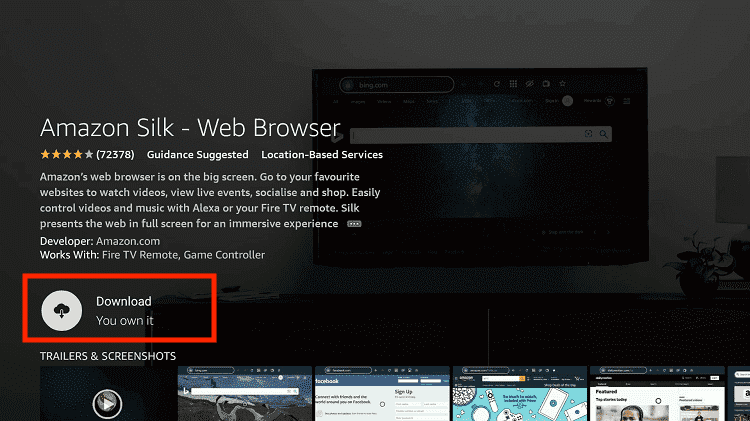
Step 8: Wait until the installation of the browser completes
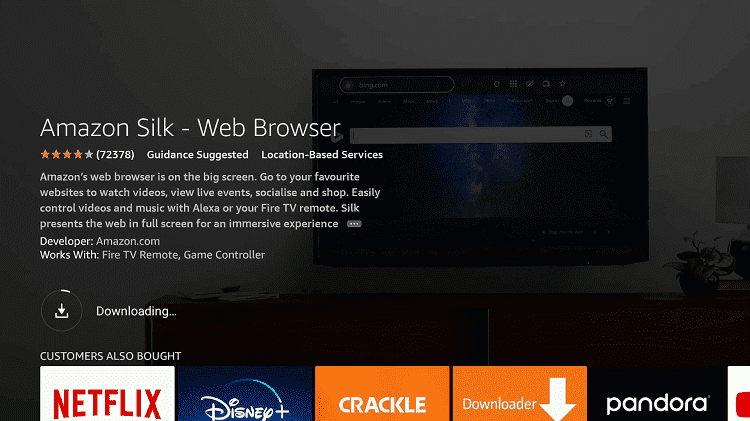
Step 9: Click Open, once the browser is installed.
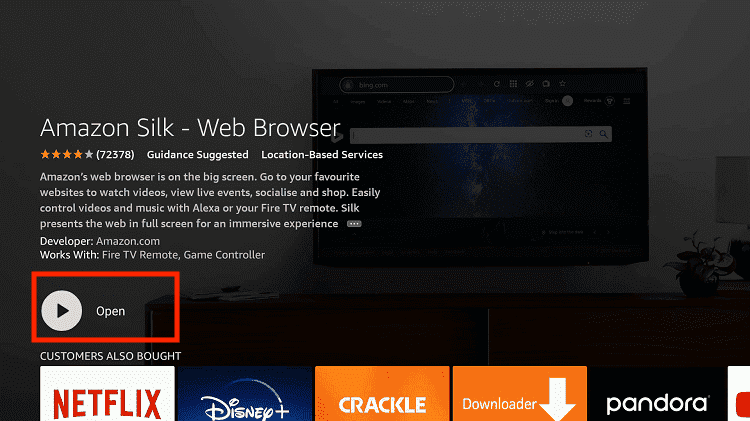
Step 10: Click on Accept Terms to access the browser
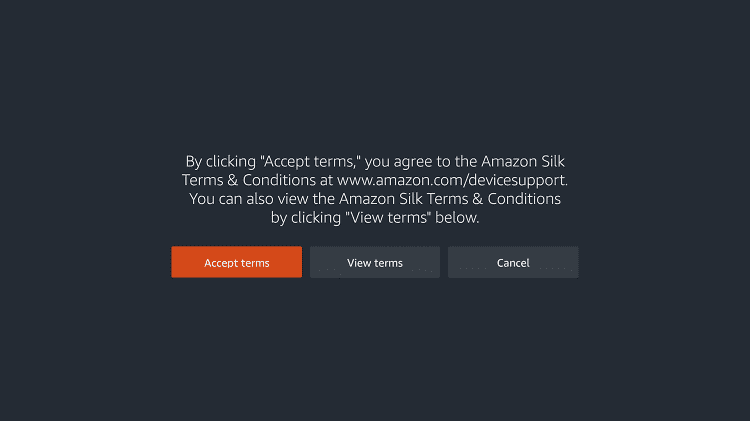
Step 11: When the browser launches, the Bing.com tab will open at first.
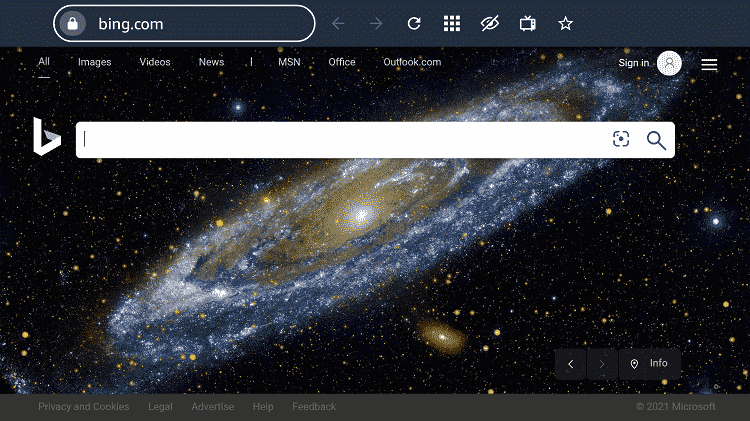
Step 12: Now go back and type Sportsbay.dk OR Viprow.nu OR PPV.Land in the search box and click “GO“.
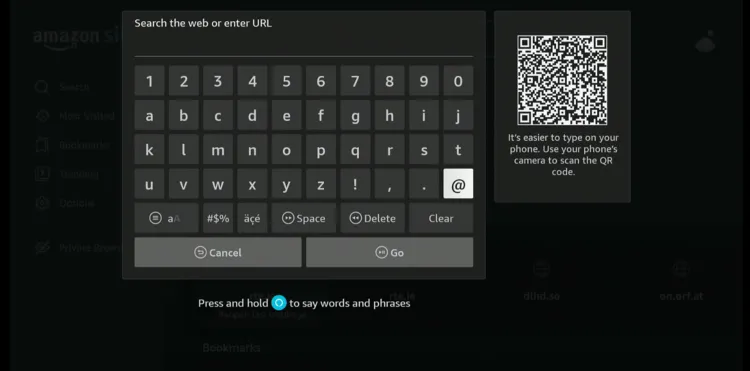
Step 13: This is the interface of Viprow.nu; scroll down and click the “Cricket” tab.
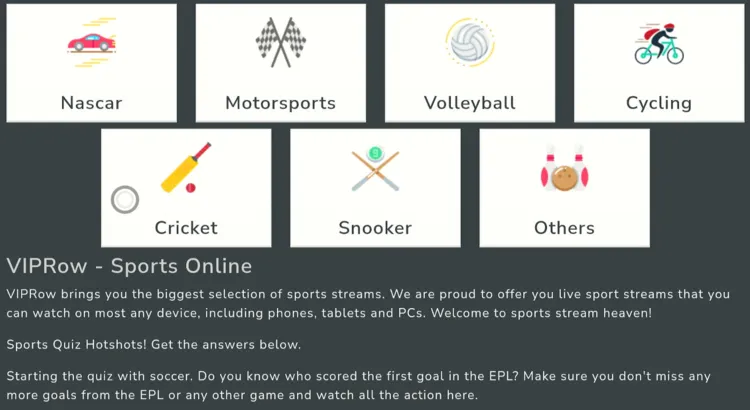
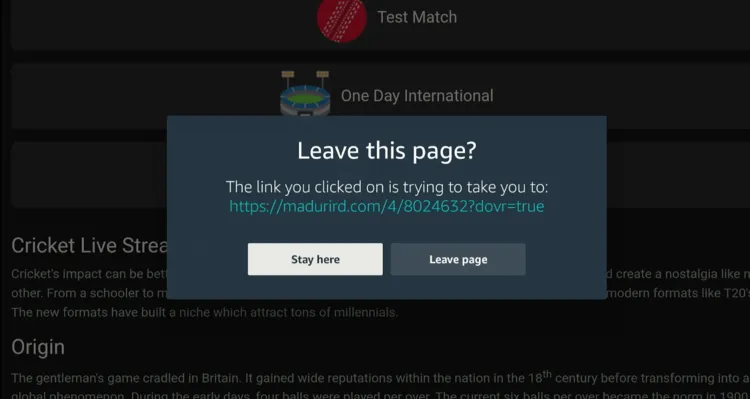
Step 14: You will now probably see this on your screen; tap “Leave Page”.
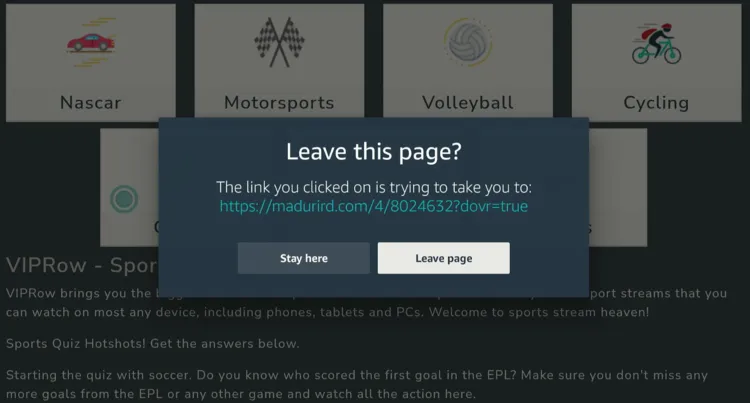
Step 15: Choose “Twenty 20”.
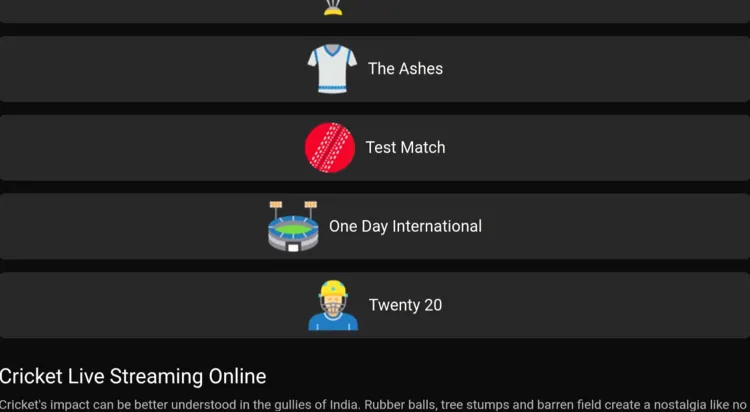
Step 16: Select “Stay Here”.
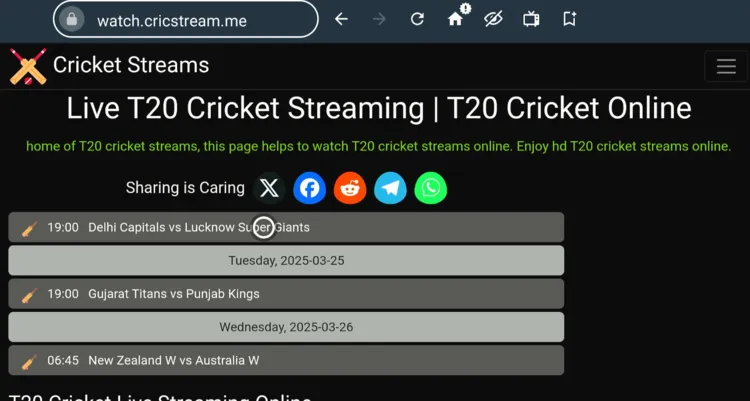
Step 17: Select the desired match.
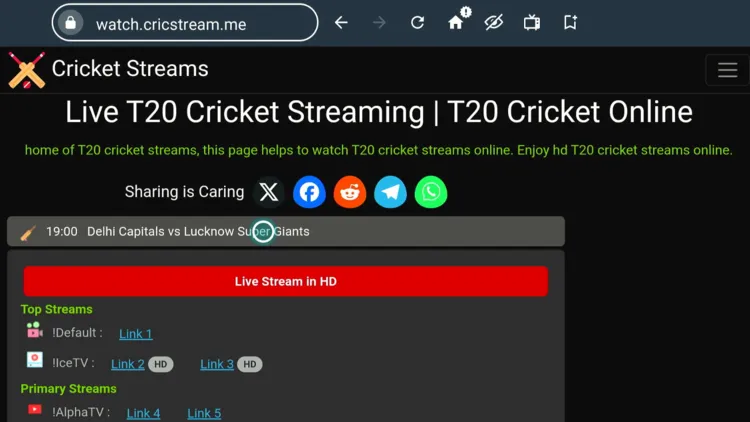
Step 18: Click any link. I clicked “Link 1”.
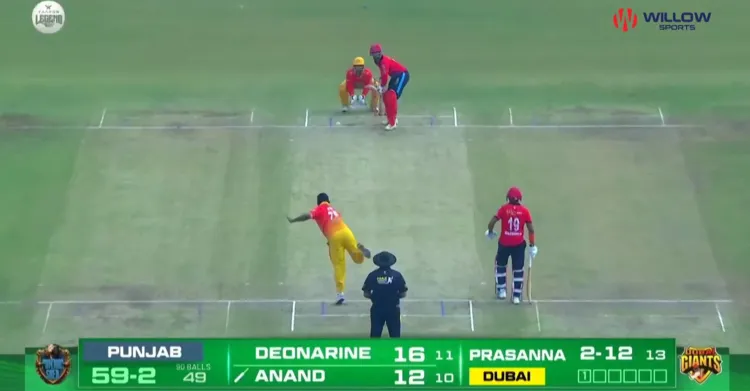
Step 19: Enjoy streaming!
Paid Channels/Services to Watch IPL on FireStick
Here are some of the best premium official channels/services to watch IPL 2026 on your Fire TV Stick device:
- JioCinema (India)
- Kayo Sports (Australia)
- Willow TV (US, Canada)
- Fubo (US, Canada)
- SupertSport (South Africa)
- Sky Sports (UK, NZ)
- Tapmad (Pakistan)
How to Watch IPL Highlights
You can watch IPL highlights via www.iplt20.com (restricted to India). Apart from that, other top broadcasters like Willow & Tapmad have their YouTube channels as well.
IPL franchises like Chennai Super Kings and Rajasthan Royals also run official YouTube channels where they regularly upload match highlights and team content.
The biggest issue with YouTube is the ads. You can avoid YouTube ads with TizenTube and SmartTube.
IPL 2026 Schedule (New One Week)
Below is the officially announced IPL 2026 schedule (first phase), with dates, matchups, and ET timings 👇
| Date & Time (ET) | Matchup |
|---|---|
| May 19, 10:00 AM ET | Rajasthan Royals vs Lucknow Super Giants |
| May 20, 10:00 AM ET | Kolkata Knight Riders vs Mumbai Indians |
| May 21, 10:00 AM ET | Gujarat Titans vs Chennai Super Kings |
| May 22, 10:00 AM ET | Sunrisers Hyderabad vs Royal Challengers Bengaluru |
| May 23, 10:00 AM ET | Lucknow Super Giants vs Punjab Kings |
| May 24, 6:00 AM ET | Mumbai Indians vs Rajasthan Royals |
| May 24, 10:00 AM ET | Kolkata Knight Riders vs Delhi Capitals |
| May 26, 10:00 AM ET | Qualifier 1 |
| May 27, 10:00 AM ET | Eliminator |
Teams Participating in IPL 2026
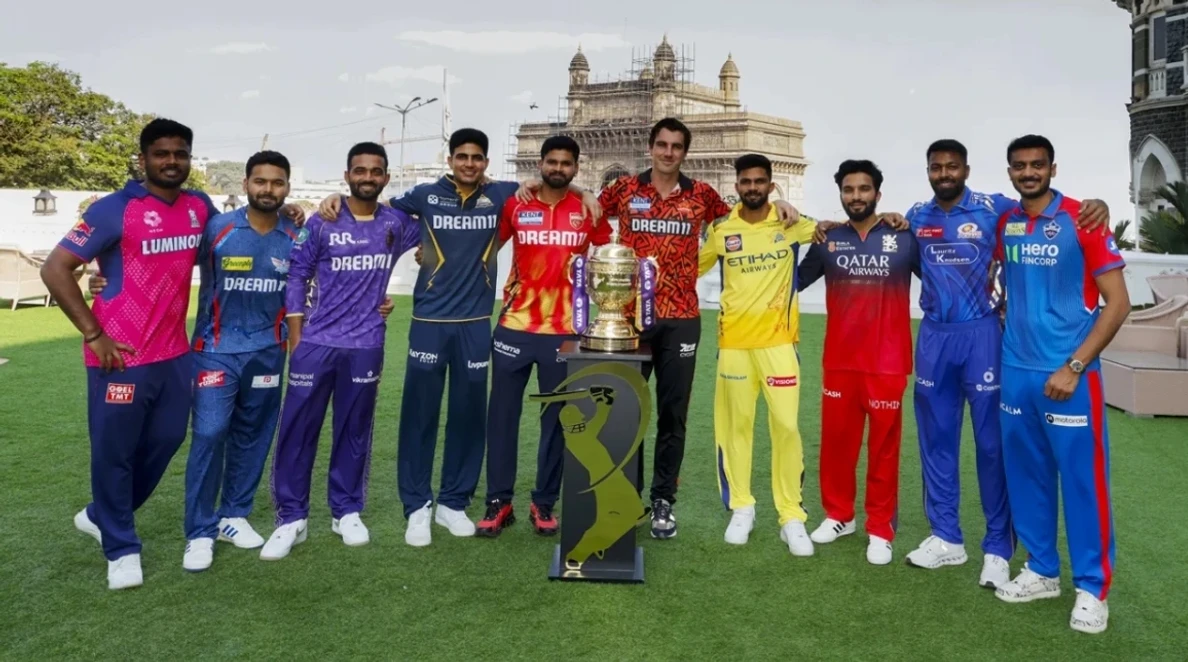
- Chennai Super Kings
- Mumbai Indians
- Royal Challengers Bengaluru
- Kolkata Knight Riders
- Delhi Capitals
- Punjab Kings
- Rajasthan Royals
- Sunrisers Hyderabad
- Lucknow Super Giants
- Gujarat Titans
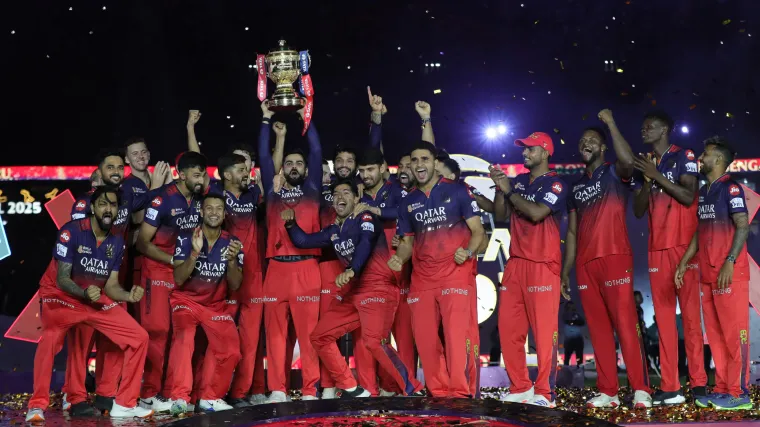
IPL Winners List (2008-2025)
| Year | Winner |
|---|---|
| 2008 | Rajasthan Royals |
| 2009 | Deccan Chargers |
| 2010 | Chennai Super Kings |
| 2011 | Chennai Super Kings |
| 2012 | Kolkata Knight Riders |
| 2013 | Mumbai Indians |
| 2014 | Kolkata Knight Riders |
| 2015 | Mumbai Indians |
| 2016 | Sunrisers Hyderabad |
| 2017 | Mumbai Indians |
| 2018 | Chennai Super Kings |
| 2019 | Mumbai Indians |
| 2020 | Mumbai Indians |
| 2021 | Chennai Super Kings |
| 2022 | Gujarat Titans |
| 2023 | Chennai Super Kings |
| 2024 | Kolkata Knight Riders |
| 2025 | Royal Challengers Bengaluru |
Top 10 Most Expensive Players in IPL 2026
Conducted in December 2025, this IPL auction saw record-breaking bids and intense competition among all 10 teams.
| Player | Team | Price |
|---|---|---|
| Rishabh Pant | Lucknow Super Giants | ₹27.00 crore |
| Shreyas Iyer | Punjab Kings | ₹26.75 crore |
| Cameron Green | Kolkata Knight Riders | ₹25.20 crore |
| Matheesha Pathirana | Chennai Super Kings | ₹18.00 crore |
| Prashant Veer | Chennai Super Kings | ₹14.20 crore |
| Kartik Sharma | Chennai Super Kings | ₹14.20 crore |
| Ravi Bishnoi | Rajasthan Royals | ₹7.20 crore |
| Venkatesh Iyer | Royal Challengers Bengaluru | ₹7.00 crore |
| Ben Dwarshuis | Punjab Kings | ₹4.40 crore |
| Arshdeep Singh | Punjab Kings | ₹4.00 crore |
IPL 2026 Commentary Panel (English & Hindi)
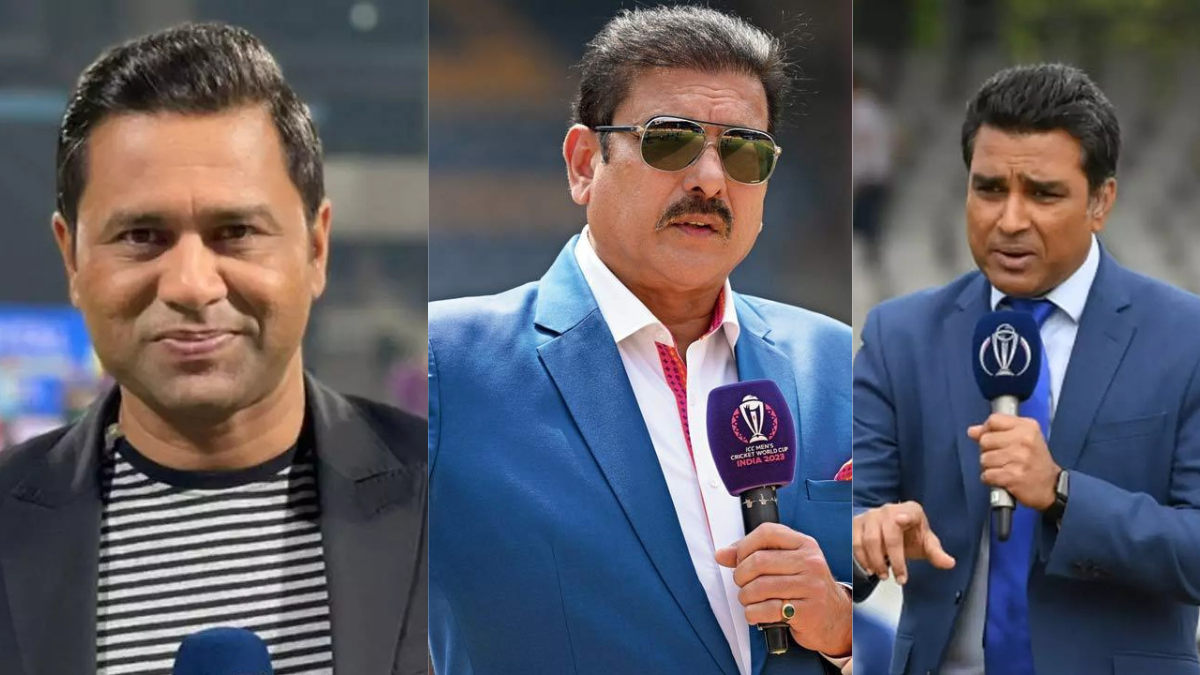
Commentators (English)
- Harsha Bhogle
- Ravi Shastri
- Sunil Gavaskar
- Ian Bishop
- Danny Morrison
- Brian Lara
- Matthew Hayden
- Kevin Pietersen
- Michael Clarke
Commentators (Hindi)
- Jatin Sapru
- Aakash Chopra
- Harbhajan Singh
- Suresh Raina
- Irfan Pathan
- Mohammad Kaif
- Wasim Jaffer
- Mithali Raj
- Parthiv Patel
- Nikhil Chopra
Trouble Streaming IPL on FireStick? Try These Fixes
If you’re dealing with buffering, app crashes, or other streaming glitches on FireStick, try these quick fixes to smooth things out:
- Clear app cache
- Close background apps
- Connect FireStick via Ethernet
- Set video resolution to 1080p/4K
- Install Brave Browser for fewer ads
- Restart FireStick
Other Sports to Watch on FireStick
Apart from IPL 2026, you can also stream the following live sports on Fire TV Stick:
FAQs – IPL 2026
When does IPL 2026 start and end?
IPL 2026 runs from March 28 to May 31.
How to watch IPL for free on FireStick?
Apps like SportzX, PlayFy TV, & CricFy TV let you watch IPL for free on FireStick.
How many teams are playing in IPL 2026?
IPL 2026 features 10 teams competing in the tournament.
How many matches will be played in IPL 2026?
A total of 84 matches will be played in IPL 2026.
Who are the defending champions of IPL 2026?
RCB is the defending champion in the 2026 IPL after winning the IPL 2025 season.
Which player was the highest-paid at the IPL 2025 auction?
The highest-paid player at the IPL 2025 auction was Lucknow Super Giants, who acquired Rishabh Pant for ₹27 crore.
Is MS Dhoni playing in IPL 2026?
Yes, MS Dhoni will be playing in IPL 2026, continuing as the captain of Chennai Super Kings (CSK).
Conclusion
The IPL 2026 sets the stage for an electrifying season from March 28 to May 31, featuring 10 teams clashing for cricketing supremacy.
The best part? FireStick users can stream IPL matches for free through third-party apps such as SportzX, PlayFy TV, & CricFy TV.
Make sure to use Surfshark to hide your identity while using free methods or accessing the official geo-restricted services.