Disclosure: Our experts test apps for security before recommending them. If you buy through our links, we may earn a commission. See how it works.

The 20th edition of the World Athletics Championships will take place from Saturday, September 13, 2025, in Tokyo. It will last till Sunday, September 21, 2025.
Tokyo is hosting the Championships for the third time after 1991 and 2007. You can expect fierce competition in marquee events like the men’s and women’s 100 m sprints, marathon, decathlon, & relays.
You can watch World Athletics Championships 2025 on Firestick for free on official streaming services like BBC iPlayer (UK- Shortly After Broadcast) & SBS on Demand (Australia – Live Streaming).
Since these services are geo-blocked outside their country of origin, you will need a VPN to bypass geo-restrictions. Surfshark is our #1 choice.
Our Recommended VPN - Surfshark

WARNING! Amazon Monitors Your Fire TV Stick!
Yes, It’s True! Without Proper Encryption, your IP Address is Exposed, and Whatever you Stream on FireStick is 'Being Tracked'.
This can lead to:
- Blocking of the FREE Third-Party Apps
- Exposure of your Personal data to hackers, ISPs, and even the authorities
But There’s a Solution - ‘Surfshark VPN’
Save 87% + Get 3 Extra Months FREE with Surfshark VPN [Limited Time Offer]
This Includes:
✅ VPN for just $0.06/day!
✅ Strongest Encryption (i.e.256-Encryption)
✅ 3,200 servers in 100+ server locations
✅ Kill Switch Feature for FireStick users
✅ Data Breach Alerts.
✅ Unlimited Device Connections.
✅ 30-day money-back guarantee.

2 Ways to Watch World Athletics Championships on FireStick
The following 2 methods will let you watch all World Athletics Championship matches live on FireStick from all over the world for FREE:
- Watch World Athletics Championships on FireStick Using Amazon Appstore
- Watch World Athletics Championships on FireStick Using a Browser
How to Watch World Athletics Championships on FireStick Using Amazon Appstore
SBS is a free, Australian broadcasting network that features multicultural content. In 2025, it will cover the World Athletics Championship taking place in Tokyo.
The SBS On Demand APK isn’t working properly on FireStick. That’s why we recommend you install the SBS On Demand app from the Amazon Appstore.
However, if you don’t live in Australia, you will need to change your Amazon account address. Since this app is based in Australia, make sure you enter an Australian address.
Please note that despite changing the address, you will still need to install SurfShark VPN on FireStick and connect it to the Australian server.
Follow the steps below:
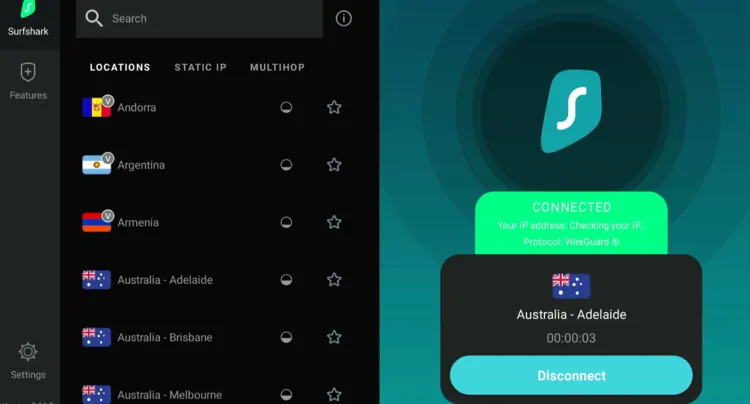
Step 1: Open Surfshark VPN and connect it to the Australian server.
Step 2: Tap the “Find” icon and then click the “Search” bar.
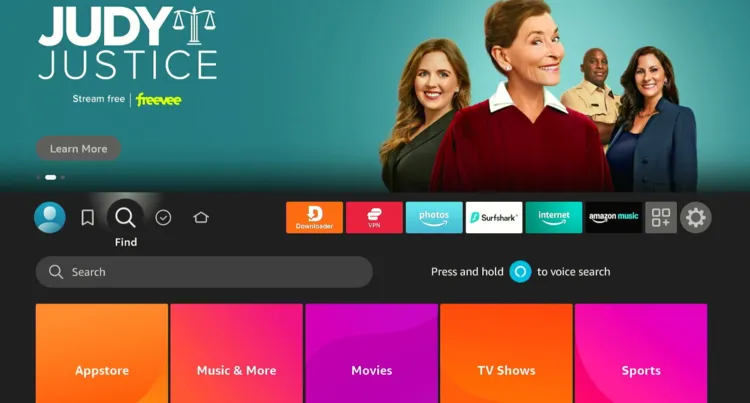
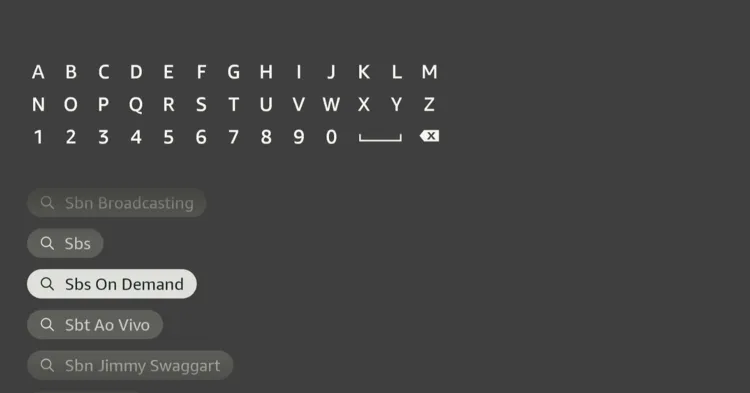
Step 3: Type “SBS on Demand” and select it from the results.
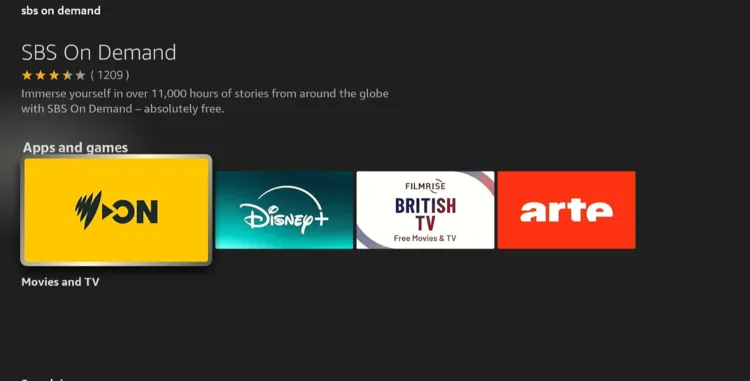
Step 4: Choose the “SBS on Demand” app.
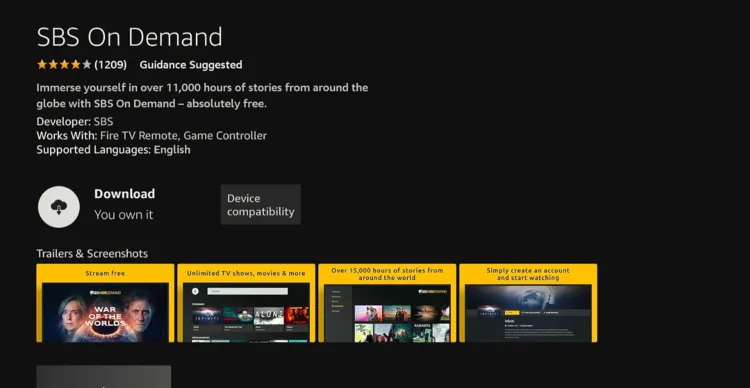
Step 5: Click “Download”.
Step 6: Once downloading ends, click “Open App”.
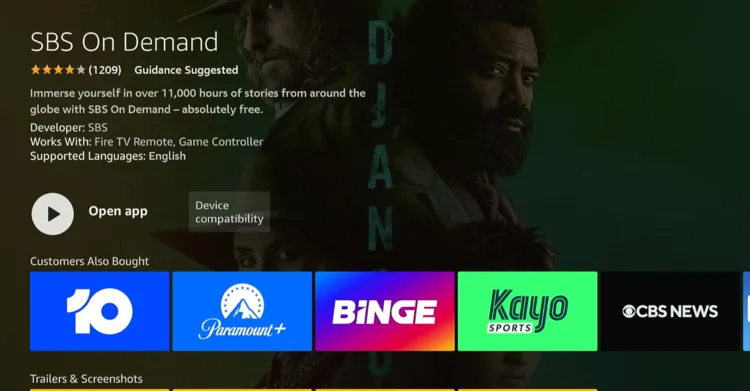
Step 7: Click “Sign In/Create Account”.
P.S. If you haven’t created an account, create an account by visiting www.sbs.com.au/ondemand.

Step 8: Click “Sign In”.
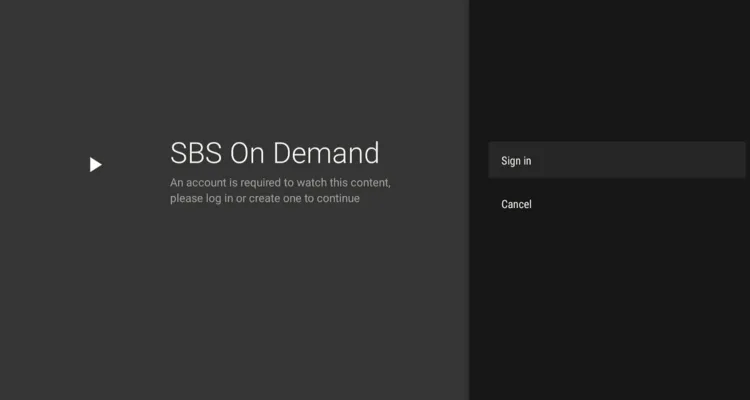
Step 9: Tap “Email”.
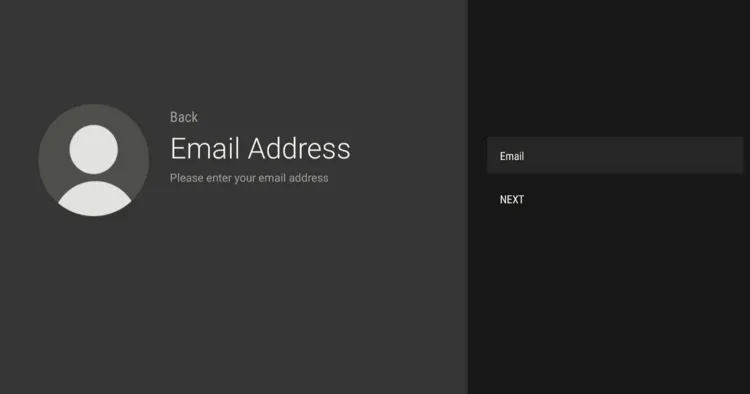
Step 10: Enter your email address.
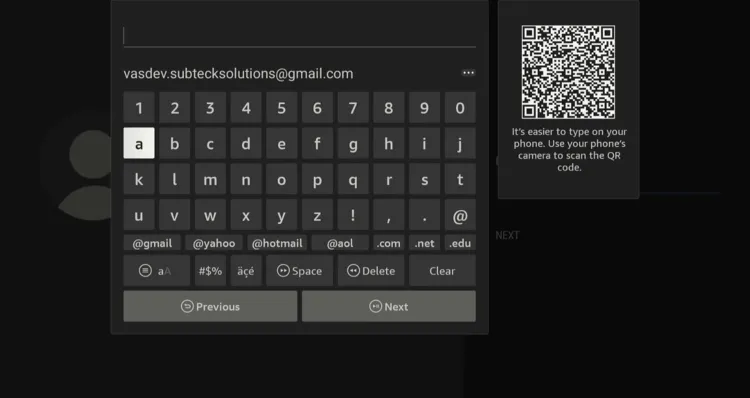
Step 11: Tap “Enter Password”
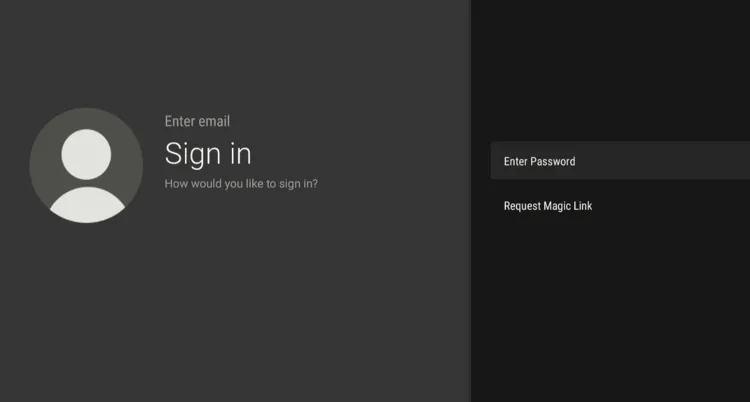
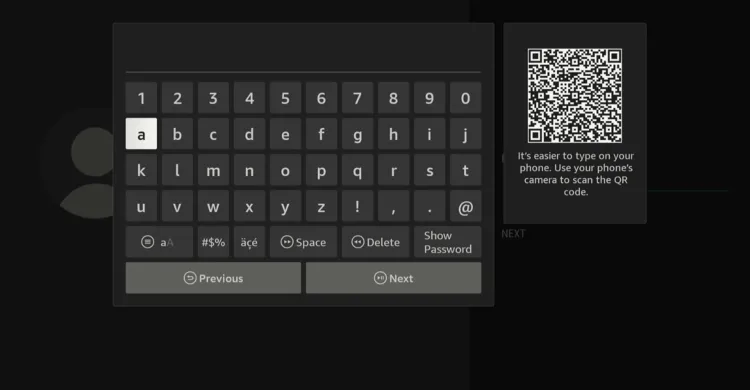
Step 12: Type the password.
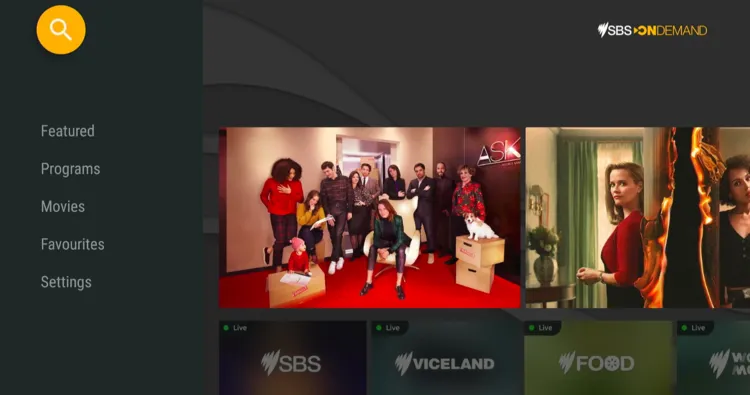
Step 13: Once you have logged in, tap the “Search” icon in the top left corner.
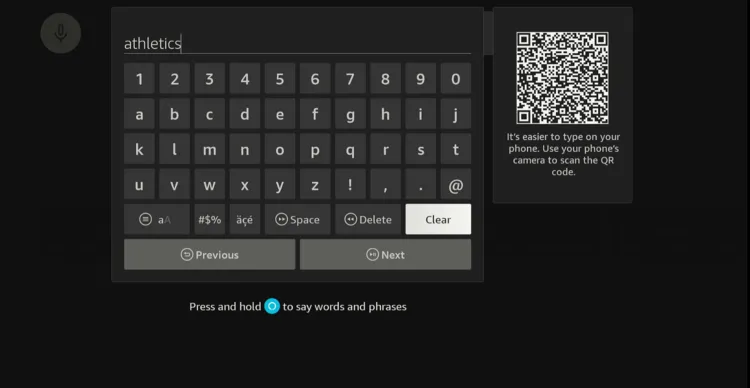
Step 14: Type “Athletics”.
Step 15: You will see “World Athletics Championship 2025” tab, click on it.
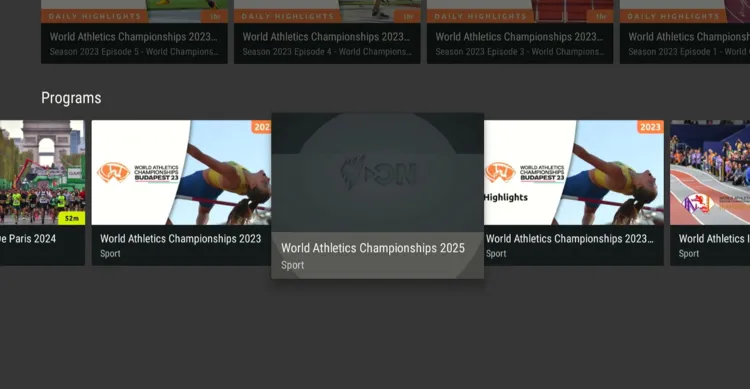
Step 16: Click “Start Watching”.
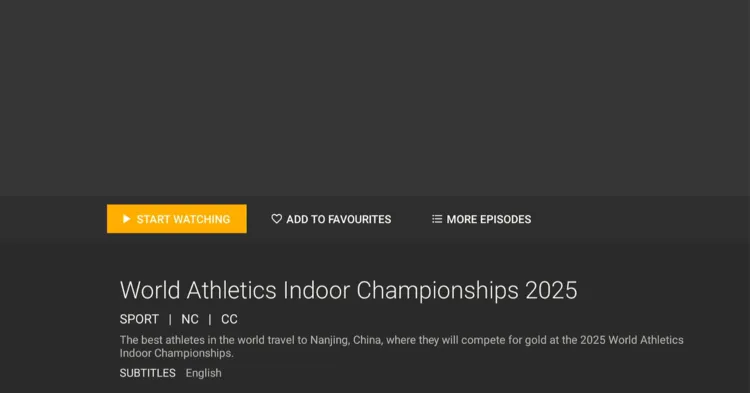
Step 17: Enjoy streaming!

How to Watch World Athletics Championship on FireStick by Using Browser
Depending on your preference, you can also watch the World Athletics Championship 2025 for free by installing a FireStick browser.
However, please note that since we will use SBS on Demand website (which is based in Australia), users outside Australia must install SurfShark VPN on FireStick and connect it to the Australian server.
Follow the steps below:
Step 1: Open Surfshark VPN and connect it to the Australian server.
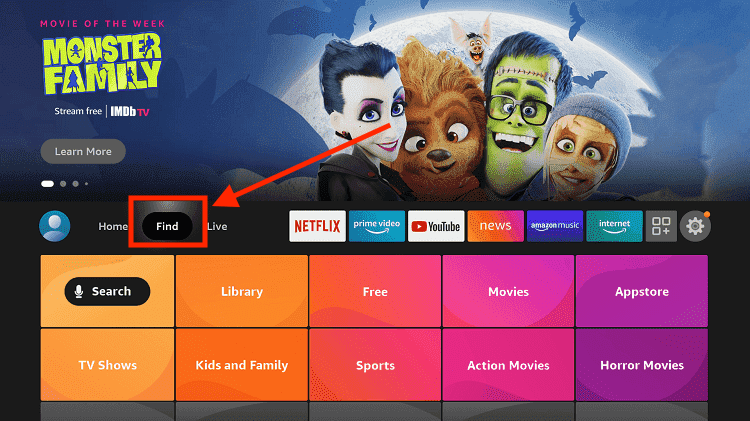
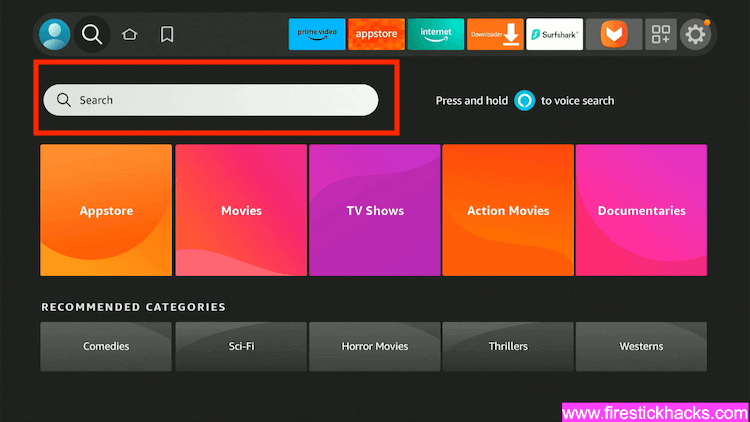
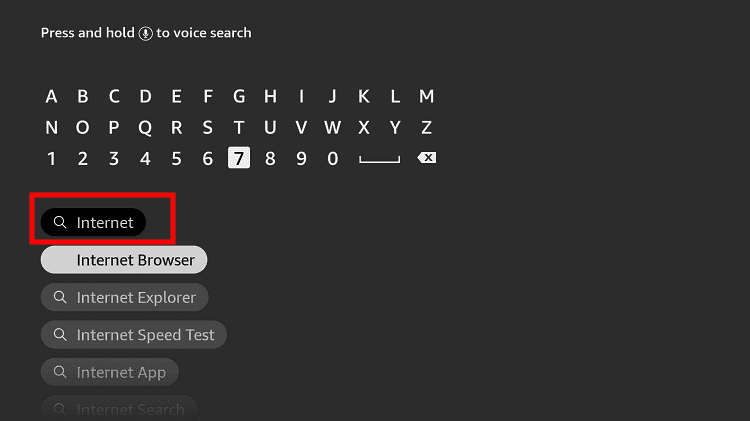
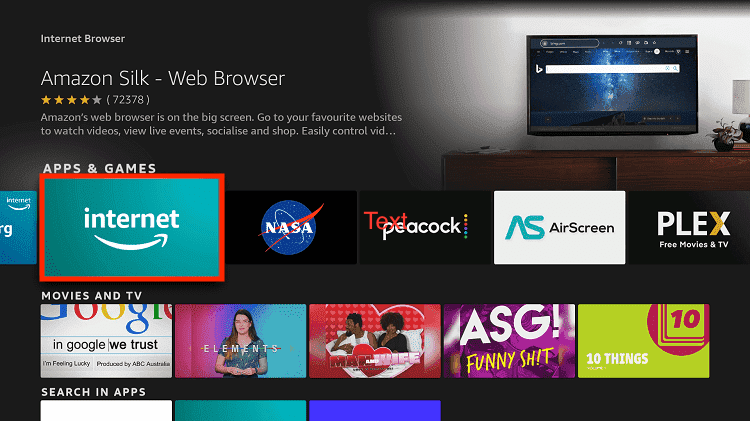
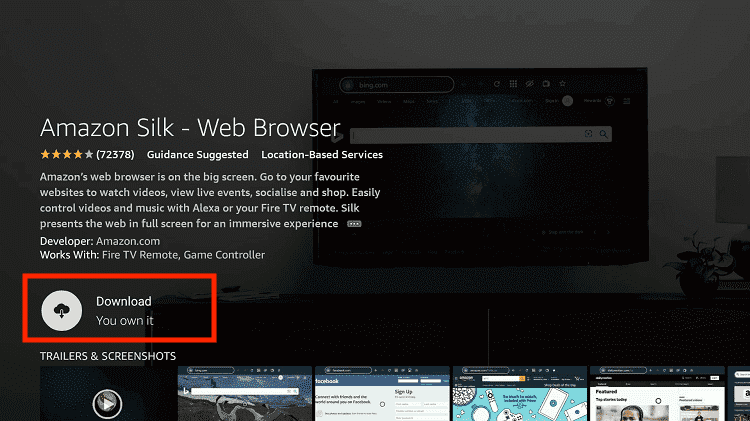
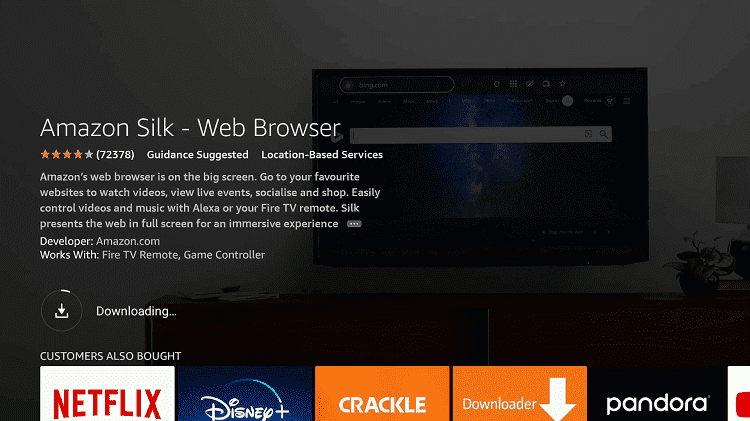
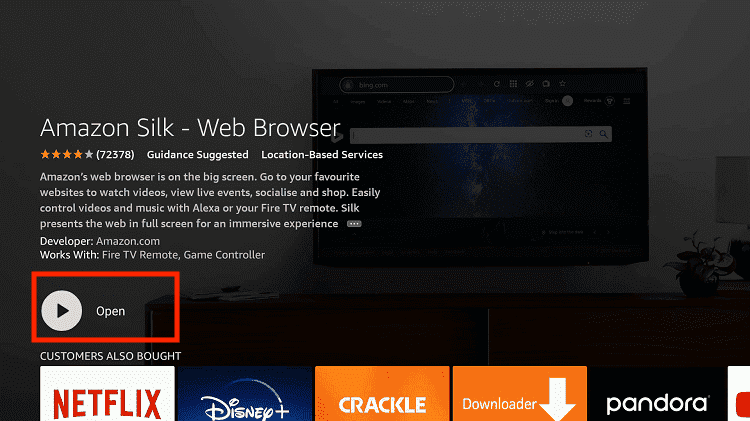
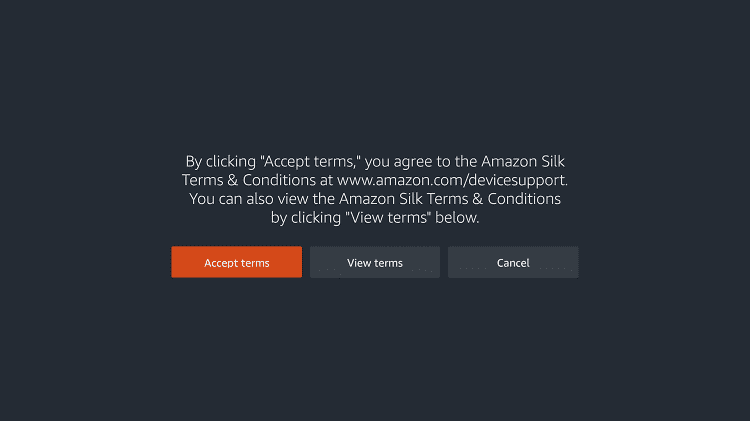
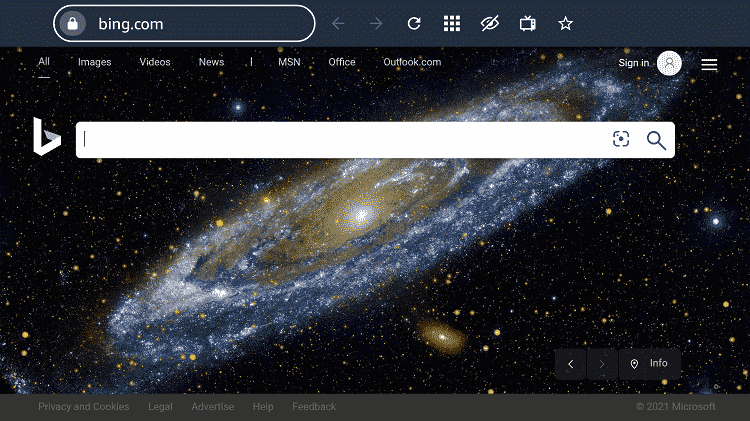
Step 2: Go to FireStick Home Step 3: Click on the Find tab Step 4: Now select the Search option Step 5: Type Internet in the search bar and select from the list Step 6: Choose the Internet App (Silk Browser) from the given options Step 7: Tap the Get/Download button Step 8: Wait until the installation of the browser completes Step 9: Click Open, once the browser is installed. Step 10: Click on Accept Terms to access the browser Step 11: When the browser launches, the Bing.com tab will open at first.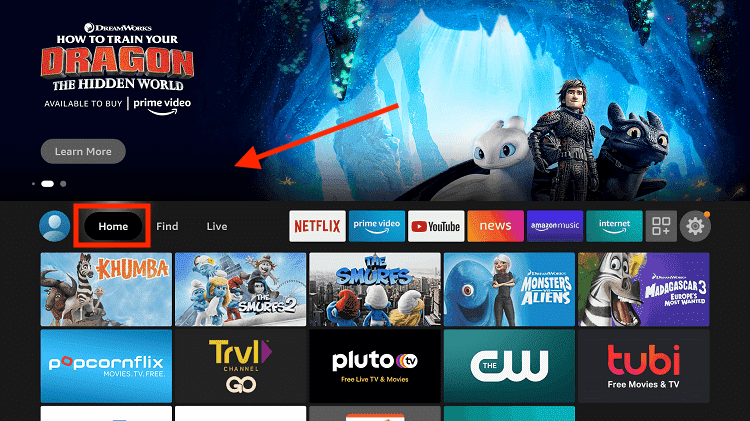
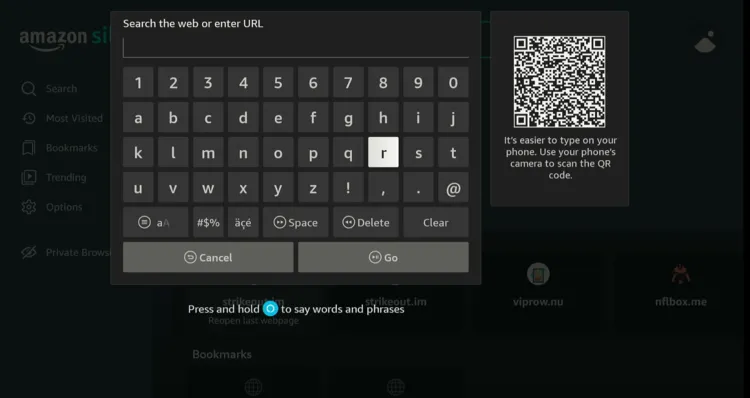
Step 12: Now go back and type www.sbs.com.au/ondemand in the search box and click “GO“.
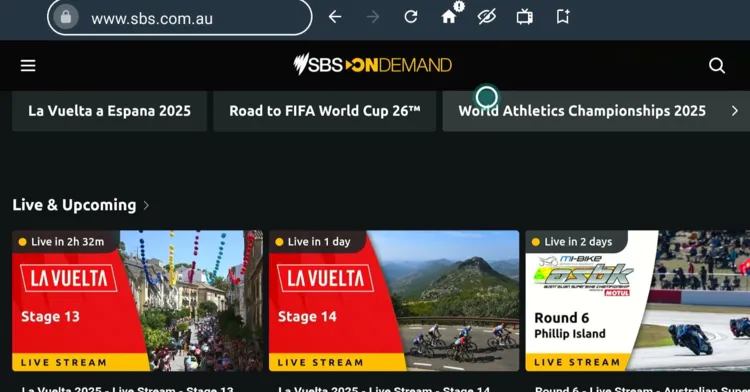
Step 13: You will see the “World Athletics Championships 2025” tab on the homepage; click on it.
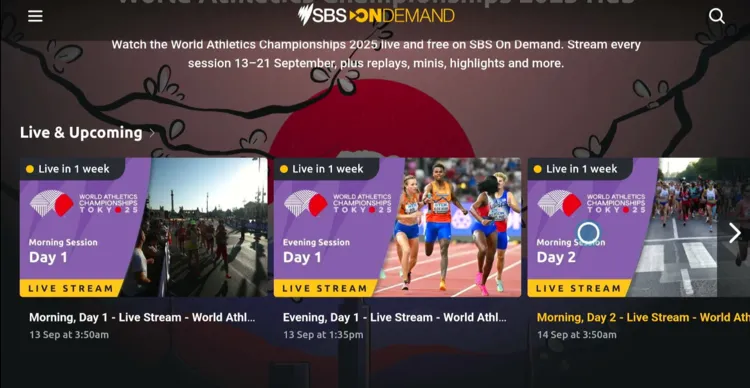
Step 14: Choose the event.
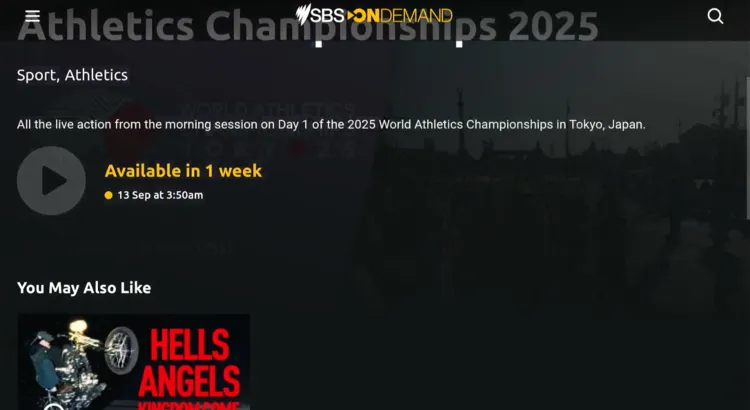
Step 15: Click the play button once the event goes live.
Paid Channels/Services to Watch World Athletics Championships on FireStick
Here are some of the best premium official channels/services to watch World Athletics Championships 2025 on your FireStick:
- Sling TV (US)
- YouTube TV (US)
- Fubo (US)
- TNT Sports (UK)
- Peacock TV (US)
World Athletics Championships 2025 Schedule – Key Events
Catch all the key events of the 2025 World Athletics Championships in Tokyo, September 13–21, with top track, field, and relay finals airing between 8:30–9:30 a.m. (ET):
| Date (2025) | Final Events | Start Time (ET) |
|---|---|---|
| Sun, Sep 14 | Men’s & Women’s 100 m Finals | 8:30–9:30 a.m. ET |
| Mon, Sep 15 | Women’s 100 m Hurdles Final | 8:30–9:30 a.m. ET |
| Tue, Sep 16 | Men’s 110 m Hurdles Final | 8:30–9:30 a.m. ET |
| Wed, Sep 17 | Men’s 1500 m Final | 8:30–9:30 a.m. ET |
| Thu, Sep 18 | Men’s & Women’s 400 m Finals | 8:30–9:30 a.m. ET |
| Fri, Sep 19 | Men’s & Women’s 200 m Finals | 8:30–9:30 a.m. ET |
| Sat, Sep 20 | Men’s 800 m Final | 8:30–9:30 a.m. ET |
| Sun, Sep 21 | Men’s & Women’s 4×100 m & 4×400 m Relays; Relay Finals | 8:30–9:30 a.m. ET |
Other Sports to Watch on FireStick
Apart from World Athletics Championships 2025, here are some other popular sports that you can watch live on your FireStick for free. Take a look:
- La Liga on FireStick
- English Premier League on FireStick
- Bundesliga on FireStick
- Ligue 1 on FireStick
- Serie A on FireStick
Conclusion
The 2025 World Athletics Championships will run from Saturday, September 13, to Sunday, September 21, in Tokyo.
With top athletes competing in thrilling track, field, and relay events, this championship promises non-stop action and unforgettable performances.
For free, official streaming platforms like BBC iPlayer (UK) and SBS On Demand (Australia) have you covered, though a VPN like Surfshark is necessary if you’re outside these countries.