
Disclosure: Our experts test apps for security before recommending them. If you buy through our links, we may earn a commission. See how it works.
The NFL 2026 preseason started on August 6, 2026, with the Hall of Fame Game (Panthers vs. Cardinals) and will conclude on August 29, 2026.
As per the schedule, the event will go like this: Week 1 from August 13 to August 15, Week 2 from August 20 to August 23 & Week 3 from August 27 to August 29.
You can watch all 49 NFL preseason games for FREE on DAZN in eligible regions (including UK & Australia). However, unofficial apps like SportzX, AK47 Sports & Cricfy TV will also cover the event for FREE.
Don’t forget to use a VPN to hide your identity while using unofficial apps or accessing geo-restricted apps. Surfshark is our #1 choice.
Our Recommended VPN - Surfshark
WARNING! Amazon Monitors Your Fire TV Stick!
Yes, It’s True! Without Proper Encryption, your IP Address is Exposed, and Whatever you Stream on FireStick is 'Being Tracked'.
This can lead to:
- Blocking of the FREE Third-Party Apps
- Exposure of your Personal data to hackers, ISPs, and even the authorities
But There’s a Solution - ‘Surfshark VPN’
Save 87% + Get 3 Extra Months FREE with Surfshark VPN [Limited Time Offer]
This Includes:
✅ VPN for just $0.06/day!
✅ Strongest Encryption (i.e.256-Encryption)
✅ 3,200 servers in 100+ server locations
✅ Kill Switch Feature for FireStick users
✅ Data Breach Alerts.
✅ Unlimited Device Connections.
✅ 30-day money-back guarantee.

2 Ways to Watch NFL on FireStick for Free
We are sharing 2 tried-and-tested methods that will enable you to watch the NFL 2026 preseason on FireStick for free from anywhere in the world:
How to Watch NFL on FireStick Using Downloader App
Important: If SportzX goes down, you can use AK47 Sports, TFlix, and Cricfy TV to watch NFL on FireStick.
SportzX is one of the best sports apps for FireStick that covers all NFL matches for free. The app doesn’t show any ads and provides a buffer-free streaming experience.
However, since SportzX TV might be fetching links via unknown/unverified sources, make sure to install and use SurfShark VPN on FireStick to ensure secure streaming.
Follow the steps below:
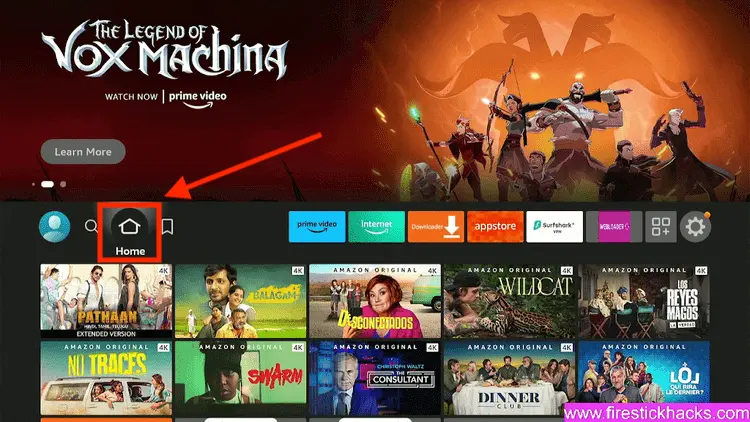
Step 1: Turn ON your FireStick device and Go to FireStick Home
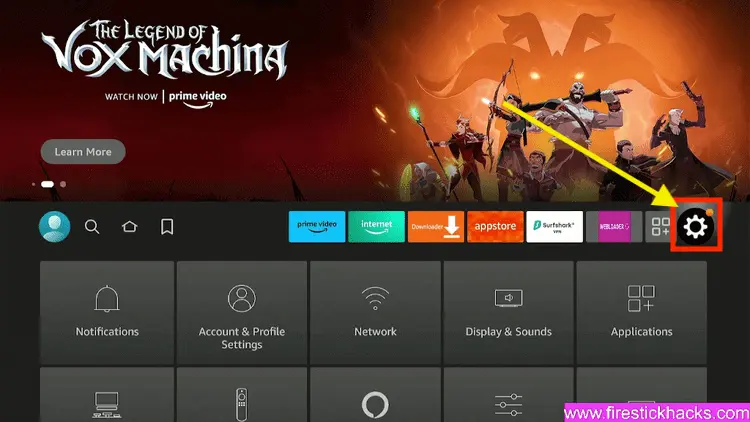
Step 2: Click on the Settings icon
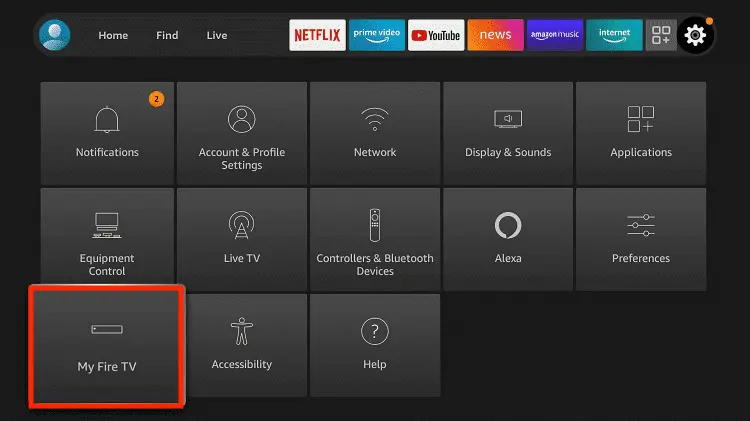
Step 3: Select the My Fire TV option
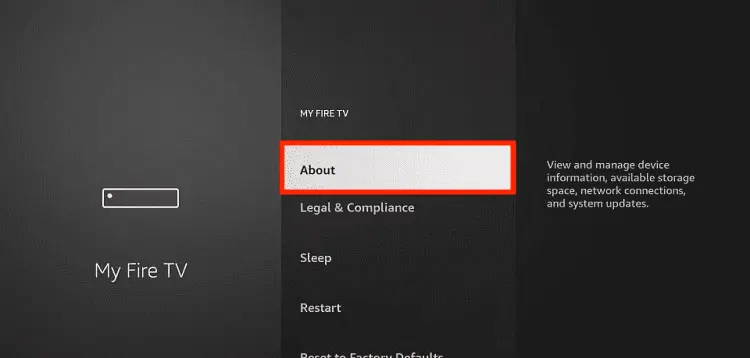
Step 4: To enable the Developer Option, click About.
Note: If you have already enabled the Developer Option, then proceed to Step 10
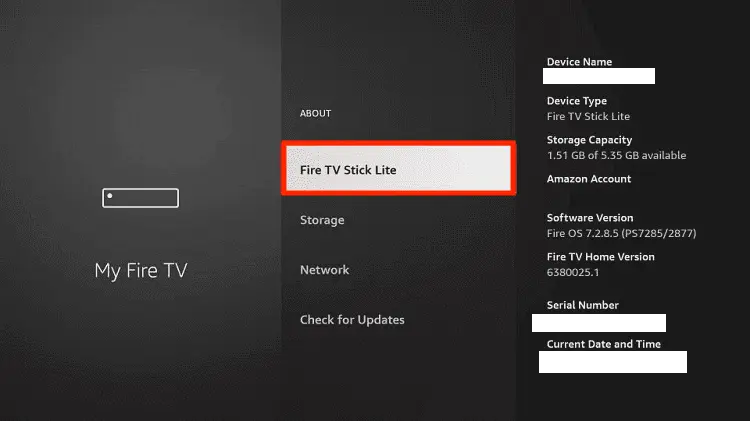
Step 5: Click on the Fire TV Stick option quickly at least 7 times
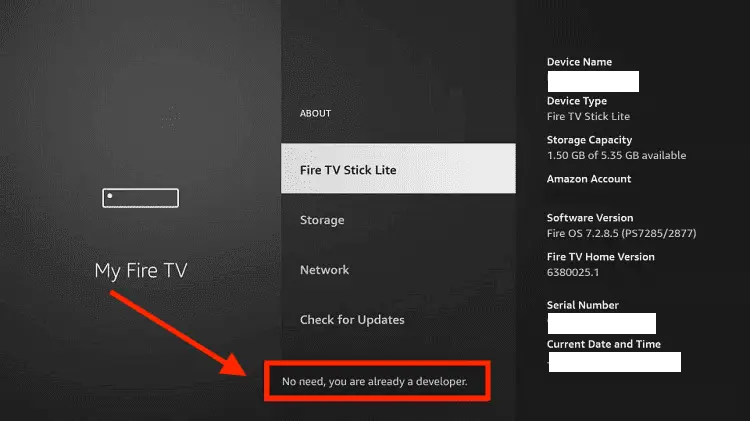
Step 6: Now you will see this message at the bottom saying "No need, you are already a developer". So stop clicking then
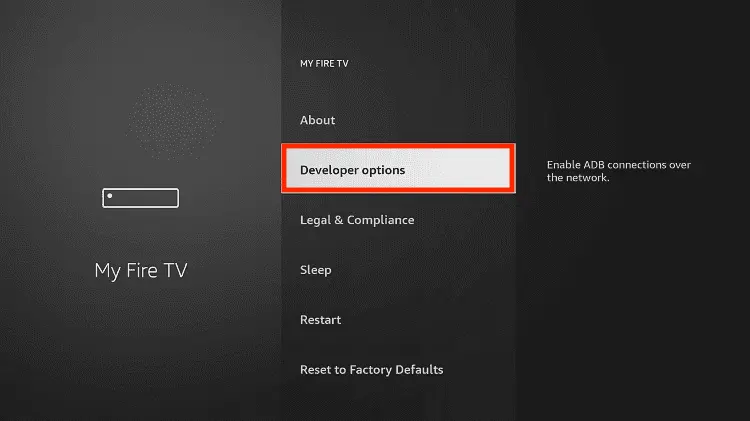
Step 7: Now the Developer Option will appear in the menu so click on it
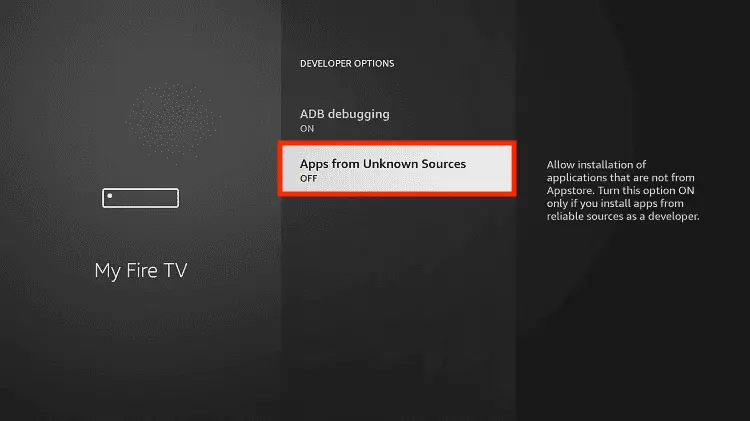
Step 8: Choose Apps from Unknown Sources to turn it ON
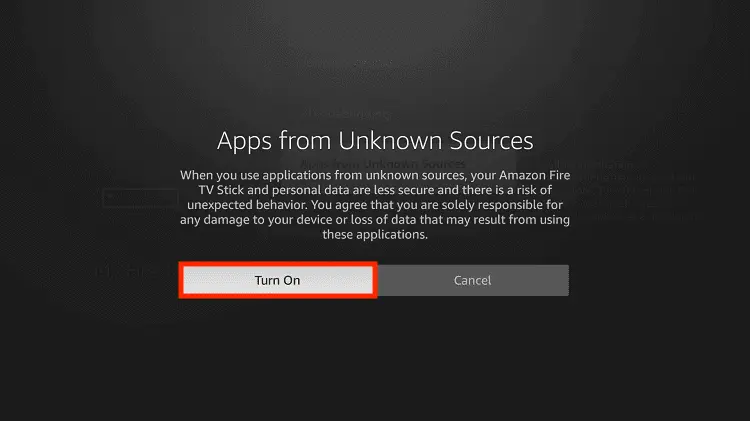
Step 9: Simply click Turn On
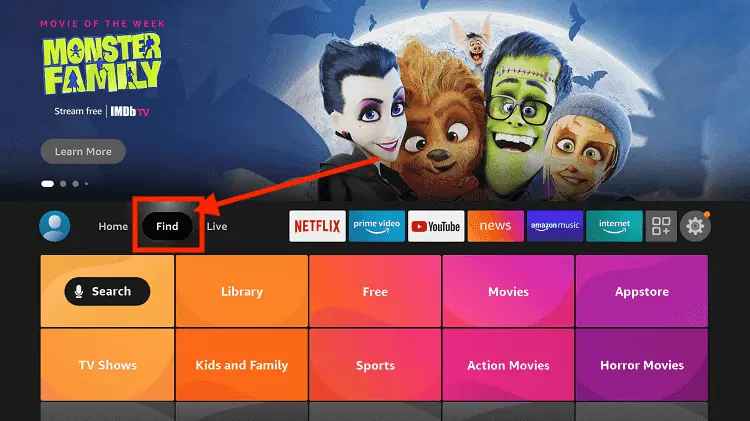
Step 10: Now return to the FireStick Home menu by pressing the "Home" icon on the remote and click on Find
Step 11: Now select the Search icon
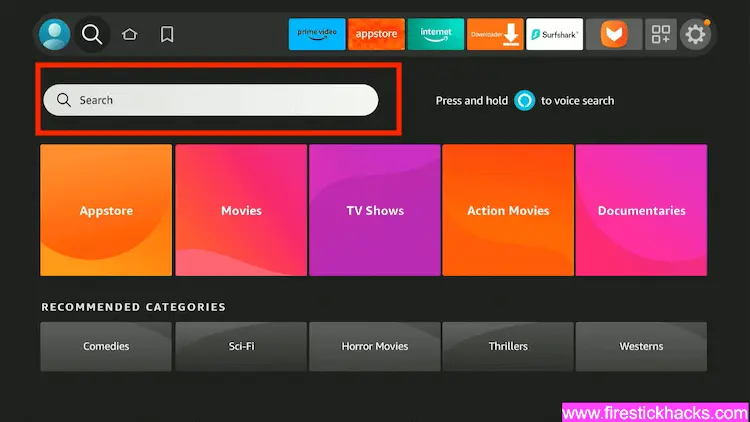
Step 12: Type Downloader and press search
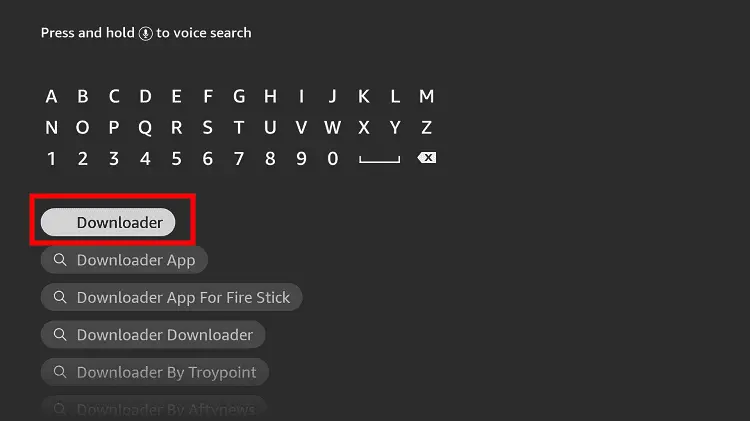
Step 13: Select the Downloader App icon from the list available in the Amazon Store
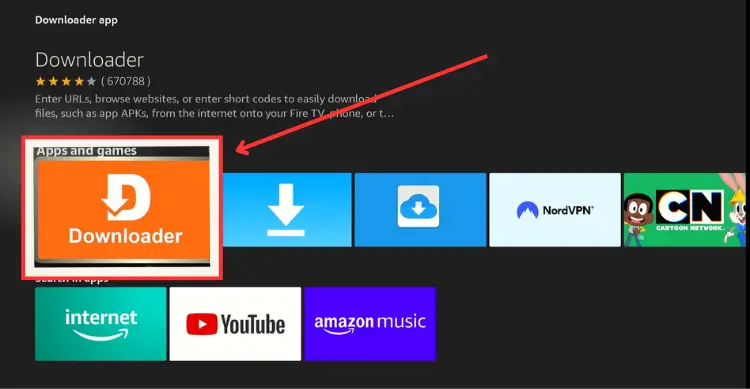
Step 14: Tap Get/Download
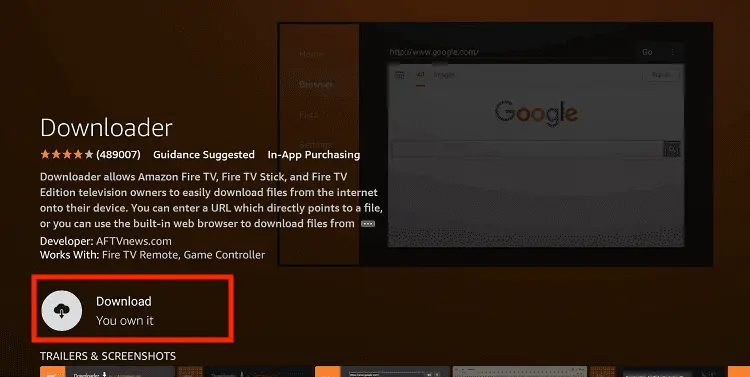
Step 15: Wait for a while until the installation process is completed
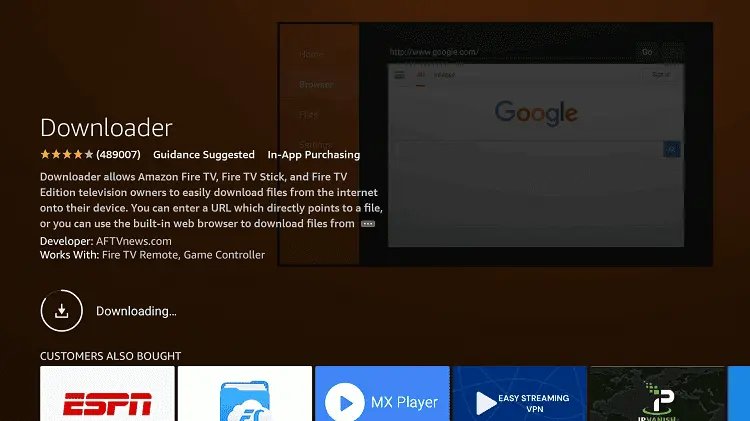
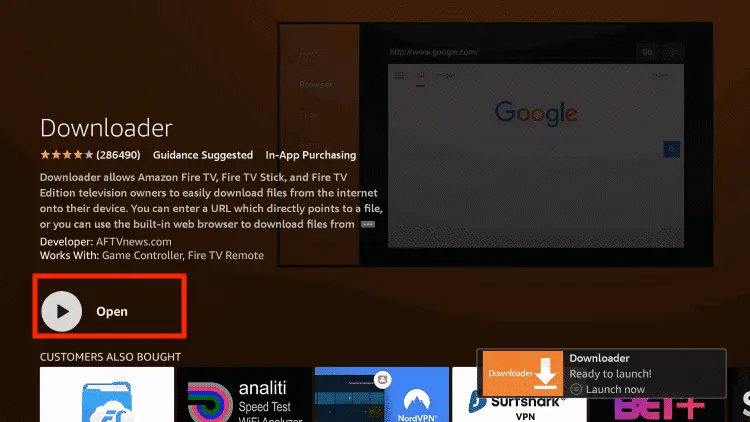
Step 16: Now click Open
Step 17: You will see a popup about Downloader app latest update. Click "OK".

Step 18: Click OK again

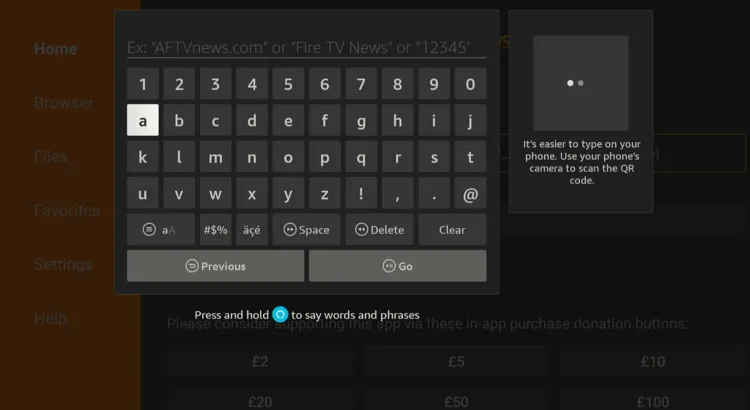
Step 19: This is the Downloader App interface, Click the Search Bar on top

Step 20: Now enter the SportzX Downloader Code 730116 in the search box OR enter this URL bit.ly/fsh-downloads and click Go
Note: The referenced link is the official URL of this app/website. FIRESTICKHACKS does not own, operate, or resell any app, streaming site, or service and has no affiliation with its developers.
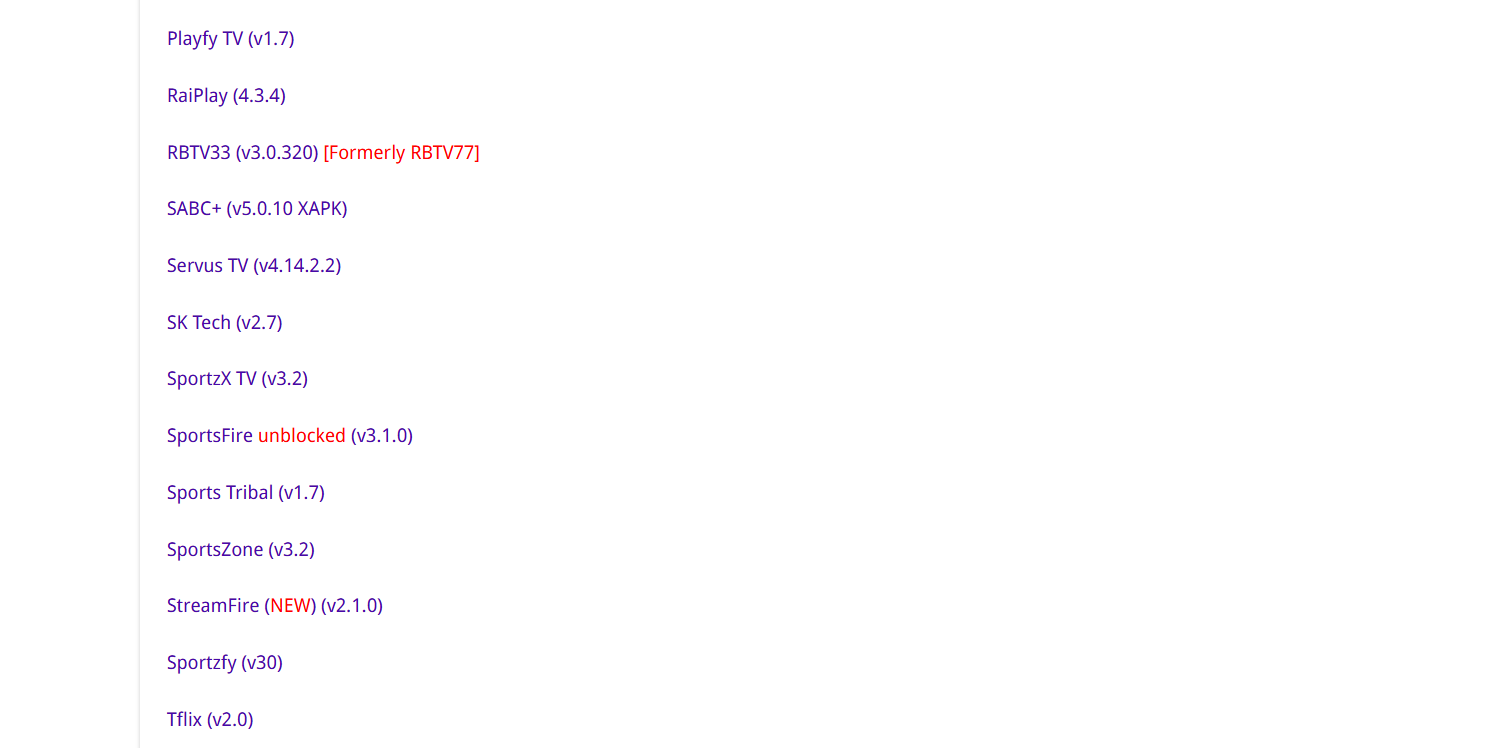
Step 21: Scroll down and click “SportzX” from the “Sports Apps” category.
Note: If the app does not start downloading, then clear the Downloader app cache using this article.
Step 22: The downloading will start. Wait for it to finish.
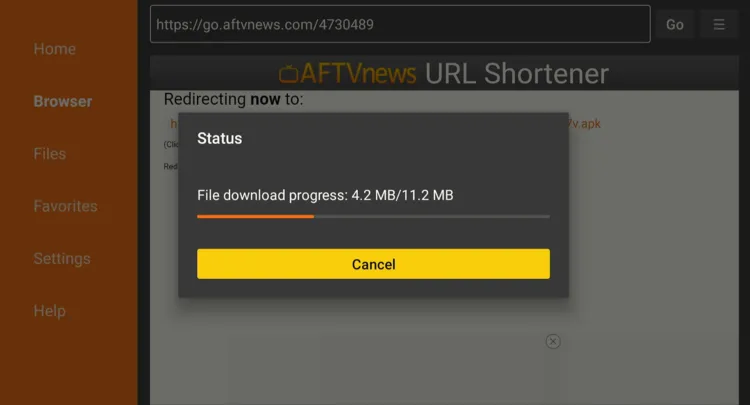
Step 23: Once the downloading ends, click “Install.”
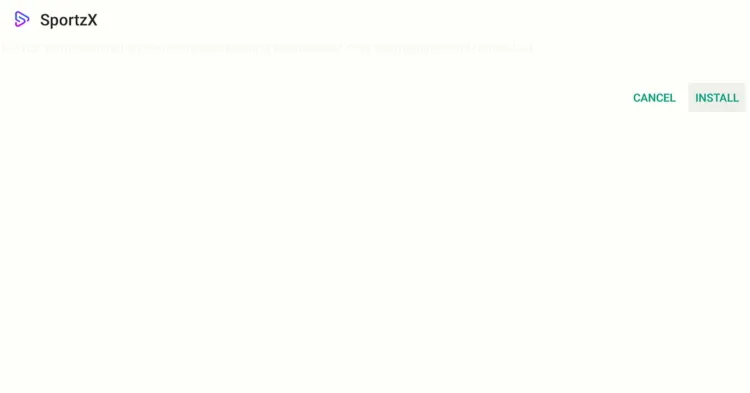
Step 24: Tap the “Done” icon.
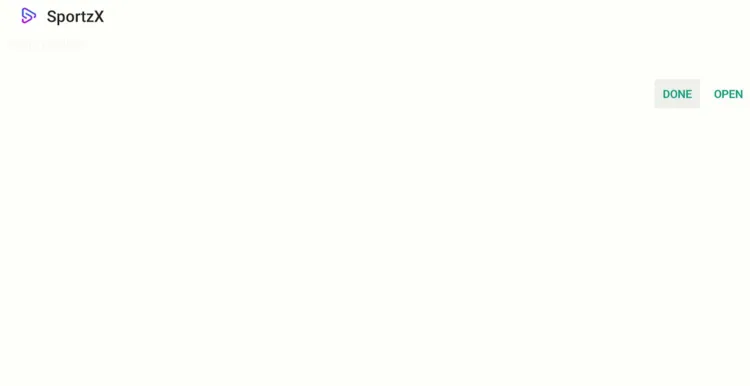
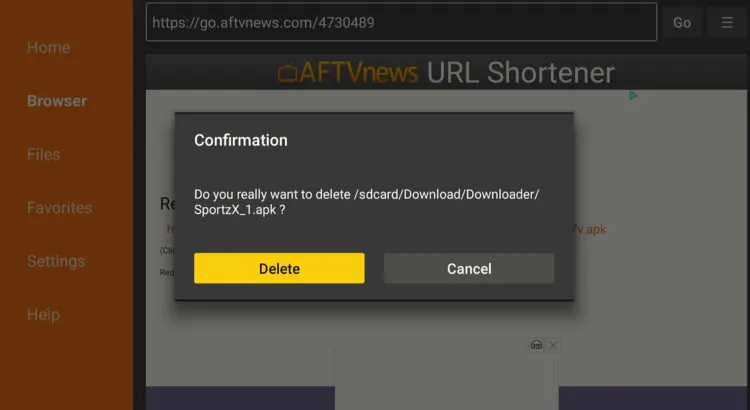
Step 25: Click “Delete” to remove the SportzX APK file from FireStick.
Note: Deleting APK files will free up space on FireStick
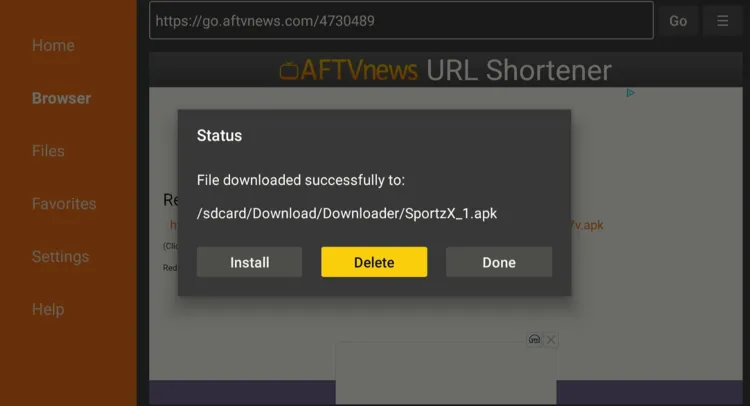
Step 26: Select “Delete” again for confirmation
Step 27: Open Surfshark and connect it to the US/Hong Kong/Costa Rica server.

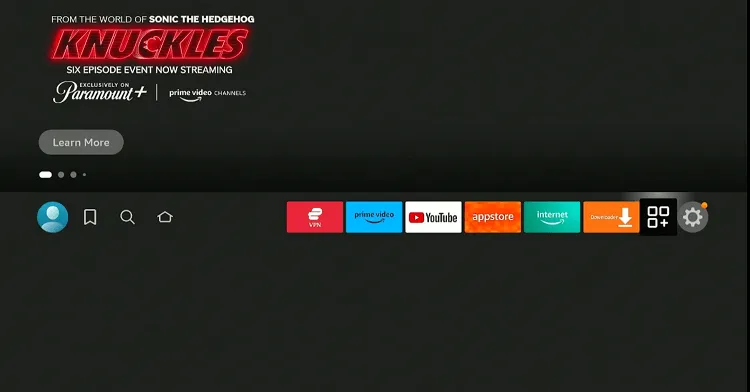
Step 28: Go to the FireStick home and select the “icon next to the settings” from the top-right corner.
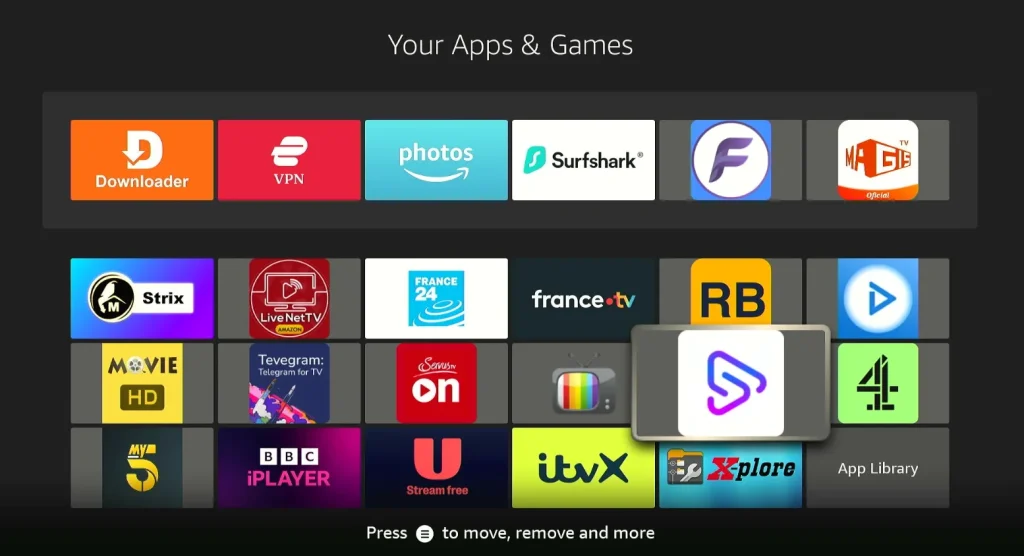
Step 29: Choose “SportzX” from the list.
Step 30: You will see NFL games on the app’s homescreen (or click the NFL tab in the top). Choose the match you want to watch.
Step 31: Enjoy streaming!

How to Watch NFL on FireStick Using a Browser
If you don’t want to install any APK, there’s an option to use a browser to watch the NFL season 2026 preseason for free.
That said, the free websites might be sourcing their content via unknown/unverified sources, so be sure to install and use SurfShark VPN on FireStick for secure streaming.
P.S. Sometimes, streaming via unofficial websites means dealing with annoying pop-ups. In that case, we recommend you install Brave Browser on FireStick to ensure an ad-free experience.
Follow the steps below:
Step 1: Open Surfshark and connect it to the US/Hong Kong browser

Step 2: Go to FireStick Home
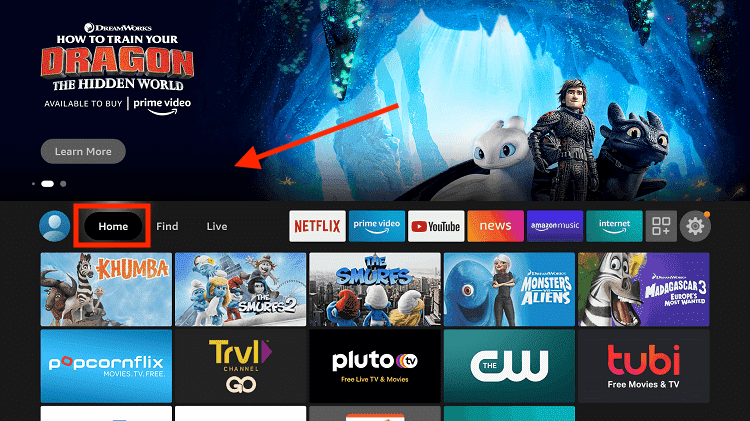
Step 3: Click on the Find tab
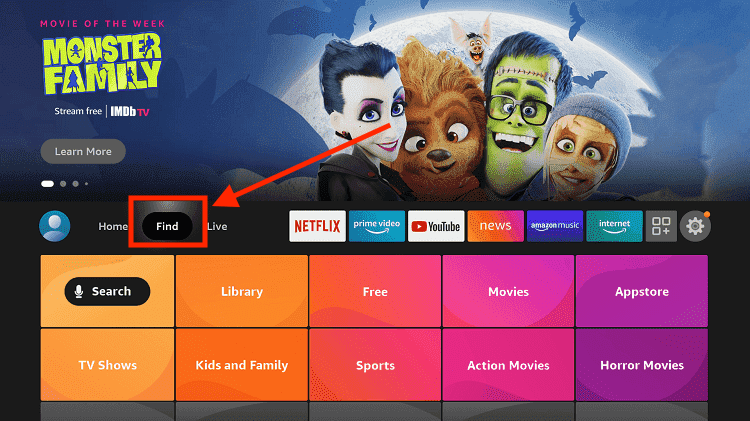
Step 4: Now select the Search option
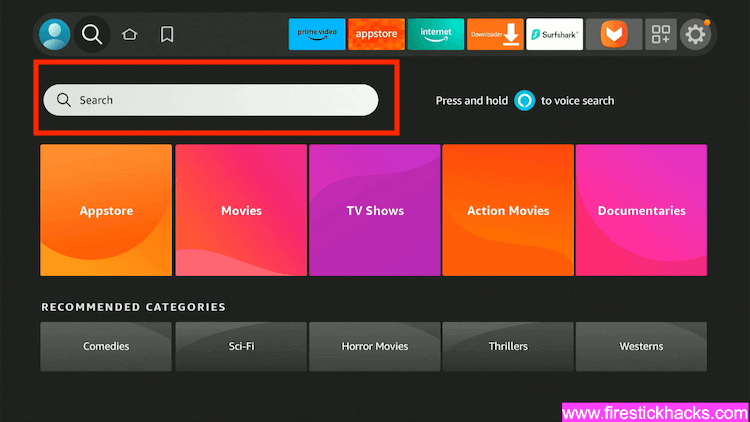
Step 5: Type Internet in the search bar and select from the list
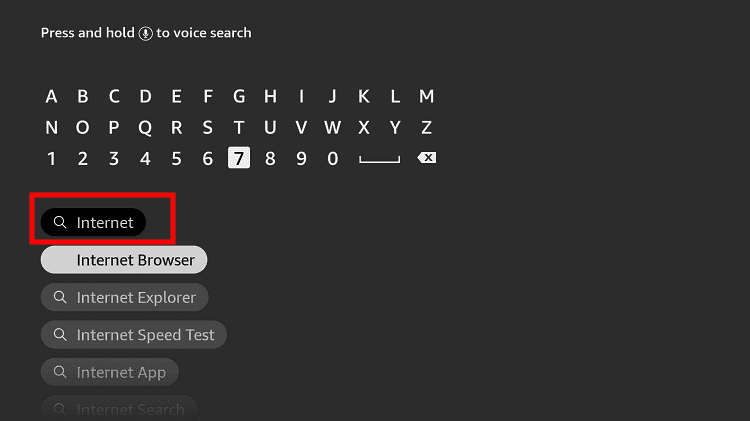
Step 6: Choose the Internet App (Silk Browser) from the given options
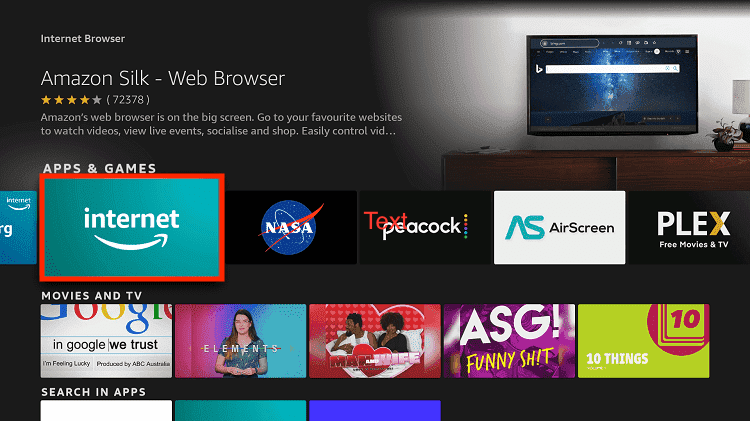
Step 7: Tap the Get/Download button
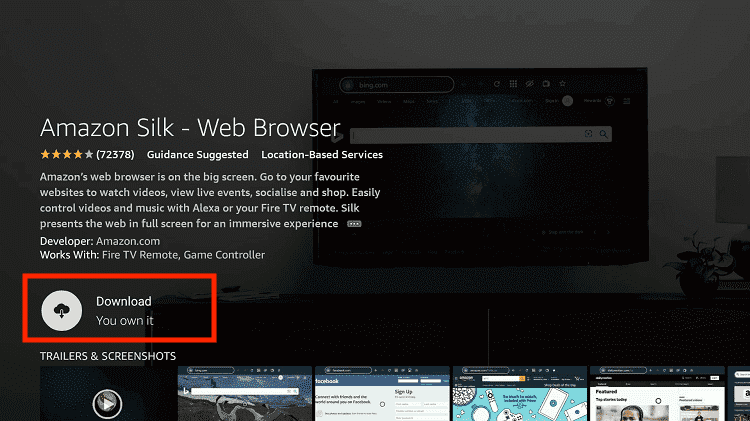
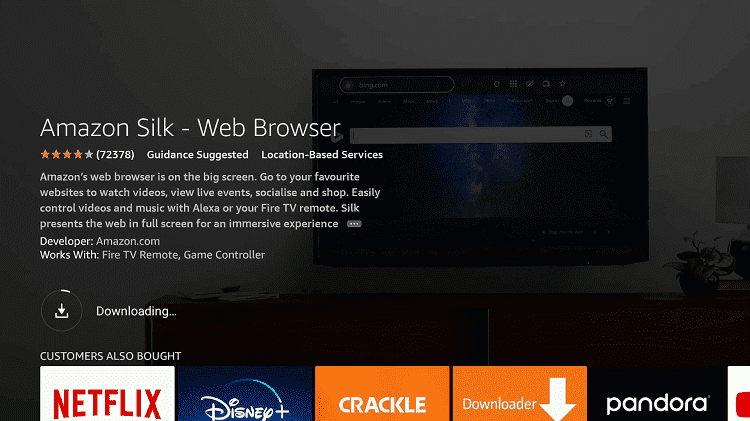
Step 8: Wait until the installation of the browser completes
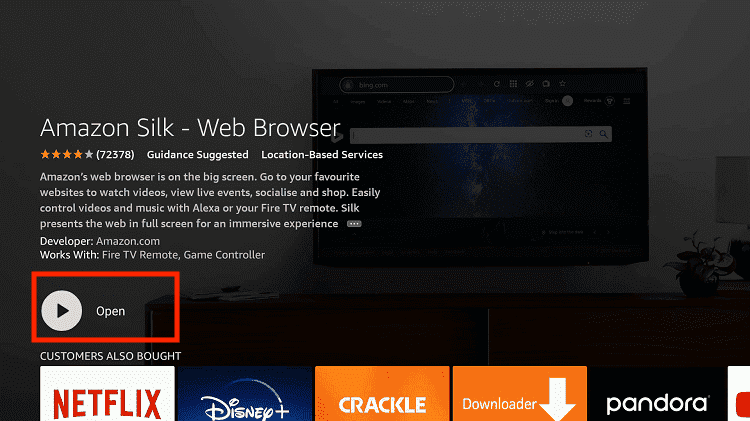
Step 9: Click Open, once the browser is installed.
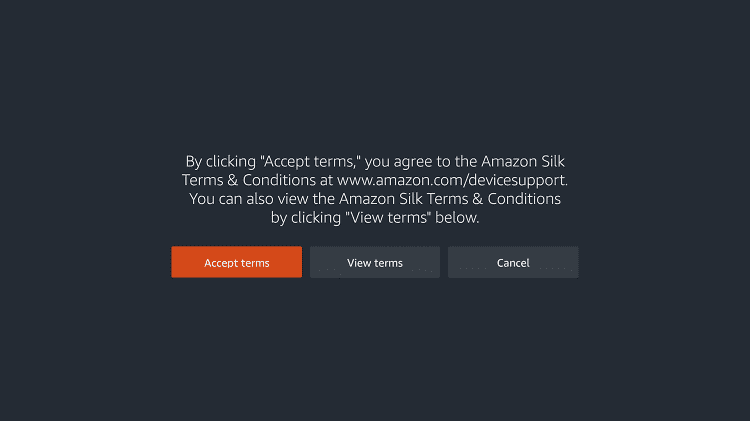
Step 10: Click on Accept Terms to access the browser
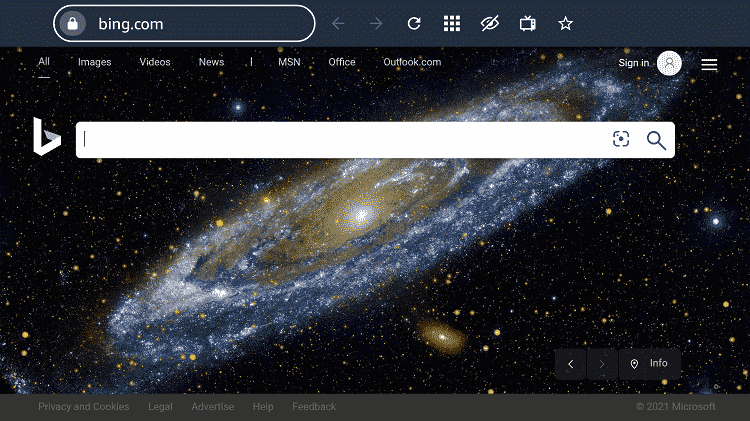
Step 11: When the browser launches, the Bing.com tab will open at first.
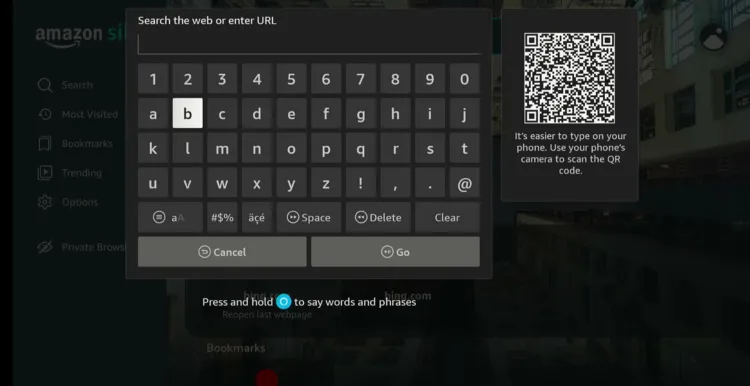
Step 12: Now go back and type Livetv.SX OR strikeout.im OR NFLbox.me in the search box and click “GO“.
Note: The referenced link is the official URL of this app/website. FIRESTICKHACKS does not own, operate, or resell any app, streaming site, or service and has no affiliation with its developers.
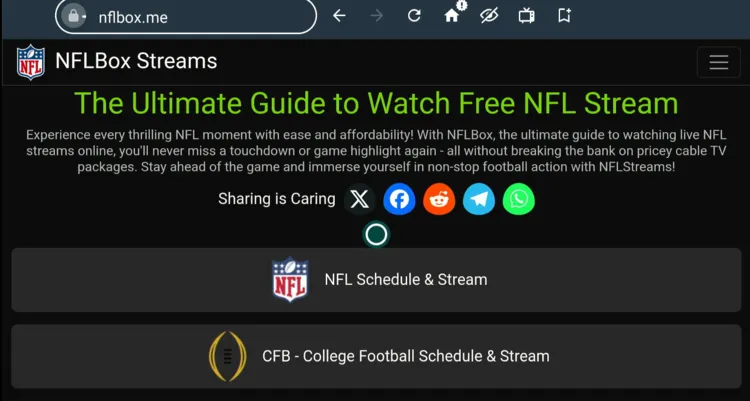
Step 13: This is the interface of NFLbox.me; click on “NFL Schedule & Stream”.
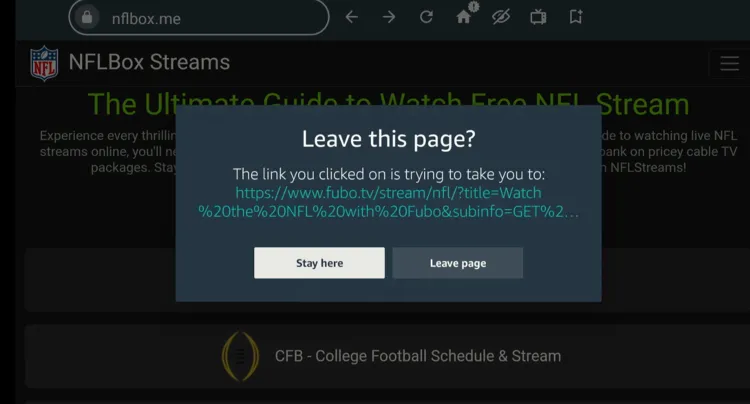
Step 14: If you see this pop-up, click “Stay Here”.
P.S., Every time you see this pop-up, click “Stay Here.”
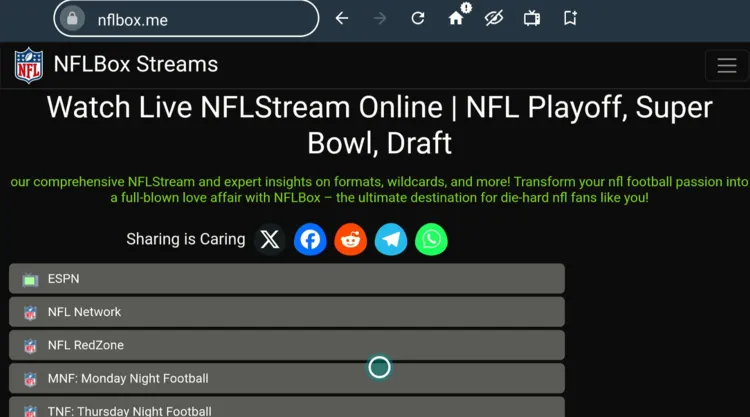
Step 15: Choose “NFL Network.”
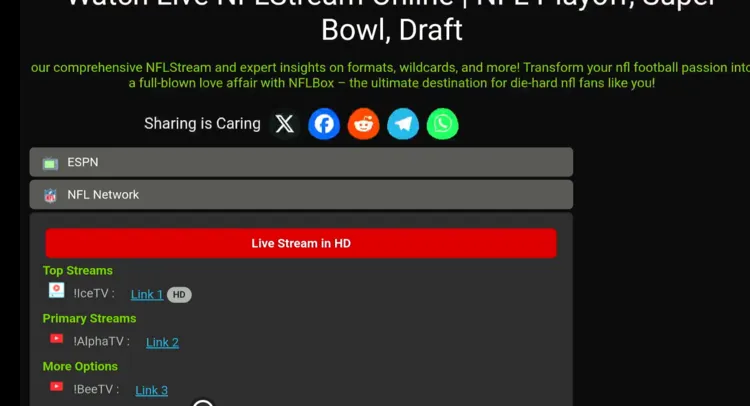
Step 16: Choose a link; we are choosing “Link 1 HD.”
Step 17: Wait for the ad to close.
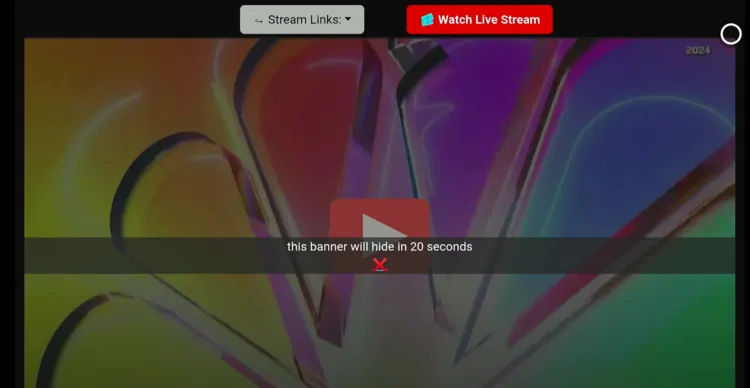
Step 18: Tap the “Play” button.
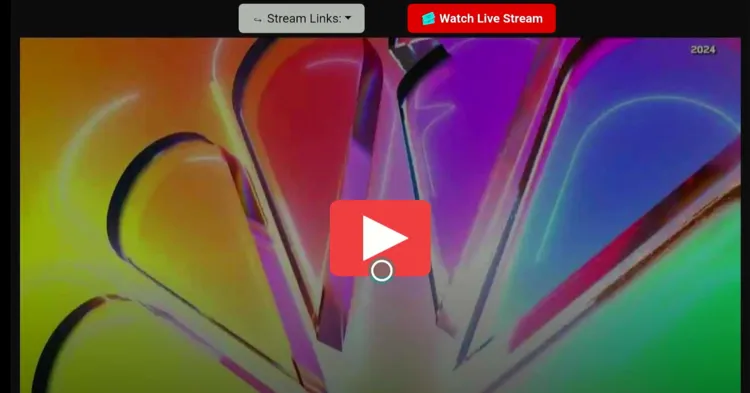
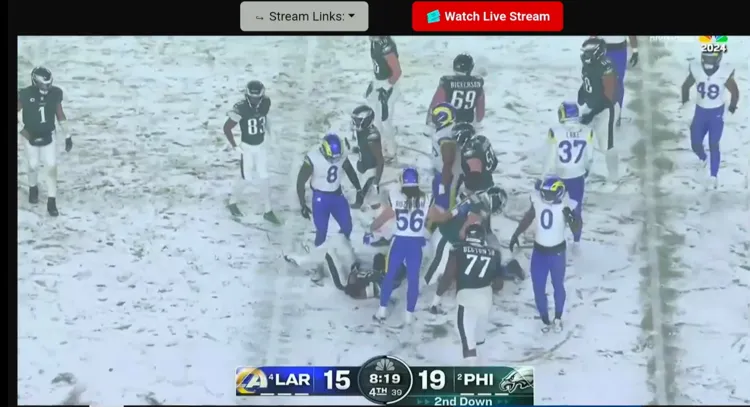
Step 19: Enjoy streaming!
Official Services/Channels that Stream NFL on FireStick (Free & Paid)
If you want to watch the NFL preseason 2026 on FireStick via official streaming services, there are plenty of free & paid options.
Almost all of the services listed below are geo-restricted to specific regions. So, depending on your location, you will have to install and use SurfShark VPN on FireStick to bypass geo-restrictions.
Free
- DAZN (UK, Australia, India, and selected international markets) – All 49 NFL preseason games
- 7Plus – (Australia) – Selected NFL preseason games
Paid
- YouTube TV (US)
- Hulu (US)
- Sling TV (US)
- Sky Sports (UK and Ireland)
How to Watch NFL Highlights?
You can watch the NFL highlights via the official NFL YouTube channel.
The biggest issue with YouTube is the ads. You can avoid YouTube ads with TizenTube and SmartTube.
NFL 2026 Preseason Schedule in ET
| Date | Time (ET) | Matchup |
|---|---|---|
| Aug. 6 | 8:00 PM | Carolina Panthers vs. Arizona Cardinals |
| Aug. 13 | 7:00 PM | Detroit Lions vs. Cincinnati Bengals |
| Aug. 13 | 7:00 PM | Green Bay Packers vs. Pittsburgh Steelers |
| Aug. 13 | 7:30 PM | Indianapolis Colts vs. New England Patriots |
| Aug. 13 | 8:00 PM | Los Angeles Chargers vs. Houston Texans |
| Aug. 13 | 8:00 PM | Arizona Cardinals vs. Las Vegas Raiders |
| Aug. 13 | 9:00 PM | Tennessee Titans vs. San Francisco 49ers |
| Aug. 14 | 7:00 PM | Denver Broncos vs. Atlanta Falcons |
| Aug. 14 | 7:00 PM | Tampa Bay Buccaneers vs. New York Jets |
| Aug. 14 | 7:00 PM | Miami Dolphins vs. Washington Commanders |
| Aug. 15 | 1:00 PM | Carolina Panthers vs. Buffalo Bills |
| Aug. 15 | 1:00 PM | Cleveland Browns vs. Chicago Bears |
| Aug. 15 | 1:00 PM | Minnesota Vikings vs. New York Giants |
| Aug. 15 | 4:00 PM | Los Angeles Rams vs. Kansas City Chiefs |
| Aug. 15 | 4:00 PM | Jacksonville Jaguars vs. New Orleans Saints |
| Aug. 15 | 7:00 PM | Philadelphia Eagles vs. Baltimore Ravens |
| Aug. 15 | 8:00 PM | Dallas Cowboys vs. Seattle Seahawks |
| Aug. 20 | 8:00 PM | Las Vegas Raiders vs. Houston Texans |
| Aug. 20 | 10:00 PM | San Francisco 49ers vs. Los Angeles Chargers |
| Aug. 21 | 7:00 PM | New York Jets vs. Pittsburgh Steelers |
| Aug. 21 | 7:30 PM | Carolina Panthers vs. Jacksonville Jaguars |
| Aug. 21 | 9:00 PM | Green Bay Packers vs. Denver Broncos |
| Aug. 22 | 12:00 PM | Washington Commanders vs. Detroit Lions |
| Aug. 22 | 1:00 PM | Buffalo Bills vs. Cleveland Browns |
| Aug. 22 | 1:00 PM | Atlanta Falcons vs. Indianapolis Colts |
| Aug. 22 | 1:00 PM | Baltimore Ravens vs. Minnesota Vikings |
| Aug. 22 | 4:00 PM | New Orleans Saints vs. Los Angeles Rams |
| Aug. 22 | 4:00 PM | New York Giants vs. Miami Dolphins |
| Aug. 22 | 7:00 PM | Chicago Bears vs. Cincinnati Bengals |
| Aug. 22 | 7:00 PM | Philadelphia Eagles vs. New England Patriots |
| Aug. 22 | 7:30 PM | Kansas City Chiefs vs. Tampa Bay Buccaneers |
| Aug. 22 | 10:00 PM | Dallas Cowboys vs. Arizona Cardinals |
| Aug. 23 | 8:00 PM | Seattle Seahawks vs. Tennessee Titans |
| Aug. 27 | 7:00 PM | Pittsburgh Steelers vs. Buffalo Bills |
| Aug. 27 | 8:00 PM | New England Patriots vs. Cleveland Browns |
| Aug. 27 | 8:00 PM | San Francisco 49ers vs. Las Vegas Raiders |
| Aug. 27 | 10:00 PM | Los Angeles Rams vs. Los Angeles Chargers |
| Aug. 28 | 6:00 PM | Washington Commanders vs. Baltimore Ravens |
| Aug. 28 | 7:00 PM | Houston Texans vs. Carolina Panthers |
| Aug. 28 | 7:00 PM | Atlanta Falcons vs. Miami Dolphins |
| Aug. 28 | 7:30 PM | Tampa Bay Buccaneers vs. Jacksonville Jaguars |
| Aug. 28 | 7:30 PM | New York Giants vs. New York Jets |
| Aug. 28 | 8:00 PM | New Orleans Saints vs. Dallas Cowboys |
| Aug. 28 | 8:00 PM | Arizona Cardinals vs. Green Bay Packers |
| Aug. 28 | 8:00 PM | Seattle Seahawks vs. Kansas City Chiefs |
| Aug. 28 | 8:00 PM | Cincinnati Bengals vs. Philadelphia Eagles |
| Aug. 28 | 9:00 PM | Minnesota Vikings vs. Denver Broncos |
| Aug. 29 | 1:00 PM | Detroit Lions vs. Indianapolis Colts |
| Aug. 29 | 6:00 PM | Chicago Bears vs. Tennessee Titans |
NFL 2026 Preseason Weeks Breakdown
Here’s a complete breakdown of all NFL 2026 preseason weeks with respective start & end dates:
| Week | Date |
|---|---|
| Hall of Fame Game | August 6, 2026 |
| Preseason Week 1 | August 13–15, 2026 |
| Preseason Week 2 | August 20–23, 2026 |
| Preseason Week 3 | August 27–29, 2026 |
Key Player Trades and Transfers for NFL 2026-27
The 2026 NFL offseason featured several trades that could have a major impact on the upcoming season.
Here are some of the biggest moves:
- Myles Garrett → Cleveland Browns to Los Angeles Rams
- Trent McDuffie → Kansas City Chiefs to Los Angeles Rams
- Jaylen Waddle → Miami Dolphins to Denver Broncos
- Minkah Fitzpatrick → Miami Dolphins to New York Jets
- David Montgomery → Detroit Lions to Houston Texans
- Geno Smith → Las Vegas Raiders to New York Jets
- DJ Moore → Chicago Bears to Buffalo Bills
- T’Vondre Sweat → Tennessee Titans to New York Jets
- Jermaine Johnson II → New York Jets to Tennessee Titans
- Osa Odighizuwa → Dallas Cowboys to San Francisco 49ers
Trouble Streaming NFL on FireStick? Try These Fixes
If you’re dealing with buffering, app crashes, or other streaming glitches on FireStick, try these quick fixes to smooth things out:
- Clear app cache
- Close background apps
- Connect FireStick via Ethernet
- Set video resolution to 1080p/4K
- Install Brave Browser for fewer ads
- Restart FireStick
Other Sports Events to Watch on FireStick
Apart from the NFL, here are some other popular sports events you can watch live on your FireStick. Take a look:
- UFC on FireStick
- MLB on FireStick
- La Liga on FireStick
- English Premier League on FireStick
- Bundesliga on FireStick
FAQs – NFL 2026-27 Preseason
When does the 2026 NFL preseason start?
The 2026 NFL preseason started on August 6, 2026, at 8:00 PM ET & concludes on August 29, 2026.
How many games are in the 2026 NFL preseason?
There are 49 preseason games in total, including the Hall of Fame Game.
How many weeks is the 2026 NFL preseason?
The preseason has three official weeks, following the separate Hall of Fame Game on August 6.
Can I watch NFL preseason for free on FireStick?
Yes, DAZN offers all 49 preseason games for free in eligible international markets, including countries like the UK & Australia.
What time do NFL preseason games start?
Kickoff times vary by matchup, but many games begin between 7:00 PM and 8:00 PM ET, with some afternoon and late-night games.





I have follow all your instructions and cant get the NFL for football or soccer I just bought a cube and have very good internet plus IPVanish VPN thank you
Glad it worked out for you Armando 🙂
Great
Thank you Henry!
Ola just spins like its loading but never does.
You can try the first method which is easy to use and doesn’t require you to install any app.
successfully Watch the nfl game. Thanks
Woo. Glad to hear Shophia 🙂
Do I have to wait until Sunday to be able to use this app (feature)?
The screen prompts me to Update the latest version- I do then continue to amazon App Store- I do thenApp not found. Every time the same message.. I guess I am doing something incorrectly.
Yes, in order to watch the live game you will have to wait until sunday and only then these matches will be available.
Is your FireStick updated? If you don’t have a Silk browser, you can do it with any browser or any device in fact. Just enter the URL in any of your browser and you will be able to watch it. Let me know when it works.
I installed Ola tv then deleted the apk but it won’t launch, just spins and spins trying to open. I’ve tried to get to it a couple routes through the fire stick. Do you have any suggestions?
You should try the first method which is easier to use and doesn’t require you to install any app.
I have the Monday night game on but I have no sound. I used your silk browser instructions. Any help would be appreciated
You need to click on the screen again and you will see a sound icon at the bottom right or bottom left. Make sure to turn that ON.
It doesn’t work
Hey Bobby, which method are you using? Did you try the first method? Its really simple and it works on your computer as well.
You said the first method can work on a computer. Can you explain how to do that? I searched Silk Browser and from what I’m seeing, it only works on an android device or Kindle fire devices.
You can use the first method on any device or on any browser. Let us know once you access.
Attempted this with the livetv.sx but really don’t want to have to create an account so I decided against it. Wish there were easier ways!
You don’t have to create an account with Live TV SX, you just need to stream directly.
I use the LIVETV via Silk browser, and get a great video, but no audio…. what am I missing
You will need to turn ON the audio from the screen. It will appear on the screen.