
Disclosure: Our experts test apps for security before recommending them. If you buy through our links, we may earn a commission. See how it works.
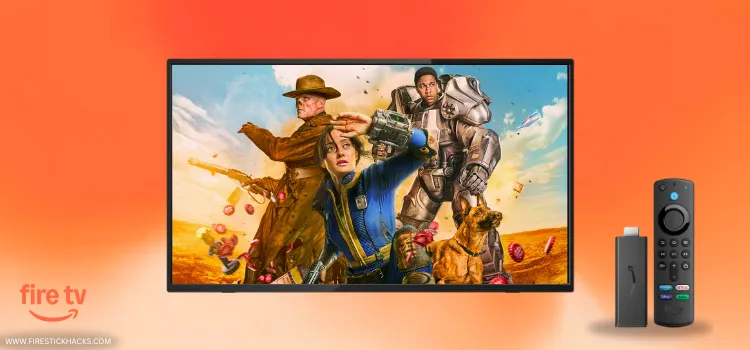
Fallout Season 2 premieres on December 17, 2025, on Amazon Prime Video. But unlike Season 1, the new season will be released weekly.
Here’s the full Fallout season 2 episode schedule:
- Episode 1 — December 17, 2025
- Episode 2 — December 24, 2025
- Episode 3 — December 31, 2025
- Episode 4 — January 7, 2026
- Episode 5 — January 14, 2026
- Episode 6 — January 21, 2026
- Episode 7 — January 28, 2026
- Episode 8 (finale) — February 4, 2026
You will get to see faces like Ella Purnell (Lucy), Walton Goggins (The Ghoul), and Aaron Moten (Maximus) in the Fallout season 2 as well.
You can watch the Fallout season 2 (and season 1) on FireStick for free using third-party apps like HDO Box, Kisskh, and BeeTV.
Please note that we can’t verify the streaming sources of these unofficial apps, so be sure to use a VPN to hide your IP address and ensure secure streaming. Surfshark is our #1 choice.
Our Recommended VPN - Surfshark

WARNING! Amazon Monitors Your Fire TV Stick!
Yes, It’s True! Without Proper Encryption, your IP Address is Exposed, and Whatever you Stream on FireStick is 'Being Tracked'.
This can lead to:
- Blocking of the FREE Third-Party Apps
- Exposure of your Personal data to hackers, ISPs, and even the authorities
But There’s a Solution - ‘Surfshark VPN’
Save 87% + Get 3 Extra Months FREE with Surfshark VPN [Limited Time Offer]
This Includes:
✅ VPN for just $0.06/day!
✅ Strongest Encryption (i.e.256-Encryption)
✅ 3,200 servers in 100+ server locations
✅ Kill Switch Feature for FireStick users
✅ Data Breach Alerts.
✅ Unlimited Device Connections.
✅ 30-day money-back guarantee.

Table of Contents
Toggle2 Ways to Watch Fallout on FireStick
The following 2 tried-and-tested methods will let you watch Fallout season 2 on FireStick for free from all over the world:
How to Watch Fallout on FireStick Using Downloader App
HDO Box is one of the best free streaming movie apps for FireStick. You can watch the Fallout show seasons 1 and 2 on the app in HD quality.
The app doesn’t require you to try different links (i.e., link #1, #2, #3). You are straight in as soon as you click the “Play” icon. However, the HDO Box latest APK (v2.1.3) only works with Drama Player.
However, since HDO Box might be fetching links via unknown/unverified sources, make sure to install and use SurfShark VPN on FireStick to ensure secure streaming.
Follow the steps below:
Step 1: Turn ON your FireStick device and Go to FireStick Home

Step 2: Click on the Settings icon
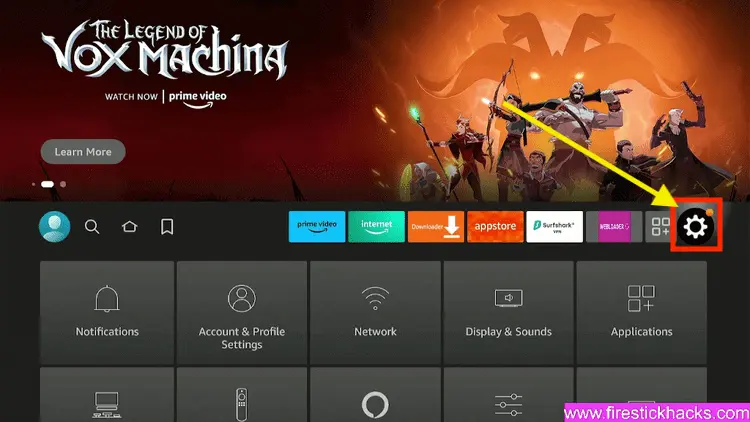
Step 3: Select the My Fire TV option

Step 4: To enable the Developer Option, click About.
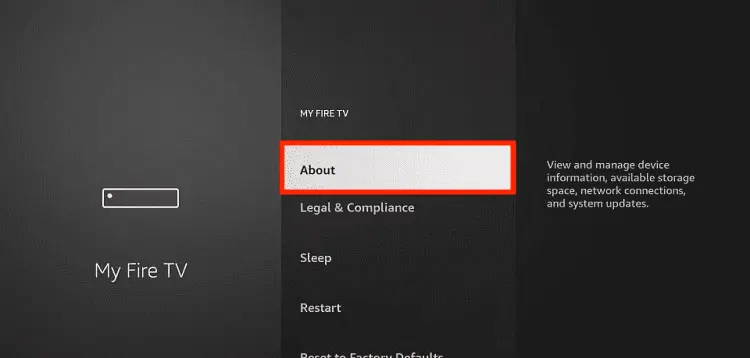
Note: If you have already enabled the Developer Option, then proceed to Step 10
Step 5: Click on the Fire TV Stick option quickly at least 7 times

Step 6: Now you will see this message at the bottom saying "No need, you are already a developer". So stop clicking then

Step 7: Now the Developer Option will appear in the menu so click on it
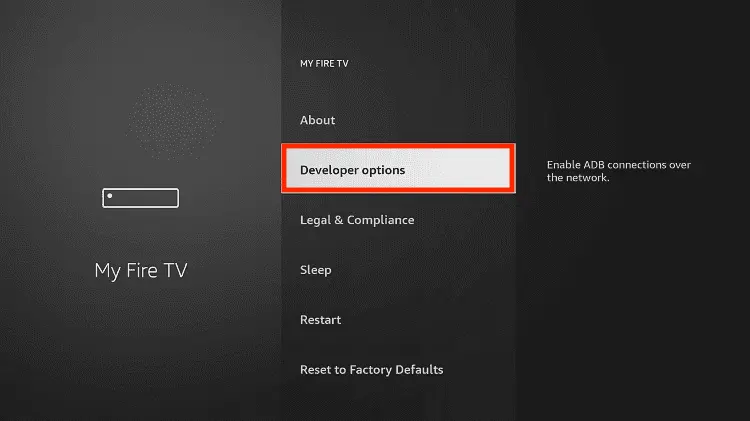
Step 8: Choose Apps from Unknown Sources to turn it ON

Step 9: Simply click Turn On

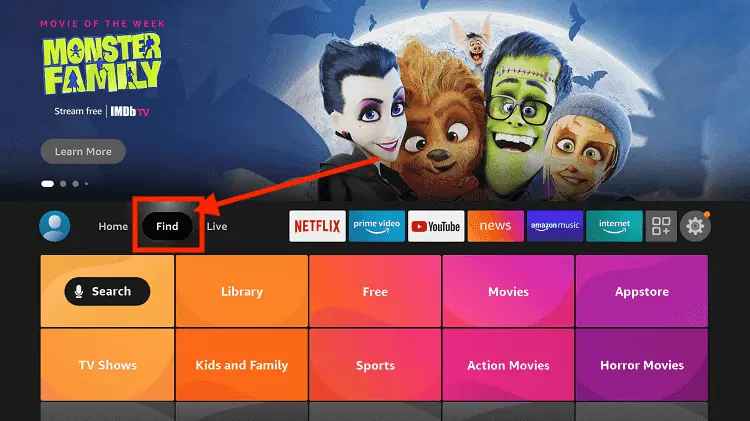
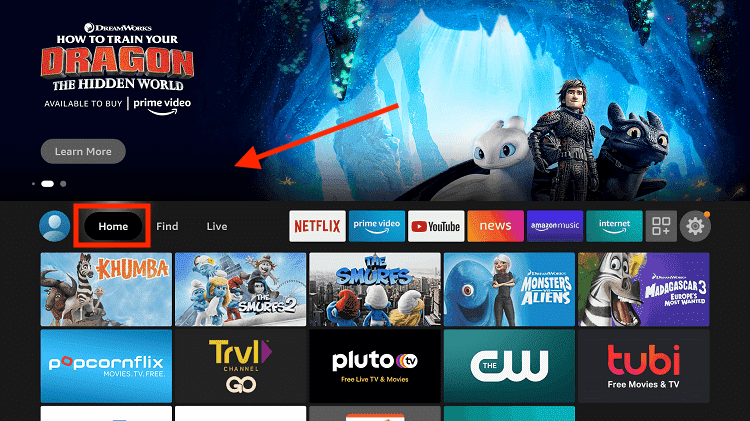
Step 10: Now return to the FireStick Home menu by pressing the "Home" icon on the remote and click on Find
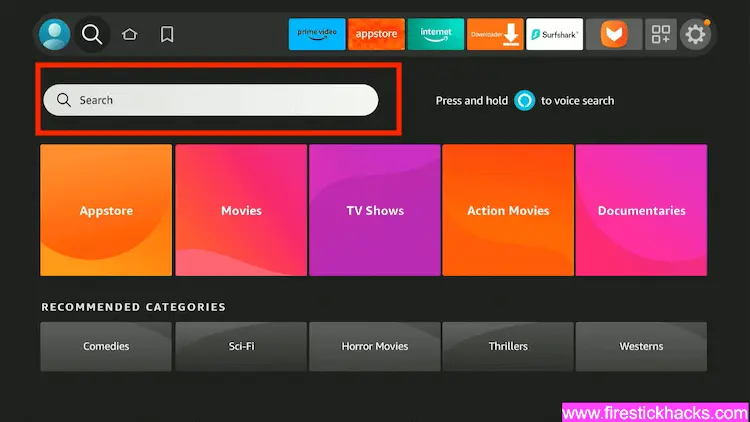
Step 11: Now select the Search icon
Step 12: Type Downloader and press search
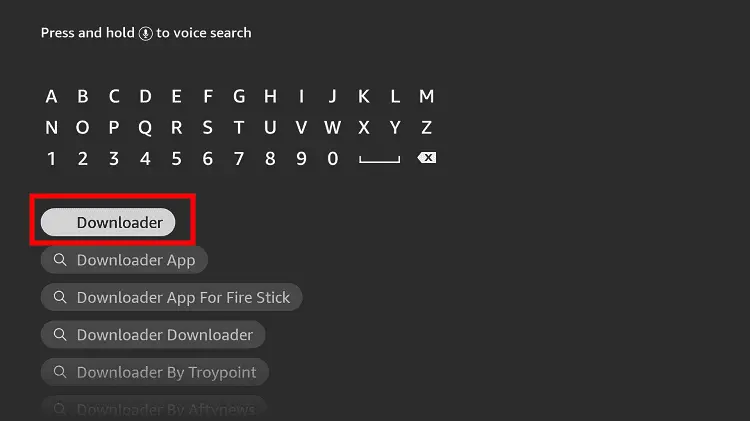
Step 13: Select the Downloader App icon from the list available in the Amazon Store

Step 14: Tap Get/Download
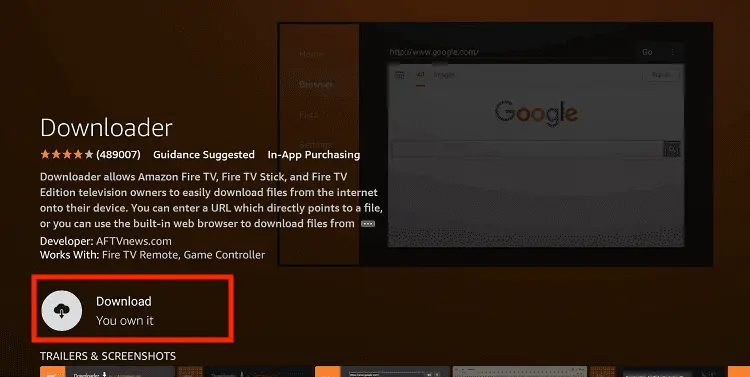
Step 15: Wait for a while until the installation process is completed
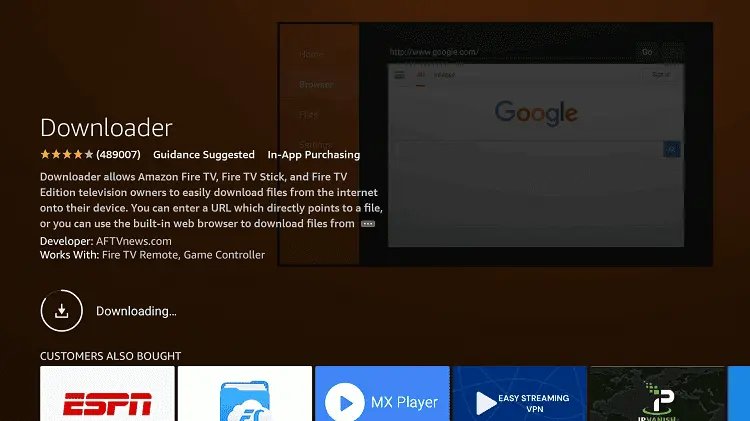
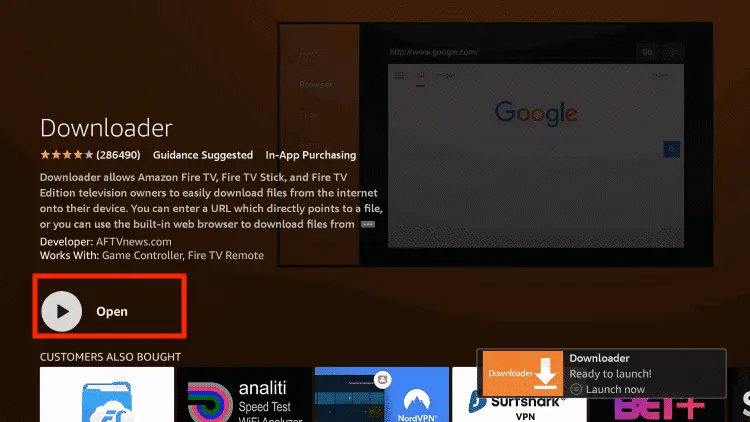
Step 16: Now click Open
Step 17: You will see a popup about Downloader app latest update. Click "OK".

Step 18: Click OK again

Step 19: This is the Downloader App interface, Click the Search Bar on top

Step 20: Now enter the HDO Box Downloader Code 730116 in the search box OR enter this URL bit.ly/fsh-downloads and click Go
Note: The referenced link is the official URL of this app/website. FIRESTICKHACKS does not own, operate, or re-sell any app, streaming site, or service and has no affiliation with its developers.

Step 21: Click “HDO Box” from the “Movies & TV Shows” category.
Note: If the app doesn’t start downloading, then clear the Downloader App cache using this article.

Step 22: The downloading will start. Wait for it to finish.

Step 23: Once the download ends, click “Install”.

Step 24: Select “Done”.

Step 25: Click “Delete”.
Note: Deleting the HDO Box APK is necessary to free up space in your FireStick Device.

Step 26: Select Delete again to confirm your action.

Step 27: Open the Surfshark app on your FireStick and connect it to the Hong Kong server.

Step 28: “Long-Press” the home button on FireStick remote and tap “Apps”.

Step 29: Select “HDO Box” from the list.

Step 30: Select a show from the home screen or click the “Search” icon at the top and type the desired title.

Step 31: Type “Fallout” and select it from the results.

Step 32: Tap the “More Episodes” icon.

Step 33: Select the season and episode number.
P.S. You will only be able to access Fallout Season 2 episodes after they go on air.

Step 34: Enjoy streaming!

How to Watch Fallout on FireStick Using a Browser
You can also watch Fallout seasons 1 & 2 on FireStick using free movie websites on any of the top FireStick browsers.
However, make sure to install and use SurfShark VPN on FireStick because free websites do not broadcast officially and require a VPN to hide your online activity.
P.S. Sometimes, streaming via unofficial websites means dealing with annoying pop-ups. In that case, you can install Brave Browser on FireStick to ensure an ad-free experience.
Follow the steps below:
Step 1: Open the Surfshark app and connect it to the Hong Kong server.
Step 2: Go to FireStick Home
Step 3: Click on the Find tab
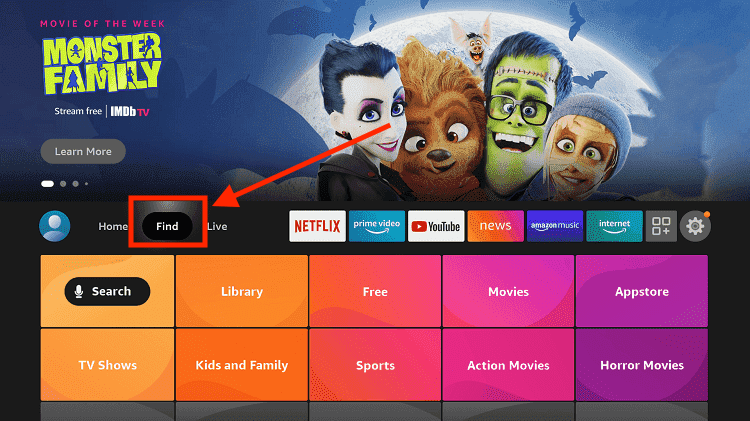
Step 4: Now select the Search option
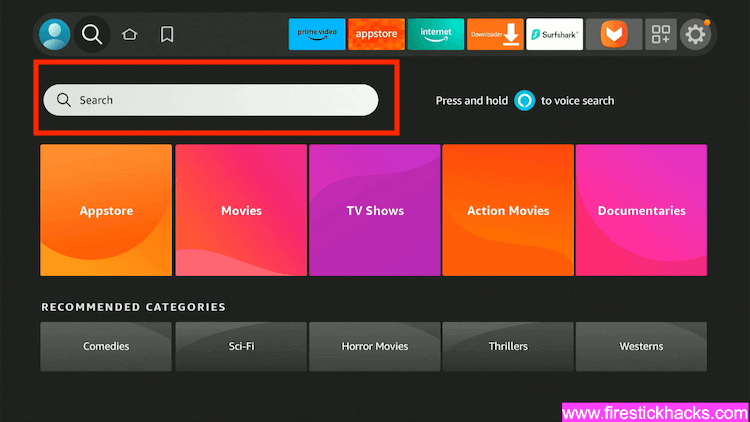
Step 5: Type Internet in the search bar and select from the list
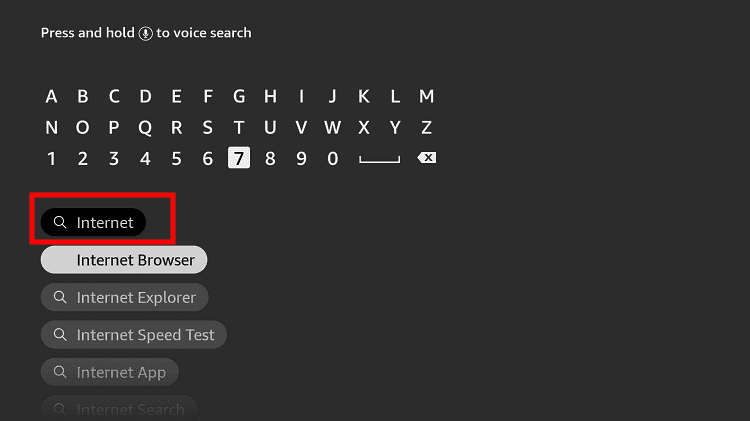
Step 6: Choose the Internet App (Silk Browser) from the given options
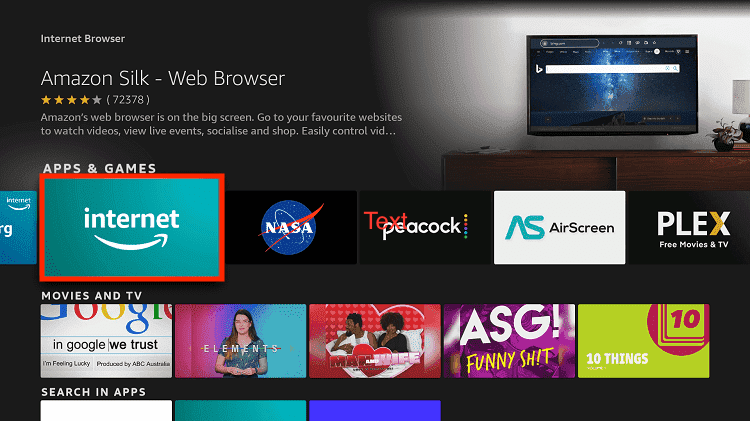
Step 7: Tap the Get/Download button
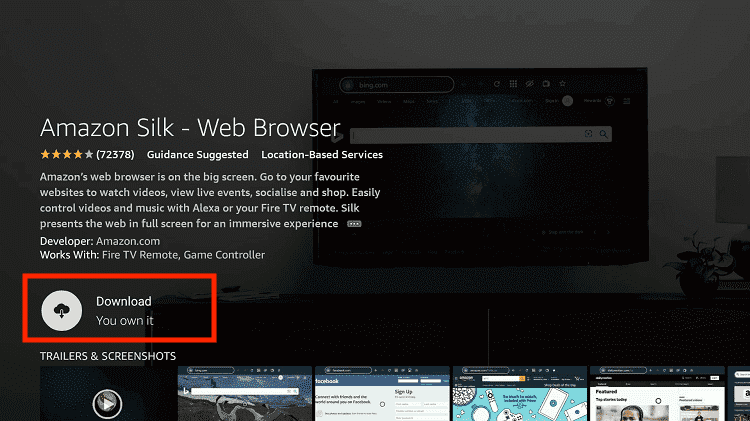
Step 8: Wait until the installation of the browser completes
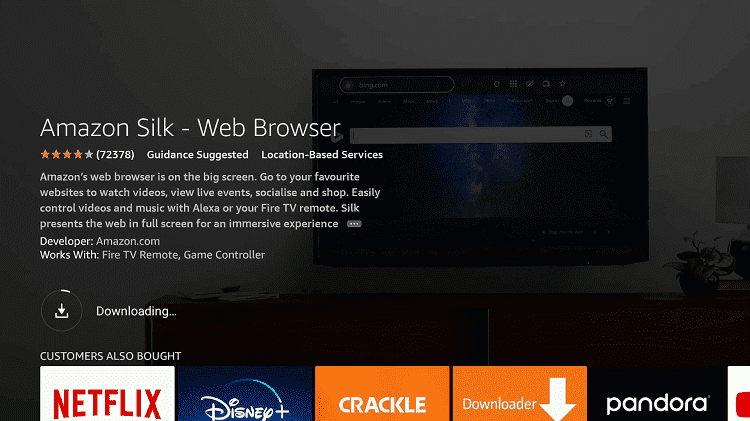
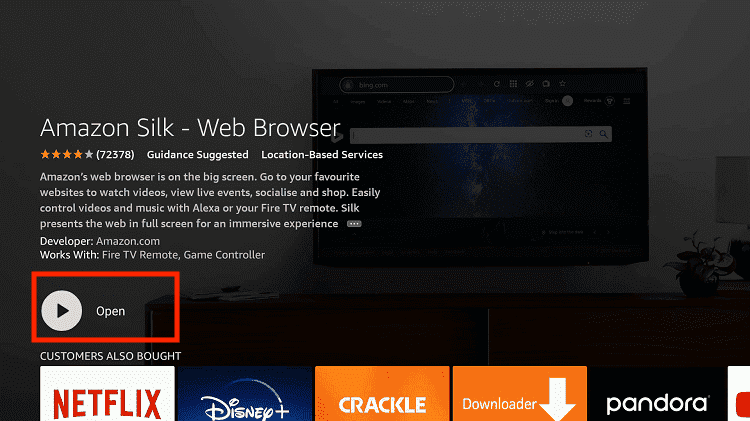
Step 9: Click Open, once the browser is installed.
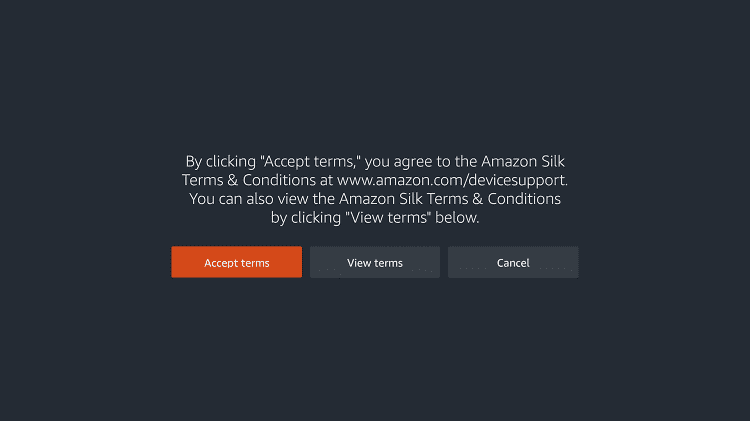
Step 10: Click on Accept Terms to access the browser
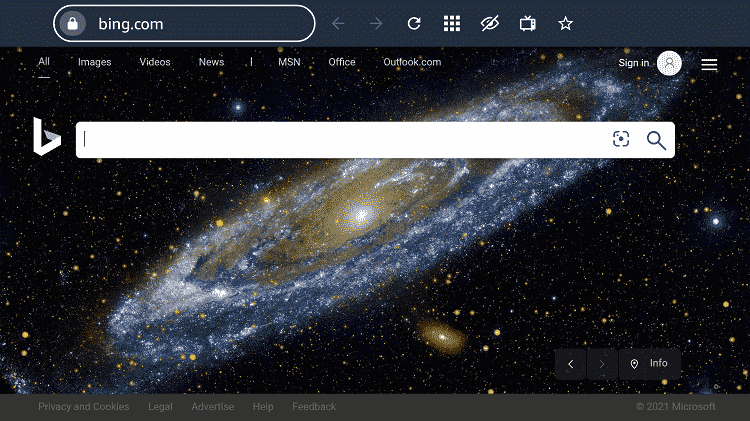
Step 11: When the browser launches, the Bing.com tab will open at first.
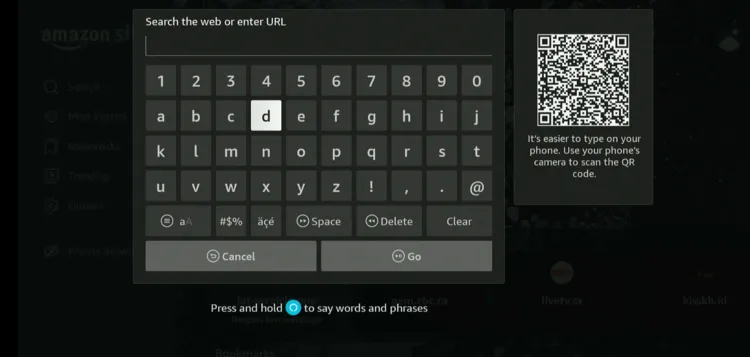
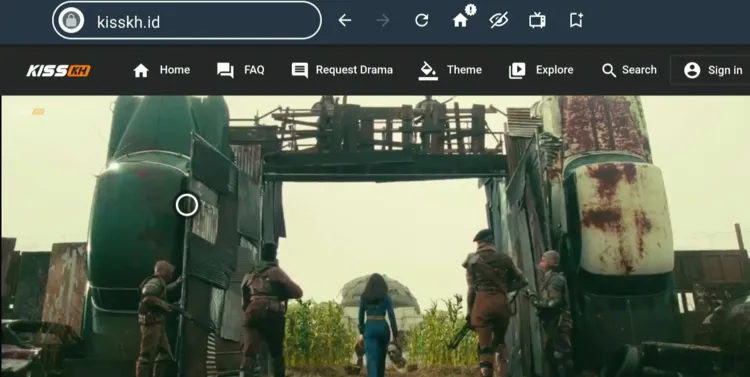
Step 12: Now go back and type kisskh.id OR www.cineby.app in the search box and click “GO“.
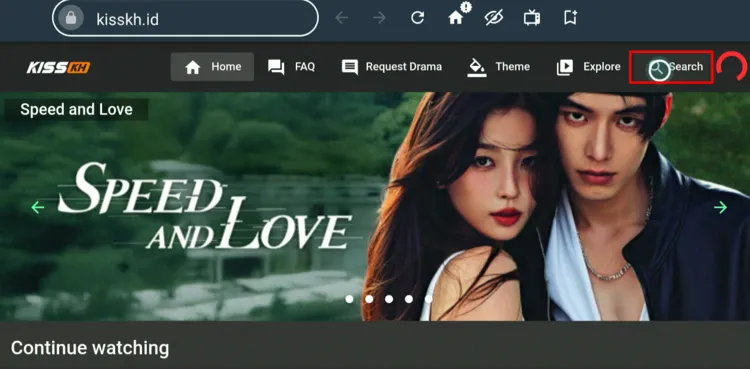
Step 13: This is the homepage of kisskh; tap the “Search” icon.
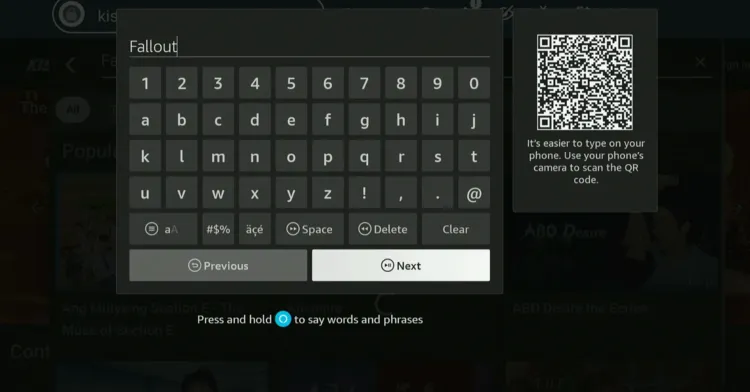
Step 14: Type “Fallout” and click “Next”.
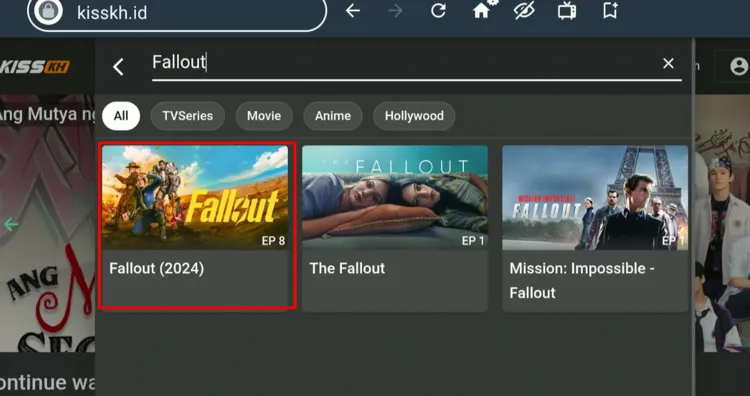
Step 15: Select the Fallout Season.
P.S. The Fallout season 2 had not gone on air while publishing this article; so you only see season 1 in the picture.
Step 16: Enjoy streaming!
Get Surfshark
Fallout Season 1 follows Lucy, a sheltered Vault dweller who’s forced to leave her underground home after a violent attack. As she enters the harsh wasteland, she crosses paths with Maximus, a young Brotherhood of Steel soldier, a deadly gunslinger with a dark past. Their stories collide as hidden truths about Vault-Tec, Lucy’s family, and the pre-war world come to light. This sets up an even bigger conflict for Season 2. Your favorite Fallout characters return in Season 2 with the same strong lineup. Fallout Season 3 has already been greenlit. This means the stories of Lucy, Maximus, and the Ghoul will continue unfolding beyond the events of Season 2. If you’re dealing with buffering, app crashes, or other streaming glitches on FireStick, try these quick fixes to smooth things out: P.S. If you are still facing issues, check out our detailed articles to stop buffering on FireStick and fix playback errors. If you want to watch more shows on FireStick, consider the following titles: When does Fallout Season 2 premiere? Fallout Season 2 premieres on December 17, 2025, on Amazon Prime Video. How many episodes are in Fallout Season 2? There are 8 episodes in total, released weekly. Can I watch Fallout on FireStick for free? Yes, you can watch Fallout seasons 1 & 2 using third-party apps like HDO Box, Kisskh, and BeeTV. Will there be a Fallout Season 3? Yes, it has already been officially confirmed. Who are the main cast members in Fallout Season 2? Ella Purnell (Lucy), Walton Goggins (The Ghoul), Aaron Moten (Maximus), Kyle MacLachlan (Hank), Moisés Arias (Norm), Xelia Mendes-Jones (Dane). Fallout Season 2 promises to take viewers deeper into the harsh and unpredictable wasteland. With Lucy, The Ghoul, and Maximus returning alongside intriguing new additions like Robert House, the stakes are higher than ever. The weekly episode release allows fans to savor each twist, theorize, and fully immerse themselves in the Fallout universe. Please note that third-party apps might be fetching links from unknown sources, so using a VPN like Surfshark is a must in either case.A Quick Recap of Fallout Season 1

Fallout Season 2 – Main Cast
Fallout Season 3 Confirmed
Trouble Streaming Fallout on FireStick? Try These Fixes
Other TV Shows to Watch on FireStick
FAQs – Fallout
Final Thoughts




What are the best Stremio add-ons?
Hi John, Torrentio is usually the one that works best with Stremio. However, you can also explore other addons that we have covered in this article