Disclosure: Our experts test apps for security before recommending them. If you buy through our links, we may earn a commission. See how it works.

Just Player is a lightweight, open-source video player. It’s popular among FireStick users because it plays almost every video format smoothly without ads.
Unlike many other feature-rich media players, Just Player focuses mainly on clean and fast playback. The app has built-in support for subtitles, HDR, and Dolby Vision.
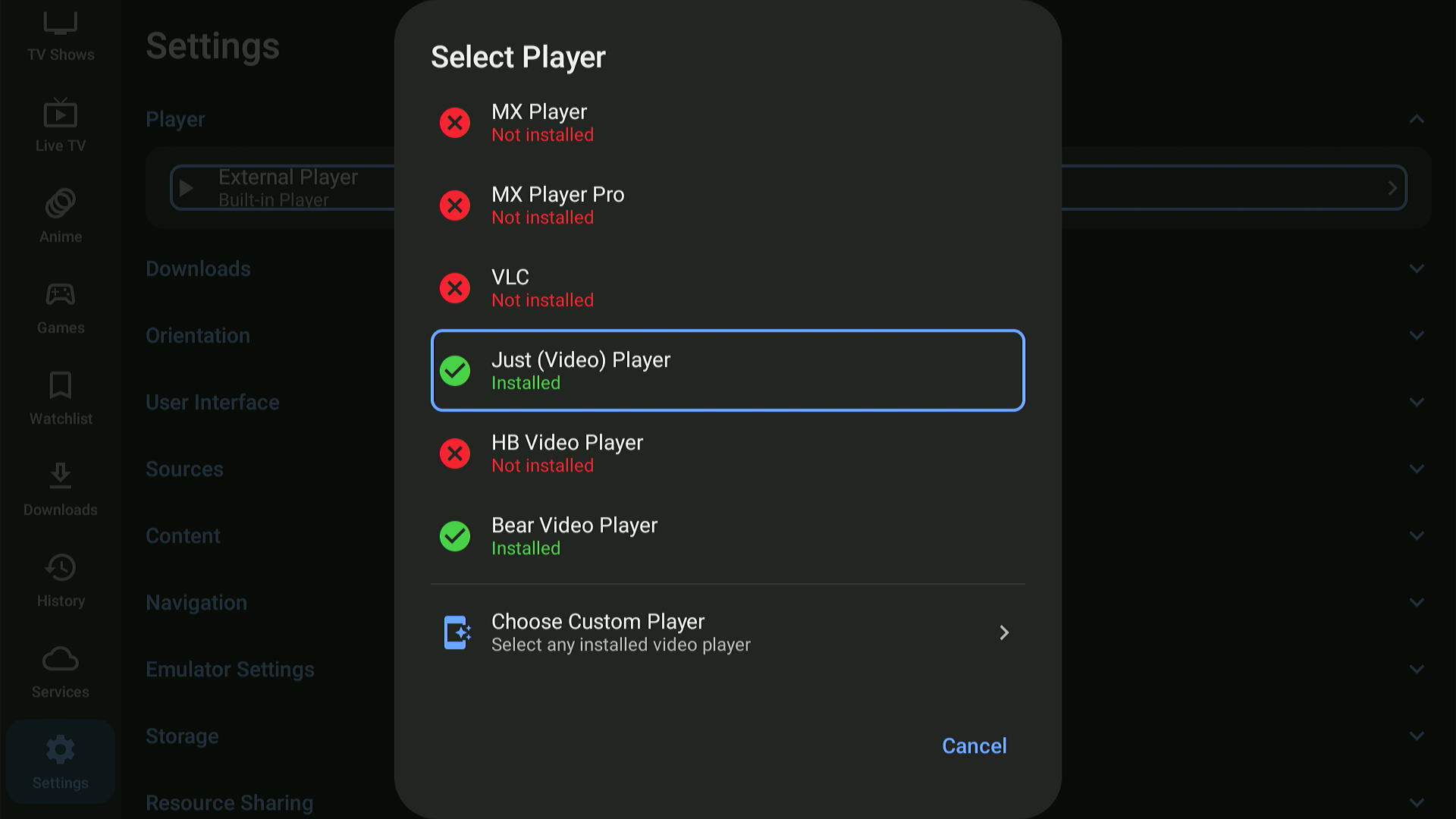
This is one reason why popular movie apps like Cinema HQ recommend using Just Player. 👇


How to Install Just Player on FireStick Using Downloader App
The Just Player app is not officially available in the Amazon App Store. Fortunately, you can sideload its latest APK (v0.211) using the Downloader app.
But before getting started with the sideloading or jailbreaking process, be sure to install and use SurfShark VPN on FireStick to add an extra layer of security.
Follow the steps below:
Step 1: Turn ON your FireStick device and Go to FireStick Home

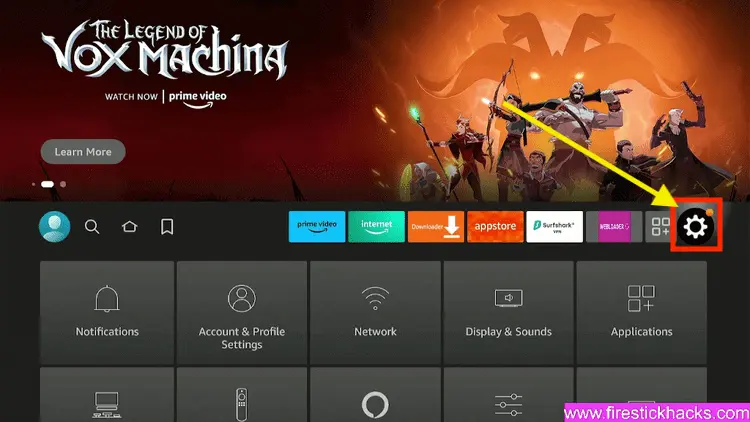
Step 2: Click on the Settings icon
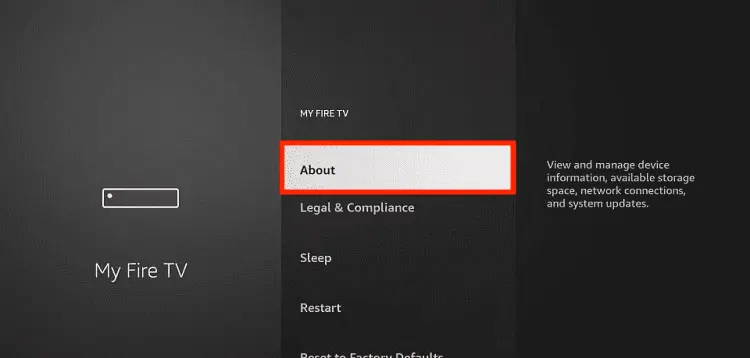
Step 3: Select the My Fire TV option

Step 4: To enable the Developer Option, click About.
Note: If you have already enabled the Developer Option, then proceed to Step 10
Step 5: Click on the Fire TV Stick option quickly at least 7 times

Step 6: Now you will see this message at the bottom saying "No need, you are already a developer". So stop clicking then

Step 7: Now the Developer Option will appear in the menu so click on it
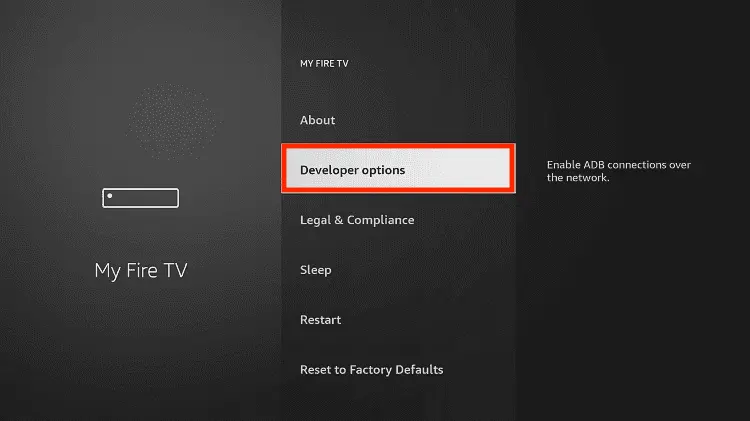
Step 8: Choose Apps from Unknown Sources to turn it ON

Step 9: Simply click Turn On

Step 10: Now return to the FireStick Home menu by pressing the "Home" icon on the remote and click on Find
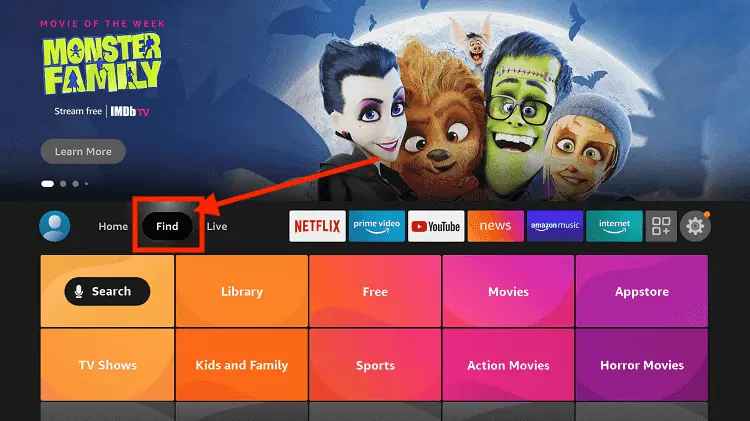
Step 11: Now select the Search icon
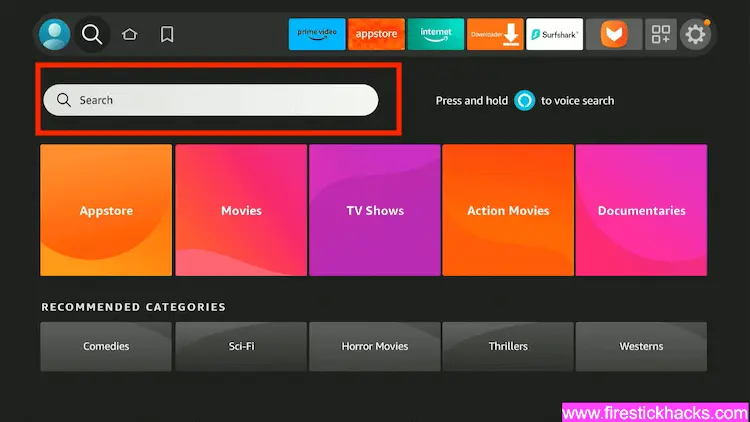
Step 12: Type Downloader and press search
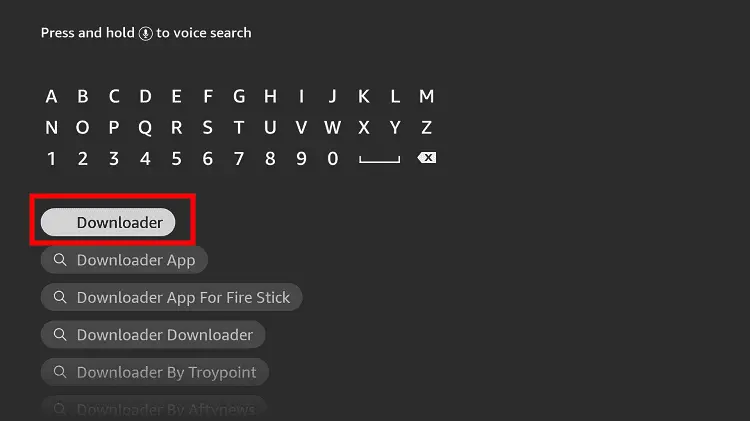
Step 13: Select the Downloader App icon from the list available in the Amazon Store

Step 14: Tap Get/Download
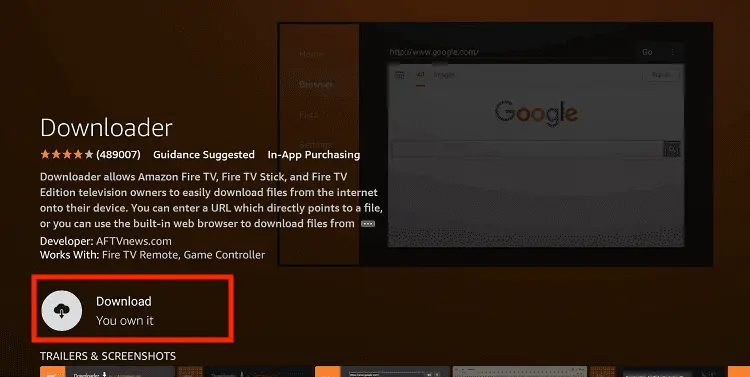
Step 15: Wait for a while until the installation process is completed
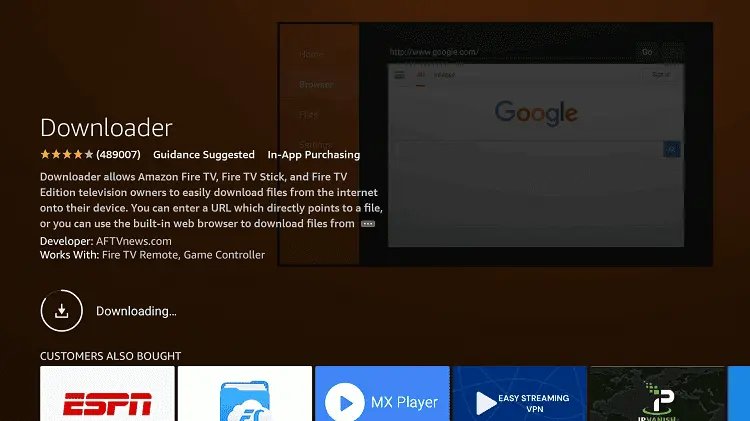
Step 16: Now click Open
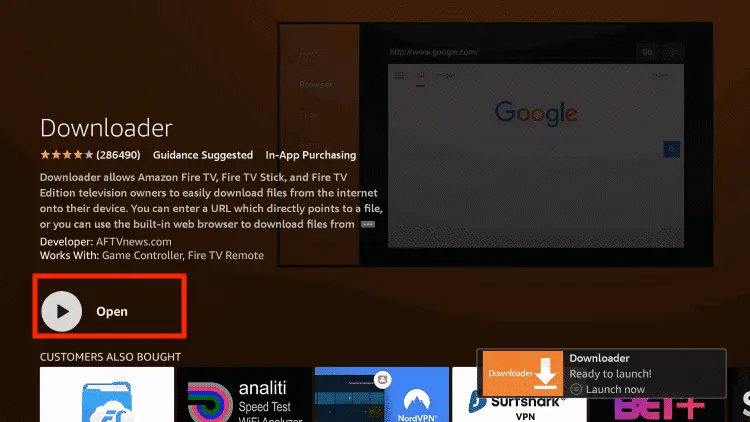
Step 17: You will see a popup about Downloader app latest update. Click "OK".

Step 18: Click OK again

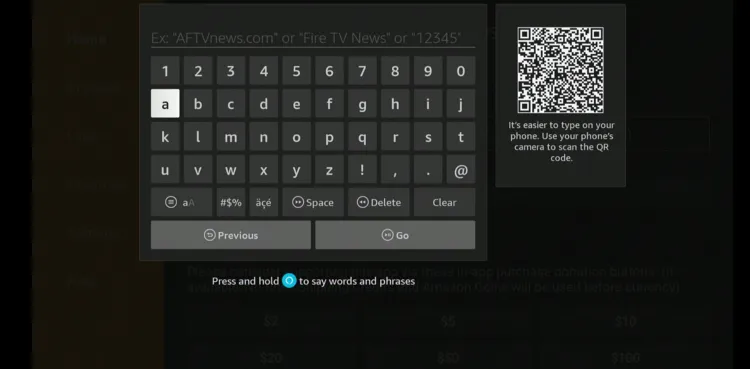
Step 19: This is the Downloader App interface, Click the Search Bar on top

Step 20: Now enter the Just Player Downloader Code 730116 in the search box OR enter this URL bit.ly/fsh-downloads and click Go.
Note: The referenced link is the official URL of this app/website. FIRESTICKHACKS does not own, operate, or re-sell any app, streaming site, or service and has no affiliation with its developers.
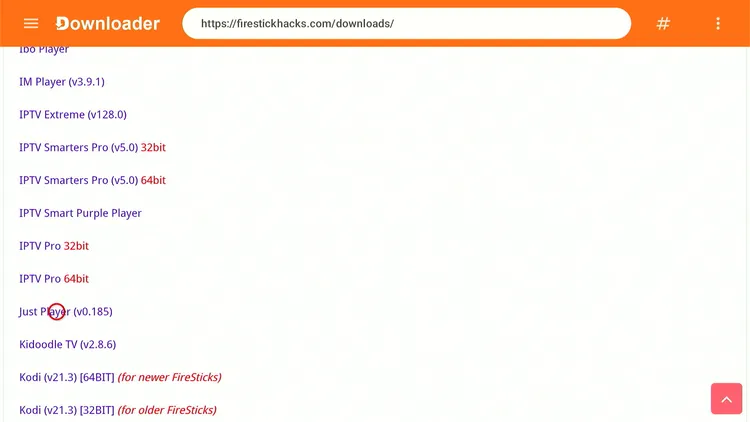
Step 21: Scroll down and click “Just Player” from the “IPTV & Media Player” category.
Step 22: The downloading will start. Wait for it to finish.
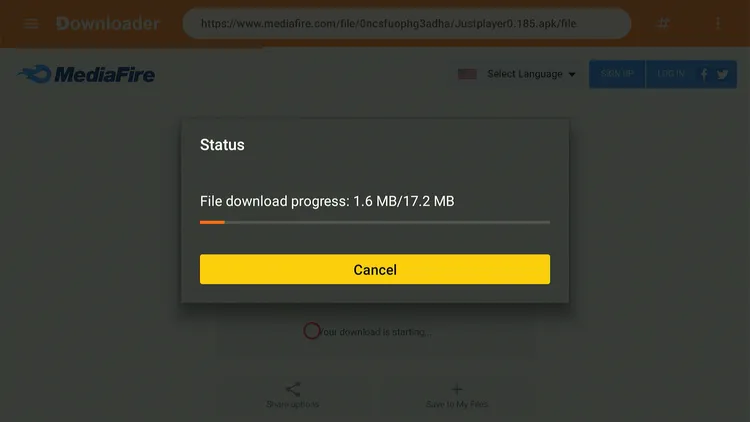
Step 23: Once the downloading ends, click “Install.”

Step 24: Tap the “Done” icon.

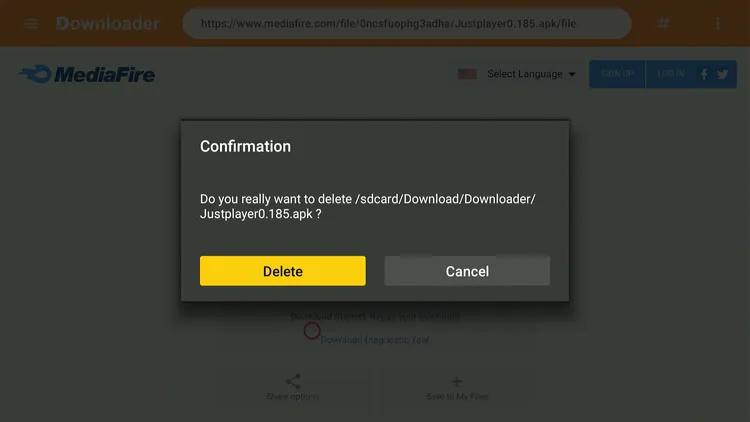
Step 25: Click “Delete” to remove the Just Player APK file from FireStick.
Note: Deleting APK files will free up space on FireStick.
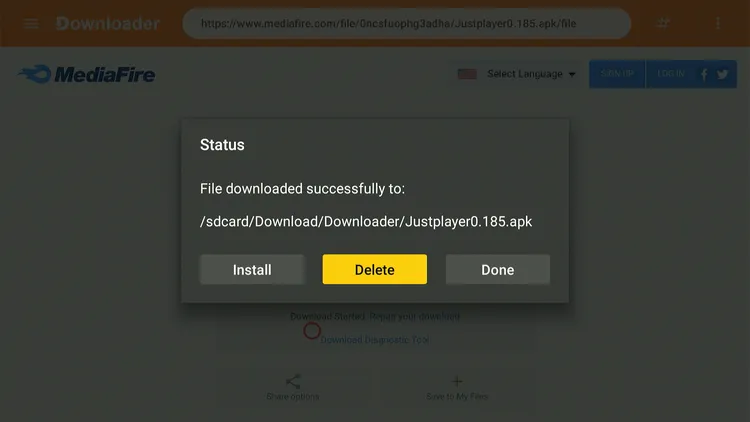
Step 26: Tap “Delete” again to complete the process.
How to Use Just Player on FireStick
Once the Just Player app is installed, you can start using it right away.
Follow the steps below:
Step 1: Launch “Just Player.”
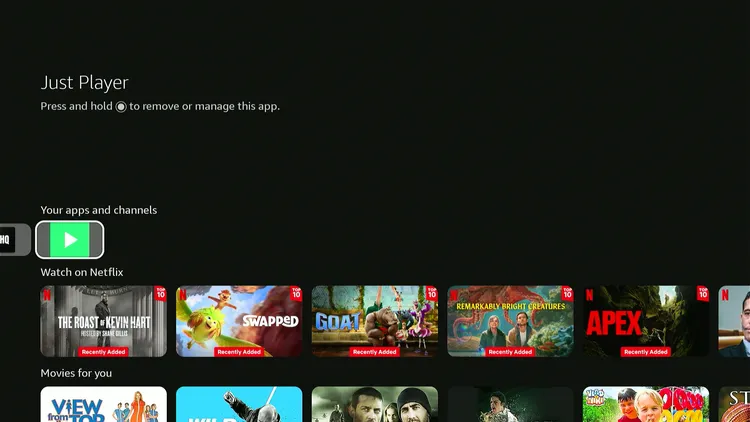
Step 2: Tap “Allow.”
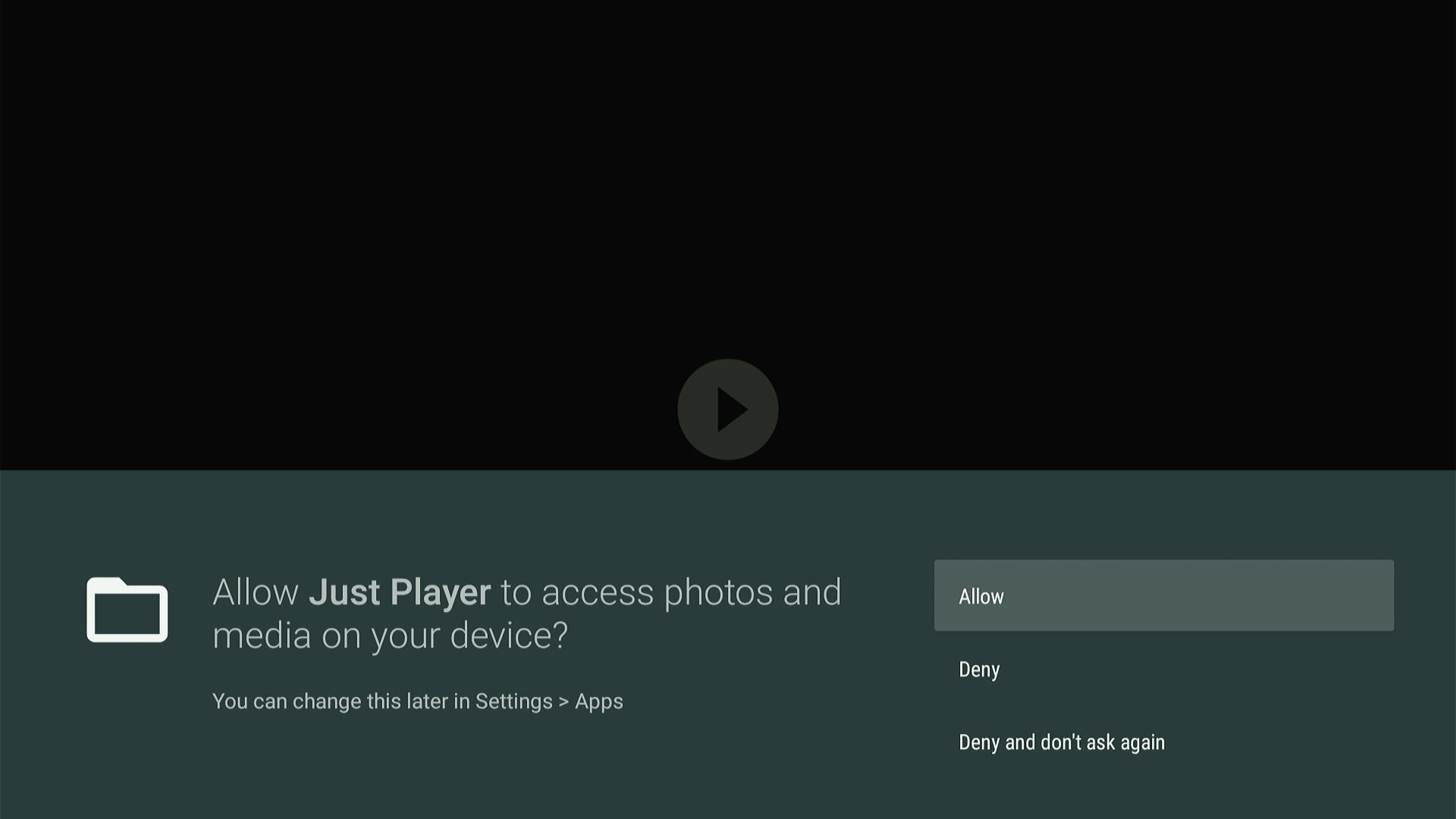
Step 3: If you have any videos downloaded on your device, you can play them now on Just Player!

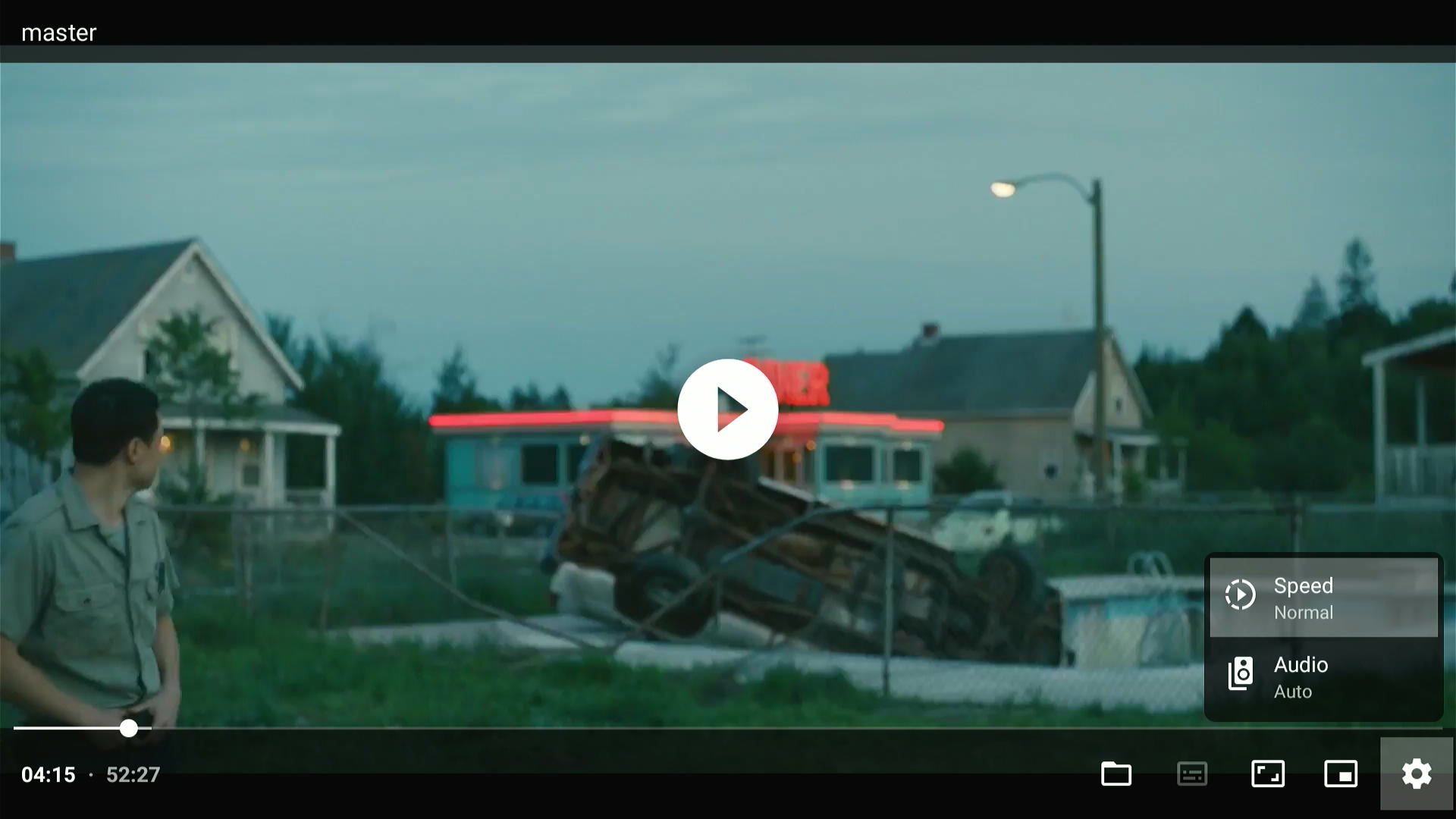
Step 4: Click the “Settings” gear to adjust playback speed and audio.
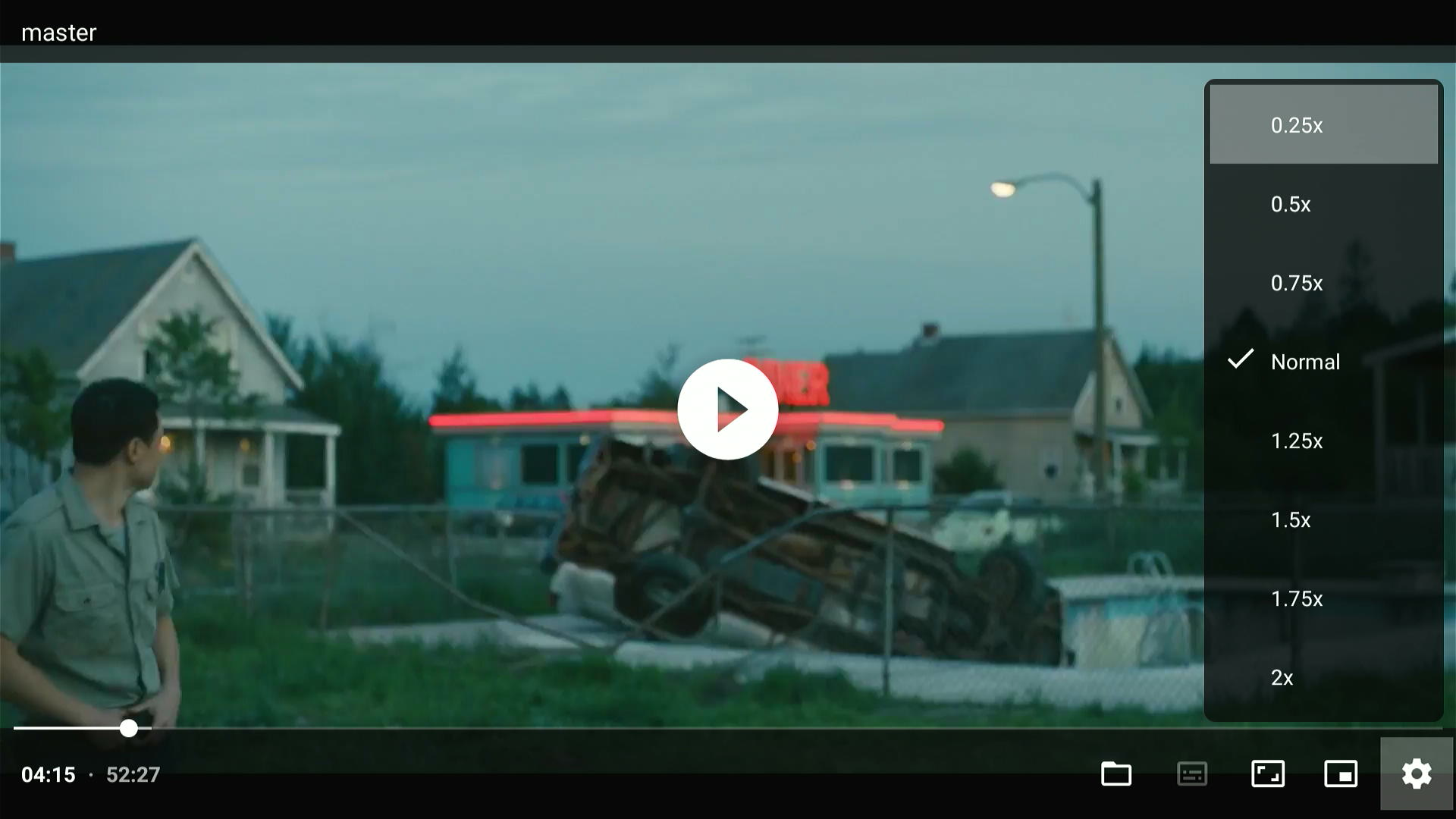
Step 5: You can choose from these playback speeds.
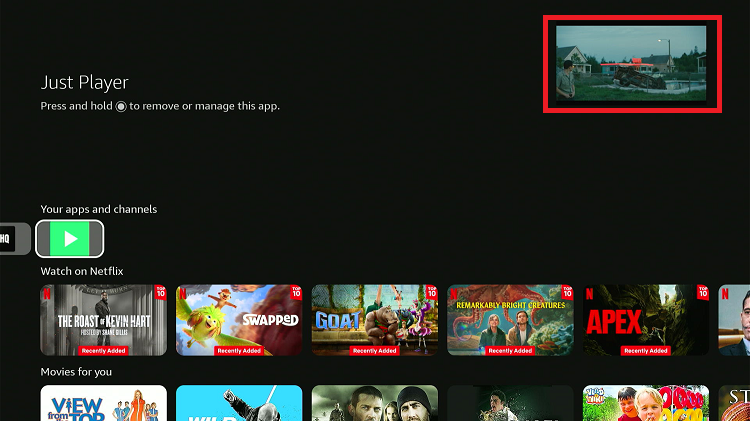
Step 6: You can “Float” the Just Player in a small window on FireStick.

Step 7: After using the “floating” feature, you can watch videos while using other apps on FireStick.
Is Just Player APK Safe/Legal to Use on FireStick?
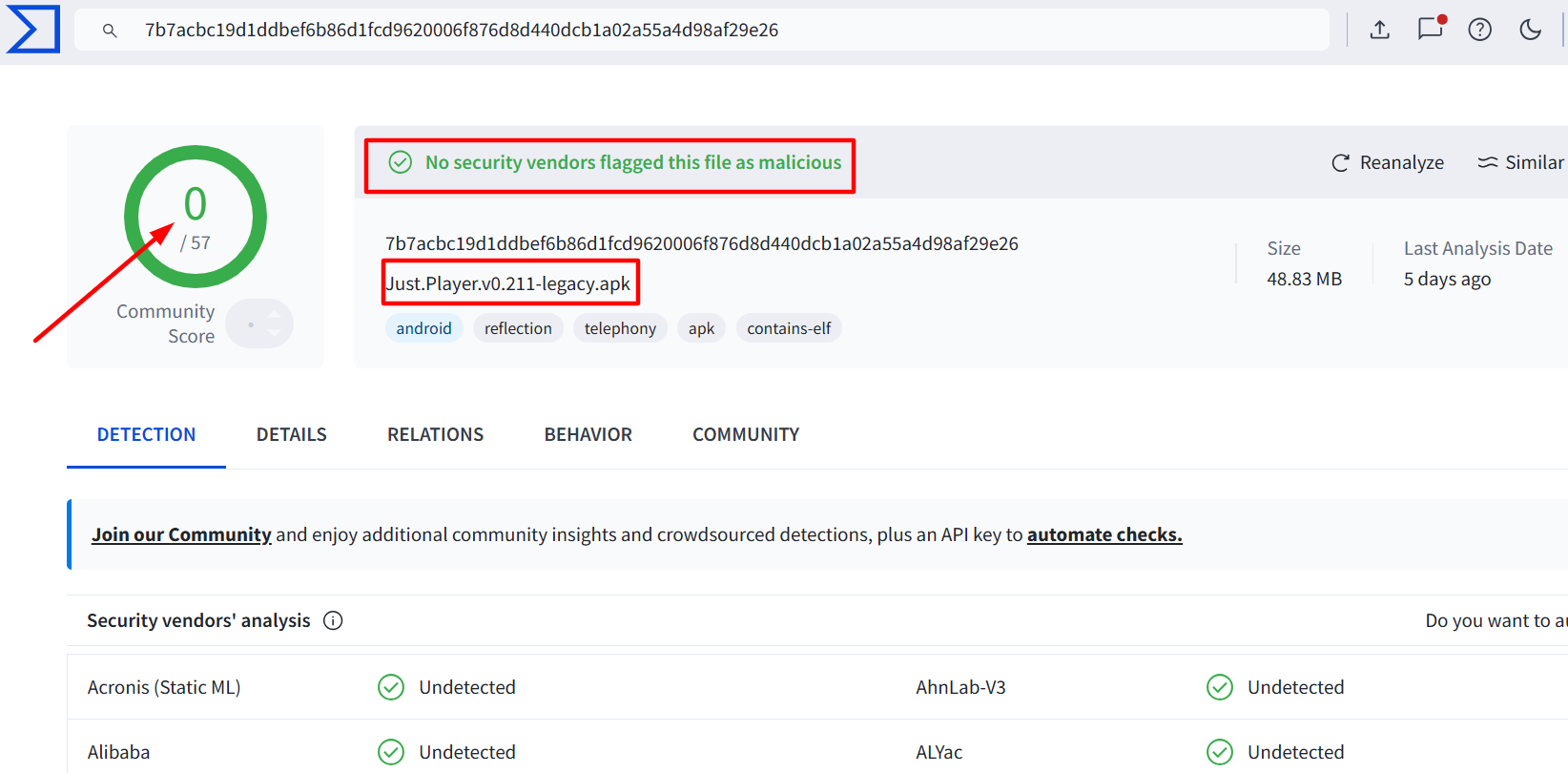
When I scanned the Just Player latest APK (v0.211) on Virustotal, it was free from any malware or viruses (see image above).
However, since Just Player is a third-party app, using Surfshark VPN is important for an extra layer of security.
All You Need to Know About Just Player APK
Here’s a sneak peek at the Just Player app:
| App Type | Media Player |
| Price | Free |
| File Size | 31.2 MB |
| Version | v0.211 |
| Is It Safe to Use? | Yes, but use a VPN with third-party apps |
| Developers | Just Player |
Top Just Player Features
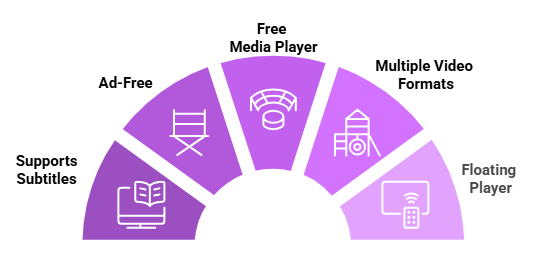
Check out some of the best Just Player features:
Just Player Not Working on FireStick? Try These Fixes
If you’re having issues using video players like Just Player on FireStick, try these quick fixes to smooth things out:
- Restart the internet router
- Clear app cache
- Restart FireStick
- Close background apps
- Connect FireStick via Ethernet
- Set video resolution to 1080p/4K
Just Player Alternatives
If you are looking for more options like Just Player, consider trying out the following players:
- Bear Player on FireStick
- Drama Player on FireStick
- NVPlayer on FireStick
- AMPlayer on FireStick
- MX Player on FireStick
FAQs – Just Player
Is Just Player available on the Amazon Appstore?
No, Just Player is unavailable on Amazon Appstore; you will have to sideload it using the Downloader app.
Is Just Player free to use?
Yes, Just Player is completely free for FireStick users.
Does Just Player support subtitles?
Yes, Just Player supports subtitles. You can even adjust subtitle font size and color according to your preferences.
Can Just Player play 4K videos?
Yes, Just Player supports HD and 4K video playback.
What is the latest Just Player APK?
The latest Just Player APK is 0.211
Final Thoughts
Just Player is one of the best media players on FireStick. It supports almost all types of file formats, plays high-quality content smoothly, and even lets you load subtitles with ease.
Plus, Cinema HQ recommends using it for a better experience. While installing Just Player requires sideloading, the process is easier than you might assume.
For security purposes, don’t forget to use a VPN like Surfshark when jailbreaking your FireStick!