Disclosure: Our experts test apps for security before recommending them. If you buy through our links, we may earn a commission. See how it works.

The 22nd World Aquatics Championships in Singapore are officially scheduled from Thursday, July 10 to Sunday, August 2, 2025.
The events will feature around 2,500 athletes from over 200 nations competing for 77 medals in Swimming, Artistic Swimming, Marathon Swimming, Diving, Open Water Swimming, and Water Polo.
You can watch the World Aquatics Championship 2025 on FireStick for free on official services like 9Now (Australia), CBC Gem (Canada), and meWATCH (Singapore).
Since these services are geo-restricted to specific regions, you need to use a VPN to bypass these restrictions. Surfshark is our #1 choice.
🛡️ VPN RECOMMENDATION
Our Recommended VPN - Surfshark
Your ISP sees every stream. Unverified apps expose your IP. Fix both in under 2 minutes.
🔒 30-day money-back guarantee • $0.06/day

2 Ways to Watch World Aquatics Championships on FireStick [FREE]
We have provided 2 tried-and-tested methods for watching the World Aquatics Championship 2025 on FireStick from anywhere in the world:
- World Aquatics Championships on Firestick Using Downloader App
- World Aquatics Championships on Firestick Using Silk Browser
How to Watch World Aquatics Championship on FireStick Using Downloader App
meWATCH is an official streaming platform in Singapore with TV shows, movies, and live sports, including the complete World Aquatics Championships 2025 for free.
However, since meWATCH is geo-restricted to Singapore, anyone outside this region will have to install SurfShark VPN on FireStick and connect it to the Singapore server.
Follow the steps below:
Step 1: Turn ON your FireStick device and Go to FireStick Home

Step 2: Click on the Settings icon
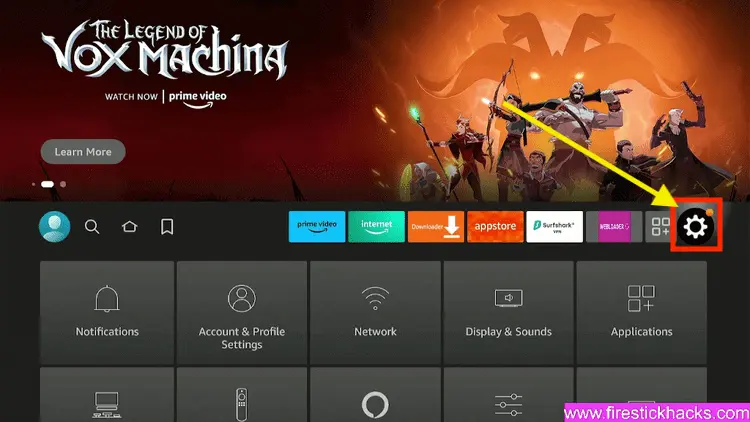
Step 3: Select the My Fire TV option

Step 4: To enable the Developer Option, click About.
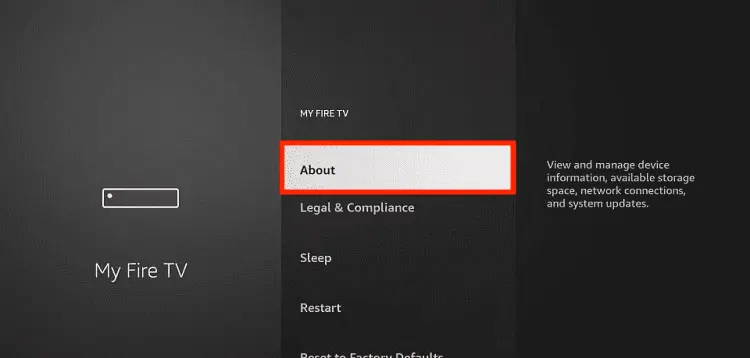
Note: If you have already enabled the Developer Option, then proceed to Step 10
Step 5: Click on the Fire TV Stick option quickly at least 7 times

Step 6: Now you will see this message at the bottom saying "No need, you are already a developer". So stop clicking then

Step 7: Now the Developer Option will appear in the menu so click on it
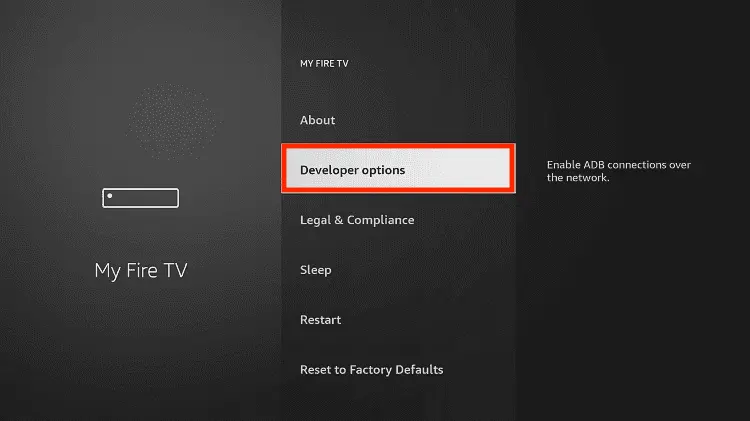
Step 8: Choose Apps from Unknown Sources to turn it ON

Step 9: Simply click Turn On

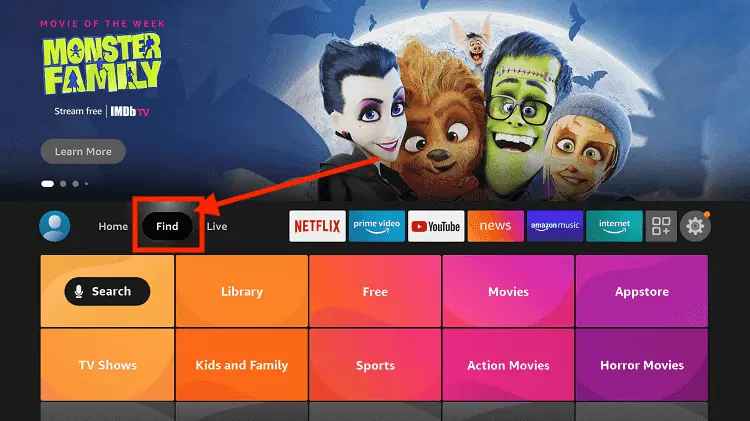
Step 10: Now return to the FireStick Home menu by pressing the "Home" icon on the remote and click on Find
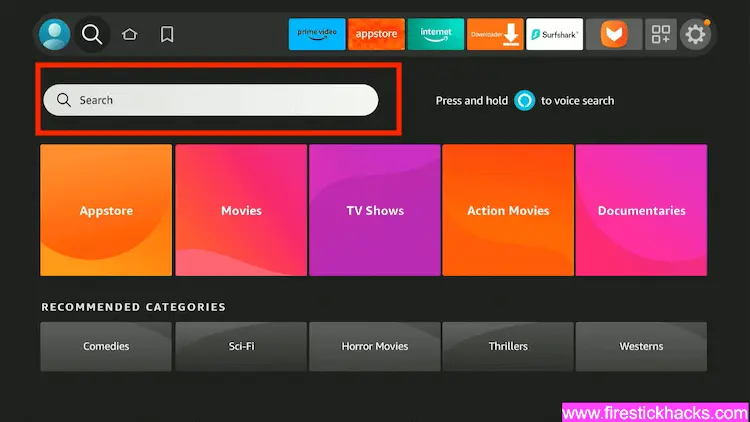
Step 11: Now select the Search icon
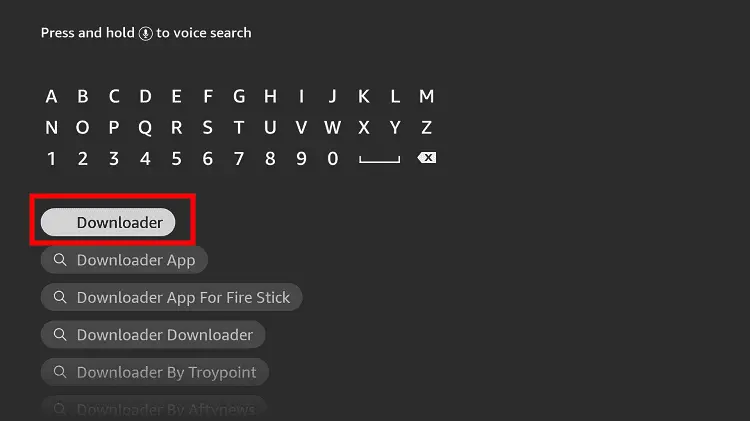
Step 12: Type Downloader and press search
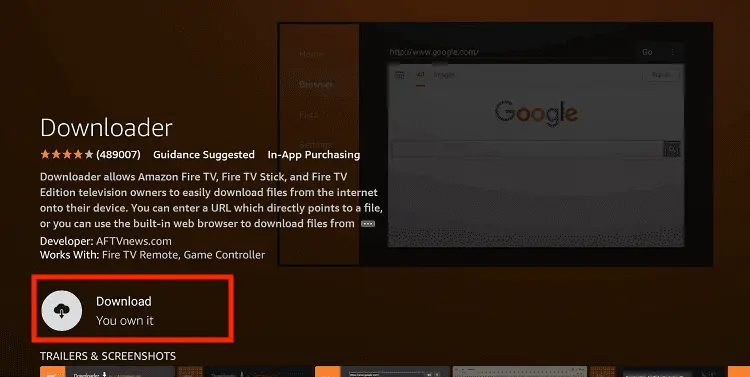
Step 13: Select the Downloader App icon from the list available in the Amazon Store

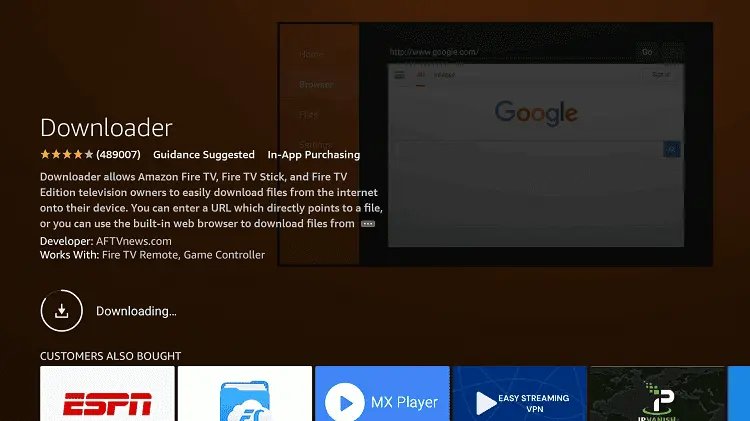
Step 14: Tap Get/Download
Step 15: Wait for a while until the installation process is completed
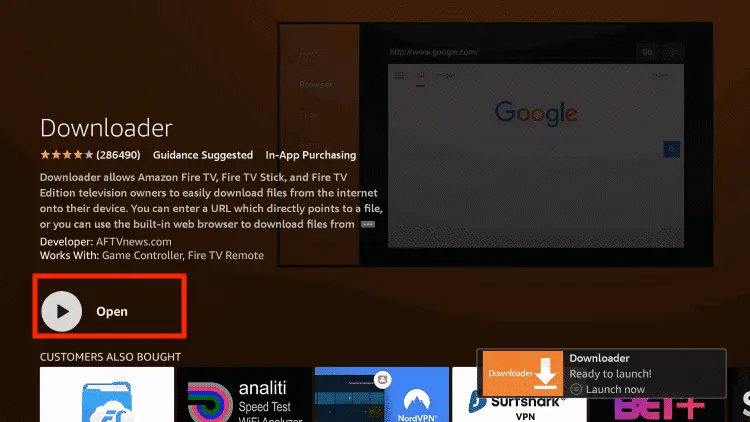
Step 16: Now click Open
Step 17: You will see a popup about Downloader app latest update. Click "OK".

Step 18: Click OK again

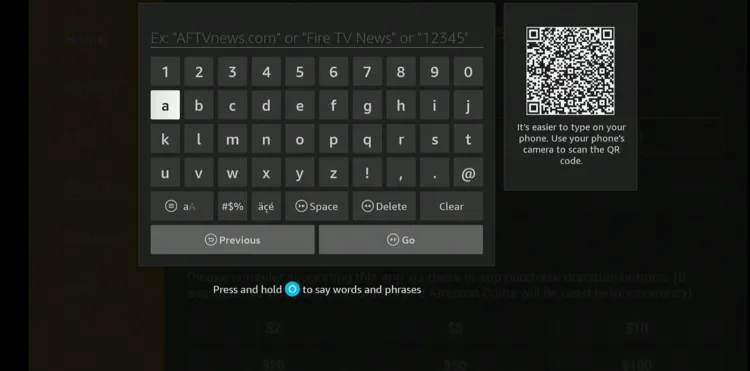
Step 19: This is the Downloader App interface, Click the Search Bar on top

Step 20: Enter meWATCH Downloader Code 730116 in the search box OR enter this URL bit.ly/fsh-downloads and click Go.
Note: The referenced link is the official URL of this app/website. FIRESTICKHACKS does not own, operate, or re-sell any app, streaming site, or service and has no affiliation with its developers.
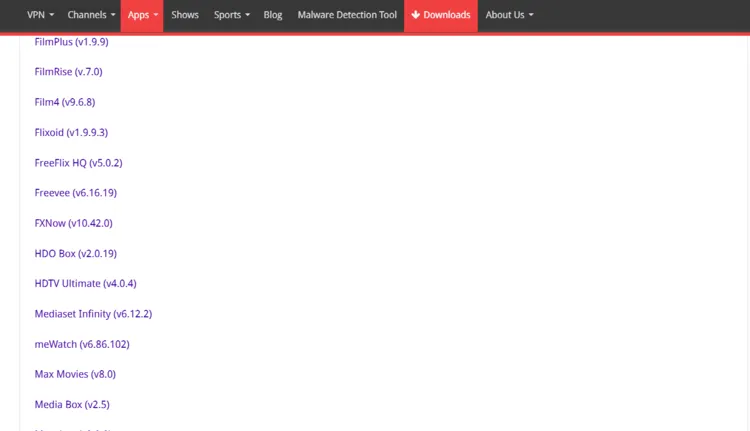
Step 21: Scroll down and click “meWATCH” from the “Movies & TV Shows Apps” category.
Step 22: The downloading will start. Wait for it to finish.
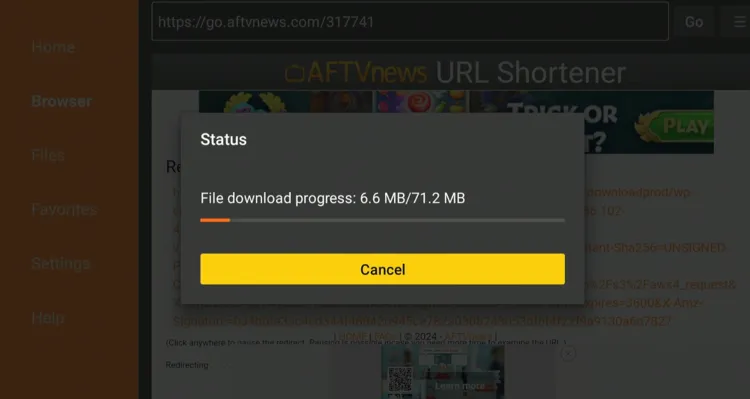
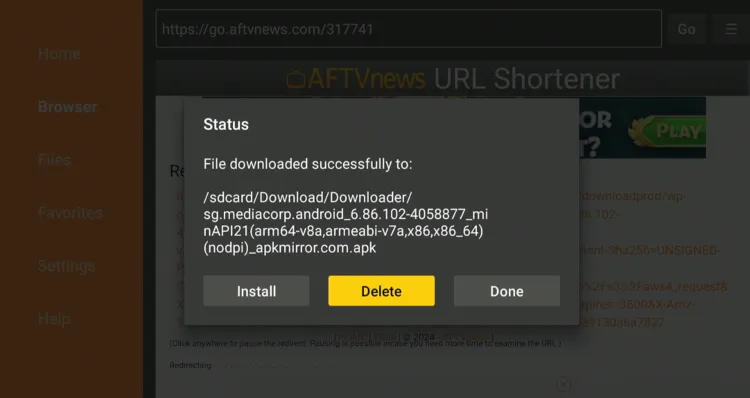
Step 23: Once the downloading ends, click “Install”.

Step 24: Tap the “Done” icon.

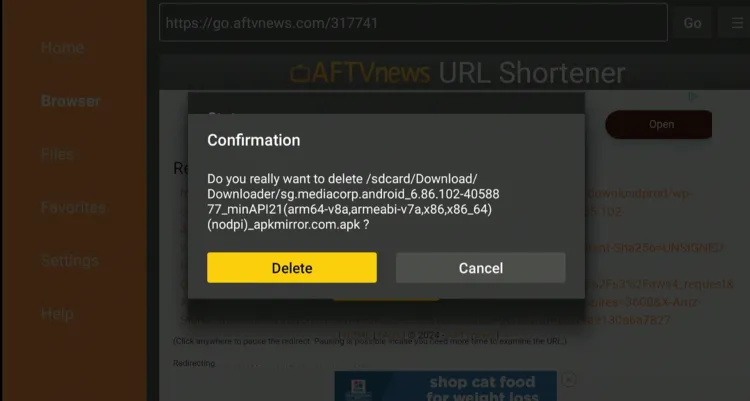
Step 25: Click “Delete” to remove the meWATCH APK file from FireStick.
Note: Deleting APK files will free up space on FireStick.
Step 26: Tap “Delete” again to complete the process.
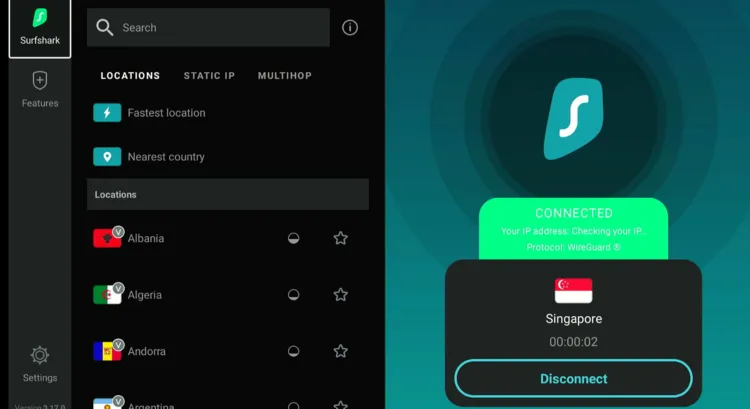
Step 27: Open Surfshark and connect it to the Singapore server.
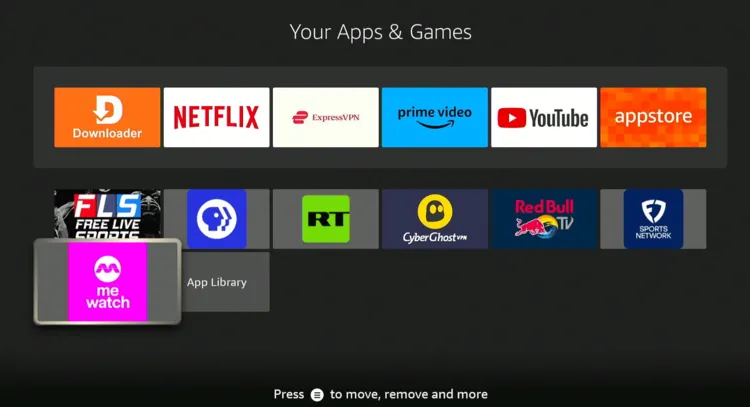
Step 28: Go to the FireStick home and select the “Apps Library” icon from the top right corner.
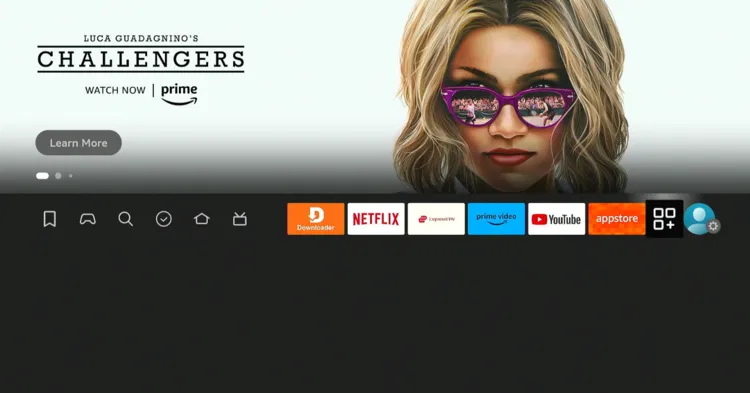
Step 29: Choose “meWATCH” from the list.
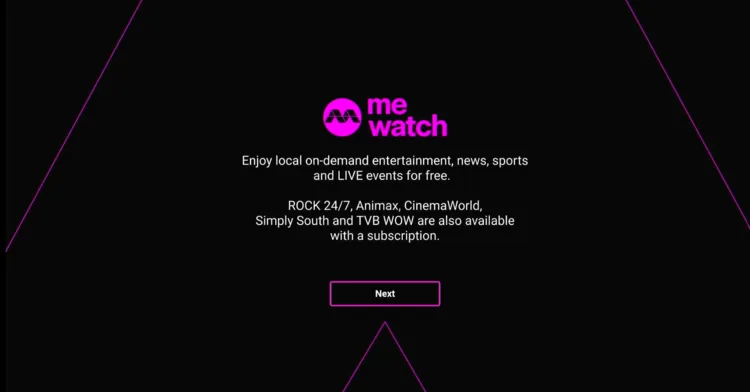
Step 30: Click “Next”.
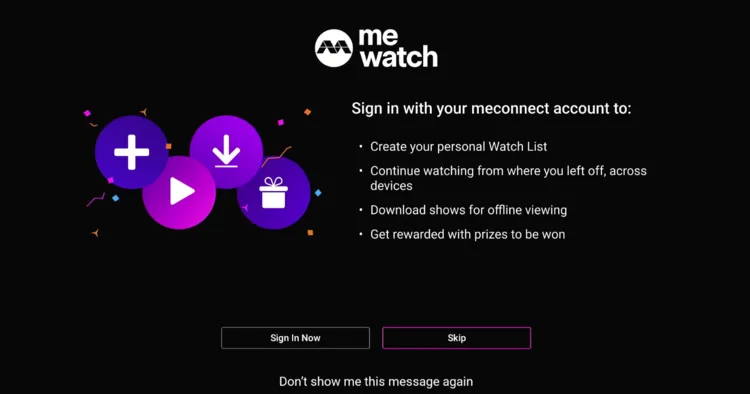
Step 31: If you want to use the free version, click “Skip”.
Step 32: Choose the “World Aquatics Championships” tap.
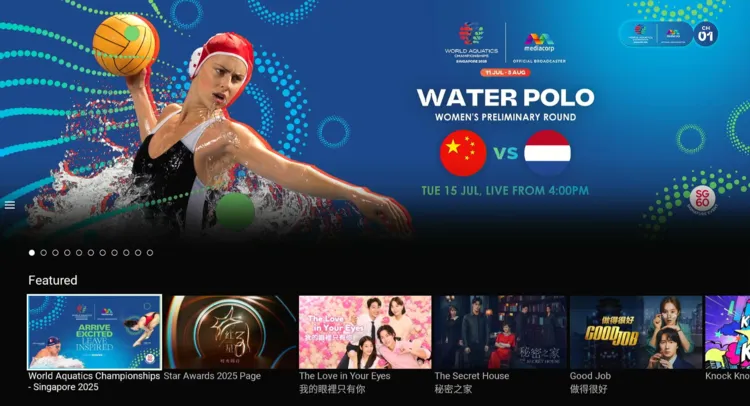
Step 33: Enjoy streaming!
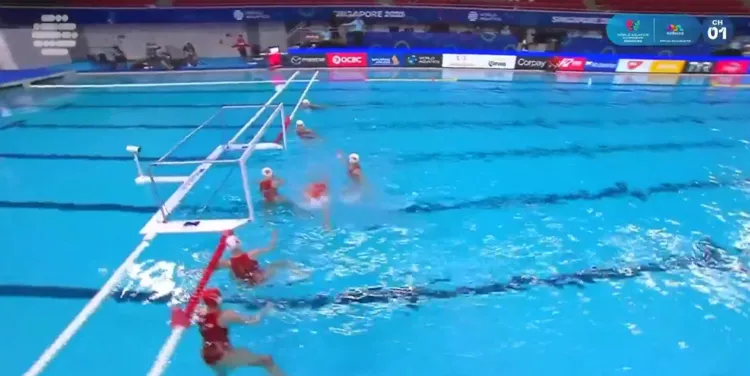
How to Watch World Aquatics Championships on Firestick Using Silk Borwser
With this method, there’s no need for extra downloads or installations to watch the World Aquatics Championships on FireStick. You can stream meWATCH content directly using the Amazon Silk Browser.
However, if you live in any other part of the world apart from Singapore, do not forget to install SurfShark VPN on FireStick and connect it to the Singapore server.
Follow the steps below:
Step 1: Open Surfshark and connect it to the Singapore server.
Step 2: Go to FireStick Home
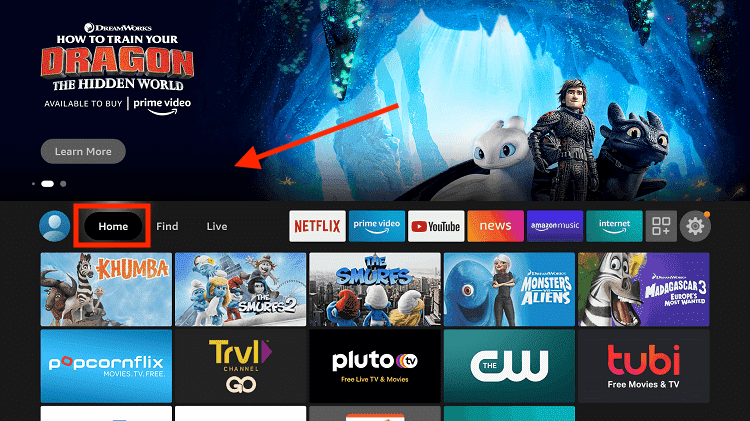
Step 3: Click on the Find tab
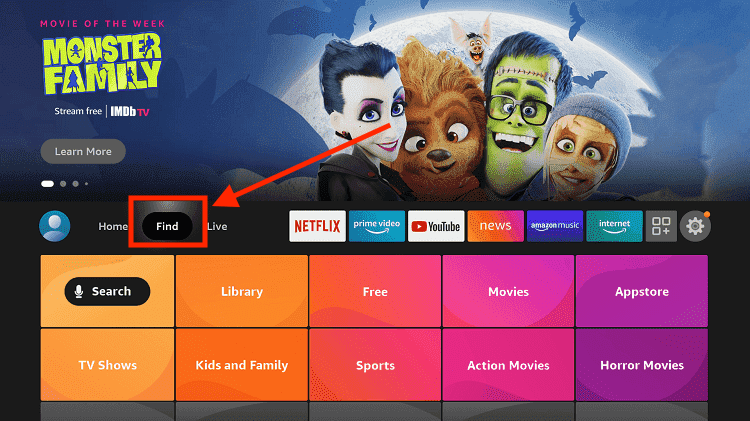
Step 4: Now select the Search option
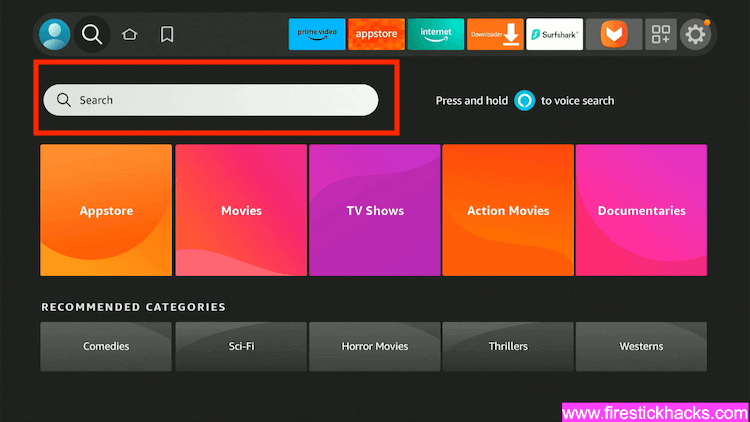
Step 5: Type Internet in the search bar and select from the list
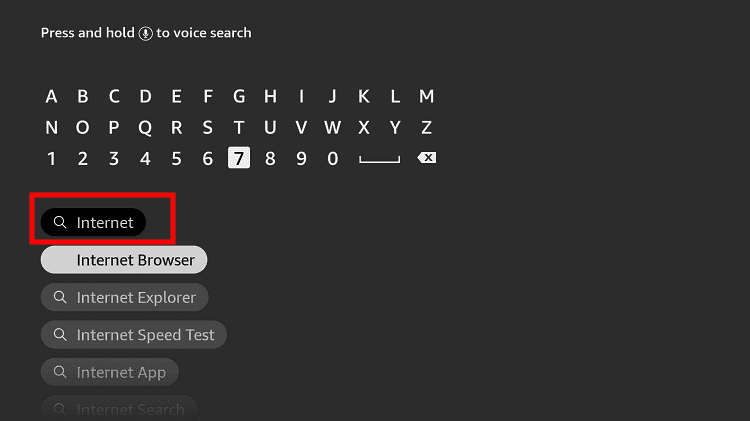
Step 6: Choose the Internet App (Silk Browser) from the given options
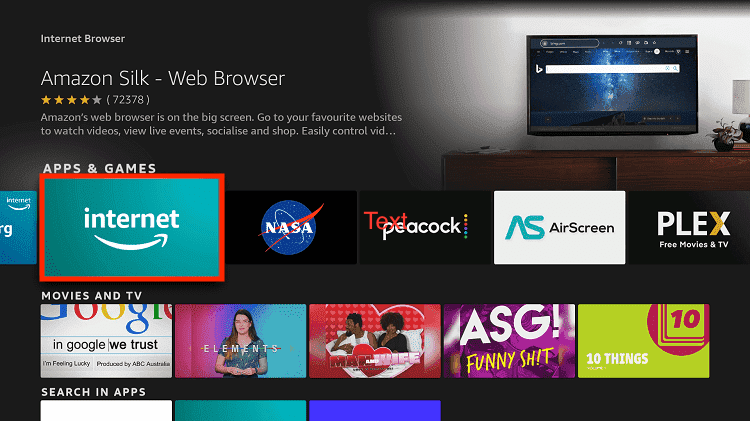
Step 7: Tap the Get/Download button
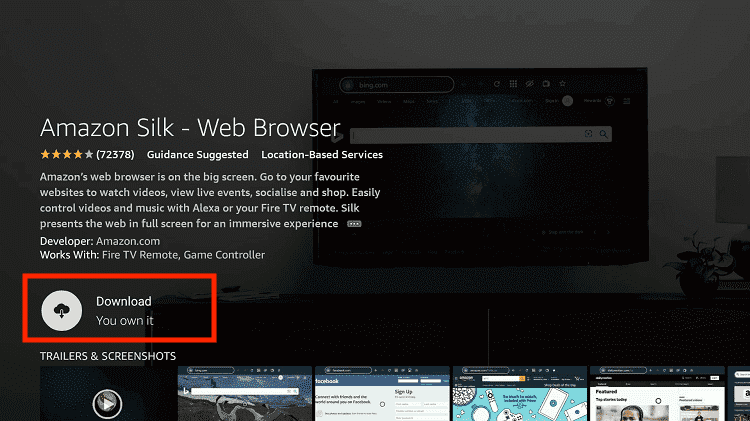
Step 8: Wait until the installation of the browser completes
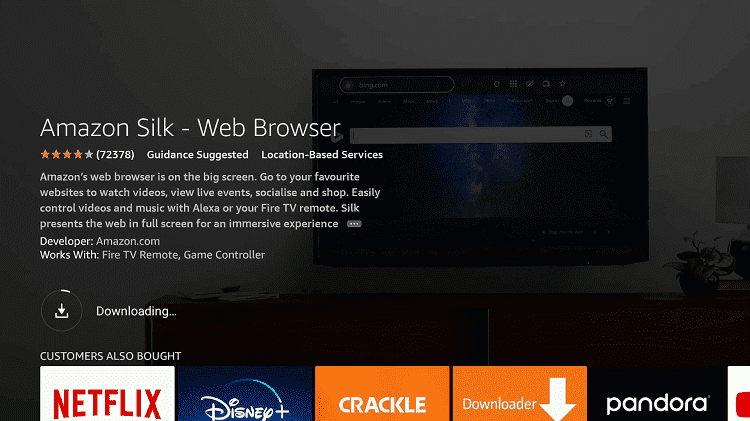
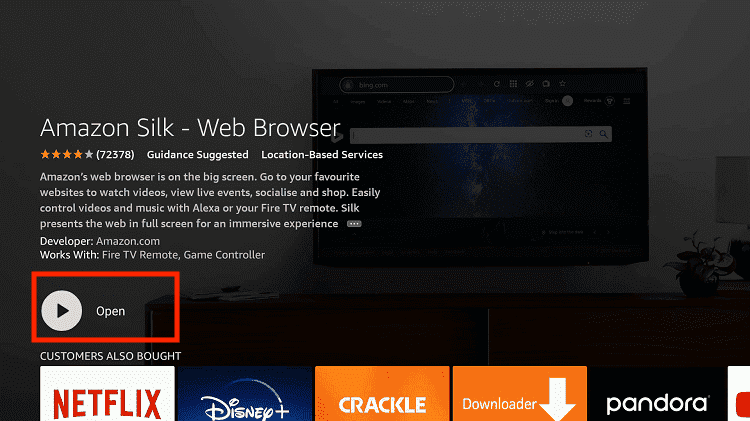
Step 9: Click Open, once the browser is installed.
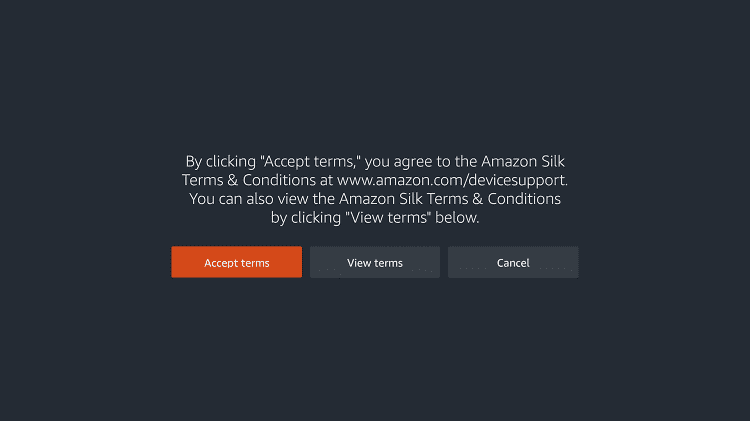
Step 10: Click on Accept Terms to access the browser
Step 11: When the browser launches, the Bing.com tab will open at first.
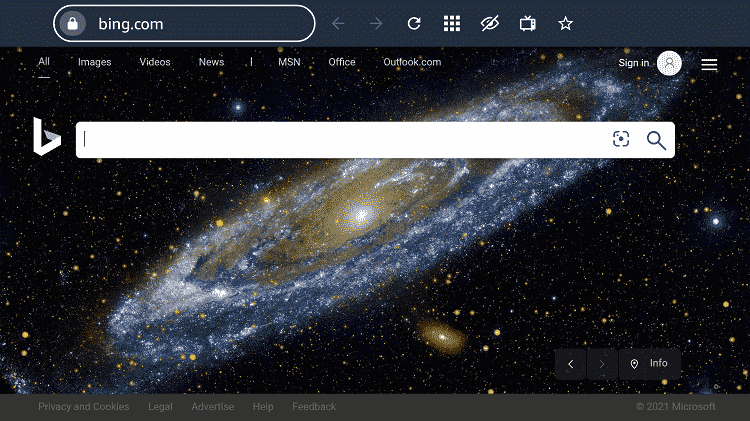
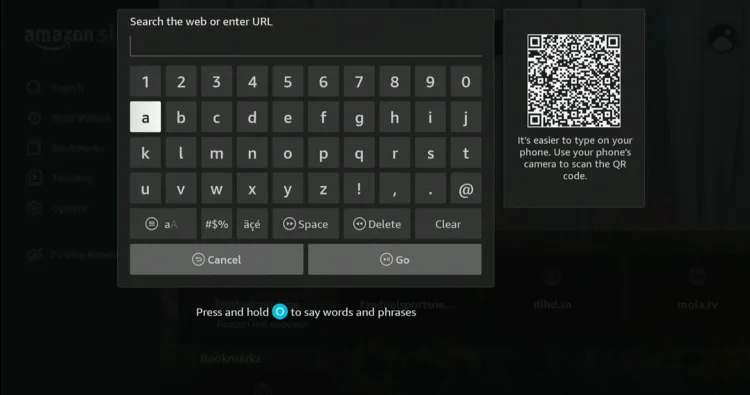
Step 12: Type www.mewatch.sg in the search box and click “GO”.
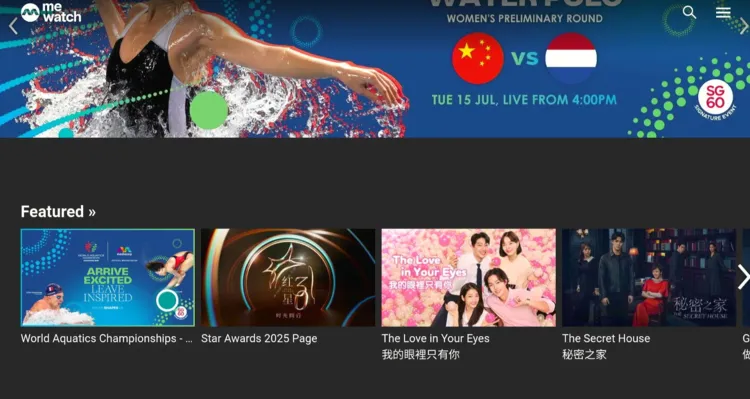
Step 13: Choose the “World Aquatics Championships” tab.
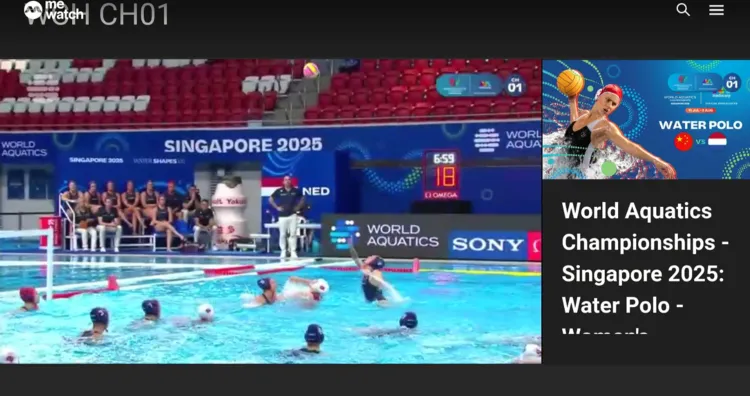
Step 14: Enjoy streaming!
World Aquatics Championships 2025 – Schedule
Below is the complete schedule for the World Aquatics Championships 2025 in Eastern Time (ET), broken down by discipline:
| Discipline | Dates (ET) |
|---|---|
| Water Polo | July 10 – July 23, 2025 |
| Open Water Swimming | July 15 – July 19, 2025 |
| Artistic Swimming | July 17 – July 24, 2025 |
| High Diving | July 23 – July 26, 2025 |
| Diving | July 25 – August 2, 2025 |
| Swimming | July 26 – August 2, 2025 |
Participating Countries – World Aquatics Championships 2025
Over 200 nations are set to compete in the World Aquatics Championships 2025 in Singapore. Here’s a quick look at the countries to watch this year:
| Category | Countries |
|---|---|
| Top Medal Contenders | United States, China, Australia, Japan |
| Strong in Specific Sports | Hungary (Water Polo), Italy (Open Water & Water Polo), UK (Diving) |
| Rising Performers | Canada, France, South Korea, Brazil |
| Emerging Nations to Watch | India, South Africa, Turkey, Mexico |
Trouble Watching World Aquatics Championships on FireStick? Try These Fixes
If you’re facing issues buffering, app crashes, etc, while live streaming on FireStick, here are a few quick fixes to get things running smoothly again:
✅Clear app cache
✅Close background apps
✅Connect FireStick via Ethernet
✅Adjust video resolution
✅Restart FireStick
Other Sports to Watch on FireStick
Apart from the World Aquatics Championships 2025, FireStick also lets you watch the following popular events:
- FIFA Club World Cup on FireStick
- National Rugby League on FireStick
- Australian Open on FireStick
- US Open on FireStick
- French Open on FireStick
FAQs – World Aquatics Championships
When World Aquatics Championships 2025 starts?
The event starts on July 10 and lasts till August 2, 2025.
Where is the World Aquatics Championships 2025 taking place?
The World Aquatics Championships 2025 will be held in Singapore.
How to watch World Aquatics Championships 2025 on FireStick?
You can stream the entire tournament on FireStick for free using services like meWATCH, 9Now, & CBC Gem.
Can I watch World Aquatics without installing any app?
Yes, you can use the Amazon Silk Browser on FireStick and visit mewatch.sg directly.
Conclusion
The World Aquatics Championships 2025 is offering incredible moments from top athletes around the globe.
With around 2,500 competitors from over 200 countries vying for 77 medals, this event is one of the premier showcases of aquatic sports worldwide.
You can watch the entire tournament for free using apps like meWATCH (Singapore), 9Now (Australia) & CBC Gem (Canada).
However, please note that these are restricted to specific regions. So if you are accessing these apps outside of their supported regions, you will have to use Surfshark VPN.