Disclosure: Our experts test apps for security before recommending them. If you buy through our links, we may earn a commission. See how it works.

The Mountain Attack is an annual ski mountaineering race that takes place in Austria. The 2026 edition of Mountain Attack is scheduled for January 16, 2026.
It started in 1999 with roughly 300 participants. By now, it has grown into an international event with over 1,000 ski mountaineers from more than 20 nations.
The racers have to conquer multiple summits & more than 3,000 meters of elevation over distances that can stretch around 40 km.
You can watch the Mountain Attack 2026 on FireStick for free via Servus TV (Austria) & the Mountain Attack official website (worldwide).
Please note that Servus TV is restricted to Austria. So if you live in the US or anywhere outside Austria, be sure to use a VPN to bypass geo-restrictions. Surfshark is our #1 choice.
Our Recommended VPN - Surfshark

WARNING! Amazon Monitors Your Fire TV Stick!
Yes, It’s True! Without Proper Encryption, your IP Address is Exposed, and Whatever you Stream on FireStick is 'Being Tracked'.
This can lead to:
- Blocking of the FREE Third-Party Apps
- Exposure of your Personal data to hackers, ISPs, and even the authorities
But There’s a Solution - ‘Surfshark VPN’
Save 87% + Get 3 Extra Months FREE with Surfshark VPN [Limited Time Offer]
This Includes:
✅ VPN for just $0.06/day!
✅ Strongest Encryption (i.e.256-Encryption)
✅ 3,200 servers in 100+ server locations
✅ Kill Switch Feature for FireStick users
✅ Data Breach Alerts.
✅ Unlimited Device Connections.
✅ 30-day money-back guarantee.

2 Ways to Watch Mountain Attack on FireStick [Free]
I’m sharing two official & free methods to watch the Mountain Attack 2026 on FireStick from anywhere in the world:
How to Watch Mountain Attack on FireStick Using Downloader App
Servus TV is a free-to-air Austrian television service that primarily covers popular sporting events in Austria, including Mountain Attack.
Unfortunately, Servus TV is only restricted to Austria. Therefore, users outside Austria will have to install SurfShark VPN on FireStick and connect it to the Austrian server.
Follow the steps below:
Step 1: Turn ON your FireStick device and Go to FireStick Home

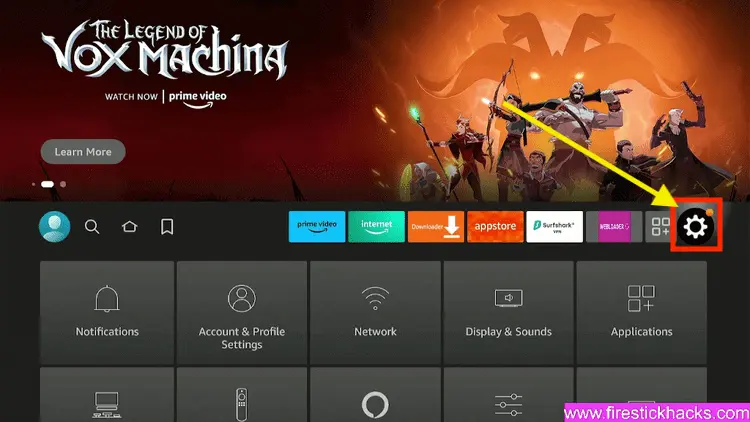
Step 2: Click on the Settings icon
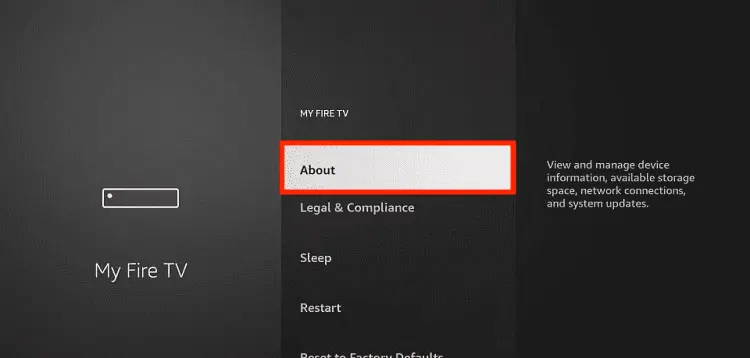
Step 3: Select the My Fire TV option

Step 4: To enable the Developer Option, click About.
Note: If you have already enabled the Developer Option, then proceed to Step 10
Step 5: Click on the Fire TV Stick option quickly at least 7 times

Step 6: Now you will see this message at the bottom saying "No need, you are already a developer". So stop clicking then

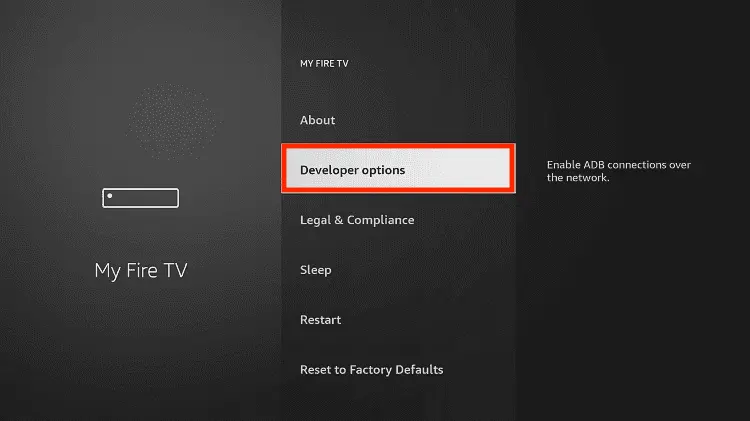
Step 7: Now the Developer Option will appear in the menu so click on it
Step 8: Choose Apps from Unknown Sources to turn it ON

Step 9: Simply click Turn On

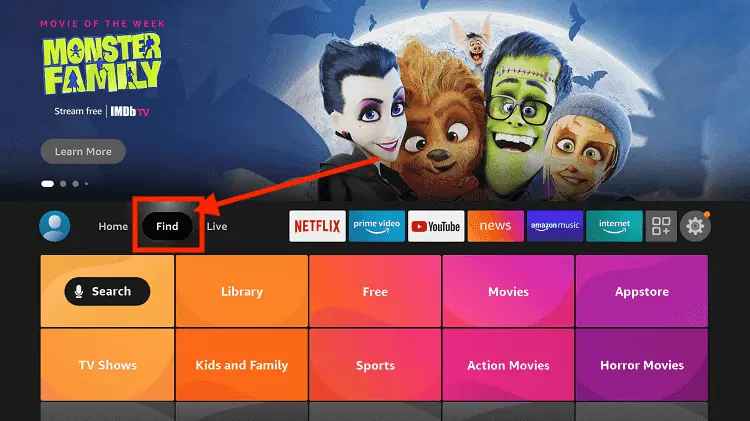
Step 10: Now return to the FireStick Home menu by pressing the "Home" icon on the remote and click on Find
Step 11: Now select the Search icon
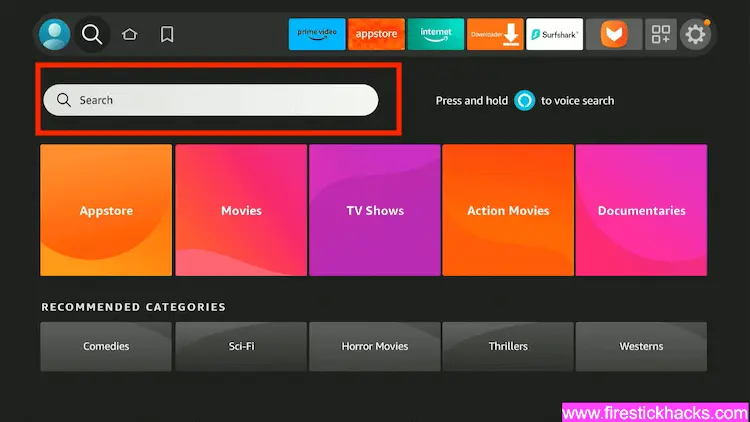
Step 12: Type Downloader and press search
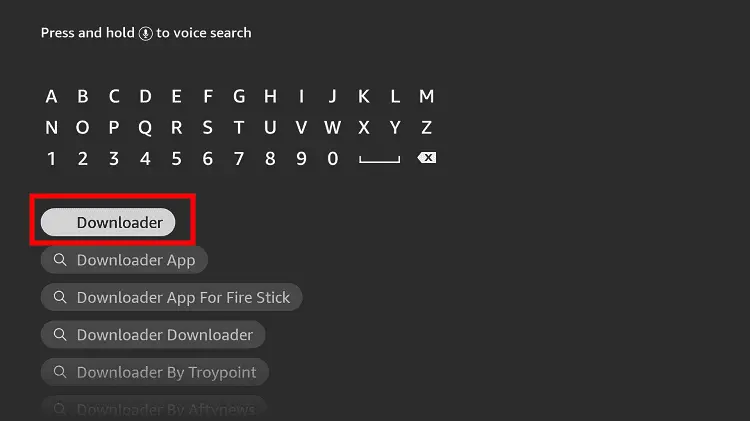
Step 13: Select the Downloader App icon from the list available in the Amazon Store

Step 14: Tap Get/Download
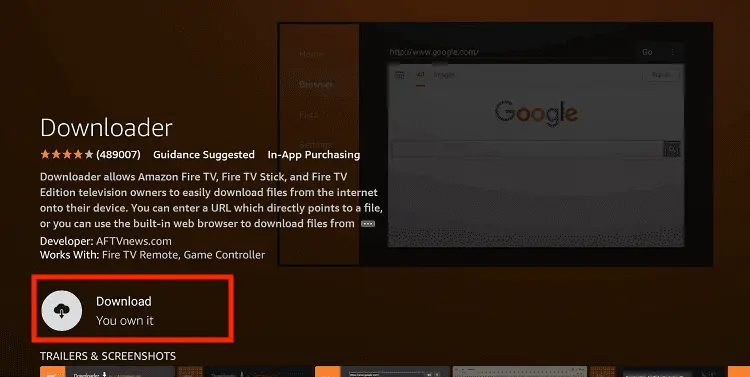
Step 15: Wait for a while until the installation process is completed
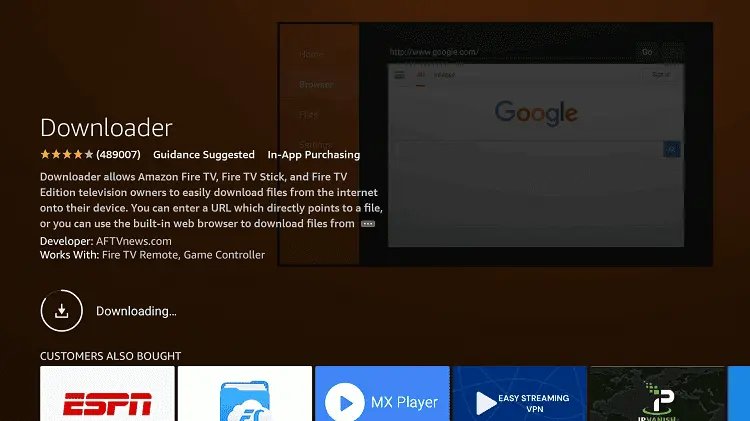
Step 16: Now click Open
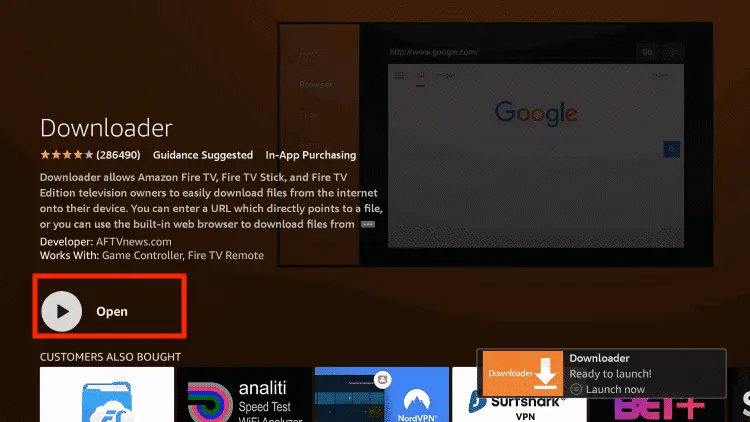
Step 17: You will see a popup about Downloader app latest update. Click "OK".

Step 18: Click OK again

Step 19: This is the Downloader App interface, Click the Search Bar on top

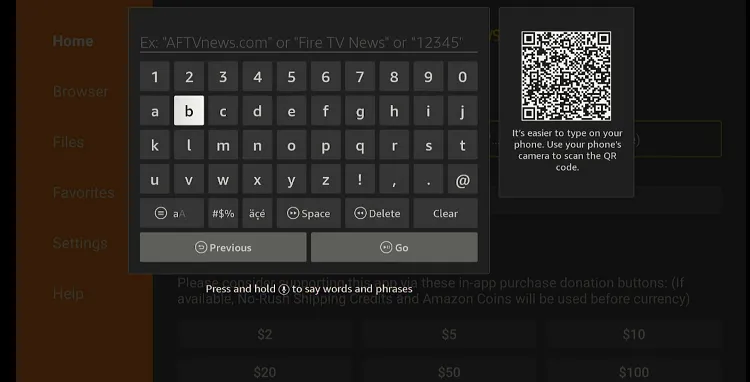
Step 20: Enter Servus TV downloader code 730116 in the search box OR enter this URL bit.ly/fsh-downloads and click Go.
Note: The referenced link is the official URL of this app/website. FIRESTICKHACKS does not own, operate, or re-sell any app, streaming site, or service and has no affiliation with its developers.
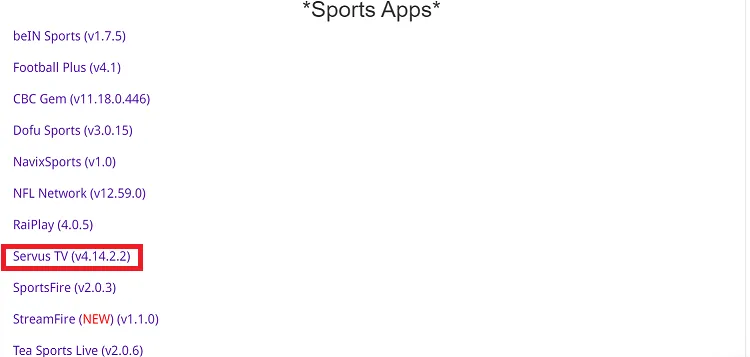
Step 21: Scroll down and click “Servus TV” from the “Sports Apps” category.
Note: If the app does not start downloading, then clear the Downloader App cache using this article.
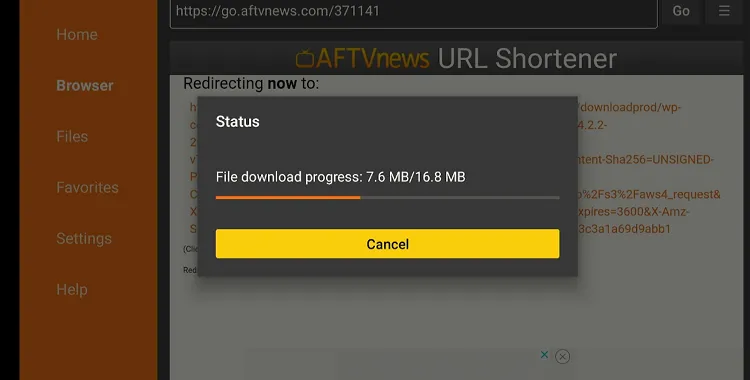
Step 22: The downloading will start. Wait for it to finish.
Step 23: Once the downloading ends, click “Install”.

Step 24: Tap the “Done” icon.

Step 25: Click “Delete” to remove the Servus TV APK file from FireStick.
Note: Deleting APK files will free up space on FireStick.
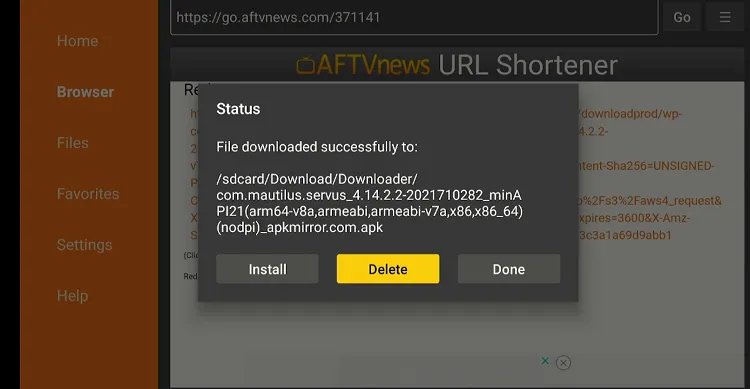
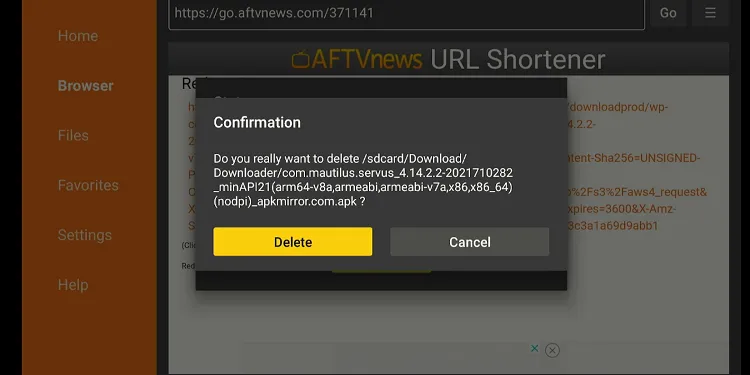
Step 26: Tap “Delete” again to complete the process.
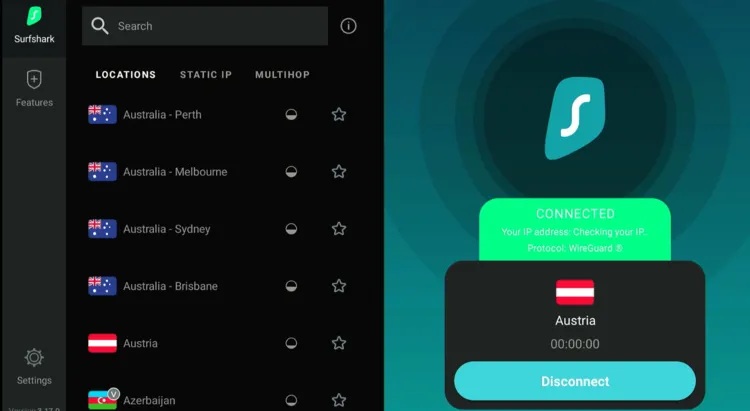
Step 27: Open Surfshark and connect it to the Austrian server.
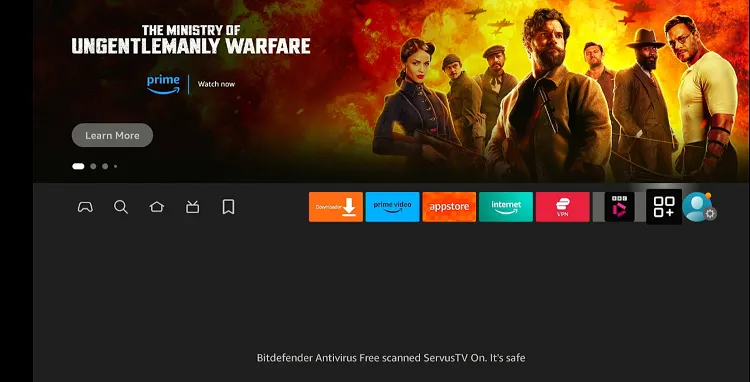
Step 28: Go to the FireStick home and select the “icon next to the settings” from the top right corner.
Step 29: Choose “Servus TV” from the list.
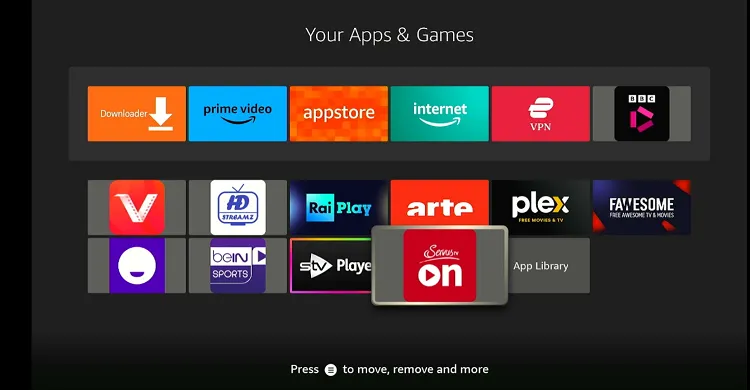
Step 30: Click the icon in red.
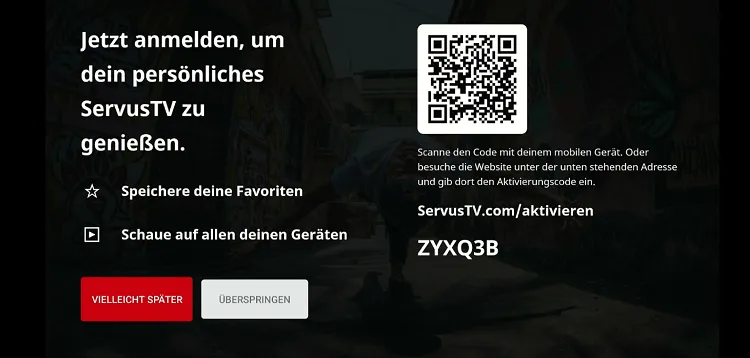
Step 31: Again, tap the red icon on the left.
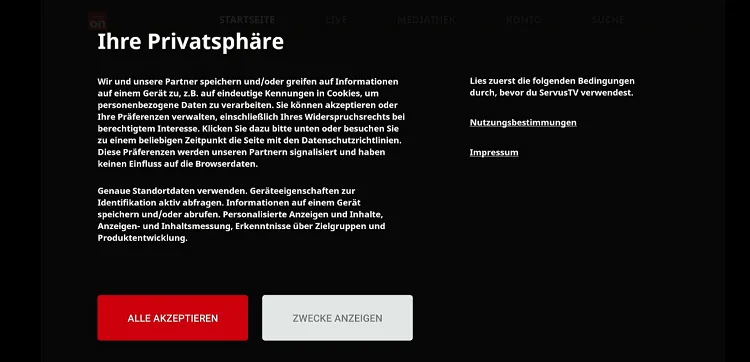
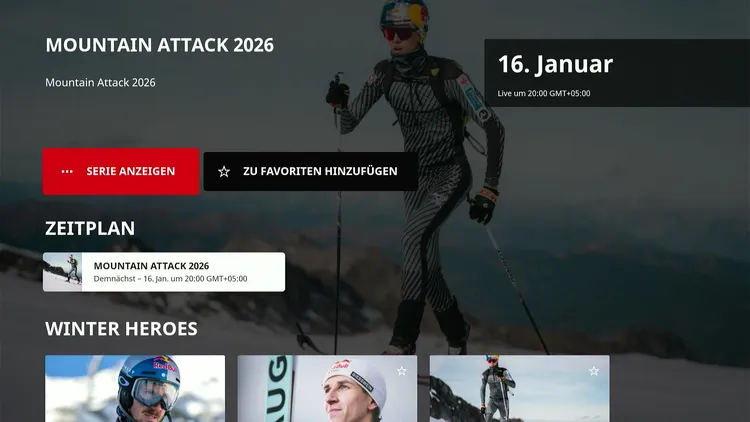
Step 32: You will Mountain Attack event on the home screen.
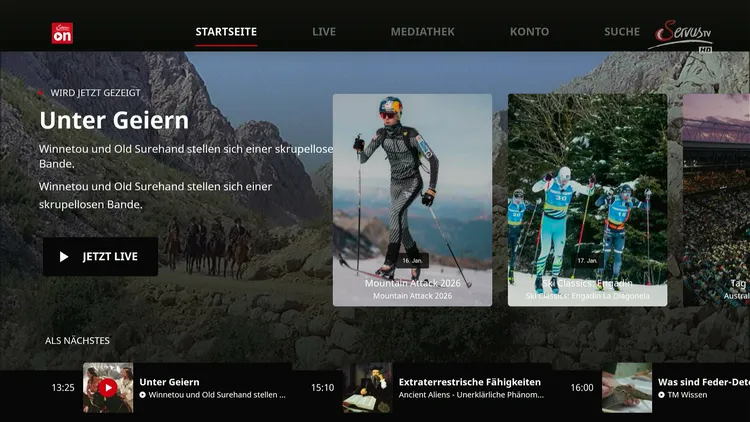
Step 33: You will be able to see the Mountain Attack 2026 once it goes live on 16 Jan.
How to Watch Mountain Attack on FireStick Using a Browser
You can also watch the Mountain Attack 2026 worldwide for free via the Mountain Attack official website. I’m using Amazon Silk Browser for this method.
Follow the steps below:
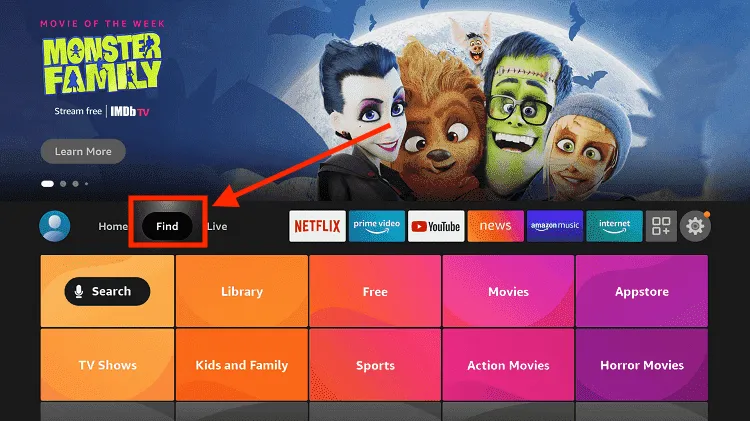
Step 1: Click “Find” on FireStick home screen.
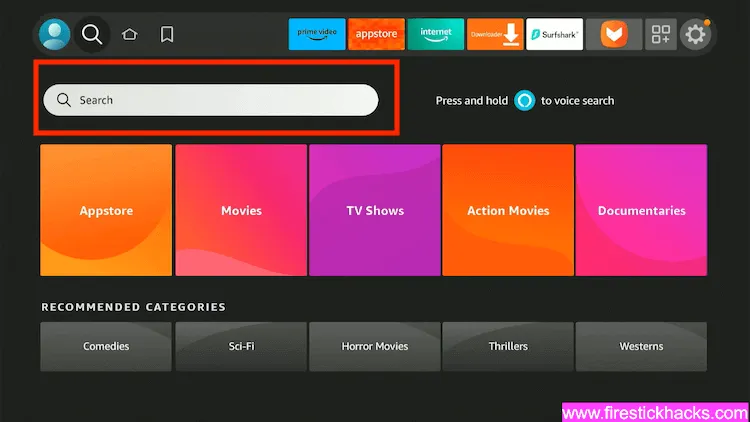
Step 2: Tap “Search Bar”.
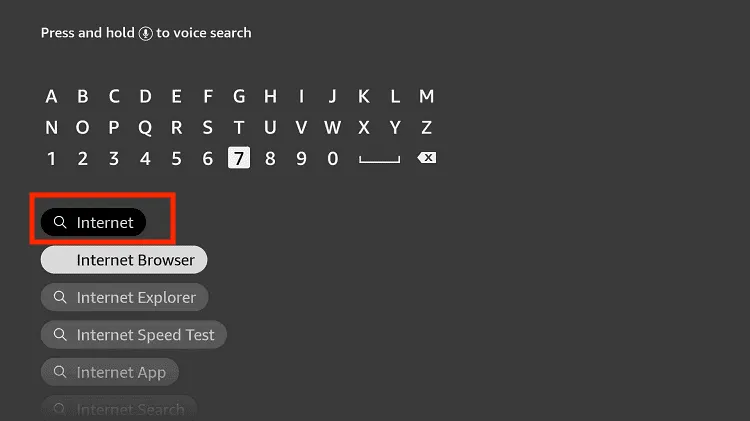
Step 3: Type “Internet” and select it from the results.
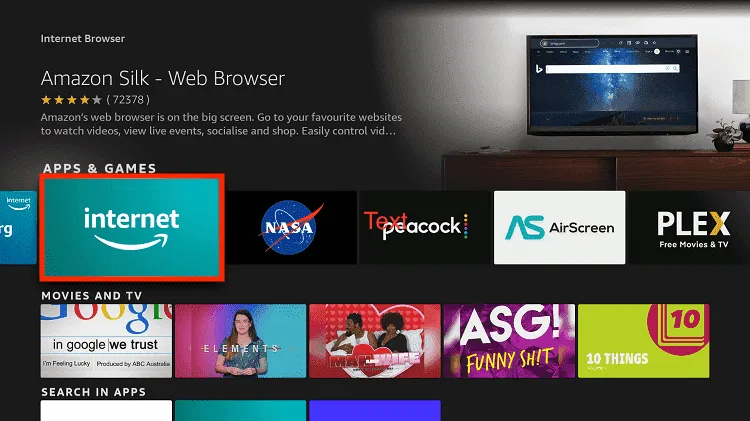
Step 4: Select the “Amazon Silk Browser” from the results.
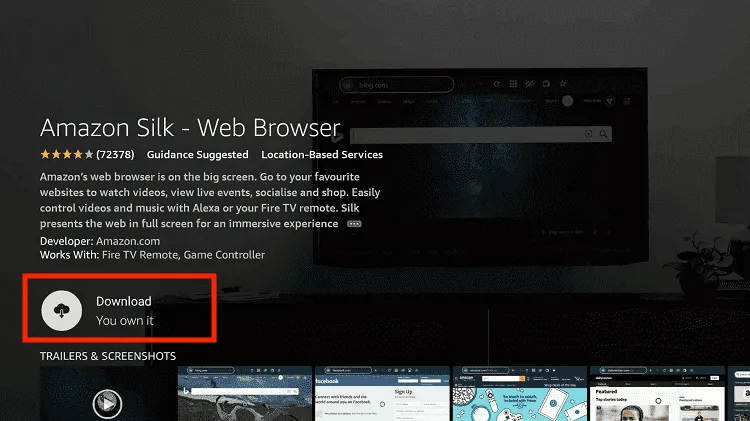
Step 5: Tap “Download/Get”.
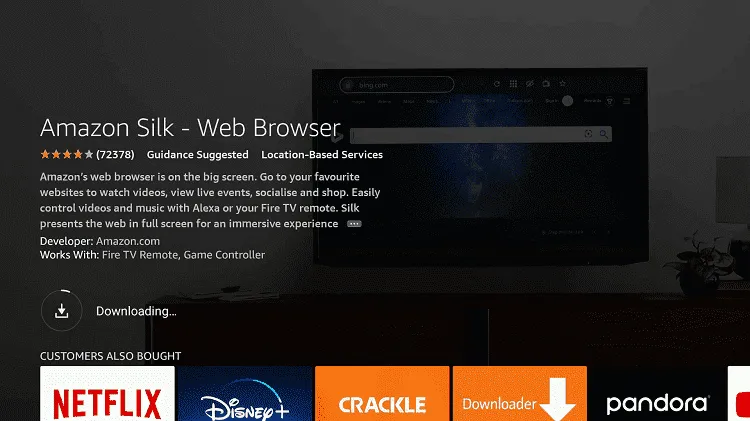
Step 6: The downloading will start; wait for it to finish.
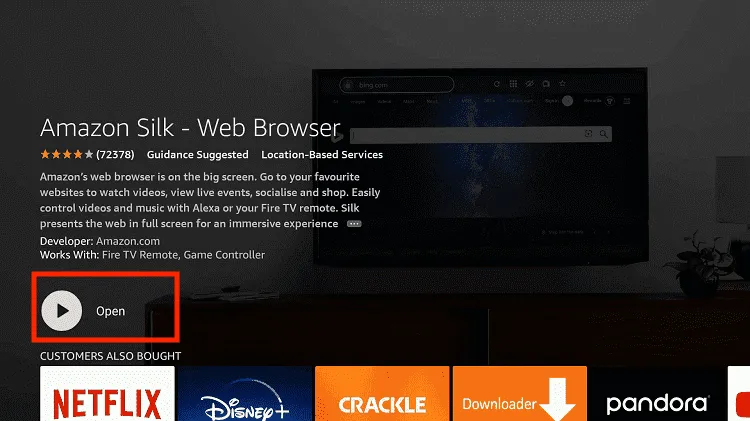
Step 7: Once the downloading ends, click “Open”.
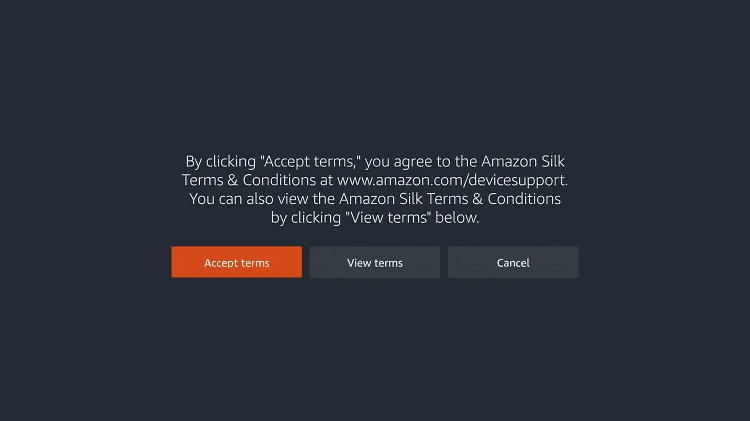
Step 8: Tap “Accept Terms”.
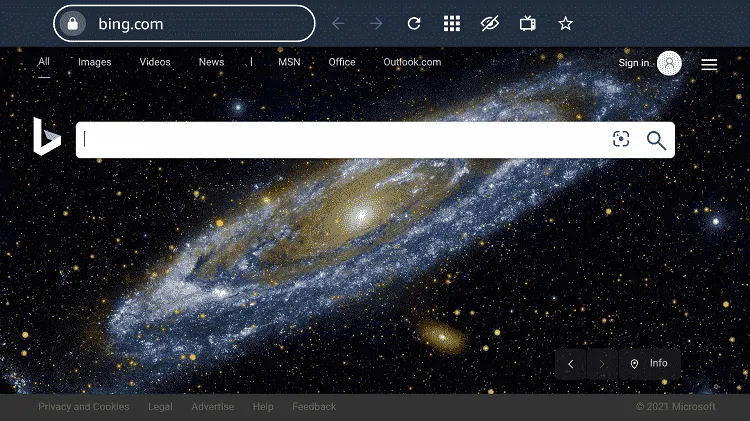
Step 9: When the browser launches, the “Bing.com” tab will open. Click on the web address bar.
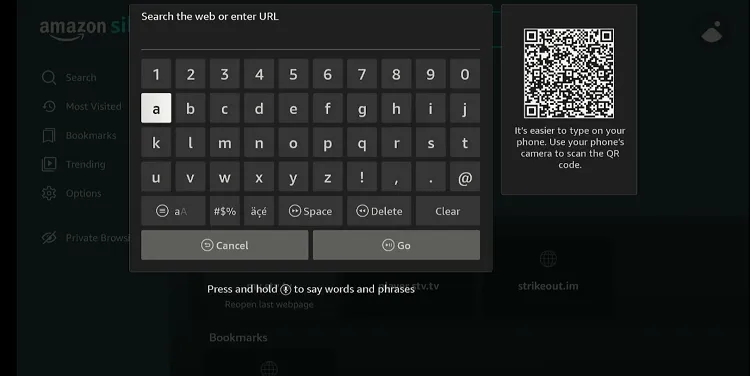
Step 10: Type www.mountain-attack.at/en/livestream/ and click “GO”.
Step 11: As you can see, there are 8 days left until this race starts. Once it goes live, you will be able to see the stream here.
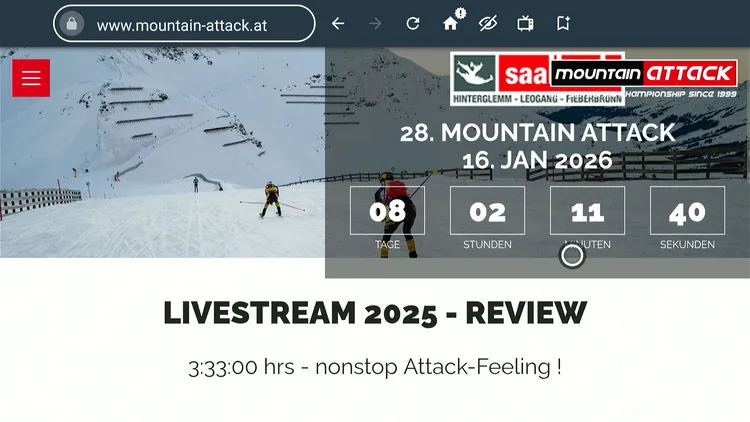
Step 13: Until then, you can watch the 2025 Mountain Attack.

Mountain Attack 2026 Date, Venue, and Schedule
Everything you need to know about the race day and host location:
| Detail | Information |
|---|---|
| Event Name | Mountain Attack 2026 |
| Date | January 16, 2026 |
| Venue | Saalbach-Hinterglemm, Austria |
| Country | Austria |
| Event Type | Ski Mountaineering Race |
| Competition Format | One-day event |
Race Categories at Mountain Attack 2026
Here are the main race divisions competitors can choose from:
Mountain Attack 2025 Winners
A quick look back at who conquered the Mountain Attack courses in 2025:
| Category | Winner | Country |
|---|---|---|
| Marathon (Men) | Paul Verbnjak | Austria |
| Marathon (Women) | Evi Gudelius | Germany |
| Tour (Men) | Alex Oberbacher | Italy |
| Tour (Women) | Linda Wilhelmstätter | Austria |
| Schattberg Race (Men) | Kilian Rettensteiner | Austria |
| Schattberg Race (Women) | Ayaka Ueda | Japan |
| Marathon Relay | Brixental Connection (Team) | Austria |
Trouble Streaming Mountain Attack on FireStick? Try These Fixes
If you’re dealing with buffering, app crashes, or other streaming glitches on FireStick, try these quick fixes to smooth things out:
- Clear app cache
- Close background apps
- Connect FireStick via Ethernet
- Set video resolution to 1080p/4K
- Install Brave Browser for fewer ads
- Restart FireStick
P.S. If you are still facing issues, check out our detailed articles to stop buffering on FireStick and fix playback errors.
Other Sports to Watch on FireStick
If you are interested in more live sports events, check out the following list:
- Australian Open on FireStick
- BBL on FireStick
- Watch NFL on FireStick
- English Premier League on FireStick
- AFCON on FireStick
FAQs – Mountain Attack
What is the Mountain Attack race?
It’s an annual ski mountaineering race held in Saalbach-Hinterglemm, Austria.
When is Mountain Attack 2026 scheduled?
The race takes place on January 16, 2026.
How can I watch Mountain Attack 2026 on FireStick?
You can watch it for free via Servus TV (Austria) or the official Mountain Attack website worldwide for free.
What are the race categories in Mountain Attack 2026?
Race categories include Schattberg Race, Tour, Marathon, and Marathon Relay.
How many participants usually compete in Mountain Attack?
Over 1,000 athletes from more than 20 countries take part annually.
Conclusion
Mountain Attack 2026 is set to be another exciting edition of one of Europe’s toughest ski mountaineering races. With over 1,000 participants from more than 20 countries, the event offers a lot of promise.
For viewers worldwide, the event can be streamed for free on the official Mountain Attack website, and Austrian viewers can also watch via Servus TV.
If you’re outside Austria, using a VPN like Surfshark will ensure you can bypass geo-restrictions on your FireStick.