Disclosure: Our experts test apps for security before recommending them. If you buy through our links, we may earn a commission. See how it works.
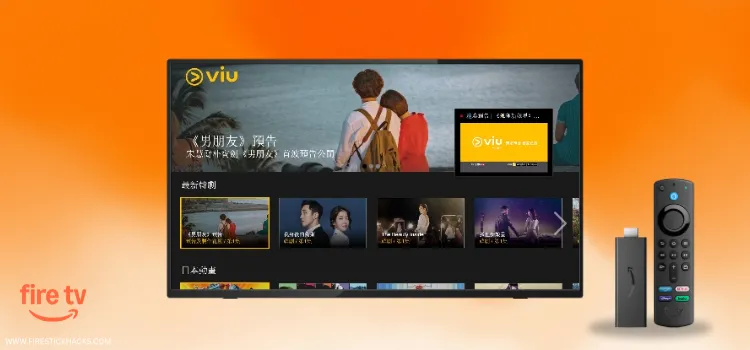
Viu is a Hong Kong based OTT service. It features Korean dramas, Chinese and Thai series, and locally made originals under its “Viu Original” banner. In some jurisdictions, it even offers live channels.
The service operates on a freemium model. Most “free tiers” on streaming services are extremely limited, but Viu’s free plan includes a large portion of its library.
However, users have the option to upgrade to a premium paid plan (prices vary in different regions) for a smoother, richer experience.
Please note that Viu is only available in selected regions like Asia, the Middle East & Africa. So if you live outside these regions, you must use a VPN like Surfshark to bypass geo-restrictions.
Our Recommended VPN - Surfshark
WARNING! Amazon Monitors Your Fire TV Stick!
Yes, It’s True! Without Proper Encryption, your IP Address is Exposed, and Whatever you Stream on FireStick is 'Being Tracked'.
This can lead to:
- Blocking of the FREE Third-Party Apps
- Exposure of your Personal data to hackers, ISPs, and even the authorities
But There’s a Solution - ‘Surfshark VPN’
Save 87% + Get 3 Extra Months FREE with Surfshark VPN [Limited Time Offer]
This Includes:
✅ VPN for just $0.06/day!
✅ Strongest Encryption (i.e.256-Encryption)
✅ 3,200 servers in 100+ server locations
✅ Kill Switch Feature for FireStick users
✅ Data Breach Alerts.
✅ Unlimited Device Connections.
✅ 30-day money-back guarantee.

How to Install Viu on FireStick Using Downloader App
The Viu app is listed on the Amazon Appstore, but I was unable to install it outside its supposed regions despite changing my Amazon address.
I have found a working Viu APK (v2.21.0), but it comes with the mobile layout on FireStick. The good news is that once you play any title, the video switches to proper TV mode.
Since there’s no built-in cursor support, you must connect a Bluetooth mouse or install the mouse app on FireStick to move around the interface.
Before installing the Viu app on FireStick from a third-party source, don’t forget to install SurfShark VPN on FireStick for better online security.
Follow the steps below:
Step 1: Turn ON your FireStick device and Go to FireStick Home
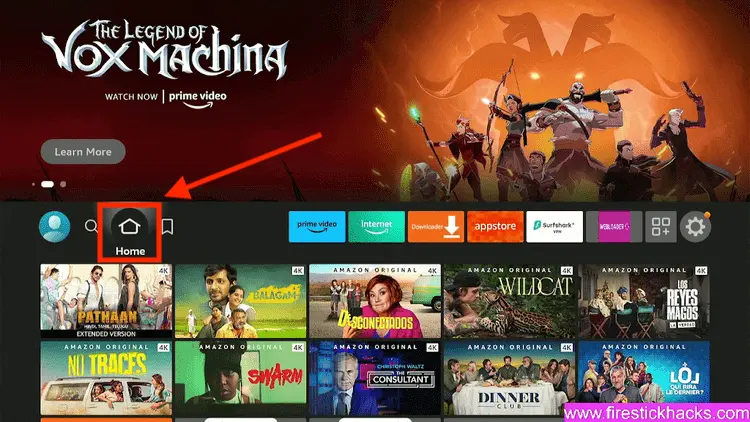
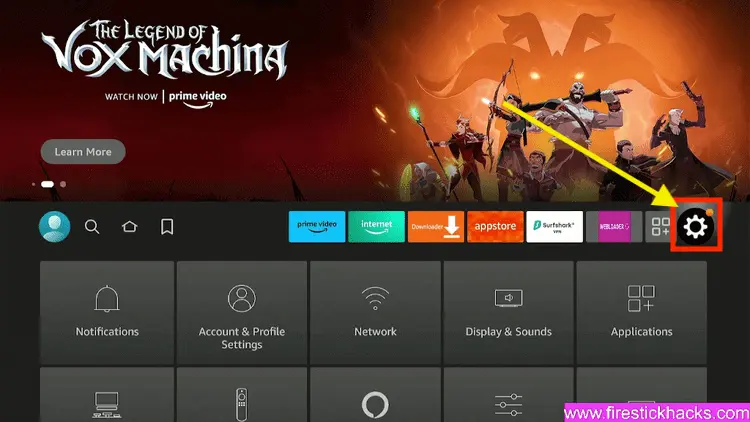
Step 2: Click on the Settings icon
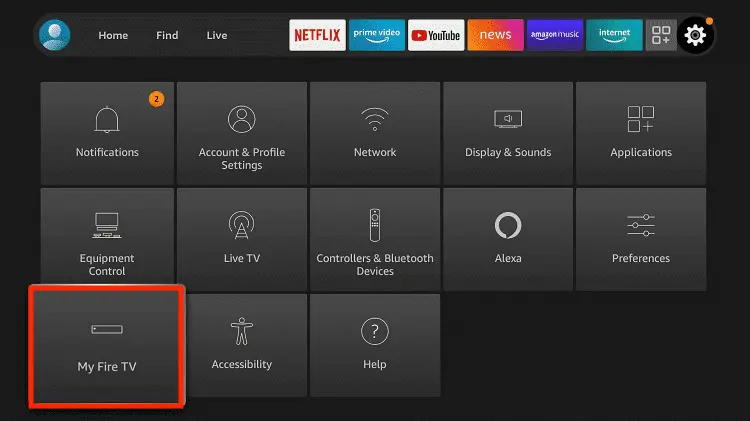
Step 3: Select the My Fire TV option
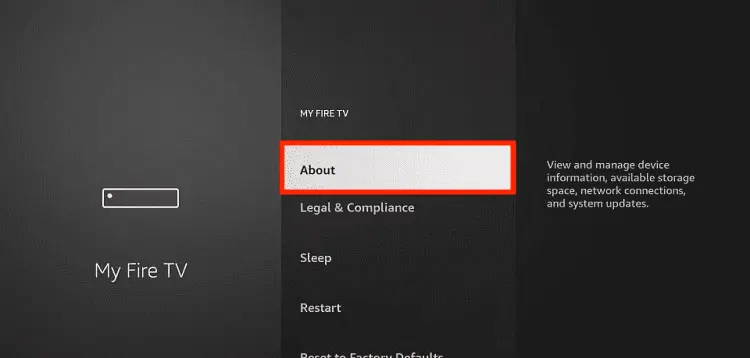
Step 4: To enable the Developer Option, click About.
Note: If you have already enabled the Developer Option, then proceed to Step 10
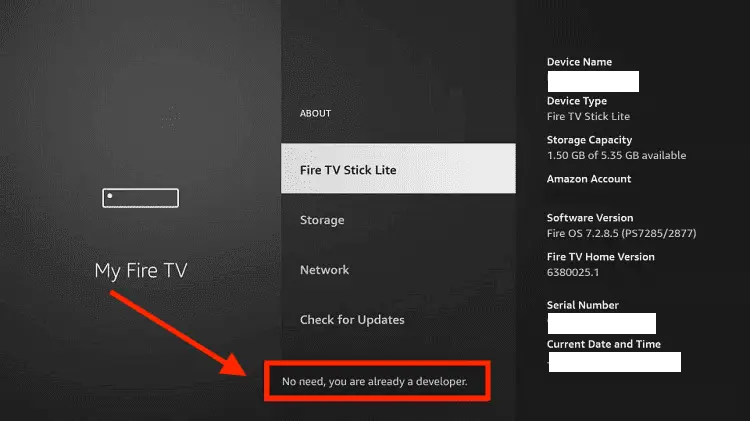
Step 5: Click on the Fire TV Stick option quickly at least 7 times
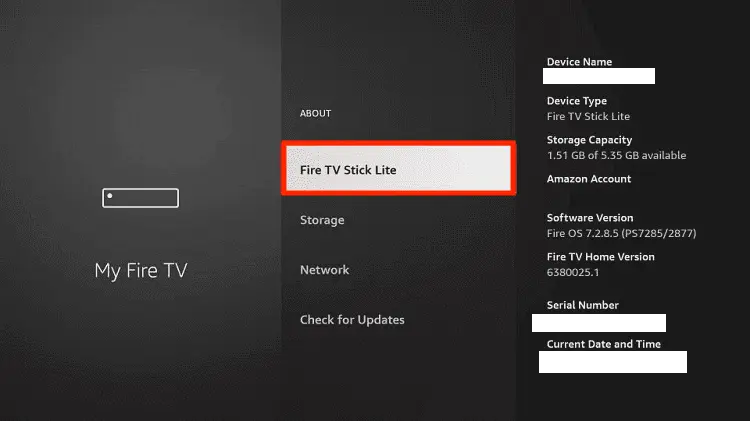
Step 6: Now you will see this message at the bottom saying "No need, you are already a developer". So stop clicking then
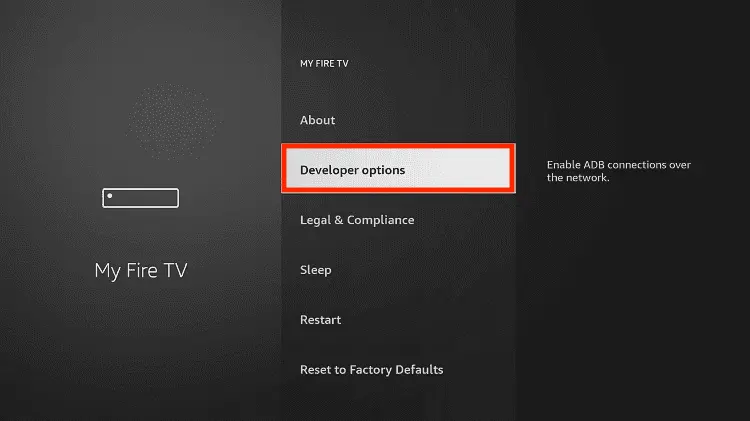
Step 7: Now the Developer Option will appear in the menu so click on it
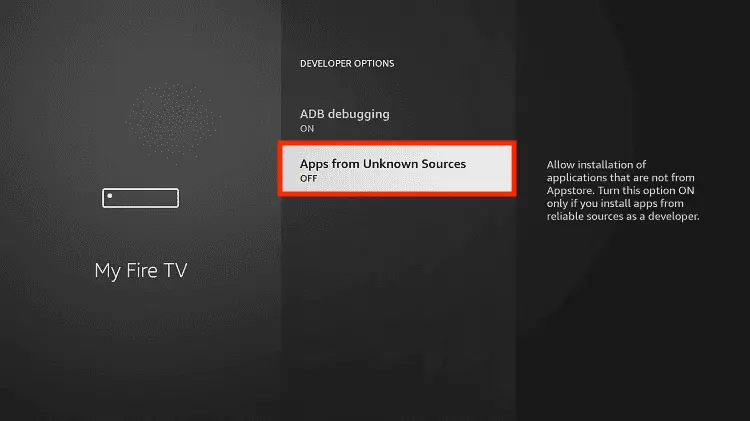
Step 8: Choose Apps from Unknown Sources to turn it ON
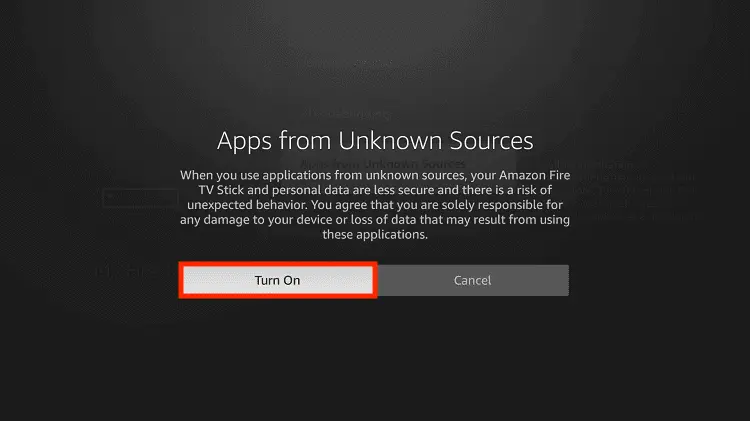
Step 9: Simply click Turn On
Step 10: Now return to the FireStick Home menu by pressing the "Home" icon on the remote and click on Find
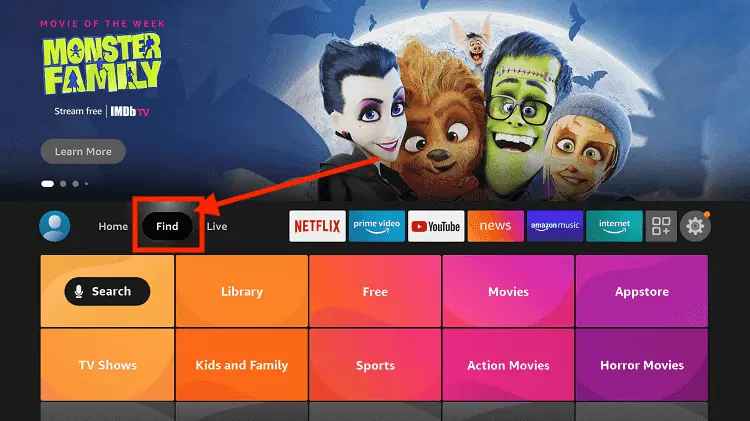
Step 11: Now select the Search icon
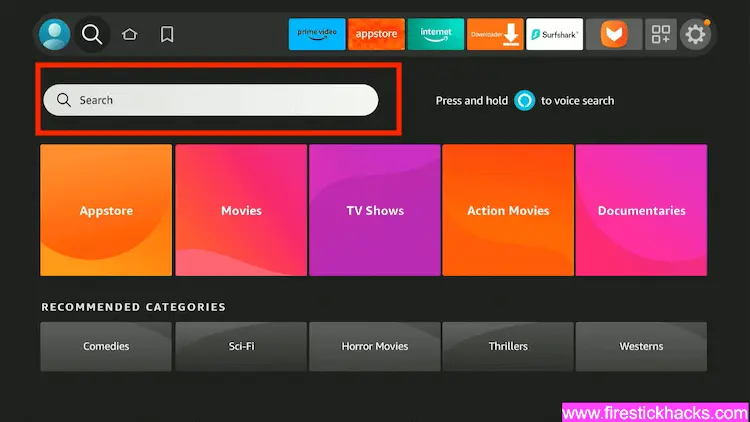
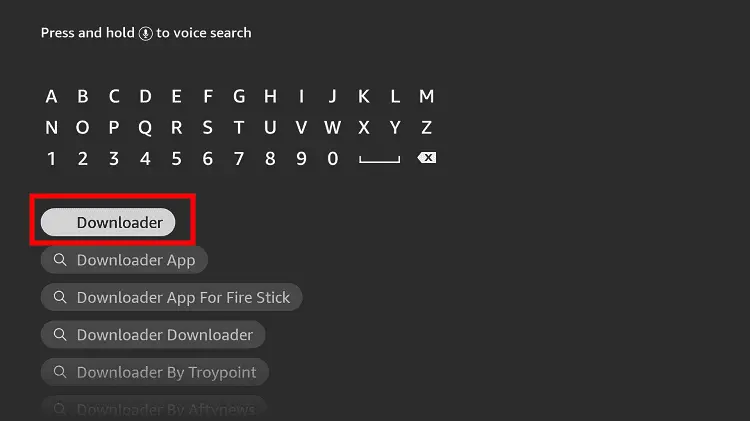
Step 12: Type Downloader and press search
Step 13: Select the Downloader App icon from the list available in the Amazon Store
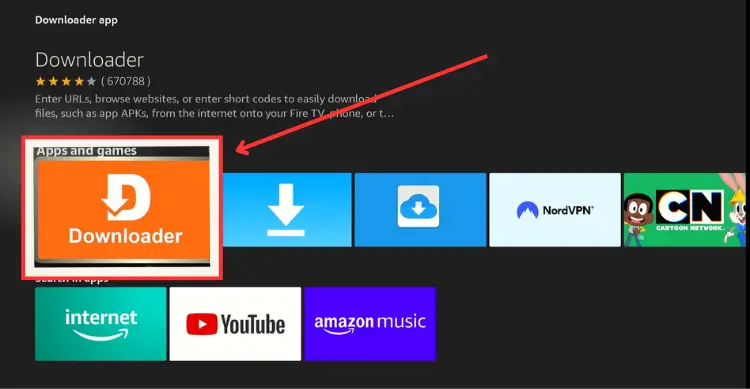
Step 14: Tap Get/Download
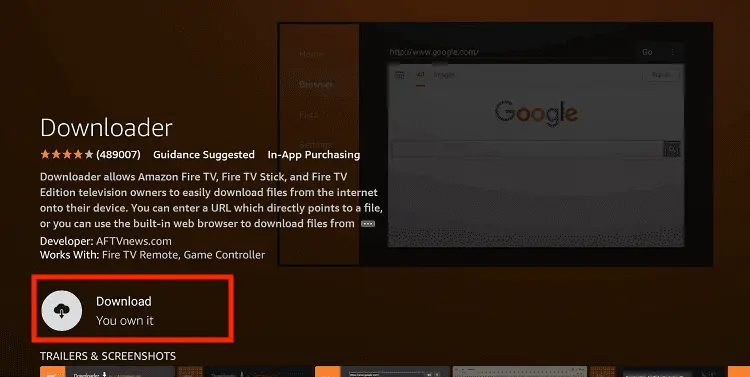
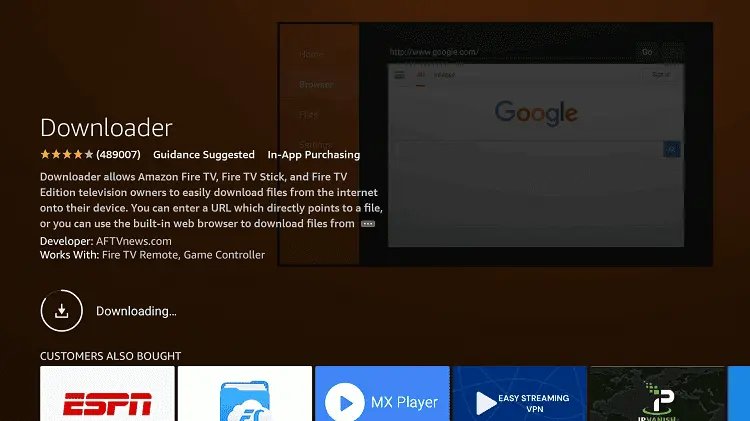
Step 15: Wait for a while until the installation process is completed
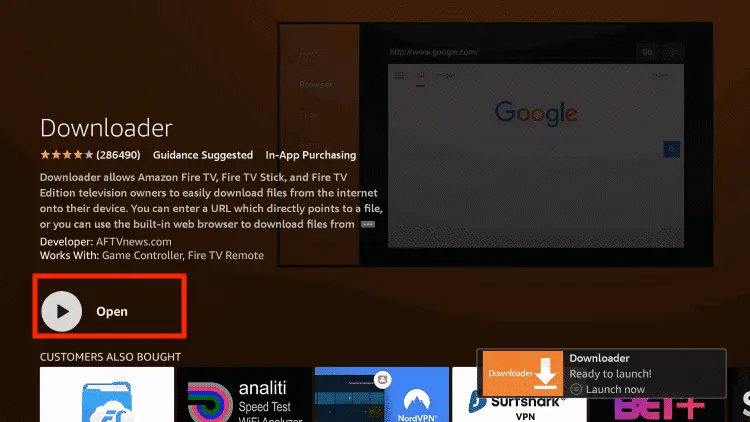
Step 16: Now click Open
Step 17: You will see a popup about Downloader app latest update. Click "OK".

Step 18: Click OK again

Step 19: This is the Downloader App interface, Click the Search Bar on top

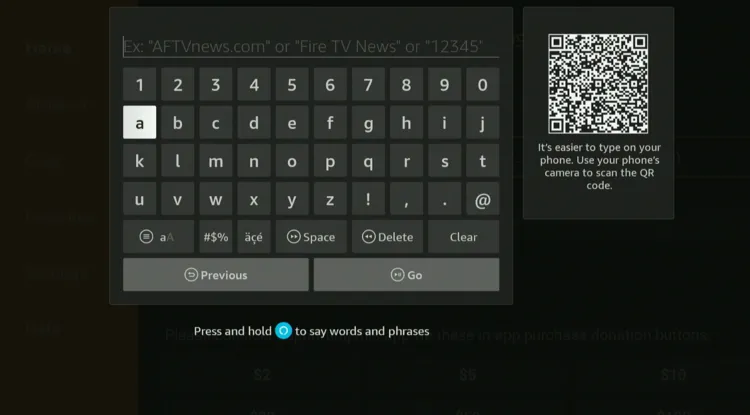
Step 20: Enter Viu Downloader Code 730116 in the search box OR enter this URL bit.ly/fsh-downloads and click Go.
Note: The referenced link is the official URL of this app/website. FIRESTICKHACKS does not own, operate, or re-sell any app, streaming site, or service and has no affiliation with its developers.
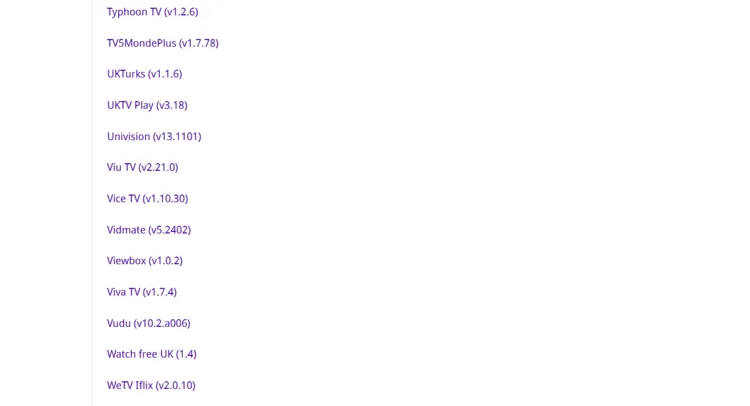
Step 21: Scroll down and click “Viu TV” from the “Movies & TV Shows Apps” category.
Note: If the app does not start downloading, then clear the Downloader App cache using this article.
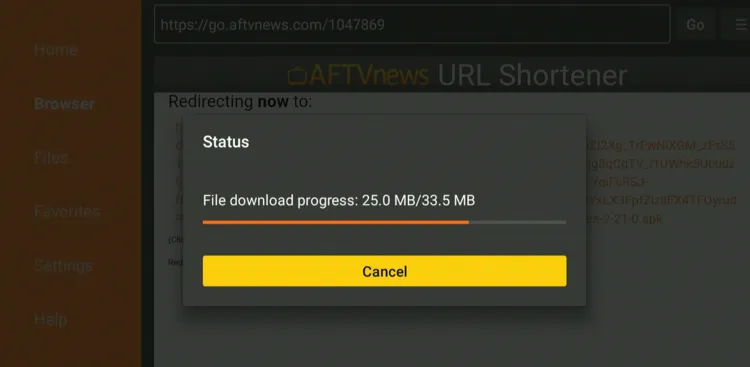
Step 22: The downloading will start. Wait for it to finish.
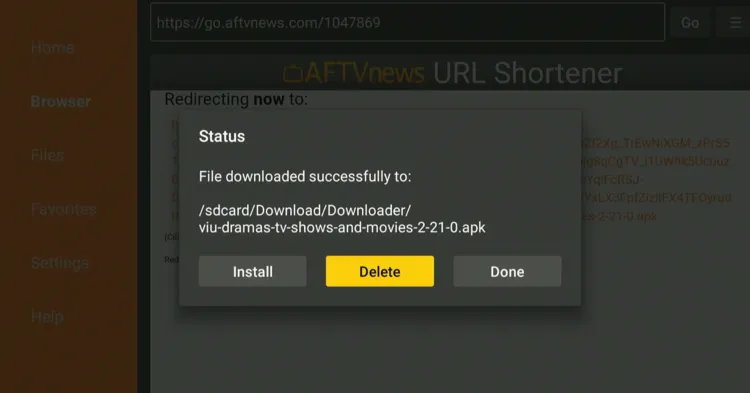
Step 23: Tap “Install”.

Step 24: Now click “Done”.

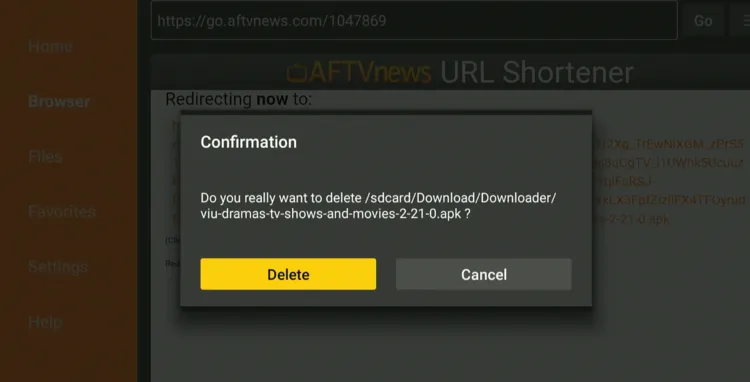
Step 25: Click “Delete” to remove the Viu APK file from FireStick.
Note: Deleting APK files will free up space on FireStick.
Step 26: Tap “Delete” again to complete the process.
How to Use Viu on FireStick
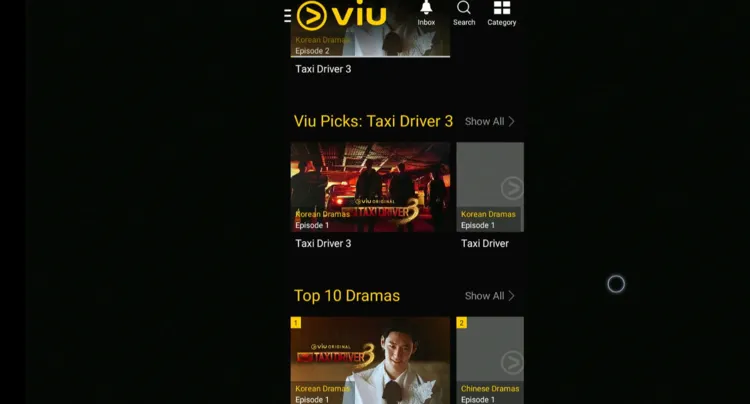
As mentioned, the Viu app (v2.21.0) comes with the mobile layout on FireStick. Fortunately, once you play any title, the video switches to the TV mode.
The only downside of the app is that it doesn’t have a built-in cursor, so you must connect a Bluetooth mouse or install the mouse app on FireStick for swift navigation.
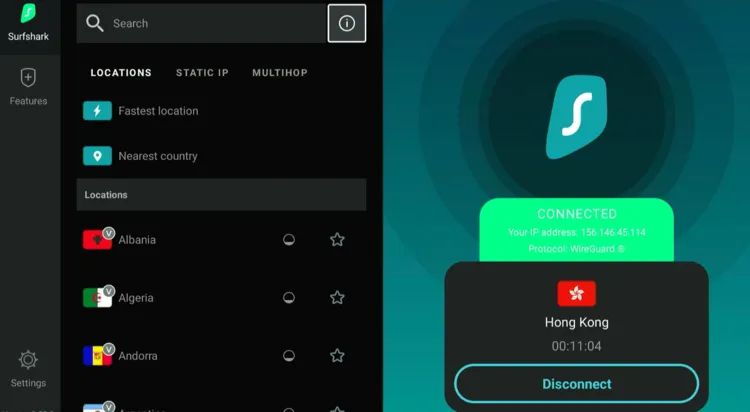
Before using the Viu app on FireStick, don’t forget to install SurfShark VPN on FireStick and connect it to the Hong Kong server to bypass geo-restrictions.
Step 1: Open the Surfshark app and connect it to the Hong Kong server.
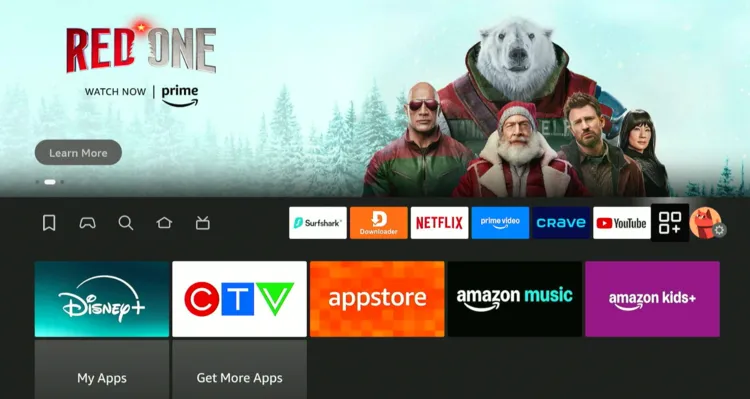
Step 2: Tap the “Apps Library” icon.
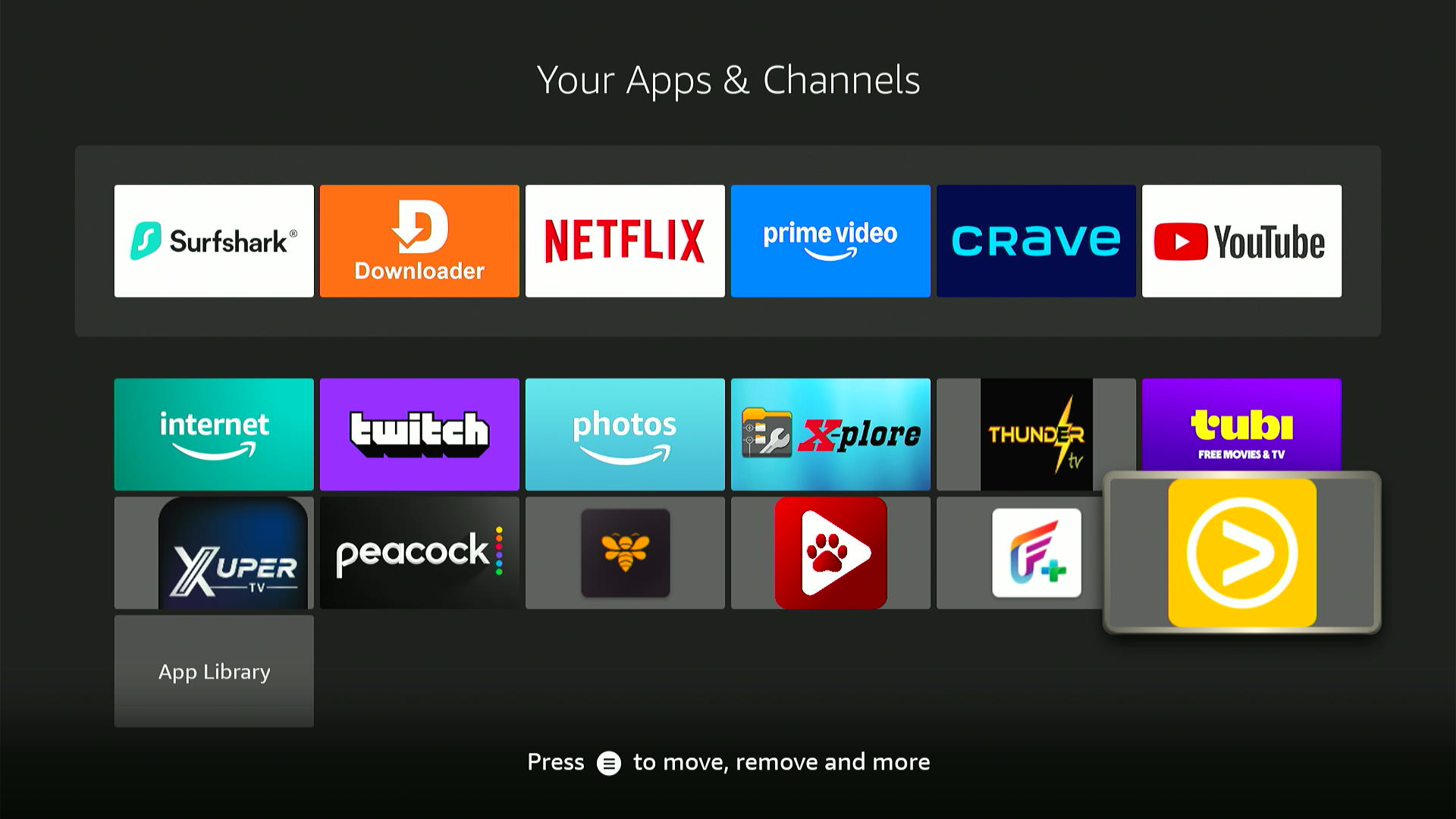
Step 3: Select the “Viu” app from the list.
Step 4: Choose a show.
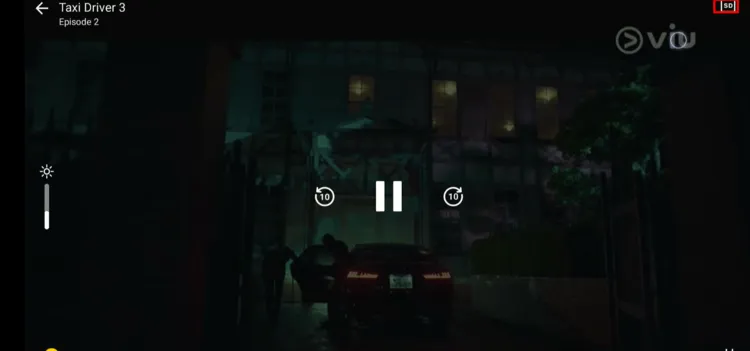
Step 5: As you can see, once the show starts streaming, it switches back to the TV mode.

Step 6: You can adjust streaming quality by clicking the “SD” icon in the top right corner.
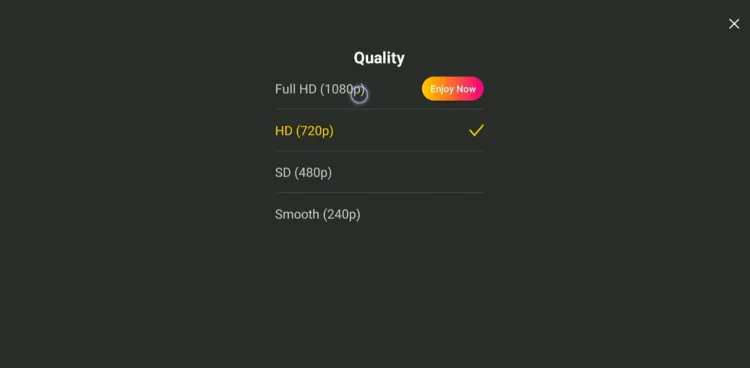
Step 7: Choose the desired resolution.
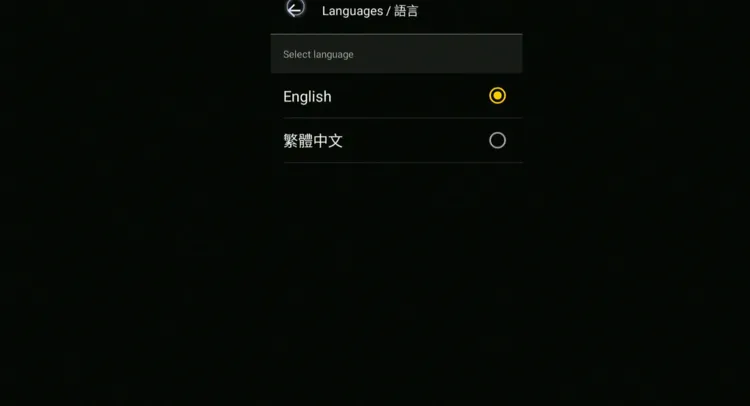
Step 8: You can also change the app language.
Is Viu APK Safe/Legal to Use on FireStick?
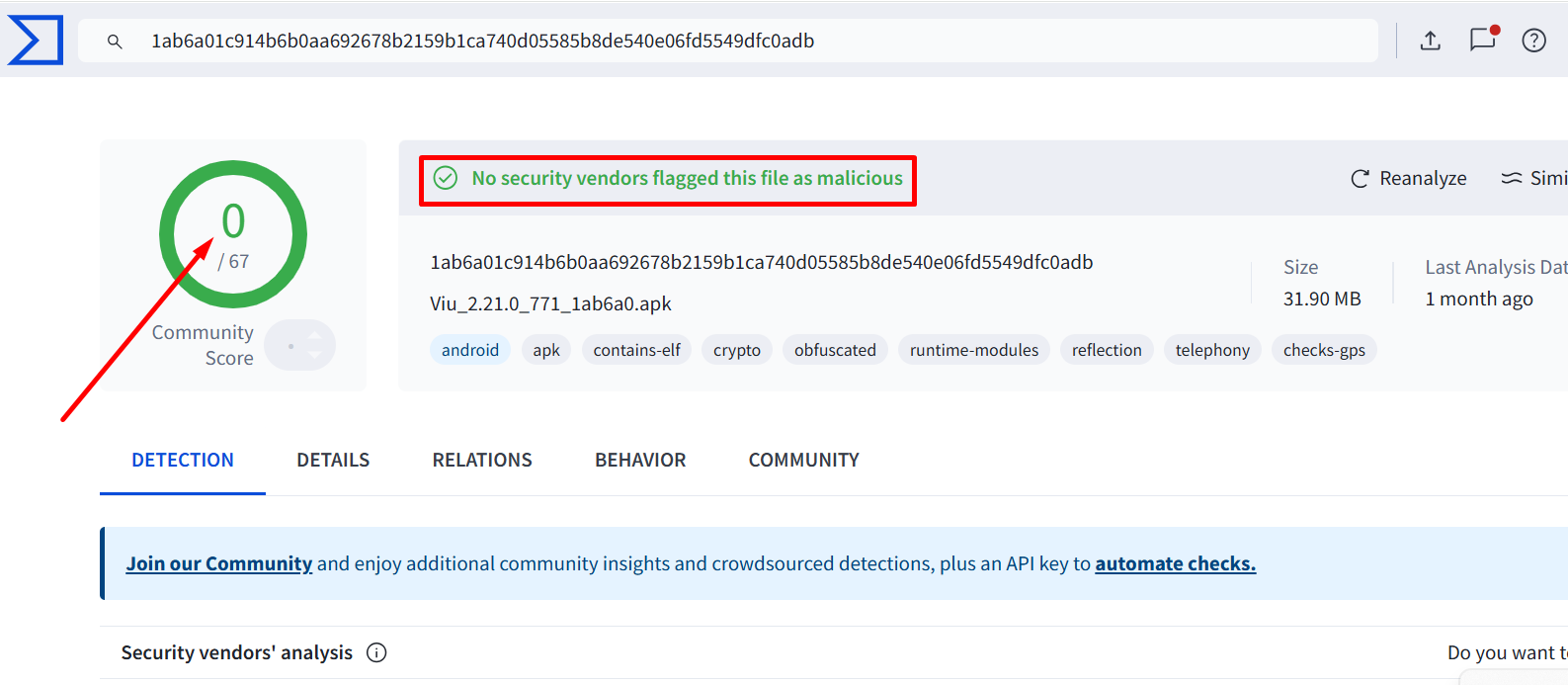
The Viu APK (v2.21.0) is completely safe to use. We scanned the file on VirusTotal and found no malware or viruses (see the picture above).
However, the Viu app is restricted to regions like Asia, the Middle East & Africa. Therefore, you will have to use Surfshark to access it outside of supported regions.
Viu APK at a Glance
Check out the key information about the Viu APK in the table below:
| Content-Type | Asian Shows |
| Price | Freemium |
| File Size | 33.5 MB |
| Is it Geo-Restricted? | Yes, use a VPN to access it worldwide |
| Version | 2.21.0 |
| Developer | Viu |
Top Shows You Can Watch on Viu
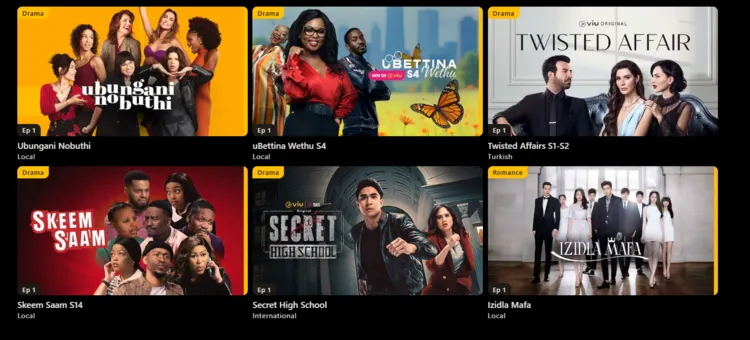
Here’s the list of popular Viu shows you can watch on FireStick:
- Reborn Rich (2022, South Korea)
- Flower of Evil (Philippines) (2022, Philippines)
- Dangerous Romance (2022, Thailand)
- Hotel Del Luna (2019, South Korea)
- A Love So Beautiful (Thai) (2020, Thailand)
- The House on Autumn Hill (2021, Malaysia)
- Secret Ingredient (2022, Multi-country / Asia)
- The Devil Judge (2021, South Korea)
- True Beauty (2020–2021, South Korea)
- Mr. Queen (2020–2021, South Korea)
- Tale of the Nine-Tailed (2020, South Korea)
Viu Pricing
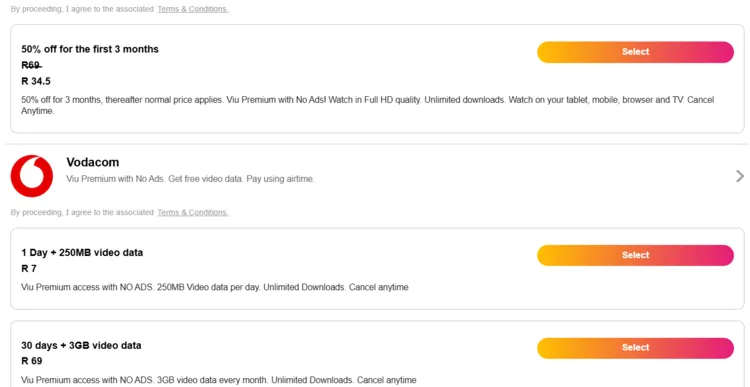
Viu’s premium pricing varies by region. Here are the South Africa options (as an example):
- Daily: R 5 per day
- Weekly: R 20 per week
- Monthly: R 69 per month (ad‑free)
P.S. Some plans include add‑ons, such as a recurring streaming‑data bundle to make watching easier.
Top Viu Features
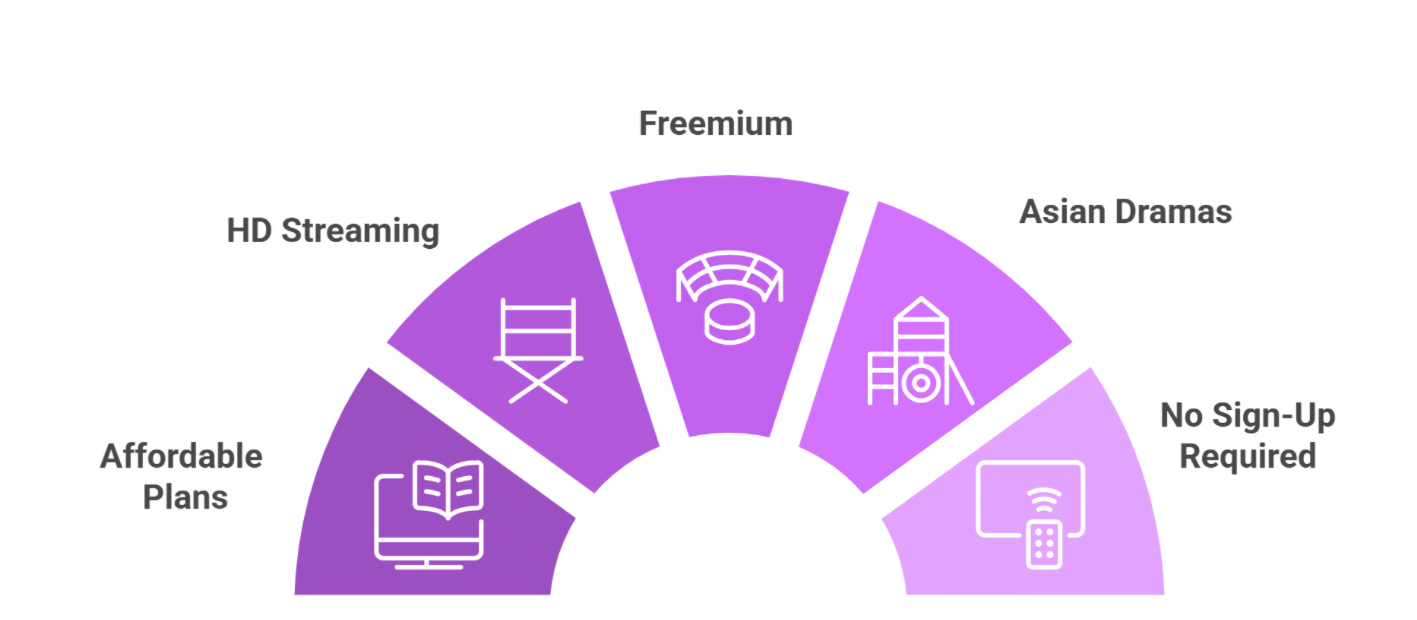
Check out some of the top Viu features:
✅ Asian dramas & variety shows
✅ Viu Originals
✅ Free + premium plans
✅ Downloads
✅ HD streaming
✅ Subtitles in multiple languages
✅ Early access to new episodes for premium users
✅ Localized content libraries by region
✅ Live channel streams in select regions
Viu Alternatives on FireStick
If you are on the lookout for more apps like Viu, consider trying out the following alternatives:
- AsianCrush on FireStick
- Rakuten Viki on FireStick
- WeTV Iflix on FireStick
- Kocowa on FireStick
- STV Player on FireStick
FAQs – Viu
What is Viu?
Viu is a Hong Kong-based OTT streaming service featuring Asian dramas, variety shows, and Viu Originals.
Is Viu free or paid?
Viu has a freemium model with both free and premium plans (prices vary in different regions).
Is the Viu app available on FireStick?
The Viu app is listed on the Amazon Appstore, but I was unable to install it outside its supposed regions. You will have to sideload its APK.
Does Viu support live TV?
In some regions, Viu offers limited live channel streaming along with VOD content.
Final Thoughts
Viu is a versatile streaming service that brings some of the best Asian dramas. With its freemium model, you can enjoy a large portion of its library for free or upgrade to the premium plan.
While you can’t install the app via Amazon Appstore outside of supported regions, you have the option to sideload it on FireStick using the Downloader app.
The mobile layout on FireStick may feel a bit clunky at first, but once you start streaming, the content switches to proper TV mode.
Before using the Viu app on FireStick outside Hong Kong, Africa, UAE, Malaysia, etc, make sure to use Surfshark to bypass geo-restrictions.