Disclosure: Our experts test apps for security before recommending them. If you buy through our links, we may earn a commission. See how it works.
Some FireStick apps aren’t as remote-friendly, which makes clicking, scrolling, or even selecting features a frustrating experience.
While many users turn to a Bluetooth mouse for wireless control or rely on the mobile app to simulate a cursor, you can also use a wired mouse with your FireStick.
With just a small accessory like an OTG cable, you can connect any regular wired mouse and enjoy precise, hassle-free navigation across all apps on FireStick.
Video: How to Use a Wired Mouse on FireStick
Watch this quick video to see how easily you can connect and use a wired mouse on your FireStick:
How to Use a Wired Mouse on FireStick [Steps with Screenshots]
Some FireStick apps aren’t compatible with FireStick remote. That’s where a wired mouse comes in handy. The setup may sound technical, but it’s actually very simple.
Follow the steps below:
Step 1: Connect the wired mouse to the OTG cable’s USB port.
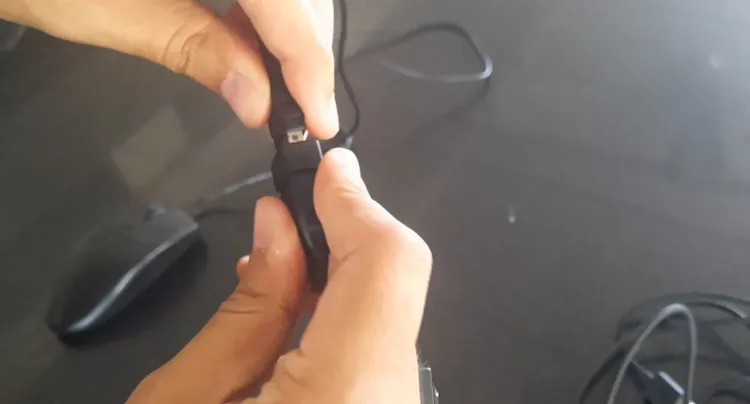
Step 2: Plug in the FireStick power cable to the OTG cable’s micro USB port.
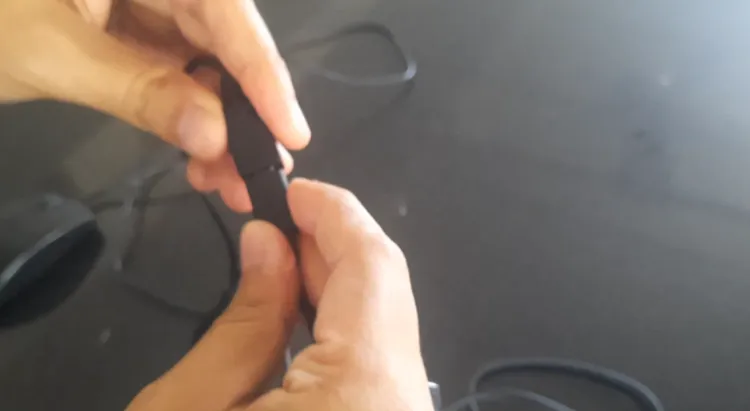
Step 3: Now connect the OTG cable’s micro USB connector to FireStick.
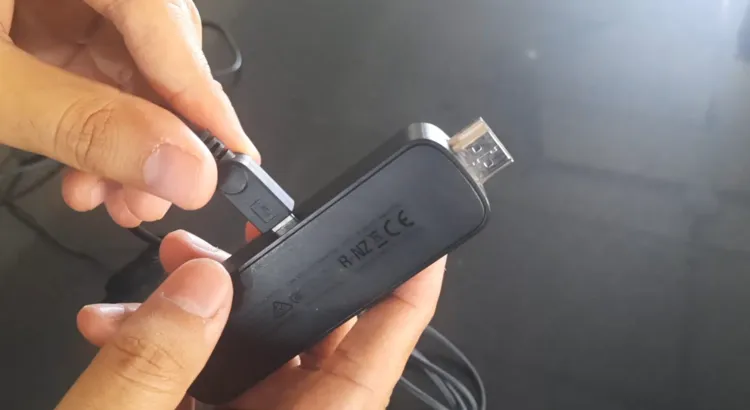
Step 4: Once the setup is complete, it will look something like this.
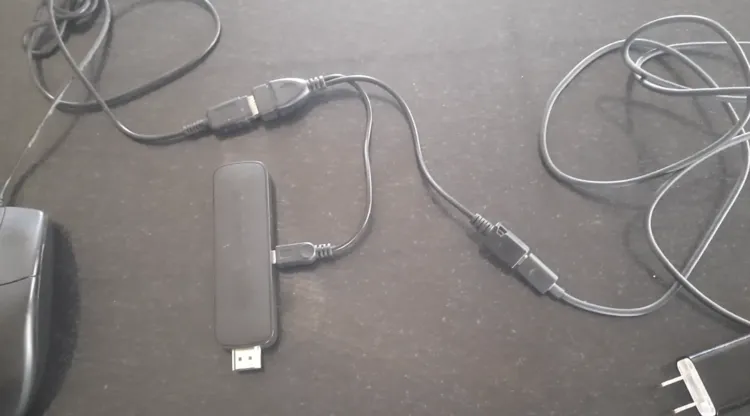
Step 5: Finally, plug in FireStick to your TV, turn on the power source, and open any app to use the wired mouse.

FAQs – Wired Mouse on FireStick
Do I need to jailbreak FireStick to use a wired mouse?
No, you don’t need to jailbreak; wired mouse works directly with an OTG cable.
Can I use any wired mouse with FireStick?
Yes, most standard wired mice work perfectly on FireStick.
Do I need an internet connection for a wired mouse to work?
No, a wired mouse connects directly and doesn’t rely on WiFi.
Does a wired mouse slow down my FireStick?
No, it won’t affect performance; it simply adds navigation support.
Can I use both the FireStick remote and wired mouse together?
Yes, you can use them simultaneously without issues.
Do I need any app to use wired mouse on FireStick?
No apps are required. You only need an OTG cable to use wired mouse on FireStick.
Final Thoughts
With just a simple OTG cable and a regular wired mouse, you can make your FireStick a lot easier to navigate.
It’s a quick, affordable fix that works right out of the box without needing any extra apps or complicated setups. So, give it a try the next time an app feels clunky with the FireStick remote.