
Disclosure: Our experts test apps for security before recommending them. If you buy through our links, we may earn a commission. See how it works.

If you’re using the FireStick 4K Max, you might have noticed that the screensaver has been replaced by the Ambient Experience.
It is a blend of visuals and widgets that create a stylish display. However, FireStick 4K Max doesn’t allow you to turn off Ambient Experience from settings.
Plus, unlike older FireStick models, there’s no option to adjust its timer. This means you can’t choose if Ambient Experience should appear after 5, 10, or 15 minutes of inactivity.
In this article, I’ll show you how you can manage or turn off the Ambient Experience on your FireStick 4K Max and regain control over your display.
How to Turn Off Ambient Experience on FireStick
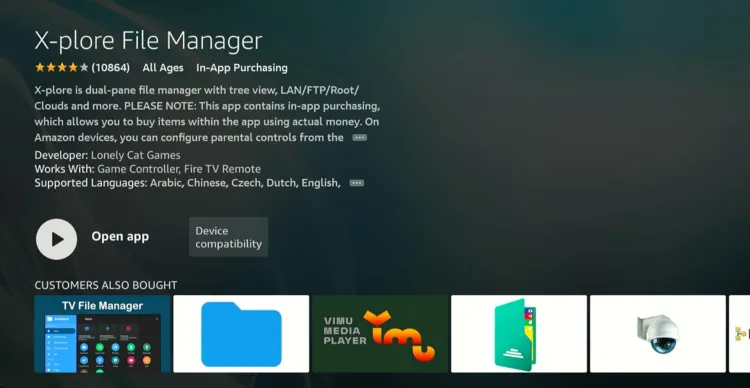
Since FireStick 4K Max doesn’t let you turn off the Ambient Experience via settings, you’ll need to use File Explorer to tweak it. We’re using X-Plore File Manager, which is free and available on Amazon Appstore.
Follow the steps below:
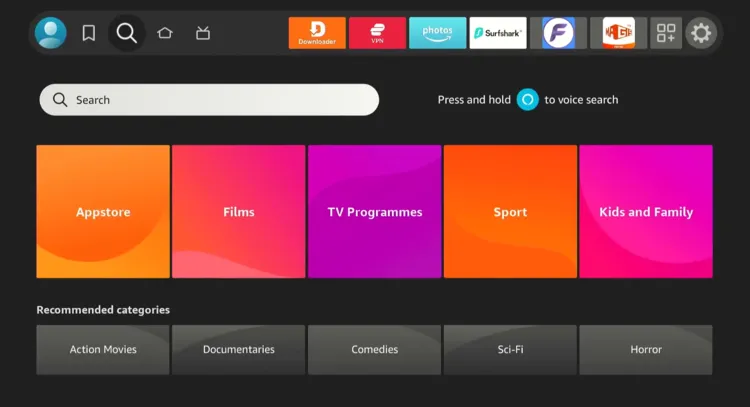
Step 1: Tap the “Find” icon and click the “Search” bar from the FireStick home screen.
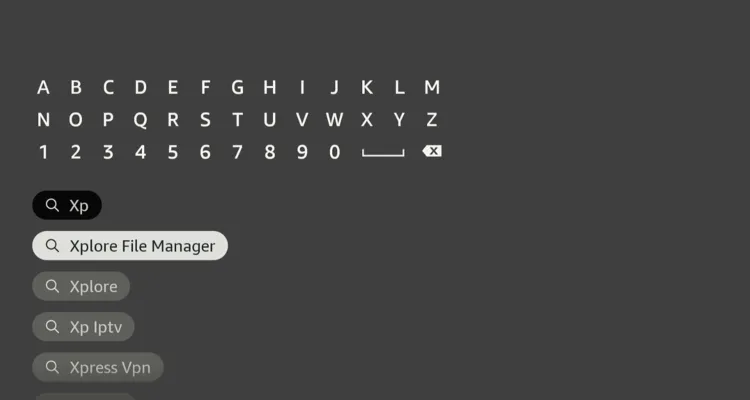
Step 2: Type “Xplore File Manager” and select it from the results.
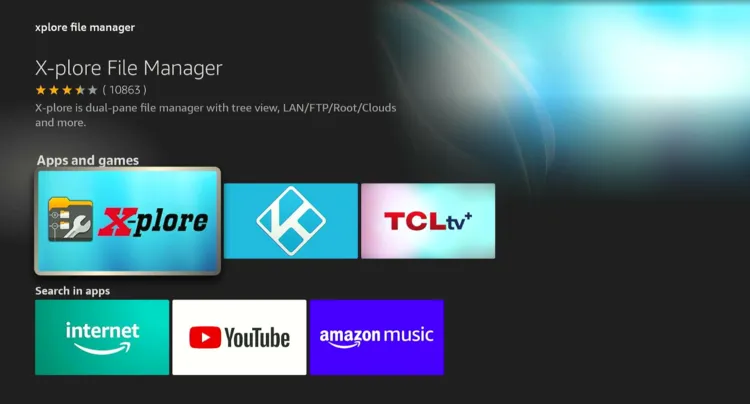
Step 3: Choose the “X-plore File Manager” app.
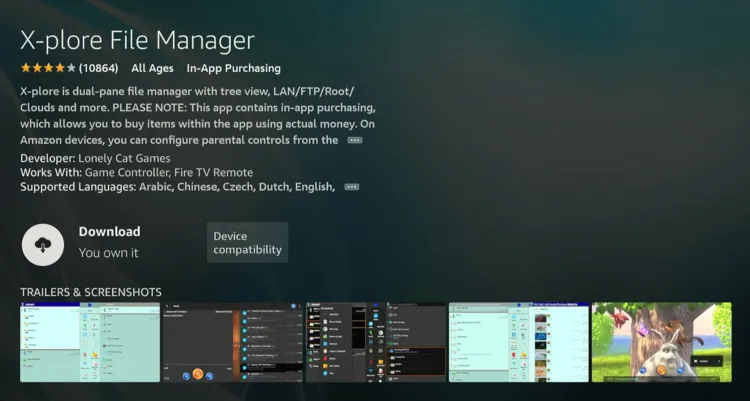
Step 4: Tap “Download”.
Step 5: Once the downloading ends, click “Open”.
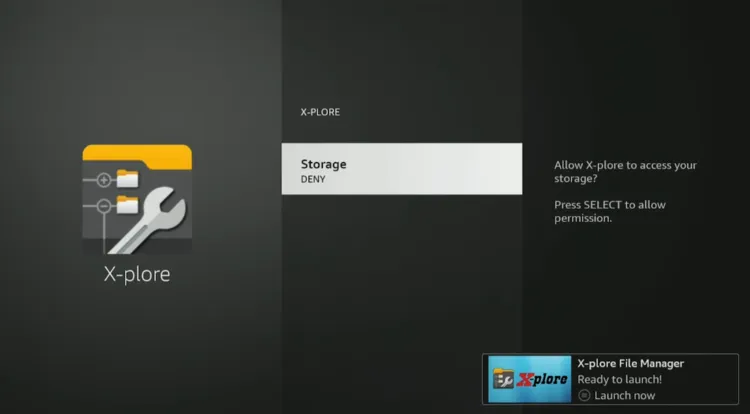
Step 6: The app will require access to storage, click “Storage”.
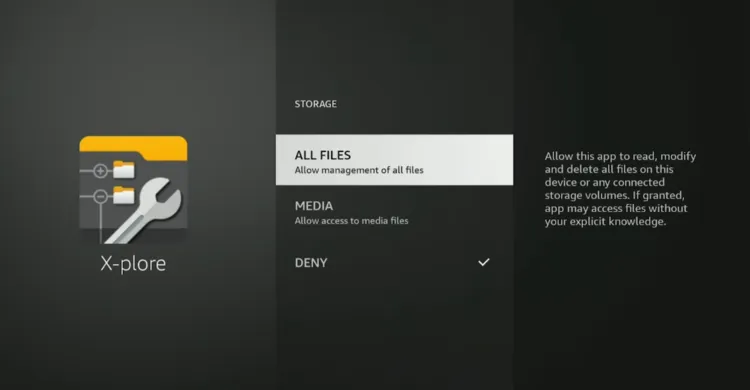
Step 7: Choose “All Files”.
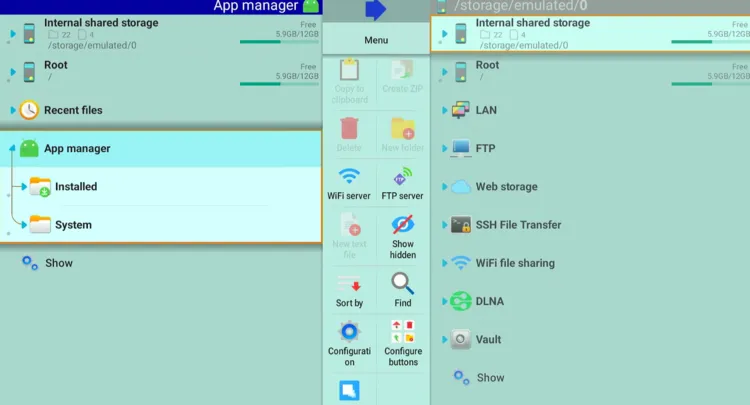
Step 8: Select “App Manager” and then choose “System”.
Step 9: Scroll down and select “Screensaver”.
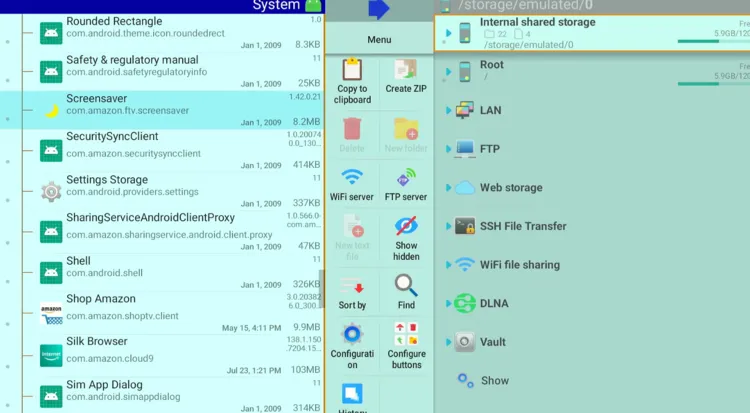
Step 10: Choose “Start Time”.
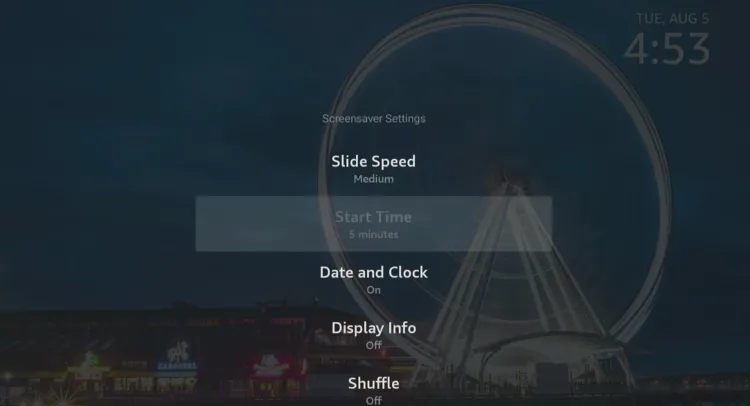
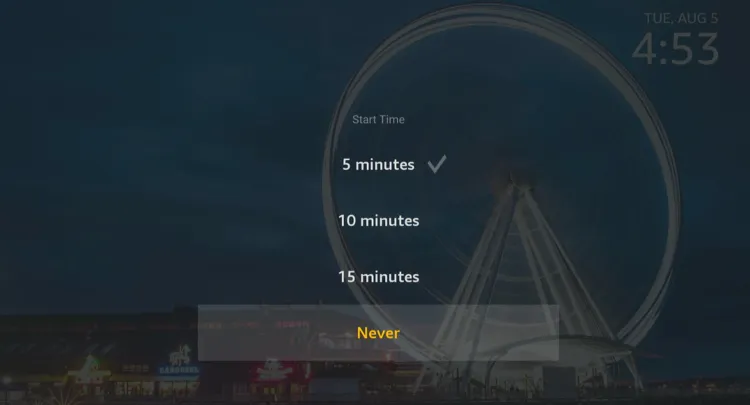
Step 11: Select “Never” to turn off Ambient Experience. If you only want to change the timing, choose an appropriate timer from the options.
FAQs – Turn Off Ambient Experience
Can I turn off Ambient Experience on FireStick 4K Max?
While FireStick 4K Max doesn’t allow you to disable Ambient Experience from the default settings, you’ll need to use X-plore File Manager for that.
Is X-plore File Manager free to use?
Yes, X-plore File Manager is free to download and use. The app is available on Amazon Appstore.
Can I change the Ambient Experience timer on FireStick 4K Max?
Yes, you can set a timer for Ambient Experience (e.g., 5, 10, or 15 minutes) or select Never to disable it completely.
Conclusion
The Ambient Experience on FireStick 4K Max may look stylish, but not everyone enjoys having it take over their screen.
Unfortunately, Amazon doesn’t provide an option in the default settings to turn it off or even adjust its timer.
Thankfully, with the help of X-plore File Manager, you can easily tweak these settings to either disable Ambient Experience entirely or set a timer that suits your preference.